
Listmonk newsletter integration
This plugin adds your customers to the mailing list of your own Listmonk, the free, self-hosted newsletter software. Customers who ask for your newsletter when they register or order are subscribed on their own, with what your shop knows about them, so that you can write to the ones who bought twice, spent the most or speak a given language. The addresses stay on your server and you pay nothing per contact.
Features- Subscribes customers to the Listmonk list of your choice when they register, when they place an order, or both.
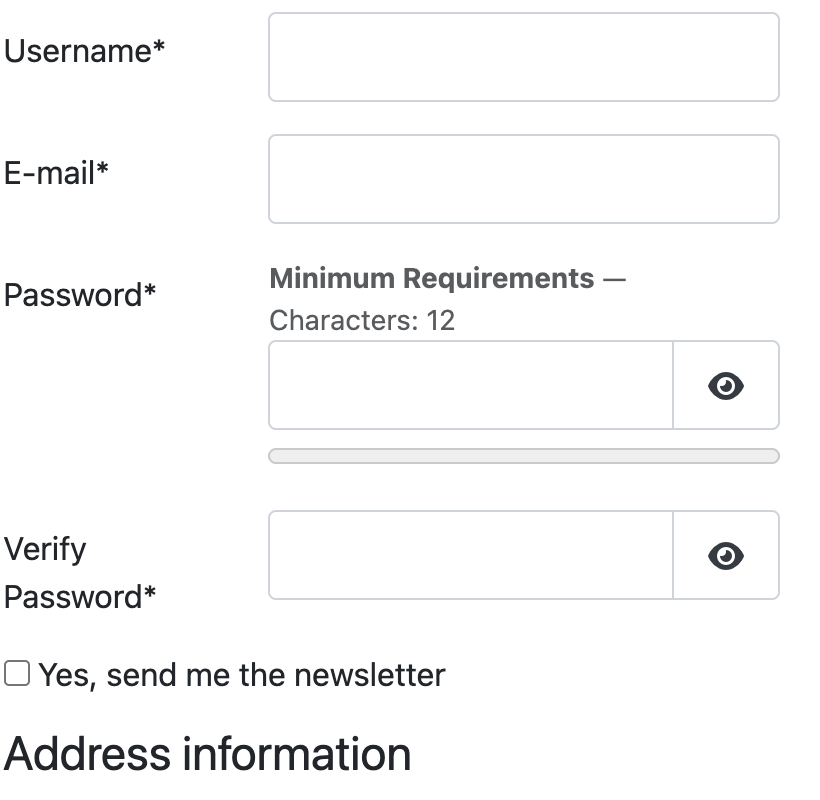
- Adds its own newsletter checkbox to the HikaShop registration form, to Joomla's own registration form and to the account step of the checkout, so that consent is asked for on every edition of HikaShop, Starter included, without a custom field. You can write its text, or use a HikaShop custom field you already have instead.
- Or subscribes every customer, for a shop that already has their agreement by other means.
- Respects the opt-in of the list: on a double opt-in list, Listmonk sends the confirmation email itself and the customer is added once they click it.
- Keeps what the shop knows on the subscriber: the number of orders, the total spent, the date of the last order, the currency and the language they bought in. Use them in Listmonk to write only to the customers who bought more than once, or to those of one country or language.
- Never brings back someone who unsubscribed, from your list or from everything, and never touches the other lists of a subscriber: a confirmation they have not given yet stays theirs to give.
- Remembers the answer of the customer, so that the order placed a few minutes later, or its update by you in the backend, still subscribes them.
- Never blocks an order: if Listmonk cannot be reached or is slow, the customer waits no longer than the timeout you set, the order goes through and the problem is written to the HikaShop log file.
- Lets you try the plugin on your own addresses first, before it runs for every customer.
- Comes with a command line tool that puts the customers you had before the plugin onto the list, when you have their consent.
- 1. The customer creates an account, on the registration page or at the checkout, and ticks the newsletter box.
- 2. The plugin looks for the customer in Listmonk: a new subscriber is created, an existing one is added to your list and keeps their other lists and the name they have in Listmonk.
- 3. On a double opt-in list, Listmonk sends the confirmation email, and the customer is subscribed when they click the link.
- 4. At each order, the number of orders, the total spent and the date of the last order are updated on the subscriber. A subscriber who still has an address to confirm is updated once they did.
- 5. Unsubscribing is done by the link of your newsletters, in Listmonk, and the plugin never overrides it.
Use
- Compatible with all the editions of HikaShop
- Requires a Listmonk installation that your website can reach, and an API user in it. Tested with Listmonk 6.2
- Requires the PHP cURL extension
- Compatible with PHP 7.4 minimum
- Compatible with Joomla and WordPress
- No limit of time
- No limit of use
Changelog
1.1.0 on the 6th of November 2026
- The newsletter checkbox is now also shown on Joomla's own registration form, not only on HikaShop's.
- The plugin is now a System plugin instead of a HikaShop plugin. If you installed 1.0.0, uninstall it first, install this version, enable it and enter its settings again.
1.0.0 on the 5th of November 2026
- First version.
Free


The add to cart button will appear once you select the values above
- Type
- Integration