
Halle
Halle is a template for a marketplace of regional and local products, in the spirit of a covered market: many stalls under one roof. It is made for Joomla and WordPress and built to showcase HikaMarket Multivendor on HikaShop: each vendor has a stall with a portrait, a place, opening hours and a delivery day, products say who sells them, and the cart is grouped by stall. The same design ships as a Joomla template and as a WordPress block theme.
Features- Stall cards, a vendor line on every product card ("Sold by"), the price per unit, and a stall front page for each vendor.
- The cart, the cart drawer and the checkout are grouped by stall, with each vendor's delivery note.
- Product pages with the weights or sizes as boxes, and the descriptions in accordions.
- A home page built from module positions on Joomla and from a block pattern on WordPress: hero, categories, promises, the stalls, the picks of the week, the map, the newsletter.
- 14 style presets (colours, fonts, corners, stall cards and hero), three of them with a dark page. Dark pages work with any colours you pick.
- Fonts can be served by your own site, so visitors' browsers never contact Google.
- Responsive and mobile-first, with an add-to-cart bar on phones.
- Works with every HikaShop edition. The vendor features need HikaMarket Multivendor.
Click any picture to open it full-size.
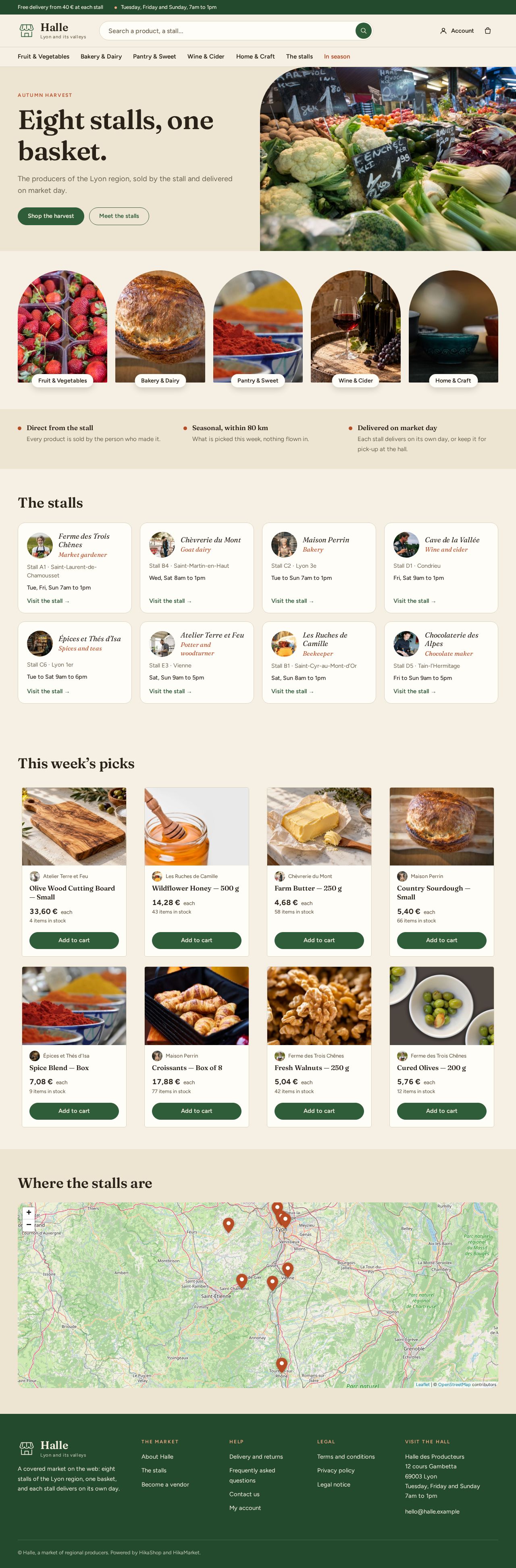
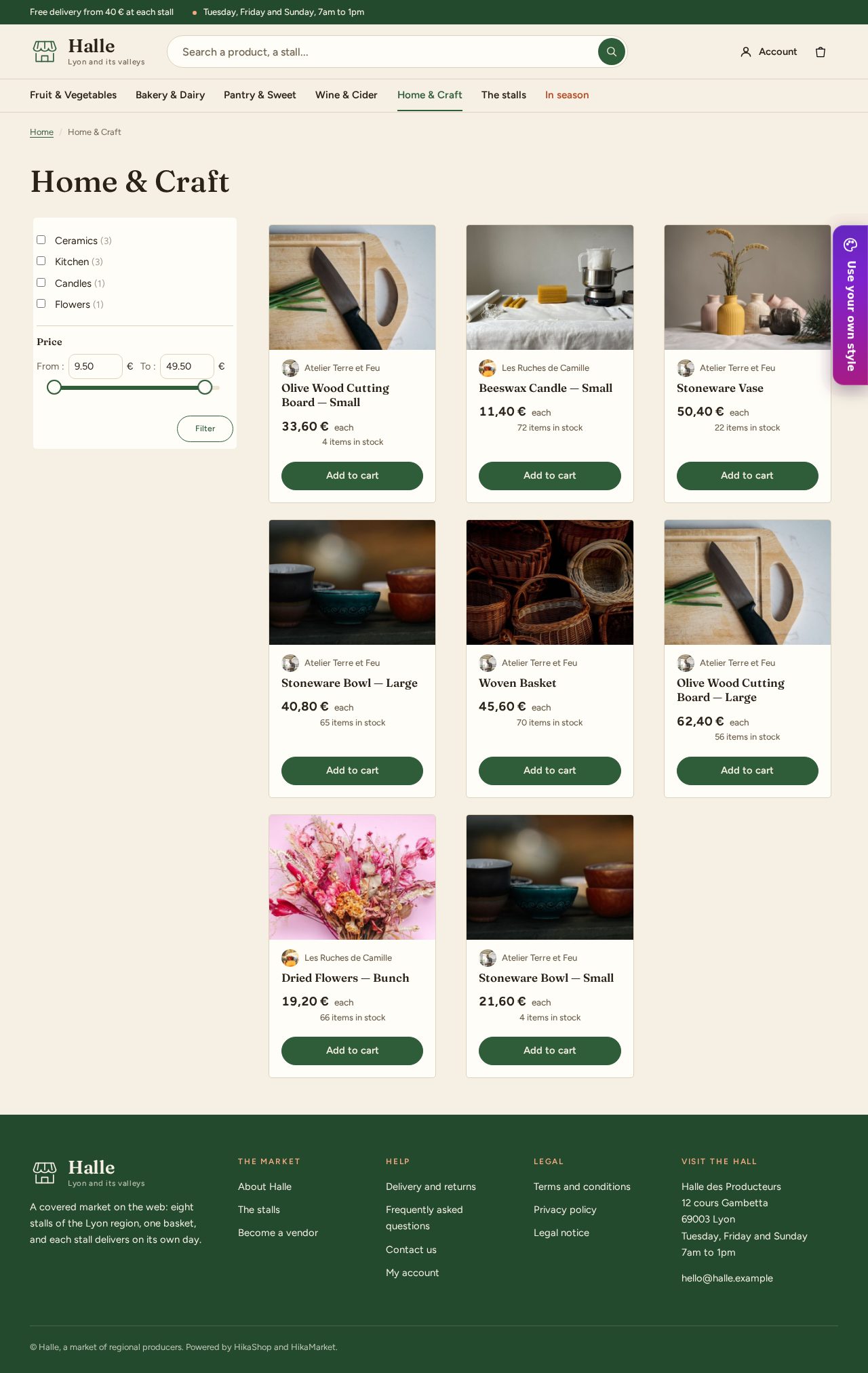
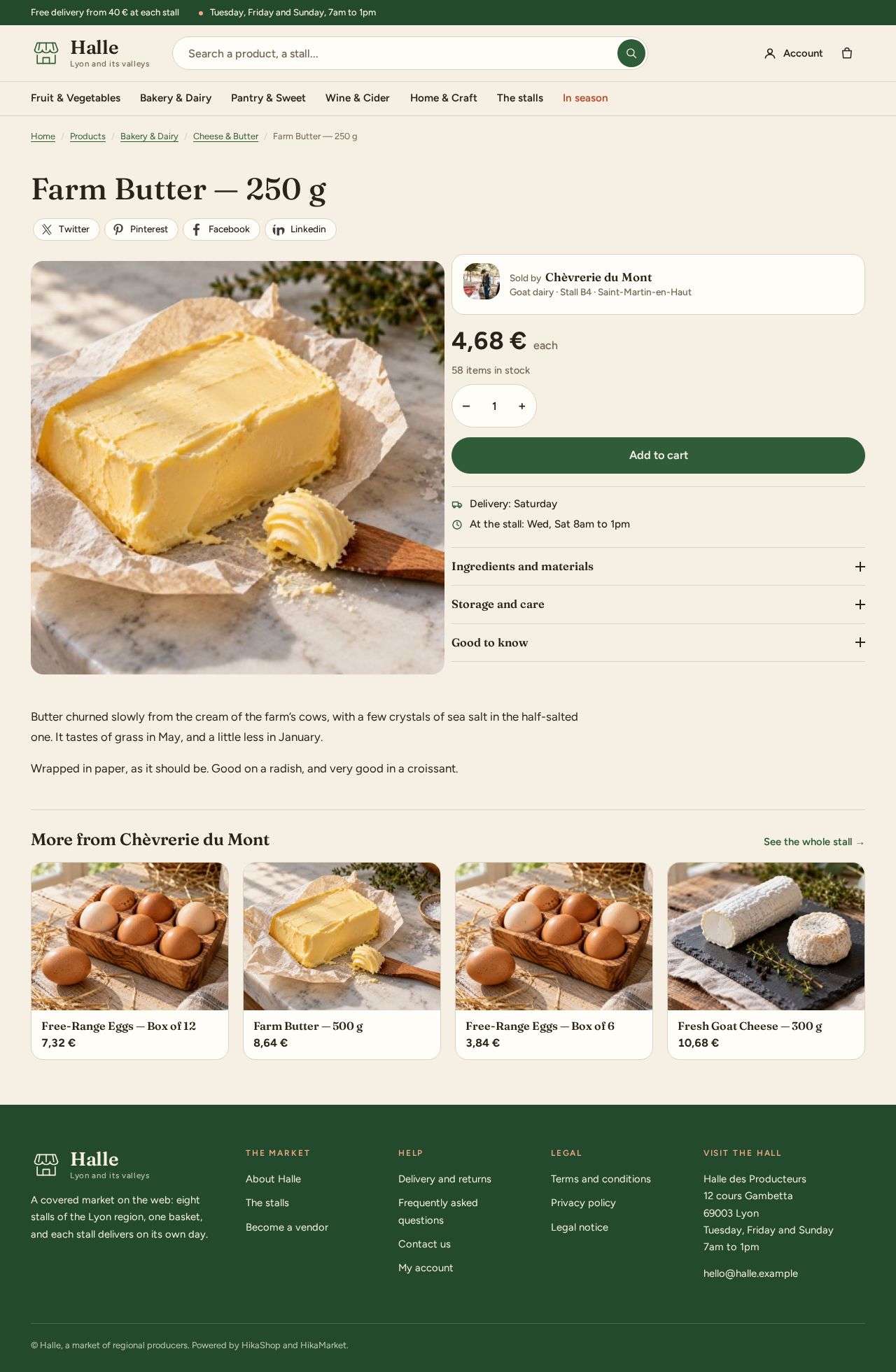
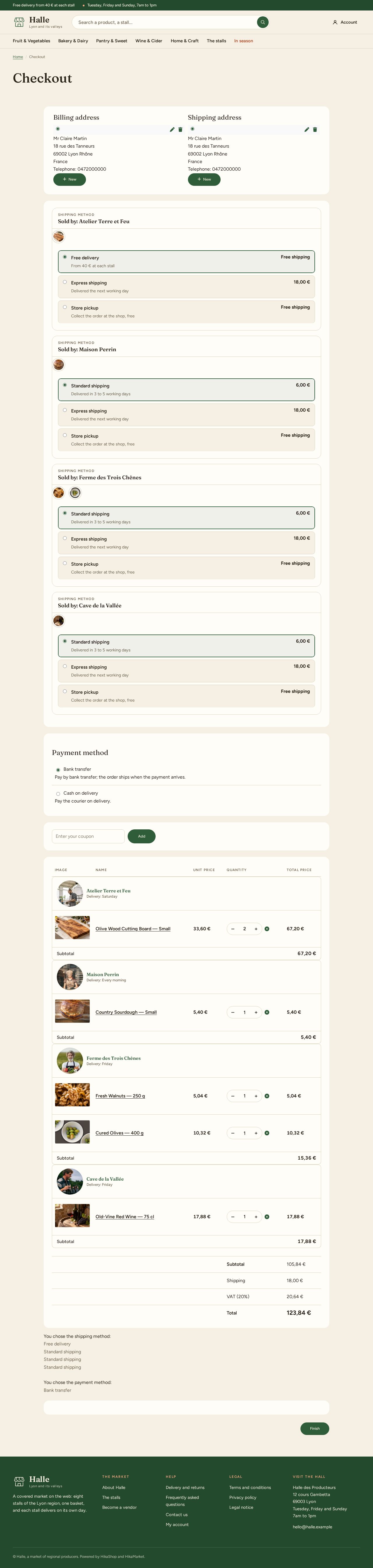


Halle ships with 14 one-click presets that restyle the whole market (colours, fonts, corners, stall cards and the hero), three of them with a dark page. Each picture is the same demo shop under a preset: click one to open the demo in it. On the demo each preset also brings its own stalls, goods, texts and photographs, in English and in French. Switch the look from the template style (Joomla) or from Styles in the Site Editor (WordPress).
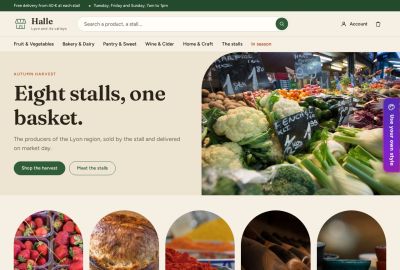
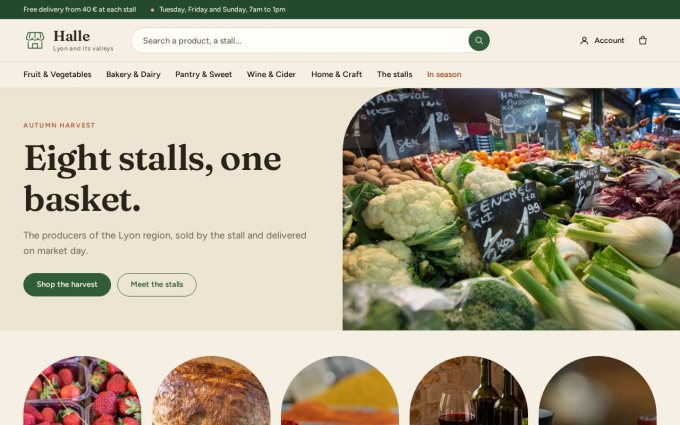
Halle
cream paper, market green and terracotta
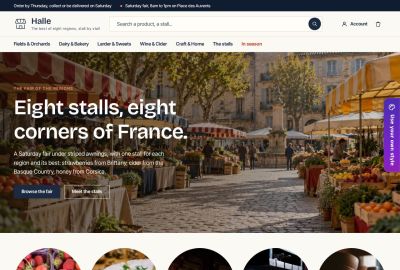
Étal
chalk white, deep navy, tomato and sun yellow
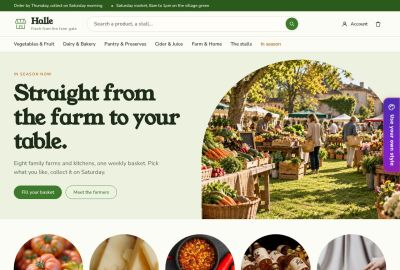
Farmers market
leaf green and carrot
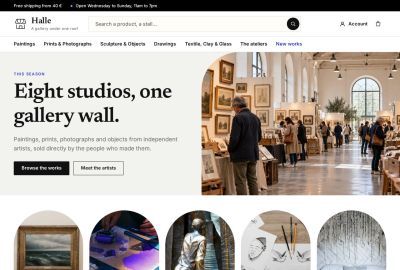
Art market
white, black and cobalt
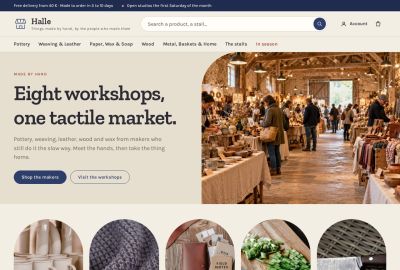
Makers and craft
oatmeal, indigo and madder red
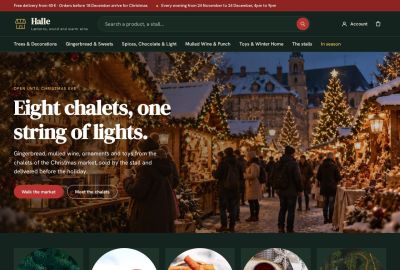
Christmas market
dark pine, cranberry and gold
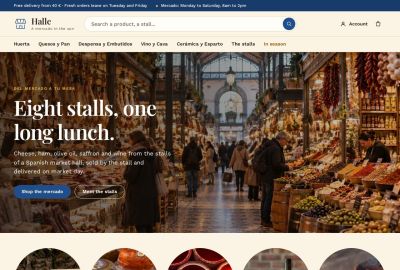
Spanish market
warm sand, cobalt blue and saffron
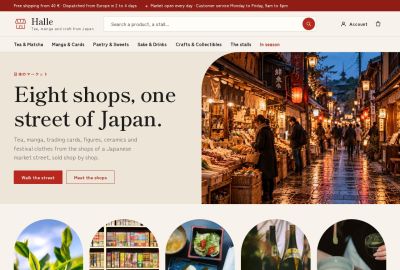
Japan market
vermilion and ink on rice paper
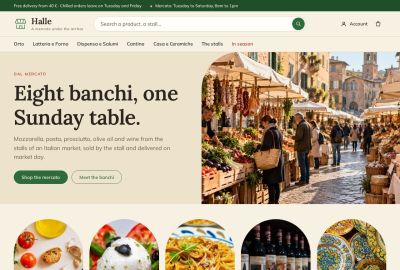
Italian mercato
basil green, tomato red and parchment
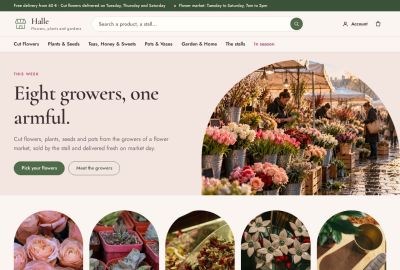
Flower market
blush, sage and rose
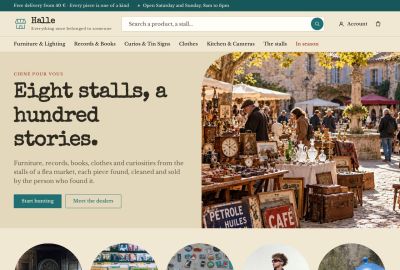
Flea market
worn paper, teal and faded red
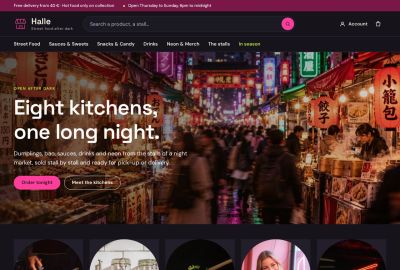
Night market
charcoal, magenta and lime
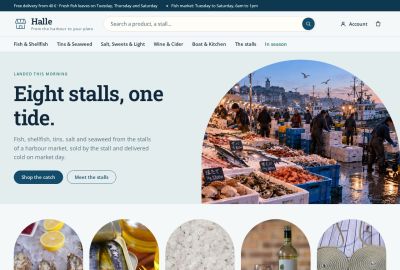
Seafood market
sea navy, sea green and sand
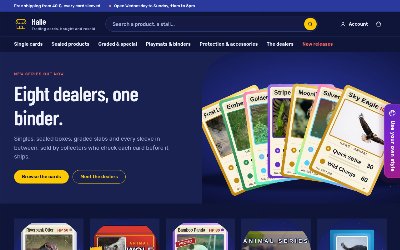
Card market
midnight blue, card yellow and holo red, a trading card shop
- Header: announcement, topbar, logo, menu, search, header-icons.
- Home page: hero, home-categories, home-promises, home-stalls, home-picks, home-map, newsletter.
- Content: breadcrumbs, sidebar-left, sidebar-right, main-top, main-bottom, bottom-a, bottom-b.
- Footer: footer-brand, footer-a, footer-b, footer-c, footer-d, footer-bottom.
The Halle set-up guide for Joomla takes a website from nothing to a marketplace, step by step and with screenshots: installing HikaShop, HikaMarket and Halle, every template setting, the menus, the module positions and the modules of the home page (with the code of each), then the marketplace itself: the vendors and their stalls, the vendor registration, the delivery of each stall and free delivery as a shipping method at 0 € with a minimum price, per stall.
The set-up guide for WordPress does the same with the block theme: choosing a style in the Site Editor, the menu, the front page section by section, and the marketplace with HikaMarket.
Installation (Joomla)- 1) Download the Halle template package (tpl_halle.zip) from our website.
- 2) Install it in System > Install > Extensions.
- 3) Set Halle as the default template in System > Site Templates > Templates (Styles).
- 4) Publish your modules in Halle's positions, choose a style preset, and add the vendor fields (trade, stall number, opening hours, delivery day) to HikaMarket's vendor form.
Style
- Style preset, Headline font, Interface font, Fonts served by this site, and the colours: Ink, Paper, Surface, Brand, Brand deep, Accent, Accent on dark, Sun, Line, Muted text, Alert (used when the preset is Custom).
Layout
- Product page gallery: thumbnail position and size.
- Strip above the header, name of the market, line under the name, logo and its size, favicon, header layout, footer text, sticky header, back to the top button, favourites link.
Market
- Home page hero, Stall cards and Corners: from the preset, or your choice.
- Vendor line on product cards, Price per unit on product cards, Market days, Delivery text, Add-to-cart bar on phones.
- The names of the vendor fields used for trade, stall number, opening hours and delivery day.
Home page
- Hero picture, small line above the title, title, text, and the two buttons with their addresses.
Effects
- Reveal duration and threshold, and for each home section (hero, categories, promises, stalls, picks, map, newsletter) its reveal effect and delay.
Halle also ships as a block theme (halle.zip): install it in Appearance > Themes > Add New > Upload Theme and activate it. The home page is its Front Page template, ready as soon as the theme is active: edit it in Appearance > Editor, where you also pick one of the 14 styles, change the colours and fonts, the strip, the header and the footer. The other settings (header that stays at the top, back to the top button, the product gallery, the hero, stall cards and corners, the vendor line, the price per unit, the delivery text and the names of the vendor fields) are in Appearance > Halle settings, with the home page animations (a reveal and a delay per section). The home page shows the map of the stalls when HikaMarket's Vendor Map block is available; the Vendors block of HikaMarket lists the stalls anywhere.
DemoSee it at https://halle.demo.hikashop.com/.
2.0.1 - 27th of November 2026
- Bug fix: on Joomla, the Sign in with a passkey button of the checkout's login is drawn like the template's other buttons, its key icon at the size of the text, under the username and password fields. Before, it was a grey browser button with a large icon, at the left of the form.
- Bug fix: on a computer, the sticky header keeps the logo, the search, the account and the cart at the top of the page with the menu. Before, only the menu stayed and the cart scrolled away.
2.0.0 - 23rd of November 2026
- Improvement: version 2 stands on the code the HikaShop templates now share (settings screens, header script, footer, shop styles), so an improvement or a fix made for one reaches all of them. Your settings, modules and content are kept as they are.
- Bug fix: on a dark page, the cross that closes the cart drawer is light. Before, it was dark on a dark background and could not be seen.
- Improvement: on WordPress, HikaShop's floating cart button shows at the bottom right of the pages, in the template's colours, above the phone bar of a product page, with the back to top button above it. Before, the template hid it.
- Improvement: with HikaShop 6.8.3, the cart of the checkout and of the drawer shows under each stall's subtotal how much is missing for its free delivery, then that it is reached, with a progress bar in the template's colours; the demo turns it on. HikaShop 6.8.3 groups the cart by stall itself, and Halle adds the stall's portrait, name and delivery day to each stall's header. A shipment of the shop itself, or of a stall whose products leave in several shipments, keeps HikaShop's title. With an older HikaShop, Halle keeps grouping the cart as before.
- Bug fix: on the checkout of a shop with no custom order field, the empty block of those fields is hidden. Before, it showed as an empty white card above the Finish button.
- Improvement: in the template settings, the help of the Effects tab says what the animations do and that they do not play on a device asking for reduced motion, and the help of the reveal threshold explains what a larger value does.
- Improvement: in French, the page not found message and nine texts of the template settings are reworded, the same as in the other HikaShop templates.
- Accessibility: on WordPress, HikaShop's green labels use a lighter green on the dark styles (Noël, Nocturne, Card market), as on Joomla. Before, they kept the dark green of the light styles, hard to read on a dark card.
- Improvement: the cart module, the checkout's cart, the product page and the product card are HikaShop's own views with the stall added, so every fix and new setting of HikaShop reaches them. Before, they were copies of HikaShop 6.7.1's views. This needs the latest package of HikaShop 6.8.2: with an older one the cart is not grouped by stall and the stall does not show on the product page and cards.
- Accessibility: each code of the language switcher (EN, FR) says which language it is, so a screen reader pronounces it in that language.
- Bug fix: on a dark page, the vendor cards of HikaMarket's vendors page take the template's card colour. Before, they kept the white of the menu item's settings, and the vendor's name could not be read on it.
- Improvement (WordPress): the footer and the second button of the hero only show a link once its page exists (About, The stalls, Become a vendor, Delivery and returns, FAQ, Contact, the legal pages). Before, a new site had links to pages not found until they were created.
- Bug fix: with the coupon hidden from the checkout cart, the total adds the coupon back whatever its amount, as HikaShop does. Before, a coupon worth more than the total was left out of it.
- Bug fix: on WordPress, the name of each shipping method of the checkout stands beside its radio button. Before, the button was drawn over the first letter of the name.
1.0.4 - 18th of November 2026
- Improvement: Joomla articles use the whole width of the content column, as in the other HikaShop templates. Before, an article was held to 760 pixels.
1.0.3 - 16th of November 2026
- Feature: a Card market preset (midnight blue, card yellow and holo red) with its own demo shop: trading cards, sealed boxes, graded slabs and accessories sold by eight dealers, in English and in French. A demo kit can now draw its own category pictures for the arched tiles of the home page; before, they were always a crop of a product photograph.
1.0.2 - 11th of November 2026
- Improvement: security improvements.
1.0.1 - 10th of November 2026
- Bug fix: the top strip's language switcher shows the short code of each language (EN, FR) as links. Before, with the language module's dropdown setting on (Joomla's default), its button and its whole list showed at once, unstyled.
1.0.0 - 9th of November 2026
- First version.
- Type
- Template
Access to updates included for 4 years
A tax rate (between 17% and 27% based on your country) will be added if your address is in the European Union and that you don't provide a valid VAT number or if your address is in France as per the European Union law.