
Installation
- Install the module with the Joomla extension manager.
- The module shows the time left on the reservation of the cart, so the cart reservation plugin of HikaShop (Checkout cart reservation) must be installed and enabled: the length of the reservation is set there, not in the module.
- In Joomla, open Content, Site Modules, click New and choose "Cart Countdown Module".
- Give it a title, choose the position where the counter must appear (a header position, or the cart page) and the pages where it is shown, set its status to Published and save.
The counter is only displayed when the cart contains products. When the time is over, the page tells the customer that the reservation has expired and refreshes itself.
Configuration
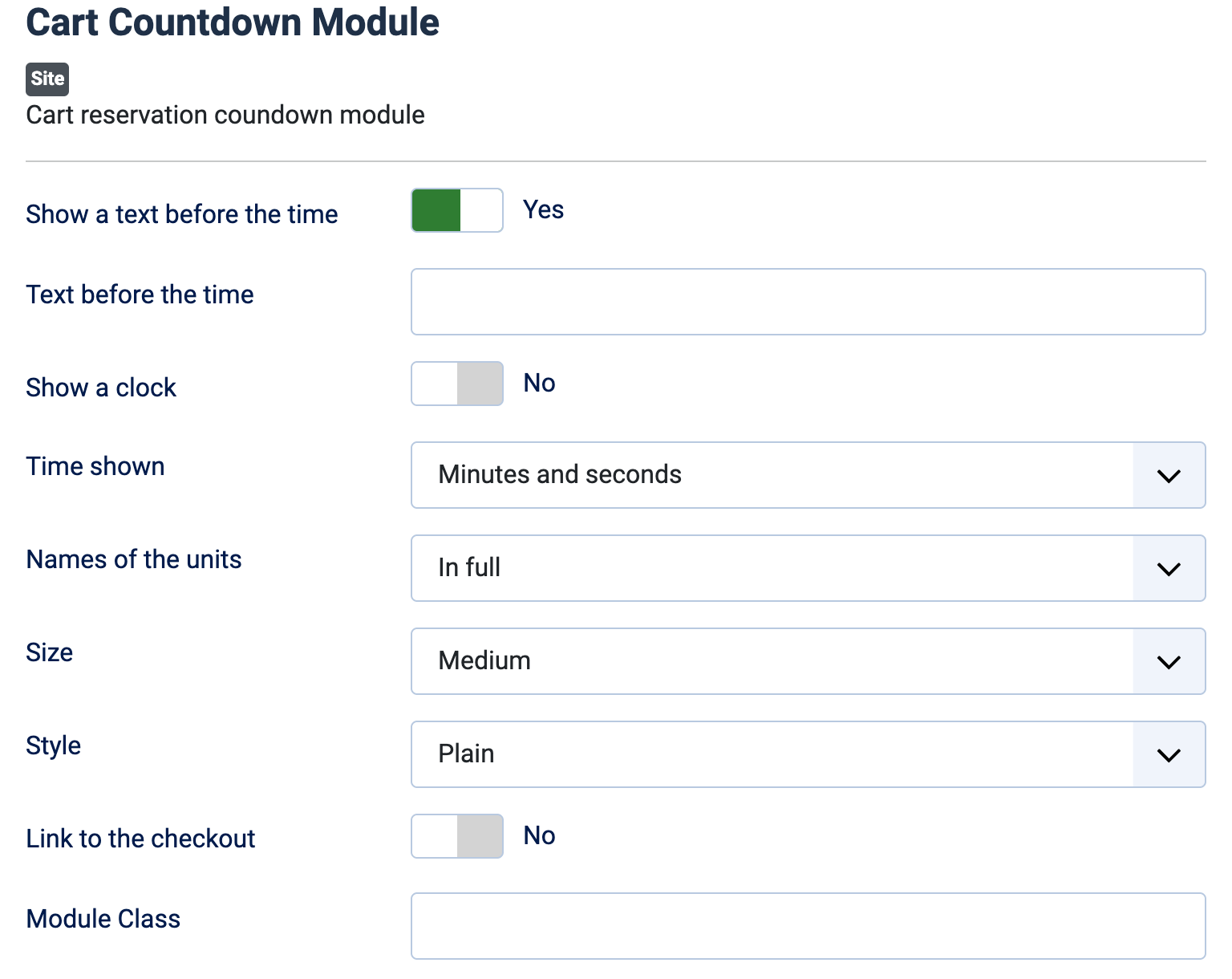
- Show a text before the time: Yes (default) writes a short sentence in front of the time, to tell the customer what it is for. No shows the time alone.
- Text before the time: the sentence to write, shown when the option above is Yes. Empty, the text is "Your cart is held for".
- Show a clock: No by default. Yes adds a small clock in front of the time.
- Time shown: Minutes and seconds (default), or Hours, minutes and seconds, the one to choose when the reservation lasts more than an hour.
- Names of the units: In full (Minutes, Seconds) by default, Short (min, sec) or None.
- Size: Small, Medium (default) or Large. The size is relative to the text of your page: small suits a header, large suits the cart page.
- Style: Plain (default) is simple text, Rounded label puts it in a rounded label with a light background, and Text over the time writes the sentence above the time.
- Link to the checkout: No by default. Yes sends the customer who clicks the time to the checkout.
- Module Class: a CSS class suffix added to the module, to style it from your template. Empty by default.
Troubleshooting
- The counter is not displayed: the cart is empty, the module is not published in a position of the page, or the cart reservation plugin is not installed or enabled.
- The counter does not start from the length you expected: the length is the one of the cart reservation plugin. Change it in that plugin. The counter shows the first end time among the products of the cart, and it counts from the last product added.
- "The reservation period for your cart has expired. The current page is going to be refreshed.": shown to the customer when the time reaches zero, then the page reloads.