
Installation
- Install the plugin with the HikaShop or Joomla installer, then publish it in the plugin manager (Hikashop Price History).
- The plugin starts recording the prices of a product when the product is saved or displayed in your shop. The history of a product therefore starts the day the plugin is published: the lowest price of the last 30 days appears once a price change has been recorded.
- Open the settings of the plugin to choose where the lowest price is displayed, and save.
Configuration
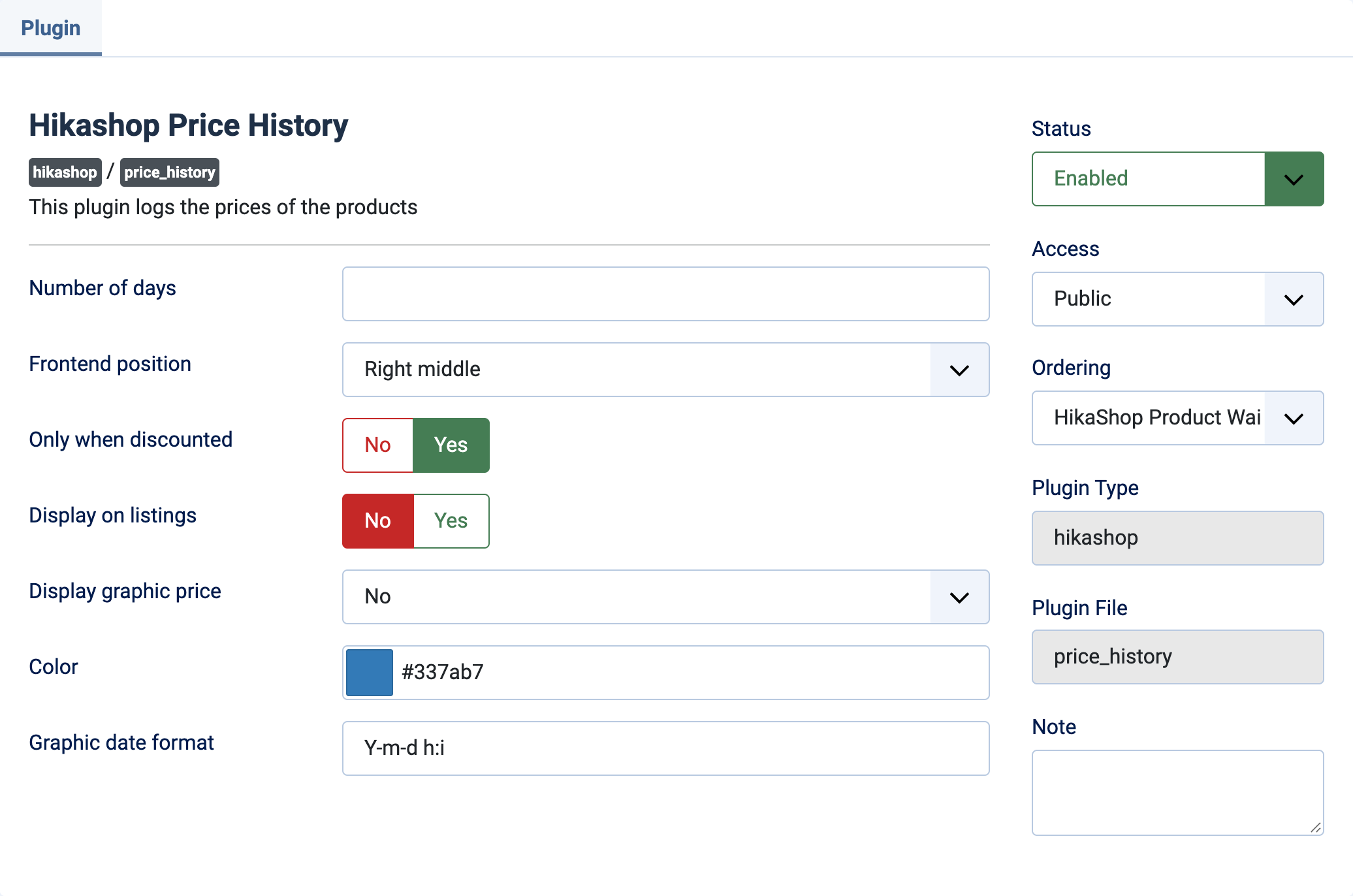
- Number of days: how many days the old prices are kept. Empty or 0 (default), they are never removed.
- Frontend position: where the sentence "The lowest price in the past 30 days was ..." is displayed on the product page. Right middle by default. No hides it from the product page.
- Only when discounted: Yes (default) displays the lowest price only for the products which currently have a discount. No displays it for every product.
- Display on listings: Yes adds the sentence under the products of the listings. No (default) shows it on the product page only.
- Display graphic price: draws the graph of the price changes on the product page. Front end, Back end or Both choose where it is shown, No (default) shows no graph. The graph needs at least two recorded prices, and it is loaded from the Chart.js library on a public CDN.
- Color: the color of the curve of the graph. #337ab7 by default.
- Graphic date format: the format of the dates on the graph, in PHP date format. Y-m-d h:i by default.
The prices are recorded per currency. When no price is recorded in the currency of the visitor, the price of the main currency, or of another one, is converted.
Troubleshooting
- The sentence does not appear: the product needs at least one recorded price, so save it or display it once with the plugin published. With "Only when discounted" on, the product must also have a discount, and the position must not be set to No.
- The graph does not appear: choose where to display it in "Display graphic price", and make sure the product has had at least two different prices recorded.
- The history is empty in the product edit page: prices are recorded from the day the plugin is published, older prices cannot be recovered.