
Installation
- Install the plugin with the HikaShop or Joomla installer, then publish it in the plugin manager (Hikashop - Product Like Button).
- Open the settings of the plugin, choose where the heart button appears and its colors, then save.
- To let your customers see the products they liked, open the settings of a product listing (a menu item or a module of products): the "Only liked products" option, added by the plugin, shows only the products the visitor liked.
Configuration
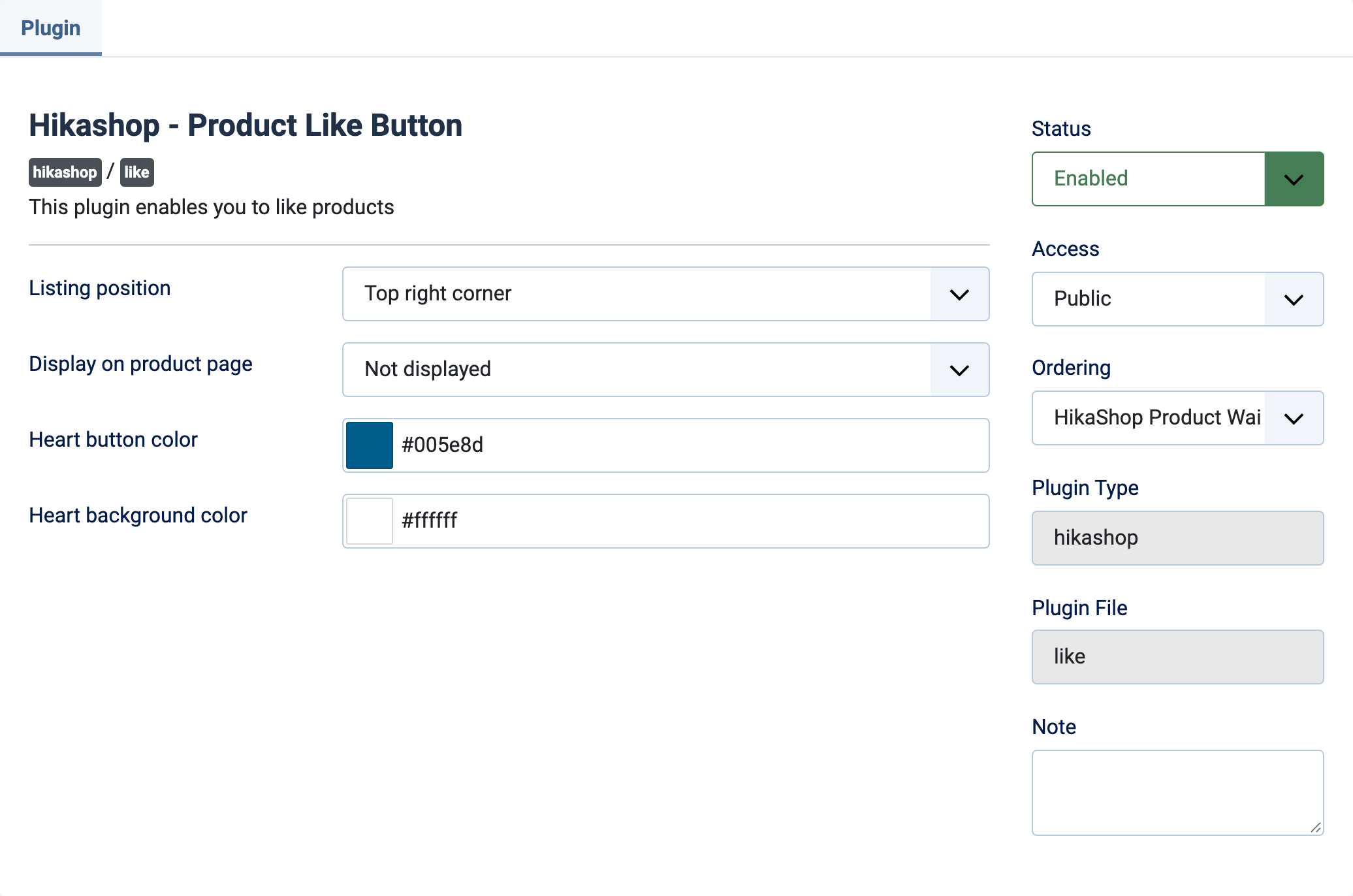
- Listing position: the corner of the product picture, in the listings, where the heart is placed: top right (default), top left, bottom left or bottom right. Not displayed removes it from the listings.
- Display on product page: where the heart is placed on the product page: top, left or right, at the beginning or at the end. Not displayed (default) removes it from the product page.
- Heart button color: the color of the heart. #005e8d by default.
- Heart background color: the color around the heart. #ffffff by default.
The likes are kept in the browser of the visitor (a cookie lasting one year), not in your shop: no account is needed, a like is not seen by you, and it is lost when the visitor changes browser or clears their cookies.
Troubleshooting
- No heart appears: check that the plugin is published and that the position is not set to Not displayed. The heart is a Font Awesome icon: if the button is invisible, check that Font Awesome is loaded on your website.
- "Only liked products" shows nothing: the visitor has not liked any product yet in this browser.