

- Posts: 42
- Thank you received: 2
No Codes shown in Customer Email
8 years 9 months ago #285885
by aisweb
No Codes shown in Customer Email was created by aisweb
-- HikaShop version -- : 3.2.2
-- HikaSerial version -- : 2.0.2
-- Joomla version -- : 3.7.5
-- PHP version -- : 5.0
-- Browser(s) name and version -- : FF Quantum 57.0.4
-- Error-message(debug-mod must be tuned on) -- : none
I have tried to set up HikaSerial but it is not working, here's what happened:
I did this:
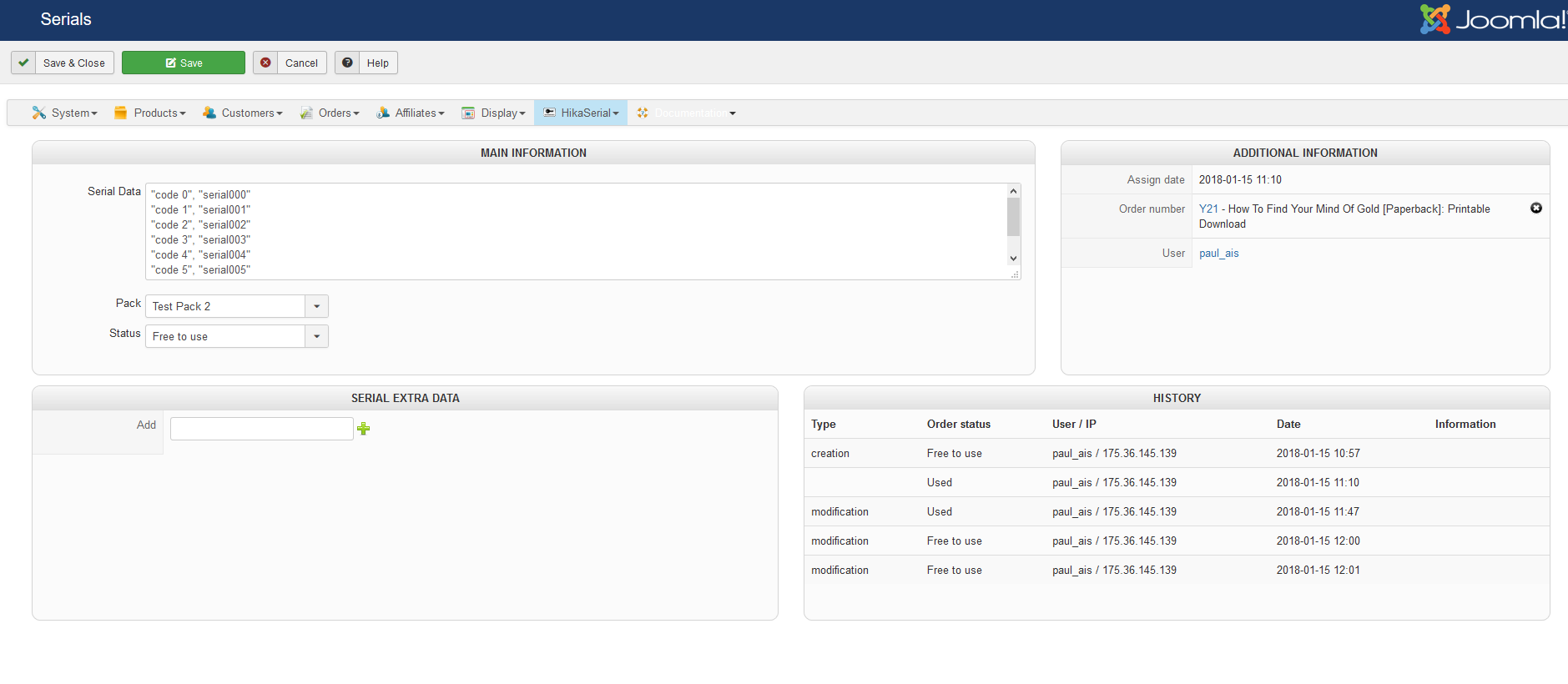
1. set up a Serial with codes like this:
serial000
serial001
serial002 ...etc
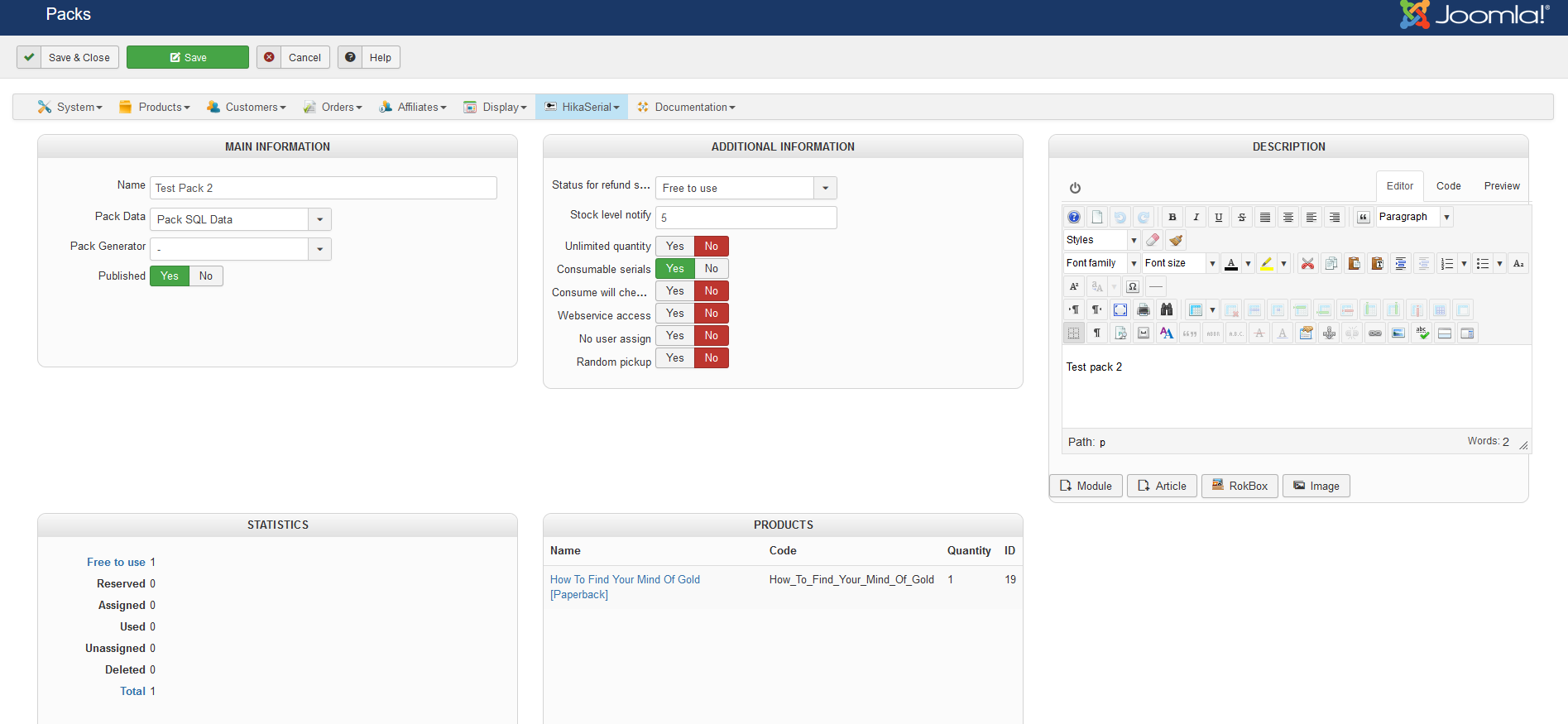
2. Assigned to a Pack, Pack Data SQL
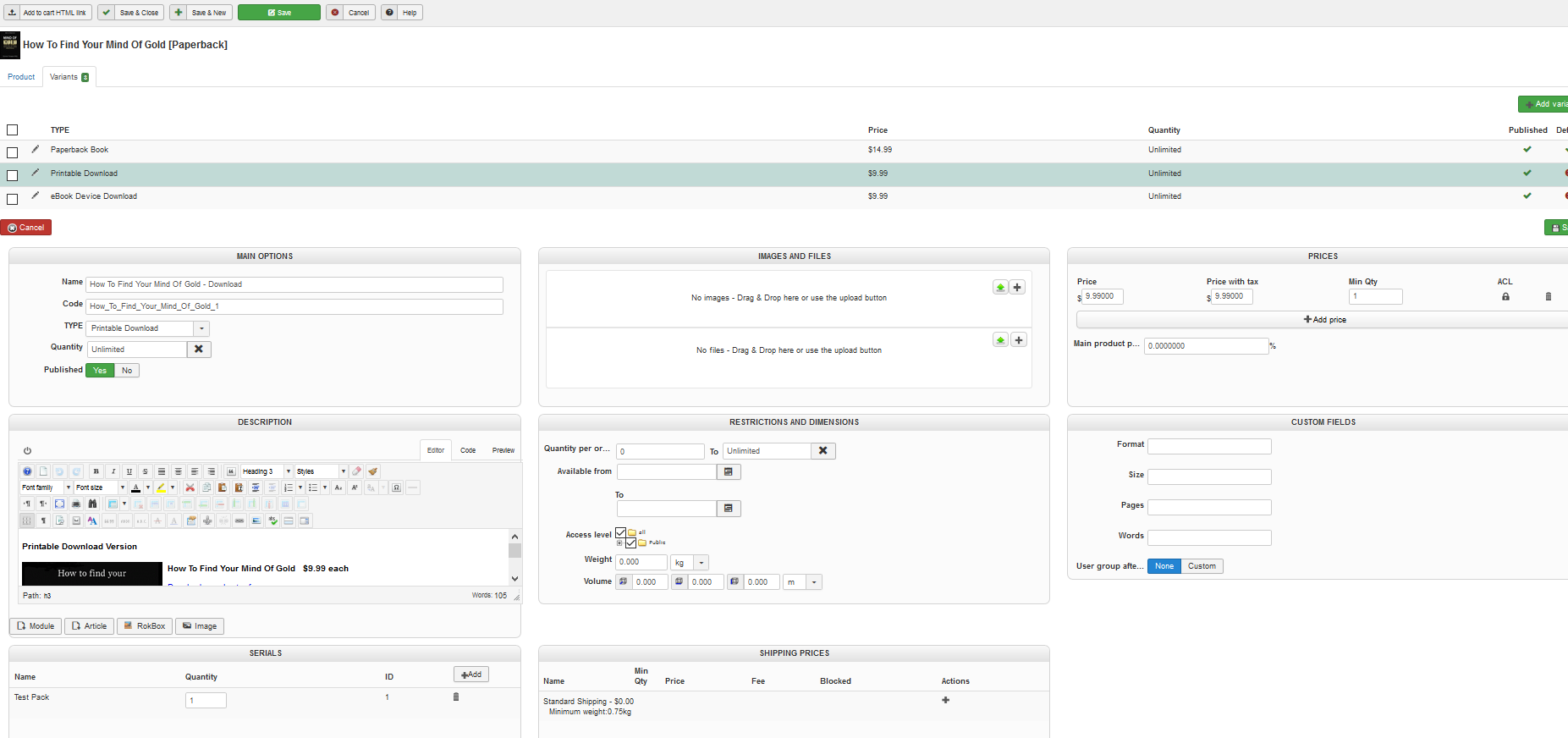
3. Attached to the Variant of our Product
4. Published 'AttachSerial' Plugin
FIRST TEST PURCHASE:
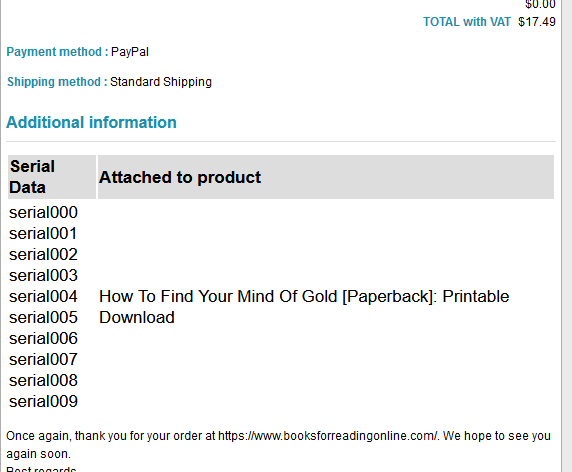
*ALL* 10 of the codes was attached to the email. (see Screenshot)
ALL OTHER TESTS SINCE THEN:
No codes attached to any emails.
I repeated the entire setup with a new Serial, formatted like this:
"code 0", "Serial000"
"code 1", "Serial001'
"code 2", "Serial002'
...etc
Added to a new Pack.
Added that Pack to the Product.
But no codes at all are in the emails.
Please see attached screenshots and thank you so much for any help.
-- HikaSerial version -- : 2.0.2
-- Joomla version -- : 3.7.5
-- PHP version -- : 5.0
-- Browser(s) name and version -- : FF Quantum 57.0.4
-- Error-message(debug-mod must be tuned on) -- : none
I have tried to set up HikaSerial but it is not working, here's what happened:
I did this:
1. set up a Serial with codes like this:
serial000
serial001
serial002 ...etc
2. Assigned to a Pack, Pack Data SQL
3. Attached to the Variant of our Product
4. Published 'AttachSerial' Plugin
FIRST TEST PURCHASE:
*ALL* 10 of the codes was attached to the email. (see Screenshot)
ALL OTHER TESTS SINCE THEN:
No codes attached to any emails.
I repeated the entire setup with a new Serial, formatted like this:
"code 0", "Serial000"
"code 1", "Serial001'
"code 2", "Serial002'
...etc
Added to a new Pack.
Added that Pack to the Product.
But no codes at all are in the emails.
Please see attached screenshots and thank you so much for any help.
Please Log in or Create an account to join the conversation.

8 years 9 months ago #285905
by Jerome
Jerome - Obsidev.com
HikaMarket & HikaSerial developer / HikaShop core dev team.
Replied by Jerome on topic No Codes shown in Customer Email
Hello,
You have one single serial in your database and that serial contains all your "codes".
I think that you had an issue with the import.
Regards,
You have one single serial in your database and that serial contains all your "codes".
I think that you had an issue with the import.
Regards,
Jerome - Obsidev.com
HikaMarket & HikaSerial developer / HikaShop core dev team.
Please Log in or Create an account to join the conversation.
8 years 9 months ago - 8 years 9 months ago #285971
by aisweb
Replied by aisweb on topic No Codes shown in Customer Email
Ok thanks so I have the Serials importing ok now.
I have a couple of issues I cannot fix.
1. Serials are only attached when order is marked : "SHIPPED".
They should attach when order is marked "CONFIRMED" as that is what PayPal sends after payment.
2. Serials are taken from the list in random order (e.g. first one taken was ...00004)
I've attached screenshot of my HS settings.
They show Assignable Order Status of 'confirmed' and Use Fast Random = No.
Many thanks
Paul
I have a couple of issues I cannot fix.
1. Serials are only attached when order is marked : "SHIPPED".
They should attach when order is marked "CONFIRMED" as that is what PayPal sends after payment.
2. Serials are taken from the list in random order (e.g. first one taken was ...00004)
I've attached screenshot of my HS settings.
They show Assignable Order Status of 'confirmed' and Use Fast Random = No.
Many thanks
Paul
Last edit: 8 years 9 months ago by aisweb. Reason: Adding screenshots.
Please Log in or Create an account to join the conversation.
8 years 9 months ago #286009
by Jerome
Jerome - Obsidev.com
HikaMarket & HikaSerial developer / HikaShop core dev team.
Replied by Jerome on topic No Codes shown in Customer Email
Hello,
1 - Please read the documentation for the setting "assignable order status", the value you set is not the right one :
www.hikashop.com/support/documentation/1...ation.html#main_main
What you're describing and what your setting indicates are not compatible : so I suspect that you're modifying the order statuses in the HikaShop backend order listing ; while you shouldn't.
If you want to update an order status, you must do it via the Order details page.
2 - Are you sure that you did not have the pack setting "random pickup" when you performed your test ?
("Use fast random" is not about that, you can find explanations in our documentation).
Regards,
1 - Please read the documentation for the setting "assignable order status", the value you set is not the right one :
www.hikashop.com/support/documentation/1...ation.html#main_main
What you're describing and what your setting indicates are not compatible : so I suspect that you're modifying the order statuses in the HikaShop backend order listing ; while you shouldn't.
If you want to update an order status, you must do it via the Order details page.
2 - Are you sure that you did not have the pack setting "random pickup" when you performed your test ?
("Use fast random" is not about that, you can find explanations in our documentation).
Regards,
Jerome - Obsidev.com
HikaMarket & HikaSerial developer / HikaShop core dev team.
Please Log in or Create an account to join the conversation.
Moderators: Obsidev
Time to create page: 0.125 seconds