

- Posts: 490
- Thank you received: 2
how to resize ajax image custom fields in the vendor page
9 years 10 months ago #256014
by ronron
how to resize ajax image custom fields in the vendor page was created by ronron
-- HikaShop version -- : 2.6.3
-- HikaMarket version -- : 1.7.0
-- Joomla version -- : 3.4.5
-- PHP version -- : 5.5
-- Error-message(debug-mod must be tuned on) -- : none
hi
i created a custom field using ajax image upload for the vendor page.
it is displaying properly but it is small. Original image size is 900 X 900. When it is displayed in the vendor page front end. it is resized to 100 X 100.
i tried to display it and resize using css but it doesnt work like the other custom codes. its blank. you can see the screenshot here
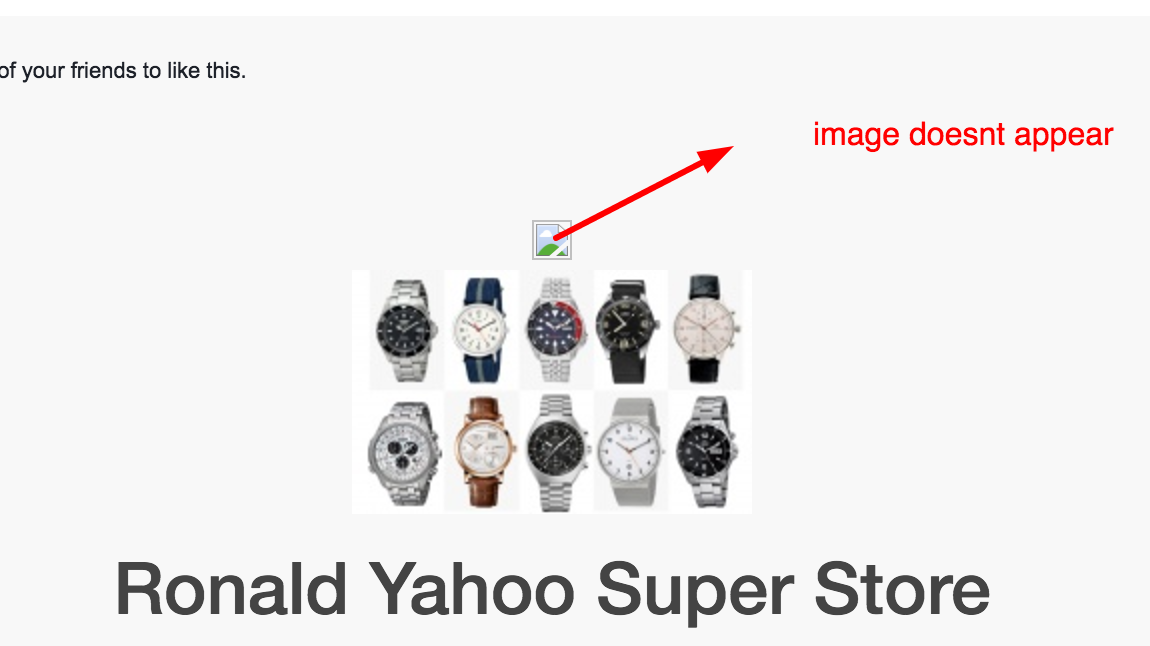
i edited HikaMarket - vendormarket / showcontainer_default.php and used this code.
Can you tell me what is wrong with my code?
thanks
-- HikaMarket version -- : 1.7.0
-- Joomla version -- : 3.4.5
-- PHP version -- : 5.5
-- Error-message(debug-mod must be tuned on) -- : none
hi
i created a custom field using ajax image upload for the vendor page.
it is displaying properly but it is small. Original image size is 900 X 900. When it is displayed in the vendor page front end. it is resized to 100 X 100.
i tried to display it and resize using css but it doesnt work like the other custom codes. its blank. you can see the screenshot here
i edited HikaMarket - vendormarket / showcontainer_default.php and used this code.
Can you tell me what is wrong with my code?
Code:
<div class="hikamarket_vendor_image">
<img src="<?php echo $this->element->vendor->banner_image; ?>" alt="" />
</div>
thanks
Please Log in or Create an account to join the conversation.

9 years 10 months ago #256023
by Jerome
Jerome - Obsidev.com
HikaMarket & HikaSerial developer / HikaShop core dev team.
Replied by Jerome on topic how to resize ajax image custom fields in the vendor page
Hi,
If you are using an image (or file) custom field, the content is stored in the HikaShop secured folder.
So the file won't be accessible directly to everybody. You will need to use the HikaShop Field system to display the "ajax image" and it will generate a special URL to let the image available.
It would be better to display the vendor image itself ; it just require to use the HikaShop Image helper and you will be able to resize it easily.
Regards,
If you are using an image (or file) custom field, the content is stored in the HikaShop secured folder.
So the file won't be accessible directly to everybody. You will need to use the HikaShop Field system to display the "ajax image" and it will generate a special URL to let the image available.
It would be better to display the vendor image itself ; it just require to use the HikaShop Image helper and you will be able to resize it easily.
Regards,
Jerome - Obsidev.com
HikaMarket & HikaSerial developer / HikaShop core dev team.
Please Log in or Create an account to join the conversation.
9 years 10 months ago #256203
by ronron
Replied by ronron on topic how to resize ajax image custom fields in the vendor page
thank you i got this to work.
im having problems with the Check vendor completion. if it is set to yes i can not add a product and an error occurs informing me to complete my profile.
Profile is complete and the cuaase of the error is the image ajax upload. even if it is not required the errors always occur.
the only way to remove the error is to turn off the Check vendor completion
what to do?
thanks
im having problems with the Check vendor completion. if it is set to yes i can not add a product and an error occurs informing me to complete my profile.
Profile is complete and the cuaase of the error is the image ajax upload. even if it is not required the errors always occur.
the only way to remove the error is to turn off the Check vendor completion
what to do?
thanks
Please Log in or Create an account to join the conversation.
9 years 10 months ago #256206
by Jerome
Jerome - Obsidev.com
HikaMarket & HikaSerial developer / HikaShop core dev team.
Replied by Jerome on topic how to resize ajax image custom fields in the vendor page
Hi,
I am sorry but I don't understand which error you're talking about.
Regards,
I am sorry but I don't understand which error you're talking about.
Regards,
Jerome - Obsidev.com
HikaMarket & HikaSerial developer / HikaShop core dev team.
Please Log in or Create an account to join the conversation.
9 years 10 months ago #256253
by ronron
Replied by ronron on topic how to resize ajax image custom fields in the vendor page
the error is for this one
VENDOR_UNCOMPLETED = "please complete your vendor information "
i already changed the original error message so i dont know what it is before.
thanks
VENDOR_UNCOMPLETED = "please complete your vendor information "
i already changed the original error message so i dont know what it is before.
thanks
Please Log in or Create an account to join the conversation.
9 years 10 months ago #256268
by Jerome
Jerome - Obsidev.com
HikaMarket & HikaSerial developer / HikaShop core dev team.
Replied by Jerome on topic how to resize ajax image custom fields in the vendor page
Hi,
With that message you should have another message just before to indicate which field should be completed.
Regards,
With that message you should have another message just before to indicate which field should be completed.
Regards,
Jerome - Obsidev.com
HikaMarket & HikaSerial developer / HikaShop core dev team.
Please Log in or Create an account to join the conversation.
9 years 10 months ago #256318
by ronron
Replied by ronron on topic how to resize ajax image custom fields in the vendor page
sorry i think i was not clear.
when i click on add item or add product i am being redirected to the vendor edit form.
the error is telling me that i have to complete something. Error is below
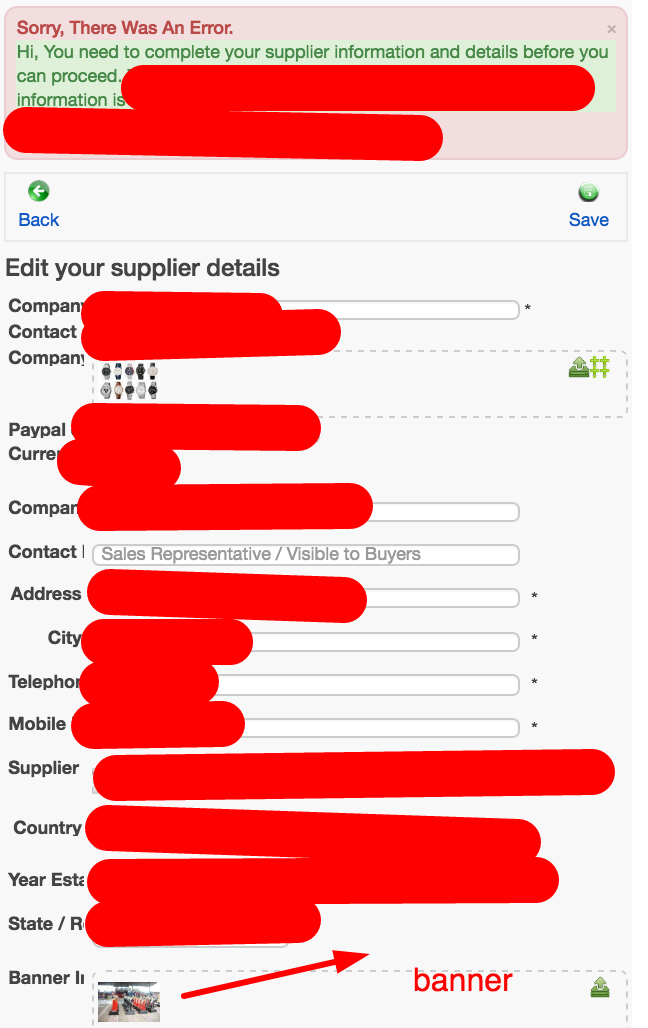
as you can see there is no error message telling me what is the problem. It just redirects me to the vendor edition page for completion.
Also please take note on the photo there is already an image uploaded to the banner custom field. So even if it is required it should go through with out problems.
now, please see my custom field banner configuration, it is not required so there should be no problems.
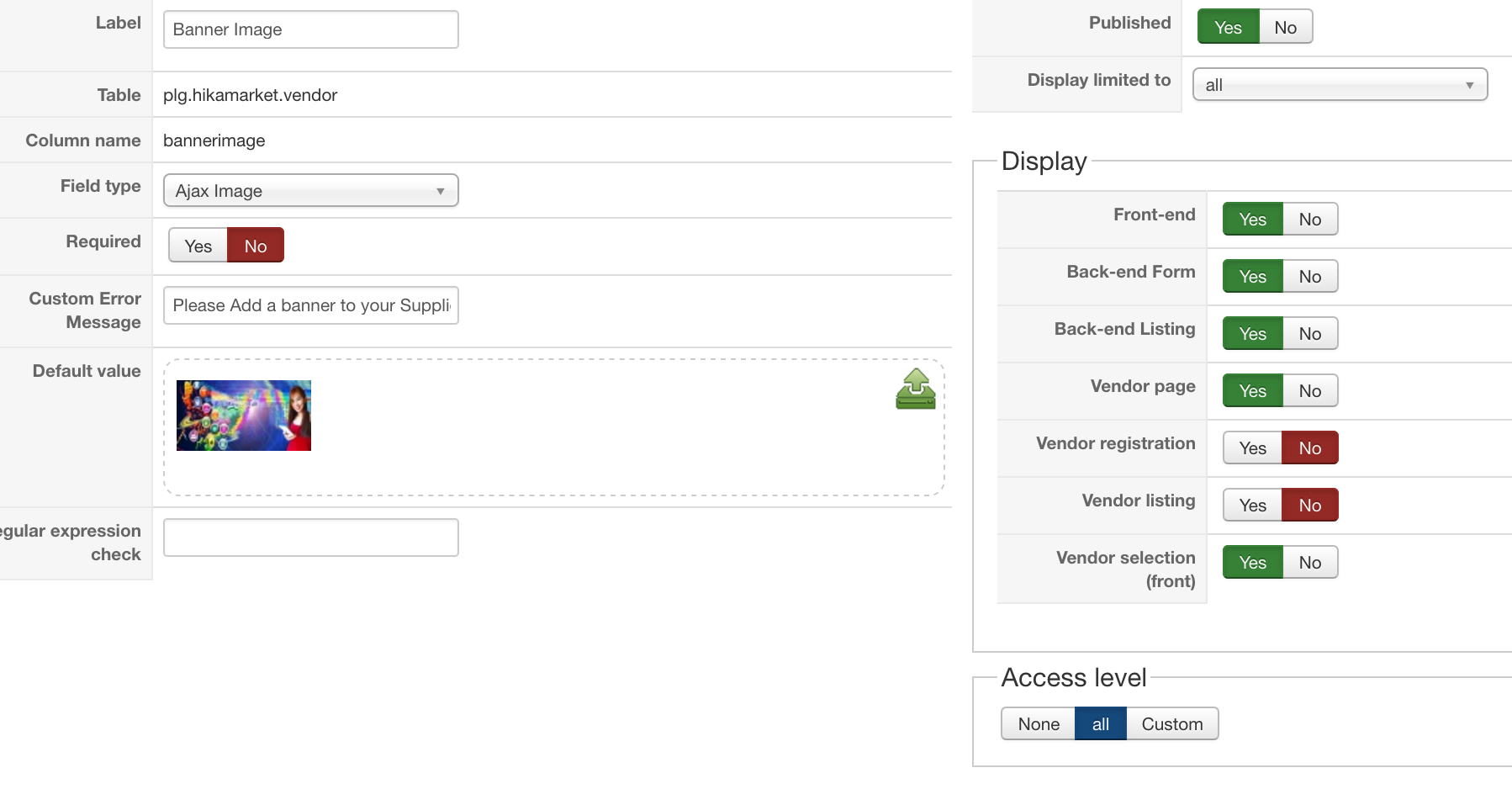
unfortunately i am being redirected to the vendor edit page when i want to add a product or item.
But, when i disable the custom field banner, adding a product goes smoothly with out problems.
so basically the ajax image upload or banner is preventing the user to add a product.
thus, i have 3 problems
1. i cant go to add product because i am being redirected to vendor edition
2. when the error pops it only tells me that i need to complete the page but it does not tell me what to complete.
3. vendor can upload a large image. i have set om media manager 2mb only but i can still upload more than 2mb. How can i limit the filesize?
i disabled the Check vendor completion to make things work temporarily
am i forgetting something>
thanks
when i click on add item or add product i am being redirected to the vendor edit form.
the error is telling me that i have to complete something. Error is below
as you can see there is no error message telling me what is the problem. It just redirects me to the vendor edition page for completion.
Also please take note on the photo there is already an image uploaded to the banner custom field. So even if it is required it should go through with out problems.
now, please see my custom field banner configuration, it is not required so there should be no problems.
unfortunately i am being redirected to the vendor edit page when i want to add a product or item.
But, when i disable the custom field banner, adding a product goes smoothly with out problems.
so basically the ajax image upload or banner is preventing the user to add a product.
thus, i have 3 problems
1. i cant go to add product because i am being redirected to vendor edition
2. when the error pops it only tells me that i need to complete the page but it does not tell me what to complete.
3. vendor can upload a large image. i have set om media manager 2mb only but i can still upload more than 2mb. How can i limit the filesize?
i disabled the Check vendor completion to make things work temporarily
am i forgetting something>
thanks
Please Log in or Create an account to join the conversation.
9 years 10 months ago #256339
by Jerome
Jerome - Obsidev.com
HikaMarket & HikaSerial developer / HikaShop core dev team.
Replied by Jerome on topic how to resize ajax image custom fields in the vendor page
Hi,
The banner is not required so your issue is not related to that.
Regards,
The banner is not required so your issue is not related to that.
Regards,
Jerome - Obsidev.com
HikaMarket & HikaSerial developer / HikaShop core dev team.
Please Log in or Create an account to join the conversation.
9 years 10 months ago - 9 years 10 months ago #256436
by ronron
Replied by ronron on topic how to resize ajax image custom fields in the vendor page
thank you
i already tried to disable other vendor fields required and not required but the error still pops up. it redirects me to the vendor edit page.
i also tried to make my banner field required but problem still persist.
we cant add a product because it redirects us always to the error
what should i do?
thanks
i already tried to disable other vendor fields required and not required but the error still pops up. it redirects me to the vendor edit page.
i also tried to make my banner field required but problem still persist.
we cant add a product because it redirects us always to the error
what should i do?
thanks
Last edit: 9 years 10 months ago by ronron.
Please Log in or Create an account to join the conversation.
9 years 10 months ago #256438
by Jerome
Jerome - Obsidev.com
HikaMarket & HikaSerial developer / HikaShop core dev team.
Replied by Jerome on topic how to resize ajax image custom fields in the vendor page
Hi,
So, many it's a issue already fixed in HikaMarket 1.7.2
www.hikashop.com/support/documentation/1...arket-changelog.html
Regards,
So, many it's a issue already fixed in HikaMarket 1.7.2
www.hikashop.com/support/documentation/1...arket-changelog.html
Regards,
Jerome - Obsidev.com
HikaMarket & HikaSerial developer / HikaShop core dev team.
Please Log in or Create an account to join the conversation.
Moderators: Obsidev
Time to create page: 0.203 seconds