

- Posts: 73
- Thank you received: 1
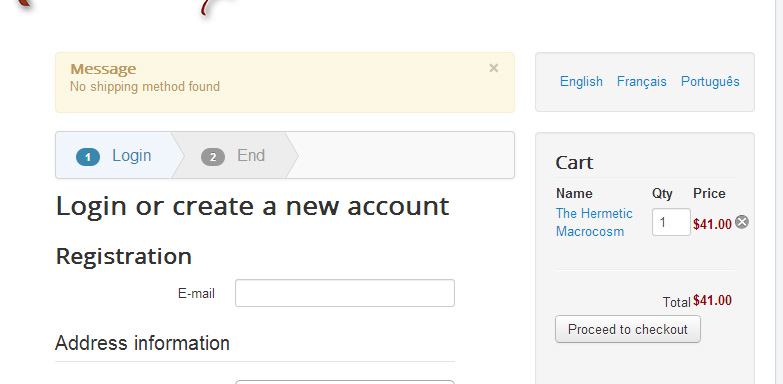
No shipping method found
13 years 2 months ago #120770
by julian56
No shipping method found was created by julian56
I am using Joomla 3.
All is quite ready but during my test I have always the message: "No shipping method found"
See below.

I read the forum and tried everything from this list. ( www.hikashop.com/support/documentation/i...ins-listing.html#faq )
Everything seems good but this is still not working...
Can you help me?
Thank you.
All is quite ready but during my test I have always the message: "No shipping method found"
See below.
I read the forum and tried everything from this list. ( www.hikashop.com/support/documentation/i...ins-listing.html#faq )
Everything seems good but this is still not working...
Can you help me?
Thank you.
Please Log in or Create an account to join the conversation.

Less
More
- Posts: 12953
- Thank you received: 1778
13 years 2 months ago #120802
by Mohamed Thelji
Replied by Mohamed Thelji on topic No shipping method found
Hi,
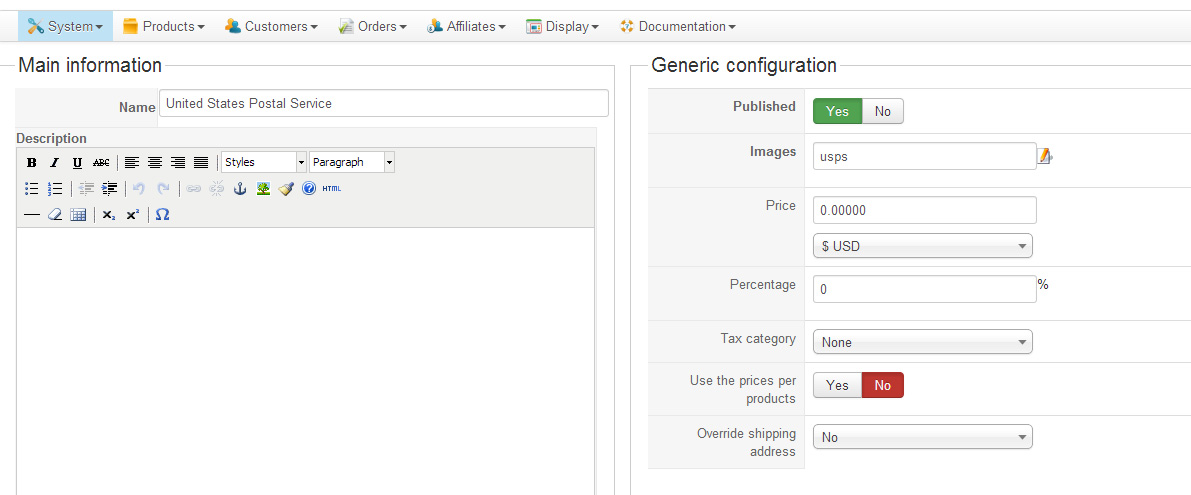
If you already followed each step of the "shipping methods" section of the FAQ , can you show me how did you configured your shipping methods, and your products which are in your order when you are doing your tests ?
Thanks .
.
If you already followed each step of the "shipping methods" section of the FAQ , can you show me how did you configured your shipping methods, and your products which are in your order when you are doing your tests ?
Thanks
. Please Log in or Create an account to join the conversation.
13 years 2 months ago #120891
by julian56
Replied by julian56 on topic No shipping method found
Hi,
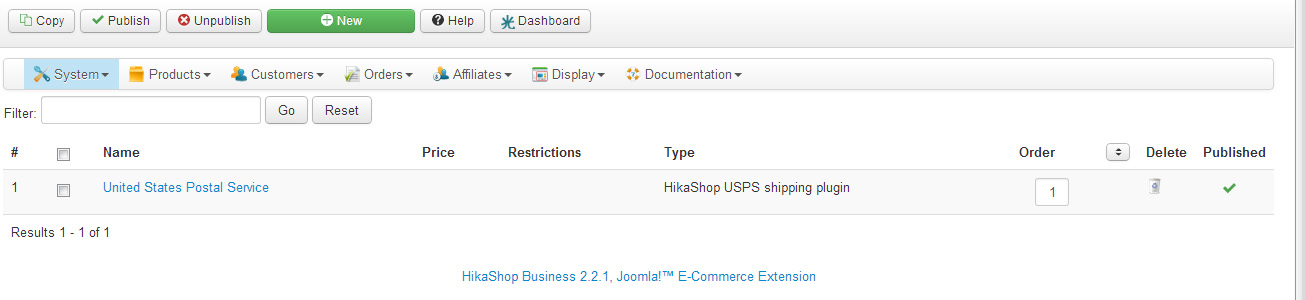
This is what I have. (If you want I give you access to the administration of the website)
Thank you for your help!
This is what I have. (If you want I give you access to the administration of the website)
Thank you for your help!
Please Log in or Create an account to join the conversation.
Less
More
- Posts: 12953
- Thank you received: 1778
13 years 2 months ago #120903
by Mohamed Thelji
Replied by Mohamed Thelji on topic No shipping method found
I'm ok with the temporary back-end access, so I'll be able to directly see from where the problem is coming from.
Please Log in or Create an account to join the conversation.
13 years 2 months ago #120926
by julian56
Replied by julian56 on topic No shipping method found
I sent the email with the indications to access back-end. Thank you 
Please Log in or Create an account to join the conversation.
Less
More
- Posts: 12953
- Thank you received: 1778
13 years 2 months ago #121058
by Mohamed Thelji
Replied by Mohamed Thelji on topic No shipping method found
I've done some tests and it seems like the shipping method is correctly displayed, so did you solved your problem ? If not, the problem is provably coming from the fact that your products don't have dimensions/volume or that your shipping address is incorrect for the USPS shipping method.
Please Log in or Create an account to join the conversation.
13 years 2 months ago #121082
by julian56
Replied by julian56 on topic No shipping method found
Thank you for your email.
I just run four tests:
1- Check the address: The address is the correct one in the USA.
2- Add dimensions on a product to test (In my previous website I moved here the configuration was the same): Nothing changed
3- create a new product: no change.
4- test on another navigator: no change.
That means I have still the message at the top: "No shipping method found." and the website is not working....
What can I do?
I hope to read you soon (you have still access to the administration of the website).
Thank you!
I just run four tests:
1- Check the address: The address is the correct one in the USA.
2- Add dimensions on a product to test (In my previous website I moved here the configuration was the same): Nothing changed
3- create a new product: no change.
4- test on another navigator: no change.
That means I have still the message at the top: "No shipping method found." and the website is not working....
What can I do?
I hope to read you soon (you have still access to the administration of the website).
Thank you!
Please Log in or Create an account to join the conversation.

13 years 2 months ago #121138
by nicolas
Replied by nicolas on topic No shipping method found
Can you provide exactly what address you're using and the URL of the product you're using for your tests so that we can see that ?
Please Log in or Create an account to join the conversation.
Less
More
- Posts: 12953
- Thank you received: 1778
13 years 2 months ago #121204
by Mohamed Thelji
Replied by Mohamed Thelji on topic No shipping method found
I've done some tests with your product category / FRANÇAIS / Encens / Tradition de l'Aurum Solis / Encens de Purification - 1 product, and it seems to be working fine even without any dimensions.
So can you show me what is the shipping address that you are using ?
So can you show me what is the shipping address that you are using ?
Please Log in or Create an account to join the conversation.
13 years 2 months ago #121250
by julian56
Replied by julian56 on topic No shipping method found
Hi,
I run also a test now and it worked.
However 2 things remain:
1- the system is showing warnings at the top of the page (See below)
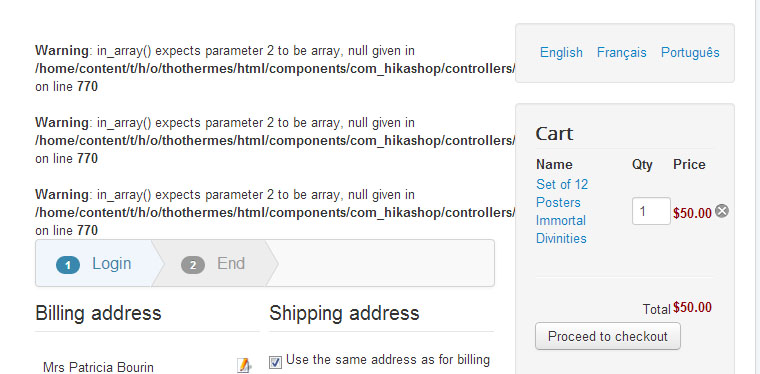
2- The message "no shipping method found" is still shown until the buyer is providing his address. That can be confusing. Is there a way to avoid this message at the beginning?
Thank you again. We are close to the solution
I run also a test now and it worked.
However 2 things remain:
1- the system is showing warnings at the top of the page (See below)
2- The message "no shipping method found" is still shown until the buyer is providing his address. That can be confusing. Is there a way to avoid this message at the beginning?
Thank you again. We are close to the solution
Please Log in or Create an account to join the conversation.
Less
More
- Posts: 12953
- Thank you received: 1778
13 years 2 months ago - 13 years 2 months ago #121252
by Mohamed Thelji
Replied by Mohamed Thelji on topic No shipping method found
1. You'll probably find the solution through this
thread
.
EDIT
2. My solution would be to :
- Go to "Hikashop->System->Configuration->Checkout"
- Put the "Login" action through the first step
- Put all the other actions through the second step
PS: I already done it but you know how to revert this change.
EDIT
2. My solution would be to :
- Go to "Hikashop->System->Configuration->Checkout"
- Put the "Login" action through the first step
- Put all the other actions through the second step
PS: I already done it but you know how to revert this change
.
Last edit: 13 years 2 months ago by Mohamed Thelji.
The following user(s) said Thank You: julian56
Please Log in or Create an account to join the conversation.
13 years 2 months ago #121253
by julian56
Replied by julian56 on topic No shipping method found
I did the change suggested in the thread you indicated, but then when I was adding a product, the page became white and frozen. I did that two times with the same result. So I came back to the original code of checkout.php... and then the "delete symbols" in the cart disappeared (see below)...
Regarding the warning codes, I will run a test in few minutes to see if they are still there but to change the code was unsuccessful.
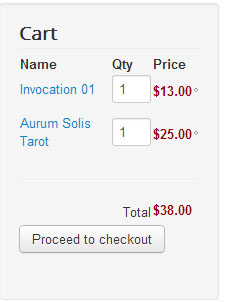
Regarding the warning codes, I will run a test in few minutes to see if they are still there but to change the code was unsuccessful.
Please Log in or Create an account to join the conversation.
13 years 2 months ago #121254
by julian56
Replied by julian56 on topic No shipping method found
That seems working. I will run few other tests.
Thank you very much for your support!!!
Thank you very much for your support!!!
Please Log in or Create an account to join the conversation.
Less
More
- Posts: 12953
- Thank you received: 1778
13 years 2 months ago #121256
by Mohamed Thelji
Replied by Mohamed Thelji on topic No shipping method found
Regarding the warning message you can maybe replace your "YourWebsite\components\com_hikashop\controllers\checkout.php" file by the following file :
This attachment is hidden for guests.
Please log in or register to see it.
Please log in or register to see it.
The following user(s) said Thank You: julian56
Please Log in or Create an account to join the conversation.
Time to create page: 0.126 seconds