

- Posts: 220
- Thank you received: 10
Missing arrows in the slider.
6 years 4 months ago #320381
by ilyaminsk
Missing arrows in the slider. was created by ilyaminsk
Hello. For some reason, arrows do not appear in the slider to scroll through the slides. Although they are included.
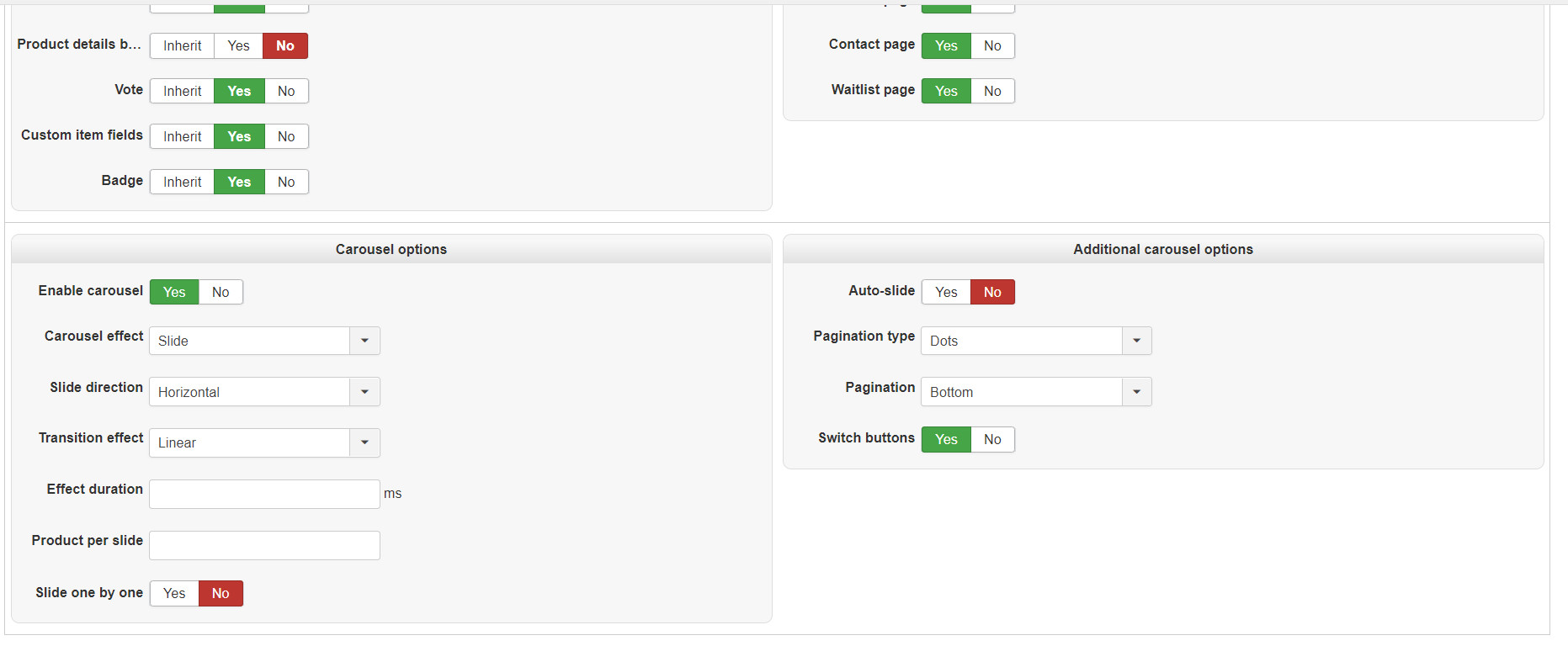
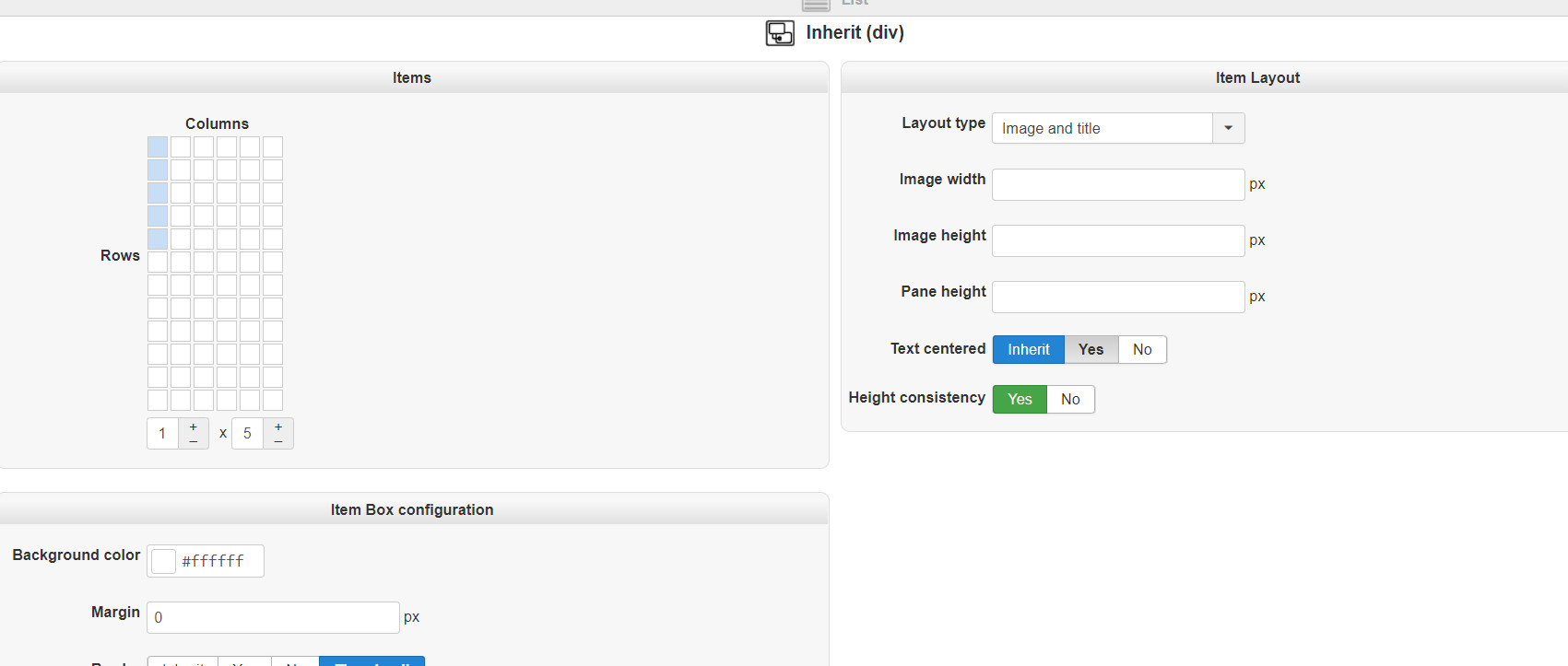
Please Log in or Create an account to join the conversation.

6 years 4 months ago #320390
by nicolas
Replied by nicolas on topic Missing arrows in the slider.
Hi,
Could you provide a link to the page where you have that module so that we could check on the situation ?
Could you provide a link to the page where you have that module so that we could check on the situation ?
Please Log in or Create an account to join the conversation.
6 years 4 months ago #320424
by ilyaminsk
Replied by ilyaminsk on topic Missing arrows in the slider.
ilsandoors.by/
Hello, you have already helped me. The only thing would be nice for the arrows to display the transition
Hello, you have already helped me. The only thing would be nice for the arrows to display the transition
Please Log in or Create an account to join the conversation.
6 years 4 months ago #320436
by nicolas
Replied by nicolas on topic Missing arrows in the slider.
Hi,
Well, you have the "next" and "previous" buttons at the bottom of the carousel for that.
If you want to add arrows to these texts, you can use translation overrides.
And if you want to position them on the left and right of the carousel, you can do that with some extra CSS code.
Well, you have the "next" and "previous" buttons at the bottom of the carousel for that.
If you want to add arrows to these texts, you can use translation overrides.
And if you want to position them on the left and right of the carousel, you can do that with some extra CSS code.
The following user(s) said Thank You: ilyaminsk
Please Log in or Create an account to join the conversation.
6 years 4 months ago - 6 years 4 months ago #321510
by ilyaminsk
Replied by ilyaminsk on topic Missing arrows in the slider.
Hey. Could you tell me how to make arrows in css code? So that they appear in the slider
Last edit: 6 years 4 months ago by ilyaminsk.
Please Log in or Create an account to join the conversation.

6 years 4 months ago - 6 years 4 months ago #321514
by Philip
Replied by Philip on topic Missing arrows in the slider.
Hello,
I see 2 solutions one simple but limited in possibilities, and the other a little more tricky but more open to "dynamic styling"
1. The Css solution :
With this kind of command :
=> From this you can use any image, but you can modify it a lot with css
2. The font awesome solution :
Use in your translation file directly fontawesome code, like this
=> Here, you have access to the fontawesome library, and this allow you to "dress it" with any css command, color, size etc
Hope this will help you to achieved what you need.
Regards
I see 2 solutions one simple but limited in possibilities, and the other a little more tricky but more open to "dynamic styling"
1. The Css solution :
With this kind of command :
Code:
content:url(http://placehold.it/arrow.png);
2. The font awesome solution :
Use in your translation file directly fontawesome code, like this
Code:
<i class="fas fa-chevron-right"></i>
Hope this will help you to achieved what you need.
Regards
Last edit: 6 years 4 months ago by Philip.
Please Log in or Create an account to join the conversation.
6 years 4 months ago #321587
by ilyaminsk
Replied by ilyaminsk on topic Missing arrows in the slider.
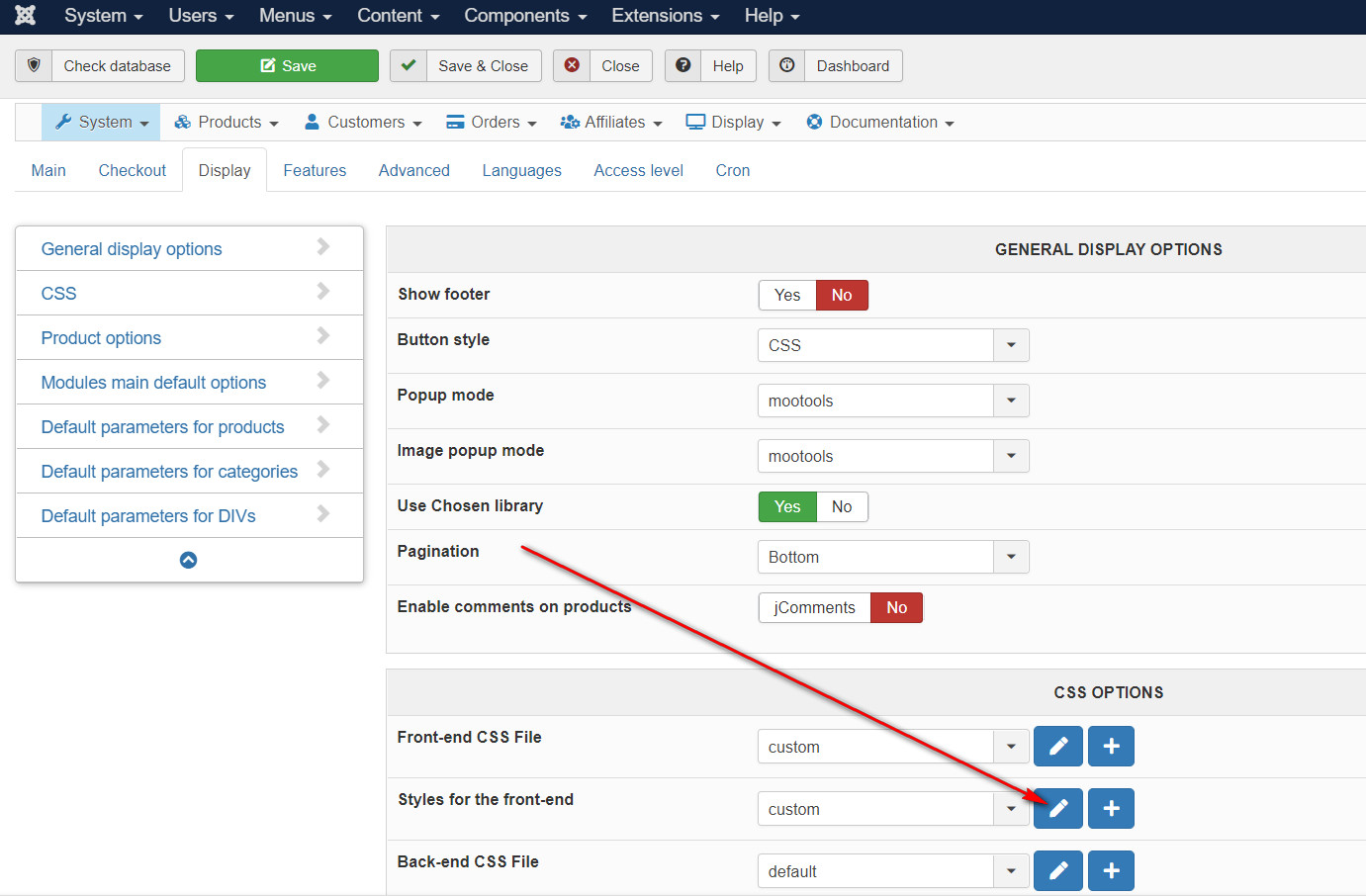
Hello. Tell me where exactly you need to write this css code?
Please Log in or Create an account to join the conversation.
6 years 3 months ago #321617
by Philip
Replied by Philip on topic Missing arrows in the slider.
Hello,
At the end of your frontend css file, it's more easy to get him and increase his priority.
Hope this will help you to get what you requested.
Regards
At the end of your frontend css file, it's more easy to get him and increase his priority.
Hope this will help you to get what you requested.
Regards
Please Log in or Create an account to join the conversation.
6 years 3 months ago #321675
by ilyaminsk
Replied by ilyaminsk on topic Missing arrows in the slider.
Hello. Does not work
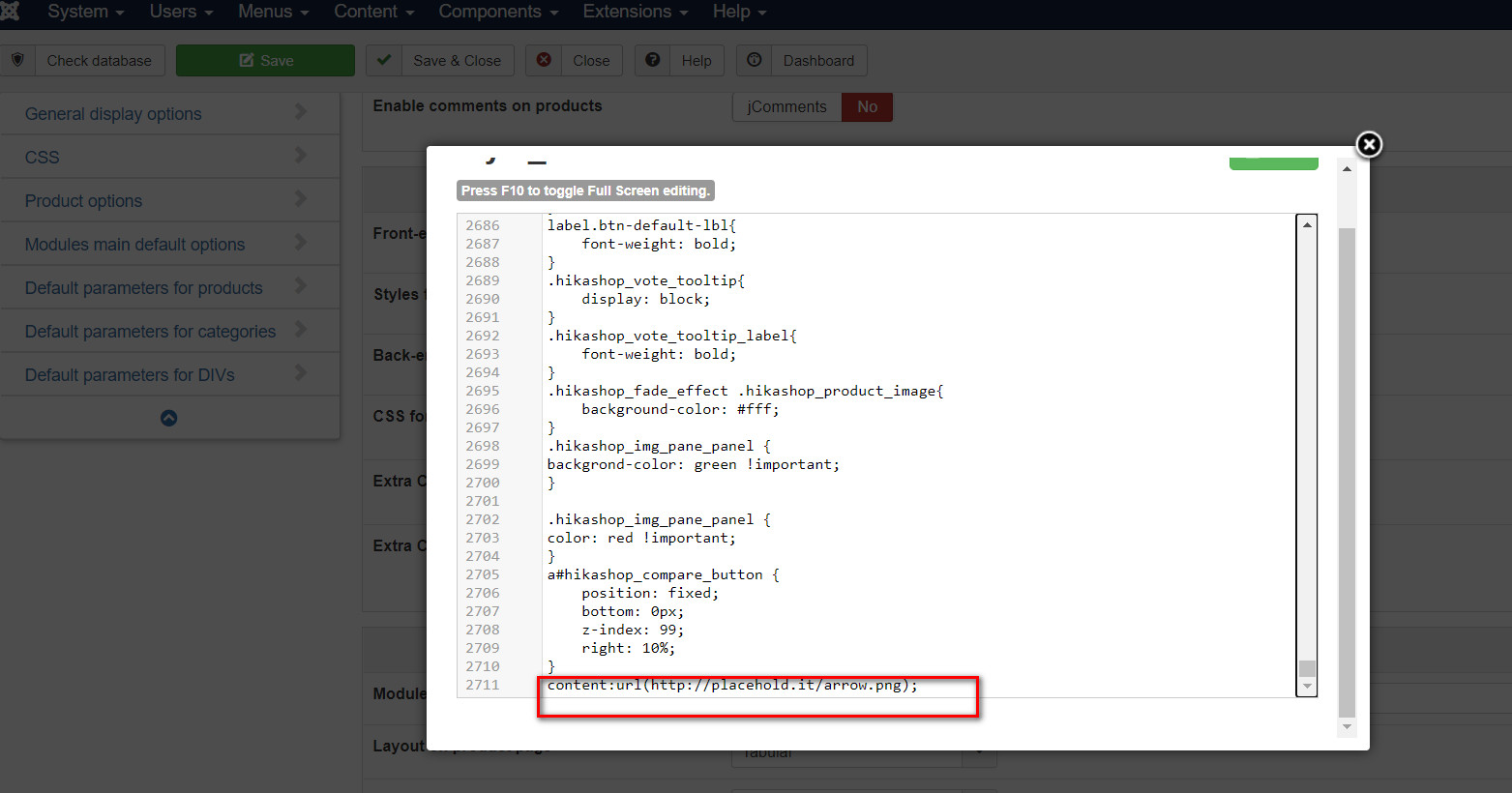
Does not work
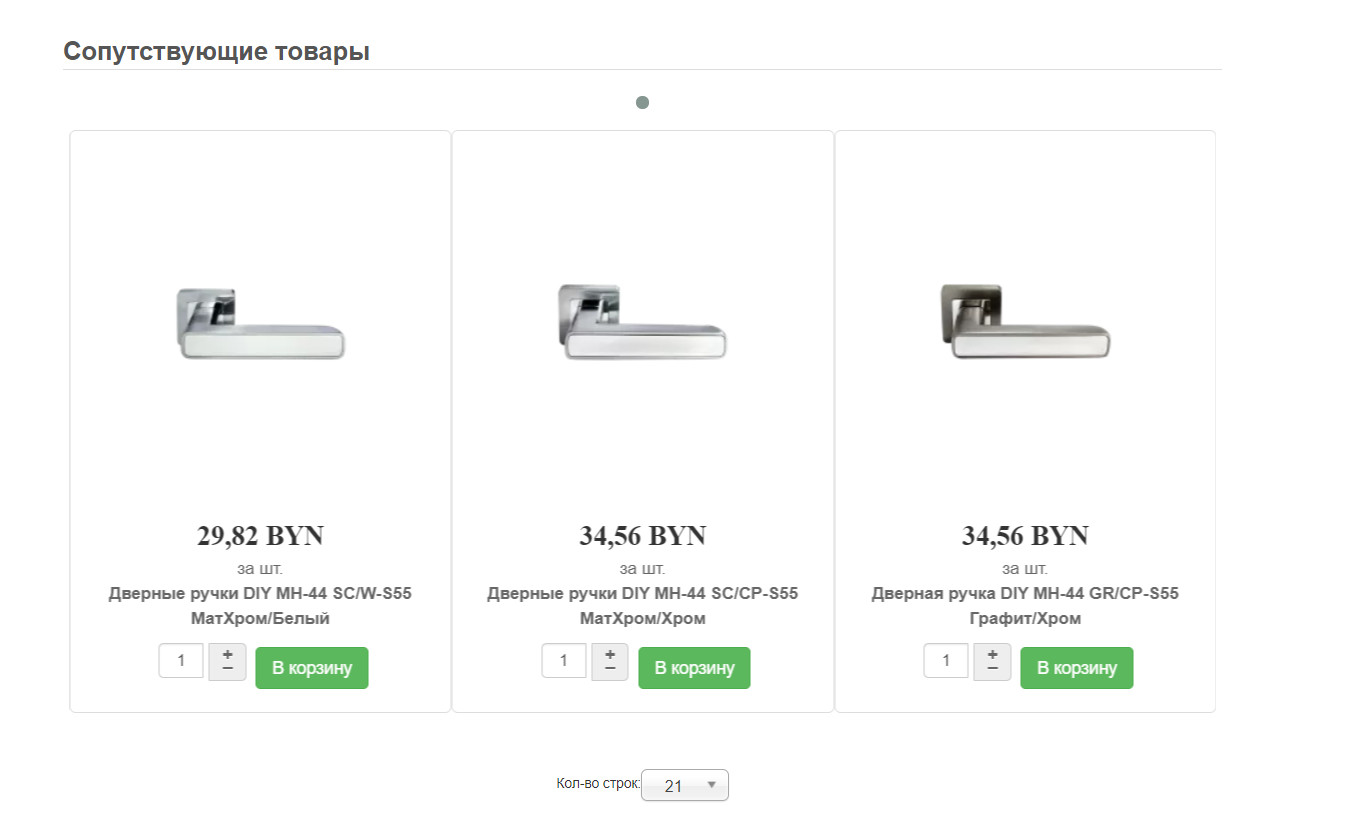
Does not work
Please Log in or Create an account to join the conversation.
6 years 3 months ago #321677
by nicolas
Replied by nicolas on topic Missing arrows in the slider.
Hi,
What Philip gave you are hints so that you can do it yourself, supposing that you already know CSS itself.
So you can't just copy/paste it.
You need to do like that :
.xxx{content:url(' placehold.it/arrow.png ');}
where xxx is to be replaced the class of the element you want to change, and placehold.it/arrow.png is to be replaced by the URL of an arrow image you have previously uploaded on your website.
For example:
stackoverflow.com/questions/9215329/chan...t-to-image-using-css
What Philip gave you are hints so that you can do it yourself, supposing that you already know CSS itself.
So you can't just copy/paste it.
You need to do like that :
.xxx{content:url(' placehold.it/arrow.png ');}
where xxx is to be replaced the class of the element you want to change, and placehold.it/arrow.png is to be replaced by the URL of an arrow image you have previously uploaded on your website.
For example:
stackoverflow.com/questions/9215329/chan...t-to-image-using-css
Please Log in or Create an account to join the conversation.
6 years 3 months ago #321703
by ilyaminsk
Replied by ilyaminsk on topic Missing arrows in the slider.
Hello, I still don’t understand In which css, css are in hickshop or css in the site template?
Please Log in or Create an account to join the conversation.
6 years 3 months ago #321710
by nicolas
Replied by nicolas on topic Missing arrows in the slider.
hi,
Either way is fine. The CSS needs to be added on the page. It can be in a CSS file of HikaShop or in a CSS file of the template, it doesn't matter.
If your template provider has a "custom.css" file where you can put your custom CSS code, that's where you should it as it's the most appropriate. If not, you can add it to the "styles on the frontend" option of the HikaShop configuration as explained here:
www.hikashop.com/support/documentation/1...ize-the-display.html
Either way is fine. The CSS needs to be added on the page. It can be in a CSS file of HikaShop or in a CSS file of the template, it doesn't matter.
If your template provider has a "custom.css" file where you can put your custom CSS code, that's where you should it as it's the most appropriate. If not, you can add it to the "styles on the frontend" option of the HikaShop configuration as explained here:
www.hikashop.com/support/documentation/1...ize-the-display.html
Please Log in or Create an account to join the conversation.
6 years 3 months ago #321892
by ilyaminsk
Replied by ilyaminsk on topic Missing arrows in the slider.
Hello. Tell me, when will you make a carousel for modules so that there is a switch, for people who comes in from a mobile?
Please Log in or Create an account to join the conversation.
6 years 3 months ago #321894
by nicolas
Replied by nicolas on topic Missing arrows in the slider.
Hi,
There is already a carousel option in the HikaShop content module. And it switches from several columns to one column automatically for mobile users so that it displays the products properly.
If you're talking about something else, then I'm not sure what you mean.
There is already a carousel option in the HikaShop content module. And it switches from several columns to one column automatically for mobile users so that it displays the products properly.
If you're talking about something else, then I'm not sure what you mean.
Please Log in or Create an account to join the conversation.
6 years 3 months ago #322141
by ilyaminsk
Replied by ilyaminsk on topic Missing arrows in the slider.
Hello. The fact is that I was advised to disable the carousel in compatibility mode (it did not work correctly with the option enabled). After disconnecting, the arrows disappeared.
Please Log in or Create an account to join the conversation.
6 years 3 months ago - 6 years 3 months ago #322166
by Philip
Replied by Philip on topic Missing arrows in the slider.
Hello,
Can you provide elements in order to understand the issue ? Like :
- An Url link (with the enable carousel)
- backend access
- A step by step process to see what you see about the compatibility mode.
Awaiting news from you to better understand the situation
regards
Can you provide elements in order to understand the issue ? Like :
- An Url link (with the enable carousel)
- backend access
- A step by step process to see what you see about the compatibility mode.
Awaiting news from you to better understand the situation
regards
Last edit: 6 years 3 months ago by Philip.
Please Log in or Create an account to join the conversation.
6 years 3 months ago #322175
by ilyaminsk
Replied by ilyaminsk on topic Missing arrows in the slider.
Hello. I will send you a private message
Please Log in or Create an account to join the conversation.
6 years 3 months ago - 6 years 3 months ago #322182
by Philip
Replied by Philip on topic Missing arrows in the slider.
Hello,
Next time, please use our Contact us form to provide elements please
Note : Then you have to add to your message an Url link to this topic.
And second step, please process with screenshot AND with your backend in English because we don't read Russian unfortunately.
Plus, when we try to analyze your website directly frontend OR backend here we are the results :
image missing https://i.imgur.com/qkdmgkJ.png
image missing https://i.imgur.com/unrXBJx.png
Can you solve this issue on your side ?
Regards
Next time, please use our Contact us form to provide elements please
Note : Then you have to add to your message an Url link to this topic.
And second step, please process with screenshot AND with your backend in English because we don't read Russian unfortunately.
Plus, when we try to analyze your website directly frontend OR backend here we are the results :
image missing https://i.imgur.com/qkdmgkJ.png
image missing https://i.imgur.com/unrXBJx.png
Can you solve this issue on your side ?
Regards
Last edit: 6 years 3 months ago by Philip.
Please Log in or Create an account to join the conversation.
6 years 3 months ago #322209
by ilyaminsk
Replied by ilyaminsk on topic Missing arrows in the slider.
Hello. Try again, I made english
Please Log in or Create an account to join the conversation.
6 years 3 months ago - 6 years 3 months ago #322223
by Philip
Replied by Philip on topic Missing arrows in the slider.
Hello,
Right, after analyze the slider buttons are always there but there push outside the screen.
Add this Css commands this will solve your issue :
Hope this will meet your needs.
Regards
Right, after analyze the slider buttons are always there but there push outside the screen.
Add this Css commands this will solve your issue :
Code:
a#hikashop_previous_button_hikashop_category_information_module_285,
a#hikashop_next_button_hikashop_category_information_module_285 {
position: relative;
top: -50px;
}
a#hikashop_next_button_hikashop_category_information_module_285 {
left: -50px;
}
th {
min-width: 20px;
}
Hope this will meet your needs.
Regards
Last edit: 6 years 3 months ago by Philip.
Please Log in or Create an account to join the conversation.
Time to create page: 0.326 seconds