

- Posts: 111
- Thank you received: 0
How to display the coupon box?
2 years 11 months ago #357215
by nunonog
How to display the coupon box? was created by nunonog
-- url of the page with the problem -- :
www.portal-gestao.com/comprar/checkout/cid-2.html
-- HikaShop version -- : 461
-- Joomla version -- : 4.1
Hello,
I created a coupoun, but the input box isn't shown anywhere on the cart:
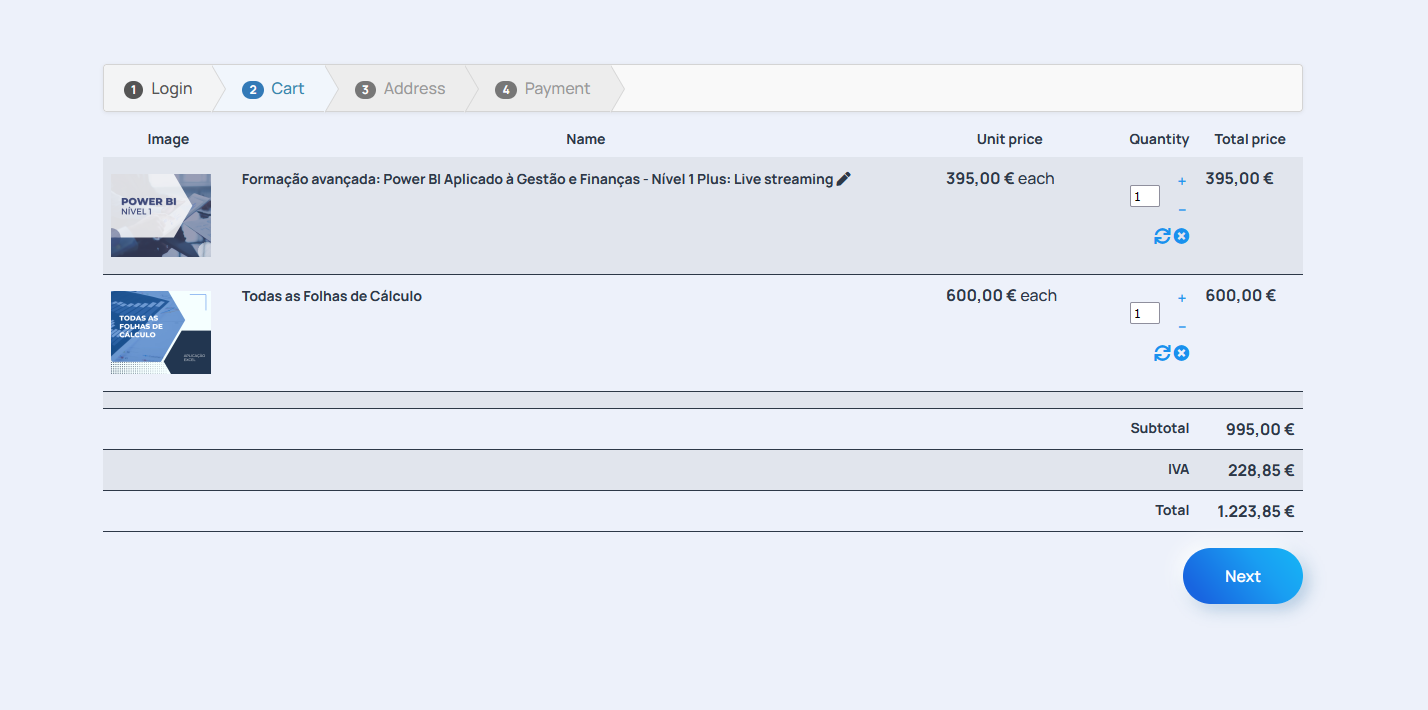
Where is it??
-- HikaShop version -- : 461
-- Joomla version -- : 4.1
Hello,
I created a coupoun, but the input box isn't shown anywhere on the cart:
Where is it??
Please Log in or Create an account to join the conversation.

2 years 11 months ago #357220
by nicolas
Replied by nicolas on topic How to display the coupon box?
Hi,
The coupon input box is displayed by the "coupon" view in the "Checkout workflow" setting, under the Checkout tab of the HikaShop configuration.
If you don't see it, it means you previously deleted it from there and you need to use the "add view" green area in order to add it back.
You can read more about the checkout workflow configuration here:
www.hikashop.com/support/documentation/4...eckout-workflow.html
The coupon input box is displayed by the "coupon" view in the "Checkout workflow" setting, under the Checkout tab of the HikaShop configuration.
If you don't see it, it means you previously deleted it from there and you need to use the "add view" green area in order to add it back.
You can read more about the checkout workflow configuration here:
www.hikashop.com/support/documentation/4...eckout-workflow.html
Please Log in or Create an account to join the conversation.
Time to create page: 0.068 seconds