

- Posts: 1
- Thank you received: 0
Display product page
13 years 2 months ago - 13 years 2 months ago #119314
by aviramshl
Display product page was created by aviramshl
-- HikaShop version -- :2.1.1
-- Joomla version -- : 2.5.14
Hello,
Would love to get assistance in designing the product page.
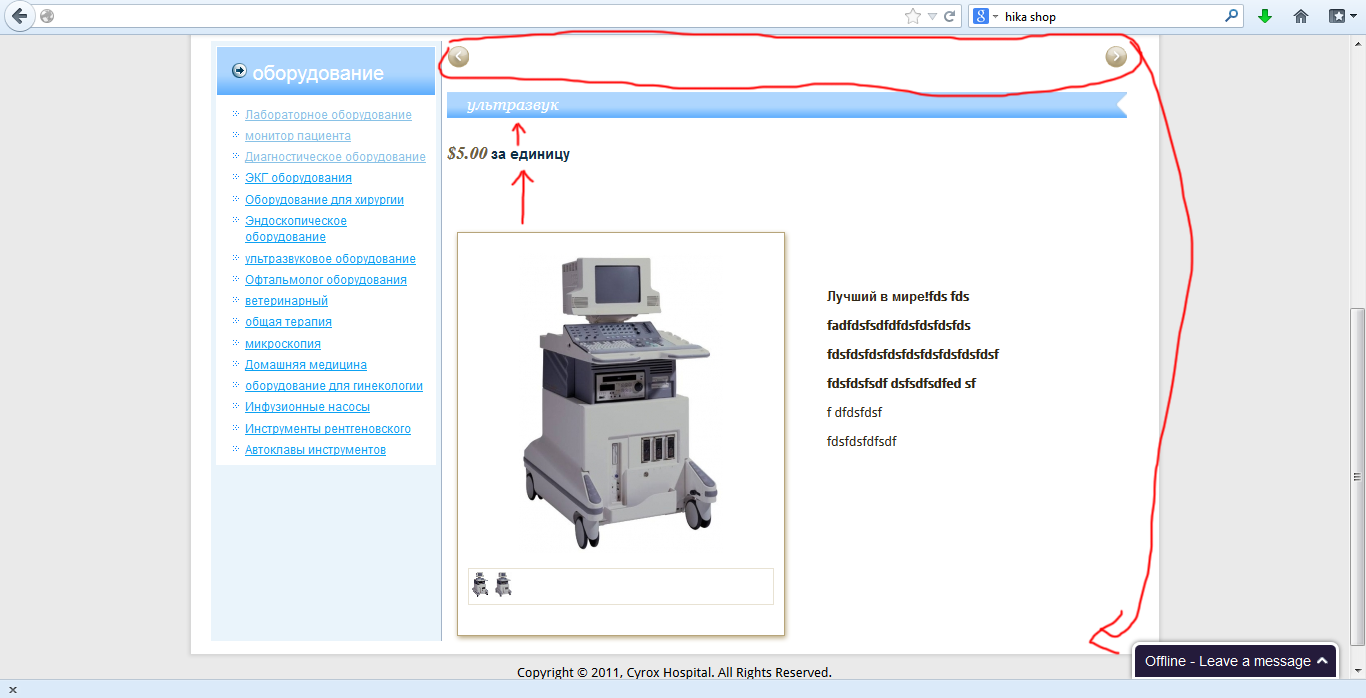
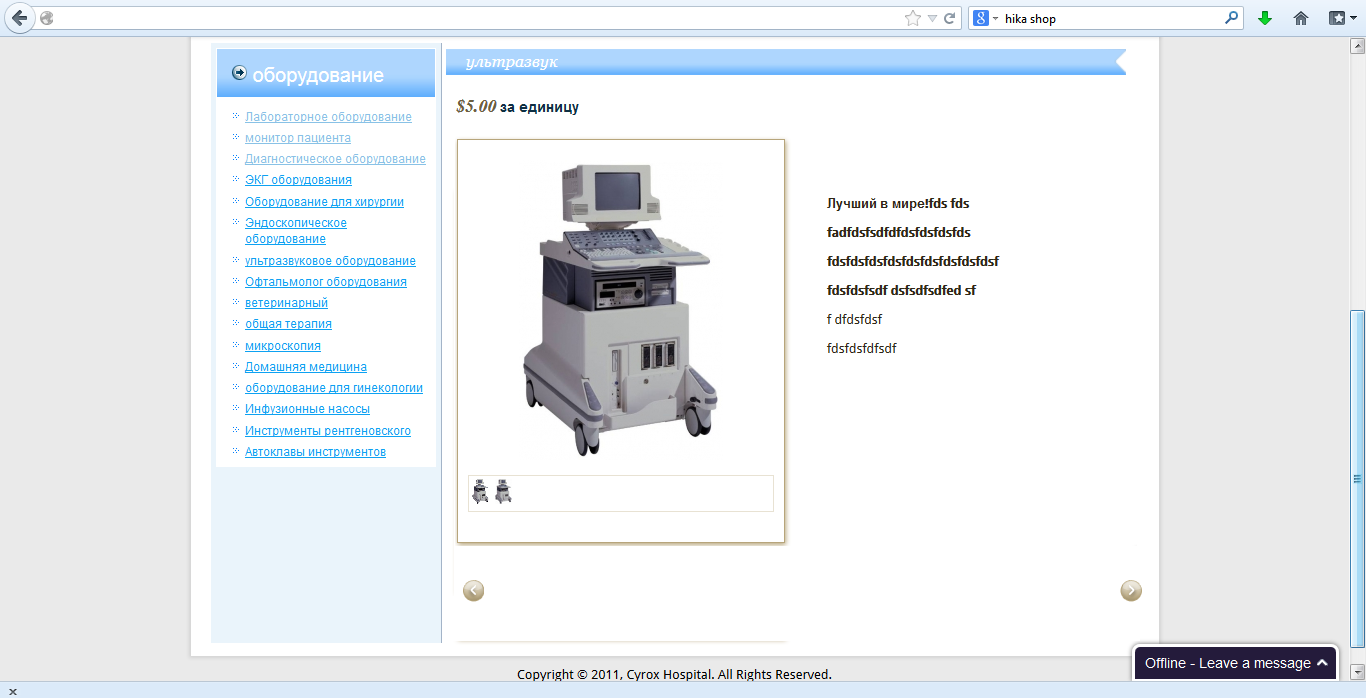
I want to move the buttons "Next" "Previous" bottom of the page
In addition to reducing the spaces between product image to price
Narrow space between the product price to the title product.
I am attaching a screenshot how it looks now
And how I want it to be
Thanks
screenshot how it looks now:
I want it to be
-- Joomla version -- : 2.5.14
Hello,
Would love to get assistance in designing the product page.
I want to move the buttons "Next" "Previous" bottom of the page
In addition to reducing the spaces between product image to price
Narrow space between the product price to the title product.
I am attaching a screenshot how it looks now
And how I want it to be
Thanks
screenshot how it looks now:
I want it to be
Last edit: 13 years 2 months ago by aviramshl.
Please Log in or Create an account to join the conversation.
13 years 2 months ago - 13 years 2 months ago #119318
by lionel75
Replied by lionel75 on topic Display product page
Last edit: 13 years 2 months ago by lionel75.
Please Log in or Create an account to join the conversation.

13 years 2 months ago #119332
by nicolas
Replied by nicolas on topic Display product page
Hi,
For the next and previous buttons, you can edit the file "show" of the view "product" via the menu Display>views and move code code displaying the buttons and which is at the top to the bottom of the file.
For the space between the elements of the page, that can be changed by adding CSS to HikaShop. We have a tutorial which explains how to look at the CSS in your browser and then add your modifications in the CSS of HikaShop here:
www.hikashop.com/support/documentation/1...the-display.html#css
For the next and previous buttons, you can edit the file "show" of the view "product" via the menu Display>views and move code code displaying the buttons and which is at the top to the bottom of the file.
For the space between the elements of the page, that can be changed by adding CSS to HikaShop. We have a tutorial which explains how to look at the CSS in your browser and then add your modifications in the CSS of HikaShop here:
www.hikashop.com/support/documentation/1...the-display.html#css
Please Log in or Create an account to join the conversation.
Time to create page: 0.120 seconds