

- Posts: 60
- Thank you received: 1
Products
12 years 3 months ago #165592
by Ncom
Hi,
I want to display my products next to each other like 4 or 5 on a row. Now
irt shows like this www.ncom.be/categories-listing/category/socket-1150
Something I forgot?
Best Regards, Wesley
I want to display my products next to each other like 4 or 5 on a row. Now
irt shows like this www.ncom.be/categories-listing/category/socket-1150
Something I forgot?
Best Regards, Wesley
Please Log in or Create an account to join the conversation.

12 years 3 months ago #165616
by Ncom
hHi,
sry
www.ncom.be/hikashop-menu-for-categories...egory/21-socket-1150
I also have a dot point in front off my product. What is that?
Best Regards,
Wesley
sry
www.ncom.be/hikashop-menu-for-categories...egory/21-socket-1150
I also have a dot point in front off my product. What is that?
Best Regards,
Wesley
Please Log in or Create an account to join the conversation.

12 years 3 months ago #165621
by nicolas
Hi,
Both issues comes from the fact that you turned on the "use bootstrap design" option of the HikaShop configuration while your Joomla template is not compatible with bootstrap. Turn off the option and it will solve both.
Both issues comes from the fact that you turned on the "use bootstrap design" option of the HikaShop configuration while your Joomla template is not compatible with bootstrap. Turn off the option and it will solve both.
Please Log in or Create an account to join the conversation.
12 years 3 months ago - 12 years 3 months ago #165677
by Ncom
Thank you 
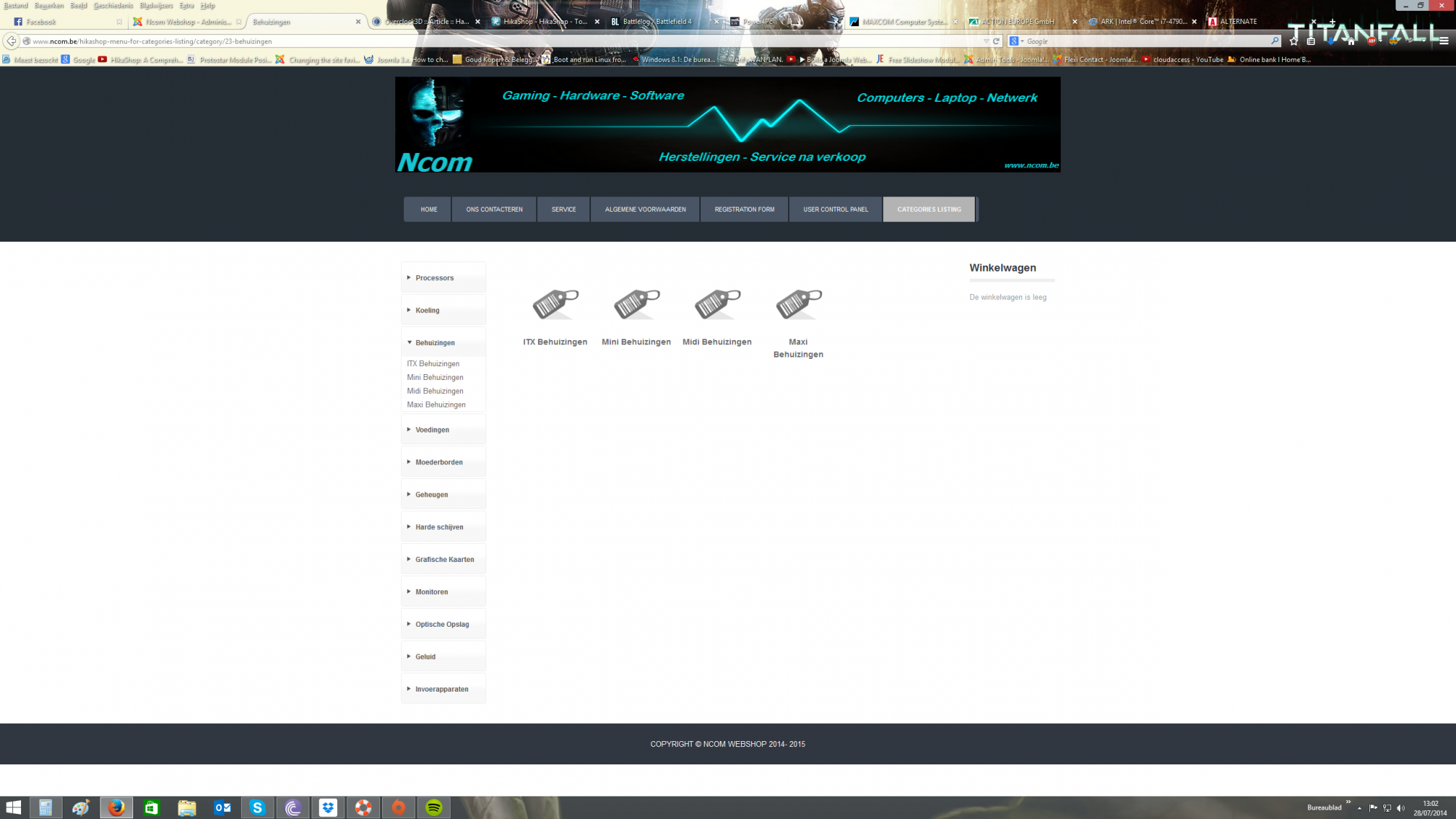
Ok that's one step. Now I want that the catogories only show in the left menu and not on my main page
Best Regards,
Wesley
Ok that's one step. Now I want that the catogories only show in the left menu and not on my main page
Best Regards,
Wesley
Last edit: 12 years 3 months ago by Ncom.
Please Log in or Create an account to join the conversation.
12 years 2 months ago #165682
by nicolas
Please Log in or Create an account to join the conversation.
12 years 2 months ago #165864
by Ncom
Hi,
Yes I know but I don't want that the shop shows the categories de sub catogeries on my main page like in the screenshot above.
Because the categories al already in the left menu
Best Regards, Wesley
Yes I know but I don't want that the shop shows the categories de sub catogeries on my main page like in the screenshot above.
Because the categories al already in the left menu
Best Regards, Wesley
Please Log in or Create an account to join the conversation.

Less
More
- Posts: 12953
- Thank you received: 1778
12 years 2 months ago #165869
by Mohamed Thelji
Replied by Mohamed Thelji on topic Products
Hello,
Does it solve your issue if you set the "Show sub categories" option of the category listing content menu which have the id number 109 to NO CHILD.
Does it solve your issue if you set the "Show sub categories" option of the category listing content menu which have the id number 109 to NO CHILD.
Please Log in or Create an account to join the conversation.
12 years 2 months ago #166029
by nicolas
Hi,
Then, you need instead to edit the left module (id 100) via the menu Display>content modules and set the "Link on main categories" option to "no". Then, it should work like you want.
Then, you need instead to edit the left module (id 100) via the menu Display>content modules and set the "Link on main categories" option to "no". Then, it should work like you want.
Please Log in or Create an account to join the conversation.

12 years 2 months ago #166253
by nicolas
Hi,
This is just a CSS issue that you can easily solve by adding that CSS code on your website:
.pane-sliders h3.title span{ padding-left : 20px !important; }
www.hikashop.com/support/support/documen...ize-the-display.html
This is just a CSS issue that you can easily solve by adding that CSS code on your website:
.pane-sliders h3.title span{ padding-left : 20px !important; }
www.hikashop.com/support/support/documen...ize-the-display.html
Please Log in or Create an account to join the conversation.
11 years 11 months ago #177292
by Ncom
Hi,
I have a new Theme for my webshop but have some problems.
When I click on processors for example and then socket 1150 I getting a new black page.
I want them to show up next to my menu. I added some pictures so you can see what to
problem can be.
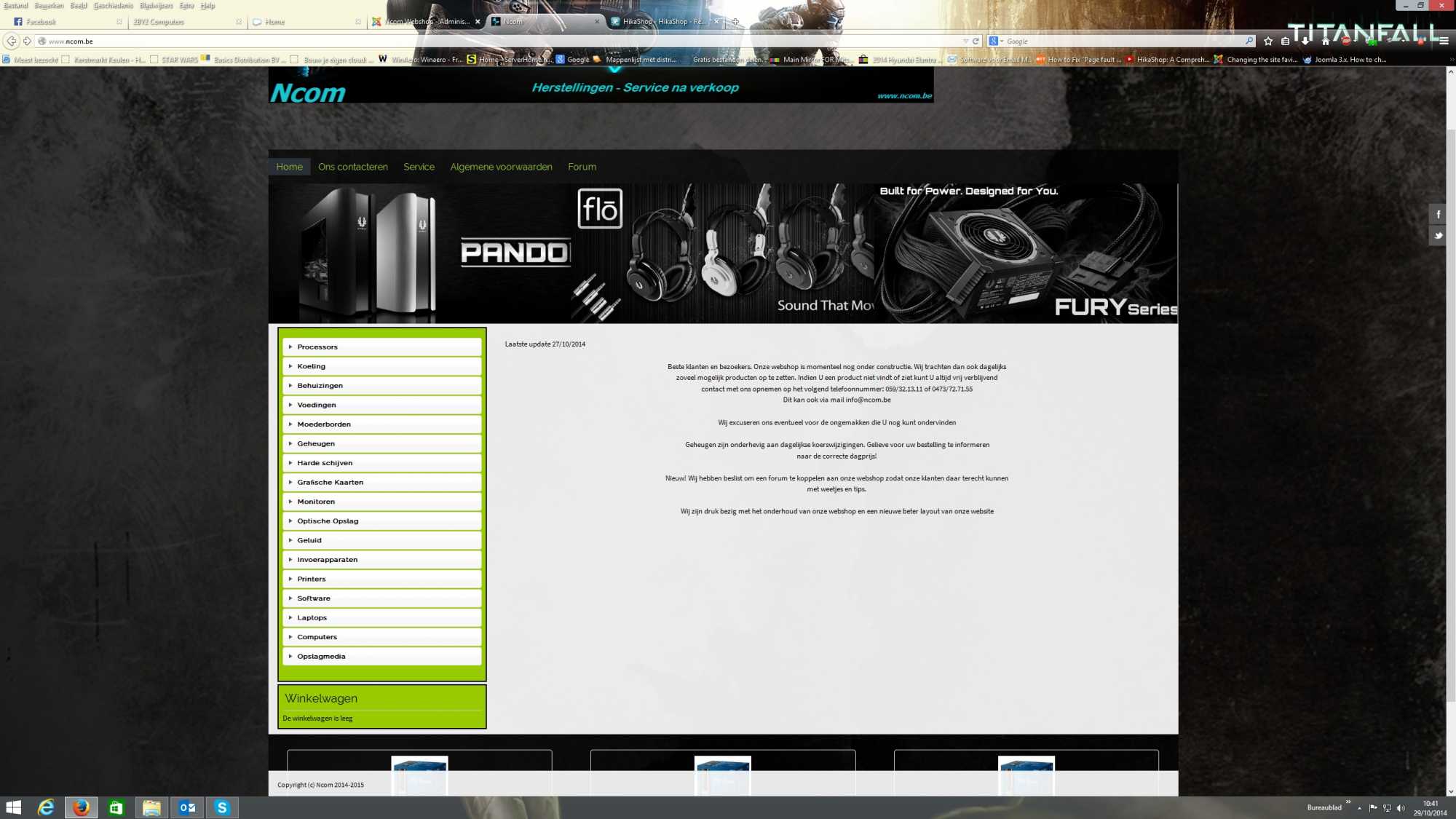
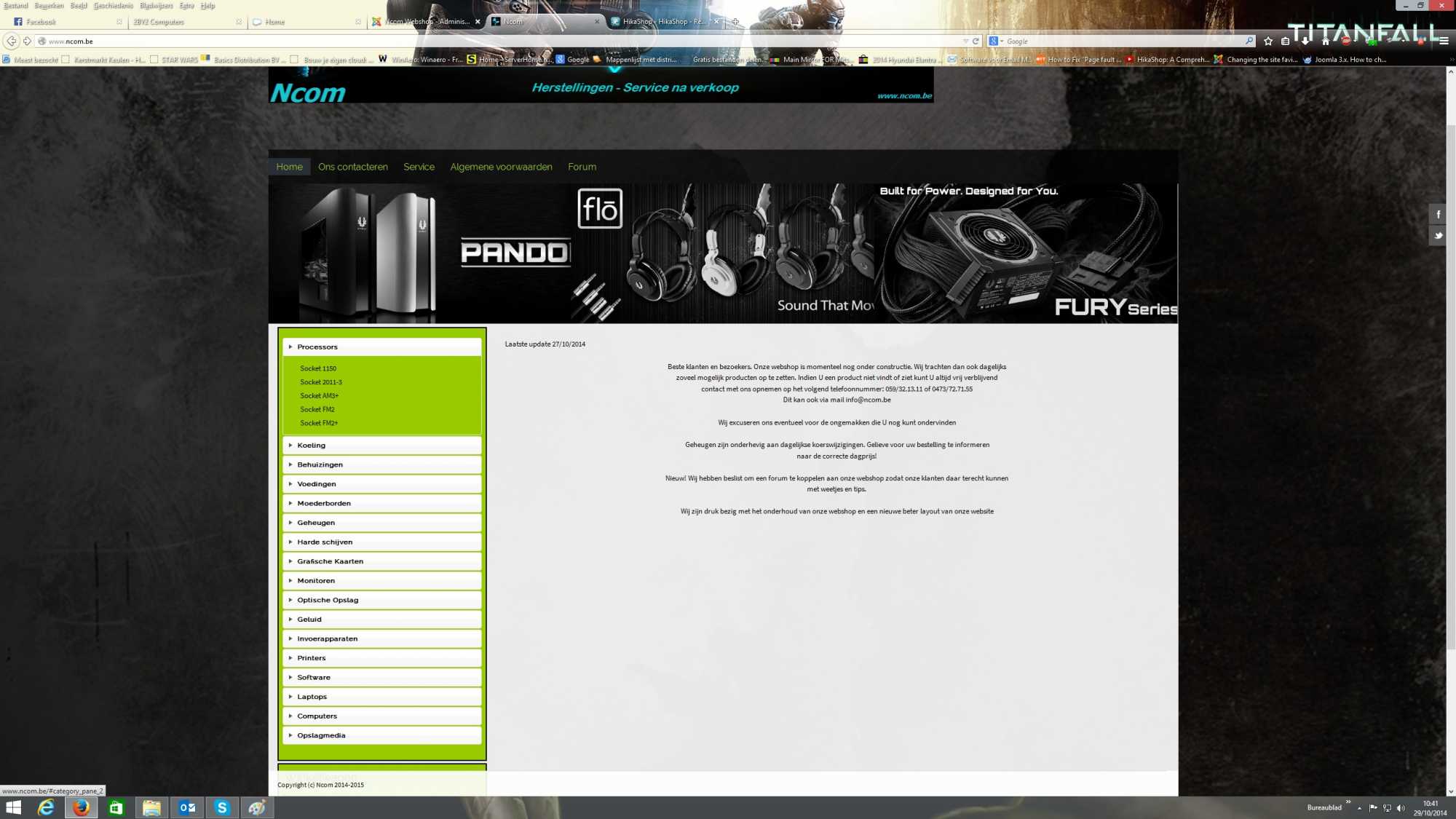
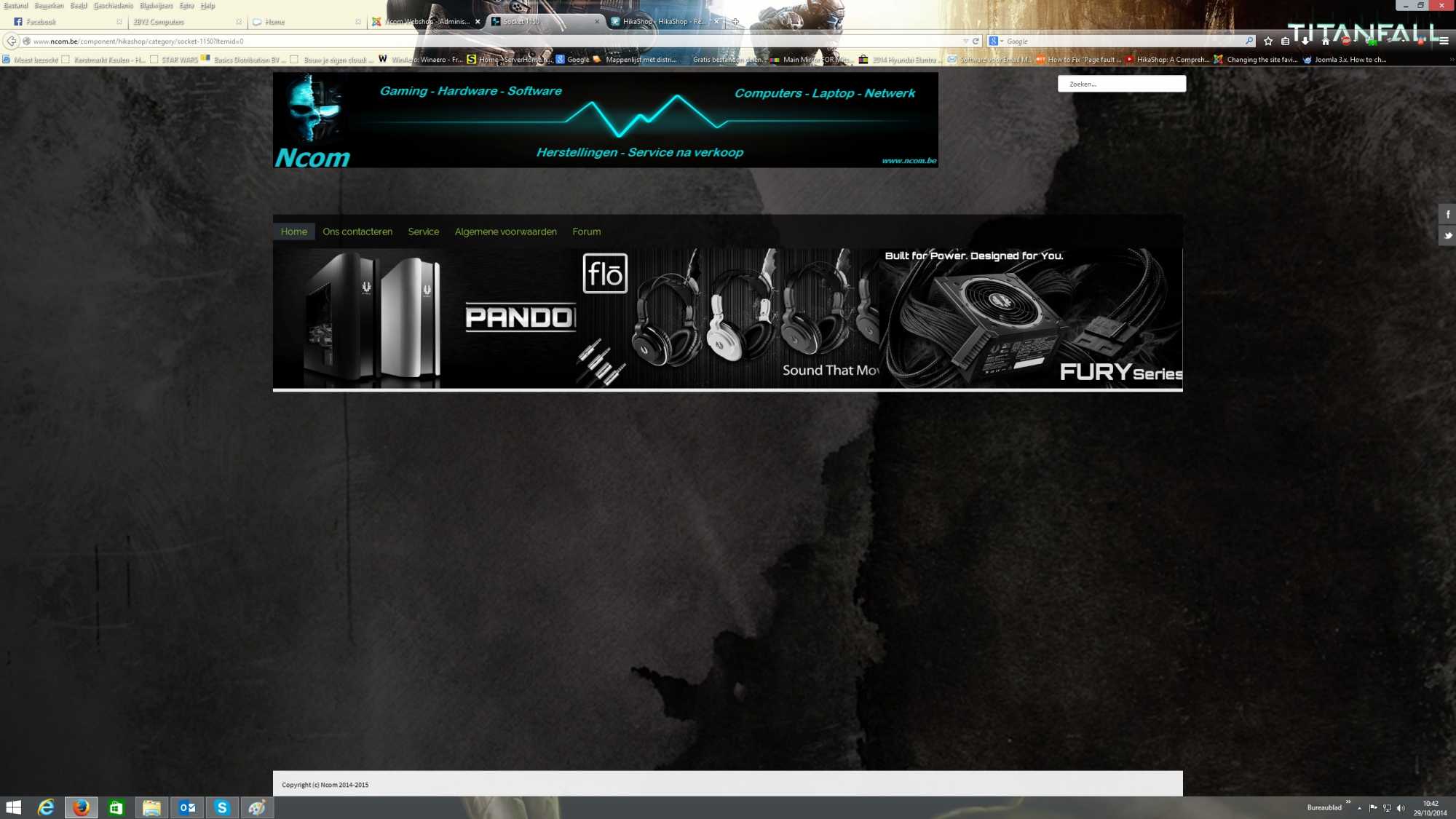
Kind Regards
I have a new Theme for my webshop but have some problems.
When I click on processors for example and then socket 1150 I getting a new black page.
I want them to show up next to my menu. I added some pictures so you can see what to
problem can be.
Kind Regards
Please Log in or Create an account to join the conversation.
Less
More
- Posts: 12953
- Thank you received: 1778
11 years 11 months ago #177312
by Mohamed Thelji
Replied by Mohamed Thelji on topic Products
Hello,
I just tested it and I'm correctly redirected to a product listing : www.ncom.be/menu/category/socket-1150
I just tested it and I'm correctly redirected to a product listing : www.ncom.be/menu/category/socket-1150
The following user(s) said Thank You: Ncom
Please Log in or Create an account to join the conversation.
11 years 11 months ago #177420
by Ncom
Hi,
what I want is when I click for example on processors that it gives me a dropdown menu (categorie on 2 levels) and when I push
socket 1150 is give me the products next to my menu. Now I have like a menu with sub categories and a second menu that makes
Socket 1150, Socket 2011-V3, etc. that last I don't want that.
1. I need categories on 2 levels menu with subcategories in a dropdown menu
2. That my products show next to my menu. Now it just opens a new page
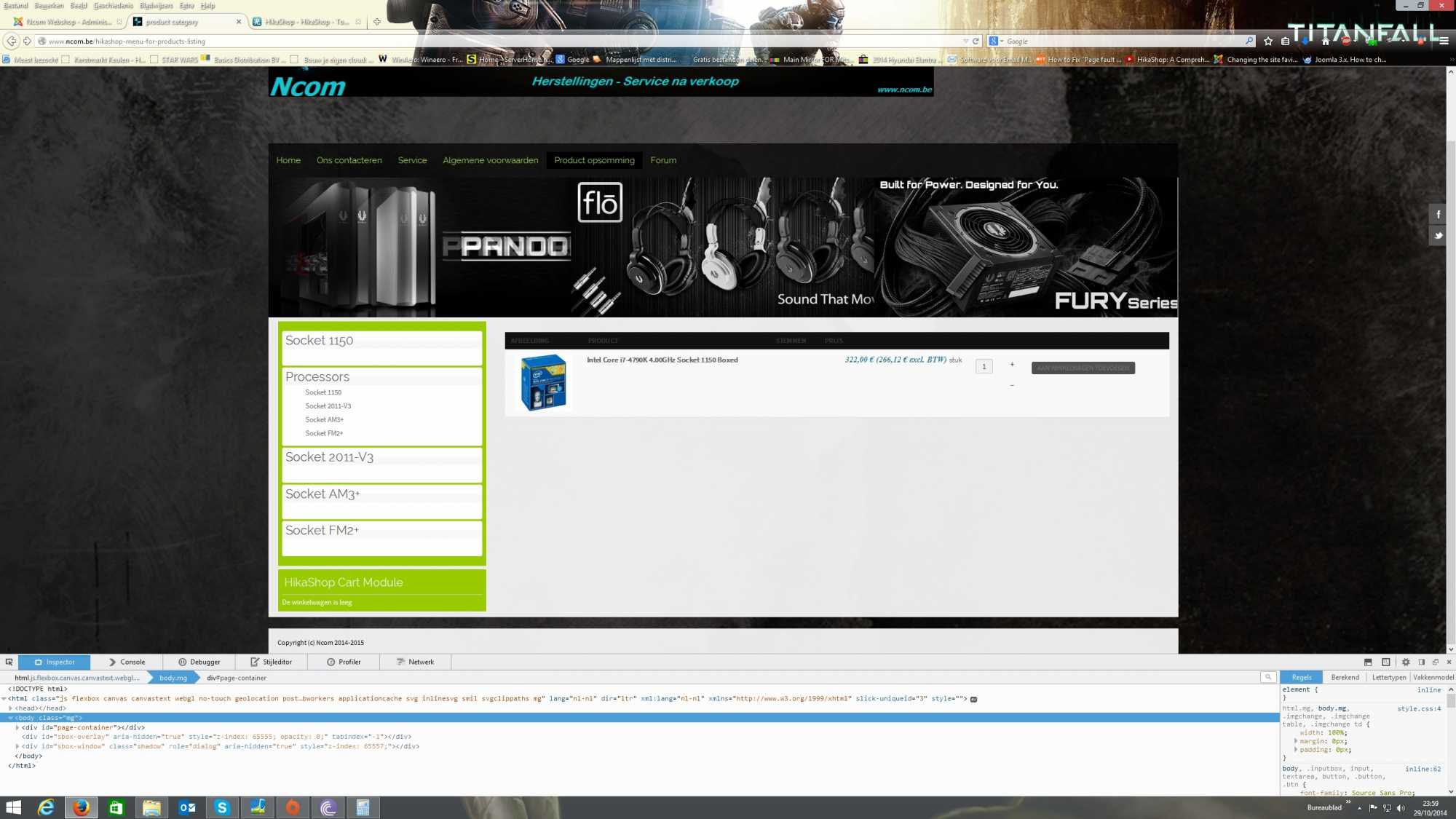
I hope this information is good enough to give me a good solution
kind regards
what I want is when I click for example on processors that it gives me a dropdown menu (categorie on 2 levels) and when I push
socket 1150 is give me the products next to my menu. Now I have like a menu with sub categories and a second menu that makes
Socket 1150, Socket 2011-V3, etc. that last I don't want that.
1. I need categories on 2 levels menu with subcategories in a dropdown menu
2. That my products show next to my menu. Now it just opens a new page
I hope this information is good enough to give me a good solution
kind regards
Please Log in or Create an account to join the conversation.
11 years 11 months ago #177422
by nicolas
Hi,
So if I understand correctly, your problem is that the module of the categories on the left disappears when you click on a category ?
To avoid that, you need to edit your category module via the Joomla modules manager and make sure that you assign it to all the hikashop menu items, espcially the "hikashop menu for category listing").
So if I understand correctly, your problem is that the module of the categories on the left disappears when you click on a category ?
To avoid that, you need to edit your category module via the Joomla modules manager and make sure that you assign it to all the hikashop menu items, espcially the "hikashop menu for category listing").
Please Log in or Create an account to join the conversation.
11 years 11 months ago #177494
by Ncom
Hi,
well kind of yes. But already fixed the menus now. but when I click for example processors --> Socket 1150 It just opens
a new windowpage (try it) but this is not how I want it. I just want when I click on it it just opens next to my menus
well kind of yes. But already fixed the menus now. but when I click for example processors --> Socket 1150 It just opens
a new windowpage (try it) but this is not how I want it. I just want when I click on it it just opens next to my menus
Please Log in or Create an account to join the conversation.
Time to create page: 0.533 seconds