
- Posts: 35
- Thank you received: 1
Google search errors
- bmorrelltx
-
 Topic Author
- Offline
Less
More
7 years 13 hours ago #312832
by bmorrelltx
Google search errors was created by bmorrelltx
-- url of the page with the problem -- :
www.astrofactors.com
-- HikaShop version -- : 4.2.1
-- Joomla version -- : 3.9.12
-- PHP version -- : 5.63
-- Browser(s) name and version -- : chrome
-- Error-message(debug-mod must be tuned on) -- : Google Error "missing field name " and Either "offers", "review", or "aggregateRating" should be specified
I am getting indexing errors "Missing Field name" and Either "offers", "review", or "aggregateRating" should be specified" for all of my products.
On each product page I have specified the name. It does not show up when the product is displayed in my browser.
Please let me know where to start on this?? .... Bruce
-- HikaShop version -- : 4.2.1
-- Joomla version -- : 3.9.12
-- PHP version -- : 5.63
-- Browser(s) name and version -- : chrome
-- Error-message(debug-mod must be tuned on) -- : Google Error "missing field name " and Either "offers", "review", or "aggregateRating" should be specified
I am getting indexing errors "Missing Field name" and Either "offers", "review", or "aggregateRating" should be specified" for all of my products.
On each product page I have specified the name. It does not show up when the product is displayed in my browser.
Please let me know where to start on this?? .... Bruce
Please Log in or Create an account to join the conversation.

7 years 13 hours ago #312834
by lousyfool
Need help with customisations of layouts, style or other site development? PM me!
(Don't forget to turn on "E-mail notification of new messages" )
Replied by lousyfool on topic Google search errors
Hi,
These are typically not errors but only warnings only and nothing to worry about.
See also here: www.hikashop.com/forum/product-category-...e-issues.html#307445
Also, "reviews" and "ratings" you'll only have on your pages if the respective plugins are enabled and in use.
These are typically not errors but only warnings only and nothing to worry about.
See also here: www.hikashop.com/forum/product-category-...e-issues.html#307445
Also, "reviews" and "ratings" you'll only have on your pages if the respective plugins are enabled and in use.
Need help with customisations of layouts, style or other site development? PM me!
(Don't forget to turn on "E-mail notification of new messages" )
The following user(s) said Thank You: Philip
Please Log in or Create an account to join the conversation.
- bmorrelltx
-
Topic Author
- Offline
Less
More
- Posts: 35
- Thank you received: 1
7 years 12 hours ago #312837
by bmorrelltx
Replied by bmorrelltx on topic Google search errors
Thanks for the reply.
I am using the google index tool. IT is telling me I have 76 "errors" that will prevent me from being properly parsed... Bruce
I am using the google index tool. IT is telling me I have 76 "errors" that will prevent me from being properly parsed... Bruce
Please Log in or Create an account to join the conversation.

6 years 11 months ago - 6 years 11 months ago #312864
by Philip
Replied by Philip on topic Google search errors
Hello,
Several test to process in order to approach the root issue :
1. Process some test with a default template
2. Check that you don't have product override view
- From Main HikaShop Configuration => Display Dropdown => Views
- Use the 3 filter dropdown with Product/ YourTemplate /frontend
3. Do you have some components that can modify your html ?
Awaiting news from you to move forward on your subject.
Regards
Several test to process in order to approach the root issue :
1. Process some test with a default template
2. Check that you don't have product override view
- From Main HikaShop Configuration => Display Dropdown => Views
- Use the 3 filter dropdown with Product/ YourTemplate /frontend
3. Do you have some components that can modify your html ?
Awaiting news from you to move forward on your subject.
Regards
Last edit: 6 years 11 months ago by Philip.
Please Log in or Create an account to join the conversation.
- bmorrelltx
-
Topic Author
- Offline
Less
More
- Posts: 35
- Thank you received: 1
6 years 11 months ago #312912
by bmorrelltx
Replied by bmorrelltx on topic Google search errors
Thanks for reply!
It does not look like there is anything custom. I had a company several years ago set my site up that no longer exists.
This is what the product page looks like
Attached
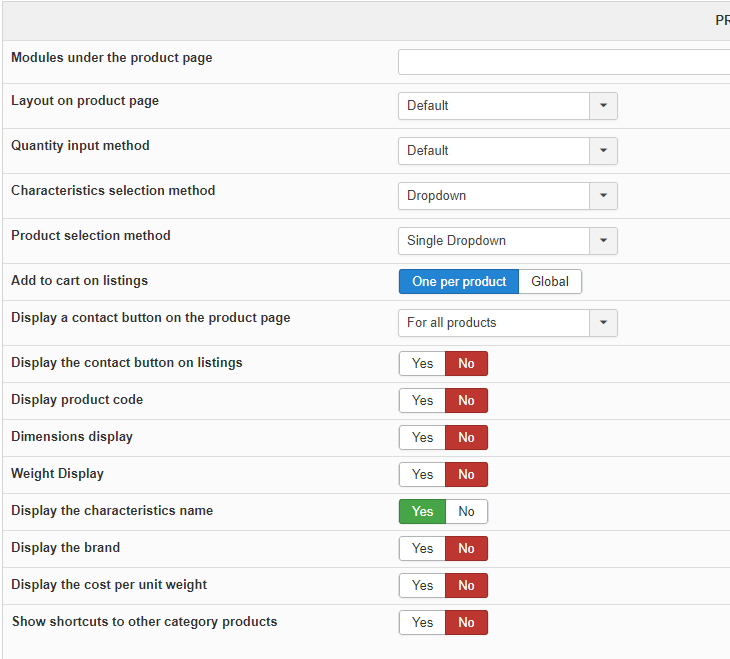
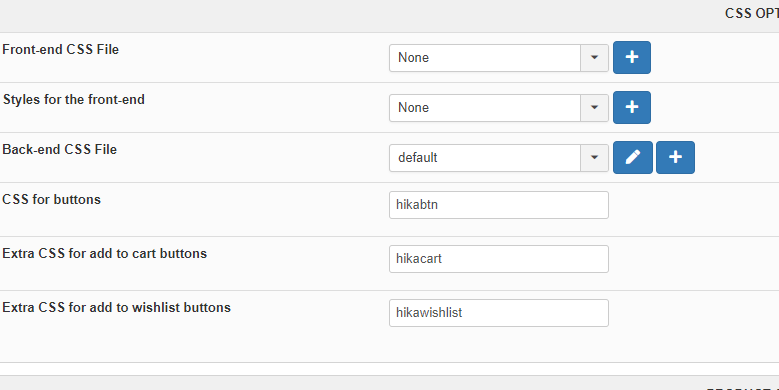
Here is the CSS options
attached
It does not look like there is anything custom. I had a company several years ago set my site up that no longer exists.
This is what the product page looks like
Attached
Here is the CSS options
attached
Please Log in or Create an account to join the conversation.

6 years 11 months ago #312907
by nicolas
Replied by nicolas on topic Google search errors
Hi,
As Philip hinted at, your issue comes from view overrides in your template. There are some view overrides on some of the view files of the product page. These are based on really old versions of HikaShop which didn't support Structured data. Because of that you're missing key structured data tags which are present normally by default:
search.google.com/structured-data/testin...emaster-adaptor.html
So you would have to check on the folder templates/YOUR_TEMPLATE/html/com_hikashop/product/ via FTP.
There, try renaming the files one by one and recheck the Structured data with that tester tool each time so that you can see which file is causing the problem.
Then, you can leave the file renamed and potentially re add the modifications that was done on it to the new version of the view file via the menu Display>Views (or have it done by a developer).
As Philip hinted at, your issue comes from view overrides in your template. There are some view overrides on some of the view files of the product page. These are based on really old versions of HikaShop which didn't support Structured data. Because of that you're missing key structured data tags which are present normally by default:
search.google.com/structured-data/testin...emaster-adaptor.html
So you would have to check on the folder templates/YOUR_TEMPLATE/html/com_hikashop/product/ via FTP.
There, try renaming the files one by one and recheck the Structured data with that tester tool each time so that you can see which file is causing the problem.
Then, you can leave the file renamed and potentially re add the modifications that was done on it to the new version of the view file via the menu Display>Views (or have it done by a developer).
Please Log in or Create an account to join the conversation.
- bmorrelltx
-
Topic Author
- Offline
Less
More
- Posts: 35
- Thank you received: 1
6 years 11 months ago #312944
by bmorrelltx
Replied by bmorrelltx on topic Google search errors
Gentlemen,
Thanks for your help.
As directed I went in and renamed the file "show_default.php" in the directory you indicated. The testing tool does not show errors but a few warnings now. Can I just leave that file renamed or do I need a replacement?? The developer apparently used Shape5 vertex template which I updates. I am not sure if I even need that template or could switch to another that would be updated on a automatic basis.
Thanks for your help.... Bruce
Thanks for your help.
As directed I went in and renamed the file "show_default.php" in the directory you indicated. The testing tool does not show errors but a few warnings now. Can I just leave that file renamed or do I need a replacement?? The developer apparently used Shape5 vertex template which I updates. I am not sure if I even need that template or could switch to another that would be updated on a automatic basis.
Thanks for your help.... Bruce
Please Log in or Create an account to join the conversation.
6 years 11 months ago #312945
by nicolas
Replied by nicolas on topic Google search errors
Hi,
Renaming that file means that you loose the design customization that was applied on the product page by your template.
If you don't see any difference on the page, or if the differences are small enough that you don't care, then you can leave that file renamed and continue like that.
Renaming that file means that you loose the design customization that was applied on the product page by your template.
If you don't see any difference on the page, or if the differences are small enough that you don't care, then you can leave that file renamed and continue like that.
Please Log in or Create an account to join the conversation.
Time to create page: 0.147 seconds