
- Posts: 121
- Thank you received: 2
HikaShop search bar
- andrewwinkler
-
 Topic Author
- Offline
Less
More
5 years 7 months ago #330622
by andrewwinkler
Replied by andrewwinkler on topic HikaShop search bar
I don't think neither Joomla Search nor Joomla SmartSearch - with or without HikaShop search plugin - will display the HikaShop items in a formatted manner similar to the HIkaShop product list view, where you have rows and columns of product items displaying product name, thumbnail, price, quantity selector and add to cart button.
Try searching for "tyre" in this demo site: demo.busybeedeli.com.au/ That's using the "VirtueMart Search Product" module. HikaShop needs something like that too. It can't bee too hard to programme since it's basically a filtered version of the normal product listing. However, it's different from your filter module because that will only return products of the category you are in whereas I want the main search to return products from all published categories.
Try searching for "tyre" in this demo site: demo.busybeedeli.com.au/ That's using the "VirtueMart Search Product" module. HikaShop needs something like that too. It can't bee too hard to programme since it's basically a filtered version of the normal product listing. However, it's different from your filter module because that will only return products of the category you are in whereas I want the main search to return products from all published categories.
Please Log in or Create an account to join the conversation.

5 years 7 months ago #330638
by nicolas
Replied by nicolas on topic HikaShop search bar
Hi,
No, our HikaShop filter module can totally do that too.
The HikaShop filter module can do both:
- search among the list of the products of the current category
- search among the list of all the products
To choose to do one or the other, it depends on how you configure the HikaShop filter module and the "attached" menu item. And that's what I'm trying to help you configure since the beginning of this thread.
To recap, if you want the HikaShop filter module to search through all your products you need :
- to create a menu item which displays all your products. There is actually already one by default called "Products listing" under the "HikaShop default menus" menu.
- to enter the id of that menu item in the "menu" setting of the HikaShop filter module and activate the "force redirect" setting.
That way, the HikaShop filter module will use the menu item for the filtering and thus will take into account all your products.
If you don't get that, it means that something is not configured correctly either in the settings of the HikaShop filter module or the corresponding menu item.
No, our HikaShop filter module can totally do that too.
The HikaShop filter module can do both:
- search among the list of the products of the current category
- search among the list of all the products
To choose to do one or the other, it depends on how you configure the HikaShop filter module and the "attached" menu item. And that's what I'm trying to help you configure since the beginning of this thread.
To recap, if you want the HikaShop filter module to search through all your products you need :
- to create a menu item which displays all your products. There is actually already one by default called "Products listing" under the "HikaShop default menus" menu.
- to enter the id of that menu item in the "menu" setting of the HikaShop filter module and activate the "force redirect" setting.
That way, the HikaShop filter module will use the menu item for the filtering and thus will take into account all your products.
If you don't get that, it means that something is not configured correctly either in the settings of the HikaShop filter module or the corresponding menu item.
Please Log in or Create an account to join the conversation.
- andrewwinkler
-
Topic Author
- Offline
Less
More
- Posts: 121
- Thank you received: 2
5 years 7 months ago - 5 years 7 months ago #330696
by andrewwinkler
Replied by andrewwinkler on topic HikaShop search bar
So all I have to do is replace the Joomla Search module with the HikaShop Filter Module and link it to a menu item with the HikaShop product layout that displays all items in the catalogue?
Last edit: 5 years 7 months ago by andrewwinkler.
Please Log in or Create an account to join the conversation.

5 years 7 months ago - 5 years 7 months ago #330701
by Philip
Replied by Philip on topic HikaShop search bar
Hello,
Yes, exactly this will fit your needs and be the most easy way to achieved it.
Regards
Yes, exactly this will fit your needs and be the most easy way to achieved it.
Regards
Last edit: 5 years 7 months ago by Philip.
Please Log in or Create an account to join the conversation.
- andrewwinkler
-
Topic Author
- Offline
Less
More
- Posts: 121
- Thank you received: 2
5 years 7 months ago - 5 years 7 months ago #330757
by andrewwinkler
Replied by andrewwinkler on topic HikaShop search bar
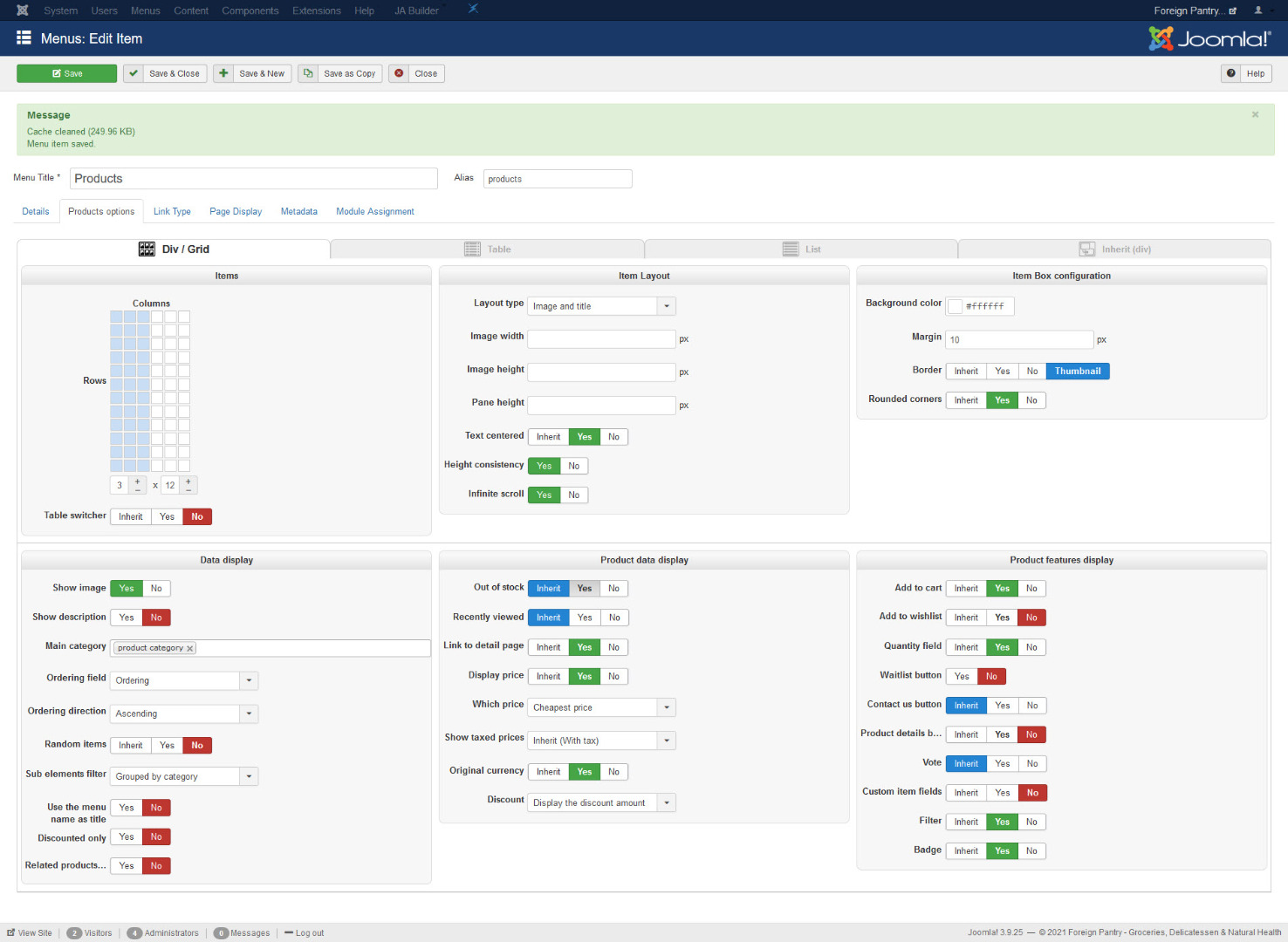
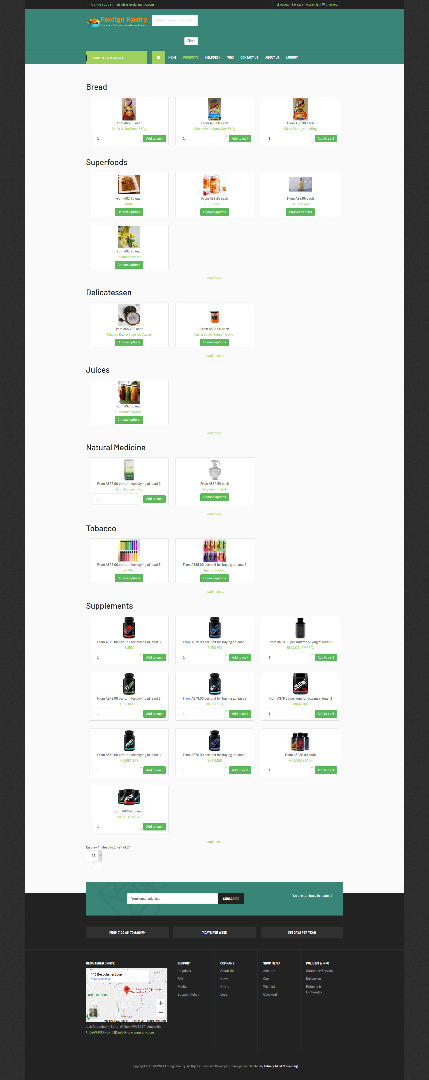
Sounds good. I tried it right away. I created a menu item on my main menu named products. The menu type is HikaShop products listing. My problem is when I enter for example "bread" or "kimchi" and hit the filter button NOTHING happens.
Last edit: 5 years 7 months ago by andrewwinkler.
Please Log in or Create an account to join the conversation.
5 years 6 months ago #330788
by nicolas
Replied by nicolas on topic HikaShop search bar
Hi,
So several things:
- In the "sub elements filter" setting of that menu item, try to enter "all sub elements" so that you really have all the products of the shop.
-Make sure you turn off the "recently viewed" setting there, otherwise, only the products you looked at recently will appear in the listing of that menu item
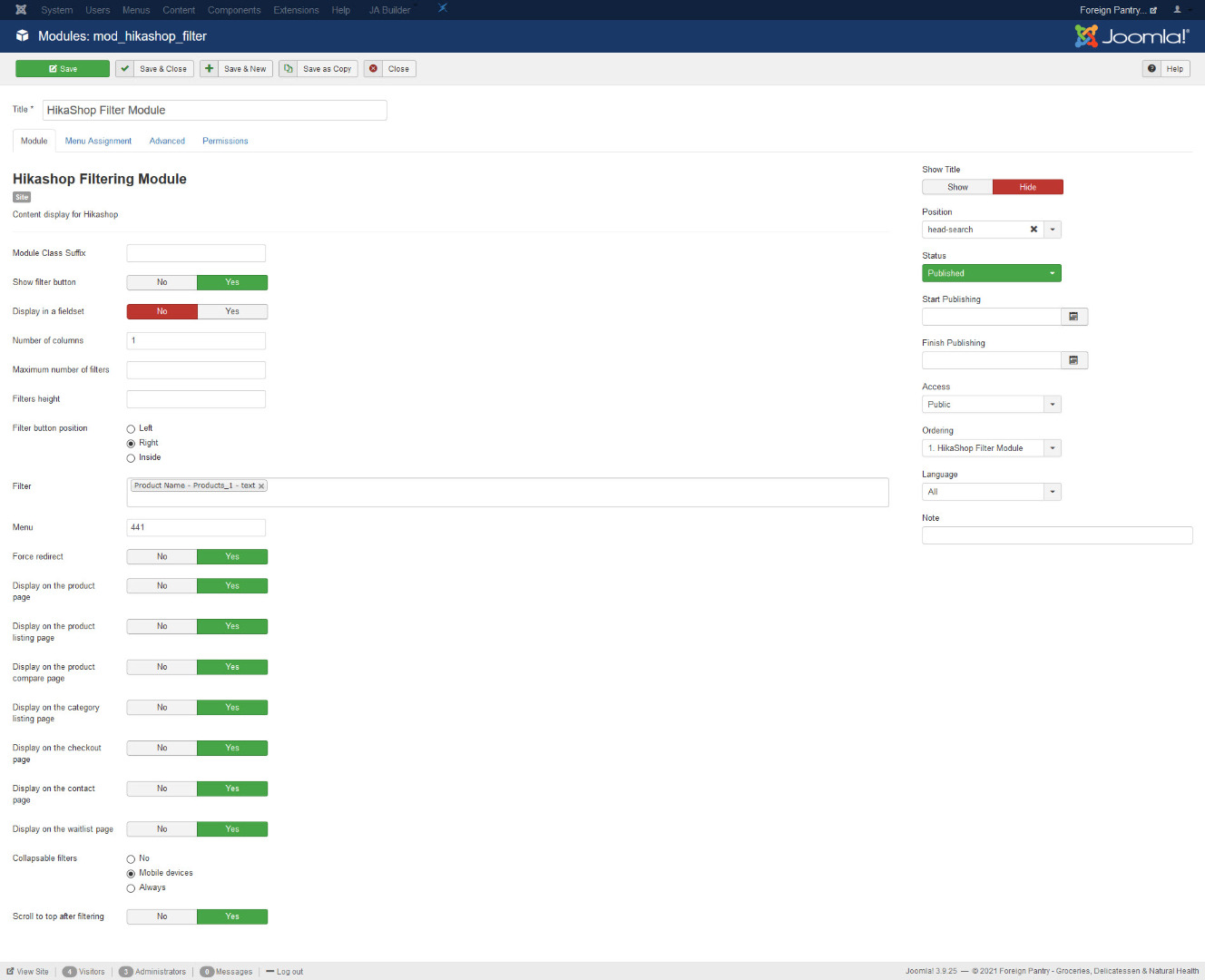
- You didn't write that you entered the id of that menu item in the "menu" setting of your HikaShop filter module. So please make sure that it is the case and that you've activated the "force redirect" setting of the module.
If it still doesn't work even though you did all that please, provide the URL of that page along with a backend access and a link to this thread via our contact form so that we can check on the situation
www.hikashop.com/support/contact-us.html
So several things:
- In the "sub elements filter" setting of that menu item, try to enter "all sub elements" so that you really have all the products of the shop.
-Make sure you turn off the "recently viewed" setting there, otherwise, only the products you looked at recently will appear in the listing of that menu item
- You didn't write that you entered the id of that menu item in the "menu" setting of your HikaShop filter module. So please make sure that it is the case and that you've activated the "force redirect" setting of the module.
If it still doesn't work even though you did all that please, provide the URL of that page along with a backend access and a link to this thread via our contact form so that we can check on the situation
www.hikashop.com/support/contact-us.html
The following user(s) said Thank You: andrewwinkler
Please Log in or Create an account to join the conversation.
- andrewwinkler
-
Topic Author
- Offline
Less
More
- Posts: 121
- Thank you received: 2
5 years 6 months ago #330883
by andrewwinkler
Replied by andrewwinkler on topic HikaShop search bar
I made all the change to the settings in the menu. The module was already configure the way you said.
I'm going to contact you with the login settings.
I'm going to contact you with the login settings.
Please Log in or Create an account to join the conversation.
5 years 6 months ago #330885
by nicolas
Replied by nicolas on topic HikaShop search bar
Hi,
I checked the situation on your website and I think it is linked to the caching that you have on your website.
It seems that you're using cloudflare and when the filter module sends the filter request to the web server, it gets back the content of the products listing instead of getting back json data to refresh the elements on the page.
I would recommend checking how to disable caching / CDN functions on "POST" requests and it should then work properly.
I checked the situation on your website and I think it is linked to the caching that you have on your website.
It seems that you're using cloudflare and when the filter module sends the filter request to the web server, it gets back the content of the products listing instead of getting back json data to refresh the elements on the page.
I would recommend checking how to disable caching / CDN functions on "POST" requests and it should then work properly.
Please Log in or Create an account to join the conversation.
- andrewwinkler
-
Topic Author
- Offline
Less
More
- Posts: 121
- Thank you received: 2
5 years 6 months ago - 5 years 6 months ago #330910
by andrewwinkler
Replied by andrewwinkler on topic HikaShop search bar
I disabled Cloudflare for the site by setting it to "Development mode". Then I cleared all caches and tried again, with the same result. The "filter" button of the HikaShop filter module doesn't do anything, nor does anything happen if I press enter after entering "kimchi" or "toast" in the module's form.
By the way, I moved the "Products" menu item down to the "Shop Menu" and made it public.
By the way, I moved the "Products" menu item down to the "Shop Menu" and made it public.
Last edit: 5 years 6 months ago by andrewwinkler.
Please Log in or Create an account to join the conversation.
5 years 6 months ago #330935
by nicolas
Replied by nicolas on topic HikaShop search bar
Hi,
I checked your filter situation today again but I still see the elements from CloudFlare on your pages.
If you look at the HTML of the filter button with your browser:
i.imgur.com/l3KHiG4.png
You can see the code
which is added by CloudFlare and isn't in HikaShop by default:
community.cloudflare.com/t/if-window-cfr...s-return-false/74787
Could you double check that you've really deactivated CloudFlare on your website ?
I checked your filter situation today again but I still see the elements from CloudFlare on your pages.
If you look at the HTML of the filter button with your browser:
i.imgur.com/l3KHiG4.png
You can see the code
Code:
if (!window.__cfRLUnblockHandlers) return false;
community.cloudflare.com/t/if-window-cfr...s-return-false/74787
Could you double check that you've really deactivated CloudFlare on your website ?
Please Log in or Create an account to join the conversation.
- andrewwinkler
-
Topic Author
- Offline
Less
More
- Posts: 121
- Thank you received: 2
5 years 6 months ago #331012
by andrewwinkler
Replied by andrewwinkler on topic HikaShop search bar
Since setting the site to "development mode" did not disable CloudFlare sufficiently for your testing, I've changed the DNS to no longer point to their service.
Please Log in or Create an account to join the conversation.
5 years 6 months ago #331152
by nicolas
Replied by nicolas on topic HikaShop search bar
Hi,
I found the issue.
It actually came from the settings of the filter.
You've configured your products listing to display all the products under the "product category" category so that all the products of the shop appear on that page.
However, in the settings of your filter, you've selected many categories where you want the filter to appear, but you didn't select the "product category" category. And thus the filter was not activated on this page.
If you want the filter to work anywhere, you should either remove all the categories from the "category" setting of the filter, or select all the categories in it.
I've just added the "product category" in that setting of your filter and it's now working fine.
So it was not linked to CloudFlare.
I found the issue.
It actually came from the settings of the filter.
You've configured your products listing to display all the products under the "product category" category so that all the products of the shop appear on that page.
However, in the settings of your filter, you've selected many categories where you want the filter to appear, but you didn't select the "product category" category. And thus the filter was not activated on this page.
If you want the filter to work anywhere, you should either remove all the categories from the "category" setting of the filter, or select all the categories in it.
I've just added the "product category" in that setting of your filter and it's now working fine.
So it was not linked to CloudFlare.
The following user(s) said Thank You: andrewwinkler
Please Log in or Create an account to join the conversation.
- andrewwinkler
-
Topic Author
- Offline
Less
More
- Posts: 121
- Thank you received: 2
5 years 6 months ago #331163
by andrewwinkler
Replied by andrewwinkler on topic HikaShop search bar
Great. It's working now. Thank you very much.
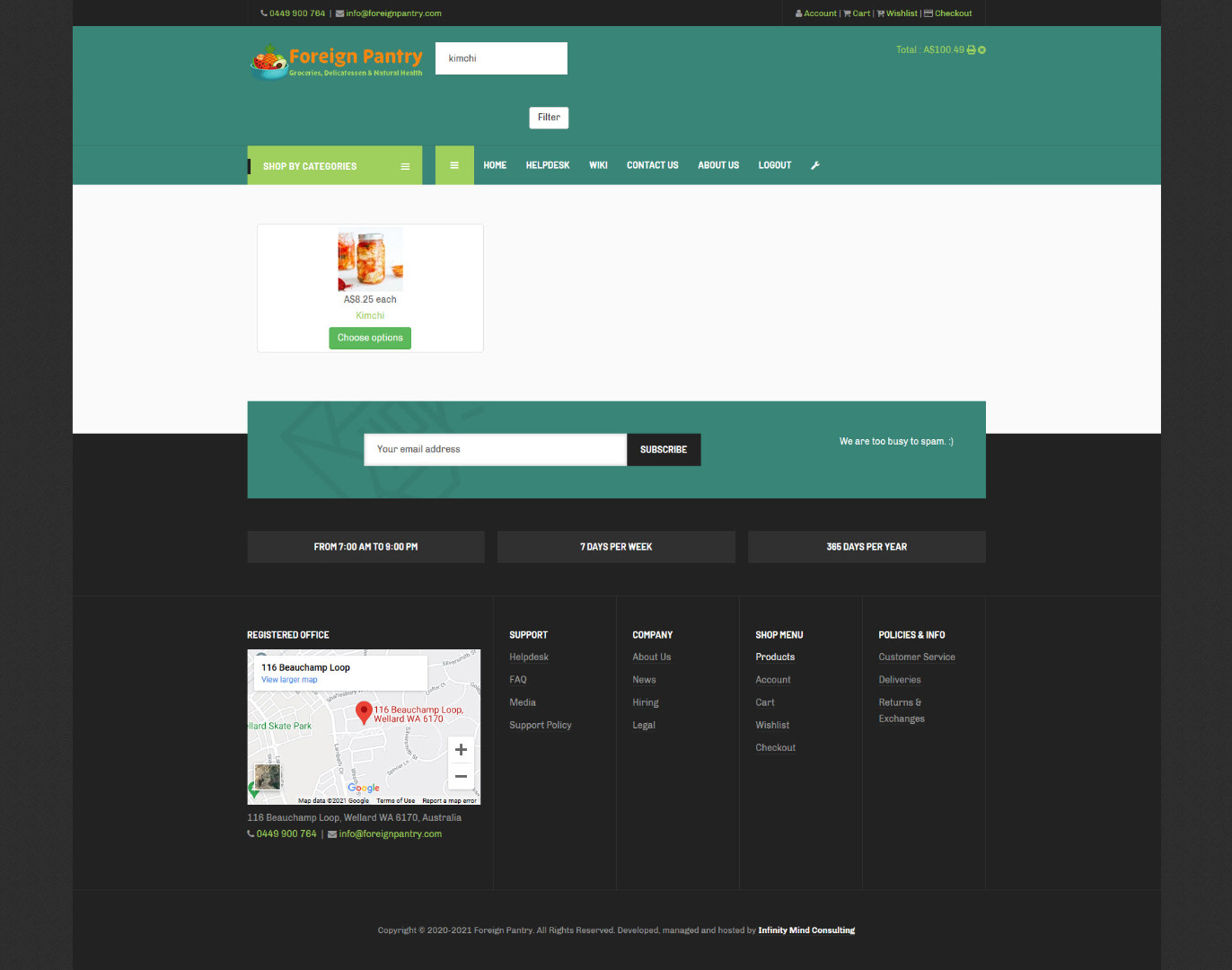
Now, how can make it look more like the standard joomla search module so that I can replace the latter on all the other pages?
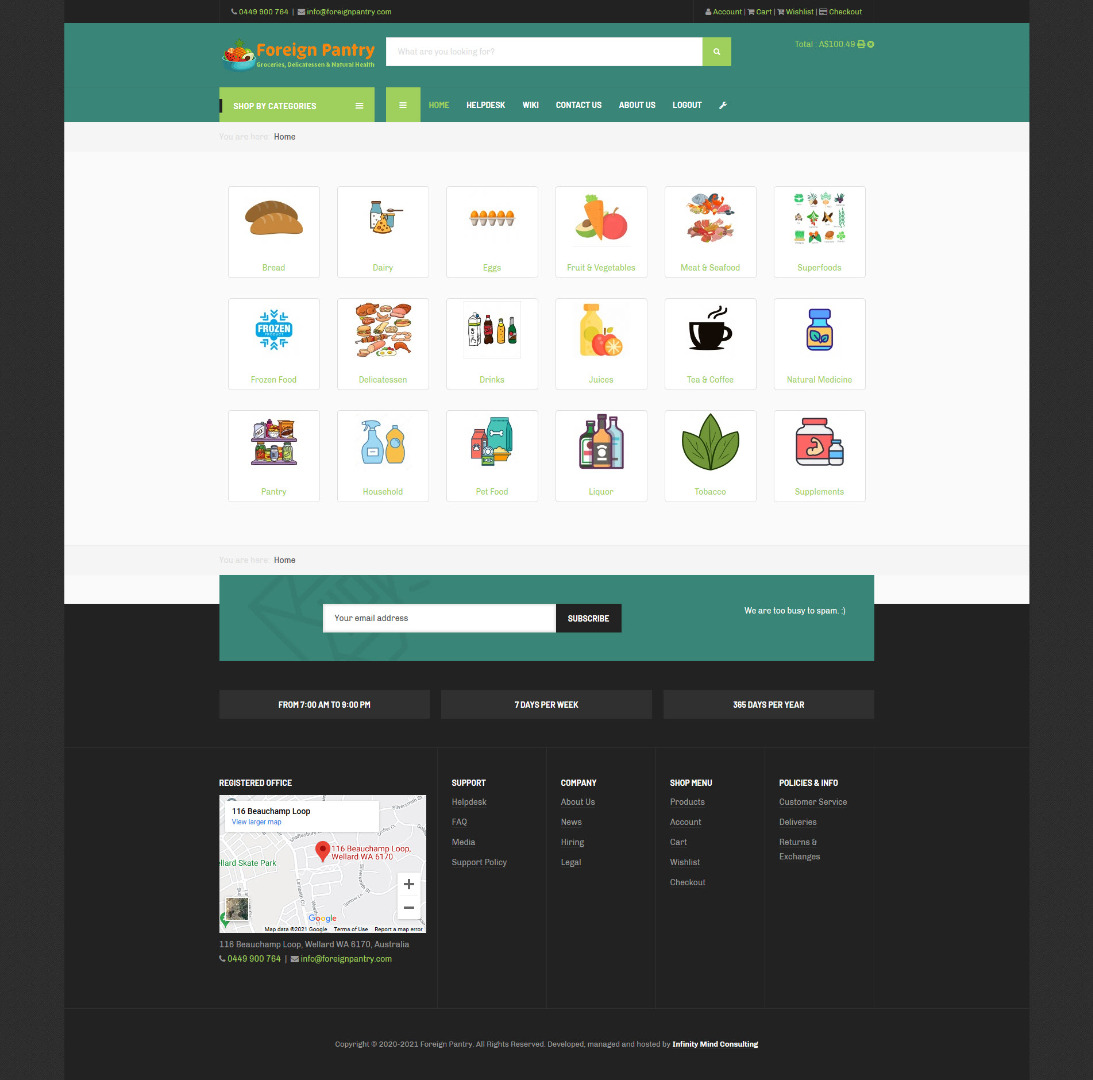
In particular, I want to change the following things:
1. I want to increase the width to a similar size.
2. I want to move the filter button right next to the field where to enter the search word.
3. I want to replace the word "Filter" with the search icon.
Now, how can make it look more like the standard joomla search module so that I can replace the latter on all the other pages?
In particular, I want to change the following things:
1. I want to increase the width to a similar size.
2. I want to move the filter button right next to the field where to enter the search word.
3. I want to replace the word "Filter" with the search icon.
Please Log in or Create an account to join the conversation.
5 years 6 months ago #331171
by nicolas
Replied by nicolas on topic HikaShop search bar
Hi,
You can do all that with custom CSS code, like your template provider did to customize the search bar of the Joomla search module.
Here is a tutorial where we explain how you can add custom CSS code:
www.hikashop.com/support/documentation/1...ize-the-display.html
With that and if you know CSS enough, you should be able to do it on your own.
Now, if you want someone else to work on it that's possible, but please understand that we're hear to help you use HikaShop, not develop or customize it for you as part of the user support included in your purchase.
So if you would like us to work on these things for you, we could be we would have to bill you accordingly.
If you're interested, you can use our contact form to request a quote on the job (make sure you provide a link to this thread for reference): www.hikashop.com/support/contact-us.html
Please also note that any person with skills good enough in CSS will be able to do that for you, so you don't necessarily have to rely on us. It's just a possibility I'm offering to you in case you don't have anyone in mind or can't do it yourself.
You can do all that with custom CSS code, like your template provider did to customize the search bar of the Joomla search module.
Here is a tutorial where we explain how you can add custom CSS code:
www.hikashop.com/support/documentation/1...ize-the-display.html
With that and if you know CSS enough, you should be able to do it on your own.
Now, if you want someone else to work on it that's possible, but please understand that we're hear to help you use HikaShop, not develop or customize it for you as part of the user support included in your purchase.
So if you would like us to work on these things for you, we could be we would have to bill you accordingly.
If you're interested, you can use our contact form to request a quote on the job (make sure you provide a link to this thread for reference): www.hikashop.com/support/contact-us.html
Please also note that any person with skills good enough in CSS will be able to do that for you, so you don't necessarily have to rely on us. It's just a possibility I'm offering to you in case you don't have anyone in mind or can't do it yourself.
Please Log in or Create an account to join the conversation.
- andrewwinkler
-
Topic Author
- Offline
Less
More
- Posts: 121
- Thank you received: 2
5 years 6 months ago - 5 years 6 months ago #331277
by andrewwinkler
Replied by andrewwinkler on topic HikaShop search bar
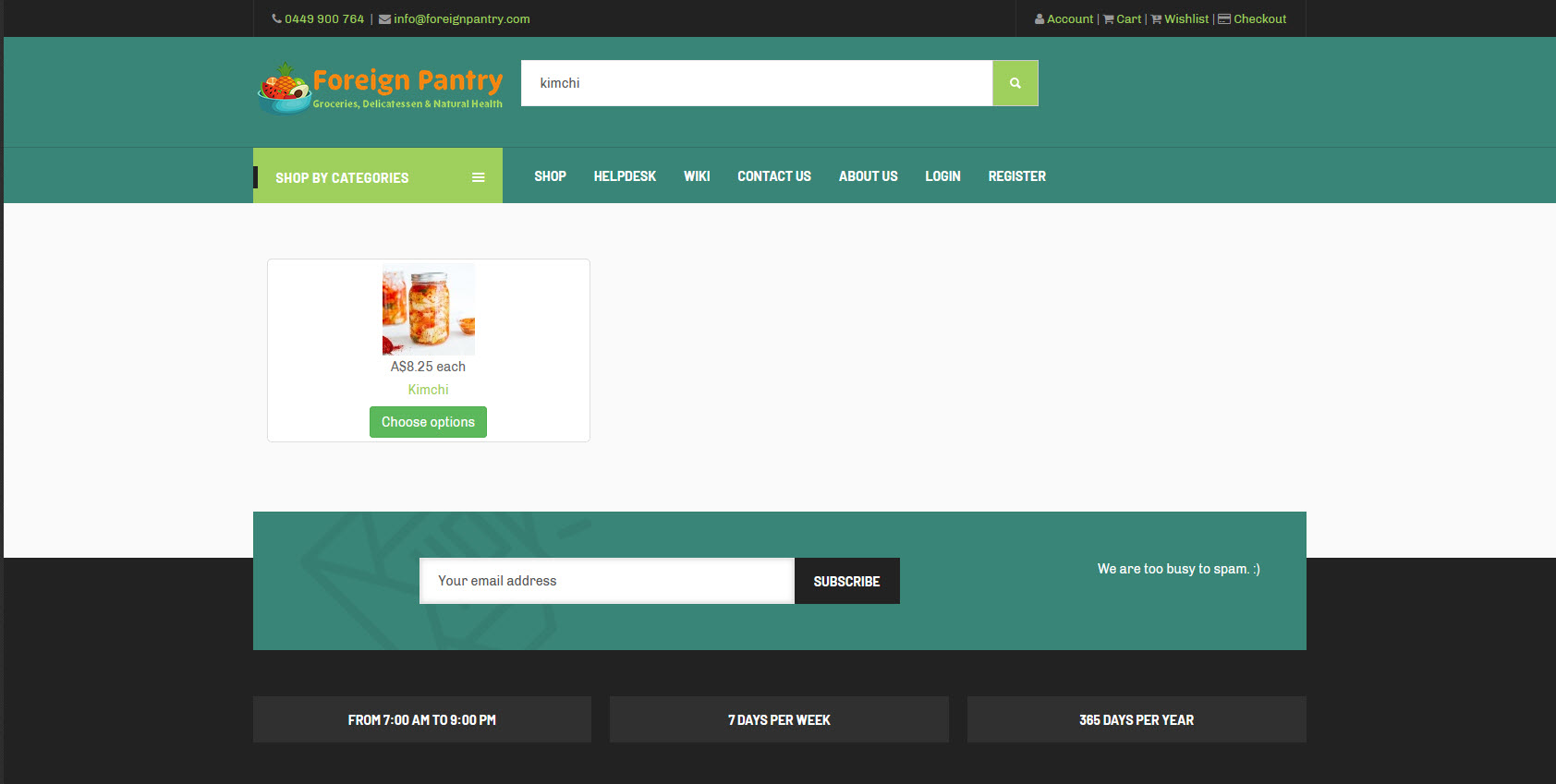
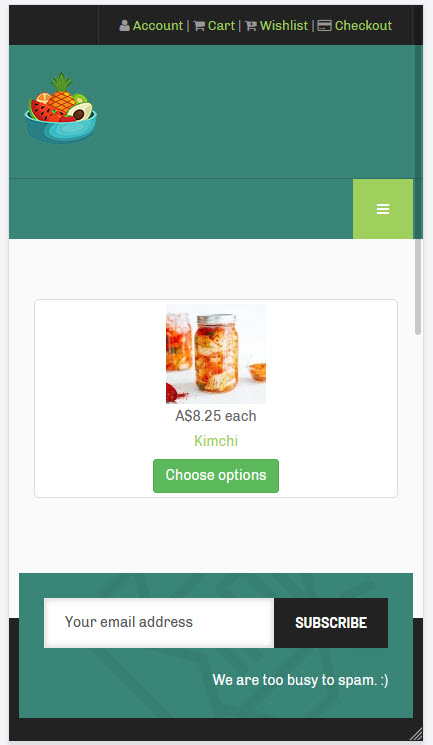
I got it to work on
foreignpantry.com
for the desktop screen, but for some strange reason, neither the category layout module nor the filter module are being displayed on the mobile screen.
Last edit: 5 years 6 months ago by andrewwinkler.
Please Log in or Create an account to join the conversation.
5 years 6 months ago - 5 years 6 months ago #331311
by Philip
Replied by Philip on topic HikaShop search bar
Hello,
We just go to your website to see your issue by ourselves and it appear that you solve your mobile display issue for your module "Shop by categories", but not for your filter module.
For this can you try to go to your Filter module settings and define "Collapsable filters" on always value.
Hope this will solve your issue.
Regards
We just go to your website to see your issue by ourselves and it appear that you solve your mobile display issue for your module "Shop by categories", but not for your filter module.
For this can you try to go to your Filter module settings and define "Collapsable filters" on always value.
Hope this will solve your issue.
Regards
Last edit: 5 years 6 months ago by Philip.
Please Log in or Create an account to join the conversation.
- andrewwinkler
-
Topic Author
- Offline
Less
More
- Posts: 121
- Thank you received: 2
5 years 6 months ago #331368
by andrewwinkler
Replied by andrewwinkler on topic HikaShop search bar
When I do this, the filter search bar is being displayed as an expendable icon on the desktop screen, but still nothing on the mobile screen, so I switched it back to "never".
Please Log in or Create an account to join the conversation.
5 years 6 months ago - 5 years 6 months ago #331373
by Philip
Replied by Philip on topic HikaShop search bar
Hello,
Then, can you process a test with a default template like ProtoStar to see if your module is now present in the mobile view in this specific case.
If with a default template your module is always present in classic view, but not in mobile view then, we will need to this this by ourselves.
And so, can you provide backend access (url link & admin ref) via our Contact us form, don't forget to add in your message an Url to this topic (in order to keep the link).
Awaiting your element to be able to progress on your subject.
Regards
Then, can you process a test with a default template like ProtoStar to see if your module is now present in the mobile view in this specific case.
If with a default template your module is always present in classic view, but not in mobile view then, we will need to this this by ourselves.
And so, can you provide backend access (url link & admin ref) via our Contact us form, don't forget to add in your message an Url to this topic (in order to keep the link).
Awaiting your element to be able to progress on your subject.
Regards
Last edit: 5 years 6 months ago by Philip.
The following user(s) said Thank You: andrewwinkler
Please Log in or Create an account to join the conversation.
- andrewwinkler
-
Topic Author
- Offline
Less
More
- Posts: 121
- Thank you received: 2
5 years 6 months ago #331401
by andrewwinkler
Replied by andrewwinkler on topic HikaShop search bar
The problem has been resolved by removing the template's "hidden-xs" bootstrap code for the "head-search" module position.
Please Log in or Create an account to join the conversation.
Time to create page: 0.350 seconds