

- Posts: 26
- Thank you received: 1
Quantity Field Minimal width on mobile
5 years 1 month ago #336043
by szwart
Quantity Field Minimal width on mobile was created by szwart
-- url of the page with the problem -- :
houtvanappel.nl/index.php/hikashop-categ...aarpot-vrachtwagen-a
-- HikaShop version -- : 4.2.2
-- Joomla version -- : 3.10.2
-- PHP version -- : 7.3.18
-- Browser(s) name and version -- : Chrome
Hi,
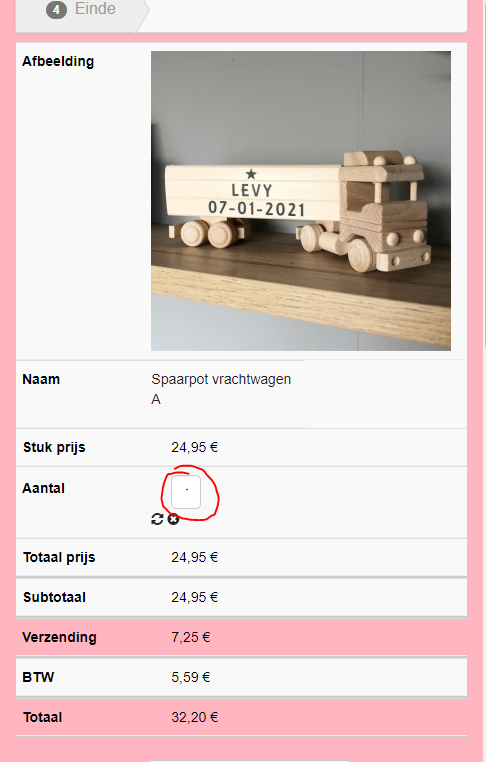
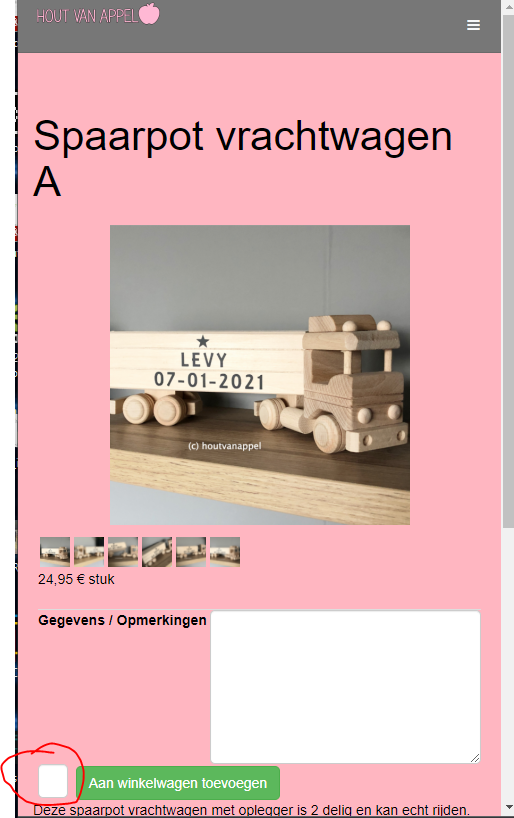
On mobile view my quantity field is to small.
how can i set a minimal width or a fixed with in the frontend css?
been searching long but cannot find the solution.
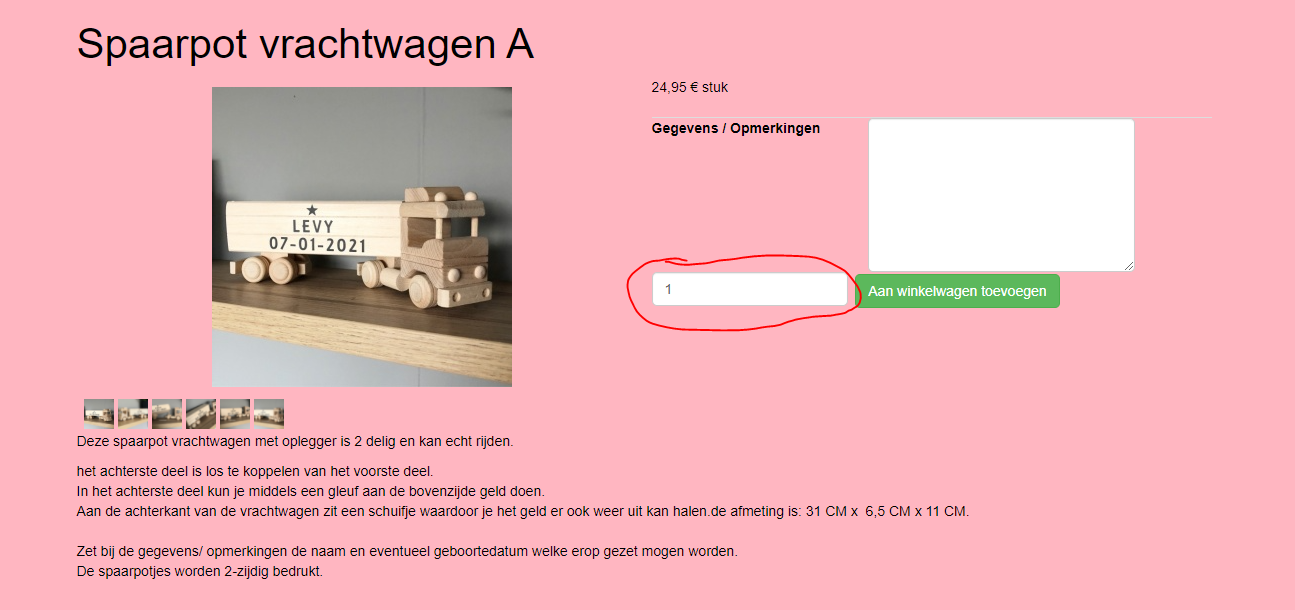
this occurs on the cart and product view.
Chart pc view
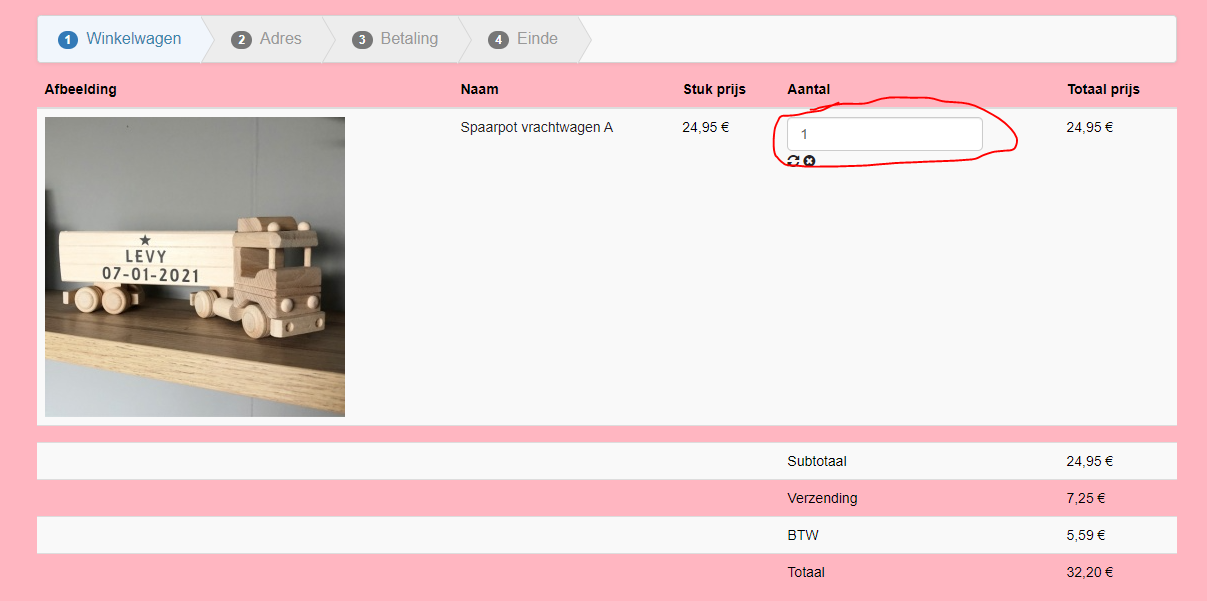
Chart mobile view
Product pc view
Product mobile view
-- HikaShop version -- : 4.2.2
-- Joomla version -- : 3.10.2
-- PHP version -- : 7.3.18
-- Browser(s) name and version -- : Chrome
Hi,
On mobile view my quantity field is to small.
how can i set a minimal width or a fixed with in the frontend css?
been searching long but cannot find the solution.
this occurs on the cart and product view.
Chart pc view
Chart mobile view
Product pc view
Product mobile view
Please Log in or Create an account to join the conversation.

5 years 1 month ago - 5 years 1 month ago #336048
by Philip
Replied by Philip on topic Quantity Field Minimal width on mobile
Hello,
First of all, have a look on this tutorial to learn how to add custom css.
And second, your issue come from these css commands, have a look on my screenshot :

Now in order to answer your question, you can add this kind of commands :
OR
The ".YOUR_REQUIRED_CONTEXT_HTML" is your context in order to apply your new command when required.
Note : the "!important" is to be sure to prioritize your custom commands over the unwanted command.
Hope this will help you to achieved your needs.
Regards
First of all, have a look on this tutorial to learn how to add custom css.
And second, your issue come from these css commands, have a look on my screenshot :
Now in order to answer your question, you can add this kind of commands :
Code:
// For ALL screen size
.YOUR_REQUIRED_CONTEXT_HTML input[type="number"] {
min-width: XXpx !important;
}
// For SMALL screen size (here: 600 px width)
@media only screen and (max-width: 600px) {
.YOUR_REQUIRED_CONTEXT_HTML input[type="number"] {
min-width: YYpx !important;
}
}
Code:
.YOUR_REQUIRED_CONTEXT_HTML input[type="number"] {
padding: 2px 5px !important;
}
The ".YOUR_REQUIRED_CONTEXT_HTML" is your context in order to apply your new command when required.
Note : the "!important" is to be sure to prioritize your custom commands over the unwanted command.
Hope this will help you to achieved your needs.
Regards
Last edit: 5 years 1 month ago by Philip.
Please Log in or Create an account to join the conversation.
5 years 1 month ago #336060
by szwart
Replied by szwart on topic Quantity Field Minimal width on mobile
Hi Philip,
Thank you for your comment.
i tried following code, but unsuccesfull.
edited this in the frontend.css
// For SMALL screen size (here: 600 px width)
@media only screen and (max-width: 600px) {
.hikashop_product_quantity_field input[type="number"] {
min-width: 15px !important;
}
what am i doing wrong...
Thank you for your comment.
i tried following code, but unsuccesfull.
edited this in the frontend.css
// For SMALL screen size (here: 600 px width)
@media only screen and (max-width: 600px) {
.hikashop_product_quantity_field input[type="number"] {
min-width: 15px !important;
}
what am i doing wrong...
Please Log in or Create an account to join the conversation.
5 years 1 month ago #336061
by szwart
Replied by szwart on topic Quantity Field Minimal width on mobile
removed the padding out of the bootstrap.css that seems to solve the issue
The following user(s) said Thank You: nicolas
Please Log in or Create an account to join the conversation.
Time to create page: 1.135 seconds