
- Posts: 8
- Thank you received: 0
custom fields are not displayed Benutzerdefinierte Felder werden nicht angezeigt
- michael_1969
-
 Topic Author
- Offline
Less
More
4 years 11 months ago #337292
by michael_1969
custom fields are not displayed Benutzerdefinierte Felder werden nicht angezeigt was created by michael_1969
-- HikaShop version -- : 4.4.4
-- Joomla version -- : 3.10.3
-- PHP version -- : 4.7
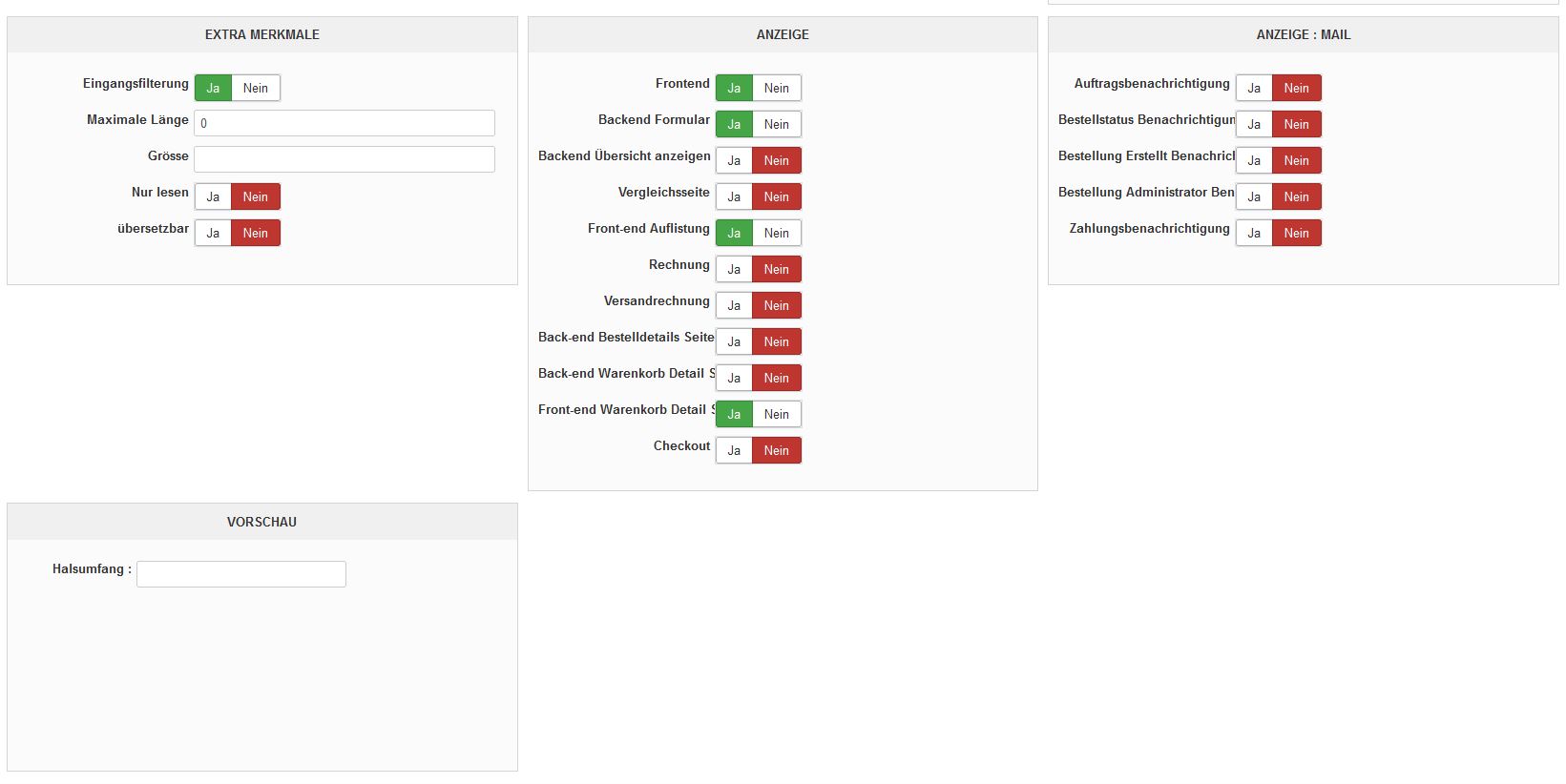
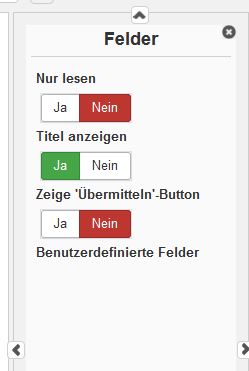
Unfortunately, the user-defined fields are not displayed in the products. There are fields, there is an entry in the product, but the field does not appear in the frantend with the product.
Here are some screenshots, I've been trying for 2 days but unfortunately without success ...
If it should be possible to answer me in German, it would be great, otherwise of course also in English.
Sincerely, Michael

-- Joomla version -- : 3.10.3
-- PHP version -- : 4.7
Unfortunately, the user-defined fields are not displayed in the products. There are fields, there is an entry in the product, but the field does not appear in the frantend with the product.
Here are some screenshots, I've been trying for 2 days but unfortunately without success ...
If it should be possible to answer me in German, it would be great, otherwise of course also in English.
Sincerely, Michael
Please Log in or Create an account to join the conversation.
- michael_1969
-
Topic Author
- Offline
Less
More
- Posts: 8
- Thank you received: 0
4 years 11 months ago #337300
by michael_1969
Replied by michael_1969 on topic custom fields are not displayed Benutzerdefinierte Felder werden nicht angezeigt
problem is solved, can be deleted.
Greets Michael
Greets Michael
Please Log in or Create an account to join the conversation.
4 years 11 months ago #337301
by lousyfool
Need help with customisations of layouts, style or other site development? PM me!
(Don't forget to turn on "E-mail notification of new messages" )
Replied by lousyfool on topic custom fields are not displayed Benutzerdefinierte Felder werden nicht angezeigt
Hi,
es gibt unterschiedliche Feldtypen in HikaShop: www.hikashop.com/support/documentation/4...shop-field-form.html
Leider fehlt der erste Teil der Feldkonfiguration in deinen Screenshots, aber so wie's aussieht, hast du den unter "Tabelle" den Typ "Produkt" ("product") gewählt, obwohl dein anderer Screenshot darauf hindeutet, dass du das Feld nicht auf der Produktseite anzeigen willst, sondern im Checkout.
- Für Felder im Checkout, die ein Kunde ausfüllen kann/soll, musst du die Tabelle "Bestellung" ("order") wählen.
- Soll der Kunde ein Feld bereits auf der Produktseite (und nicht erst im Checkout) ausfüllen, dann die Tabelle "Artikel" ("item") wählen.
- "Produkt"-Felder dienen lediglich der Anzeige auf der Produktseite (z.B. "technische Daten" oder so) und werden vom Admin im Backend für das jeweilige Produkt ausgefüllt.
es gibt unterschiedliche Feldtypen in HikaShop: www.hikashop.com/support/documentation/4...shop-field-form.html
Leider fehlt der erste Teil der Feldkonfiguration in deinen Screenshots, aber so wie's aussieht, hast du den unter "Tabelle" den Typ "Produkt" ("product") gewählt, obwohl dein anderer Screenshot darauf hindeutet, dass du das Feld nicht auf der Produktseite anzeigen willst, sondern im Checkout.
- Für Felder im Checkout, die ein Kunde ausfüllen kann/soll, musst du die Tabelle "Bestellung" ("order") wählen.
- Soll der Kunde ein Feld bereits auf der Produktseite (und nicht erst im Checkout) ausfüllen, dann die Tabelle "Artikel" ("item") wählen.
- "Produkt"-Felder dienen lediglich der Anzeige auf der Produktseite (z.B. "technische Daten" oder so) und werden vom Admin im Backend für das jeweilige Produkt ausgefüllt.
Need help with customisations of layouts, style or other site development? PM me!
(Don't forget to turn on "E-mail notification of new messages" )
Please Log in or Create an account to join the conversation.
Time to create page: 0.063 seconds