

- Posts: 75
- Thank you received: 1
Change text of Finish button in checkout
7 years 1 month ago #310683
by spotstv
Change text of Finish button in checkout was created by spotstv
-- HikaShop version -- : 4.2.1
-- Joomla version -- : 3.9.11
-- PHP version -- : 7.1.30
-- Browser(s) name and version -- : Chrome 76
Hi I have two questions relating to the checkout process.
1, How can I change the final button "Finish" in the Checkout process to read "Pay Now"?
2, How do I remove the "Continue Shopping" button from the last page of the checkout process?
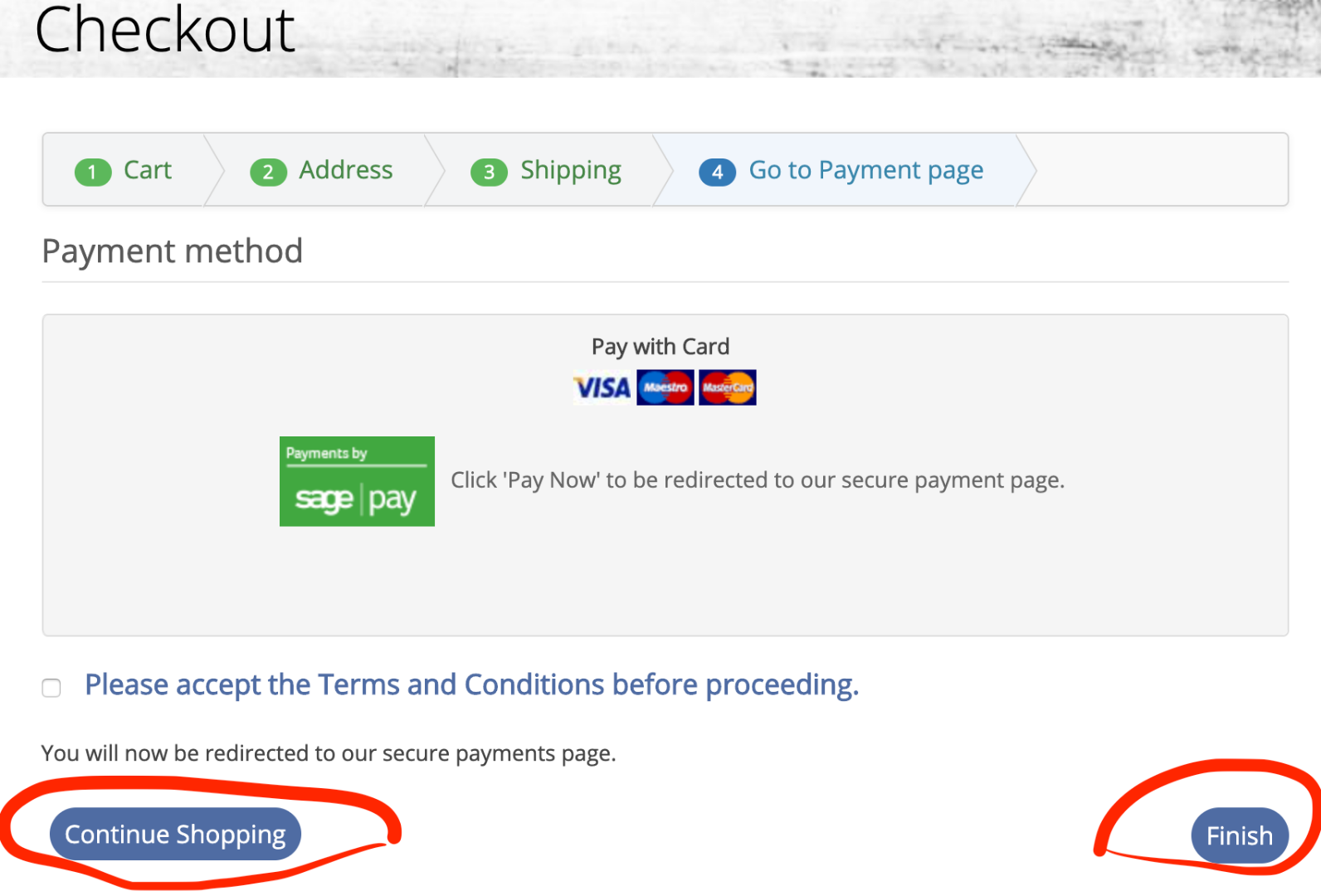
Kind Regards
-- Joomla version -- : 3.9.11
-- PHP version -- : 7.1.30
-- Browser(s) name and version -- : Chrome 76
Hi I have two questions relating to the checkout process.
1, How can I change the final button "Finish" in the Checkout process to read "Pay Now"?
2, How do I remove the "Continue Shopping" button from the last page of the checkout process?
Kind Regards
Please Log in or Create an account to join the conversation.

Less
More
- Posts: 12953
- Thank you received: 1778
7 years 1 month ago #310694
by Mohamed Thelji
Replied by Mohamed Thelji on topic Change text of Finish button in checkout
Hello,
You'll just have to change the value of the "CHECKOUT_BUTTON_FINISH" translation key via "Hikashop->System->Configuation->Languages" as explained on our documentation :
www.hikashop.com/download/languages
Kind regards,
Mohamed Thelji.
You'll just have to change the value of the "CHECKOUT_BUTTON_FINISH" translation key via "Hikashop->System->Configuation->Languages" as explained on our documentation :
www.hikashop.com/download/languages
Kind regards,
Mohamed Thelji.
Please Log in or Create an account to join the conversation.
7 years 1 month ago #310718
by spotstv
Replied by spotstv on topic Change text of Finish button in checkout
Thanks for that Mohamed,
How would I remove the Continue Shopping button on last page of Checkout?
Also I can't seem to make more than one Payment Method show up. I have two Payment Methods setup and if I disable one the other will show but not both together. How do I fix that?
Regards
How would I remove the Continue Shopping button on last page of Checkout?
Also I can't seem to make more than one Payment Method show up. I have two Payment Methods setup and if I disable one the other will show but not both together. How do I fix that?
Regards
Please Log in or Create an account to join the conversation.
Less
More
- Posts: 12953
- Thank you received: 1778
7 years 1 month ago #310720
by Mohamed Thelji
Replied by Mohamed Thelji on topic Change text of Finish button in checkout
Hello,
1. You'll just have to unset the value of the "Continue shopping button's URL" option via "Hikashop->System->Configuration->Checkout".
2. Following each step of the "Payment methods" section of our documentation will probably help you :
www.hikashop.com/support/faq
Kind regards,
Mohamed Thelji.
1. You'll just have to unset the value of the "Continue shopping button's URL" option via "Hikashop->System->Configuration->Checkout".
2. Following each step of the "Payment methods" section of our documentation will probably help you :
www.hikashop.com/support/faq
Kind regards,
Mohamed Thelji.
Please Log in or Create an account to join the conversation.
7 years 1 month ago #310735
by spotstv
Replied by spotstv on topic Change text of Finish button in checkout
Hi Mohamed,
Thanks for the info.
I've checked the Payment Methods FAQ and everything is set as it should be but I still only get 1 of the 2 payment methods showing. If the one showing is unpublished the second payment method will be listed and this works for either payment method. Very confusing.
Any other suggestions?
Thanks for the info.
I've checked the Payment Methods FAQ and everything is set as it should be but I still only get 1 of the 2 payment methods showing. If the one showing is unpublished the second payment method will be listed and this works for either payment method. Very confusing.
Any other suggestions?
Please Log in or Create an account to join the conversation.
Less
More
- Posts: 12953
- Thank you received: 1778
7 years 1 month ago #310744
by Mohamed Thelji
Replied by Mohamed Thelji on topic Change text of Finish button in checkout
Hello,
In that case, can you give us more information through some screenshots of your :
- Payment methods via "Hikashop->System->Payment Methods"
- Checkout workflow via "Hikashop->System->Configuration->Checkout"
So that we can directly test it on our end ? Thank you.
Kind regards,
Mohamed Thelji.
In that case, can you give us more information through some screenshots of your :
- Payment methods via "Hikashop->System->Payment Methods"
- Checkout workflow via "Hikashop->System->Configuration->Checkout"
So that we can directly test it on our end ? Thank you.
Kind regards,
Mohamed Thelji.
Please Log in or Create an account to join the conversation.
7 years 1 month ago #310784
by spotstv
Replied by spotstv on topic Change text of Finish button in checkout
Here you go
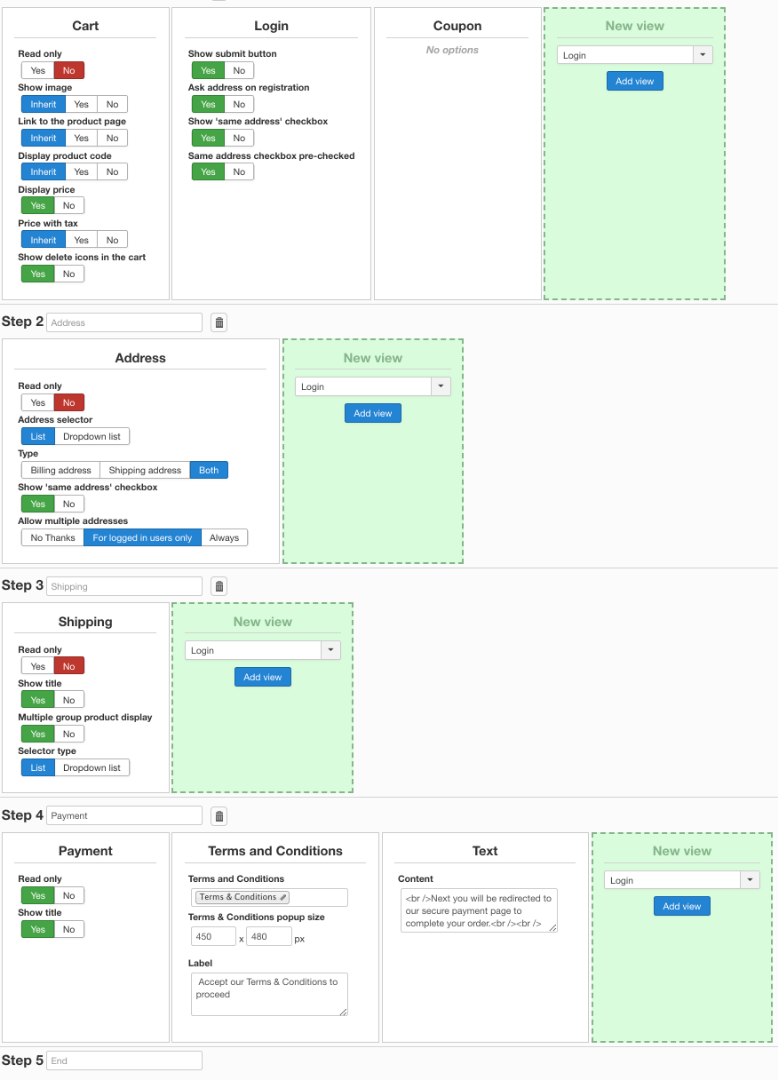
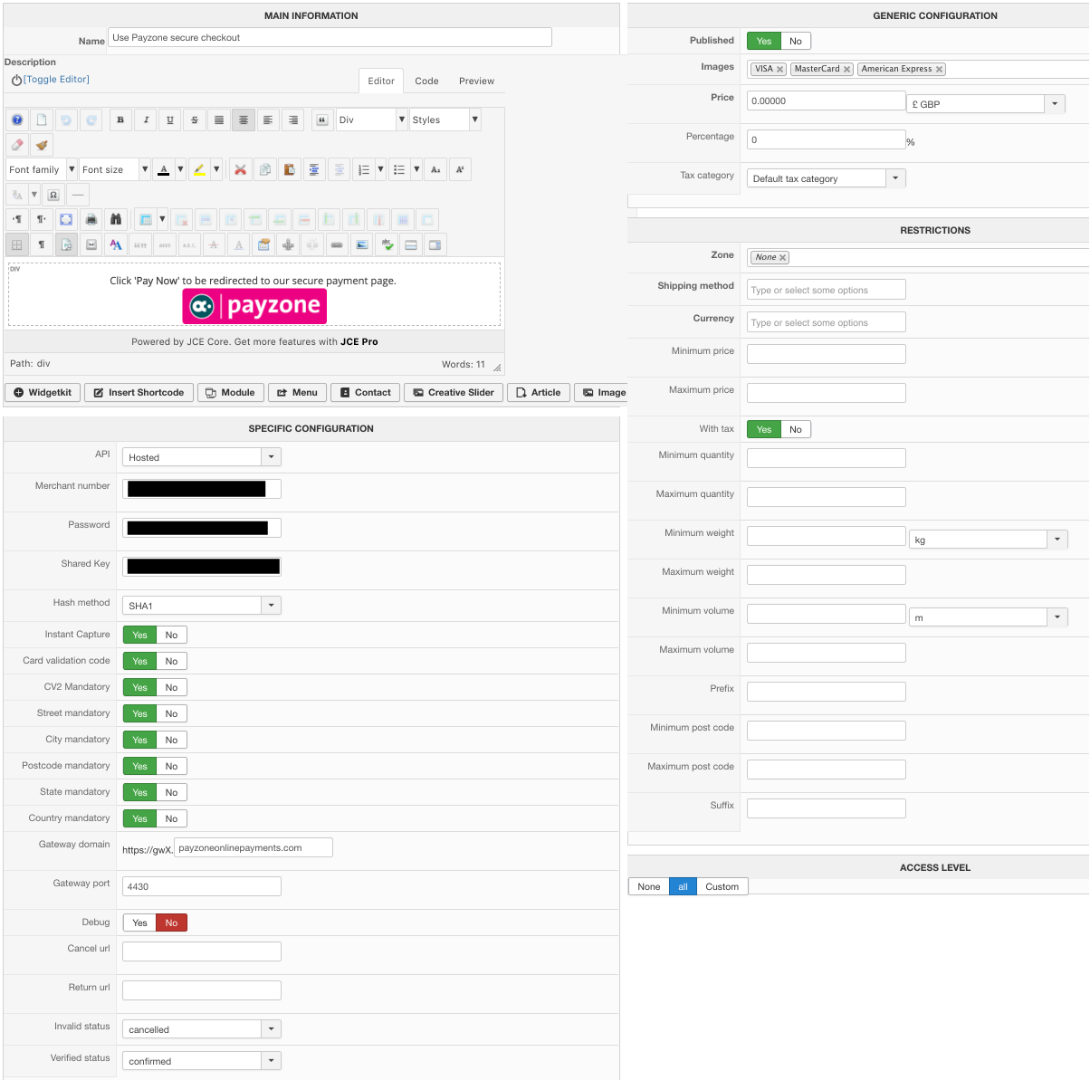
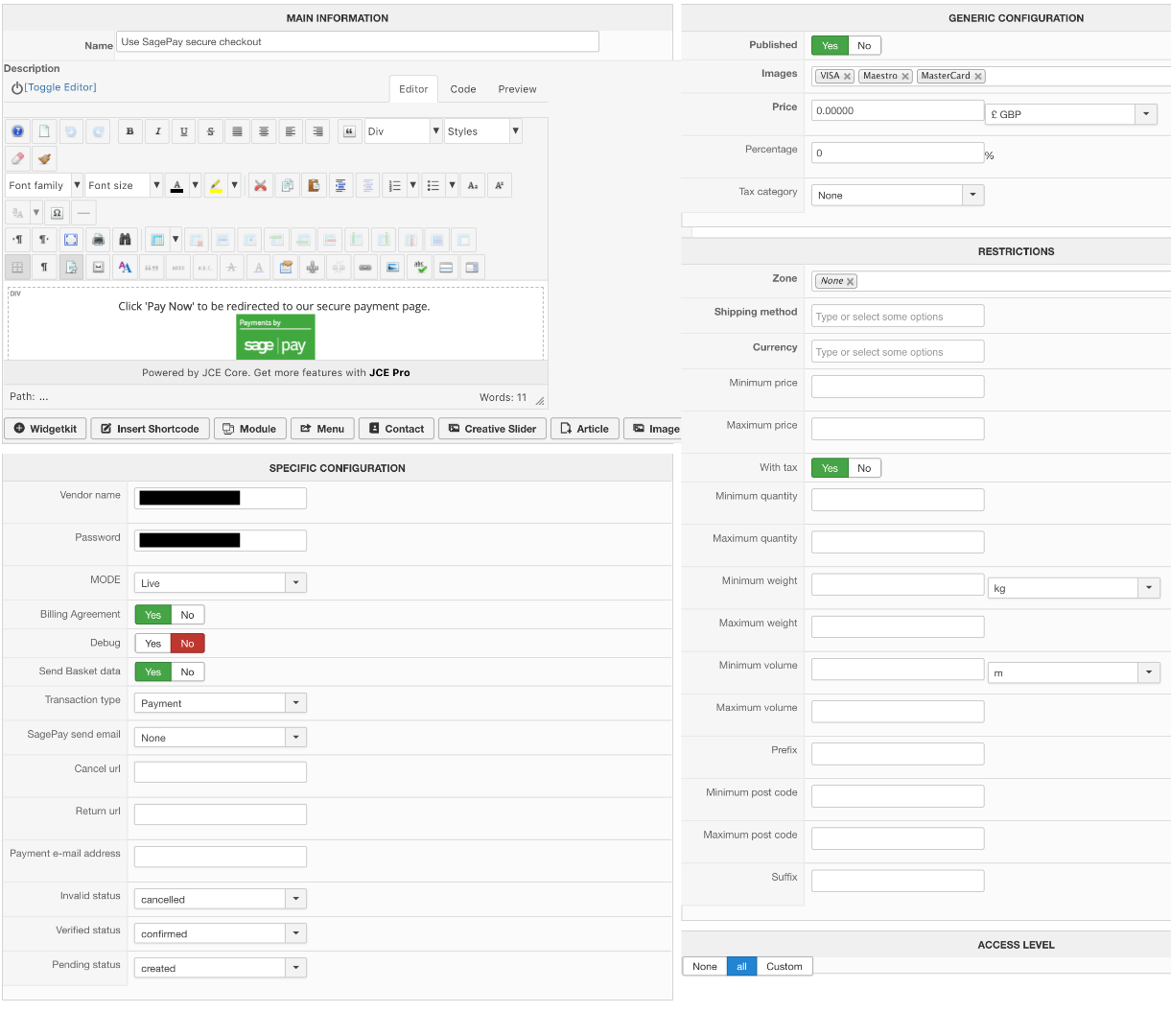
Please Log in or Create an account to join the conversation.

7 years 1 month ago #310792
by nicolas
Replied by nicolas on topic Change text of Finish button in checkout
Hi,
You have the "read only" setting of your payment view activated. So in that case, the view will only display the currently selected payment method and won't allow you to change it.
That's why you only see one of them and if you disable it, it automatically selects the second one.
You have the "read only" setting of your payment view activated. So in that case, the view will only display the currently selected payment method and won't allow you to change it.
That's why you only see one of them and if you disable it, it automatically selects the second one.
Please Log in or Create an account to join the conversation.
7 years 1 month ago #310811
by spotstv
Replied by spotstv on topic Change text of Finish button in checkout
Thank you - simples!
Please Log in or Create an account to join the conversation.
Time to create page: 0.153 seconds