
Category name not populating in Product new/edit

13 years 11 months ago #71929
by helenbn
Pretty Good Designs | prettygooddesigns.com | Hey, that's pretty good!
Category name not populating in Product new/edit was created by helenbn
Hi,
I have imported from VM and all is good and ready to go and I just noticed that the Category Name field is not populated in the Product new/edit page even though the Category ID # is there and correct. I need help with this.
Thanks for such a great product!
Helen
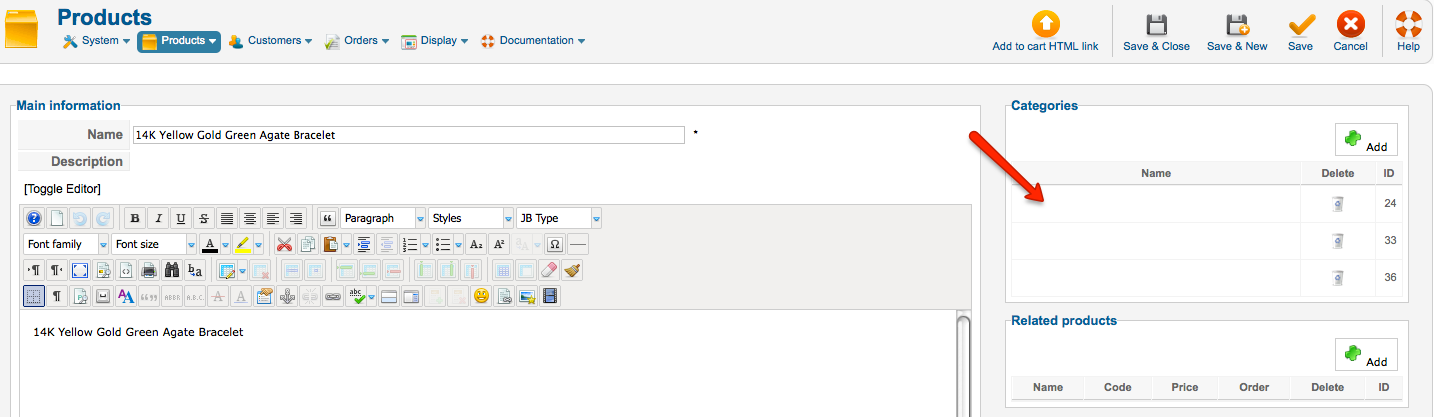
I have imported from VM and all is good and ready to go and I just noticed that the Category Name field is not populated in the Product new/edit page even though the Category ID # is there and correct. I need help with this.
Thanks for such a great product!
Helen
Pretty Good Designs | prettygooddesigns.com | Hey, that's pretty good!
Please Log in or Create an account to join the conversation.

13 years 11 months ago #71975
by nicolas
Replied by nicolas on topic Re: Category name not populating in Product new/edit
Hi,
Please turn on the debug mode and the error reporting option of the joomla configuration and try again. That might display some errors.
Do these categories have a name in the categories listing ?
Please turn on the debug mode and the error reporting option of the joomla configuration and try again. That might display some errors.
Do these categories have a name in the categories listing ?
Please Log in or Create an account to join the conversation.
13 years 11 months ago #72071
by helenbn
Pretty Good Designs | prettygooddesigns.com | Hey, that's pretty good!
Replied by helenbn on topic Re: Category name not populating in Product new/edit
All categories have a name for each id#.
In debug, Hikashop > Products fails to load with the following error:
500 - An error has occurred.
JDatabaseMySQLi::query: 1038 - Out of sort memory; increase server sort buffer size SQL=SELECT DISTINCT b.* FROM #__hikashop_category AS a LEFT JOIN #__hikashop_category AS b ON a.category_left >= b.category_left WHERE b.category_right >= a.category_right AND a.category_id=2 ORDER BY b.category_left
In debug, Hikashop > Products fails to load with the following error:
500 - An error has occurred.
JDatabaseMySQLi::query: 1038 - Out of sort memory; increase server sort buffer size SQL=SELECT DISTINCT b.* FROM #__hikashop_category AS a LEFT JOIN #__hikashop_category AS b ON a.category_left >= b.category_left WHERE b.category_right >= a.category_right AND a.category_id=2 ORDER BY b.category_left
Pretty Good Designs | prettygooddesigns.com | Hey, that's pretty good!
Please Log in or Create an account to join the conversation.
13 years 11 months ago #72312
by nicolas
Replied by nicolas on topic Re: Category name not populating in Product new/edit
You can fix that issue like that:
www.hikashop.com/en/forum/3-bug-report/7...n-breadcrumbphp.html
www.hikashop.com/en/forum/3-bug-report/7...n-breadcrumbphp.html
Please Log in or Create an account to join the conversation.
13 years 11 months ago - 13 years 11 months ago #72319
by helenbn
Pretty Good Designs | prettygooddesigns.com | Hey, that's pretty good!
Replied by helenbn on topic Re: Category name not populating in Product new/edit
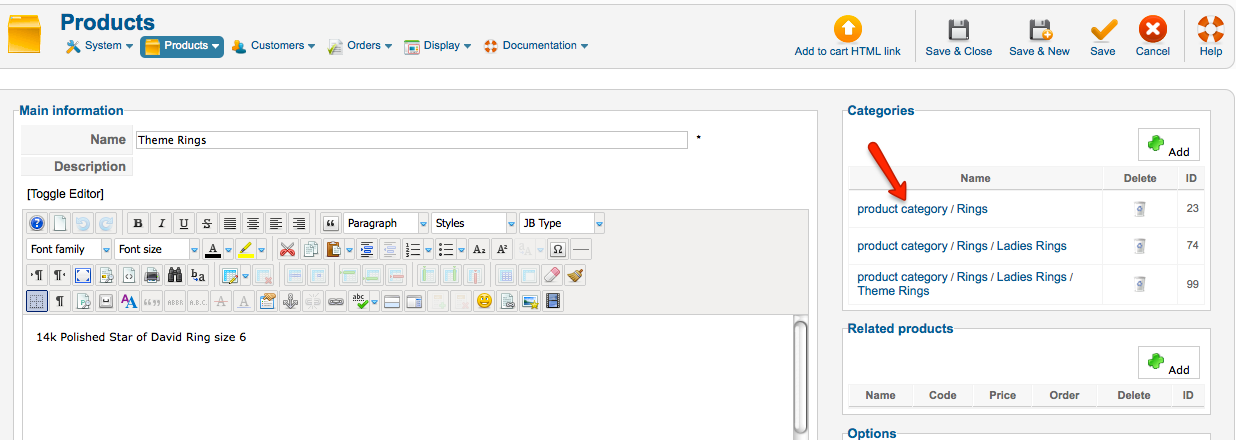
That does it. But one question. Can we have it not show the very beginning of the string? not show the words "product category/"
Pretty Good Designs | prettygooddesigns.com | Hey, that's pretty good!
Last edit: 13 years 11 months ago by helenbn.
Please Log in or Create an account to join the conversation.
13 years 10 months ago #72493
by nicolas
Replied by nicolas on topic Re: Category name not populating in Product new/edit
You can edit the file "category" of the view "product" for your back end template via the menu Display->Views and add the line:
array_shift($parents);
after the line:
$parents = $class->getParents($row->category_id);
array_shift($parents);
after the line:
$parents = $class->getParents($row->category_id);
Please Log in or Create an account to join the conversation.
13 years 10 months ago #72529
by helenbn
Pretty Good Designs | prettygooddesigns.com | Hey, that's pretty good!
Replied by helenbn on topic Re: Category name not populating in Product new/edit
I do not have a file "category" in the view "product" in the back end. So I located administrator > components > com_hikashop > views > product > tmpl > category.php and inserted it after line 41 but that did not change anything.
Pretty Good Designs | prettygooddesigns.com | Hey, that's pretty good!
Please Log in or Create an account to join the conversation.
13 years 10 months ago #72816
by nicolas
Replied by nicolas on topic Re: Category name not populating in Product new/edit
It's not possible that you don't have it. Please double check
Please Log in or Create an account to join the conversation.
Time to create page: 0.193 seconds