

- Posts: 220
- Thank you received: 10
Tell me how to implement the same product card?
3 years 4 months ago - 3 years 4 months ago #352617
by ilyaminsk
Tell me how to implement the same product card? was created by ilyaminsk
-- url of the page with the problem -- :
ilsanmarket.by
-- HikaShop version -- : 4.7.3
-- Joomla version -- : 4.3.2
-- PHP version -- : 8.0
-- Browser(s) name and version -- : Opera
Added width through options. How to do something like this in the picture? Website:
Based on the example, the calculation is the length multiplied by the width and multiplied by the price.
I understand it needs to be implemented somehow through the field or options?
Could you help me make this functionality? For a specific product category?
-- HikaShop version -- : 4.7.3
-- Joomla version -- : 4.3.2
-- PHP version -- : 8.0
-- Browser(s) name and version -- : Opera
Added width through options. How to do something like this in the picture? Website:
This message contains confidential information
Based on the example, the calculation is the length multiplied by the width and multiplied by the price.
I understand it needs to be implemented somehow through the field or options?
Could you help me make this functionality? For a specific product category?
Last edit: 3 years 4 months ago by ilyaminsk.
Please Log in or Create an account to join the conversation.

3 years 4 months ago #352625
by nicolas
Replied by nicolas on topic Tell me how to implement the same product card?
Hi,
I would recommend having custom fields of the table "item" to allow the customer to select / enter something in them. Here is an example of our demo website with custom item fields:
demo.hikashop.com/index.php/en/hikashop/product-page/with-form
And here is the documentation on custom fields:
www.hikashop.com/support/documentation/4...shop-field-form.html
You'll see you can restrict them to only some categories.
You'll want to combine this with the price calculations plugin from our marketplace:
www.hikashop.com/marketplace/product/148...ce-calculations.html
It allows you to setup a formula for the calculation of the price based on the base price and the value of custom item fields.
I would recommend having custom fields of the table "item" to allow the customer to select / enter something in them. Here is an example of our demo website with custom item fields:
demo.hikashop.com/index.php/en/hikashop/product-page/with-form
And here is the documentation on custom fields:
www.hikashop.com/support/documentation/4...shop-field-form.html
You'll see you can restrict them to only some categories.
You'll want to combine this with the price calculations plugin from our marketplace:
www.hikashop.com/marketplace/product/148...ce-calculations.html
It allows you to setup a formula for the calculation of the price based on the base price and the value of custom item fields.
Please Log in or Create an account to join the conversation.
3 years 4 months ago #352630
by ilyaminsk
Replied by ilyaminsk on topic Tell me how to implement the same product card?
Hello. Will you help set up if we purchase your plugin? To be displayed as on the site that I threw off above?
Please Log in or Create an account to join the conversation.
3 years 4 months ago #352635
by ilyaminsk
Replied by ilyaminsk on topic Tell me how to implement the same product card?
I deduced the necessary field. But I am using variants to display the width.
But for some reason it does not work, here are the screenshots:

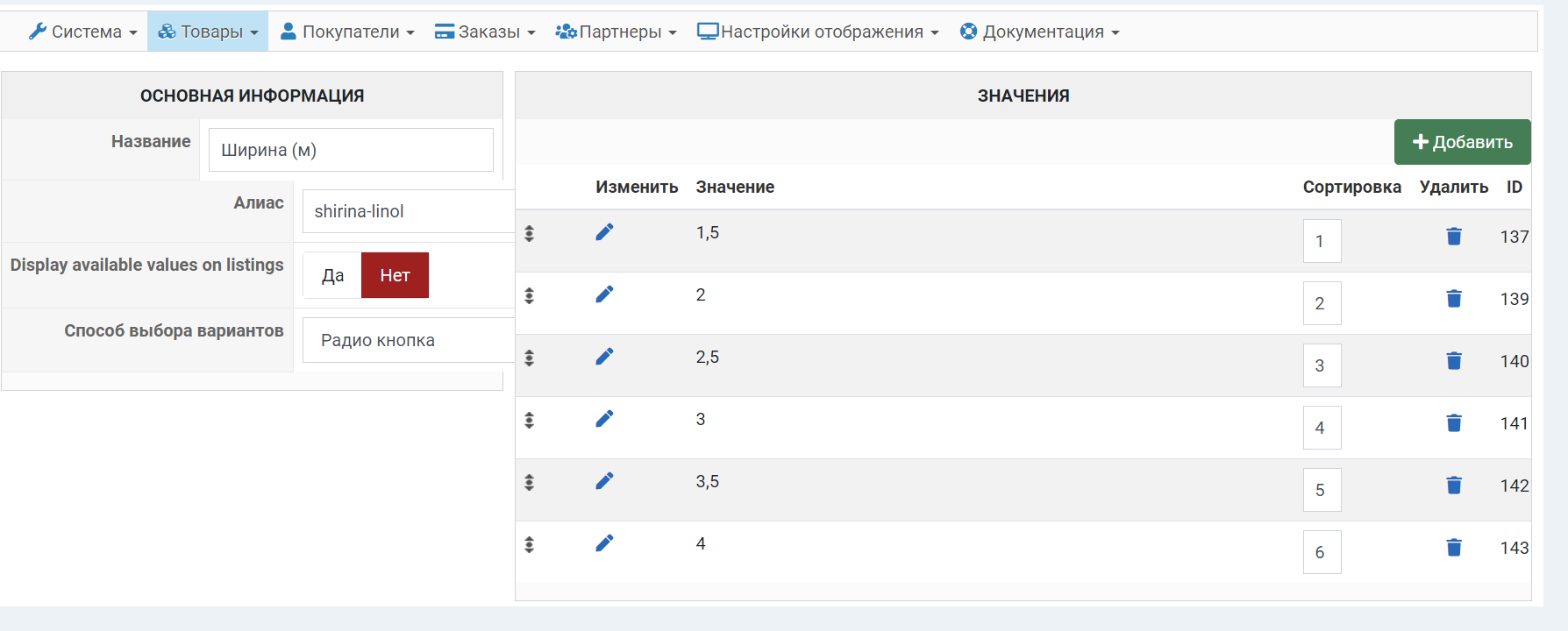
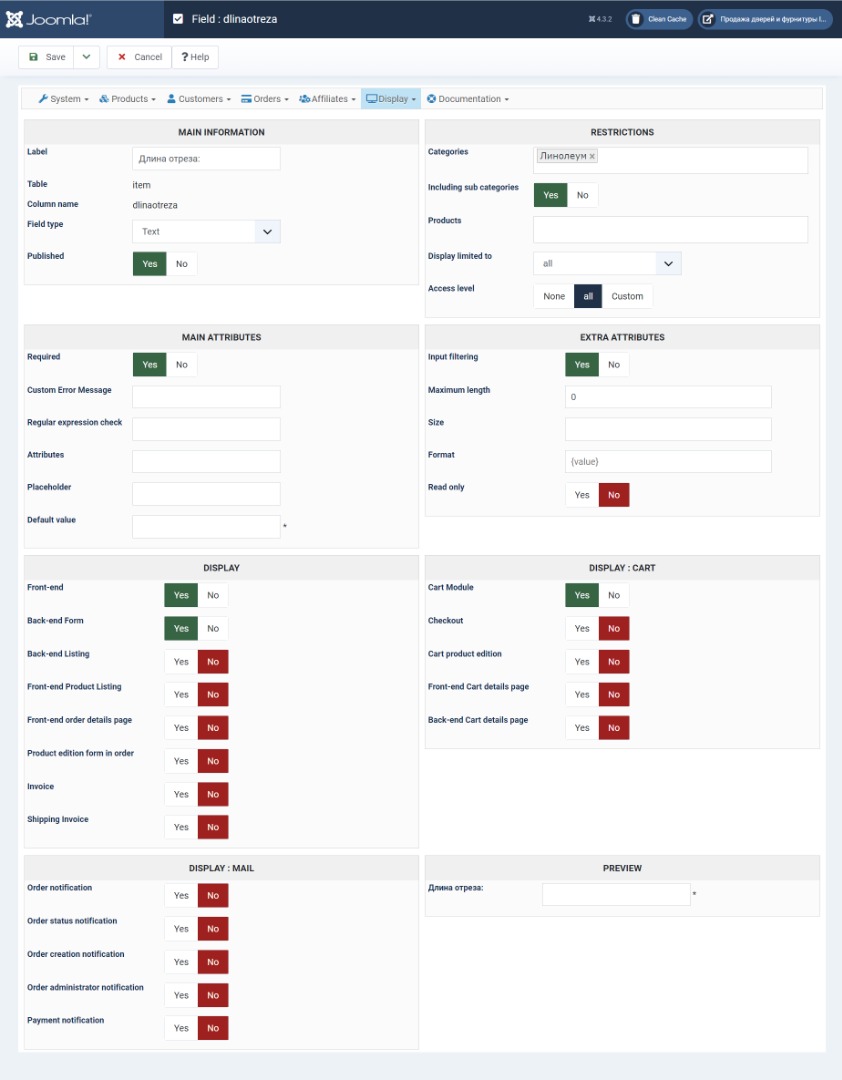
Code:
https://ilsanmarket.by/katalog/linoleum/product/test.html
But for some reason it does not work, here are the screenshots:
Please Log in or Create an account to join the conversation.
3 years 4 months ago #352636
by ilyaminsk
Replied by ilyaminsk on topic Tell me how to implement the same product card?
Understood how to do it. Thank you
Please Log in or Create an account to join the conversation.
3 years 4 months ago #352642
by ilyaminsk
Replied by ilyaminsk on topic Tell me how to implement the same product card?
Calculated price - how to rename to another language? Through language constants does not find such a constant.
Please Log in or Create an account to join the conversation.
3 years 4 months ago #352646
by nicolas
Replied by nicolas on topic Tell me how to implement the same product card?
Hi,
You can use a translation override to do this.
Note however that this text comes from the language file of the plugin itself, not the language file of HikaShop. So you won't find it if you look at the language file of HikaShop under the Languages tab of the HikaShop configuration.
You need instead to use Joomla's translation system:
docs.joomla.org/J3.x:Language_Overrides_in_Joomla
Note also that you can directly find the language file for the plugin in the administrator/language/en-GB folder via FTP. Copy it and rename it in your other language folder and change the text in it and you'll have the plugin texts in your language.
Also, if you share your language file for the plugin, we can directly include it in the install package of the plugin so that other users using your language on their Joomla website will directly have it when installing the plugin.
You can use a translation override to do this.
Note however that this text comes from the language file of the plugin itself, not the language file of HikaShop. So you won't find it if you look at the language file of HikaShop under the Languages tab of the HikaShop configuration.
You need instead to use Joomla's translation system:
docs.joomla.org/J3.x:Language_Overrides_in_Joomla
Note also that you can directly find the language file for the plugin in the administrator/language/en-GB folder via FTP. Copy it and rename it in your other language folder and change the text in it and you'll have the plugin texts in your language.
Also, if you share your language file for the plugin, we can directly include it in the install package of the plugin so that other users using your language on their Joomla website will directly have it when installing the plugin.
The following user(s) said Thank You: ilyaminsk
Please Log in or Create an account to join the conversation.
3 years 4 months ago #353164
by ilyaminsk
Replied by ilyaminsk on topic Tell me how to implement the same product card?
Hello. For some reason the calculator doesn't always work. Sometimes it works and sometimes it doesn't. The following errors are in the console:
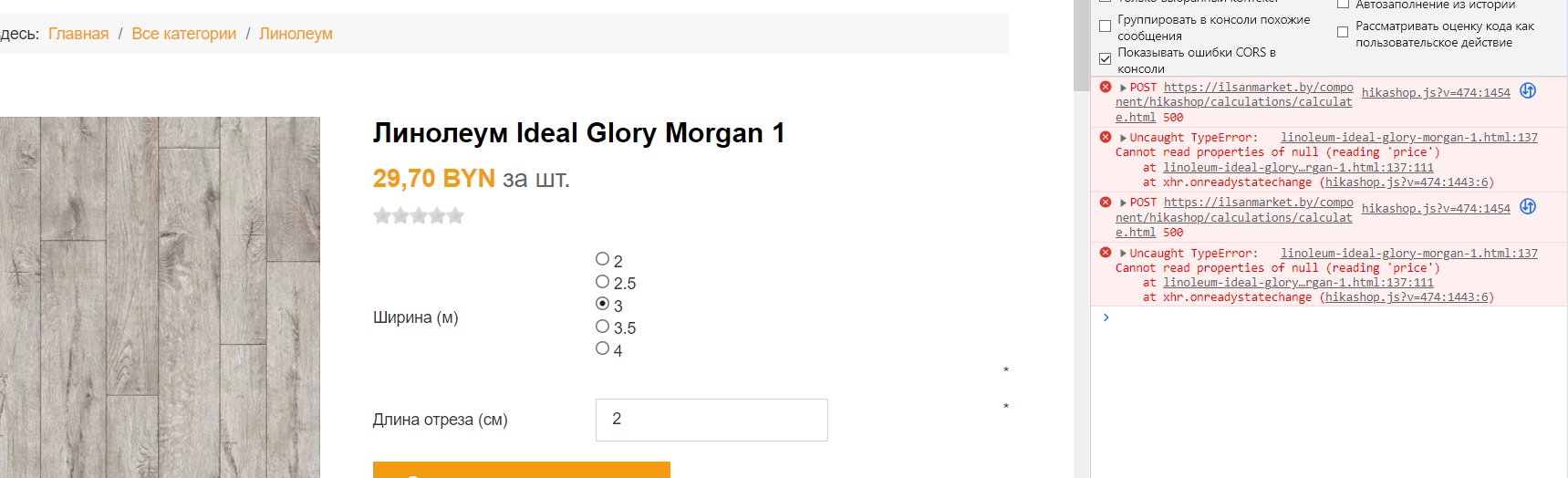
This message contains confidential information
Please Log in or Create an account to join the conversation.
3 years 4 months ago #353165
by nicolas
Replied by nicolas on topic Tell me how to implement the same product card?
Hi,
If you look under the networks tab of your developers tool, you can see that the AJAX request sent by the javascript of the plugin to the PHP of the plugin on the server returns a 500 HTTP error, with a HTML content of a fatal error page:
i.imgur.com/bj7S6L7.png
However, as the "debug" setting of the Joomla configuration is not turned on, it's only the short error message, which doesn't provide all the necessary information to understand what's going on.
From the short error message, it seems to be linked to your version of PHP, the formula(s) that you provided in the plugin, and the data being processed along with the formula.
Could you activate the "debug" setting so that we could get the full error message there ?
Could you provide a screenshot of the formula(s) you're using so that we get a better understanding of the situation ?
If you look under the networks tab of your developers tool, you can see that the AJAX request sent by the javascript of the plugin to the PHP of the plugin on the server returns a 500 HTTP error, with a HTML content of a fatal error page:
i.imgur.com/bj7S6L7.png
However, as the "debug" setting of the Joomla configuration is not turned on, it's only the short error message, which doesn't provide all the necessary information to understand what's going on.
From the short error message, it seems to be linked to your version of PHP, the formula(s) that you provided in the plugin, and the data being processed along with the formula.
Could you activate the "debug" setting so that we could get the full error message there ?
Could you provide a screenshot of the formula(s) you're using so that we get a better understanding of the situation ?
Please Log in or Create an account to join the conversation.
3 years 4 months ago #353174
by ilyaminsk
Replied by ilyaminsk on topic Tell me how to implement the same product card?
Formula: ({shirinalinolm}*{dlinaotreza})*{price}
Debugging turned on
Debugging turned on
Please Log in or Create an account to join the conversation.
3 years 4 months ago #353180
by nicolas
Replied by nicolas on topic Tell me how to implement the same product card?
Hi,
Thanks. The issue is actually in HikaShop, not the plugin. I've made a patch in HikaShop's code which should fix the problem.
Download again the install package of the latest version of HikaShop on our website and install it on yours and you'll get the patch.
Thanks. The issue is actually in HikaShop, not the plugin. I've made a patch in HikaShop's code which should fix the problem.
Download again the install package of the latest version of HikaShop on our website and install it on yours and you'll get the patch.
Please Log in or Create an account to join the conversation.
3 years 4 months ago #353184
by ilyaminsk
Replied by ilyaminsk on topic Tell me how to implement the same product card?
Thanks
Please Log in or Create an account to join the conversation.
3 years 4 months ago #353185
by ilyaminsk
Replied by ilyaminsk on topic Tell me how to implement the same product card?
No work
Please Log in or Create an account to join the conversation.
3 years 4 months ago #353186
by ilyaminsk
Replied by ilyaminsk on topic Tell me how to implement the same product card?
Now does not count, it says 0
Please Log in or Create an account to join the conversation.
3 years 4 months ago #353187
by nicolas
Replied by nicolas on topic Tell me how to implement the same product card?
Hi,
Since I'm not able to reproduce the issue on my end, could you provide a backend and a FTP access so that we could check the situation and do some debugging ?
Please provide these via our contact form:
www.hikashop.com/support/contact-us.html
Since I'm not able to reproduce the issue on my end, could you provide a backend and a FTP access so that we could check the situation and do some debugging ?
Please provide these via our contact form:
www.hikashop.com/support/contact-us.html
Please Log in or Create an account to join the conversation.
3 years 4 months ago #353282
by nicolas
Replied by nicolas on topic Tell me how to implement the same product card?
Hi,
Thank you for the access. I was able to found the new problem. It was a small issue with the handling of the custom field input value in some cases.
It's now working on your product page.
Thank you for the access. I was able to found the new problem. It was a small issue with the handling of the custom field input value in some cases.
It's now working on your product page.
Please Log in or Create an account to join the conversation.
3 years 4 months ago #353294
by ilyaminsk
Replied by ilyaminsk on topic Tell me how to implement the same product card?
Hello. Thanks. And after updating hikashop, the problem will not happen again?
Please Log in or Create an account to join the conversation.
3 years 4 months ago #353295
by nicolas
Replied by nicolas on topic Tell me how to implement the same product card?
Hi,
Yes. The fix was in the plugin, not in HikaShop, this time. I've also published a new version of the plugin with the fix so even if you update it in the future, the issue won't reappear.
Yes. The fix was in the plugin, not in HikaShop, this time. I've also published a new version of the plugin with the fix so even if you update it in the future, the issue won't reappear.
The following user(s) said Thank You: ilyaminsk
Please Log in or Create an account to join the conversation.
3 years 4 months ago #353311
by ilyaminsk
Replied by ilyaminsk on topic Tell me how to implement the same product card?
Thanks
Please Log in or Create an account to join the conversation.
Time to create page: 0.119 seconds