

- Posts: 50
- Thank you received: 0
Payment method dissapeared
15 years 9 months ago #5043
by weting
Payment method dissapeared was created by weting
Suddenly my payment method dissapeard.
Only the titel will show. No choice to do
And when I click Next nothing happends. I should be redirected to PayPal...
Version 1.4.2
213.136.48.2/~worklife/
Only the titel will show. No choice to do
And when I click Next nothing happends. I should be redirected to PayPal...
Version 1.4.2
213.136.48.2/~worklife/
Please Log in or Create an account to join the conversation.

15 years 9 months ago #5048
by nicolas
Replied by nicolas on topic Re: Payment method dissapeared
Please check on the FAQ on that page:
www.hikashop.com/support/documentation/i...ins-listing.html#faq
The payment mehtods must be filtered out because they are unpublished, or with a zone restriction, or something.
The payment mehtods must be filtered out because they are unpublished, or with a zone restriction, or something.
Please Log in or Create an account to join the conversation.
15 years 9 months ago #5056
by weting
Replied by weting on topic Re: Payment method dissapeared
Gone through the list and still have a problem 
There are several things which you could have missed.
1/ Check that the payments plugins are installed and published - YES
2/ Check that you have configured your payment plugins (edit it and save its configuration) - YES
3/ Check that your template is able to display error messages: www.hikashop.com/en/support/documentation/61.html
Couldn´t follow that. Tried to change template to the default (Milkyway). No change...
4/ Check that you have the payment view in the checkout workflow option of the configuration - YES - and cash on delivery will show...
5/ If you restricted your payment methods to zones, check that the address you're using is inside those zones ! Otherwise the payment methods will be filtered out. - No restriction entered
6/ Check that the currency you're using is supported by the payment plugins you're using. Some payment plugins only supports a limited number of currencies. You should check that with the support of the payment gateways you're using. - YES
There are several things which you could have missed.
1/ Check that the payments plugins are installed and published - YES
2/ Check that you have configured your payment plugins (edit it and save its configuration) - YES
3/ Check that your template is able to display error messages: www.hikashop.com/en/support/documentation/61.html
Couldn´t follow that. Tried to change template to the default (Milkyway). No change...
4/ Check that you have the payment view in the checkout workflow option of the configuration - YES - and cash on delivery will show...
5/ If you restricted your payment methods to zones, check that the address you're using is inside those zones ! Otherwise the payment methods will be filtered out. - No restriction entered
6/ Check that the currency you're using is supported by the payment plugins you're using. Some payment plugins only supports a limited number of currencies. You should check that with the support of the payment gateways you're using. - YES
Please Log in or Create an account to join the conversation.
15 years 9 months ago #5059
by nicolas
Replied by nicolas on topic Re: Payment method dissapeared
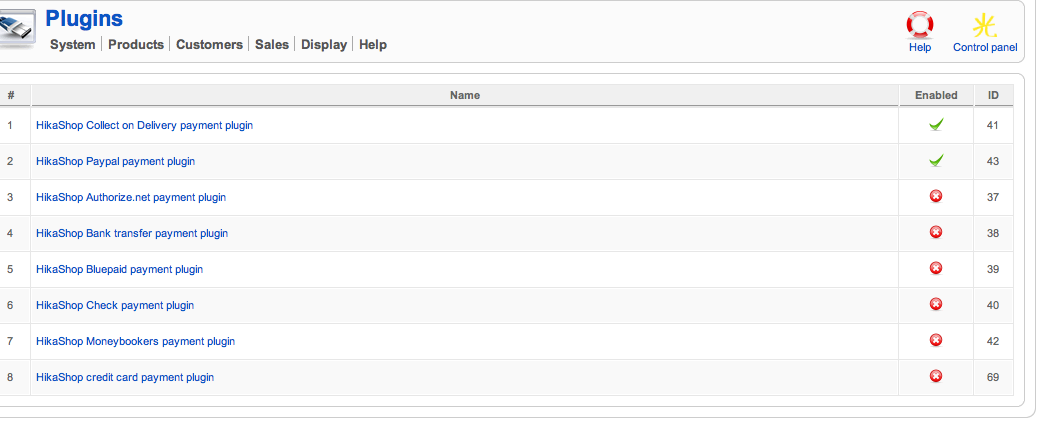
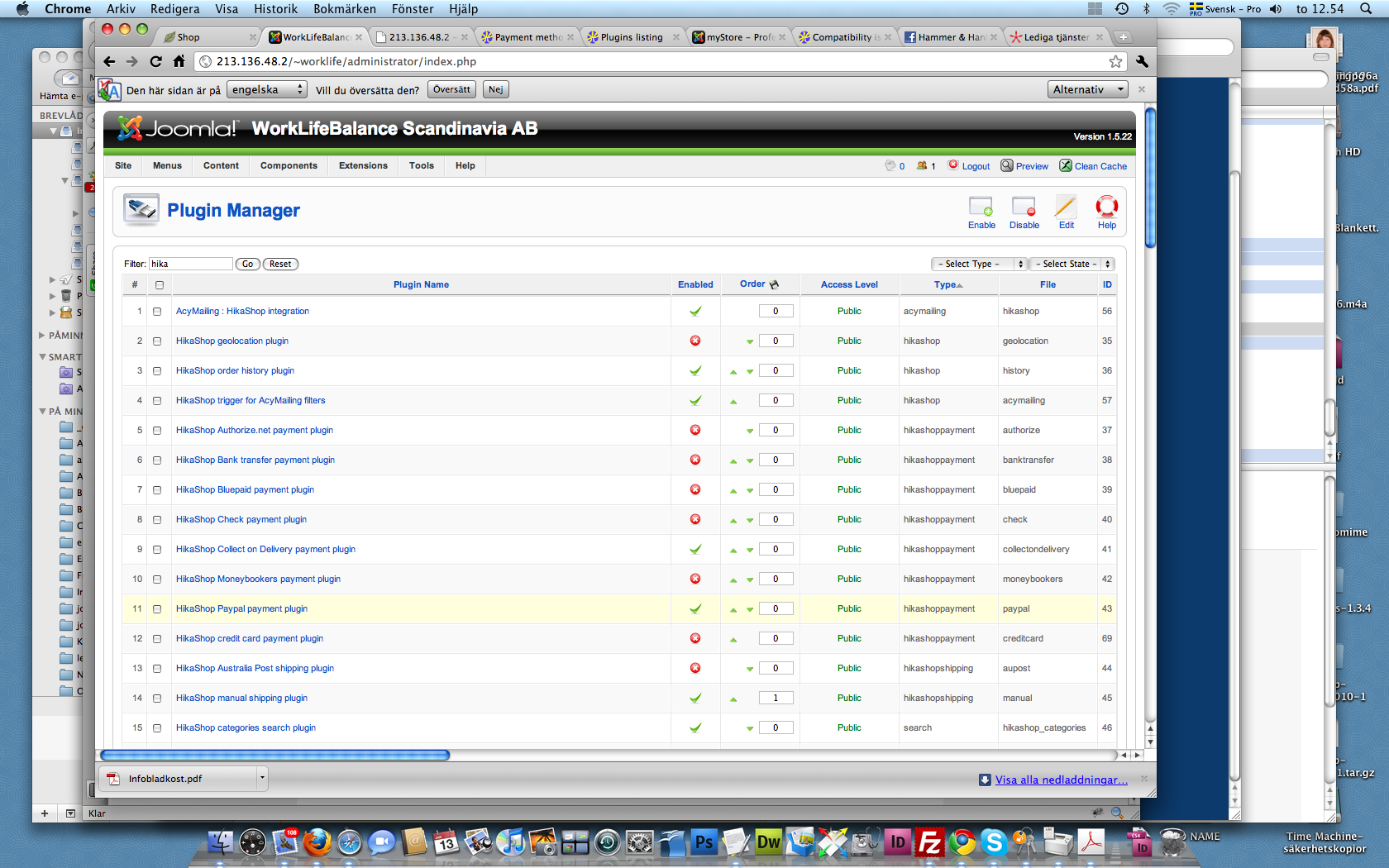
Could you do a screenshot of the listing of hikashop payment plugins in the joomla plugins manager and in the menu System->Payment methods ?
Please Log in or Create an account to join the conversation.
15 years 9 months ago - 15 years 9 months ago #5060
by weting
Replied by weting on topic Re: Payment method dissapeared
Last edit: 15 years 9 months ago by weting.
Please Log in or Create an account to join the conversation.
15 years 9 months ago #5064
by nicolas
Replied by nicolas on topic Re: Payment method dissapeared
Could you set an ordering value for the two payment plugins you published ?
Please Log in or Create an account to join the conversation.
15 years 9 months ago - 15 years 9 months ago #5065
by weting
Replied by weting on topic Re: Payment method dissapeared
Like this?
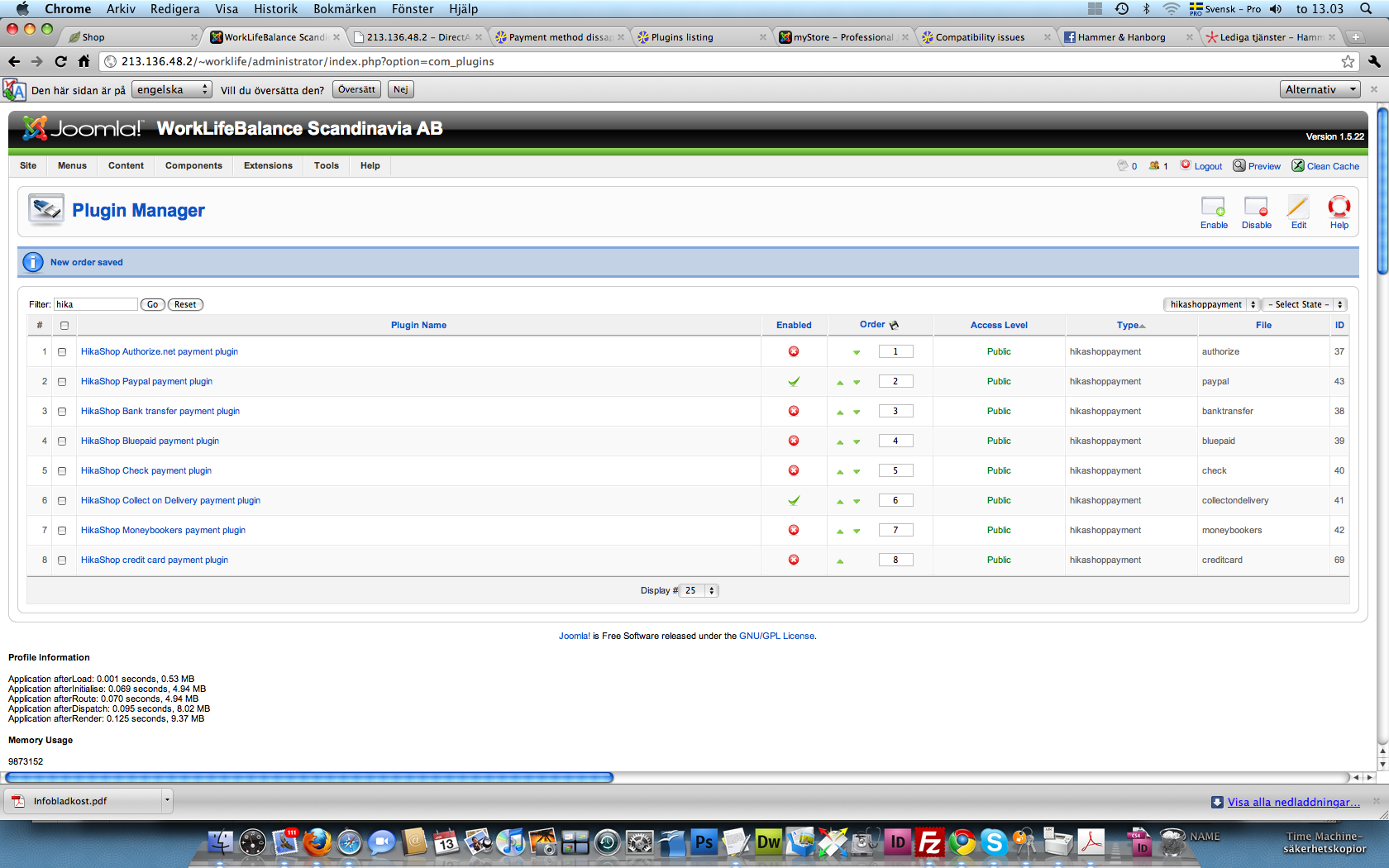
No difference ..
No difference ..
Last edit: 15 years 9 months ago by weting.
Please Log in or Create an account to join the conversation.
15 years 9 months ago #5066
by nicolas
Replied by nicolas on topic Re: Payment method dissapeared
Yes. At one point, in old releases of HikaShop we had the payment plugins not displayed when the ordering value was the same for all of them, so I thought it might come from that.
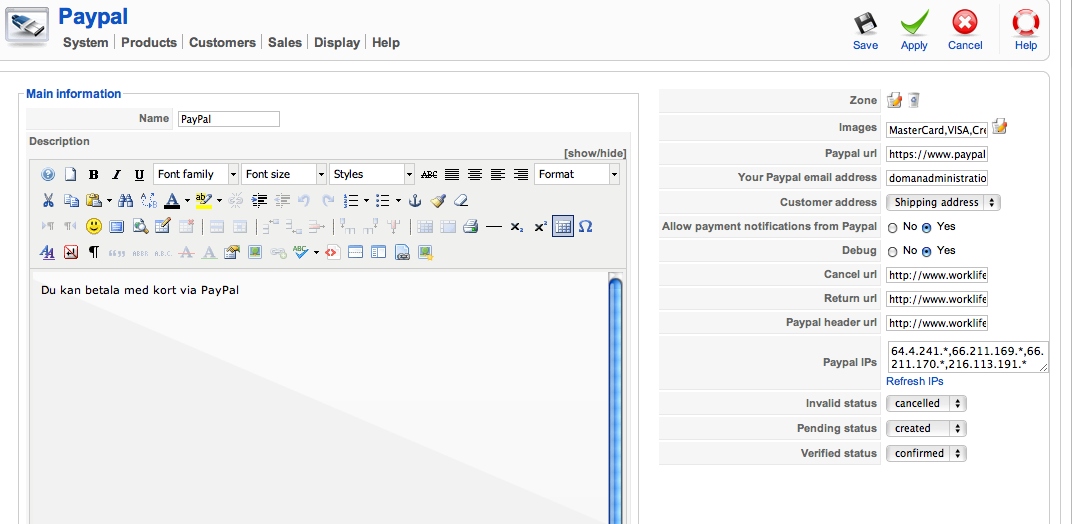
Could you do a screenshot of the options of the paypal payment plugin ?
Could you do a screenshot of the options of the paypal payment plugin ?
Please Log in or Create an account to join the conversation.
15 years 9 months ago #5067
by weting
/I
Replied by weting on topic Re: Payment method dissapeared
/I
Please Log in or Create an account to join the conversation.
15 years 9 months ago #5070
by nicolas
Replied by nicolas on topic Re: Payment method dissapeared
The only thing left I can think of is that you changed something in your currency options. Could you make a screenshot of your currency options ?
Please Log in or Create an account to join the conversation.
15 years 9 months ago #5071
by weting
Replied by weting on topic Re: Payment method dissapeared
Finally!!
I had changed the currency to "kr" instead of "SEK". Changed back and now it works!
At the same time I would like "kr" to bedisplayed from frontend... But I can live with this..
/I
I had changed the currency to "kr" instead of "SEK". Changed back and now it works!
At the same time I would like "kr" to bedisplayed from frontend... But I can live with this..
/I
Please Log in or Create an account to join the conversation.
15 years 9 months ago #5072
by nicolas
Replied by nicolas on topic Re: Payment method dissapeared
For that, you need to change the format option from %i to %n as explained in the documentation of the currency option page.
The currency code is used by the payment plugins to check that the currency is supported. If you change it, then the payment plugins will think that the currency isn't supported.
The currency code is used by the payment plugins to check that the currency is supported. If you change it, then the payment plugins will think that the currency isn't supported.
Please Log in or Create an account to join the conversation.
15 years 9 months ago #5073
by weting
Replied by weting on topic Re: Payment method dissapeared
OK - thanks!
Please Log in or Create an account to join the conversation.
Time to create page: 0.356 seconds