

- Posts: 86245
- Thank you received: 14234
How to Add Proceed to Cart Button
15 years 7 months ago #7790
by nicolas
Replied by nicolas on topic Re: How to Add Proceed to Cart Button
You need to look in the hikashop options of the cart module that you can access via the menu Display->Content modules in hikashop.
Do you have the images in the products and categories, on the back end ? Could you make a screenshot of that ?
Do you have the images in the products and categories, on the back end ? Could you make a screenshot of that ?
Please Log in or Create an account to join the conversation.
- DShapiroNaples
-
 Topic Author
- Offline
Less
More
- Posts: 40
- Thank you received: 0
15 years 7 months ago #7793
by DShapiroNaples
Replied by DShapiroNaples on topic Re: How to Add Proceed to Cart Button
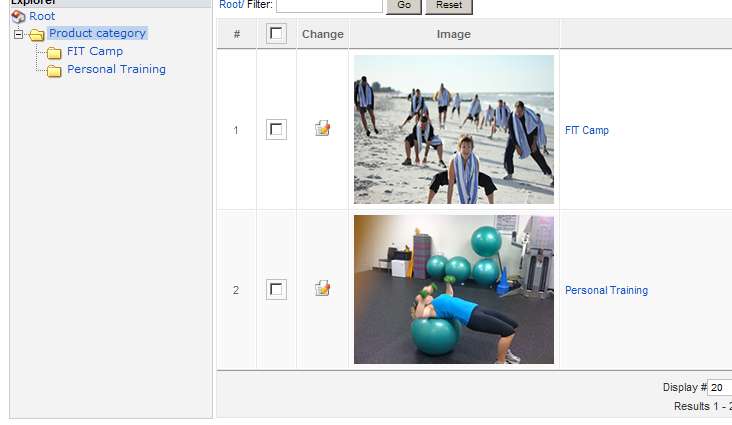
See attached categories and products screen shots.
These were there before the upgrade and I mentioned I deleted all backend files and reselected all images for both categories and products
These were there before the upgrade and I mentioned I deleted all backend files and reselected all images for both categories and products
Please Log in or Create an account to join the conversation.
- DShapiroNaples
-
Topic Author
- Offline
Less
More
- Posts: 40
- Thank you received: 0
15 years 7 months ago - 15 years 7 months ago #7794
by DShapiroNaples
Replied by DShapiroNaples on topic Re: How to Add Proceed to Cart Button
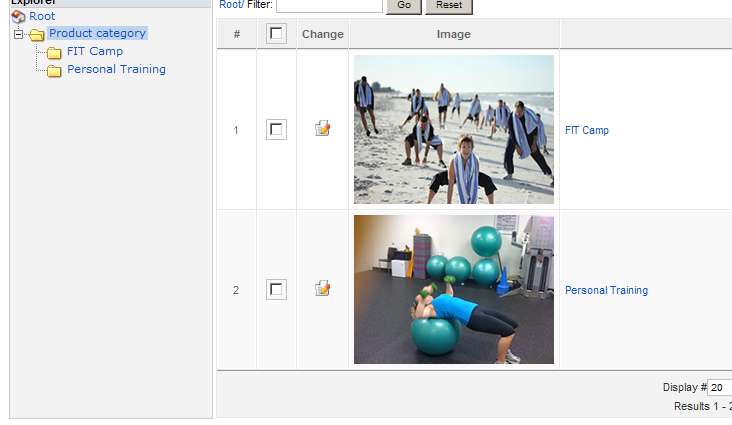
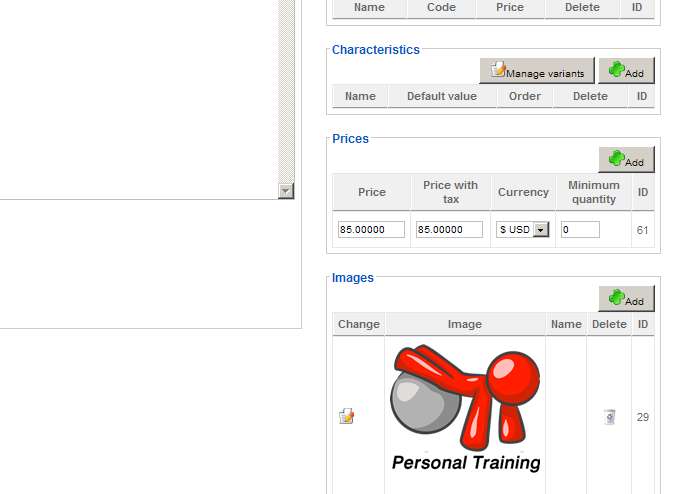
See attached product and category screenshots. These were there before the upgrade. As I mentioned above, I deleted all backend images and re-created all of them
Last edit: 15 years 7 months ago by DShapiroNaples. Reason: Added product screen shot
Please Log in or Create an account to join the conversation.
15 years 7 months ago #7795
by kwkness
Replied by kwkness on topic Re: How to Add Proceed to Cart Button
There is no option to toggle a button like you said in the Display->Content Modules
Please Log in or Create an account to join the conversation.
15 years 7 months ago #7797
by nicolas
Replied by nicolas on topic Re: How to Add Proceed to Cart Button
The images are there so it's not a problem of missing the images themselves but just that they are not displayed.
Could you go in Display->Content menus and Display->Content modules and check that the option "Type of item layout" is set to "title and image" for all of them and save the options each time.
Did you edit the hikashop cart module in that screen ?
www.hikashop.com/support/documentation/i...rm.html#cart_details
Could you go in Display->Content menus and Display->Content modules and check that the option "Type of item layout" is set to "title and image" for all of them and save the options each time.
Did you edit the hikashop cart module in that screen ?
www.hikashop.com/support/documentation/i...rm.html#cart_details
Please Log in or Create an account to join the conversation.
15 years 7 months ago #7801
by kwkness
Replied by kwkness on topic Re: How to Add Proceed to Cart Button
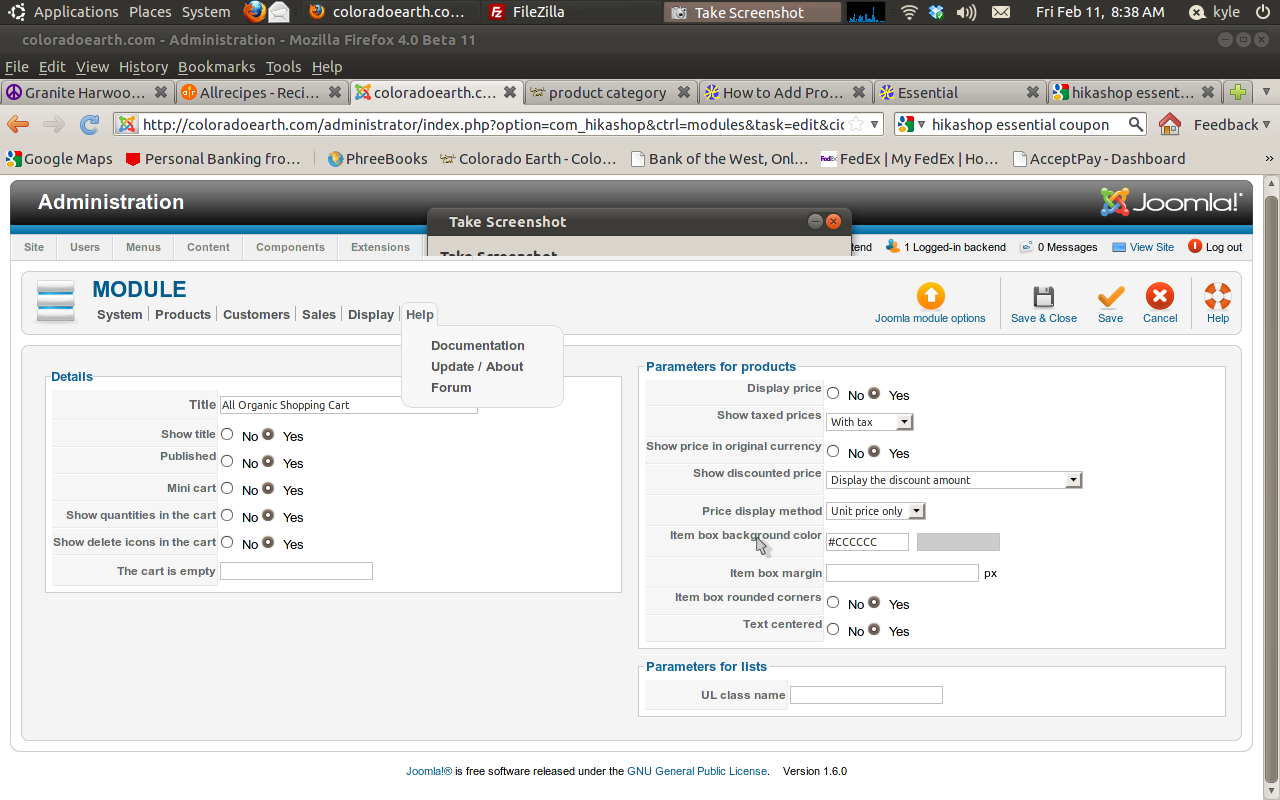
Here is a screenshot of my content module options. I thought it might have been a new feature or something so I updated about 30 mins ago
Please Log in or Create an account to join the conversation.
- DShapiroNaples
-
Topic Author
- Offline
Less
More
- Posts: 40
- Thank you received: 0
15 years 7 months ago #7802
by DShapiroNaples
Replied by DShapiroNaples on topic Re: How to Add Proceed to Cart Button
I went into each module and menu and change the option to image applied and then changes to image and title. This made no difference.
I am not sure what you mean by "Did you edit the hikashop cart module in that screen ?" (Sorry). This module is currently disabled and I do not think I am using it anywhere
I am not sure what you mean by "Did you edit the hikashop cart module in that screen ?" (Sorry). This module is currently disabled and I do not think I am using it anywhere
Please Log in or Create an account to join the conversation.
- DShapiroNaples
-
Topic Author
- Offline
Less
More
- Posts: 40
- Thank you received: 0
15 years 7 months ago #7803
by DShapiroNaples
Replied by DShapiroNaples on topic Re: How to Add Proceed to Cart Button
Can you possibly start another thread for this. I am having a fairly lengthy conversation and I think we are getting them confused.
Sorry for the extra work. Thanks...
Sorry for the extra work. Thanks...
Please Log in or Create an account to join the conversation.
15 years 7 months ago #7804
by kwkness
Replied by kwkness on topic Re: How to Add Proceed to Cart Button
again, sorry for jumping in. He is answering both of our questions with one post
Please Log in or Create an account to join the conversation.
15 years 7 months ago #7805
by nicolas
Replied by nicolas on topic Re: How to Add Proceed to Cart Button
There is no proceed to checkout button option for the mini cart. You can deactivate the mini cart option and that will display the proceed to checkout button option.
The question was for the other person...
Then, please go in the configuration and check that the thumbnails option is turned on. If that option is turned off, the thumbnails won't be displayed.
The question was for the other person...
Then, please go in the configuration and check that the thumbnails option is turned on. If that option is turned off, the thumbnails won't be displayed.
Please Log in or Create an account to join the conversation.
- DShapiroNaples
-
Topic Author
- Offline
Less
More
- Posts: 40
- Thank you received: 0
15 years 7 months ago #7809
by DShapiroNaples
Replied by DShapiroNaples on topic Re: How to Add Proceed to Cart Button
Where is this option? Would the upgrade have changed this? Prior to the upgrade (earlier this morning) the thumbnails were displaying.
Please Log in or Create an account to join the conversation.
15 years 7 months ago #7810
by nicolas
Replied by nicolas on topic Re: How to Add Proceed to Cart Button
In the config under the tab files.
In previous versions of HikaShop, regardless of that option the thumbnails were always displayed.
So we fixed that bug and since you already had that option turned off, when you updated, that fixed the problem and your thumbnails were not displayed anymore.
In previous versions of HikaShop, regardless of that option the thumbnails were always displayed.
So we fixed that bug and since you already had that option turned off, when you updated, that fixed the problem and your thumbnails were not displayed anymore.
Please Log in or Create an account to join the conversation.
- DShapiroNaples
-
Topic Author
- Offline
Less
More
- Posts: 40
- Thank you received: 0
15 years 7 months ago #7818
by DShapiroNaples
Replied by DShapiroNaples on topic Re: How to Add Proceed to Cart Button
Found it... It was turned off.
I just wanted to take a moment to thank you for your FABULOUS supoort. You have created a great product and it keeps getting better.
I just wanted to take a moment to thank you for your FABULOUS supoort. You have created a great product and it keeps getting better.
Please Log in or Create an account to join the conversation.
Time to create page: 0.239 seconds