

- Posts: 19
- Thank you received: 0
Product images not showing on page
12 years 4 months ago #158240
by BarbMc1
Replied by BarbMc1 on topic Product images not showing on page
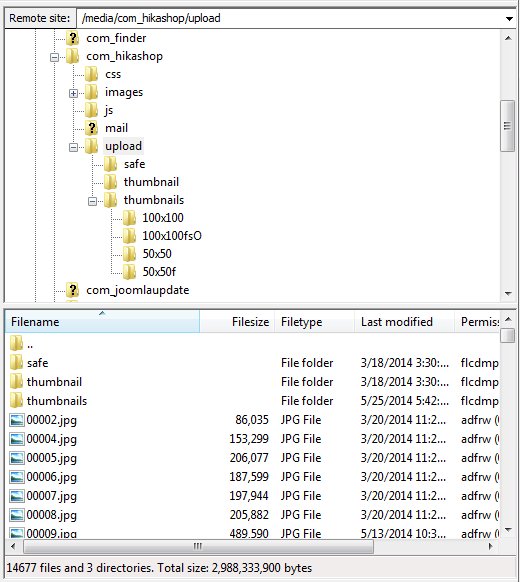
All of the 14,000+ images are located in /media/com_hikashop/upload They all have the same naming format (capital letters followed my numbers .jpg). All images are jpg, about the same size, were created the same way, and all uploaded in about 5 groups.
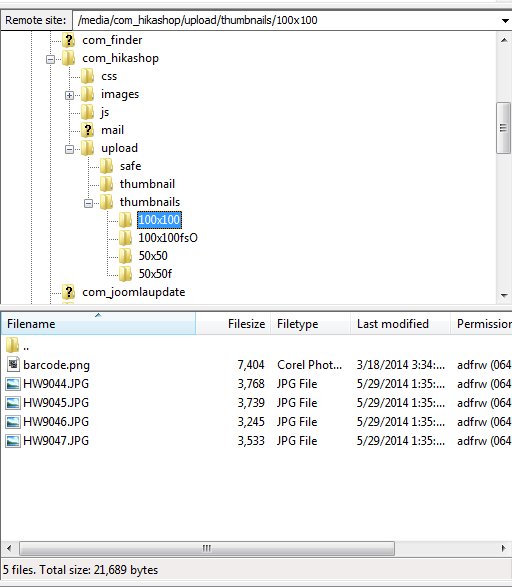
The folder /media/com_hikashop/upload/thumbnails/100x100 has 5 files in it: barcode.jpg / HW9044.JPG / HW9045.JPG / HW9046.JPG / HW9047.JPG
One note of interest is that the files in the /upload file all have lowercase .jpg. The images in the upload/thumbnails/100x100 file have upper case .JPG.
There is still the puzzling question as to why all of the non-working images have:
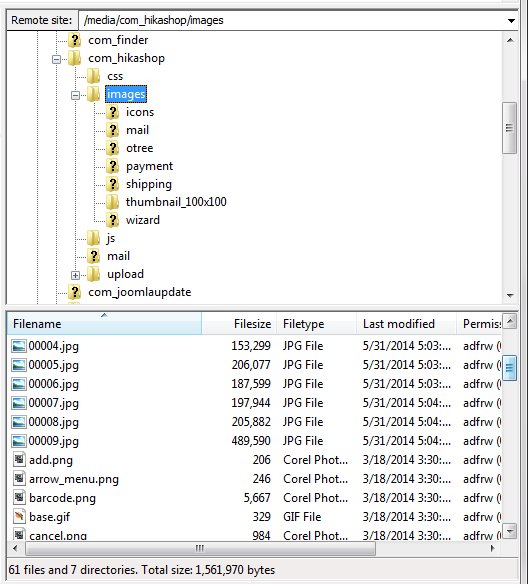
href="/media/com_hikashop/images//barcode.png"
vs. href="/media/com_hikashop/upload/HW9045.JPG"
1. There is the double // in front of barcode.
2. Why is Hikashop going to the images folder instead of the upload folder?
What other information would further help you?
Thanks,
Barbara
vs.
The folder /media/com_hikashop/upload/thumbnails/100x100 has 5 files in it: barcode.jpg / HW9044.JPG / HW9045.JPG / HW9046.JPG / HW9047.JPG
One note of interest is that the files in the /upload file all have lowercase .jpg. The images in the upload/thumbnails/100x100 file have upper case .JPG.
There is still the puzzling question as to why all of the non-working images have:
href="/media/com_hikashop/images//barcode.png"
vs. href="/media/com_hikashop/upload/HW9045.JPG"
1. There is the double // in front of barcode.
2. Why is Hikashop going to the images folder instead of the upload folder?
What other information would further help you?
Thanks,
Barbara
vs.
Please Log in or Create an account to join the conversation.

12 years 4 months ago #158248
by Jerome
Jerome - Obsidev.com
HikaMarket & HikaSerial developer / HikaShop core dev team.
Replied by Jerome on topic Product images not showing on page
Hi,
I need information from your website, not from your FTP.
You have already posted screenshot of your FTP, we know that there are some files and the thumbnails could be generated.
Like I said you in my previous post, we have to check the data in the website (database), know what your product have, etc
Without it, I don't know how it could be possible to understand anything at the problem.
You should saw something in the HikaShop backend for your products. The images are not going from anywhere. You might have import them with wrong encoding etc etc (like I said in my previous post).
So please, provide information from your website about the product which does not work.
Regards,
Maybe you have some kind of folder structure that is not correct in the database, maybe something linked to the case (lowercase/uppercase) or to the encoding..
It could be so much things that we can't tell you without having one bit of information about your website.
I need information from your website, not from your FTP.
You have already posted screenshot of your FTP, we know that there are some files and the thumbnails could be generated.
Like I said you in my previous post, we have to check the data in the website (database), know what your product have, etc
Without it, I don't know how it could be possible to understand anything at the problem.
You should saw something in the HikaShop backend for your products. The images are not going from anywhere. You might have import them with wrong encoding etc etc (like I said in my previous post).
So please, provide information from your website about the product which does not work.
Regards,
Jerome - Obsidev.com
HikaMarket & HikaSerial developer / HikaShop core dev team.
Please Log in or Create an account to join the conversation.
Time to create page: 0.123 seconds