

- Posts: 6
- Thank you received: 1
TaxCloud not completing test transaction
10 years 5 months ago #240410
by DinaLou
TaxCloud not completing test transaction was created by DinaLou
-- url of the page with the problem -- :
www.dinalou.com
-- HikaShop version -- : 2.6.3
-- Joomla version -- : 3.5.1
Hi,
I'm having issues setting up TaxCloud on my website. It keeps telling me that I haven't completed the test transaction even then though I've changed the order status to 'confirmed' and 'shipped' like a million times.
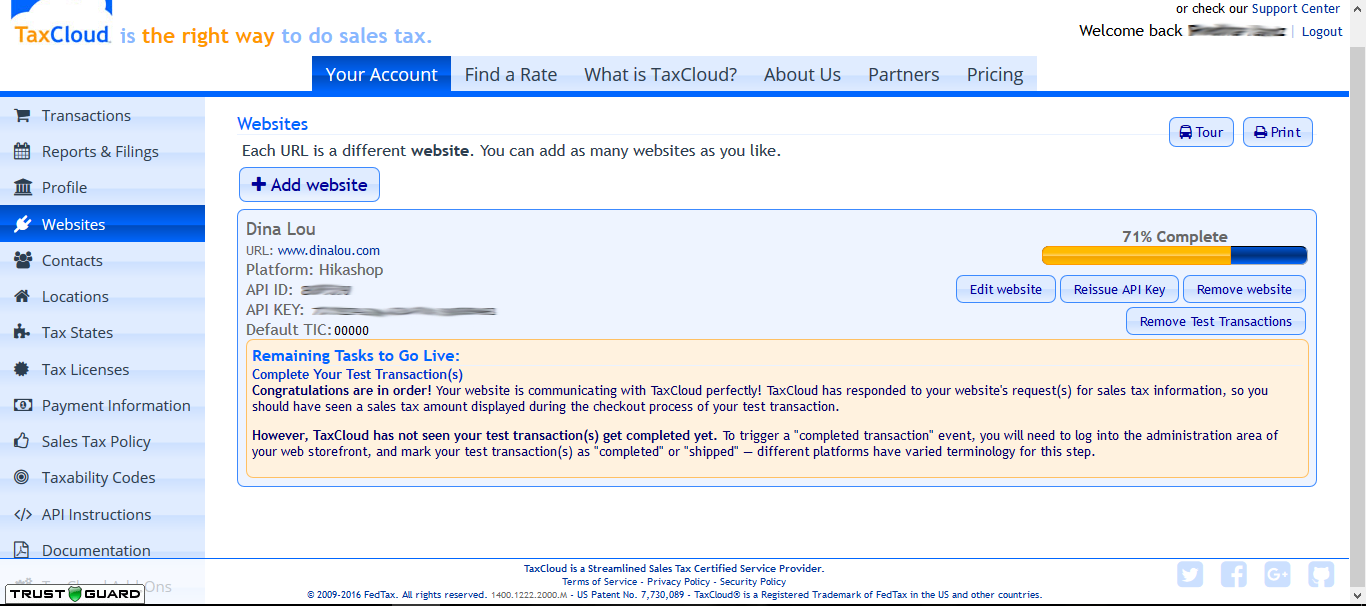
Here is the configuration I have on my site.
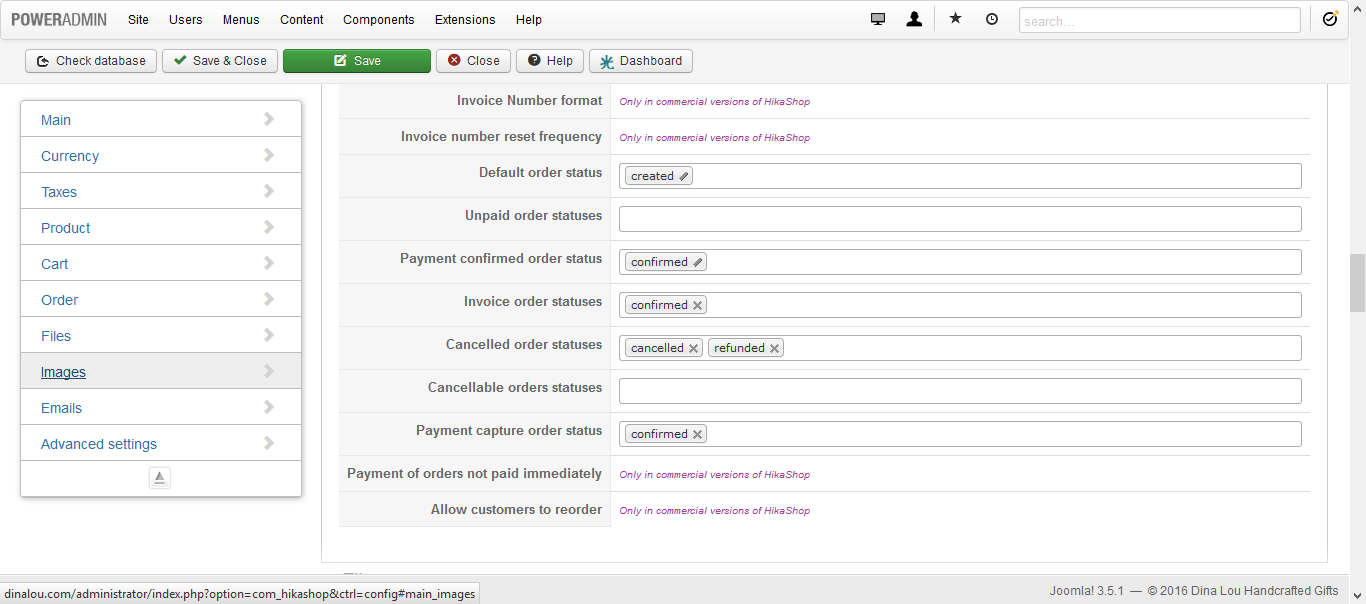
If anybody can help me with this that would be wonderful.
Thank you
-- HikaShop version -- : 2.6.3
-- Joomla version -- : 3.5.1
Hi,
I'm having issues setting up TaxCloud on my website. It keeps telling me that I haven't completed the test transaction even then though I've changed the order status to 'confirmed' and 'shipped' like a million times.
Here is the configuration I have on my site.
If anybody can help me with this that would be wonderful.
Thank you
Please Log in or Create an account to join the conversation.

10 years 5 months ago #240423
by nicolas
Replied by nicolas on topic TaxCloud not completing test transaction
Hi,
I wanted to do a test on your website, but I didn't see taxes on your website's checkout. Maybe the address I used was not taxable for your shop ?
So did you get the taxes during the checkout ? Do you see the taxes in your order details when you edit it in the backend ?
Are you changing the status of the order from "created" to "confirmed" (only that case will work).
I wanted to do a test on your website, but I didn't see taxes on your website's checkout. Maybe the address I used was not taxable for your shop ?
So did you get the taxes during the checkout ? Do you see the taxes in your order details when you edit it in the backend ?
Are you changing the status of the order from "created" to "confirmed" (only that case will work).
Please Log in or Create an account to join the conversation.
10 years 5 months ago #240514
by DinaLou
Replied by DinaLou on topic TaxCloud not completing test transaction
Hi,
I fixed the taxes on TaxCloud to include all states. So you should be able to see taxes when you do a test.
I get the tax amount during my checkout because my state was already set up in TaxCloud.
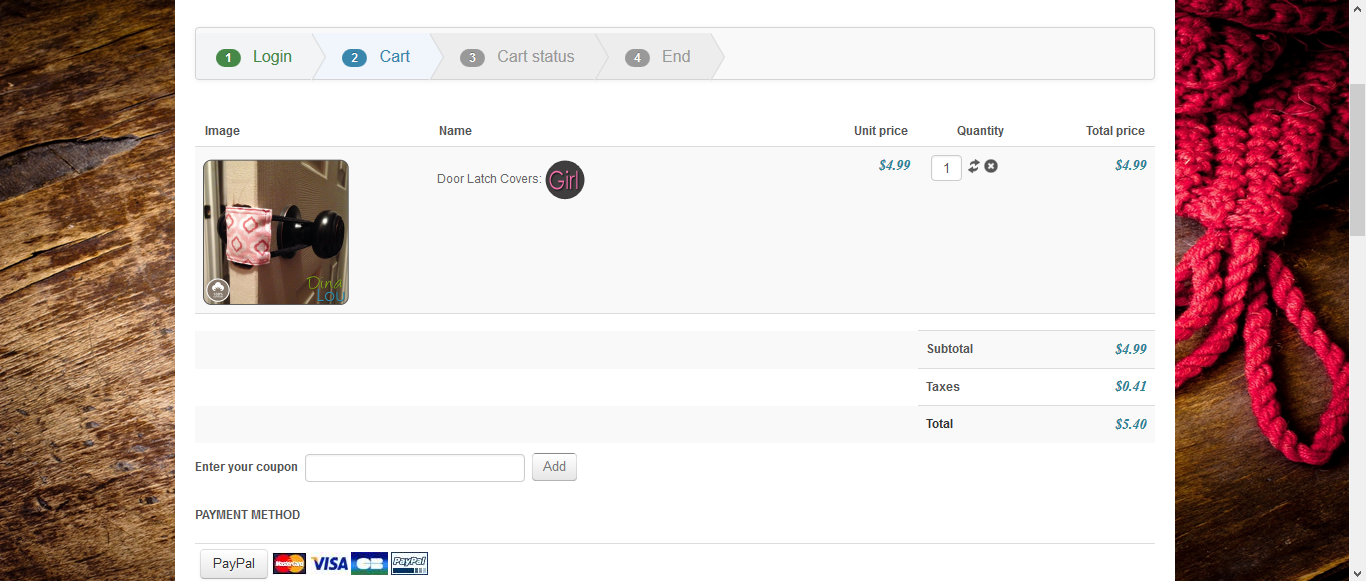
I'm not seeing the taxes in the order details on the backend. Should they be there?
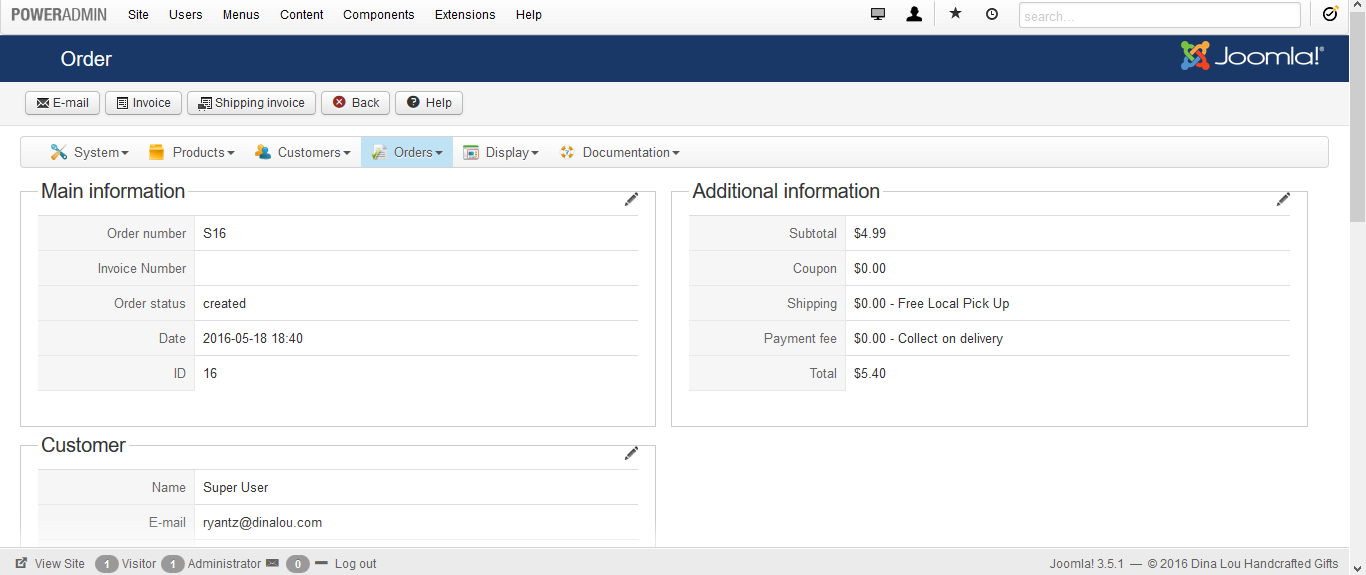
I've changed the status of the order from "created" to "confirmed" to "shipped" and still nothing. I've done it several times and it's still not working.
I fixed the taxes on TaxCloud to include all states. So you should be able to see taxes when you do a test.
I get the tax amount during my checkout because my state was already set up in TaxCloud.
I'm not seeing the taxes in the order details on the backend. Should they be there?
I've changed the status of the order from "created" to "confirmed" to "shipped" and still nothing. I've done it several times and it's still not working.
Please Log in or Create an account to join the conversation.
10 years 5 months ago #240518
by DinaLou
Replied by DinaLou on topic TaxCloud not completing test transaction
It worked!!! I don't know why but your test order worked and now my TaxCloud is working perfectly. Thank you so very much for your help!
Please Log in or Create an account to join the conversation.

10 years 5 months ago #240534
by TaxCloud
TaxCloud is the internet's only free sales tax service.
Learn more at taxcloud.com
Support available via service.taxcloud.net or by email to service@taxcloud.net
Replied by TaxCloud on topic TaxCloud not completing test transaction
Great!
It sounds like I got here just I the nick of time.
Happy to learn everything is working now - don't forget to turn off all the other states before pressing the Go Live button.
It sounds like I got here just I the nick of time.
Happy to learn everything is working now - don't forget to turn off all the other states before pressing the Go Live button.
TaxCloud is the internet's only free sales tax service.
Learn more at taxcloud.com
Support available via service.taxcloud.net or by email to service@taxcloud.net
Please Log in or Create an account to join the conversation.
9 years 9 months ago #260395
by megana
Replied by megana on topic TaxCloud not completing test transaction
I'm having the same problem. What was the solution?
Please Log in or Create an account to join the conversation.
9 years 9 months ago #260407
by nicolas
Replied by nicolas on topic TaxCloud not completing test transaction
Hi,
We need more information to be able to help.
What problem do you have exactly ?
Which version of HikaShop are you using ?
Did you follow the setup documentation : www.hikashop.com/support/documentation/260-taxcloud.html ?
Could you provide a screenshot of the TaxCloud plugin settings ?
One of your order statuses settings ?
We need more information to be able to help.
What problem do you have exactly ?
Which version of HikaShop are you using ?
Did you follow the setup documentation : www.hikashop.com/support/documentation/260-taxcloud.html ?
Could you provide a screenshot of the TaxCloud plugin settings ?
One of your order statuses settings ?
Please Log in or Create an account to join the conversation.
9 years 9 months ago #260485
by megana
Replied by megana on topic TaxCloud not completing test transaction
The same problem the original poster had: It keeps telling me that I haven't completed the test transaction even then though I've changed the order status to 'confirmed' and 'shipped' like a million times.
I'm using 3.0.0 and yes I used the setup documentation. Here is a screenshot of the TaxCloud plugin. Which order settings do you need?
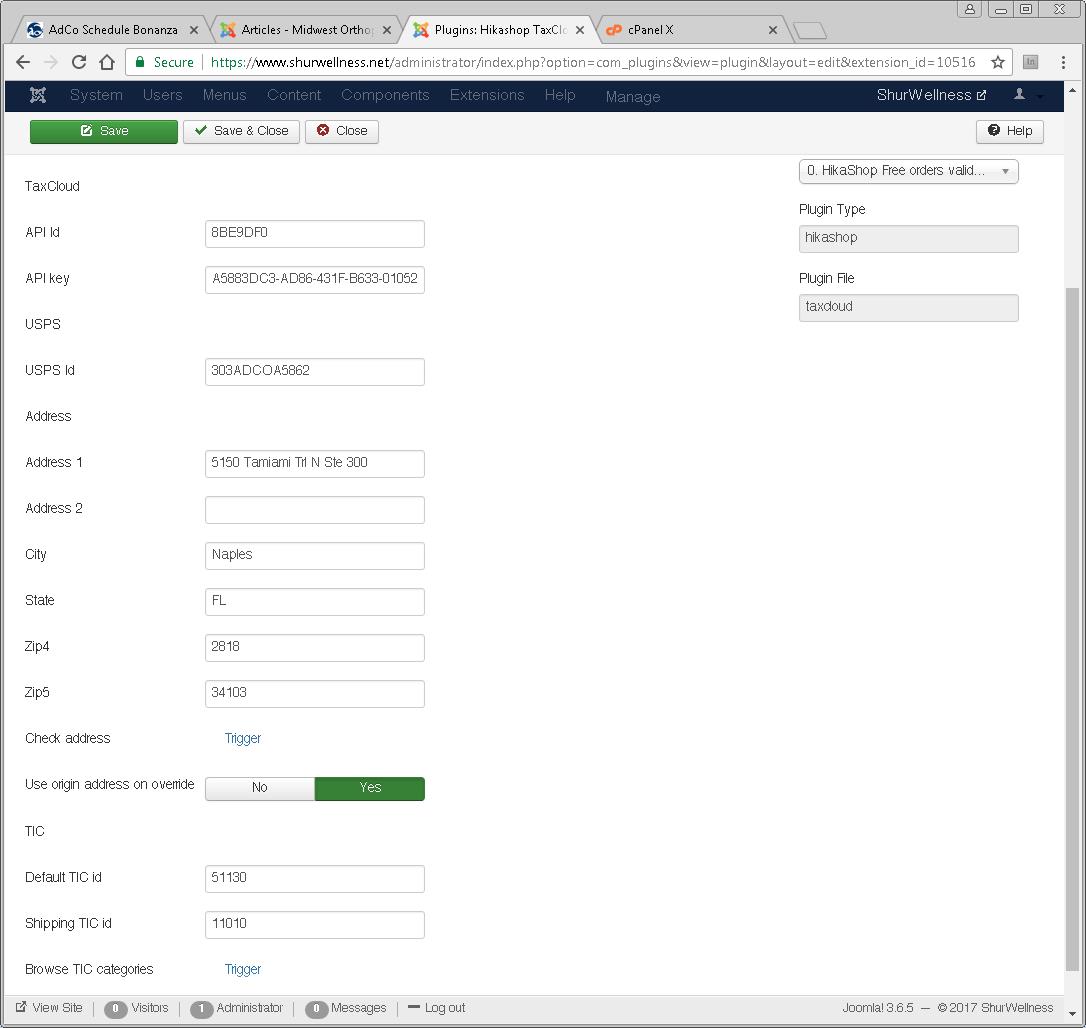
I'm using 3.0.0 and yes I used the setup documentation. Here is a screenshot of the TaxCloud plugin. Which order settings do you need?
Please Log in or Create an account to join the conversation.
9 years 9 months ago #260487
by nicolas
Replied by nicolas on topic TaxCloud not completing test transaction
Hi,
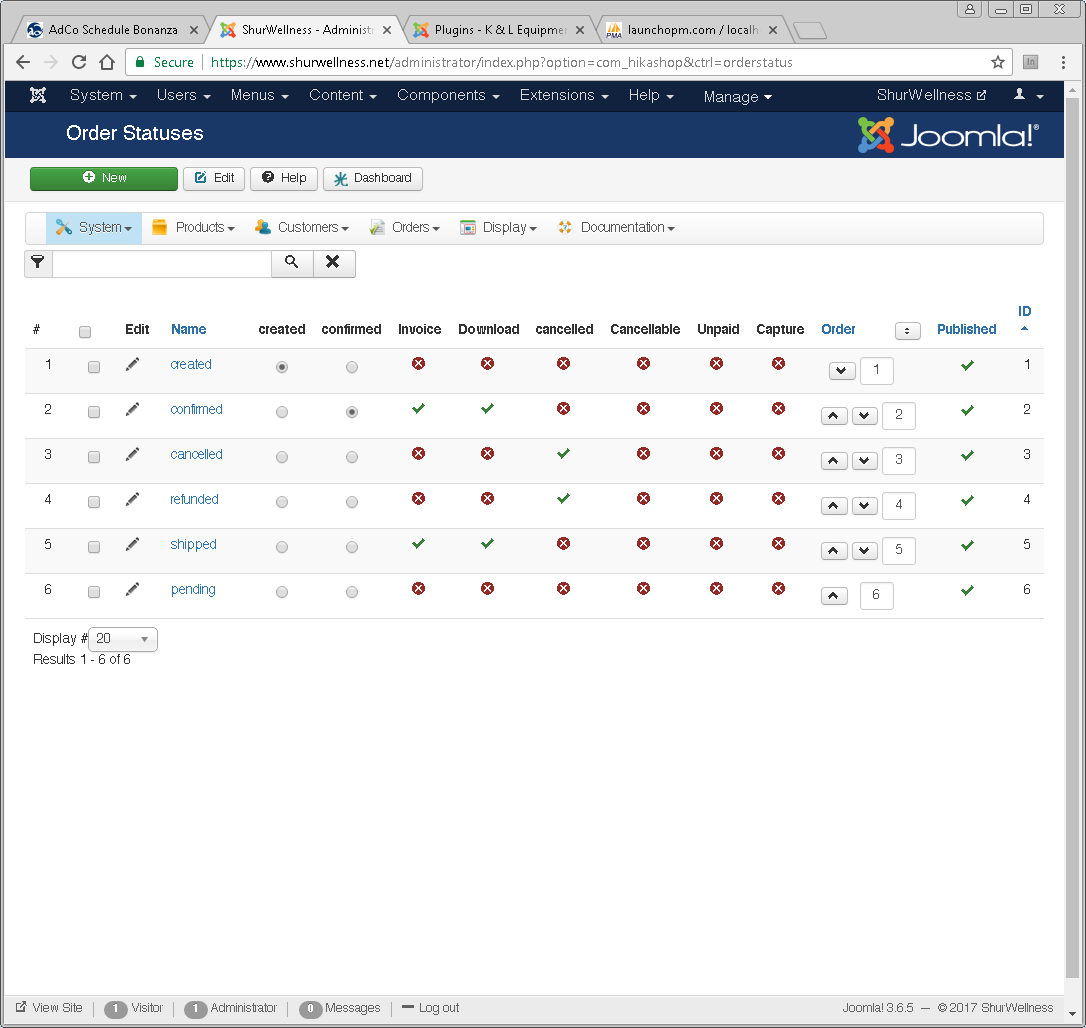
Could you also provide a screenshot of your order statuses in the menu System>Order statuses ?
Could you also provide a screenshot of your order statuses in the menu System>Order statuses ?
Please Log in or Create an account to join the conversation.
9 years 9 months ago #260597
by megana
Replied by megana on topic TaxCloud not completing test transaction
Ok here it is:
Please Log in or Create an account to join the conversation.
9 years 9 months ago #260599
by nicolas
Replied by nicolas on topic TaxCloud not completing test transaction
Hi,
It seems alright.
Could you change the line:
protected $debug = false;
to:
protected $debug = true;
in the file plugins/hikashop/taxcloud/taxcloud.php
and try again ?
It should then display debug data when you change the status of the order which would help understand what's going on.
It seems alright.
Could you change the line:
protected $debug = false;
to:
protected $debug = true;
in the file plugins/hikashop/taxcloud/taxcloud.php
and try again ?
It should then display debug data when you change the status of the order which would help understand what's going on.
Please Log in or Create an account to join the conversation.
9 years 9 months ago - 9 years 9 months ago #261311
by megana
Replied by megana on topic TaxCloud not completing test transaction
Ok I tried that but didn't see any debug data. Where would it have been displayed?
EDIT: I'm seeing debug info when placing the order on the front end, just not when changing the order status from "confirmed" to "shipped" on the back end.
EDIT: I'm seeing debug info when placing the order on the front end, just not when changing the order status from "confirmed" to "shipped" on the back end.
Last edit: 9 years 9 months ago by megana.
Please Log in or Create an account to join the conversation.

9 years 9 months ago #261354
by Jerome
Jerome - Obsidev.com
HikaMarket & HikaSerial developer / HikaShop core dev team.
Replied by Jerome on topic TaxCloud not completing test transaction
Hi,
Are you modifying the order in the order listing or directly in the order page ?
Depending the context, some elements can be perform in an "ajax" context and the debug information might not be visible directly.
Regards,
Are you modifying the order in the order listing or directly in the order page ?
Depending the context, some elements can be perform in an "ajax" context and the debug information might not be visible directly.
Regards,
Jerome - Obsidev.com
HikaMarket & HikaSerial developer / HikaShop core dev team.
Please Log in or Create an account to join the conversation.
9 years 8 months ago #264473
by megana
Replied by megana on topic TaxCloud not completing test transaction
Sorry for the delayed response. I tried both methods of modifying the order.
Please Log in or Create an account to join the conversation.
9 years 8 months ago #264475
by nicolas
Replied by nicolas on topic TaxCloud not completing test transaction
Hi,
No problem.
So could you update to HikaShop 3.0.1 (you can download it again in the menu My account>My subscriptions on our website) and try again with a new order, just in case ?
If you still don't see any transaction in your TaxCloud account, please provide a backend access, a FTP access, the TaxCloud account access and a link to this thread via our contact form so that we can check on the settings, reproduce the issue, and find the problem (and maybe add a fix if necessary).
www.hikashop.com/support/contact-us.html
No problem.
So could you update to HikaShop 3.0.1 (you can download it again in the menu My account>My subscriptions on our website) and try again with a new order, just in case ?
If you still don't see any transaction in your TaxCloud account, please provide a backend access, a FTP access, the TaxCloud account access and a link to this thread via our contact form so that we can check on the settings, reproduce the issue, and find the problem (and maybe add a fix if necessary).
www.hikashop.com/support/contact-us.html
Please Log in or Create an account to join the conversation.
9 years 8 months ago #264606
by megana
Replied by megana on topic TaxCloud not completing test transaction
With the update, it's now working. Thank you!
Please Log in or Create an account to join the conversation.
Time to create page: 0.097 seconds