
Installation
- 1) Download the plugin and the countdown module on our website via the download link provided to you after the purchase.
- 2) Install both with the Joomla extension manager (System > Install > Extensions).
- 3) In System > Plugins, enable "Hikashop Cart Reservation" and set its reservation duration.
- 4) In Content > Site Modules, create a module of the type "Cart Countdown Module", choose its position (the header or the side of the checkout, for instance) and publish it on the pages where the cart is shown.
- 5) Give your products a stock quantity: a product with an unlimited stock is never reserved.
Configuration
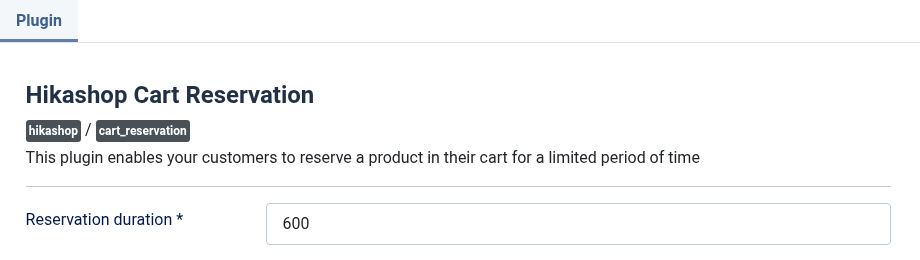
The plugin has one setting. The countdown module has its own, in its module page.
- Reservation duration: the number of seconds a product stays reserved once it is in the cart. 600 is ten minutes, 1800 half an hour. The field is required.
Cart Countdown Module
- Show a text before the time: a short sentence that tells the customer what the time is for.
- Text before the time: shown when the setting above is on. Empty, the text is "Your cart is held for".
- Show a clock: a small clock before the time. Off by default.
- Time shown: minutes and seconds, or hours, minutes and seconds for a reservation that lasts more than an hour.
- Names of the units: written in full (Minutes, Seconds), short (min, sec) or not at all.
- Size: small, medium or large text, relative to the page: small for a header, large for a cart page.
- Style: plain text, a rounded label with a light background, or the text over the time.
- Link to the checkout: the customer who clicks the time goes to the checkout. Off by default.
- Module class suffix: a CSS class to add to the module, to style it. Empty, the module has no extra class.
Troubleshooting
- "You can only add x of product y as the rest of the stock is reserved": other customers have the rest of the stock in their carts. The customer can try again when their time is over.
- "All the remaining stock of the product is currently in the cart of others": the same, with nothing left to take.
- The countdown does not show: the module is not published on that page, or the cart is empty, or the cart only holds products that keep their own time without any end to show.
- A product is never reserved: its stock is unlimited (a negative or empty quantity) or at 0. Only a product with a quantity in stock is reserved.