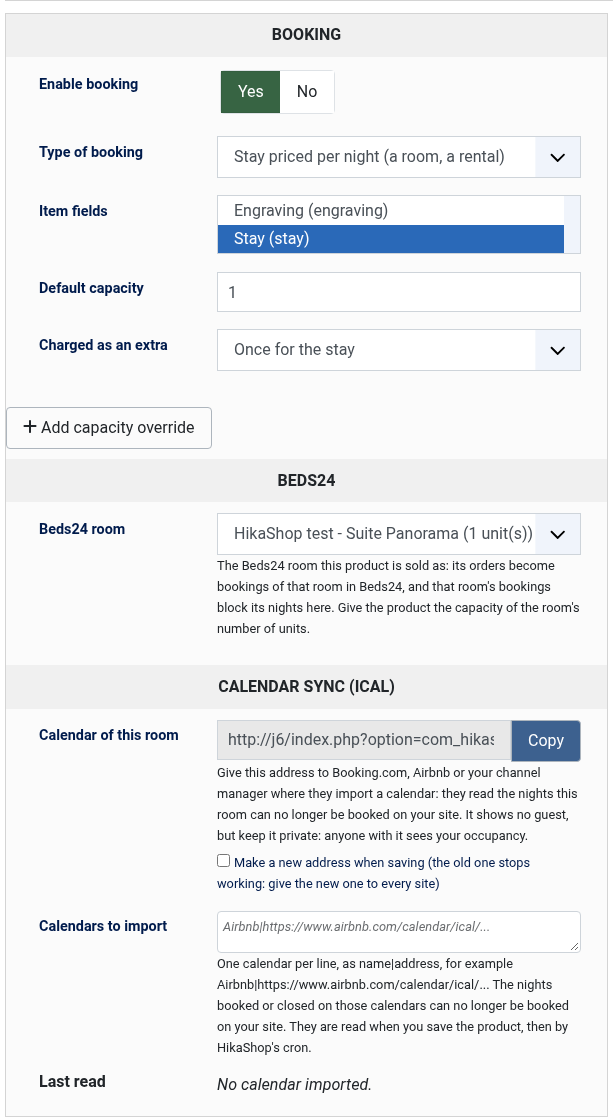
1) Set up your rooms with the Booking plugin (1.5.0 or later): one product per room type, a date field in range mode as its booking field, the type "Stay priced per night", and a capacity equal to the number of rooms of that type.
2) In Beds24, create the same rooms (Settings > Properties > Rooms) with the same number of units, and connect your channels (Booking.com, Airbnb...) as Beds24 explains.
3) In Beds24, open Settings > Marketplace > API, click "Generate invite code" and give it the scopes bookings (all), bookings-personal (all) and properties (read). The code is valid for 24 hours.
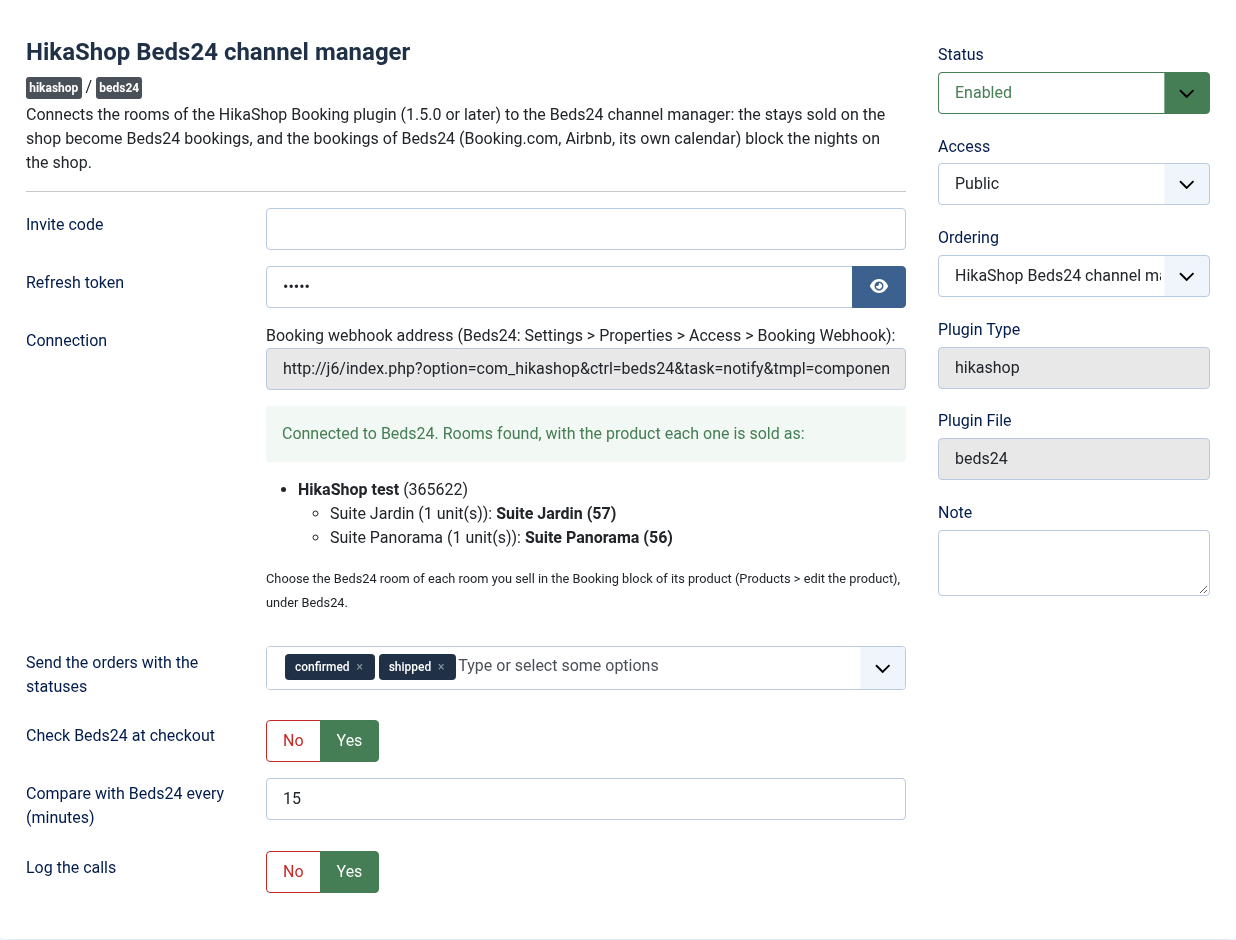
4) Install this plugin, enable it in Extensions > Plugins, paste the invite code in its settings and save: the "Connection" setting then shows your properties and rooms with their ids.
5) Edit each room you sell (Products > the product), and in its Booking block, under Beds24, choose its Beds24 room in the list. Save the product. The "Connection" setting of the plugin then shows each Beds24 room with its product.
6) Copy the "Booking webhook address" shown in the "Connection" setting into Beds24: Settings > Properties > Access > Booking Webhook.
7) Set up the HikaShop cron, every 15 minutes or more often.
8) Do not also import the iCal calendars of Booking.com or Airbnb in the Booking plugin for these rooms: Beds24 now does it for you.
Configuration
Invite code: the code of step 3. The plugin exchanges it once for a refresh token and empties the field. Paste a new one if Beds24 ever stops answering.
Refresh token: filled by the plugin. It stays valid as long as the plugin uses it at least once a month, which the comparison with Beds24 does.
Connection: the address to give Beds24 for its booking notification, and the rooms the plugin reaches in Beds24, each with the product it is sold as. An error here says what Beds24 answered.
Beds24 room (in the Booking block of each product, for a stay): the Beds24 room the product is sold as, from the list of your Beds24 rooms. Only the products with a room are synchronised; the others are left alone. A warning shows when the room's number of units and the product's capacity differ.
Send the orders with the statuses: the order statuses that send the stays to Beds24. While none is chosen, confirmed and shipped are used. Add "created" to close the dates in Beds24 before the payment arrives, for bank transfers for example. An order that leaves these statuses has its bookings cancelled in Beds24.
Check Beds24 at checkout: asks Beds24 at the last step of the checkout whether the nights are still free. If Beds24 does not answer within 5 seconds, the order goes through. Leave it on.
Compare with Beds24 every (minutes): how often the HikaShop cron reads the coming bookings of your rooms in Beds24 to correct the nights blocked on your shop. 15 by default; 0 turns it off.
Log the calls: writes each call to Beds24 and what it did in the HikaShop log file, without personal data.
API address and Token address (Advanced tab): leave them as they are.
Troubleshooting
"Beds24 refused the connection": the invite code was used already or is older than 24 hours, or the refresh token was not used for a month. Generate a new invite code in Beds24 and paste it.
A booking made in Beds24 does not block the nights on the shop: check the Booking webhook address in Beds24 (step 6) and the Beds24 room chosen in the product. The comparison of the cron blocks them anyway at its next run.
"... is no longer available on ...: it has just been booked on another site": Beds24 has a booking on those nights that the shop did not know yet. The customer chooses other dates.
"Beds24: order ... not sent" by email: Beds24 could not be reached or refused the booking for an hour. The plugin keeps trying; the HikaShop log (with "Log the calls" on) says why.
Beds24 allows 100 credits of API calls per 5 minutes for the whole account. The plugin makes one call per order, notification and comparison, and skips a comparison when the credits run low.