
Installation
- The plugin needs the PDF Invoice plugin of HikaShop, installed, published and configured with your company details (company name, SIRET, VAT number, address): it builds the electronic invoice that is sent.
- You need a SuperPDP account with API access, and its OAuth2 client ID and client secret.
- Install the plugin with the HikaShop or Joomla installer, then publish it in the plugin manager (Hikashop - SuperPDP).
- Open the settings of the plugin, type the client ID and the client secret, and save.
- In HikaShop, go to System, Order statuses. In the "SuperPDP" column, tick the order statuses that must send the invoice to SuperPDP (confirmed and shipped by default).
The plugin needs the PHP cURL extension.
Configuration
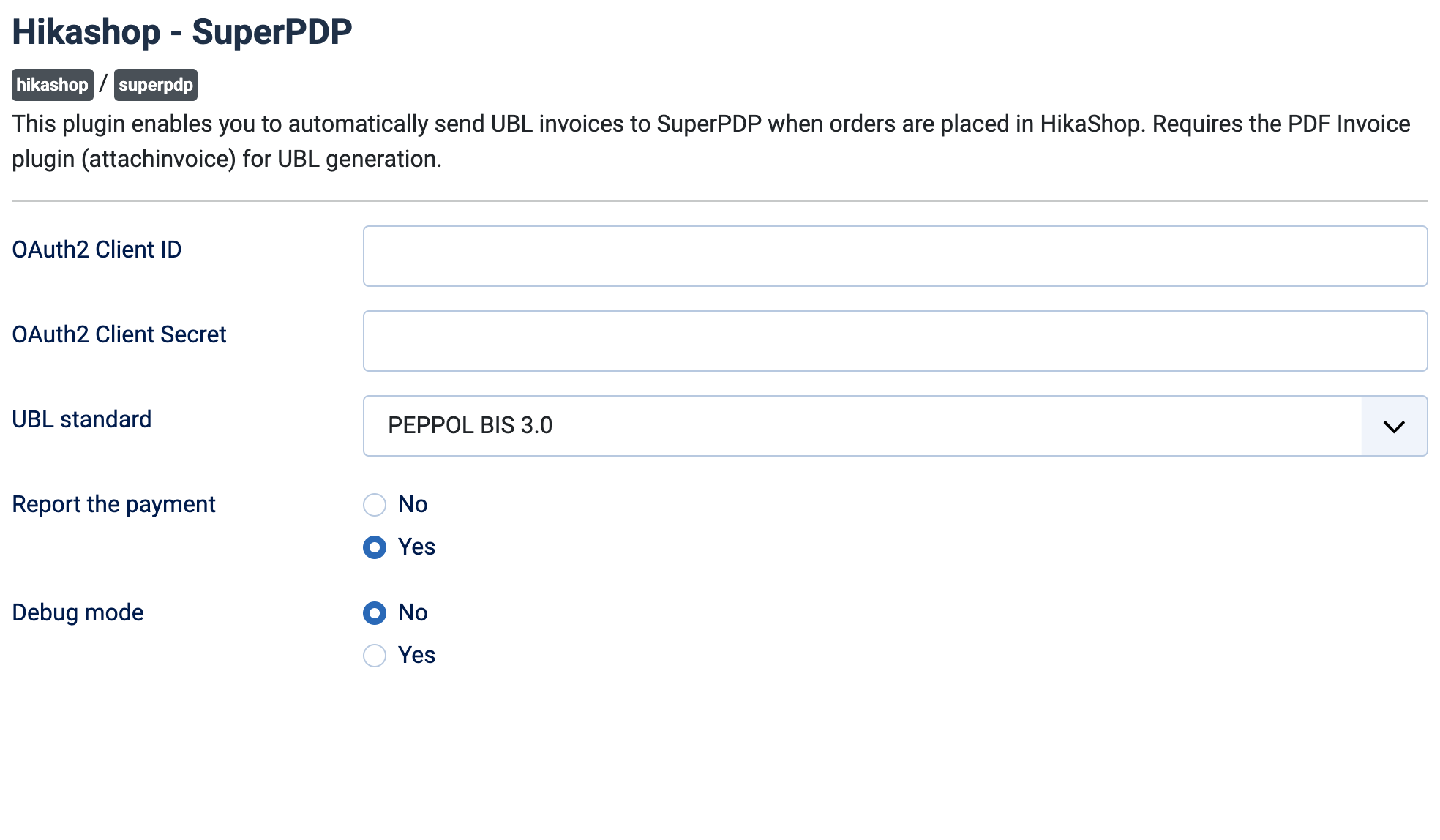
- OAuth2 Client ID: your SuperPDP OAuth2 client ID. Without it nothing is sent.
- OAuth2 Client Secret: the client secret that goes with it. Without it nothing is sent.
- UBL standard: the format of the invoice file, PEPPOL BIS 3.0 (default) or UBL.BE.
- Report the payment: Yes (default) tells SuperPDP right after the invoice that it is paid (the "Encaissée" message), so that the payment is reported to the tax administration. This is what a shop selling services needs, as their VAT falls due on payment. It only applies to the invoices sent through the French flow. Choose No if your invoices reach SuperPDP before your customers have paid them.
- Debug mode: No by default. Yes writes each step (token, invoice, answers of SuperPDP) in the HikaShop log file.
When an order reaches one of the ticked statuses, its invoice is sent once. An order already sent is never sent again. The order page of the backend then shows the SuperPDP invoice ID, the submission date and the latest status, and the date the payment was reported. If the sending failed, change the order to a status that is not ticked and then back to a ticked one to send it again.
Troubleshooting
- "SuperPDP API error (...)" in the backend, followed by SuperPDP's message: SuperPDP refused the request. The log file has the full request and answer.
- Nothing is sent: check that the order status is ticked in the "SuperPDP" column of System, Order statuses, and that the client ID and client secret are filled in. Turn on Debug mode and read the HikaShop log file.
- "Failed to obtain access token" (log): the client ID or client secret is wrong, or your server cannot reach SuperPDP.
- "Failed to generate UBL ..." (log): the PDF Invoice plugin is missing, not published or not configured with your company details.
- "French flow refused for order ..., sending it over PEPPOL instead" (log): SuperPDP could not deliver the invoice through the French network, for instance because the buyer company has no entry in the French directory, so the invoice was sent over PEPPOL.
- "... already submitted, skipping" (log): the invoice of that order was already sent.