

- Posts: 129
- Thank you received: 0
How to display related products in product page
9 years 10 months ago #255922
by nic7071
How to display related products in product page was created by nic7071
-- HikaShop version -- : 3.5.2
-- Joomla version -- : 3.5.3
hi,
How can i display related products in product page?
-- Joomla version -- : 3.5.3
hi,
How can i display related products in product page?
Please Log in or Create an account to join the conversation.

9 years 10 months ago - 9 years 10 months ago #255923
by Philip
Replied by Philip on topic How to display related products in product page
Last edit: 9 years 10 months ago by Philip.
Please Log in or Create an account to join the conversation.
9 years 10 months ago #255974
by nic7071
Replied by nic7071 on topic How to display related products in product page
yeah, i've seen that article,
i also have read the related product module article but i cannot make it work.
i have a product that in related procudt field of that product two more product is added. (Product A and
as the article says when i create the module and make it unpublished and turn it on , on hika configuration page Product A and B should be displaying on the bottom of product page.
but instead of that random products are displaying !!!!!
how can i force the module to display only products i've added to related field of a product!
thats my question.
i also have read the related product module article but i cannot make it work.
i have a product that in related procudt field of that product two more product is added. (Product A and
as the article says when i create the module and make it unpublished and turn it on , on hika configuration page Product A and B should be displaying on the bottom of product page.
but instead of that random products are displaying !!!!!
how can i force the module to display only products i've added to related field of a product!
thats my question.
Please Log in or Create an account to join the conversation.

9 years 10 months ago #255977
by nicolas
Replied by nicolas on topic How to display related products in product page
Hi,
Please provide a screenshot of the settings of your related products listing. There must be a problem with some of the settings in it.
Please provide a screenshot of the settings of your related products listing. There must be a problem with some of the settings in it.
Please Log in or Create an account to join the conversation.
9 years 9 months ago #257948
by nic7071
Replied by nic7071 on topic How to display related products in product page
can you tell me the exact correct setting and how to create a module to achieve showing related product that i select in product admin page on bottom of product front page ?
Please Log in or Create an account to join the conversation.
9 years 9 months ago #257949
by nic7071
Replied by nic7071 on topic How to display related products in product page
because in the tutorial you just sent me it's only showing how to create a module to show products in specific category.
i want the exact same thing but inside product page at the bottom and i want it to show the products i select in related products field inside the main product admin page !
please tell me how can i do that step by step .
i'll appreciate your help Bro
i want the exact same thing but inside product page at the bottom and i want it to show the products i select in related products field inside the main product admin page !
please tell me how can i do that step by step .
i'll appreciate your help Bro
Please Log in or Create an account to join the conversation.

9 years 9 months ago #257951
by Jerome
Jerome - Obsidev.com
HikaMarket & HikaSerial developer / HikaShop core dev team.
Replied by Jerome on topic How to display related products in product page
Hi,
As Nicolas wrote:
Thank you for your understanding.
As Nicolas wrote:
Please provide a screenshot of the settings of your related products listing. There must be a problem with some of the settings in it.
Thank you for your understanding.
Jerome - Obsidev.com
HikaMarket & HikaSerial developer / HikaShop core dev team.
Please Log in or Create an account to join the conversation.
9 years 9 months ago #258310
by nic7071
Replied by nic7071 on topic How to display related products in product page
here is the screen shot u want.
please tell me after fixing the setting on this page what should i do next !
thanks
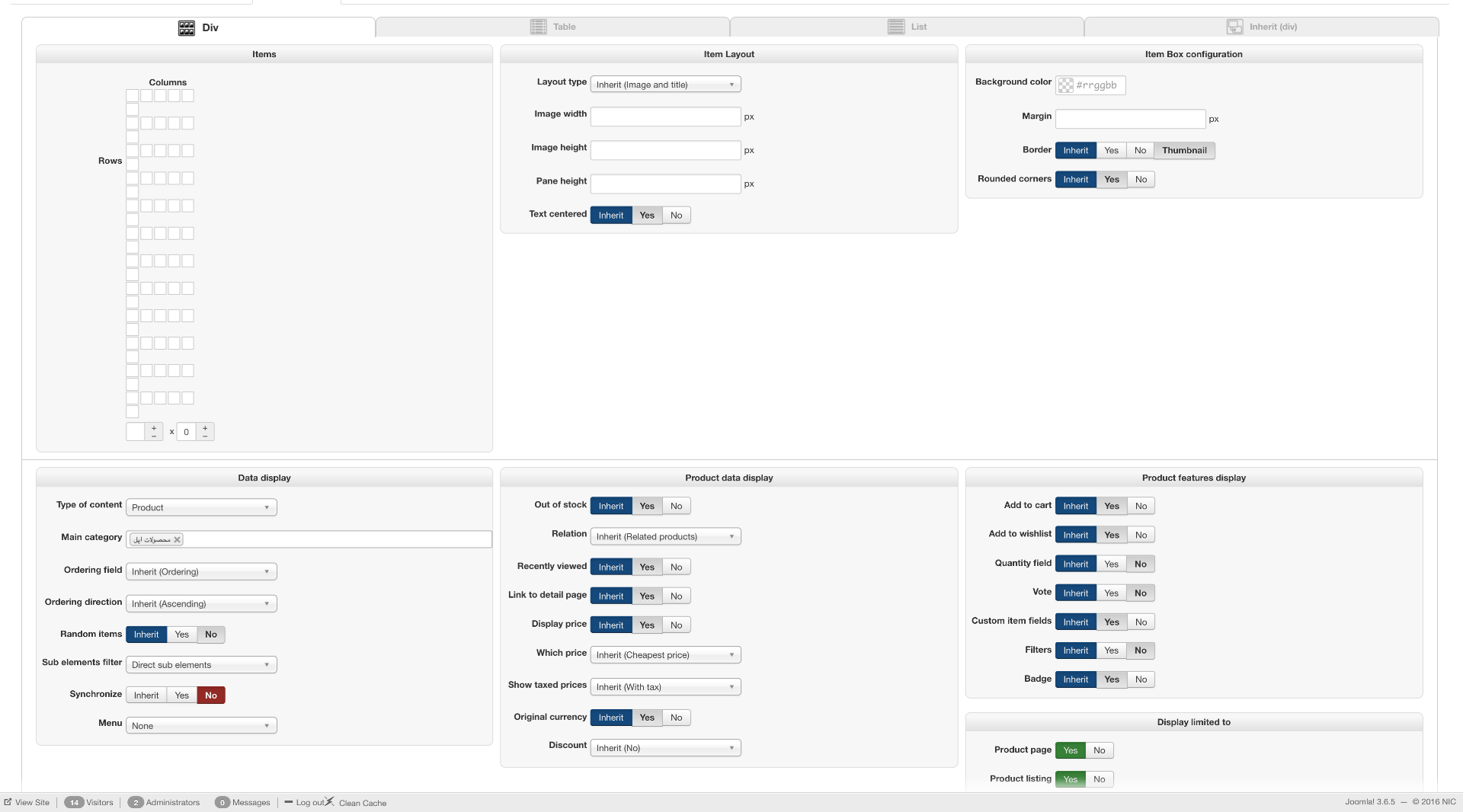
please tell me after fixing the setting on this page what should i do next !
thanks
Please Log in or Create an account to join the conversation.
9 years 9 months ago #258339
by nicolas
Replied by nicolas on topic How to display related products in product page
Hi,
By default after you installed HikaShop, there is nothing to do. You just add related products to your products and they show on the product page.
If they don't, it's either that you've disabled the related products module in the "modules under the product page" setting of the HikaShop configuration, or that you've modified the settings of the related products module in an incorrect way.
Regarding your screenshot, if that's the screenshot of the settings of your related products module, then the "synchronize" option should be turned on and the recently viewed setting should be turned off. The "sub element filter" setting shoule be set to "all sub elements" and the "main category" setting should be set to the main category of your shop.
By default after you installed HikaShop, there is nothing to do. You just add related products to your products and they show on the product page.
If they don't, it's either that you've disabled the related products module in the "modules under the product page" setting of the HikaShop configuration, or that you've modified the settings of the related products module in an incorrect way.
Regarding your screenshot, if that's the screenshot of the settings of your related products module, then the "synchronize" option should be turned on and the recently viewed setting should be turned off. The "sub element filter" setting shoule be set to "all sub elements" and the "main category" setting should be set to the main category of your shop.
Please Log in or Create an account to join the conversation.
Less
More
- Posts: 109
- Thank you received: 1
7 years 8 months ago #303121
by dagroupinc
Replied by dagroupinc on topic How to display related products in product page
While I am able to display related products, I would like to know if there is a way to configure what details are displayed with the related product? For instance (see screenshot) I'd like to NOT display the bottom lines of text "5 items in stock-choose options"
Please Log in or Create an account to join the conversation.
7 years 8 months ago #303124
by nicolas
Replied by nicolas on topic How to display related products in product page
Hi,
Yes, you can edit the settings of the module "related products" via the joomla modules manager in order to configure how the products should display in that listing.
Yes, you can edit the settings of the module "related products" via the joomla modules manager in order to configure how the products should display in that listing.
Please Log in or Create an account to join the conversation.
Less
More
- Posts: 109
- Thank you received: 1
7 years 8 months ago #303176
by dagroupinc
Replied by dagroupinc on topic How to display related products in product page
Could you be a little more specific? Under the 'Content Module'? Hikashop Options? I'm not finding anything that is for configuring the display of content for Related Products
Please Log in or Create an account to join the conversation.
7 years 8 months ago #303177
by nicolas
Replied by nicolas on topic How to display related products in product page
Hi,
Go in the Joomla modules manager. Search for "related products". Edit the module. Go in the "HikaShop options" tab there. Change the display settings and save. For example, you could turn off the "add to cart button" display setting to not get the "choose options" button.
Go in the Joomla modules manager. Search for "related products". Edit the module. Go in the "HikaShop options" tab there. Change the display settings and save. For example, you could turn off the "add to cart button" display setting to not get the "choose options" button.
Please Log in or Create an account to join the conversation.
Less
More
- Posts: 109
- Thank you received: 1
7 years 8 months ago #303199
by dagroupinc
Replied by dagroupinc on topic How to display related products in product page
I do not have a 'module' named 'related products'. I have 'Hika Content Module', and a Product Features Display tab with an 'Add to Cart' option but no 'choose options'
Please Log in or Create an account to join the conversation.
7 years 8 months ago #303217
by nicolas
Replied by nicolas on topic How to display related products in product page
Hi,
I don't see how that's possible.
If you go in the Hikashop configuration, under the Display tab, you have the setting "Modules under the product page". There the module displaying the related products below the product page should be selected, indicating that you have it installed and that you can edit its settings in the Joomla modules manager.
I don't see how that's possible.
If you go in the Hikashop configuration, under the Display tab, you have the setting "Modules under the product page". There the module displaying the related products below the product page should be selected, indicating that you have it installed and that you can edit its settings in the Joomla modules manager.
Please Log in or Create an account to join the conversation.
Less
More
- Posts: 109
- Thank you received: 1
7 years 8 months ago #303250
by dagroupinc
Replied by dagroupinc on topic How to display related products in product page
Yes, I do have 'Related Products' entered in the field for "Modules under the product page" (see screenshot) and it's ID 131. When I go to the Joomla Modules, that module (ID 131) does not appear there (see screen shot).
Also, when I make changes to the settings under "Modules under the product page", it changes the appearance of the 'Product' and not the 'Related products'.
Also, when I make changes to the settings under "Modules under the product page", it changes the appearance of the 'Product' and not the 'Related products'.
Please Log in or Create an account to join the conversation.
7 years 8 months ago #303251
by nicolas
Replied by nicolas on topic How to display related products in product page
Hi,
Then you just have trashed that module and that's why it doesn't appear on the listing or something like that.
In the filters of the modules listing, select "all" in the "select status" and that might help finding it.
Anyways, if it appears in the "modules under the product page" setting, it means that this module is in the database so you must be able to find it via the modules manager of joomla, one way or another.
Then you just have trashed that module and that's why it doesn't appear on the listing or something like that.
In the filters of the modules listing, select "all" in the "select status" and that might help finding it.
Anyways, if it appears in the "modules under the product page" setting, it means that this module is in the database so you must be able to find it via the modules manager of joomla, one way or another.
Please Log in or Create an account to join the conversation.
Less
More
- Posts: 109
- Thank you received: 1
7 years 8 months ago #303299
by dagroupinc
Replied by dagroupinc on topic How to display related products in product page
Thanks Nicolas—
Not sure how it got there but I found the module in the trash and was able to configure it the way I'd like.
Paul
Not sure how it got there but I found the module in the trash and was able to configure it the way I'd like.
Paul
Please Log in or Create an account to join the conversation.
6 years 4 months ago #319315
by ilyaminsk
Replied by ilyaminsk on topic How to display related products in product page
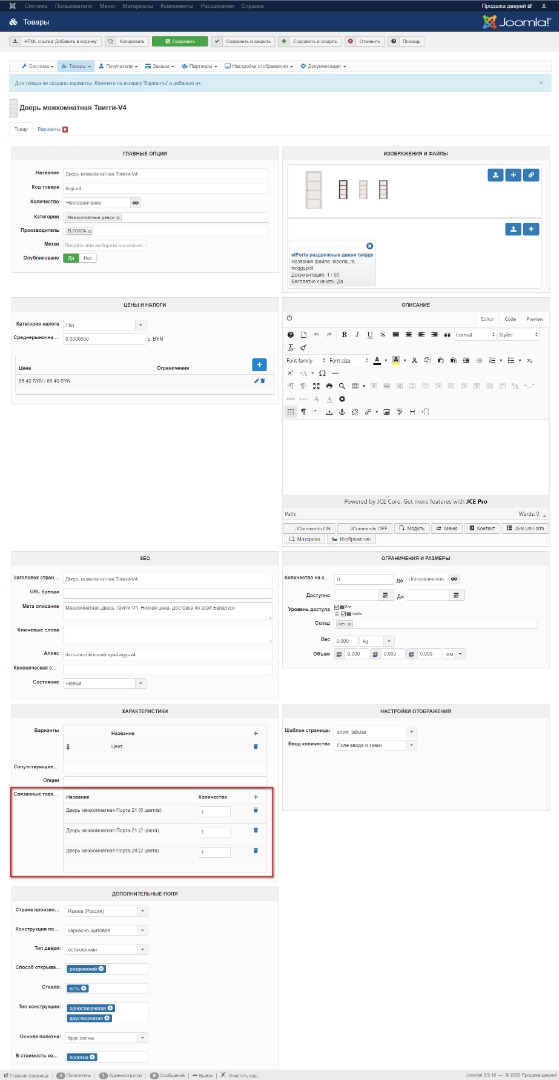
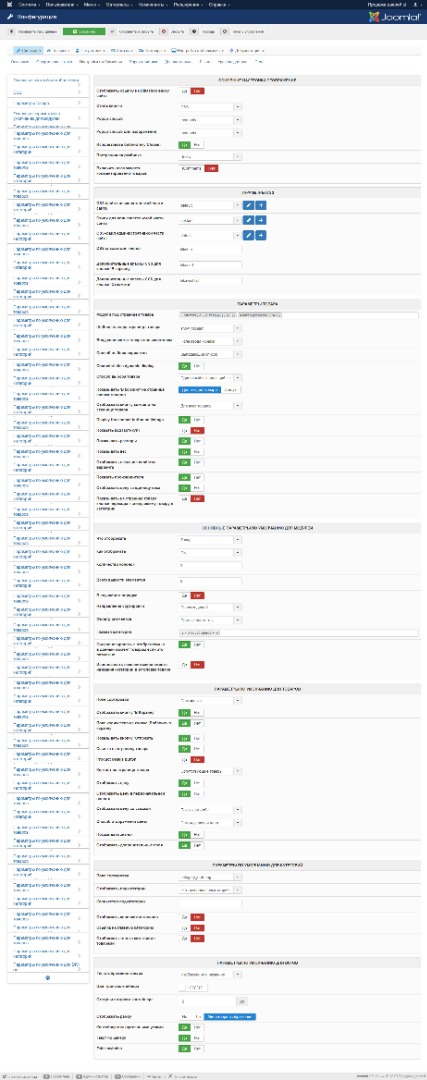
Hello. I can’t display the related products, tell me, am I doing everything right?
Please Log in or Create an account to join the conversation.
6 years 4 months ago #319405
by nicolas
Replied by nicolas on topic How to display related products in product page
Hi,
I don't see your screenshots properly. However, it looks like you didn't add any related products in your product. Instead, it looks like you added "bundled products" (products inside the product) to your product.
It's the setting above the "bundle products" area that you want to use.
Please double check.
You might want to look at the interface in English to make sure you have the correct names.
I don't see your screenshots properly. However, it looks like you didn't add any related products in your product. Instead, it looks like you added "bundled products" (products inside the product) to your product.
It's the setting above the "bundle products" area that you want to use.
Please double check.
You might want to look at the interface in English to make sure you have the correct names.
Please Log in or Create an account to join the conversation.
Time to create page: 0.295 seconds