

- Posts: 220
- Thank you received: 10
How to display related products in product page
6 years 4 months ago #319426
by ilyaminsk
Replied by ilyaminsk on topic How to display related products in product page
Hello. I can not fully understand you. I need to see how related products will be displayed.
So I added them to the product cards:
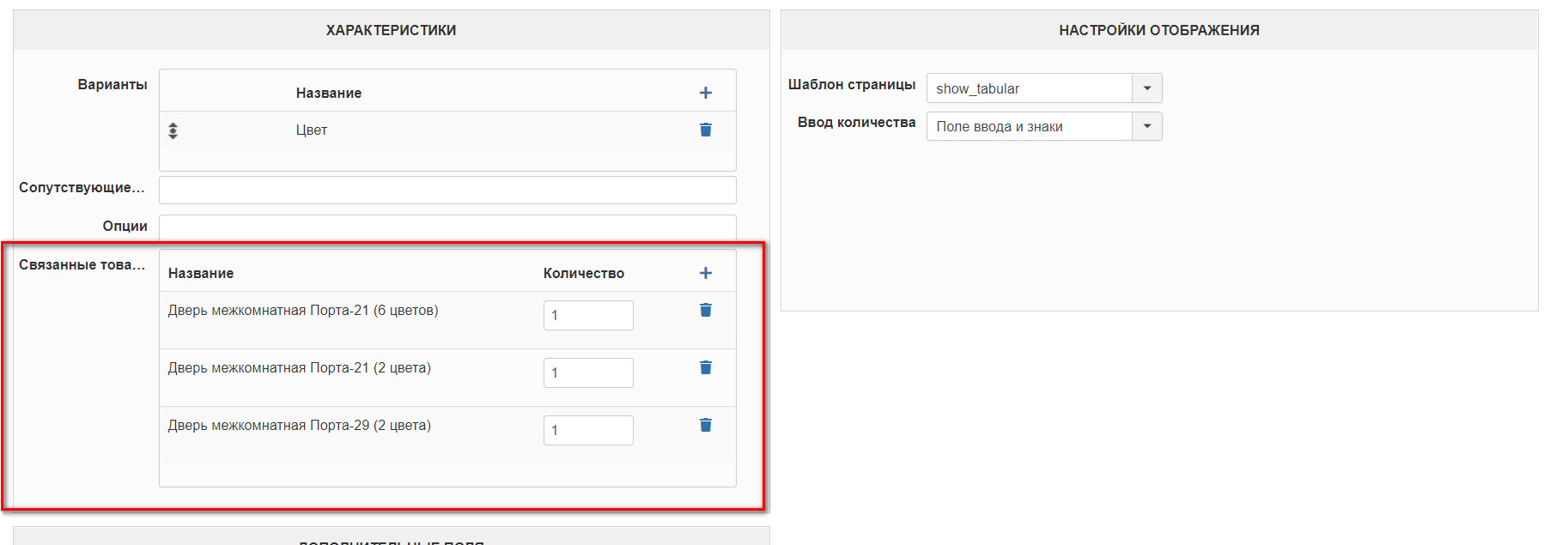
But they are not on the site. How to make them appear on the site?
So I added them to the product cards:
But they are not on the site. How to make them appear on the site?
Please Log in or Create an account to join the conversation.

6 years 4 months ago - 6 years 4 months ago #319428
by Philip
Replied by Philip on topic How to display related products in product page
Hello,
In order to be more clear have a please look on my screenshot :

This step is to create the link between your product, and other products (The Related products)
Second step, for display your related products on your product page you must create a related module.
In Extensions => Modules, then click "new", and config your module with your needed settings.
You will see more information in this tutorial .
Then, from your Main HikaShop Configuration (Components => HikaShop => Configuration), then Display tab and Product options part

Here, you must add your Related Module Products in order to add the module in your product page.
Regards
In order to be more clear have a please look on my screenshot :
This step is to create the link between your product, and other products (The Related products)
Second step, for display your related products on your product page you must create a related module.
In Extensions => Modules, then click "new", and config your module with your needed settings.
You will see more information in this tutorial .
Then, from your Main HikaShop Configuration (Components => HikaShop => Configuration), then Display tab and Product options part
Here, you must add your Related Module Products in order to add the module in your product page.
Regards
Last edit: 6 years 4 months ago by Philip.
Please Log in or Create an account to join the conversation.
6 years 4 months ago #319459
by ilyaminsk
Replied by ilyaminsk on topic How to display related products in product page
Thanks. Bundled product - what is it for?
Please Log in or Create an account to join the conversation.
6 years 4 months ago #319461
by ilyaminsk
Replied by ilyaminsk on topic How to display related products in product page
Hello, tell me how to change the color (background / font)?
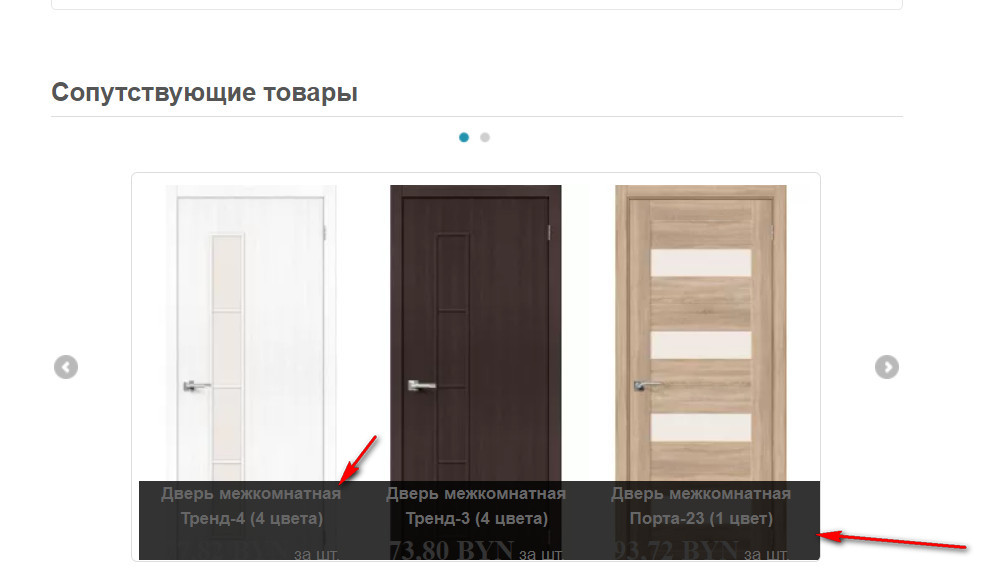
Please Log in or Create an account to join the conversation.

6 years 4 months ago #319472
by nicolas
Replied by nicolas on topic How to display related products in product page
Hi,
1. Bundle products is to update the quantity of other products when that product is bought.
2. You should be able to do that by adding CSS.
For example:
www.hikashop.com/support/documentation/1...ize-the-display.html
1. Bundle products is to update the quantity of other products when that product is bought.
2. You should be able to do that by adding CSS.
For example:
Code:
.hikashop_img_pane_panel {
backgrond-color: green !important;
}
.hikashop_img_pane_panel {
color: red !important;
}
Please Log in or Create an account to join the conversation.
6 years 4 months ago #319504
by ilyaminsk
Replied by ilyaminsk on topic How to display related products in product page
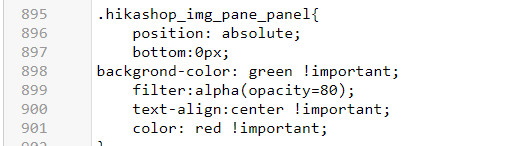
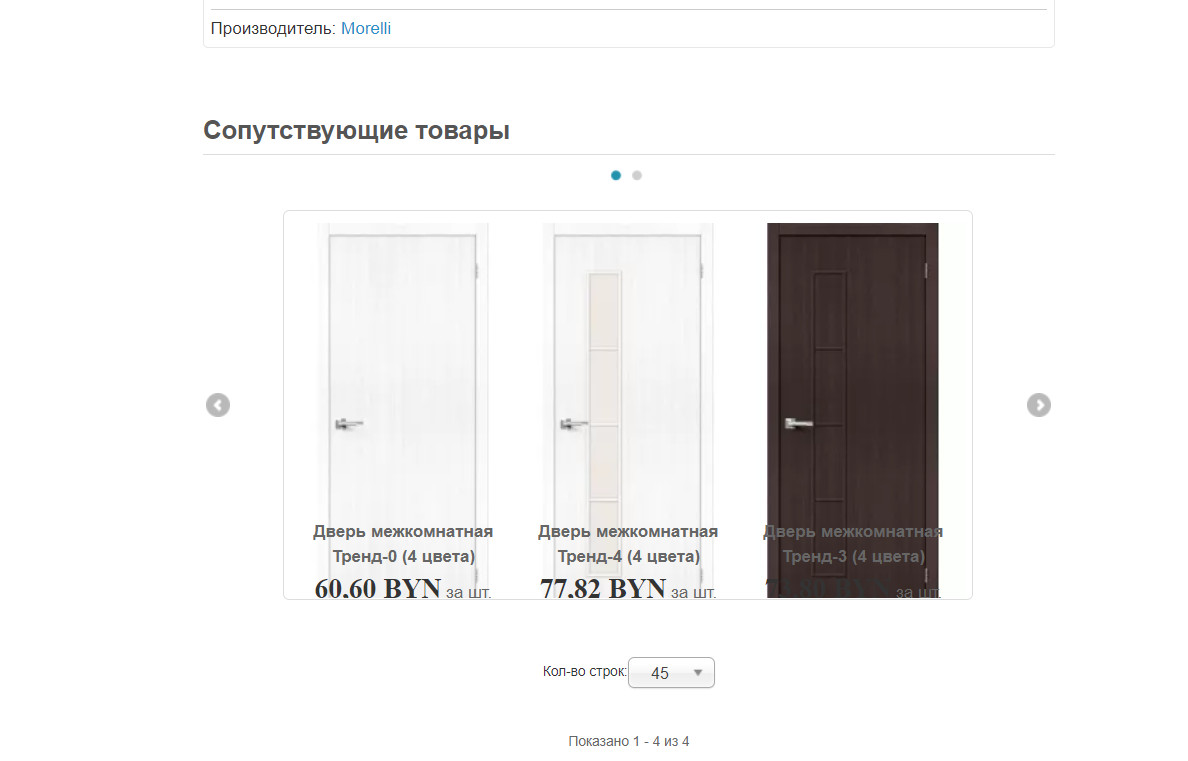
Corrected, but only the background became white, nothing else changes.
.hikashop_img_pane_panel{
position: absolute;
bottom:0px;
backgrond-color: green !important;
filter:alpha(opacity=80);
text-align:center !important;
color: red !important;
}
.hikashop_img_pane_panel{
position: absolute;
bottom:0px;
backgrond-color: green !important;
filter:alpha(opacity=80);
text-align:center !important;
color: red !important;
}
Please Log in or Create an account to join the conversation.
6 years 4 months ago #319515
by nicolas
Replied by nicolas on topic How to display related products in product page
Hi,
Well, I'm not sure. I would need a link to that page to be able to directly check the CSS there.
Could you provide that ?
Well, I'm not sure. I would need a link to that page to be able to directly check the CSS there.
Could you provide that ?
Please Log in or Create an account to join the conversation.
6 years 4 months ago #319520
by ilyaminsk
Replied by ilyaminsk on topic How to display related products in product page
Hi.
This message contains confidential information
Please Log in or Create an account to join the conversation.
6 years 4 months ago - 6 years 4 months ago #319525
by Philip
Replied by Philip on topic How to display related products in product page
Hello,
that's because even with your "!important" the priority of your selector was not high enough, for be sure that your custom command css override others commands, the point is to increase selector priority, see my example :
Now :
.hikashop_img_pane_panel{
color: red !important;
}
After : Higher priority
.hikashop_img_pane_panel a {
color: red !important;
}
Higher priority Level up
span.hikashop_product_name .hikashop_img_pane_panel a {
color: red !important;
}
See this documentation from w3school.com to learn more about this.
Regards
that's because even with your "!important" the priority of your selector was not high enough, for be sure that your custom command css override others commands, the point is to increase selector priority, see my example :
Now :
.hikashop_img_pane_panel{
color: red !important;
}
After : Higher priority
.hikashop_img_pane_panel a {
color: red !important;
}
Higher priority Level up
span.hikashop_product_name .hikashop_img_pane_panel a {
color: red !important;
}
See this documentation from w3school.com to learn more about this.
Regards
Last edit: 6 years 4 months ago by Philip.
Please Log in or Create an account to join the conversation.
6 years 4 months ago #319568
by ilyaminsk
Replied by ilyaminsk on topic How to display related products in product page
Thanks
The following user(s) said Thank You: Philip
Please Log in or Create an account to join the conversation.
6 years 4 months ago - 6 years 4 months ago #319657
by ilyaminsk
Replied by ilyaminsk on topic How to display related products in product page
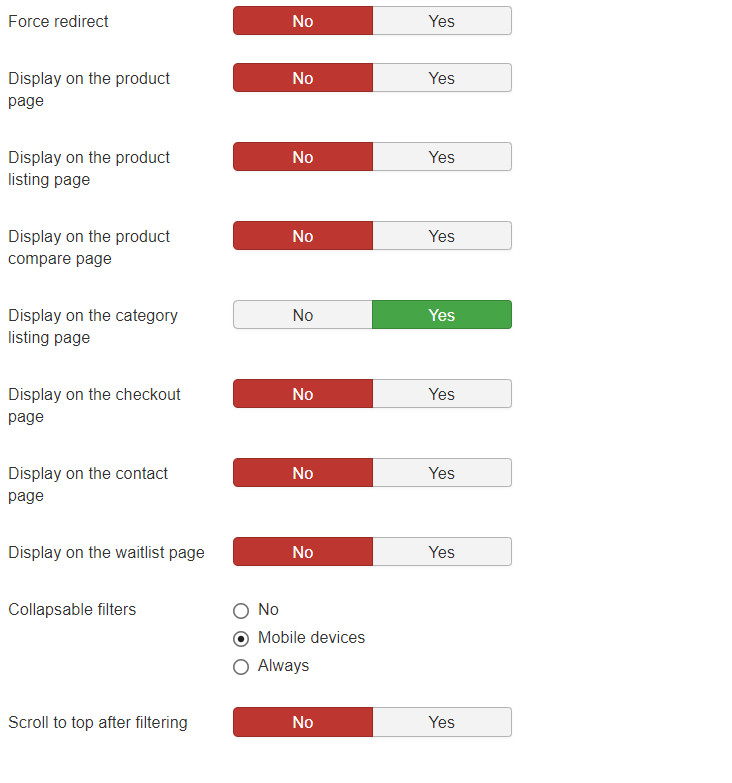
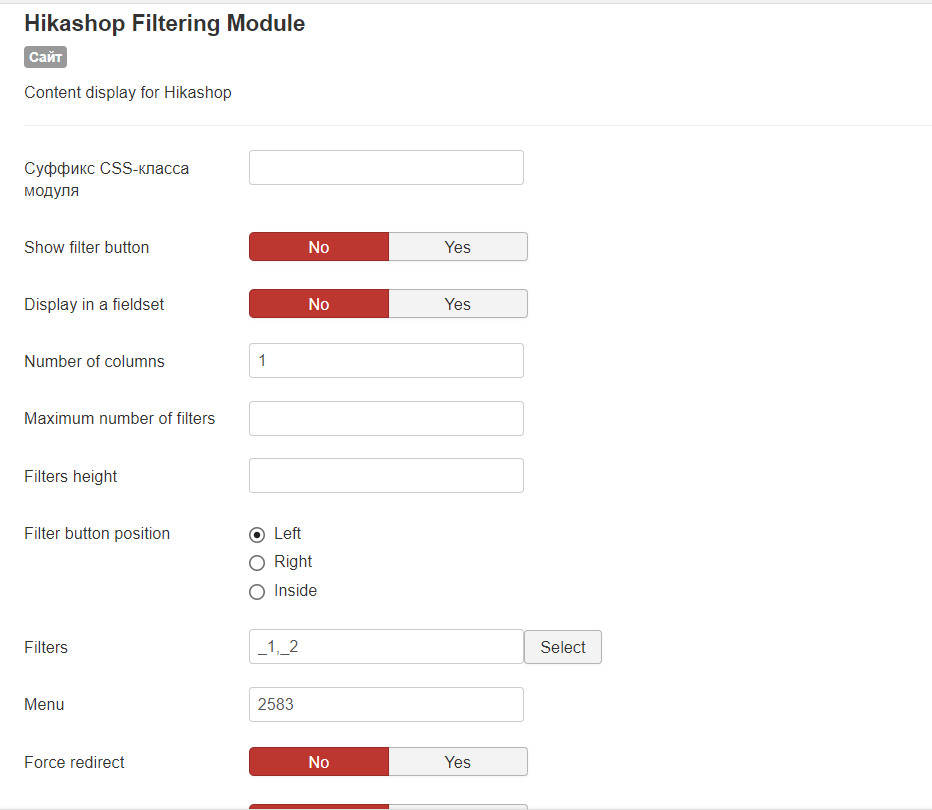
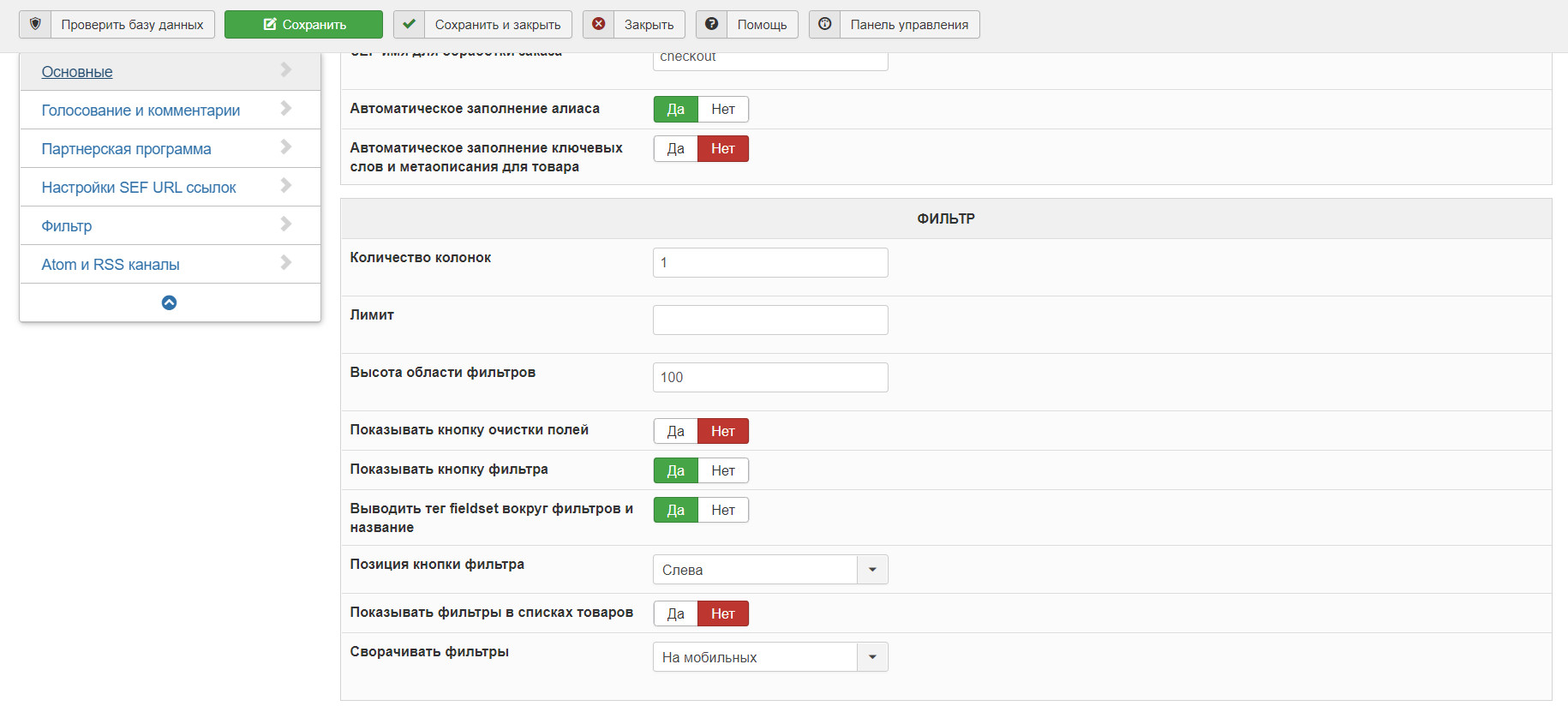
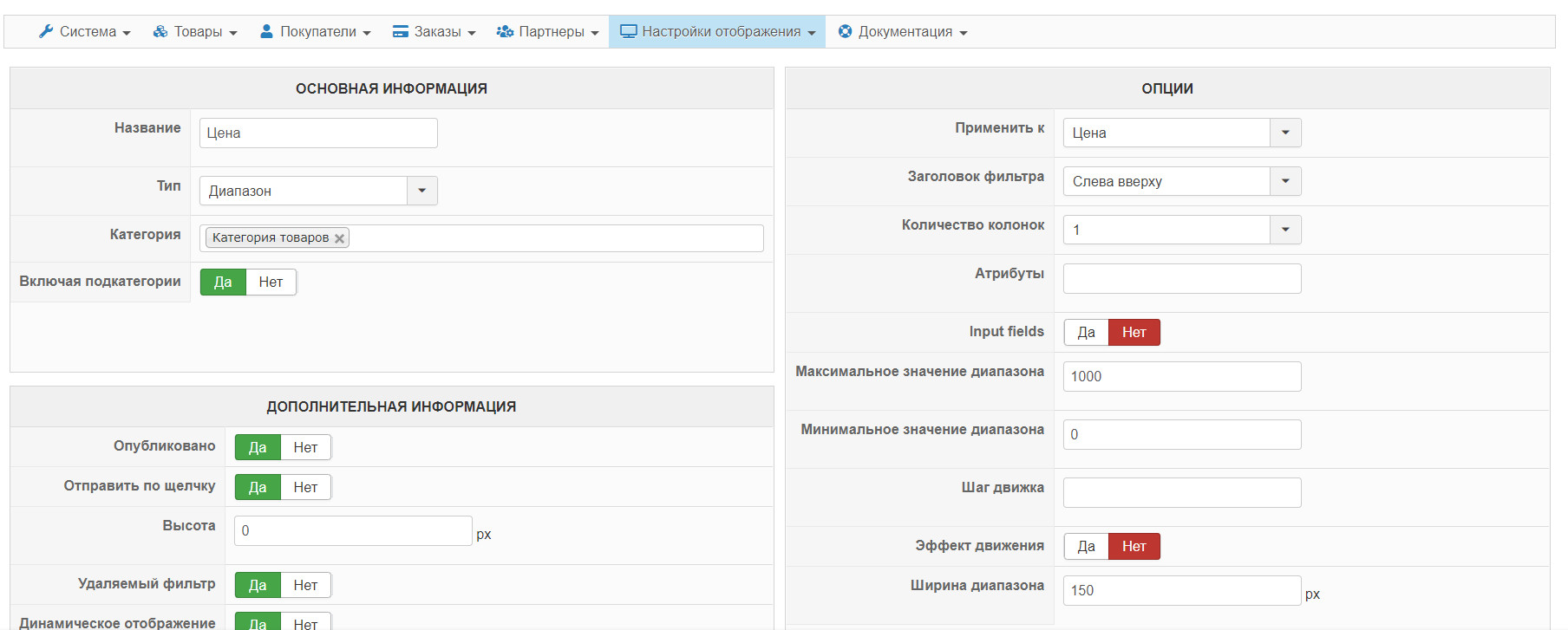
Hello, there was a problem with the filters. When I remove the filter, a problem appears
Video problem at the link:
Module settings:
Configurations:
Filter:
Video problem at the link:
This message contains confidential information
Module settings:
Configurations:
Filter:
Last edit: 6 years 4 months ago by ilyaminsk.
Please Log in or Create an account to join the conversation.
6 years 4 months ago - 6 years 4 months ago #319667
by ilyaminsk
Replied by ilyaminsk on topic How to display related products in product page
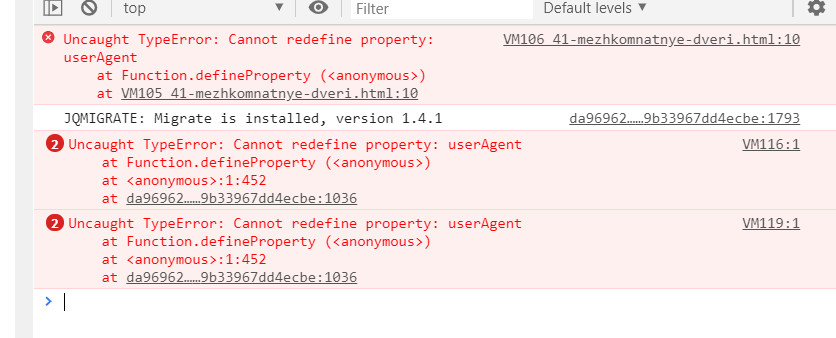
Problem in Opera browser
Last edit: 6 years 4 months ago by ilyaminsk.
Please Log in or Create an account to join the conversation.
6 years 4 months ago - 6 years 4 months ago #319690
by Philip
Replied by Philip on topic How to display related products in product page
Hello,
Several points in order to be able to help you on this new subject :
1. I'm sorry for this but can you provide your settings screenshot in English ?
2. We will need to process some tests directly on your website, can you provide Url link and frontend/backend access via our Contact us form
Note : When you provide references use the Contact us form AND don't forget to add Url link to this topic
Awaiting news from you to progress on your subject.
Regards
Several points in order to be able to help you on this new subject :
1. I'm sorry for this but can you provide your settings screenshot in English ?
2. We will need to process some tests directly on your website, can you provide Url link and frontend/backend access via our Contact us form
Note : When you provide references use the Contact us form AND don't forget to add Url link to this topic
Awaiting news from you to progress on your subject.
Regards
Last edit: 6 years 4 months ago by Philip.
Please Log in or Create an account to join the conversation.
6 years 4 months ago - 6 years 4 months ago #319709
by ilyaminsk
Replied by ilyaminsk on topic How to display related products in product page
Hello.
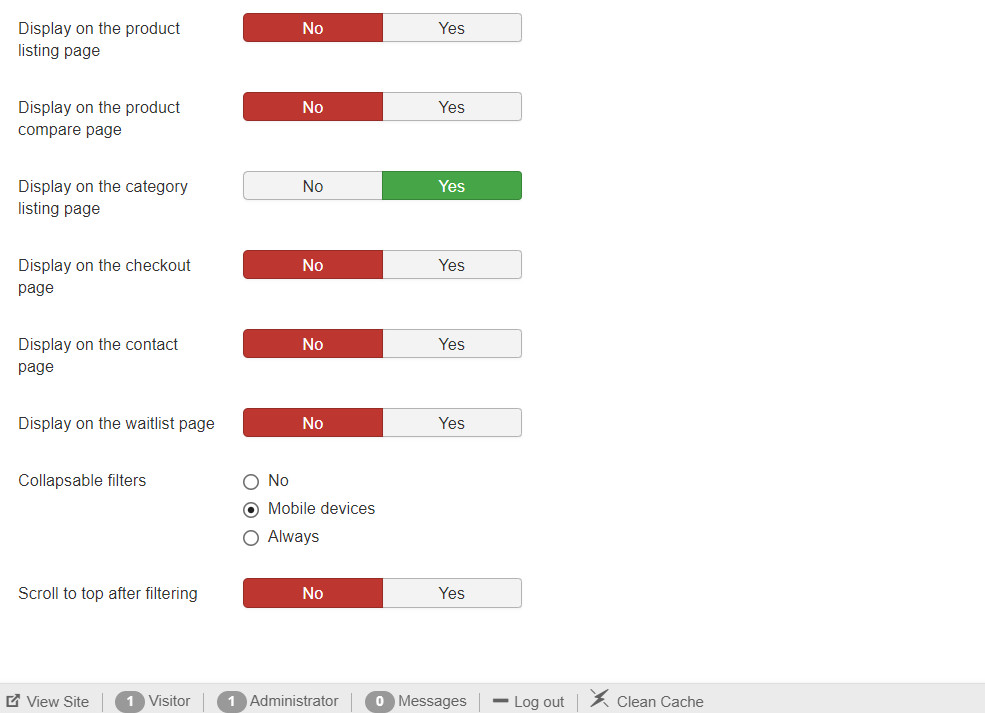
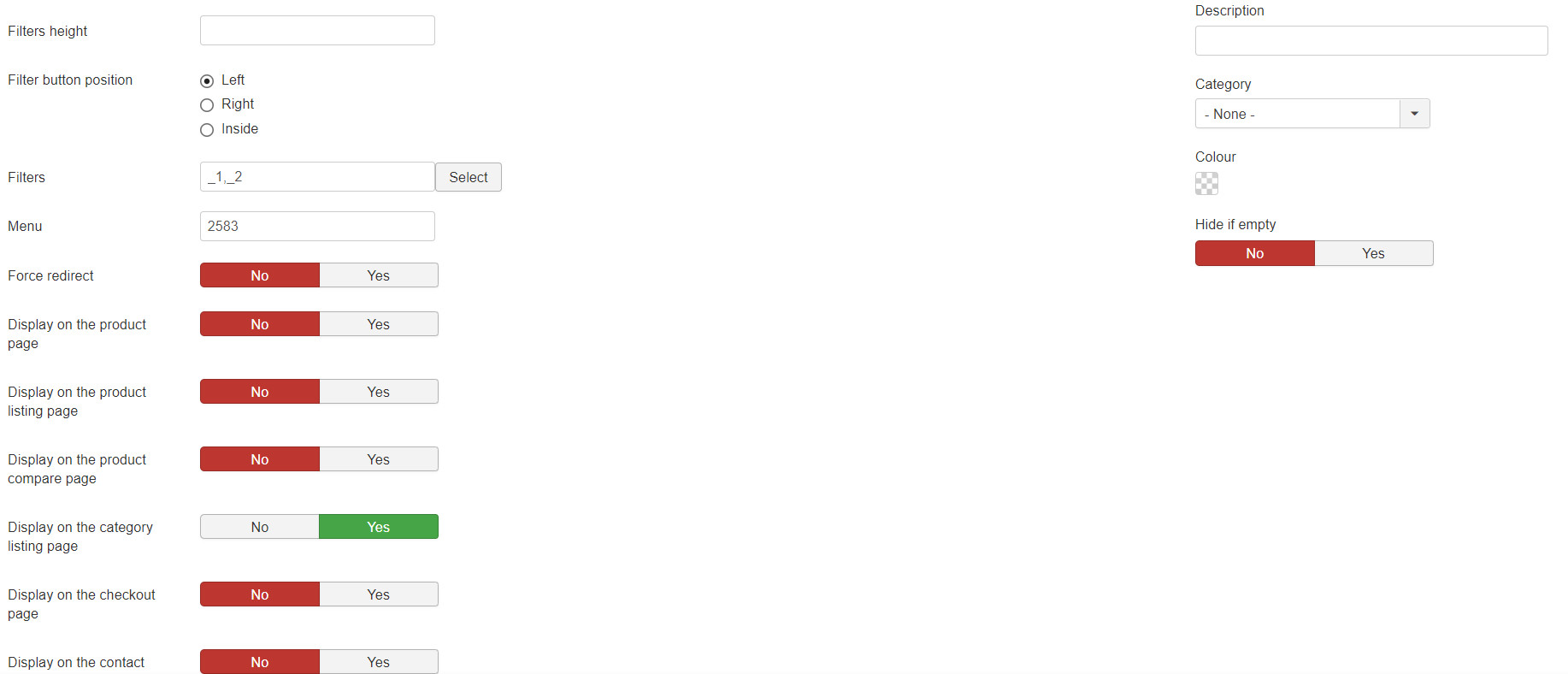
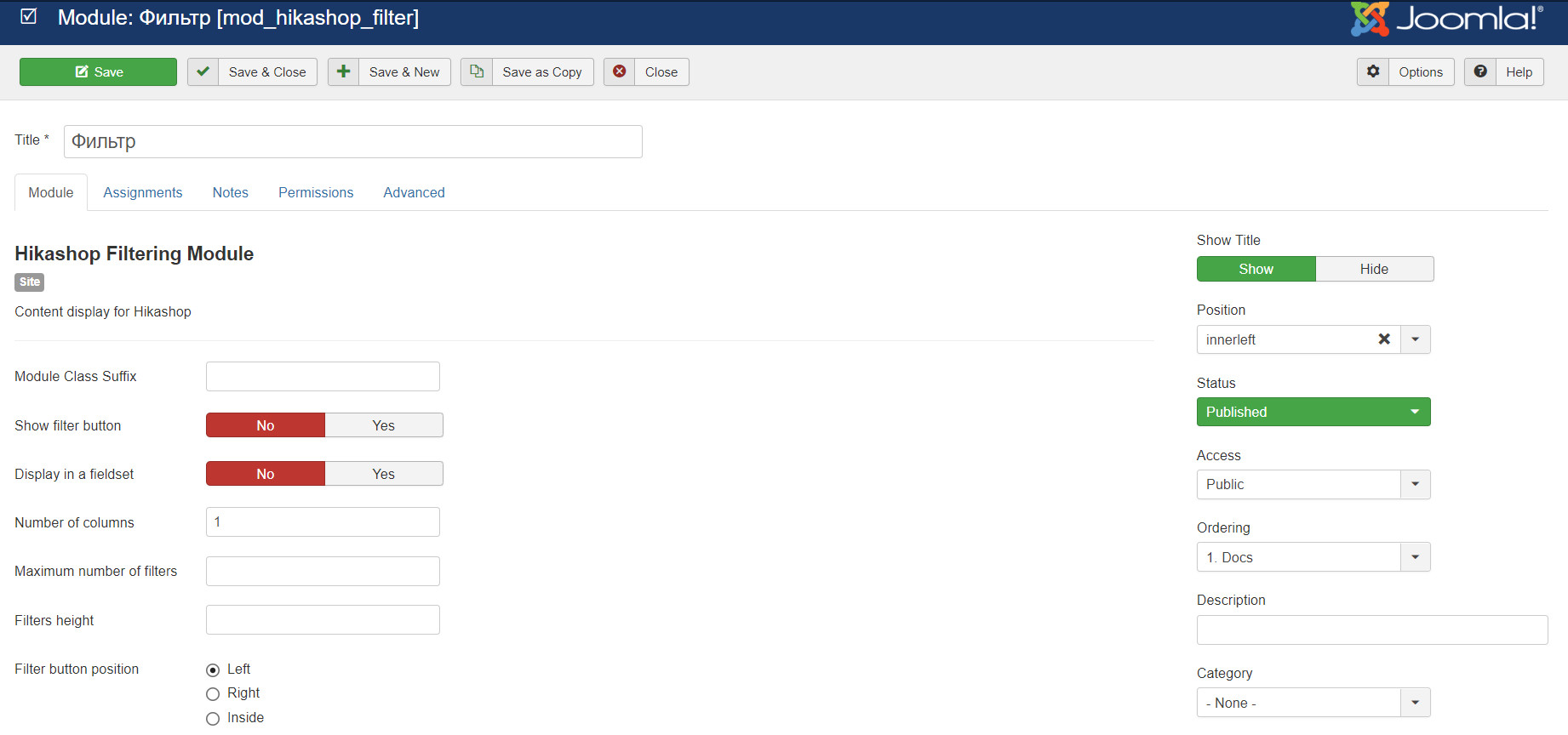
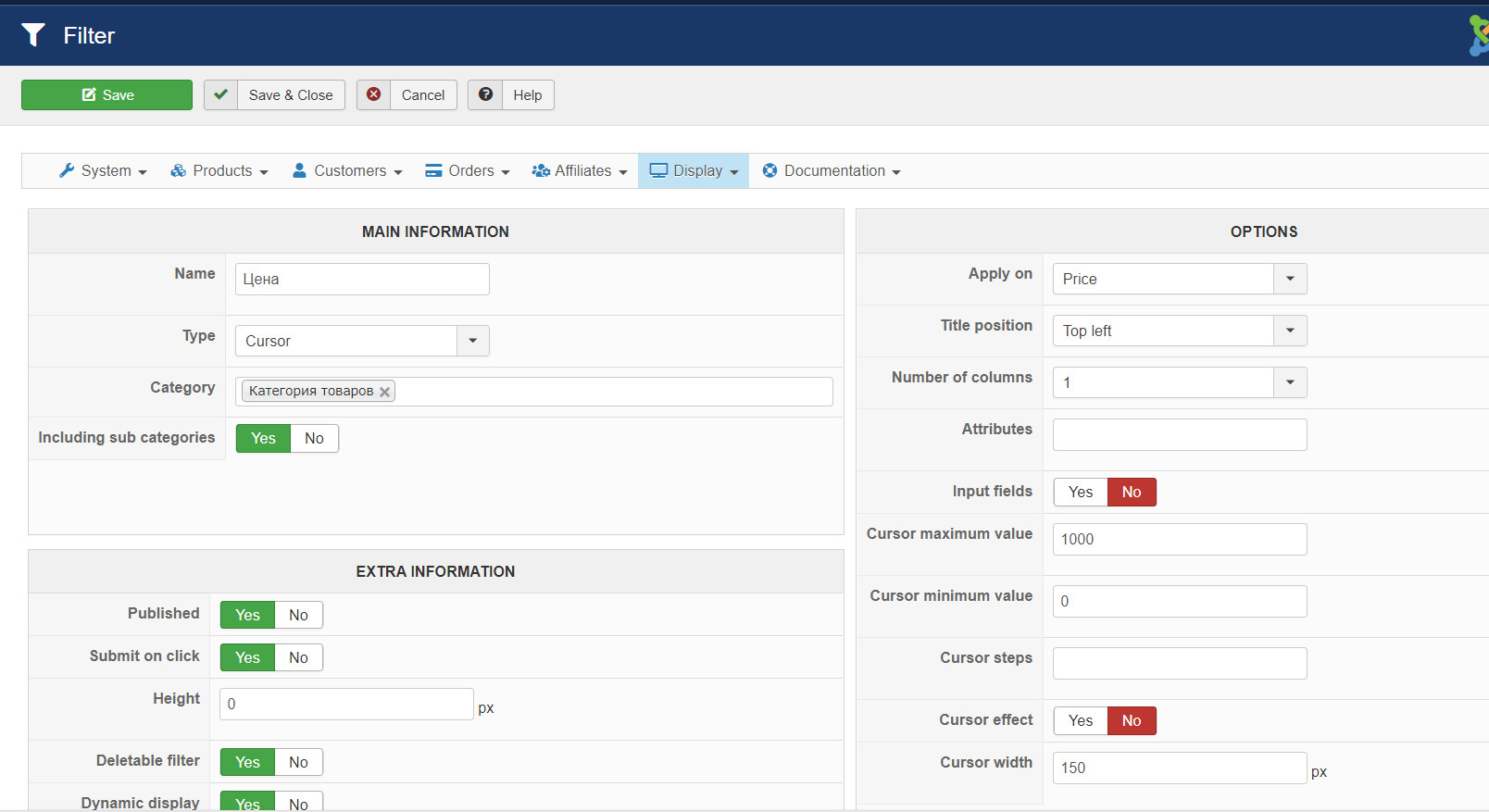
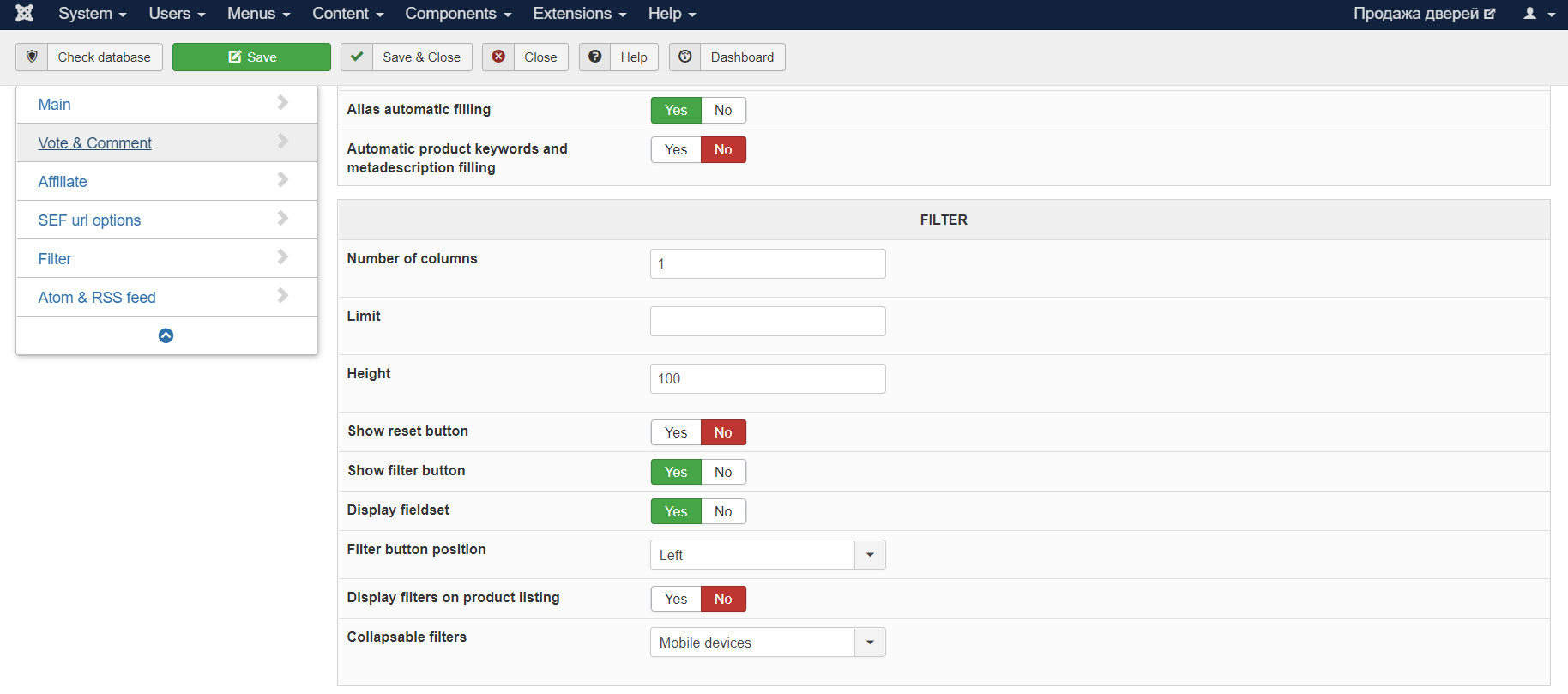
This message contains confidential information
Last edit: 6 years 4 months ago by ilyaminsk.
Please Log in or Create an account to join the conversation.
6 years 4 months ago - 6 years 4 months ago #319714
by Philip
Replied by Philip on topic How to display related products in product page
Hello,
Sorry for this return but we process some test directly on your website via your Url link and test it on Chrome and Opera and it works as expected.
So, in order to progress, do you have any new details that can help us like a step by step process to reproduce the issue, did you process your test while being logged by example, or any elements I forget that can be related to your problem.
Unfortunately if we are able to see your issue, solve it will be really difficult.
Regards
Sorry for this return but we process some test directly on your website via your Url link and test it on Chrome and Opera and it works as expected.
So, in order to progress, do you have any new details that can help us like a step by step process to reproduce the issue, did you process your test while being logged by example, or any elements I forget that can be related to your problem.
Unfortunately if we are able to see your issue, solve it will be really difficult.
Regards
Last edit: 6 years 4 months ago by Philip.
Please Log in or Create an account to join the conversation.
6 years 4 months ago - 6 years 4 months ago #319793
by ilyaminsk
Replied by ilyaminsk on topic How to display related products in product page
Hello, there was another problem. When adding a filter applied to an additional field, the values are not saved. Video example
This message contains confidential information
Last edit: 6 years 4 months ago by ilyaminsk.
Please Log in or Create an account to join the conversation.
6 years 4 months ago - 6 years 4 months ago #319795
by Philip
Replied by Philip on topic How to display related products in product page
Hello,
Sorry to say that, but that way we won't be able to help you, I mean in order to help you we need these criteria :
- First have a view of your screenshot OR video in English, and explanations to understand what you want achieved.
- And especially please do not multiply the different problem in the same topic, thank you.
You have to create, like we previously do, a topic per issue, so create a new one for this new issue.
Thanks for your understanding.
Regards
Sorry to say that, but that way we won't be able to help you, I mean in order to help you we need these criteria :
- First have a view of your screenshot OR video in English, and explanations to understand what you want achieved.
- And especially please do not multiply the different problem in the same topic, thank you.
You have to create, like we previously do, a topic per issue, so create a new one for this new issue.
Thanks for your understanding.
Regards
Last edit: 6 years 4 months ago by Philip.
Please Log in or Create an account to join the conversation.
Time to create page: 0.372 seconds