
- Posts: 48
- Thank you received: 0
Tracking Number
- ChristianLocal
-
 Topic Author
- Offline
Less
More
6 years 8 months ago #315236
by ChristianLocal
Tracking Number was created by ChristianLocal
-- HikaShop version -- : 4.2.2
-- Joomla version -- : 3.9.15
-- PHP version -- : 7.2
-- Browser(s) name and version -- : Firefox-latest
-- Error-message(debug-mod must be tuned on) -- : No error message
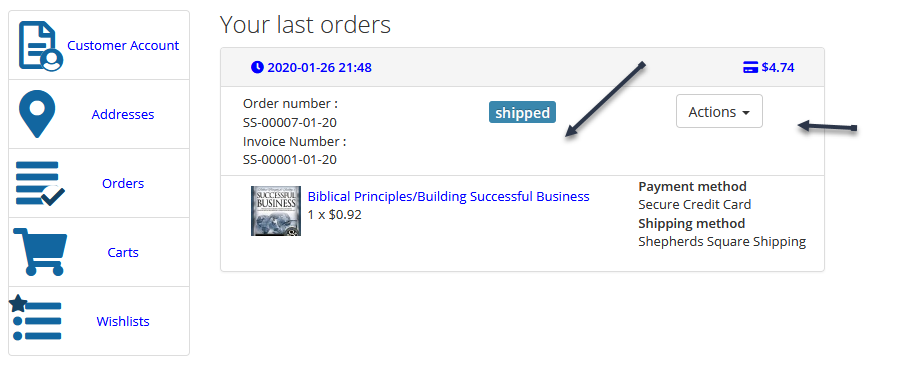
Hello, I am hoping you can help me with this. In my hikashop_order table i have a field called "order_anchor_tracking_1" . This field in the table is filled when a mass action is performed to update the order status from my distributor. The tracking number data is in the table I just need to dispay it on the front end. Only there are 3 types of shippers, USPS, UPS and Fedex. I would like to have a field with the word "Track" and the link goes out and displays the tracking info from the shippers web page. What is going to be the best way to go about this? Custom plugin? Please advise..thanks
-- Joomla version -- : 3.9.15
-- PHP version -- : 7.2
-- Browser(s) name and version -- : Firefox-latest
-- Error-message(debug-mod must be tuned on) -- : No error message
Hello, I am hoping you can help me with this. In my hikashop_order table i have a field called "order_anchor_tracking_1" . This field in the table is filled when a mass action is performed to update the order status from my distributor. The tracking number data is in the table I just need to dispay it on the front end. Only there are 3 types of shippers, USPS, UPS and Fedex. I would like to have a field with the word "Track" and the link goes out and displays the tracking info from the shippers web page. What is going to be the best way to go about this? Custom plugin? Please advise..thanks
Please Log in or Create an account to join the conversation.

6 years 8 months ago #315245
by nicolas
Replied by nicolas on topic Tracking Number
Hi,
The best is to edit the view file displaying the area where you want to add that tracking link.
You can check which file you'll want to edit by activating temporarily the "Display view files" setting of the HikaShop configuration.
Then, you can edit it via the menu Display>Views and your modifications will be saved as an override so you won't loose it when you update.
www.hikashop.com/support/documentation/1...-display.html#layout
The best is to edit the view file displaying the area where you want to add that tracking link.
You can check which file you'll want to edit by activating temporarily the "Display view files" setting of the HikaShop configuration.
Then, you can edit it via the menu Display>Views and your modifications will be saved as an override so you won't loose it when you update.
www.hikashop.com/support/documentation/1...-display.html#layout
Please Log in or Create an account to join the conversation.
Time to create page: 0.134 seconds