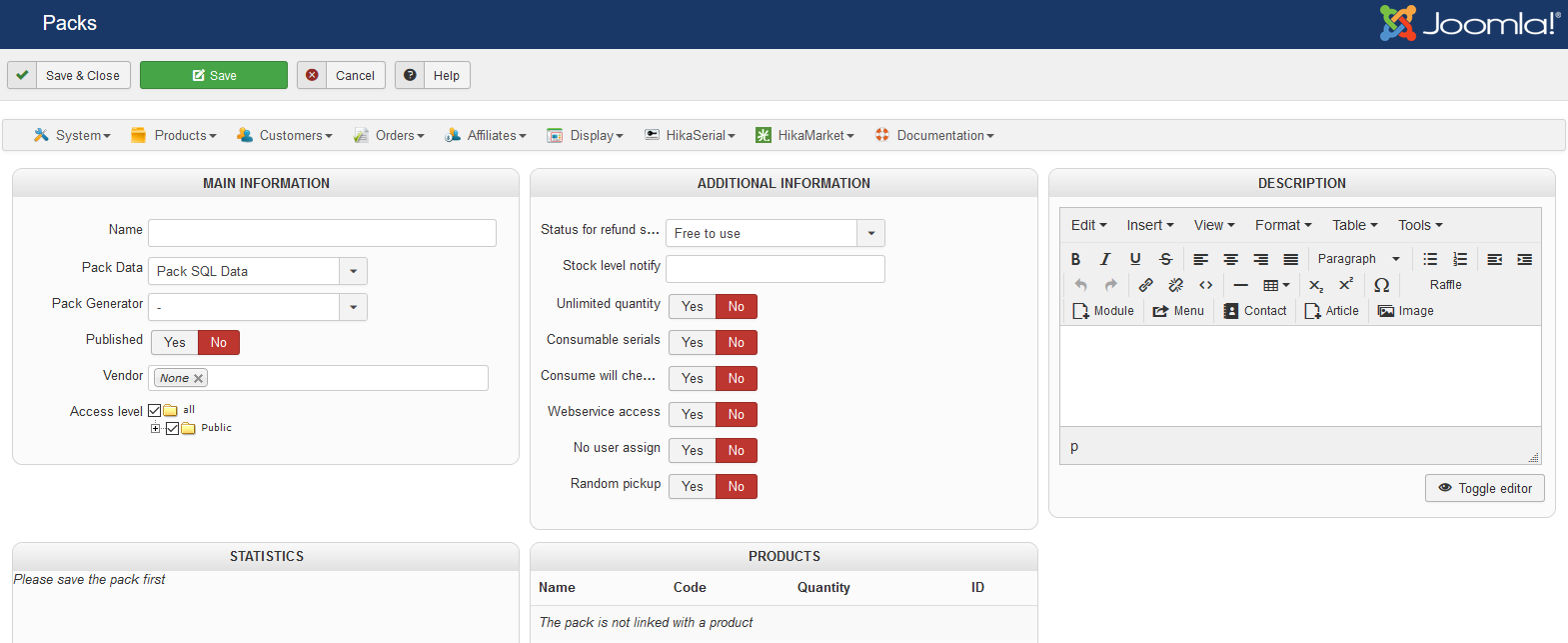
This page allow you to edit and configure the pack.
Fields
Plan settings
Name
The name of the plan will be display in the backend but it can also be available the front-end for the customer.
Published
Indicates if the plan is published or not.
An unpublished plan won't provide subscriptions for the assigned products.
Vendor
If you have HikaMarket, you can assign a vendor to the plan ; so the corresponding vendor will be able to use that plan in the front-end interface regarding of the ACL you have configured.
Access level
The definition of Access level on the pack allow to let the plan available only for customer in specific groups.
Inherit email settings
Via that setting you can indicate that you want to override the default email settings that you have configured in the HikaSubscription interface.
Unlike the packs, the plans do not use generator plugins. They all use a random generator by default.
Via that setting you can choose the format which will be used by the random generator.
By letting that field empty, you will use the default value.
Serial size
You can override the "size" value that can be used for the "serial format" setting.
By letting that field empty, you will use the default value.
Statistics
All statistics are listed in this part.
You can click on a status ("active", "close", ...) to access to the subscription list for this specific plan and the specified status.
Products
This area lists all attached products. You can see which products use this plan or see if the plan is not used at all.
Description
The plan description is a private information.
You can write a internal description, some notes or memo, explain what the pack contains or should contain, what is his purpose, etc.
Plan actions
In that tab you will find blocks for the different subscriber plugins you have in your website.
You can configure the blocks you want in order to let them do their specific actions when a subscription is being active or being expired/closed.
For example you can select the groups you want in the "Group Subscriber" block and when a subscription will become active, the customer will be automatically added in the selected groups.
And when the subscription will expire (or be close), the customer will be removed of these groups (unless he have other subscriptions which gave him the right to be in some groups).
Plan emails
Depending the setting "Inherit email settings" you can have an interface to configure the emails you want to send to your customers.
 HIKASHOP ESSENTIAL 60€The basic version. With the main features for a little shop.
 HIKAMARKETAdd-on Create a multivendor platform. Enable many vendors on your website.
 HIKASERIALAdd-on Sale e-tickets, vouchers, gift certificates, serial numbers and more!
 MARKETPLACEPlugins, modules and other kinds of integrations for HikaShop