Our extensions

play HikaShop is an e-commerce solution for Joomla and WordPress
Built for simplicity and flexibility. 


Have your users purchase your products efficiently, facilitate the management of your store, increase your sales thanks to built-in marketing tools and so much more !
Quik and easy to configure, let starts your shop online today !

All features     Download

AI

HikaShop speaks the language of AI. The UCP plugin lets AI assistants discover your products, create orders, and process payments through a standardized API. ChatGPT users can find your products through a dedicated shopping feed. Claude and other AI models can connect directly via MCP. One store, every AI platform.

Main features

INTERNATIONAL
SALES


HikaShop provides an interface for handling languages, currencies, zones and advanced taxes to sell anywhere in the world.

POWERFUL
STATISTICS


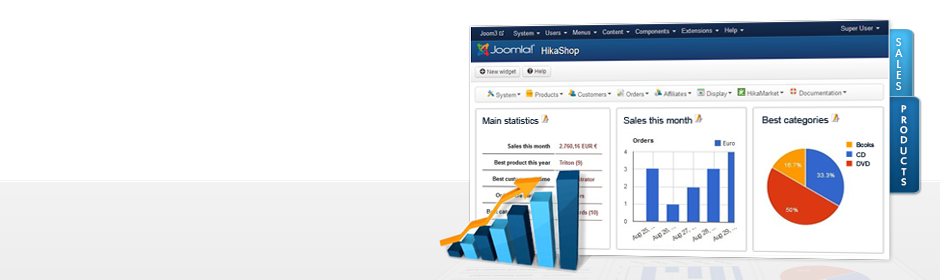
Easily manage your store using the built-in dashboard and its powerful statistics capabilities.

RESPONSIVE
LAYOUT


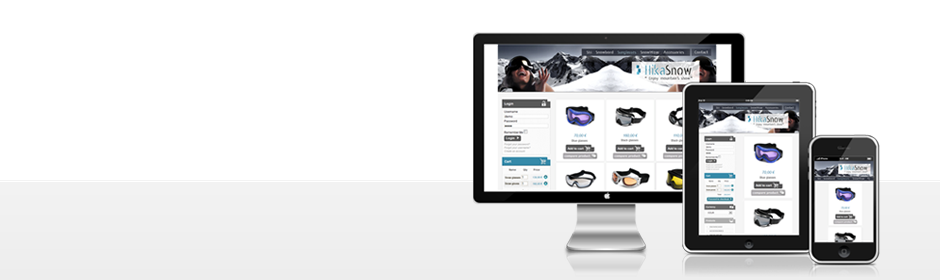
HikaShop works on every device (laptop, tablet, smartphone..). Your shop will fit to each user's screen.

MARKETING
TOOLS


Increase your sales thanks to affiliate program support, coupons, discounts and email marketing integration.

EASY TO
CONFIGURE


User-friendly and flexible, our component is easy to use and configure. Create your own shop online in a minute !

FULLY
INTEGRATED


HikaShop is integrated with many other components and includes a lots of plugins...

ADVANCED
CUSTOMIZATION


Personalize your store: views, checkout, information fields, emails, and more to fit your website design

MULTI
VENDOR


Adding HikaMarket to HikaShop, create a multi-vendor website. Manage in one shop several sales from different people.

Our Company

BUSINESS
PARTNER

HikaShop is a complete e-commerce solution that allows you to easily create and manage your online store but also take it to the highest level.

GREAT
SUPPORT

The whole team is working to provide you with quality support. Documentation and forum are there to guide you step by step. Each issue finds an answer !

ALWAYS
ON TOP

HikaShop is constantly improving. We ensure compatibility with each new version of WordPress and Joomla! And new features are added frequently.

RECEIVE
OUR NEWS

Good deals and novelties, it's here!

HikaShop can be driven from a command line, so that a shop can be managed from a terminal, a cron entry, a deployment script or a Makefile, without opening a browser. It works on both platforms, using the command line each of them already provides: the Joomla console for a Joomla site, and WP-CLI for a WordPress one.

Nothing is sent over the network. The commands run inside your own site, on the machine the site is installed on, so there is no key to create and nothing to open to the outside.

Getting started

On Joomla the commands come from the "Console - HikaShop" plugin, installed and enabled with HikaShop. On WordPress they come with the HikaShop plugin itself and need WP-CLI. Ask for the list:

php cli/joomla.php list        # Joomla
wp hikashop                    # WordPress

Each platform spells the same command its own way, Joomla with colons and WordPress with spaces. Everything else is identical: the same arguments, the same options, the same output and the same exit codes.

php cli/joomla.php hikashop:product:list --limit=5
wp hikashop product list --limit=5

Options every command understands

OptionWhat it does
--formattable to read, json to pipe into something else, and also pretty, csv, ids and count. Listings show a table by default, single records show indented JSON.
--userWhich account the command acts as, given by id, user name or email address. It decides what the command may do, through the access levels of your site and of the HikaShop configuration. On WordPress this is WP-CLI's own --user, which behaves the same and can be set once in wp-cli.yml.
--yesRequired by the commands that remove data or act on many records at once. Without it they refuse and change nothing.
--live-siteJoomla only. The address of your site, needed when your configuration does not set one, so that the links the shop generates are correct.

With no --user a command runs as nobody in particular. On a shop that has not restricted anything this is enough; on a shop that has restricted a kind of record to a group of users, the command is refused and says to name a user. Choosing an account also means your change log records who made the change.

What the shell gets back

Only the data is printed to the standard output, so --format=json can always be piped into another program. Warnings and error messages go to the error output and never mix into it.

Answers carry the same envelope the Connector API uses: data is what you asked for, meta holds the paging of a listing, and error is null unless something went wrong. The tables below describe what is inside data.

The exit code says what happened, which is what a script should test:

CodeMeaning
0It worked
1Something went wrong
2The command was asked for wrongly, for example a missing option
3The record does not exist
4This account is not allowed to do that

The commands for your products, orders, customers, categories, coupons and mass actions come through the HikaShop Connector plugin, which ships with the Business edition. The commands for the shop itself, its configuration, its caches and its database, are available in every edition. Running the cron this way needs the Essential or the Business edition, as the cron itself does.

All commands

Products

product:list

List products.

The catalogue as the backend sees it, unpublished products included, which is what makes this different from the front end. Variants are not listed on their own. A parent carries has_variants, and GET /products/{id} returns the variants themselves.

php cli/joomla.php hikashop:product:list [--search=<search>] [--limit=<limit>] [--start=<start>] [--category=<category>] [--ids=<ids>]
wp hikashop product list [--search=<search>] [--limit=<limit>] [--start=<start>] [--category=<category>] [--ids=<ids>]
OptionTypeDescription
--searchstringFilter on a search term
--limitintHow many to return
--startintSkip this many first
--categoryintOnly this category
--idsstringOnly these product ids, comma separated
ReturnsTypeDescription
id
name
codeThe SKU. Unique within the shop.
quantity-1 when the product does not track stock, which is not the same as 0.
published
has_variantsAsk GET /products/{id} for the variants themselves.
imagestring|nullAbsolute URL of the main image, or null.
pricenull when the product has no price row at all.
currency_idA row in the shop's currency table, not an ISO code.
custom_fieldsobjectThe listing values of this product, keyed by field namekey.
In metaTypeDescription
startintegerEchoes the offset used.
limitintegerEchoes the page size used.
totalintegerRows matching the filter, before paging. This is how you know there is another page.
fieldsobject[]The custom fields shown on listings, so a client can label the values it just received.

product:get

Show one product.

Everything the product editor needs in one call: the record, its prices, its images and files, its categories, its characteristics and variants, and the definitions of the custom fields that apply to it. Ask for a variant's id and you get the variant, with parent_id set. A parent's variants are listed in full, so you rarely need to.

php cli/joomla.php hikashop:product:get <id>
wp hikashop product get <id>
ArgumentDescription
<id> requiredProduct id
ReturnsTypeDescription
id
name
codeThe SKU. Unique within the shop.
descriptionThe long description, as HTML.
description_typeWhich editor the description was written with.
published
quantity-1 when this product does not track stock, which is not the same as 0.
msrpThe manufacturer's suggested price, shown struck through when the shop is configured to.
gtinThe barcode: EAN, UPC or ISBN. This is what GET /products/lookup matches on.
conditionNew, used, refurbished. Used by the feeds rather than by the shop itself.
weightShipping weight, in weight_unit.
weight_unitkg, g, lb or oz.
widthIn dimension_unit.
heightIn dimension_unit.
lengthIn dimension_unit.
dimension_unitm, cm, mm, ft or in.
min_per_orderThe smallest quantity a customer may order, 0 for no minimum.
max_per_orderThe largest, 0 for no maximum.
sale_startinteger|nullUnix timestamp before which the product is not on sale.
sale_endinteger|nullUnix timestamp after which it is no longer sold.
page_titleSEO title, empty to use the name.
meta_descriptionSEO description.
keywordsSEO keywords.
canonicalA canonical URL, when this page should point at another.
urlThe address of the product page on the shop.
aliasThe slug used in that address.
accessobjectWho may see the product: mode (all, none or groups) and groups, which are user **group** ids and not Joomla view levels. The two id spaces overlap and disagree, so a value that looks plausible can grant the wrong audience.
access.modestringall, none, or groups when it is restricted to some.
access.groupsinteger[]User group ids, meaningful only when the mode is groups.
contactWhether this product is enquired about rather than bought.
warehouse_idThe warehouse holding the stock, 0 when the shop has none.
typemain for a product, variant for one of its variants.
parent_idThe parent product when this is a variant, 0 otherwise.
value_idsinteger[]For a variant, the characteristic values it stands for.
manufacturer_idThe brand, 0 when unset.
manufacturer_namestringIts name, saving a second call.
tax_idThe tax category, 0 when the product is untaxed.
tax_namestringIts name.
tax_ratenumberThe rate as a fraction, so 0.2 is twenty percent.
pricesobject[]Every price row, including the restricted ones. A product with none is not sellable.
prices.id
prices.valueTax excluded, as stored.
prices.currency_id
prices.min_quantityFrom how many items this row applies, which is how quantity breaks are expressed.
prices.accessobjectWho this price is for, in the same shape as the product access.
prices.access.modestringAs above.
prices.access.groupsinteger[]As above.
prices.usersinteger[]Named customers, empty for everyone.
prices.zone_idsinteger[]Zones this price applies in, empty for everywhere.
prices.start_dateinteger|nullUnix timestamp.
prices.end_dateinteger|nullUnix timestamp.
imagesobject[]In the order the editor shows them; the first is the main image.
images.id
images.name
images.pathRelative to the upload folder.
images.urlAbsolute, ready to display.
images.ordering
images.descriptionThe alt text.
images.accessobjectWho may see it.
images.access.modestringAs above.
images.access.groupsinteger[]As above.
images.free_downloadFiles only; meaningless on an image.
filesobject[]Downloadable files, in the same shape as the images.
files.id
files.name
files.pathRelative to the upload folder.
files.urlAbsolute.
files.ordering
files.description
files.accessobjectWho may download it.
files.free_downloadWhether it can be downloaded without buying the product.
categoriesobject[]The categories the product is in.
categories.id
categories.name
bundleobject[]The products this one is made of, when it is a bundle.
bundle.id
bundle.name
bundle.code
bundle.quantityHow many of it the bundle contains.
optionsobject[]Products offered as options alongside this one.
options.id
options.name
options.code
options.quantity
relatedobject[]Products shown as related.
related.id
related.name
related.code
related.quantity
tagsinteger[]CMS tag ids.
characteristicsobject[]The characteristics this product varies on. Empty when it has no variants.
characteristics.idintegerThe characteristic, such as Size.
characteristics.namestringIts name.
characteristics.valuesobject[]The values of it this product uses, such as S, M and L.
characteristics.values.idintegerThe value id, which is what a variant refers to.
characteristics.values.valuestringIts name, such as M.
variantsobject[]Every variant, with its own code, stock, price and images. Empty for a product that does not vary.
variants.idintegerThe variant is a product in its own right, and this is its id.
variants.codestringIts own SKU.
variants.quantityintegerIts own stock. This is the figure to change, not the parent's.
variants.publishedboolean
variants.pricenumber|nullnull when the variant has no price of its own and the parent's applies.
variants.valuesobject[]Which characteristic values this variant stands for, one per characteristic.
variants.values.option_idintegerThe characteristic.
variants.values.option_namestringIts name, so the variant can be labelled without a second call.
variants.values.value_idintegerThe value.
variants.values.valuestringIts name.
variants.imagesobject[]The variant's own images, in the same shape as the product's.
variants.images.idinteger
variants.images.namestring
variants.images.pathstringRelative to the upload folder.
variants.images.urlstringAbsolute.
variants.images.orderinginteger
fieldsobject[]The definitions of the custom fields that apply to this product, so a client can build a form for them.
fields.namekeystringThe key used in custom_fields.
fields.labelstringTranslated into the operator's language.
fields.typestringtext, radio, singledropdown, file, and the rest of HikaShop's field types.
fields.requiredbooleanWhether the shop refuses to save the product without it.
fields.translatablebooleanWhether its value can be translated, which is what the translation routes offer.
fields.upload_dirstringFor a file field, where its uploads are kept.
fields.raw_typestringHikaShop's own name for the type, before it is mapped to something a client can render.
fields.defaultstringThe value used when none is given.
fields.optionsobject[]The choices, for a field that has them. Empty for a free text one.
fields.multiplebooleanWhether more than one choice may be selected.
fields.allowed_extensionsstringFor a file field, the extensions it accepts, comma separated. Empty means the shop default.
fields.date_formatstringFor a date field, the format it is stored in.
custom_fieldsobjectTheir values, keyed by namekey.
custom_field_filesobjectFor custom fields holding a file, the file behind each value.

product:create

Create a product.

Creates a product and answers with its id. Only the name is required; everything else can be set now or later with PUT /products/{id}. Prices, images and categories are separate calls, so a new product is not sellable until it has at least one price.

php cli/joomla.php hikashop:product:create --name=<name> [--code=<code>] [--quantity=<quantity>] [--published] [--description=<description>] [--categories=<categories>]
wp hikashop product create --name=<name> [--code=<code>] [--quantity=<quantity>] [--published] [--description=<description>] [--categories=<categories>]
OptionTypeDescription
--name requiredstringProduct name
--codestringProduct code, derived from the name when left out
--quantityintStock, -1 for unlimited
--publishedflagPublish it
--descriptionstringDescription
--categoriesids, comma separatedCategory ids, comma separated
ReturnsTypeDescription
id
name
codeThe SKU. Unique within the shop.
descriptionThe long description, as HTML.
description_typeWhich editor the description was written with.
published
quantity-1 when this product does not track stock, which is not the same as 0.
msrpThe manufacturer's suggested price, shown struck through when the shop is configured to.
gtinThe barcode: EAN, UPC or ISBN. This is what GET /products/lookup matches on.
conditionNew, used, refurbished. Used by the feeds rather than by the shop itself.
weightShipping weight, in weight_unit.
weight_unitkg, g, lb or oz.
widthIn dimension_unit.
heightIn dimension_unit.
lengthIn dimension_unit.
dimension_unitm, cm, mm, ft or in.
min_per_orderThe smallest quantity a customer may order, 0 for no minimum.
max_per_orderThe largest, 0 for no maximum.
sale_startinteger|nullUnix timestamp before which the product is not on sale.
sale_endinteger|nullUnix timestamp after which it is no longer sold.
page_titleSEO title, empty to use the name.
meta_descriptionSEO description.
keywordsSEO keywords.
canonicalA canonical URL, when this page should point at another.
urlThe address of the product page on the shop.
aliasThe slug used in that address.
accessobjectWho may see the product: mode (all, none or groups) and groups, which are user **group** ids and not Joomla view levels. The two id spaces overlap and disagree, so a value that looks plausible can grant the wrong audience.
access.modestringall, none, or groups when it is restricted to some.
access.groupsinteger[]User group ids, meaningful only when the mode is groups.
contactWhether this product is enquired about rather than bought.
warehouse_idThe warehouse holding the stock, 0 when the shop has none.
typemain for a product, variant for one of its variants.
parent_idThe parent product when this is a variant, 0 otherwise.
value_idsinteger[]For a variant, the characteristic values it stands for.
manufacturer_idThe brand, 0 when unset.
manufacturer_namestringIts name, saving a second call.
tax_idThe tax category, 0 when the product is untaxed.
tax_namestringIts name.
tax_ratenumberThe rate as a fraction, so 0.2 is twenty percent.
pricesobject[]Every price row, including the restricted ones. A product with none is not sellable.
prices.id
prices.valueTax excluded, as stored.
prices.currency_id
prices.min_quantityFrom how many items this row applies, which is how quantity breaks are expressed.
prices.accessobjectWho this price is for, in the same shape as the product access.
prices.access.modestringAs above.
prices.access.groupsinteger[]As above.
prices.usersinteger[]Named customers, empty for everyone.
prices.zone_idsinteger[]Zones this price applies in, empty for everywhere.
prices.start_dateinteger|nullUnix timestamp.
prices.end_dateinteger|nullUnix timestamp.
imagesobject[]In the order the editor shows them; the first is the main image.
images.id
images.name
images.pathRelative to the upload folder.
images.urlAbsolute, ready to display.
images.ordering
images.descriptionThe alt text.
images.accessobjectWho may see it.
images.access.modestringAs above.
images.access.groupsinteger[]As above.
images.free_downloadFiles only; meaningless on an image.
filesobject[]Downloadable files, in the same shape as the images.
files.id
files.name
files.pathRelative to the upload folder.
files.urlAbsolute.
files.ordering
files.description
files.accessobjectWho may download it.
files.free_downloadWhether it can be downloaded without buying the product.
categoriesobject[]The categories the product is in.
categories.id
categories.name
bundleobject[]The products this one is made of, when it is a bundle.
bundle.id
bundle.name
bundle.code
bundle.quantityHow many of it the bundle contains.
optionsobject[]Products offered as options alongside this one.
options.id
options.name
options.code
options.quantity
relatedobject[]Products shown as related.
related.id
related.name
related.code
related.quantity
tagsinteger[]CMS tag ids.
characteristicsobject[]The characteristics this product varies on. Empty when it has no variants.
characteristics.idintegerThe characteristic, such as Size.
characteristics.namestringIts name.
characteristics.valuesobject[]The values of it this product uses, such as S, M and L.
characteristics.values.idintegerThe value id, which is what a variant refers to.
characteristics.values.valuestringIts name, such as M.
variantsobject[]Every variant, with its own code, stock, price and images. Empty for a product that does not vary.
variants.idintegerThe variant is a product in its own right, and this is its id.
variants.codestringIts own SKU.
variants.quantityintegerIts own stock. This is the figure to change, not the parent's.
variants.publishedboolean
variants.pricenumber|nullnull when the variant has no price of its own and the parent's applies.
variants.valuesobject[]Which characteristic values this variant stands for, one per characteristic.
variants.values.option_idintegerThe characteristic.
variants.values.option_namestringIts name, so the variant can be labelled without a second call.
variants.values.value_idintegerThe value.
variants.values.valuestringIts name.
variants.imagesobject[]The variant's own images, in the same shape as the product's.
variants.images.idinteger
variants.images.namestring
variants.images.pathstringRelative to the upload folder.
variants.images.urlstringAbsolute.
variants.images.orderinginteger
fieldsobject[]The definitions of the custom fields that apply to this product, so a client can build a form for them.
fields.namekeystringThe key used in custom_fields.
fields.labelstringTranslated into the operator's language.
fields.typestringtext, radio, singledropdown, file, and the rest of HikaShop's field types.
fields.requiredbooleanWhether the shop refuses to save the product without it.
fields.translatablebooleanWhether its value can be translated, which is what the translation routes offer.
fields.upload_dirstringFor a file field, where its uploads are kept.
fields.raw_typestringHikaShop's own name for the type, before it is mapped to something a client can render.
fields.defaultstringThe value used when none is given.
fields.optionsobject[]The choices, for a field that has them. Empty for a free text one.
fields.multiplebooleanWhether more than one choice may be selected.
fields.allowed_extensionsstringFor a file field, the extensions it accepts, comma separated. Empty means the shop default.
fields.date_formatstringFor a date field, the format it is stored in.
custom_fieldsobjectTheir values, keyed by namekey.
custom_field_filesobjectFor custom fields holding a file, the file behind each value.
Can also fail withMeaning
invalid_fieldsOne of your own fields was rejected by its own rules.
save_failedThe shop refused to save the product.

product:update

Change a product.

Changes the fields you send and leaves the rest alone, which is the opposite of the price and category calls: this one merges. Sending nothing to change is refused rather than treated as a success, so a client cannot believe it saved something it did not.

php cli/joomla.php hikashop:product:update <id> [--name=<name>] [--code=<code>] [--description=<description>] [--published] [--msrp=<msrp>] [--gtin=<gtin>] [--weight=<weight>] [--tax-id=<tax-id>]
wp hikashop product update <id> [--name=<name>] [--code=<code>] [--description=<description>] [--published] [--msrp=<msrp>] [--gtin=<gtin>] [--weight=<weight>] [--tax-id=<tax-id>]
ArgumentDescription
<id> requiredProduct id
OptionTypeDescription
--namestringProduct name
--codestringProduct code
--descriptionstringDescription
--publishedflagPublish it
--msrpfloatRecommended retail price
--gtinstringGTIN / barcode
--weightfloatWeight
--tax-idintTax category id
ReturnsTypeDescription
id
name
codeThe SKU. Unique within the shop.
descriptionThe long description, as HTML.
description_typeWhich editor the description was written with.
published
quantity-1 when this product does not track stock, which is not the same as 0.
msrpThe manufacturer's suggested price, shown struck through when the shop is configured to.
gtinThe barcode: EAN, UPC or ISBN. This is what GET /products/lookup matches on.
conditionNew, used, refurbished. Used by the feeds rather than by the shop itself.
weightShipping weight, in weight_unit.
weight_unitkg, g, lb or oz.
widthIn dimension_unit.
heightIn dimension_unit.
lengthIn dimension_unit.
dimension_unitm, cm, mm, ft or in.
min_per_orderThe smallest quantity a customer may order, 0 for no minimum.
max_per_orderThe largest, 0 for no maximum.
sale_startinteger|nullUnix timestamp before which the product is not on sale.
sale_endinteger|nullUnix timestamp after which it is no longer sold.
page_titleSEO title, empty to use the name.
meta_descriptionSEO description.
keywordsSEO keywords.
canonicalA canonical URL, when this page should point at another.
urlThe address of the product page on the shop.
aliasThe slug used in that address.
accessobjectWho may see the product: mode (all, none or groups) and groups, which are user **group** ids and not Joomla view levels. The two id spaces overlap and disagree, so a value that looks plausible can grant the wrong audience.
access.modestringall, none, or groups when it is restricted to some.
access.groupsinteger[]User group ids, meaningful only when the mode is groups.
contactWhether this product is enquired about rather than bought.
warehouse_idThe warehouse holding the stock, 0 when the shop has none.
typemain for a product, variant for one of its variants.
parent_idThe parent product when this is a variant, 0 otherwise.
value_idsinteger[]For a variant, the characteristic values it stands for.
manufacturer_idThe brand, 0 when unset.
manufacturer_namestringIts name, saving a second call.
tax_idThe tax category, 0 when the product is untaxed.
tax_namestringIts name.
tax_ratenumberThe rate as a fraction, so 0.2 is twenty percent.
pricesobject[]Every price row, including the restricted ones. A product with none is not sellable.
prices.id
prices.valueTax excluded, as stored.
prices.currency_id
prices.min_quantityFrom how many items this row applies, which is how quantity breaks are expressed.
prices.accessobjectWho this price is for, in the same shape as the product access.
prices.access.modestringAs above.
prices.access.groupsinteger[]As above.
prices.usersinteger[]Named customers, empty for everyone.
prices.zone_idsinteger[]Zones this price applies in, empty for everywhere.
prices.start_dateinteger|nullUnix timestamp.
prices.end_dateinteger|nullUnix timestamp.
imagesobject[]In the order the editor shows them; the first is the main image.
images.id
images.name
images.pathRelative to the upload folder.
images.urlAbsolute, ready to display.
images.ordering
images.descriptionThe alt text.
images.accessobjectWho may see it.
images.access.modestringAs above.
images.access.groupsinteger[]As above.
images.free_downloadFiles only; meaningless on an image.
filesobject[]Downloadable files, in the same shape as the images.
files.id
files.name
files.pathRelative to the upload folder.
files.urlAbsolute.
files.ordering
files.description
files.accessobjectWho may download it.
files.free_downloadWhether it can be downloaded without buying the product.
categoriesobject[]The categories the product is in.
categories.id
categories.name
bundleobject[]The products this one is made of, when it is a bundle.
bundle.id
bundle.name
bundle.code
bundle.quantityHow many of it the bundle contains.
optionsobject[]Products offered as options alongside this one.
options.id
options.name
options.code
options.quantity
relatedobject[]Products shown as related.
related.id
related.name
related.code
related.quantity
tagsinteger[]CMS tag ids.
characteristicsobject[]The characteristics this product varies on. Empty when it has no variants.
characteristics.idintegerThe characteristic, such as Size.
characteristics.namestringIts name.
characteristics.valuesobject[]The values of it this product uses, such as S, M and L.
characteristics.values.idintegerThe value id, which is what a variant refers to.
characteristics.values.valuestringIts name, such as M.
variantsobject[]Every variant, with its own code, stock, price and images. Empty for a product that does not vary.
variants.idintegerThe variant is a product in its own right, and this is its id.
variants.codestringIts own SKU.
variants.quantityintegerIts own stock. This is the figure to change, not the parent's.
variants.publishedboolean
variants.pricenumber|nullnull when the variant has no price of its own and the parent's applies.
variants.valuesobject[]Which characteristic values this variant stands for, one per characteristic.
variants.values.option_idintegerThe characteristic.
variants.values.option_namestringIts name, so the variant can be labelled without a second call.
variants.values.value_idintegerThe value.
variants.values.valuestringIts name.
variants.imagesobject[]The variant's own images, in the same shape as the product's.
variants.images.idinteger
variants.images.namestring
variants.images.pathstringRelative to the upload folder.
variants.images.urlstringAbsolute.
variants.images.orderinginteger
fieldsobject[]The definitions of the custom fields that apply to this product, so a client can build a form for them.
fields.namekeystringThe key used in custom_fields.
fields.labelstringTranslated into the operator's language.
fields.typestringtext, radio, singledropdown, file, and the rest of HikaShop's field types.
fields.requiredbooleanWhether the shop refuses to save the product without it.
fields.translatablebooleanWhether its value can be translated, which is what the translation routes offer.
fields.upload_dirstringFor a file field, where its uploads are kept.
fields.raw_typestringHikaShop's own name for the type, before it is mapped to something a client can render.
fields.defaultstringThe value used when none is given.
fields.optionsobject[]The choices, for a field that has them. Empty for a free text one.
fields.multiplebooleanWhether more than one choice may be selected.
fields.allowed_extensionsstringFor a file field, the extensions it accepts, comma separated. Empty means the shop default.
fields.date_formatstringFor a date field, the format it is stored in.
custom_fieldsobjectTheir values, keyed by namekey.
custom_field_filesobjectFor custom fields holding a file, the file behind each value.
Can also fail withMeaning
not_foundNo such product, or the operator may not change it.
invalid_fieldsOne of your own fields was rejected by its own rules.
nothingThe body held no field this shop knows, so nothing would have been written.

product:delete

Delete a product and its variants.

Deletes a product and its variants. Orders that already contain it are untouched: an order line records what was sold at the time, and it does not stop meaning something because the catalogue changed.

php cli/joomla.php hikashop:product:delete <id> --yes
wp hikashop product delete <id> --yes
ArgumentDescription
<id> requiredProduct id
ReturnsTypeDescription
idintegerThe product that was deleted.
deletedbooleanTrue when the row is gone.
Can also fail withMeaning
not_foundNo such product, or the operator may not delete it.
delete_failedThe shop refused to delete it.

product:stock

Set a product's stock.

Sets the tracked quantity to an absolute figure, which is what a stock take does. It is not an adjustment: send what the shelf holds, not the difference. A product with variants keeps no stock of its own, so set it on the variant instead. Asking to set it on the parent is refused rather than silently ignored.

php cli/joomla.php hikashop:product:stock <id> --quantity=<quantity>
wp hikashop product stock <id> --quantity=<quantity>
ArgumentDescription
<id> requiredProduct id
OptionTypeDescription
--quantity requiredintNew quantity, -1 for unlimited
ReturnsTypeDescription
idinteger
quantityintegerAs stored, so you can confirm what was written.
Can also fail withMeaning
not_foundNo such product, or the operator may not change it.
has_variantsIt is a parent: set the stock on one of its variants.

product:price

Replace a product's price set.

Replaces the whole price set, it does not merge into it. Send every price the product should have, including the ones you are not changing; anything you leave out is deleted. That is deliberate, because a price set is a set: quantity breaks and audience restrictions only make sense against each other.

php cli/joomla.php hikashop:product:price <id> --value=<value> [--currency=<currency>] [--min-quantity=<min-quantity>]
wp hikashop product price <id> --value=<value> [--currency=<currency>] [--min-quantity=<min-quantity>]
ArgumentDescription
<id> requiredProduct id
OptionTypeDescription
--value requiredfloatThe price
--currencyintCurrency id, the shop's own when left out
--min-quantityintQuantity this price starts at
ReturnsTypeDescription
idinteger
valuenumberTax excluded, as stored.
currency_idinteger
min_quantityintegerFrom how many items this row applies, which is how a quantity break is expressed.
accessobjectWhich user groups the price is for.
access.modestringall, none or groups.
access.groupsinteger[]User group ids, not view levels.
usersinteger[]Named customers, empty for everyone.
zone_idsinteger[]Zones it applies in, empty for everywhere.
start_dateinteger|nullUnix timestamp.
end_dateinteger|nullUnix timestamp.
Can also fail withMeaning
invalid_requestNo prices array was sent.
invalid_priceA price in the set cannot be stored, and the message says which one and why. Nothing is saved: a set is replaced whole or not at all.
not_foundNo such product, or the operator may not change it.

product:lowstock

List sellable products at or below a stock threshold.

Sellable items at or below a stock threshold, cheapest first to reorder. Variants are listed in their own right, since that is where the stock actually sits. Products that do not track stock are left out: they are not running out of anything.

php cli/joomla.php hikashop:product:lowstock [--threshold=<threshold>] [--limit=<limit>]
wp hikashop product lowstock [--threshold=<threshold>] [--limit=<limit>]
OptionTypeDescription
--thresholdintStock level to report at or below
--limitintHow many to return
ReturnsTypeDescription
idThe parent product.
variant_idThe variant that is low, 0 when the parent itself is.
name
codeThe SKU of whichever record is low.
quantityWhat is left.

Orders

order:list

List orders.

The orders the operator may see, newest first. It is the listing the app's order screen is built on, so it carries just enough to draw a row and no more; ask for one order when you need the rest.

php cli/joomla.php hikashop:order:list [--search=<search>] [--limit=<limit>] [--start=<start>] [--status=<status>]
wp hikashop order list [--search=<search>] [--limit=<limit>] [--start=<start>] [--status=<status>]
OptionTypeDescription
--searchstringFilter on a search term
--limitintHow many to return
--startintSkip this many first
--statusstringOnly this order status
ReturnsTypeDescription
idThe order id, which is what every other order route takes.
numberThe order number the customer sees, which is not the id.
statusA namekey, not a label. GET /statuses translates it.
createdUnix timestamp.
totalWhat the customer owes, tax included, in the order currency.
currency_idThe order keeps the currency it was placed in, which need not be the shop default.
customerobjectEnough to name the buyer in a list.
customer.name
customer.email
custom_fieldsobjectThe listing values of your own order fields, keyed by namekey.
In metaTypeDescription
startintegerEchoes the offset used.
limitintegerEchoes the page size used.
totalintegerOrders matching the filter, before paging.
fieldsobject[]The definitions behind custom_fields.

order:get

Show one order.

The whole order: its lines, its totals, its addresses, its history and your own fields. Money is in the currency the order was placed in, which is not necessarily the shop's. Do not convert it: an order is a record of what was agreed at the time.

php cli/joomla.php hikashop:order:get <id>
wp hikashop order get <id>
ArgumentDescription
<id> requiredOrder id
ReturnsTypeDescription
feesobjectThe discount, shipping and payment amounts, which is what PUT /orders/{id}/fees writes.
fees.discountobjectIts amount, its tax, the tax_namekeys behind that tax, and the coupon code when one was used.
fees.discount.amountnumberA positive figure, already subtracted from the total.
fees.discount.taxnumberThe tax on it.
fees.discount.tax_namekeysstring[]Which tax rates that came from.
fees.discount.codestringThe coupon code, empty for a discount applied by hand.
fees.shippingobjectThe shipping charge and what carried it.
fees.shipping.amountnumberTax excluded.
fees.shipping.taxnumberThe tax on it.
fees.shipping.tax_namekeysstring[]Which tax rates that came from.
fees.shipping.methodstringThe plugin that handled it.
fees.shipping.method_namestringAs the merchant named it.
fees.paymentobjectThe payment fee and what took it.
fees.payment.amountnumberTax excluded.
fees.payment.taxnumberThe tax on it.
fees.payment.tax_namekeysstring[]Which tax rates that came from.
fees.payment.methodstringThe plugin that took it.
fees.payment.method_namestringAs the merchant named it.
totalsobjectThe figures. See the shape below.
totals.totalnumberWhat the customer owes, tax included.
totals.discountnumberThe discount applied, as a positive figure already subtracted.
totals.shippingnumberThe shipping charged.
totals.paymentnumberThe payment fee charged.
totals.taxnumberThe tax within the total, not on top of it.
id
numberThe number the customer sees.
statusA namekey.
createdUnix timestamp.
modifiedUnix timestamp of the last change.
currency_idThe currency the order was placed in.
customerobjectWho placed it.
customer.name
customer.email
payment_methodstringHow it was paid, as the shop names it.
shipping_methodstringHow it ships.
invoice_numberstringEmpty until an invoice has been issued.
invoice_createdinteger|nullUnix timestamp of the invoice.
itemsobject[]The lines: id, name, code, quantity, price, tax and whether the line can still be edited.
items.idintegerThe line id, which is what PUT /orders/{id}/products/{lineId} takes. It is not the product id.
items.namestringThe product as it was named when ordered, which may since have changed.
items.codestringIts SKU at the time.
items.quantityinteger
items.pricenumberUnit price, tax excluded, as agreed at the time.
items.taxnumberTax on the line.
items.editablebooleanFalse once the line can no longer be changed, for instance on a shipped order.
billing_addressobject|nullThe address as it was at the time, null when there is none. It is a copy, not a pointer at the customer's current address.
shipping_addressobject|nullThe same, for delivery.
shipping_address_overridebooleanWhether the delivery address was set apart from the billing one.
historyobject[]What has happened to the order, oldest first.
history.statusThe namekey it moved to.
history.createdUnix timestamp.
history.typeWhat caused it: a payment notification, an operator, the shop itself.
history.reasonThe note recorded with the change, when there was one.
history.notifiedbooleanWhether the customer was emailed about it.
fieldsobject[]The definitions of your own order fields.
custom_fieldsobjectTheir values, keyed by namekey.
custom_field_filesobjectFor a field holding a file, the file behind the value.
tax_ratesobject[]The rates that made up the tax, each with its namekey and rate, so a total can be explained rather than only shown.
tax_rates.namekeystringThe tax rate as the shop names it.
tax_rates.ratenumberAs a fraction, so 0.1 is ten percent.

order:status

Change an order's status.

Moves the order and, when asked, sends the customer the same notification the backend would have sent. This calls the same code the backend does, so stock, invoices and every plugin listening on a status change behave exactly as they do there. It is not a database update.

php cli/joomla.php hikashop:order:status <id> <status> [--notify] [--reason=<reason>]
wp hikashop order status <id> <status> [--notify] [--reason=<reason>]
ArgumentDescription
<id> requiredOrder id
<status> requiredStatus namekey, e.g. confirmed or shipped
OptionTypeDescription
--notifyflagEmail the customer about the change
--reasonstringNote stored with the change
ReturnsTypeDescription
idintegerThe order id.
statusThe namekey the order now has.
changedFalse when the order already had that status.
notifiedbooleanWhether the customer was actually emailed, which can be false even when you asked, if the status has no notification configured.
Can also fail withMeaning
invalid_statusNo such status namekey on this shop.
not_foundNo such order, or the operator may not see it.
save_failedThe order could not be saved.

order:create

Create an empty order for a customer.

Creates an empty order for a customer, to be filled in with lines, fees and an address. Give it either an existing user_id or a guest with at least an email address, which is how an order gets taken over the telephone from somebody who has never bought before.

php cli/joomla.php hikashop:order:create [--customer=<customer>] [--guest]
wp hikashop order create [--customer=<customer>] [--guest]
OptionTypeDescription
--customerintHikaShop customer id
--guestflagCreate it for a guest instead
ReturnsTypeDescription
idintegerThe order that was created, to add lines to.
Can also fail withMeaning
no_customerNeither a user_id nor a usable guest was given.
save_failedThe order could not be created.

order:addproduct

Add a product line to an order.

Adds a product to an existing order and re-totals it. Send a price only to override what the shop would charge; leave it out and the order's own pricing applies, which is what GET /orders/{id}/products/precompute shows you beforehand.

php cli/joomla.php hikashop:order:addproduct <id> --product=<product> [--quantity=<quantity>] [--price=<price>]
wp hikashop order addproduct <id> --product=<product> [--quantity=<quantity>] [--price=<price>]
ArgumentDescription
<id> requiredOrder id
OptionTypeDescription
--product requiredintProduct id
--quantityintHow many
--pricefloatUnit price, the product's own when left out
ReturnsTypeDescription
totalsobjectThe order totalled, so a client need not compute it and disagree with the shop.
totals.totalnumberWhat the customer owes, tax included.
totals.discountnumberThe discount applied, as a positive figure already subtracted.
totals.shippingnumberThe shipping charged.
totals.paymentnumberThe payment fee charged.
totals.taxnumberThe tax within the total, not on top of it.
items.idintegerThe line id, which is what the line routes take. It is not the product id.
items.namestringThe product as it was named when ordered.
items.codestringIts SKU at the time.
items.quantityinteger
items.pricenumberUnit price, tax excluded, as agreed at the time.
items.taxnumberTax on the line.
items.editablebooleanFalse once the line can no longer be changed.
idintegerThe order.
itemsobject[]The lines as they now stand, in the same shape as on the order.
Can also fail withMeaning
not_foundNo such order or product, or the operator may not change the order.
save_failedThe order could not be saved.

Customers

customer:list

List customers.

The customers the operator may see, with enough to recognise one and to know whether they have bought anything. Guests are included. A shop that lets people order without an account still has a row for each of them, and type is how you tell the two apart.

php cli/joomla.php hikashop:customer:list [--search=<search>] [--limit=<limit>] [--start=<start>]
wp hikashop customer list [--search=<search>] [--limit=<limit>] [--start=<start>]
OptionTypeDescription
--searchstringFilter on a search term
--limitintHow many to return
--startintSkip this many first
ReturnsTypeDescription
idThe HikaShop customer id, which is not the CMS user id.
nameThe account name, or for a guest the name on their default address, since a guest has no account to take one from.
email
typeregistered for an account, guest for someone who ordered without one.
createdUnix timestamp of the first time the shop saw them.
order_countHow many orders they have placed, so a list can be sorted by worth without a second call.
In metaTypeDescription
startintegerEchoes the offset used.
limitintegerEchoes the page size used.
totalintegerCustomers matching the filter, before paging.

customer:get

Show one customer.

A customer with their addresses, their orders, which groups they are in and your own customer fields. can_edit_account and groups_editable are worth reading before drawing a form: they say whether this operator may change this particular account at all, so a client can leave the controls out rather than offer something that will be refused. A customer can have many addresses and one default of each kind.

php cli/joomla.php hikashop:customer:get <id>
wp hikashop customer get <id>
ArgumentDescription
<id> requiredCustomer id
ReturnsTypeDescription
idintegerThe HikaShop customer id, which is what every customer route takes.
cms_idintegerThe Joomla or WordPress user id, 0 for a guest with no account.
namestring
emailstring
usernamestringThe login, empty for a guest.
typestringregistered or guest.
blockedbooleanWhether the CMS account is disabled.
can_edit_accountbooleanWhether this operator may change the login and password of this particular account. False for an account above their own level, which is how a super user is protected from staff.
groups_editablebooleanWhether this operator may change which groups the customer is in.
groupsobject[]The groups they are in.
groups.idinteger
groups.titlestring
available_groupsobject[]Every group, with whether this operator may put the customer into it, so a picker can grey out the rest rather than offering a refusal.
available_groups.idinteger
available_groups.titlestring
available_groups.assignablebooleanFalse for a group this operator may not grant.
createdintegerUnix timestamp of the first time the shop saw them.
addressesobject[]Their addresses, defaults first.
addresses.idinteger
addresses.typesstring[]Which of billing and shipping it is used for.
addresses.namestring
addresses.companystring
addresses.streetstring
addresses.citystring
addresses.post_codestring
addresses.telephonestring
addresses.defaultbooleanWhether it is the default for one of its types.
addresses.formattedobjectThe address laid out the way this shop lays addresses out, which depends on its address format setting.
addresses.formatted.textstringSeveral lines, for an invoice or a label.
addresses.formatted.one_linestringOne line, for a list.
ordersobject[]Their orders, newest first, enough to list them.
orders.idinteger
orders.numberstringThe number the customer sees.
orders.statusstringA namekey.
orders.createdintegerUnix timestamp.
orders.totalnumberTax included, in the order currency.
orders.currency_idintegerThat currency.
fieldsobject[]The definitions of your own customer fields.
custom_fieldsobjectTheir values, keyed by namekey.
custom_field_filesobjectFor a field holding a file, the file behind the value.
Can also fail withMeaning
not_foundNo such customer, or the operator may not see them.

customer:create

Create a customer.

Creates a customer from an email address and a name, as a guest: no account, no password, nothing for them to log in with. POST /customers/{id}/account turns one into a registered customer afterwards.

php cli/joomla.php hikashop:customer:create --email=<email> [--name=<name>]
wp hikashop customer create --email=<email> [--name=<name>]
OptionTypeDescription
--email requiredstringEmail address
--namestringFull name
ReturnsTypeDescription
idintegerThe customer that was created.
Can also fail withMeaning
email_takenAnother customer already has that address.
save_failedThe shop refused to save it.

customer:delete

Delete a customer.

Removes a customer and their addresses. A customer with orders is refused, which is what the backend does too: delete their orders first, and then the customer.

php cli/joomla.php hikashop:customer:delete <id> --yes
wp hikashop customer delete <id> --yes
ArgumentDescription
<id> requiredCustomer id
ReturnsTypeDescription
deletedbooleanTrue when the row is gone.
Can also fail withMeaning
not_foundNo such customer, or the operator may not delete them.
has_ordersThey have orders. Delete those first.
delete_failedThe shop refused to delete the row.

Categories

category:list

List product categories.

One level of the category tree at a time, unpublished categories included, which is what makes this a management view rather than a shop one. Pass a parent_id to walk down. has_children tells you whether there is anything below without asking, so a tree can be drawn lazily. HikaShop keeps its manufacturers and its tax categories in the same table as the product categories, told apart by their root. Ask for the tree you want.

php cli/joomla.php hikashop:category:list
wp hikashop category list
ReturnsTypeDescription
id
name
parent_idIts parent, so a flat answer can be rebuilt into a tree.
published
has_childrenWhether anything sits below it.
imagestring|nullAbsolute URL of its image, null when it has none.
In metaTypeDescription
totalintegerCategories matching, before paging.
startintegerEchoes the offset used.
limitintegerEchoes the page size used.

category:create

Create a product category.

Creates a category under another, or at the top of the product tree when no parent is given.

php cli/joomla.php hikashop:category:create --name=<name>
wp hikashop category create --name=<name>
OptionTypeDescription
--name requiredstringCategory name
ReturnsTypeDescription
idintegerThe category that was created.
namestring
parent_idintegerWhere it sits.
publishedboolean
Can also fail withMeaning
invalid_fieldsOne of your own fields was rejected by its own rules.
save_failedThe shop refused to save it.

category:delete

Delete a product category.

Deletes a category. The products in it are not deleted; they simply stop being in it, and a product left in no category at all disappears from the shop's listings.

php cli/joomla.php hikashop:category:delete <id> --yes
wp hikashop category delete <id> --yes
ArgumentDescription
<id> requiredCategory id
ReturnsTypeDescription
idintegerThe category that was deleted.
deletedbooleanTrue when the row is gone.
Can also fail withMeaning
not_foundNo such category, or the operator may not delete it.

Coupons and discounts

discount:list

List coupons and discounts.

Both kinds of reduction live in one table and are told apart by type: a **discount** applies by itself when its conditions are met, a **coupon** waits for its code to be entered. The restriction fields are the interesting part, and they are all lists of ids: which products, which categories, which zones, which customers, and the same again for exclusions. An empty list means no restriction of that kind rather than none allowed.

php cli/joomla.php hikashop:discount:list [--limit=<limit>] [--start=<start>]
wp hikashop discount list [--limit=<limit>] [--start=<start>]
OptionTypeDescription
--limitintHow many to return
--startintSkip this many first
ReturnsTypeDescription
idinteger
typestringdiscount applies by itself, coupon waits for its code.
codestringWhat the customer types. Empty on a discount.
kindstringWhether the value is a percentage or a fixed amount.
valuenumberThe reduction, read according to kind.
currency_idintegerThe currency a fixed amount is in.
publishedboolean
startinteger|nullUnix timestamp before which it does not apply.
endinteger|nullUnix timestamp after which it expires.
minimum_ordernumberOrder total below which it does not apply, 0 for none.
maximum_ordernumberOrder total above which it stops applying, 0 for none.
quotaintegerHow many times it may be used in total, 0 for no limit.
quota_per_userintegerHow many times one customer may use it, 0 for no limit.
used_timesintegerHow many times it already has been.
tax_includedbooleanWhether the value is understood as tax included.
tax_idintegerThe tax category of the reduction itself.
shipping_percentnumberA reduction on the shipping rather than on the goods.
minimum_productsintegerFewest items in the cart for it to apply.
maximum_productsintegerMost items for it to still apply.
product_idsinteger[]Restricted to these products. Empty means all of them.
exclude_product_idsinteger[]Never applies to these.
category_idsinteger[]Restricted to these categories.
category_childsbooleanWhether those categories include their sub-categories.
exclude_category_idsinteger[]Never applies in these categories.
exclude_category_childsbooleanWhether those exclusions include sub-categories.
zone_idsinteger[]Restricted to these zones.
user_idsinteger[]Restricted to these customers.
accessobjectWho this is for.
exclude_accessobjectWho this is for.
auto_loadbooleanFor a coupon, whether the shop applies it without the customer typing it.
product_onlybooleanWhether it reduces only the goods and leaves the fees alone.
discounted_productsintegerHow many products in the cart it applied to, on a discount that has been used.
access.modestringall, none, or groups when it is restricted to some.
access.groupsinteger[]User **group** ids, and not Joomla view levels. The two id spaces overlap and disagree, so a value that looks plausible can grant the wrong audience.
exclude_access.modestringall, none, or groups when it is restricted to some.
exclude_access.groupsinteger[]User **group** ids, and not Joomla view levels. The two id spaces overlap and disagree, so a value that looks plausible can grant the wrong audience.
In metaTypeDescription
startintegerEchoes the offset used.
limitintegerEchoes the page size used.
totalintegerRows matching the filter, before paging.

discount:create

Create a coupon or a discount.

Creates a reduction and answers with it as the shop stored it. type decides which kind it is: a coupon needs a code, a discount applies by itself. Either way value is required, read according to kind.

php cli/joomla.php hikashop:discount:create [--code=<code>] --value=<value> [--kind=<kind>] [--type=<type>] [--published]
wp hikashop discount create [--code=<code>] --value=<value> [--kind=<kind>] [--type=<type>] [--published]
OptionTypeDescription
--codestringCoupon code
--value requiredfloatAmount or percentage
--kindstringpercent or flat
--typestringcoupon or discount
--publishedflagPublish it
ReturnsTypeDescription
idinteger
typestringdiscount applies by itself, coupon waits for its code.
codestringWhat the customer types. Empty on a discount.
kindstringWhether the value is a percentage or a fixed amount.
valuenumberThe reduction, read according to kind.
currency_idintegerThe currency a fixed amount is in.
publishedboolean
startinteger|nullUnix timestamp before which it does not apply.
endinteger|nullUnix timestamp after which it expires.
minimum_ordernumberOrder total below which it does not apply, 0 for none.
maximum_ordernumberOrder total above which it stops applying, 0 for none.
quotaintegerHow many times it may be used in total, 0 for no limit.
quota_per_userintegerHow many times one customer may use it, 0 for no limit.
used_timesintegerHow many times it already has been.
tax_includedbooleanWhether the value is understood as tax included.
tax_idintegerThe tax category of the reduction itself.
shipping_percentnumberA reduction on the shipping rather than on the goods.
minimum_productsintegerFewest items in the cart for it to apply.
maximum_productsintegerMost items for it to still apply.
product_idsinteger[]Restricted to these products. Empty means all of them.
exclude_product_idsinteger[]Never applies to these.
category_idsinteger[]Restricted to these categories.
category_childsbooleanWhether those categories include their sub-categories.
exclude_category_idsinteger[]Never applies in these categories.
exclude_category_childsbooleanWhether those exclusions include sub-categories.
zone_idsinteger[]Restricted to these zones.
user_idsinteger[]Restricted to these customers.
accessobjectWho this is for.
exclude_accessobjectWho this is for.
auto_loadbooleanFor a coupon, whether the shop applies it without the customer typing it.
product_onlybooleanWhether it reduces only the goods and leaves the fees alone.
discounted_productsintegerHow many products in the cart it applied to, on a discount that has been used.
access.modestringall, none, or groups when it is restricted to some.
access.groupsinteger[]User **group** ids, and not Joomla view levels. The two id spaces overlap and disagree, so a value that looks plausible can grant the wrong audience.
exclude_access.modestringall, none, or groups when it is restricted to some.
exclude_access.groupsinteger[]User **group** ids, and not Joomla view levels. The two id spaces overlap and disagree, so a value that looks plausible can grant the wrong audience.
Can also fail withMeaning
code_requiredA coupon needs a code.
code_takenAnother coupon already uses that code.
value_requiredA reduction needs a value.
not_foundNot reachable when creating: the same handler serves the update, where it means no such discount.
save_failedThe shop refused to save it.

discount:delete

Delete a coupon or discount.

Deletes a reduction. Orders that already used it keep the amount they were given: the discount on an order is a figure, not a pointer at this row.

php cli/joomla.php hikashop:discount:delete <id> --yes
wp hikashop discount delete <id> --yes
ArgumentDescription
<id> requiredDiscount id
ReturnsTypeDescription
deletedbooleanTrue when the row is gone.
Can also fail withMeaning
not_foundNo such discount, or the operator may not delete it.

Mass actions

massaction:list

List the shop's own bulk operations.

The mass actions the merchant has configured for a listing, so a client can offer the merchant's own bulk operations rather than a fixed set of its own. Whatever they built in the backend appears here, and running one is POST /massactions/{id}.

php cli/joomla.php hikashop:massaction:list [--table=<table>]
wp hikashop massaction list [--table=<table>]
OptionTypeDescription
--tablestringWhich listing, e.g. product or order
ReturnsTypeDescription
idWhat to run.
nameAs the merchant named it.
descriptionTheir own note about what it does, when they wrote one.
tableThe listing it belongs to.
restrictedbooleanWhether it may only run on a selection rather than on everything matching a filter.
Can also fail withMeaning
invalid_requestThe table is not one the shop has mass actions for.
forbiddenThe operator may not view that kind of record.

massaction:run

Run a bulk operation over a selection.

Runs one of the merchant's own bulk operations over a selection. It runs the same code the backend runs, so whatever the action does there it does here, including whatever a third-party plugin added to it. Give it the ids to work on.

php cli/joomla.php hikashop:massaction:run <id> --ids=<ids> --yes
wp hikashop massaction run <id> --ids=<ids> --yes
ArgumentDescription
<id> requiredMass action id
OptionTypeDescription
--ids requiredids, comma separatedRecord ids to act on, comma separated
ReturnsTypeDescription
okbooleanWhether the action reported success.
countintegerHow many records it worked on.
reportstringWhatever the action had to say, ready to show. Its wording is the action's own.
Can also fail withMeaning
invalid_requestNo ids were sent, or the action is not one this shop has.
forbiddenThe operator may not work on that kind of record.

The shop itself

dbcheck

Bring the database schema up to date, what you want after restoring a dump. Runs inside the site itself and needs no plugin beyond HikaShop.

php cli/joomla.php hikashop:dbcheck
wp hikashop dbcheck
ReturnsTypeDescription
checkedbooleanAlways true once the check has run.
reportstring[]What it changed, one line per change. Empty when the schema was already correct.

shop:statuses

List the shop's order statuses.

Every published order status, in the order the backend shows them. A shop invents its own, so this list is not a fixed set and should never be hard coded. The namekey is the identifier to send to POST /orders/{id}/status; the name is for a person to read.

php cli/joomla.php hikashop:shop:statuses
wp hikashop shop statuses
ReturnsTypeDescription
namekeyThe identifier. This is what you send when changing an order.
nameTranslated into the operator's language, ready to display.
label_keyThe translation key behind that name, if you would rather translate it yourself.
colorThe colour the backend uses for this status, empty when none is set.

shop:stats

Show the dashboard totals.

Revenue, orders, average basket and new customers over a period, the same figures again for the period before it so a change can be shown, the series behind them, and the best sellers. Only orders the shop counts as sold are included, so a cancelled order does not inflate a total. Amounts are in the shop's own currency.

php cli/joomla.php hikashop:shop:stats [--range=<range>]
wp hikashop shop stats [--range=<range>]
OptionTypeDescription
--rangestringday, week, month or year
ReturnsTypeDescription
rangestringThe period the figures cover.
currency_idintegerThe shop's currency, which every amount here is in.
totalsobjectThe four headline figures.
totals.revenuenumberTaken in the period.
totals.ordersintegerHow many were placed.
totals.average_ordernumberRevenue divided by orders.
totals.customersintegerNew customers in the period.
previousobjectThe same four figures for the preceding period of the same length, for a comparison.
previous.revenuenumberTaken in the preceding period.
previous.ordersintegerPlaced in it.
previous.average_ordernumberIts average basket.
previous.customersintegerNew customers in it.
series_granularitystringWhether the series is by day, week, month or year, which follows from the range.
revenue_seriesobject[]One point per interval, for a chart.
revenue_series.datestringThe interval, as a date.
revenue_series.revenuenumberTaken in it.
top_productsobject[]The best sellers of the period.
top_products.namestring
top_products.quantityintegerHow many were sold.

Configuration

config:get

Read one configuration value. Runs inside the site itself and needs no plugin beyond HikaShop.

php cli/joomla.php hikashop:config:get <key>
wp hikashop config get <key>
ArgumentDescription
<key> requiredConfiguration key, e.g. main_currency
ReturnsTypeDescription
keystringThe key that was read.
valuemixedIts value, as the shop stores it.
Can also fail withMeaning
not_foundNo configuration key of that name.

config:set

Change one configuration value. Runs inside the site itself and needs no plugin beyond HikaShop.

php cli/joomla.php hikashop:config:set <key> <value>
wp hikashop config set <key> <value>
ArgumentDescription
<key> requiredConfiguration key
<value> requiredNew value
ReturnsTypeDescription
keystringThe key that was changed.
wasmixedThe value before the change, so a script can put it back.
nowmixedThe value after it.
Can also fail withMeaning
not_foundNo configuration key of that name. This changes existing keys, it does not invent them.
save_failedThe configuration could not be written.

Caches

cache:clean

Empty the shop's caches. Runs inside the site itself and needs no plugin beyond HikaShop.

php cli/joomla.php hikashop:cache:clean
wp hikashop cache clean
ReturnsTypeDescription
cleanedstring[]Which caches were emptied: the shop's own plugin cache, and the platform's.

Cron

cron:run

Run the scheduled tasks the shop would run on a page hit. Runs inside the site itself and needs no plugin beyond HikaShop.

php cli/joomla.php hikashop:cron:run
wp hikashop cron run
ReturnsTypeDescription
launchedbooleanFalse when the cron was not due to run yet.
messagesstring[]The summary the cron would otherwise have emailed.
detailsstring[]The detail lines behind that summary.
Can also fail withMeaning
cron_disabledThe cron is turned off in the shop configuration.

Anything the named commands do not cover

Everything the HikaShop Connector API can do is reachable from the command line as well, with the same paths and the same content the Connector API page documents, through a single command:

php cli/joomla.php hikashop:api GET products --query="limit=5&search=shirt"
php cli/joomla.php hikashop:api PUT products/12 --data='{"name":"New name"}'
wp hikashop api POST orders/44/status --data='{"status":"shipped"}'

The body can also be read from a file, or from the output of another program, with --data-file=<file> or --data-file=- for the standard input.

Examples

# The products lowest on stock
php cli/joomla.php hikashop:product:lowstock --threshold=3

# Every order id waiting to be confirmed, one per line, for a script to loop over
wp hikashop order list --status=created --format=ids

# Create a product and give it a price
php cli/joomla.php hikashop:product:create --name="Blue mug" --code=MUG-BLUE --quantity=40 --published
php cli/joomla.php hikashop:product:price 812 --value=12.50

# Mark an order shipped and tell the customer
wp hikashop order status 44 shipped --notify

# After restoring a backup
php cli/joomla.php hikashop:dbcheck

Running it from a cron

The scheduled tasks of your shop can be run from your server's own scheduler, which is more reliable than waiting for a visitor to open a page:

0 * * * * cd /path/to/your/site && php cli/joomla.php hikashop:cron:run --live-site=https://www.example.com

0 * * * * wp --path=/path/to/your/site hikashop cron run

The older cli/hikashop_cron.php script still works and does the same thing, so a cron entry that already uses it does not need changing.

HikaShop Connector API

https://your-shop.tld/hikashop-api/v1 OPENAPI YAML OPENAPI JSON MARKDOWN

Overview

The connector plugin ships inside HikaShop Business and answers JSON over HTTPS. The mobile application is one client of it; anything it does, your own code can do.

Every response carries the same envelope, {"data": …, "meta": …, "error": null}, and every route except POST /pair carries a device token as Authorization: Bearer <token>. A token holds the scopes read and optionally write, and the operator it is bound to keeps their own access levels, so a device may hold write and still be refused an order its operator cannot see.

The base path is a plugin parameter and a shop can move it. Nothing else here changes between shops.

The three links at the top of this page are the same API in a form a machine reads: the OpenAPI 3.1 description of every route, in YAML or in JSON, which API clients, test tools and code generators open directly, and the whole thing as one Markdown file to hand to an assistant.

the envelope
{
  "data": { … },
  "meta": null,
  "error": null
}

Pairing a device

A client never sees the merchant's password. It is given a pairing code instead, generated in System > App Devices of the backend, and exchanges it once for a token of its own.

The code is nine characters, lives five minutes, may be tried five times before it dies, and can only be spent once. POST /pair is rate limited to thirty attempts per minute per address, which is the only route that answers without a token.

What comes back is the token, the scopes the code granted, and the id of the device row. The token is shown once and stored only as a SHA-256 hash, so a device that loses it pairs again rather than recovering it. Revoking a device is deleting its row in that same screen, and every token it held stops working at once.

the exchange
curl -X POST "$SHOP/hikashop-api/v1/pair" \
  -H "Content-Type: application/json" \
  -d '{ "code": "K7QM-2F84", "device_name": "Counter tablet" }'

# then, for everything else
curl "$SHOP/hikashop-api/v1/products" \
  -H "Authorization: Bearer $TOKEN"

Scopes and access levels

Two separate checks run on every request, and the narrower one wins.

The scope is what the device may do at all: read, and write if the pairing code granted it. A device without write is refused every route that changes anything, whoever holds it.

The access levels are the shop's own, belonging to the operator the device is bound to. They decide which records that person may see and change, exactly as they do in the backend. So a device holding write can still be refused an order, and a device holding only read sees a smaller catalogue than another one.

This is why an integration should be given its own device rather than borrowing one: revoke it and nothing else is disturbed, and its operator's access levels are the ceiling on what it can reach.

refused for the scope
{
  "data": null,
  "error": {
    "code": "forbidden",
    "message": "This device does not have the required scope."
  }
}

The envelope, errors and paging

Every JSON answer has the same three keys. data is the payload, meta carries paging and other context when there is any and is null otherwise, and error is null on success.

On failure data is null and error holds a stable code and a human message. Read the code, not the message: the message is written for a person and may be translated or reworded, the code is what your own logic should branch on.

Listings page with start and limit in the query, and answer with start, limit and total in the envelope's meta. total counts the rows matching the filter before paging, so it is how you know there is another page. limit is capped, usually at a hundred, and asking for more silently gets you the cap rather than an error.

One thing to note about a listing: data is the list itself, not an object wrapping it. The paging lives in meta.

Codes every route can return

CodeHTTPMeans
invalid_request400A required field is missing or malformed.
unauthorized401No token, or a token that is unknown, revoked or unpublished.
forbidden403The device lacks the scope, or the operator lacks the access level.
not_found404No such record, or no such route. Also returned when the operator may not see the record, so that it cannot be probed for.
too_many_requests429Rate limited. Only /pair does this.
a page of a listing
{
  "data": [ … ],
  "meta": { "start": 0, "limit": 20, "total": 307 },
  "error": null
}

Calling it from a browser

The API answers cross-origin requests, because the application is a web application as well as a phone one. Access-Control-Allow-Origin is *, the allowed methods are GET, POST, PUT, DELETE and OPTIONS, and the allowed headers are Authorization, Content-Type and X-Hikashop-Token. A preflight is answered immediately and may be cached for a day.

* with a bearer token is deliberate and safe in the way cookies would not be: nothing is sent automatically by the browser, so a page on another origin can only call this API if it already holds a token, and a token is only ever obtained by pairing.

Send the token in the Authorization header. Never put it in the query string, where it would be written to every access log between you and the shop.

the preflight
OPTIONS /hikashop-api/v1/products

Access-Control-Allow-Origin: *
Access-Control-Allow-Methods: GET, POST, PUT, DELETE, OPTIONS
Access-Control-Allow-Headers: Authorization, Content-Type, X-Hikashop-Token
Access-Control-Max-Age: 86400

Adding your own routes

A HikaShop plugin can serve paths of its own through the same base path, the same envelope and the same authentication, by listening to three events.

onConnectorBeforeRoute fires before any matching, so it can intercept a path the connector also serves. onConnectorRoute fires only when nothing matched, which is where a new path belongs. onConnectorBeforeResponse fires just before the JSON is written, for adding a field to an answer somebody else built.

The listener receives one object by reference, carrying path (the part after the base path), method, base_path, response, and handled. Authenticate with requireScope() exactly as the connector's own routes do, answer through $ctx->response, and set $ctx->handled = true so the router stops rather than falling through to its 404.

a plugin serving its own path
public function onConnectorRoute(&$ctx) {
    if ($ctx->path !== 'warehouse/stock' || $ctx->method !== 'GET')
        return;

    $device = HikashopConnectorAuth::requireScope($ctx->response, 'read');
    if ($device === null)
        return;          // it has already answered 401 or 403

    $ctx->response->data(array('pallets' => $this->countPallets()));
    $ctx->handled = true;
}

What this shop is

GET /site read since 6.6.0

The first call a client makes. It says what it has connected to, who it is connected as, and what that operator is allowed to do, which is enough to draw an interface without asking for anything it will only be refused.

Nothing here changes often. Cache it, and use GET /version to know when to look again.

Response

FieldTypeDescription
appstringAlways hikashop-connector. A cheap way to be sure you are talking to this API and not to something else answering on that path.
api_versionstringSemver of the API itself, not of HikaShop. A minor bump adds fields or routes, a major one breaks something.
site_namestringWhat the site calls itself, which is what a merchant recognises the shop by.
hikashop_versionstring|nullThe HikaShop release running there.
cmsobjectWhat it is running on.
namebooleanjoomla or wordpress.
versionstring|nullThe CMS release.
editionstringstarter, essential or business. This API only answers on Business, so in practice it is business unless the licence has lapsed.
logostringThe shop's logo as an absolute URL, empty when none is set. The same setting the invoices use.
currencyobjectThe shop's money.
defaultintegerThe currency id, a row in the shop's own table, not an ISO code.
price_with_taxbooleanWhether prices are shown to customers with tax included. Display only: the prices in this API are as stored.
operatorobjectThe user the device is bound to.
idinteger0 when the device is bound to nobody, which is a device paired without an operator.
namestring|nullTheir display name.
rolestringadmin when they may manage the component, staff otherwise.
scopesstring[]What this device may do: read, and write when it was granted.
permissionsobjectWhat the operator's access levels allow, keyed by resource (product, order, category, discount, user, zone, characteristic, massaction, dashboard), each with view, manage and delete. Use it to leave controls out rather than showing a screen full of refusals. Its keys are the resources this HikaShop knows about, so an add-on can add one.
capabilitiesobjectWhat this shop can do beyond the basics.
posbooleanReserved for the point of sale, false for now.
pushbooleanReserved for push notifications, false for now.
multivendorbooleanWhether HikaMarket is installed.
GET/site
curl "$SHOP/hikashop-api/v1/site" \
  -H "Authorization: Bearer $TOKEN"
200success
{
    "data": {
        "app": "hikashop-connector",
        "api_version": "1.0.0",
        "site_name": "HikaShop Test",
        "hikashop_version": "6.5.1",
        "cms": {
            "name": "joomla",
            "version": "6.1.1"
        },
        "edition": "essential",
        "logo": "",
        "currency": {
            "default": 1
        },
        "price_with_tax": true,
        "operator": {
            "id": 0,
            "name": null,
            "role": "staff"
        },
        "scopes": [
            "read",
            "write"
        ],
        "permissions": {
            "category": {
                "view": true,
                "manage": true,
                "delete": true
            },
            "characteristic": {
                "view": true,
                "manage": true,
                "delete": true
            },
            "product": {
                "view": true,
                "manage": true,
                "delete": true
            },
            "order": {
                "view": true,
                "manage": true,
                "delete": true
            },
            "discount": {
                "view": true,
                "manage": true,
                "delete": true
            },
            "user": {
                "view": true,
                "manage": true,
                "delete": true
            },
            "zone": {
                "view": true,
                "manage": true,
                "delete": true
            },
            "dashboard": {
                "view": true,
                "manage": true,
                "delete": true
            },
            "massaction": {
                "view": true,
                "manage": true,
                "delete": true
            }
        },
        "capabilities": {
            "pos": false,
            "push": false,
            "multivendor": false
        }
    },
    "meta": null,
    "error": null
}

The settings that decide how prices read

GET /settings read since 6.6.0

The handful of configuration flags a client needs in order to show the same figures the shop's own pages show. They are read only here; they are changed in the backend.

Response

FieldTypeDescription
product_contactbooleanWhether products can be enquired about rather than bought.
product_waitlistbooleanWhether customers can join a waiting list for something out of stock.
price_with_taxbooleanShow prices with tax included.
floating_tax_pricesbooleanWhether the tax shown depends on the customer, which means a price cannot be cached across customers.
show_original_pricebooleanShow the price before a discount alongside the discounted one.
round_calculationsintegerWhen rounding happens during a calculation. Match it or your totals will differ from the shop by a cent.
GET/settings
curl "$SHOP/hikashop-api/v1/settings" \
  -H "Authorization: Bearer $TOKEN"
200success
{
    "data": {
        "product_contact": false,
        "product_waitlist": false,
        "price_with_tax": true,
        "floating_tax_prices": false,
        "show_original_price": false,
        "round_calculations": 0
    },
    "meta": null,
    "error": null
}

Change tokens for the cacheable resources

GET /version read since 6.6.0

Three opaque tokens, one for each resource worth caching. A token changes when its resource does, so a client keeps the copy it has until the token moves.

Compare them, do not read them. They are strings today and their meaning is deliberately not part of this contract.

This is what makes a dictionary of several thousand strings affordable: fetch it once, ask this cheap route afterwards.

Response

FieldTypeDescription
i18nstringMoves when the shop's translations change.
statusesstringMoves when an order status is added, renamed or unpublished.
languagesstringMoves when the shop's languages change.
GET/version
curl "$SHOP/hikashop-api/v1/version" \
  -H "Authorization: Bearer $TOKEN"
200success
{
    "data": {
        "i18n": "1786385909",
        "statuses": "1834471105",
        "languages": "1820052638"
    },
    "meta": null,
    "error": null
}

The shop's order statuses

GET /statuses read since 6.6.0

Every published order status, in the order the backend shows them. A shop invents its own, so this list is not a fixed set and should never be hard coded.

The namekey is the identifier to send to POST /orders/{id}/status; the name is for a person to read.

Response a list

FieldTypeDescription
namekeystringThe identifier. This is what you send when changing an order.
namestringTranslated into the operator's language, ready to display.
label_keystringThe translation key behind that name, if you would rather translate it yourself.
colorstringThe colour the backend uses for this status, empty when none is set.
GET/statuses
curl "$SHOP/hikashop-api/v1/statuses" \
  -H "Authorization: Bearer $TOKEN"
200success
{
    "data": [
        {
            "namekey": "created",
            "name": "created",
            "label_key": "ORDER_STATUS_CREATED",
            "color": ""
        },
        {
            "namekey": "confirmed",
            "name": "confirmed",
            "label_key": "ORDER_STATUS_CONFIRMED",
            "color": ""
        },
        {
            "namekey": "cancelled",
            "name": "cancelled",
            "label_key": "ORDER_STATUS_CANCELLED",
            "color": ""
        },
        {
            "namekey": "refunded",
            "name": "refunded",
            "label_key": "ORDER_STATUS_REFUNDED",
            "color": ""
        },
        "… 4 more, trimmed for the example"
    ],
    "meta": null,
    "error": null
}

HikaShop's own translation of a locale

GET /i18n read since 6.6.0

The shop's translation dictionary for one locale, so that a client can name things exactly as the merchant's own site names them, including whatever they have overridden.

It is large. Cache it against the i18n token from GET /version rather than fetching it again.

Query

ParameterTypeDescription
localestringA HikaShop language tag such as en-GB. Falls back to the site language when it is not installed.

Response

FieldTypeDescription
localestringThe locale actually served, which may not be the one asked for.
stringsobjectTranslation key to translated text. Thousands of keys, and a shop can add or override any of them, so there is no list to give.
GET/i{id}n?locale=en-GB
curl "$SHOP/hikashop-api/v1/i{id}n?locale=en-GB" \
  -H "Authorization: Bearer $TOKEN"
200success
{
    "data": {
        "locale": "en-GB",
        "strings": {
            "PRICE_BEGINNING": "",
            "PRICE_BEFORE_ORIG": " (",
            "PRICE_AFTER_ORIG": ") ",
            "PRICE_DISCOUNT_START": "",
            "PRICE_DISCOUNT_END": "",
            "PRICE_BEFORE_TAX": " (",
            "PRICE_AFTER_TAX": " excl VAT) ",
            "PRICE_END": "",
            "FREE_PRICE": "Free",
            "PRICE_SEPARATOR": "<br/>",
            "PER_UNIT_AT_LEAST_X_BOUGHT": " per unit for buying at least %s",
            "PER_UNIT": " each",
            "ITEM_NOT_SOLD_ANYMORE": "Item not sold anymore",
            "ITEM_SOLD_ON_DATE": "This item will be sold starting on %s",
            "ADD_TO_CART": "Add to cart",
            "NO_STOCK": "No stock",
            "X_ITEMS_IN_STOCK": "%s items in stock",
            "X_ITEMS_IN_STOCK_ONE": "%s item in stock",
            "X_ITEMS_IN_STOCK_1": "%s item in stock",
            "SPECIFICATIONS": "Specifications",
            "REFRESH_INFORMATION": "Refresh information",
            "NO_VALUES_FOUND": "No values found",
            "PRODUCT": "Product",
            "CART_PRODUCT_NAME": "Name",
            "CART_PRODUCT_QUANTITY": "Qty",
            "CART_PRODUCT_PRICE": "Price",
            "CART_PRODUCT_UNIT_PRICE": "Unit price",
            "CART_PRODUCT_TOTAL_PRICE": "Total price",
            "CART_EMPTY": "The cart is empty",
            "HIKASHOP_TOTAL": "Total",
            "HIKASHOP_FINAL_TOTAL": "Final total",
            "PROCEED_TO_CHECKOUT": "Proceed to checkout",
            "REFRESH_CART": "Refresh cart",
            "PRODUCT_NOT_AVAILABLE": "The product %s is not available",
            "NOT_ENOUGH_STOCK_FOR_PRODUCT": "There is not enough stock for the product %s",
            "PRODUCT_NOT_YET_ON_SALE": "The product %s is not yet on sale",
            "PRODUCT_NOT_SOLD_ANYMORE": "The product %s is no longer on sale",
            "PRODUCT_SUCCESSFULLY_ADDED_TO_CART": "Product successfully added to the cart",
            "HIKASHOP_CHECKOUT_CART": "Cart",
            "HIKASHOP_CHECKOUT_CONFIRM": "Confirm",
            "HIKASHOP_CHECKOUT_STATUS": "Status",
            "HIKASHOP_CHECKOUT_SHIPPING": "Shipping",
            "HIKASHOP_CHECKOUT_PAYMENT": "Payment",
            "HIKASHOP_CHECKOUT_END": "End",
            "HIKASHOP_CHECKOUT_COUPON": "Coupon",
            "HIKASHOP_CHECKOUT_LOGIN": "Login",
            "HIKASHOP_CHECKOUT_ADDRESS": "Address",
            "NEXT": "Next",
            "CONTINUE_SHOPPING": "Continue shopping",
            "THANK_YOU_FOR_PURCHASE": "Thank you for your purchase.",
            "ORDER_IS_COMPLETE": "Your order is now complete.",
            "CURRENCY_NOT_ACCEPTED_FOR_PAYMENT": "The currency you selected is not accepted for payments",
            "PLEASE_ACCEPT_TERMS_BEFORE_FINISHING_ORDER": "Please accept the Terms and Conditions before proceeding",
            "PLEASE_ACCEPT_TERMS": "Please accept the Terms and Conditions before proceeding",
            "ADDITIONAL_INFORMATION": "Additional information",
            "LOGIN_OR_REGISTER_ACCOUNT": "Login or create a new account",
            "REGISTRATION_NOT_ALLOWED": "Registration not allowed",
            "WHEN_CLICKING_ACTIVATION": "Upon clicking on the activation link, your account will be activated and you will be able to continue your order",
            "PASSWORDS_DO_NOT_MATCH": "Passwords do not match",
            "VALID_EMAIL": "Please enter a valid e-mail address",
            "…": "4480 more keys, trimmed for the example"
        }
    },
    "meta": null,
    "error": null
}

The shop's languages

GET /languages read since 6.6.0

Which languages the shop publishes, and whether content translation is switched on at all.

When enabled is false the shop is single-language and the translation routes have nothing to do. The default language is marked and comes last, because it is the one already being edited on the main form rather than a translation of it.

Response

FieldTypeDescription
enabledbooleanWhether this shop translates its content. False on a single-language site.
languagesobject[]The published languages.
idintegerThe language id in the shop's table.
codestringThe tag, such as fr-FR.
shortcodestringThe lower-case underscored form, such as fr_fr, which is what the translation tables key on.
site_defaultbooleanTrue for the language the shop is written in. Its text is the original, not a translation.
GET/languages
curl "$SHOP/hikashop-api/v1/languages" \
  -H "Authorization: Bearer $TOKEN"
200success
{
    "data": {
        "enabled": true,
        "languages": [
            {
                "id": 2,
                "code": "fr-FR",
                "shortcode": "fr_fr",
                "site_default": false
            },
            {
                "id": 1,
                "code": "en-GB",
                "shortcode": "en_gb",
                "site_default": true
            }
        ]
    },
    "meta": null,
    "error": null
}

Read one product

GET /products/{id} read since 6.6.0

Everything the product editor needs in one call: the record, its prices, its images and files, its categories, its characteristics and variants, and the definitions of the custom fields that apply to it.

Ask for a variant's id and you get the variant, with parent_id set. A parent's variants are listed in full, so you rarely need to.

Path

ParameterTypeDescription
idrequiredintegerA parent product or a variant.

Response

FieldTypeDescription
idinteger
namestring
codestringThe SKU. Unique within the shop.
descriptionstringThe long description, as HTML.
description_typestringWhich editor the description was written with.
publishedboolean
quantityinteger-1 when this product does not track stock, which is not the same as 0.
msrpnumberThe manufacturer's suggested price, shown struck through when the shop is configured to.
gtinstringThe barcode: EAN, UPC or ISBN. This is what GET /products/lookup matches on.
conditionstringNew, used, refurbished. Used by the feeds rather than by the shop itself.
weightnumberShipping weight, in weight_unit.
weight_unitstringkg, g, lb or oz.
widthnumberIn dimension_unit.
heightnumberIn dimension_unit.
lengthnumberIn dimension_unit.
dimension_unitstringm, cm, mm, ft or in.
min_per_orderintegerThe smallest quantity a customer may order, 0 for no minimum.
max_per_orderintegerThe largest, 0 for no maximum.
sale_startinteger|nullUnix timestamp before which the product is not on sale.
sale_endinteger|nullUnix timestamp after which it is no longer sold.
page_titlestringSEO title, empty to use the name.
meta_descriptionstringSEO description.
keywordsstringSEO keywords.
canonicalstringA canonical URL, when this page should point at another.
urlstringThe address of the product page on the shop.
aliasstringThe slug used in that address.
accessobjectWho may see the product: mode (all, none or groups) and groups, which are user **group** ids and not Joomla view levels. The two id spaces overlap and disagree, so a value that looks plausible can grant the wrong audience.
modestringall, none, or groups when it is restricted to some.
groupsinteger[]User group ids, meaningful only when the mode is groups.
contactbooleanWhether this product is enquired about rather than bought.
warehouse_idintegerThe warehouse holding the stock, 0 when the shop has none.
typestringmain for a product, variant for one of its variants.
parent_idintegerThe parent product when this is a variant, 0 otherwise.
value_idsinteger[]For a variant, the characteristic values it stands for.
manufacturer_idintegerThe brand, 0 when unset.
manufacturer_namestringIts name, saving a second call.
tax_idintegerThe tax category, 0 when the product is untaxed.
tax_namestringIts name.
tax_ratenumberThe rate as a fraction, so 0.2 is twenty percent.
pricesobject[]Every price row, including the restricted ones. A product with none is not sellable.
idinteger
valuenumberTax excluded, as stored.
currency_idinteger
min_quantityintegerFrom how many items this row applies, which is how quantity breaks are expressed.
accessobjectWho this price is for, in the same shape as the product access.
modestringAs above.
groupsinteger[]As above.
usersinteger[]Named customers, empty for everyone.
zone_idsinteger[]Zones this price applies in, empty for everywhere.
start_dateinteger|nullUnix timestamp.
end_dateinteger|nullUnix timestamp.
imagesobject[]In the order the editor shows them; the first is the main image.
idinteger
namestring
pathstringRelative to the upload folder.
urlstringAbsolute, ready to display.
orderinginteger
descriptionstringThe alt text.
accessobjectWho may see it.
modestringAs above.
groupsinteger[]As above.
free_downloadbooleanFiles only; meaningless on an image.
filesobject[]Downloadable files, in the same shape as the images.
idinteger
namestring
pathstringRelative to the upload folder.
urlstringAbsolute.
orderinginteger
descriptionstring
accessobjectWho may download it.
free_downloadbooleanWhether it can be downloaded without buying the product.
categoriesobject[]The categories the product is in.
idinteger
namestring
bundleobject[]The products this one is made of, when it is a bundle.
idinteger
namestring
codestring
quantityintegerHow many of it the bundle contains.
optionsobject[]Products offered as options alongside this one.
idinteger
namestring
codestring
quantityinteger
relatedobject[]Products shown as related.
idinteger
namestring
codestring
quantityinteger
tagsinteger[]CMS tag ids.
characteristicsobject[]The characteristics this product varies on. Empty when it has no variants.
idintegerThe characteristic, such as Size.
namestringIts name.
valuesobject[]The values of it this product uses, such as S, M and L.
idintegerThe value id, which is what a variant refers to.
valuestringIts name, such as M.
variantsobject[]Every variant, with its own code, stock, price and images. Empty for a product that does not vary.
idintegerThe variant is a product in its own right, and this is its id.
codestringIts own SKU.
quantityintegerIts own stock. This is the figure to change, not the parent's.
publishedboolean
pricenumber|nullnull when the variant has no price of its own and the parent's applies.
valuesobject[]Which characteristic values this variant stands for, one per characteristic.
option_idintegerThe characteristic.
option_namestringIts name, so the variant can be labelled without a second call.
value_idintegerThe value.
valuestringIts name.
imagesobject[]The variant's own images, in the same shape as the product's.
idinteger
namestring
pathstringRelative to the upload folder.
urlstringAbsolute.
orderinginteger
fieldsobject[]The definitions of the custom fields that apply to this product, so a client can build a form for them.
namekeystringThe key used in custom_fields.
typestringtext, radio, singledropdown, file, and the rest of HikaShop's field types.
raw_typestringHikaShop's own name for the type, before it is mapped to something a client can render.
labelstringTranslated into the operator's language.
defaultstringThe value used when none is given.
requiredbooleanWhether the shop refuses to save the product without it.
optionsobject[]The choices, for a field that has them. Empty for a free text one.
multiplebooleanWhether more than one choice may be selected.
translatablebooleanWhether its value can be translated, which is what the translation routes offer.
upload_dirstringFor a file field, where its uploads are kept.
allowed_extensionsstringFor a file field, the extensions it accepts, comma separated. Empty means the shop default.
date_formatstringFor a date field, the format it is stored in.
custom_fieldsobjectTheir values, keyed by namekey. The keys are whatever this shop has configured; fields in the same response says what they are.
custom_field_filesobjectFor custom fields holding a file, the file behind each value. Keyed the same way.
GET/products/{id}
curl "$SHOP/hikashop-api/v1/products/{id}" \
  -H "Authorization: Bearer $TOKEN"
200success
{
    "data": {
        "id": 8645,
        "name": "Merino Socks — Pair",
        "code": "DEMO-0012",
        "description": "A socks we have carried since the shop opened, and still the one we use ourselves.",
        "description_type": "",
        "published": true,
        "quantity": 46,
        "msrp": 0,
        "gtin": "",
        "condition": "",
        "weight": 1.545,
        "weight_unit": "kg",
        "width": 0,
        "height": 0,
        "length": 0,
        "dimension_unit": "m",
        "min_per_order": 0,
        "max_per_order": 0,
        "sale_start": 0,
        "sale_end": 0,
        "page_title": "",
        "meta_description": "",
        "keywords": "",
        "canonical": "",
        "url": "",
        "alias": "",
        "access": {
            "mode": "all",
            "groups": []
        },
        "contact": false,
        "warehouse_id": 0,
        "type": "main",
        "parent_id": 0,
        "value_ids": [],
        "manufacturer_id": 0,
        "manufacturer_name": "",
        "tax_id": 0,
        "tax_name": "",
        "tax_rate": 0,
        "prices": [
            {
                "id": 4641,
                "value": 108.92,
                "currency_id": 1,
                "min_quantity": 0,
                "access": {
                    "mode": "all",
                    "groups": []
                },
                "users": [],
                "zone_ids": [],
                "start_date": 0,
                "end_date": 0
            }
        ],
        "images": [
            {
                "id": 7767,
                "name": "Merino Socks — Pair",
                "path": "demo-0012.png",
                "url": "http://localhost:8080/apidoc_capture/images/com_hikashop/upload/demo-0012.png",
                "ordering": 1,
                "description": "",
                "access": {
                    "mode": "all",
                    "groups": []
                },
                "free_download": false
            },
            {
                "id": 7768,
                "name": "Merino Socks — Pair",
                "path": "demo-0012-2.png",
                "url": "http://localhost:8080/apidoc_capture/images/com_hikashop/upload/demo-0012-2.png",
                "ordering": 2,
                "description": "",
                "access": {
                    "mode": "all",
                    "groups": []
                },
                "free_download": false
            },
            {
                "id": 7769,
                "name": "Merino Socks — Pair",
                "path": "demo-0012-3.png",
                "url": "http://localhost:8080/apidoc_capture/images/com_hikashop/upload/demo-0012-3.png",
                "ordering": 3,
                "description": "",
                "access": {
                    "mode": "all",
                    "groups": []
                },
                "free_download": false
            }
        ],
        "files": [],
        "categories": [
            {
                "id": 237,
                "name": "Wallets"
            }
        ],
        "bundle": [],
        "options": [],
        "related": [],
        "tags": [],
        "characteristics": [
            {
                "id": 8,
                "name": "Size",
                "values": [
                    {
                        "id": 9,
                        "value": "S"
                    },
                    {
                        "id": 10,
                        "value": "L"
                    },
                    {
                        "id": 21,
                        "value": "M"
                    },
                    {
                        "id": 35,
                        "value": "XS"
                    },
                    "… 1 more, trimmed for the example"
                ]
            }
        ],
        "variants": [
            {
                "id": 8646,
                "code": "DEMO-0012-XS",
                "quantity": 11,
                "published": true,
                "price": null,
                "values": [
                    {
                        "option_id": 8,
                        "option_name": "Size",
                        "value_id": 35,
                        "value": "XS"
                    }
                ],
                "images": [
                    {
                        "id": 7770,
                        "name": "Merino Socks — Pair — XS",
                        "path": "demo-0012-xs.png",
                        "url": "http://localhost:8080/apidoc_capture/images/com_hikashop/upload/demo-0012-xs.png",
                        "ordering": 1
                    }
                ]
            },
            {
                "id": 8647,
                "code": "DEMO-0012-S",
                "quantity": 0,
                "published": true,
                "price": null,
                "values": [
                    {
                        "option_id": 8,
                        "option_name": "Size",
                        "value_id": 9,
                        "value": "S"
                    }
                ],
                "images": [
                    {
                        "id": 7771,
                        "name": "Merino Socks — Pair — S",
                        "path": "demo-0012-s.png",
                        "url": "http://localhost:8080/apidoc_capture/images/com_hikashop/upload/demo-0012-s.png",
                        "ordering": 1
                    }
                ]
            },
            {
                "id": 8648,
                "code": "DEMO-0012-M",
                "quantity": 21,
                "published": true,
                "price": null,
                "values": [
                    {
                        "option_id": 8,
                        "option_name": "Size",
                        "value_id": 21,
                        "value": "M"
                    }
                ],
                "images": [
                    {
                        "id": 7772,
                        "name": "Merino Socks — Pair — M",
                        "path": "demo-0012-m.png",
                        "url": "http://localhost:8080/apidoc_capture/images/com_hikashop/upload/demo-0012-m.png",
                        "ordering": 1
                    }
                ]
            },
            {
                "id": 8649,
                "code": "DEMO-0012-L",
                "quantity": 1,
                "published": true,
                "price": null,
                "values": [
                    {
                        "option_id": 8,
                        "option_name": "Size",
                        "value_id": 10,
                        "value": "L"
                    }
                ],
                "images": [
                    {
                        "id": 7773,
                        "name": "Merino Socks — Pair — L",
                        "path": "demo-0012-l.png",
                        "url": "http://localhost:8080/apidoc_capture/images/com_hikashop/upload/demo-0012-l.png",
                        "ordering": 1
                    }
                ]
            },
            "… 1 more, trimmed for the example"
        ],
        "fields": [
            {
                "namekey": "test_ajax_image",
                "type": "ajaximage",
                "raw_type": "ajaximage",
                "label": "Test Ajax Image",
                "default": "",
                "required": false,
                "options": [],
                "multiple": false,
                "translatable": false,
                "upload_dir": "",
                "allowed_extensions": "",
                "date_format": "%Y-%m-%d"
            },
            {
                "namekey": "product_gtin",
                "type": "text",
                "raw_type": "text",
                "label": "GTIN",
                "default": "",
                "required": false,
                "options": [],
                "multiple": false,
                "translatable": false,
                "upload_dir": "",
                "allowed_extensions": "",
                "date_format": ""
            }
        ],
        "custom_fields": {
            "test_ajax_image": null,
            "product_gtin": null
        },
        "custom_field_files": {
            "test_ajax_image": []
        }
    },
    "meta": null,
    "error": null
}

Resolve a scanned barcode

GET /products/lookup read since 6.6.0

One product from one barcode, for a scanner. It matches the product code and the GTIN, and it looks at variants as well as parents, because the thing with a barcode on it is usually the variant.

Exactly one product comes back, or not_found. It is deliberately not a search: a scanner needs an answer, not a list.

Query

ParameterTypeDescription
barcoderequiredstringWhat the scanner read. Matched against the product code and the GTIN.

Response

FieldTypeDescription
idintegerThe product to open. For a variant, this is its parent.
variant_idintegerThe variant that was scanned, 0 when the barcode belonged to the parent.
namestring
codestringThe SKU that matched.
gtinstringThe barcode held on the record, which may differ in leading zeros from what was scanned.
quantityintegerThe stock of whichever record matched, so a stock take needs no second call.

Errors

CodeHTTPMeans
missing_barcode400No barcode was given.
not_found404Nothing in the shop carries that code.
GET/products/lookup?barcode=TEST{id}
curl "$SHOP/hikashop-api/v1/products/lookup?barcode=TEST{id}" \
  -H "Authorization: Bearer $TOKEN"
200success
{
    "data": {
        "id": 1,
        "variant_id": 0,
        "name": "Test Product (Vendor 2)",
        "code": "TEST001",
        "gtin": "",
        "quantity": -1
    },
    "meta": null,
    "error": null
}

Products running out

GET /products/low-stock read since 6.6.0

Sellable items at or below a stock threshold, cheapest first to reorder. Variants are listed in their own right, since that is where the stock actually sits.

Products that do not track stock are left out: they are not running out of anything.

Query

ParameterTypeDescription
thresholdintegerAt or below which a product counts as low. Defaults to 5.
limitintegerDefaults to 20, capped at 100.

Response a list

FieldTypeDescription
idintegerThe parent product.
variant_idintegerThe variant that is low, 0 when the parent itself is.
namestring
codestringThe SKU of whichever record is low.
quantityintegerWhat is left.
GET/products/low-stock?threshold={id}&limit=3
curl "$SHOP/hikashop-api/v1/products/low-stock?threshold={id}&limit=3" \
  -H "Authorization: Bearer $TOKEN"
200success
{
    "data": [
        {
            "id": 8657,
            "variant_id": 0,
            "name": "Botanical Shampoo Bottle — 500 ml",
            "code": "DEMO-0019",
            "quantity": 0
        },
        {
            "id": 8896,
            "variant_id": 0,
            "name": "Brass Colored Pencils — 12",
            "code": "DEMO-0193",
            "quantity": 0
        },
        {
            "id": 9007,
            "variant_id": 0,
            "name": "Brass Colored Pencils — 36",
            "code": "DEMO-0279",
            "quantity": 0
        }
    ],
    "meta": null,
    "error": null
}

Set a product's stock

POST /products/{id}/stock write since 6.6.0

Sets the tracked quantity to an absolute figure, which is what a stock take does. It is not an adjustment: send what the shelf holds, not the difference.

A product with variants keeps no stock of its own, so set it on the variant instead. Asking to set it on the parent is refused rather than silently ignored.

Path

ParameterTypeDescription
idrequiredintegerThe product or variant to set.

Body

FieldTypeDescription
quantityrequiredintegerThe new absolute quantity. -1 turns stock tracking off for this product.

Response

FieldTypeDescription
idinteger
quantityintegerAs stored, so you can confirm what was written.

Errors

CodeHTTPMeans
not_found404No such product, or the operator may not change it.
has_variants409It is a parent: set the stock on one of its variants.
POST/products/2/stock
curl -X POST "$SHOP/hikashop-api/v1/products/2/stock" \
  -H "Authorization: Bearer $TOKEN" \
  -H "Content-Type: application/json" \
  -d '{
    "quantity": 42
}'
200success
{
    "data": {
        "id": 2,
        "quantity": 42
    },
    "meta": null,
    "error": null
}

List customers

GET /customers read since 6.6.0

The customers the operator may see, with enough to recognise one and to know whether they have bought anything.

Guests are included. A shop that lets people order without an account still has a row for each of them, and type is how you tell the two apart.

Query

ParameterTypeDescription
startintegerOffset. Defaults to 0.
limitintegerDefaults to 20, capped at 100.
searchstringMatches the email address, the account name and login, and the first name and surname on any of their addresses, including the two together, so John Doe finds a guest who has never had an account.

Response a list

FieldTypeDescription
idintegerThe HikaShop customer id, which is not the CMS user id.
namestringThe account name, or for a guest the name on their default address, since a guest has no account to take one from.
emailstring
typestringregistered for an account, guest for someone who ordered without one.
createdintegerUnix timestamp of the first time the shop saw them.
order_countintegerHow many orders they have placed, so a list can be sorted by worth without a second call.

Envelope meta

FieldTypeDescription
startintegerEchoes the offset used.
limitintegerEchoes the page size used.
totalintegerCustomers matching the filter, before paging.
GET/customers?limit=2
curl "$SHOP/hikashop-api/v1/customers?limit=2" \
  -H "Authorization: Bearer $TOKEN"
200success
{
    "data": [
        {
            "id": 5272,
            "name": "E2E Tester",
            "email": "This email address is being protected from spambots. You need JavaScript enabled to view it.",
            "type": "guest",
            "created": 1786354936,
            "order_count": 0
        },
        {
            "id": 5271,
            "name": "E2E Tester",
            "email": "This email address is being protected from spambots. You need JavaScript enabled to view it.",
            "type": "guest",
            "created": 1786353021,
            "order_count": 0
        }
    ],
    "meta": {
        "start": 0,
        "limit": 2,
        "total": 336
    },
    "error": null
}

List discounts and coupons

GET /discounts read since 6.6.0

Both kinds of reduction live in one table and are told apart by type: a discount applies by itself when its conditions are met, a coupon waits for its code to be entered.

The restriction fields are the interesting part, and they are all lists of ids: which products, which categories, which zones, which customers, and the same again for exclusions. An empty list means no restriction of that kind rather than none allowed.

Query

ParameterTypeDescription
startintegerOffset. Defaults to 0.
limitintegerDefaults to 20, capped at 100.
typestringdiscount or coupon, to list one kind.
searchstringMatches the code.

Response a list

FieldTypeDescription
idinteger
typestringdiscount applies by itself, coupon waits for its code.
codestringWhat the customer types. Empty on a discount.
kindstringWhether the value is a percentage or a fixed amount.
valuenumberThe reduction, read according to kind.
currency_idintegerThe currency a fixed amount is in.
publishedboolean
startinteger|nullUnix timestamp before which it does not apply.
endinteger|nullUnix timestamp after which it expires.
minimum_ordernumberOrder total below which it does not apply, 0 for none.
maximum_ordernumberOrder total above which it stops applying, 0 for none.
quotaintegerHow many times it may be used in total, 0 for no limit.
quota_per_userintegerHow many times one customer may use it, 0 for no limit.
used_timesintegerHow many times it already has been.
tax_includedbooleanWhether the value is understood as tax included.
tax_idintegerThe tax category of the reduction itself.
shipping_percentnumberA reduction on the shipping rather than on the goods.
minimum_productsintegerFewest items in the cart for it to apply.
maximum_productsintegerMost items for it to still apply.
product_idsinteger[]Restricted to these products. Empty means all of them.
exclude_product_idsinteger[]Never applies to these.
category_idsinteger[]Restricted to these categories.
category_childsbooleanWhether those categories include their sub-categories.
exclude_category_idsinteger[]Never applies in these categories.
exclude_category_childsbooleanWhether those exclusions include sub-categories.
zone_idsinteger[]Restricted to these zones.
user_idsinteger[]Restricted to these customers.
accessobjectWhich user groups it is for, in the usual mode and groups shape.
modestringall, none, or groups when it is restricted to some.
groupsinteger[]User **group** ids, and not Joomla view levels. The two id spaces overlap and disagree, so a value that looks plausible can grant the wrong audience.
exclude_accessobjectWhich user groups it is never for.
modestringall, none, or groups when it is restricted to some.
groupsinteger[]User **group** ids, and not Joomla view levels. The two id spaces overlap and disagree, so a value that looks plausible can grant the wrong audience.
auto_loadbooleanFor a coupon, whether the shop applies it without the customer typing it.
product_onlybooleanWhether it reduces only the goods and leaves the fees alone.
discounted_productsintegerHow many products in the cart it applied to, on a discount that has been used.

Envelope meta

FieldTypeDescription
startintegerEchoes the offset used.
limitintegerEchoes the page size used.
totalintegerRows matching the filter, before paging.
GET/discounts?limit=2
curl "$SHOP/hikashop-api/v1/discounts?limit=2" \
  -H "Authorization: Bearer $TOKEN"
200success
{
    "data": [
        {
            "id": 435,
            "type": "discount",
            "code": "auto-2",
            "kind": "percent",
            "value": 9,
            "currency_id": 0,
            "published": true,
            "start": 0,
            "end": 0,
            "minimum_order": 0,
            "maximum_order": 0,
            "quota": 0,
            "quota_per_user": 0,
            "used_times": 0,
            "tax_included": false,
            "tax_id": 0,
            "shipping_percent": 0,
            "minimum_products": 0,
            "maximum_products": 0,
            "product_ids": [],
            "exclude_product_ids": [],
            "category_ids": [],
            "category_childs": false,
            "exclude_category_ids": [],
            "exclude_category_childs": false,
            "zone_ids": [],
            "user_ids": [],
            "access": {
                "mode": "all",
                "groups": []
            },
            "exclude_access": {
                "mode": "none",
                "groups": []
            },
            "auto_load": false,
            "product_only": false,
            "discounted_products": 0
        },
        {
            "id": 434,
            "type": "coupon",
            "code": "E2E1786215747620",
            "kind": "percent",
            "value": 12,
            "currency_id": 0,
            "published": true,
            "start": 0,
            "end": 0,
            "minimum_order": 0,
            "maximum_order": 0,
            "quota": 0,
            "quota_per_user": 0,
            "used_times": 0,
            "tax_included": false,
            "tax_id": 0,
            "shipping_percent": 0,
            "minimum_products": 0,
            "maximum_products": 0,
            "product_ids": [],
            "exclude_product_ids": [],
            "category_ids": [],
            "category_childs": false,
            "exclude_category_ids": [],
            "exclude_category_childs": false,
            "zone_ids": [],
            "user_ids": [],
            "access": {
                "mode": "all",
                "groups": []
            },
            "exclude_access": {
                "mode": "none",
                "groups": []
            },
            "auto_load": false,
            "product_only": false,
            "discounted_products": 0
        }
    ],
    "meta": {
        "start": 0,
        "limit": 2,
        "total": 5
    },
    "error": null
}

The category tree

GET /categories read since 6.6.0

One level of the category tree at a time, unpublished categories included, which is what makes this a management view rather than a shop one.

Pass a parent_id to walk down. has_children tells you whether there is anything below without asking, so a tree can be drawn lazily.

HikaShop keeps its manufacturers and its tax categories in the same table as the product categories, told apart by their root. Ask for the tree you want.

Query

ParameterTypeDescription
parent_idintegerWhose children to list. Omit for the top level.
startintegerOffset. Defaults to 0.
limitintegerDefaults to 20, capped at 100.
searchstringMatches the name, across the whole tree rather than one level.

Response a list

FieldTypeDescription
idinteger
namestring
parent_idintegerIts parent, so a flat answer can be rebuilt into a tree.
publishedboolean
has_childrenbooleanWhether anything sits below it.
imagestring|nullAbsolute URL of its image, null when it has none.

Envelope meta

FieldTypeDescription
totalintegerCategories matching, before paging.
startintegerEchoes the offset used.
limitintegerEchoes the page size used.
GET/categories?limit=3
curl "$SHOP/hikashop-api/v1/categories?limit=3" \
  -H "Authorization: Bearer $TOKEN"
200success
{
    "data": [
        {
            "id": 218,
            "name": "Bags & Wear",
            "parent_id": 2,
            "published": true,
            "has_children": true,
            "image": "http://localhost:8080/apidoc_capture/images/com_hikashop/upload/demo-cat-218.png"
        },
        {
            "id": 220,
            "name": "Beauty",
            "parent_id": 2,
            "published": true,
            "has_children": true,
            "image": "http://localhost:8080/apidoc_capture/images/com_hikashop/upload/demo-cat-220.png"
        },
        {
            "id": 194,
            "name": "Boots",
            "parent_id": 2,
            "published": true,
            "has_children": true,
            "image": ""
        }
    ],
    "meta": {
        "total": 20,
        "start": 0,
        "limit": 3
    },
    "error": null
}

Read one category

GET /categories/{id} read since 6.6.0

A category with its description, its image, who may see it, and your own category fields.

Path

ParameterTypeDescription
idrequiredintegerThe category id.

Response

FieldTypeDescription
fieldsobject[]The definitions of your own category fields.
idinteger
namestring
parent_idintegerIts parent.
typestringWhich tree it belongs to: product, manufacturer, tax, and so on.
descriptionstringThe long description, as HTML.
meta_descriptionstringSEO description.
publishedboolean
accessobjectWho may see it.
modestringall, none, or groups when it is restricted to some.
groupsinteger[]User **group** ids, and not Joomla view levels. The two id spaces overlap and disagree, so a value that looks plausible can grant the wrong audience.
imagestring|nullAbsolute URL of its image, null when it has none.
custom_fieldsobjectTheir values, keyed by namekey. The keys depend on the shop; fields says what they are.
custom_field_filesobjectFor a field holding a file, the file behind the value. Keyed the same way.
GET/categories/2
curl "$SHOP/hikashop-api/v1/categories/2" \
  -H "Authorization: Bearer $TOKEN"
200success
{
    "data": {
        "fields": [],
        "id": 2,
        "name": "product category",
        "parent_id": 1,
        "type": "product",
        "description": "",
        "meta_description": "",
        "published": true,
        "access": {
            "mode": "all",
            "groups": []
        },
        "image": "",
        "custom_fields": [],
        "custom_field_files": []
    },
    "meta": null,
    "error": null
}

The shop's own bulk operations

GET /massactions read since 6.6.0

The mass actions the merchant has configured for a listing, so a client can offer the merchant's own bulk operations rather than a fixed set of its own.

Whatever they built in the backend appears here, and running one is POST /massactions/{id}.

Query

ParameterTypeDescription
tablerequiredstringWhich listing: product, order, user, category, address.

Response a list

FieldTypeDescription
idintegerWhat to run.
namestringAs the merchant named it.
descriptionstringTheir own note about what it does, when they wrote one.
tablestringThe listing it belongs to.
restrictedbooleanWhether it may only run on a selection rather than on everything matching a filter.

Errors

CodeHTTPMeans
invalid_request400The table is not one the shop has mass actions for.
forbidden403The operator may not view that kind of record.
GET/massactions?table=product
curl "$SHOP/hikashop-api/v1/massactions?table=product" \
  -H "Authorization: Bearer $TOKEN"
200success
{
    "data": [
        {
            "id": 2,
            "name": "Unpublish selected",
            "description": "Takes the chosen products off sale.",
            "table": "product",
            "restricted": false
        }
    ],
    "meta": null,
    "error": null
}

Browse the upload folder

GET /media/browse read since 6.6.0

Folders and images inside the shop's upload folder, so an existing image can be picked instead of uploaded again.

Paths are relative to that folder and never escape it: a path pointing outside is refused rather than resolved.

Query

ParameterTypeDescription
folderstringWhich folder to list, relative to the upload folder. Omit for its root.
offsetintegerOffset into the images, for a folder with many.

Response

FieldTypeDescription
folderstringThe folder being listed.
parentstringThe folder above, for walking back up.
has_parentbooleanFalse at the root, where there is nothing above.
foldersobject[]The folders inside it.
imagesobject[]The images inside it.
namestringThe file name.
pathstringRelative to the upload folder, which is what a product image stores.
urlstringAbsolute, ready to display.
totalintegerHow many images the folder holds in all.
offsetintegerEchoes the offset used.

Errors

CodeHTTPMeans
not_found404No such folder, or a path that tried to leave the upload folder.
GET/media/browse
curl "$SHOP/hikashop-api/v1/media/browse" \
  -H "Authorization: Bearer $TOKEN"
200success
{
    "data": {
        "folder": "",
        "parent": "",
        "has_parent": false,
        "folders": [],
        "images": [
            {
                "name": "demo-0001.png",
                "path": "demo-0001.png",
                "url": "http://localhost:8080/apidoc_capture/images/com_hikashop/upload/demo-0001.png"
            },
            {
                "name": "demo-0002-2.png",
                "path": "demo-0002-2.png",
                "url": "http://localhost:8080/apidoc_capture/images/com_hikashop/upload/demo-0002-2.png"
            },
            {
                "name": "demo-0002.png",
                "path": "demo-0002.png",
                "url": "http://localhost:8080/apidoc_capture/images/com_hikashop/upload/demo-0002.png"
            },
            {
                "name": "demo-0003.png",
                "path": "demo-0003.png",
                "url": "http://localhost:8080/apidoc_capture/images/com_hikashop/upload/demo-0003.png"
            },
            "… 579 more, trimmed for the example"
        ],
        "total": 583,
        "offset": 0
    },
    "meta": null,
    "error": null
}

Search countries, states and zones

GET /zones read since 6.6.0

The shop's zones, which are its countries, its states and any grouping the merchant made of them. Meant for filling a picker: search for a name, or resolve ids you already hold.

An address stores a zone by its namekey rather than its id, which is why both come back.

Query

ParameterTypeDescription
searchstringMatches the name.
idsstringComma separated zone ids, to resolve a known set.
typestringRestrict to country, state or a zone group.

Response a list

FieldTypeDescription
idinteger
namekeystringWhat an address stores, such as FRA or US-CA.
namestringTranslated where the shop has a translation for it.
typestringcountry, state, or the kind of grouping it is.
GET/zones?search=fra
curl "$SHOP/hikashop-api/v1/zones?search=fra" \
  -H "Authorization: Bearer $TOKEN"
200success
{
    "data": [
        {
            "id": 73,
            "namekey": "country_France_73",
            "name": "France",
            "type": "country"
        },
        {
            "id": 2195,
            "namekey": "state_Al_Jufrah_2195",
            "name": "Al Jufrah",
            "type": "state"
        },
        {
            "id": 2196,
            "namekey": "state_Al_Kufrah_2196",
            "name": "Al Kufrah",
            "type": "state"
        },
        {
            "id": 1631,
            "namekey": "state_Francisco_Moraz__n_1631",
            "name": "Francisco Morazán",
            "type": "state"
        },
        "… 4 more, trimmed for the example"
    ],
    "meta": null,
    "error": null
}

Search customers for a picker

GET /users read since 6.6.0

A short list of customers matching a search, for the pickers that restrict a price or a discount to named people. GET /customers is the listing to use for anything else.

Query

ParameterTypeDescription
searchstringMatches the name and the email address.
idsstringComma separated ids, to resolve a known set.

Response a list

FieldTypeDescription
idintegerThe customer id, which is what a restriction stores.
namestring
emailstringEnough to tell two people of the same name apart.
GET/users?search=a
curl "$SHOP/hikashop-api/v1/users?search=a" \
  -H "Authorization: Bearer $TOKEN"
200success
{
    "data": [
        {
            "id": 5272,
            "name": "",
            "email": "This email address is being protected from spambots. You need JavaScript enabled to view it."
        },
        {
            "id": 20,
            "name": "",
            "email": "This email address is being protected from spambots. You need JavaScript enabled to view it."
        },
        {
            "id": 4939,
            "name": "",
            "email": "This email address is being protected from spambots. You need JavaScript enabled to view it."
        },
        {
            "id": 4940,
            "name": "",
            "email": "This email address is being protected from spambots. You need JavaScript enabled to view it."
        },
        "… 26 more, trimmed for the example"
    ],
    "meta": null,
    "error": null
}

Reference data for the product editor

GET /products/meta read since 6.6.0

Everything a product form needs to offer choices: the currencies with their formatting, the tax categories, the characteristics and their values, the units, the field definitions, the warehouses and the tags.

One call rather than eight, and it changes rarely, so cache it.

Response

FieldTypeDescription
currenciesobject[]Every published currency, with enough to format an amount the way the shop does.
idintegerWhat a price stores.
codestringThe ISO code, such as EUR.
symbolstring
namestring
decimalsintegerHow many decimal places to show.
decimal_sepstringThe decimal separator.
thousands_sepstringThe thousands separator.
symbol_beforebooleanWhether the symbol goes before the figure.
spacebooleanWhether a space separates the symbol from the figure.
rounding_incrementnumberWhat amounts are rounded to, for a currency without small coins.
main_currency_idintegerThe shop's own currency.
tax_categoriesobject[]The tax categories a product can be put in.
idintegerWhat tax_id on a product stores.
namestring
parent_idintegerThey live in the category tree, so they have a parent like anything else there.
characteristicsobject[]Every characteristic in the shop, with its values, for building variants.
idinteger
namestring
valuesobject[]Its values.
idintegerWhat a variant refers to.
valuestringIts name, such as M.
weight_unitsstring[]The weight units the shop accepts, such as kg.
dimension_unitsstring[]The dimension units the shop accepts, such as m.
product_fieldsobject[]The definitions of your own product fields.
namekeystringThe key its value is stored under.
typestringWhat to render: text, radio, singledropdown, file, and the rest.
raw_typestringHikaShop's own name for the type.
labelstringTranslated into the operator's language.
defaultstringThe value used when none is given.
requiredbooleanWhether the shop refuses to save without it.
optionsobject[]The choices, for a field that has them.
valuestringWhat to send back when this choice is picked.
labelstringWhat to show.
label_keystringThe translation key behind the label, when there is one.
multiplebooleanWhether more than one may be chosen.
translatablebooleanWhether its value can be translated.
upload_dirstringFor a file field, where its uploads are kept.
allowed_extensionsstringFor a file field, the extensions it accepts. Empty means the shop default.
date_formatstringFor a date field, the format it is stored in.
category_fieldsobject[]The definitions of your own category fields.
namekeystringThe key its value is stored under.
labelstringTranslated into the operator's language.
typestringWhat to render: text, radio, singledropdown, file, and the rest.
raw_typestringHikaShop's own name for the type.
requiredbooleanWhether the shop refuses to save without it.
defaultstringThe value used when none is given.
optionsobject[]The choices, for a field that has them.
valuestringWhat to send back when this choice is picked.
labelstringWhat to show.
label_keystringThe translation key behind the label, when there is one.
multiplebooleanWhether more than one may be chosen.
translatablebooleanWhether its value can be translated.
upload_dirstringFor a file field, where its uploads are kept.
allowed_extensionsstringFor a file field, the extensions it accepts. Empty means the shop default.
date_formatstringFor a date field, the format it is stored in.
bundle_supportedbooleanWhether this edition can sell bundles.
warehousesobject[]The warehouses stock can be held in. Empty when the shop has none.
idintegerWhat warehouse_id on a product stores.
namestring
tagsobject[]The CMS tags a product can carry.
idinteger
namestring
parent_idintegerTags are a tree in both Joomla and WordPress.
GET/products/meta
curl "$SHOP/hikashop-api/v1/products/meta" \
  -H "Authorization: Bearer $TOKEN"
200success
{
    "data": {
        "currencies": [
            {
                "id": 1,
                "code": "EUR",
                "symbol": "€",
                "name": "Euro",
                "decimals": 2,
                "decimal_sep": ",",
                "thousands_sep": ".",
                "symbol_before": false,
                "space": true,
                "rounding_increment": 0
            },
            {
                "id": 2,
                "code": "USD",
                "symbol": "$",
                "name": "United States dollar",
                "decimals": 2,
                "decimal_sep": ".",
                "thousands_sep": ",",
                "symbol_before": true,
                "space": false,
                "rounding_increment": 0
            }
        ],
        "main_currency_id": 1,
        "tax_categories": [
            {
                "id": 11,
                "name": "Default tax category",
                "parent_id": 3
            },
            {
                "id": 3,
                "name": "taxation category",
                "parent_id": 1
            }
        ],
        "characteristics": [
            {
                "id": 1,
                "name": "Vendor",
                "values": []
            },
            {
                "id": 5,
                "name": "Color",
                "values": [
                    {
                        "id": 6,
                        "value": "Red"
                    },
                    {
                        "id": 7,
                        "value": "Blue"
                    }
                ]
            },
            {
                "id": 8,
                "name": "Size",
                "values": [
                    {
                        "id": 9,
                        "value": "S"
                    },
                    {
                        "id": 10,
                        "value": "L"
                    },
                    {
                        "id": 21,
                        "value": "M"
                    },
                    {
                        "id": 35,
                        "value": "XS"
                    },
                    "… 1 more, trimmed for the example"
                ]
            },
            {
                "id": 14,
                "name": "Colour",
                "values": [
                    {
                        "id": 15,
                        "value": "Charcoal"
                    },
                    {
                        "id": 16,
                        "value": "Navy"
                    },
                    {
                        "id": 17,
                        "value": "Oatmeal"
                    },
                    {
                        "id": 18,
                        "value": "Forest"
                    },
                    "… 2 more, trimmed for the example"
                ]
            },
            "… 1 more, trimmed for the example"
        ],
        "weight_units": [
            "kg",
            "g",
            "mg",
            "lb",
            "… 2 more, trimmed for the example"
        ],
        "dimension_units": [
            "m",
            "dm",
            "cm",
            "mm",
            "… 3 more, trimmed for the example"
        ],
        "product_fields": [
            {
                "namekey": "test_ajax_image",
                "type": "ajaximage",
                "raw_type": "ajaximage",
                "label": "Test Ajax Image",
                "default": "",
                "required": false,
                "options": [],
                "multiple": false,
                "translatable": false,
                "upload_dir": "",
                "allowed_extensions": "",
                "date_format": "%Y-%m-%d"
            },
            {
                "namekey": "product_gtin",
                "type": "text",
                "raw_type": "text",
                "label": "GTIN",
                "default": "",
                "required": false,
                "options": [],
                "multiple": false,
                "translatable": false,
                "upload_dir": "",
                "allowed_extensions": "",
                "date_format": ""
            }
        ],
        "category_fields": [],
        "bundle_supported": true,
        "warehouses": [
            {
                "id": 1,
                "name": "Default Warehouse"
            },
            {
                "id": 2,
                "name": "Main Warehouse (renamed)"
            }
        ],
        "tags": []
    },
    "meta": null,
    "error": null
}

Replace a product's prices

PUT /products/{id}/prices write since 6.6.0

Replaces the whole price set, it does not merge into it. Send every price the product should have, including the ones you are not changing; anything you leave out is deleted.

That is deliberate, because a price set is a set: quantity breaks and audience restrictions only make sense against each other.

Path

ParameterTypeDescription
idrequiredintegerThe product or variant.

Body

FieldTypeDescription
pricesrequiredobject[]The complete set. Each needs at least a value and a currency_id; min_quantity, access, users, zone_ids, start_date and end_date are optional and default to no restriction.

Response a list

FieldTypeDescription
idinteger
valuenumberTax excluded, as stored.
currency_idinteger
min_quantityintegerFrom how many items this row applies, which is how a quantity break is expressed.
accessobjectWhich user groups the price is for.
modestringall, none or groups.
groupsinteger[]User group ids, not view levels.
usersinteger[]Named customers, empty for everyone.
zone_idsinteger[]Zones it applies in, empty for everywhere.
start_dateinteger|nullUnix timestamp.
end_dateinteger|nullUnix timestamp.

Errors

CodeHTTPMeans
invalid_request400No prices array was sent.
invalid_price400A price in the set cannot be stored, and the message says which one and why. Nothing is saved: a set is replaced whole or not at all.
not_found404No such product, or the operator may not change it.
PUT/products/{id}/prices
curl -X PUT "$SHOP/hikashop-api/v1/products/{id}/prices" \
  -H "Authorization: Bearer $TOKEN" \
  -H "Content-Type: application/json" \
  -d '{
    "prices": [
        {
            "value": 19.9,
            "currency_id": 1,
            "min_quantity": 1
        }
    ]
}'
200success
{
    "data": [
        {
            "id": 4930,
            "value": 19.9,
            "currency_id": 1,
            "min_quantity": 1,
            "access": {
                "mode": "all",
                "groups": []
            },
            "users": [],
            "zone_ids": [],
            "start_date": 0,
            "end_date": 0
        }
    ],
    "meta": null,
    "error": null
}

Replace a product's categories

PUT /products/{id}/categories write since 6.6.0

Replaces the set of categories the product is in. As with the prices, send the complete set: what you leave out is removed.

Path

ParameterTypeDescription
idrequiredintegerThe product.

Body

FieldTypeDescription
categoriesrequiredinteger[]The complete set of category ids. An empty array takes the product out of every category, which hides it from the shop.

Response a list

FieldTypeDescription
idintegerThe category.
namestringIts name, so a client need not look it up.

Errors

CodeHTTPMeans
not_found404No such product, or the operator may not change it.
PUT/products/{id}/categories
curl -X PUT "$SHOP/hikashop-api/v1/products/{id}/categories" \
  -H "Authorization: Bearer $TOKEN" \
  -H "Content-Type: application/json" \
  -d '{
    "categories": [
        "230"
    ]
}'
200success
{
    "data": [
        {
            "id": 230,
            "name": "Planners"
        }
    ],
    "meta": null,
    "error": null
}

A product's translations

GET /products/{id}/translations read since 6.6.0

Which of a record's texts can be translated, what they say now in each language, and what the original says. enabled is false on a single-language shop, where there is nothing to do.

columns is the list of translatable things: HikaShop's own (the name, the description, the SEO texts) plus every custom field the merchant flagged translatable. It is built the same way the backend builds it, so what you are offered is exactly what the shop will store.

The labels and values of a custom field itself are website configuration and are not offered here; they belong in the backend.

Path

ParameterTypeDescription
idrequiredintegerThe product.

Response

FieldTypeDescription
enabledbooleanFalse on a single-language shop, where the rest is empty.
languagesobject[]The shop's languages. The default one is marked and comes last, because its text is the original rather than a translation of it.
idinteger
codestringThe tag, such as fr-FR.
shortcodestringThe lower-case underscored form the translation tables key on.
site_defaultbooleanTrue for the language the shop is written in.
columnsobject[]What can be translated on this record: HikaShop's own texts plus every custom field flagged translatable.
namestringThe column name, such as product_name. This is the key to send a translation under.
typestringtext for a line, textarea for prose, so a client knows which control to draw.
valuesobjectWhat each language says now, keyed by language code and then by column. Keyed by language code, and within that by column name, both of which depend on the shop.
originalobjectWhat the record itself says, keyed by column, so a translator can see what they are translating. Keyed by column name, which depends on the fields this shop has.

Errors

CodeHTTPMeans
not_found404No such record, or the operator may not see it.
translation_disabled400This shop does not translate content.
GET/products/1/translations
curl "$SHOP/hikashop-api/v1/products/1/translations" \
  -H "Authorization: Bearer $TOKEN"
200success
{
    "data": {
        "enabled": true,
        "languages": [
            {
                "id": 2,
                "code": "fr-FR",
                "shortcode": "fr_fr",
                "site_default": false
            },
            {
                "id": 1,
                "code": "en-GB",
                "shortcode": "en_gb",
                "site_default": true
            }
        ],
        "columns": [
            {
                "name": "product_name",
                "type": "text"
            },
            {
                "name": "product_description",
                "type": "html"
            },
            {
                "name": "product_page_title",
                "type": "text"
            },
            {
                "name": "product_url",
                "type": "text"
            },
            "… 4 more, trimmed for the example"
        ],
        "original": {
            "product_name": "Test Product (Vendor 2)",
            "product_description": "Test product owned by vendor 2",
            "product_page_title": "",
            "product_url": "",
            "product_meta_description": "",
            "product_keywords": "",
            "product_alias": "",
            "product_canonical": ""
        },
        "values": []
    },
    "meta": null,
    "error": null
}

A category's translations

GET /categories/{id}/translations read since 6.6.0

The same as for a product, for a category: its name, its description, its SEO texts and its translatable custom fields.

Path

ParameterTypeDescription
idrequiredintegerThe category.

Response

FieldTypeDescription
enabledbooleanFalse on a single-language shop, where the rest is empty.
languagesobject[]The shop's languages. The default one is marked and comes last, because its text is the original rather than a translation of it.
idinteger
codestringThe tag, such as fr-FR.
shortcodestringThe lower-case underscored form the translation tables key on.
site_defaultbooleanTrue for the language the shop is written in.
columnsobject[]What can be translated on this record: HikaShop's own texts plus every custom field flagged translatable.
namestringThe column name, such as product_name. This is the key to send a translation under.
typestringtext for a line, textarea for prose, so a client knows which control to draw.
valuesobjectWhat each language says now, keyed by language code and then by column. Keyed by language code, and within that by column name, both of which depend on the shop.
originalobjectWhat the record itself says, keyed by column, so a translator can see what they are translating. Keyed by column name, which depends on the fields this shop has.

Errors

CodeHTTPMeans
not_found404No such record, or the operator may not see it.
translation_disabled400This shop does not translate content.
GET/categories/2/translations
curl "$SHOP/hikashop-api/v1/categories/2/translations" \
  -H "Authorization: Bearer $TOKEN"
200success
{
    "data": {
        "enabled": true,
        "languages": [
            {
                "id": 2,
                "code": "fr-FR",
                "shortcode": "fr_fr",
                "site_default": false
            },
            {
                "id": 1,
                "code": "en-GB",
                "shortcode": "en_gb",
                "site_default": true
            }
        ],
        "columns": [
            {
                "name": "category_name",
                "type": "text"
            },
            {
                "name": "category_description",
                "type": "html"
            },
            {
                "name": "category_product_page_info",
                "type": "html"
            },
            {
                "name": "category_page_title",
                "type": "text"
            },
            "… 4 more, trimmed for the example"
        ],
        "original": {
            "category_name": "product category",
            "category_description": "",
            "category_product_page_info": "",
            "category_page_title": "",
            "category_meta_description": "",
            "category_keywords": "",
            "category_alias": "",
            "category_canonical": ""
        },
        "values": []
    },
    "meta": null,
    "error": null
}

Save a product's translations

PUT /products/{id}/translations write since 6.6.0

Writes the translations of one record. Send only the languages you changed; the rest are left alone.

Where the shop uses Falang, the values go into its tables. Where it does not, they become language overrides keyed on the original text, which is why renaming a product re-keys its translations rather than losing them.

Path

ParameterTypeDescription
idrequiredintegerThe product.

Body

An object keyed by language, each holding an object of column name to text:

{ "2": { "product_name": "Lampe de bureau", "product_description": "…" } }

The keys are the language ids from languages in the GET, and the column names are the ones from columns. A language you do not send is left alone, and so is a column you do not send within a language you do.

Response

FieldTypeDescription
idintegerThe record that was saved.
savedintegerHow many languages were written, so a client can tell that something was actually stored.

Errors

CodeHTTPMeans
not_found404No such record, or the operator may not change it.
translation_disabled400This shop does not translate content.
PUT/products/1/translations
curl -X PUT "$SHOP/hikashop-api/v1/products/1/translations" \
  -H "Authorization: Bearer $TOKEN" \
  -H "Content-Type: application/json" \
  -d '{
    "2": {
        "product_name": "Lampe de bureau"
    }
}'
200success
{
    "data": {
        "id": 1,
        "saved": 1
    },
    "meta": null,
    "error": null
}

Save a category's translations

PUT /categories/{id}/translations write since 6.6.0

The same as for a product, for a category.

Path

ParameterTypeDescription
idrequiredintegerThe category.

Body

An object keyed by language, each holding an object of column name to text:

{ "2": { "product_name": "Lampe de bureau", "product_description": "…" } }

The keys are the language ids from languages in the GET, and the column names are the ones from columns. A language you do not send is left alone, and so is a column you do not send within a language you do.

Response

FieldTypeDescription
idintegerThe record that was saved.
savedintegerHow many languages were written.

Errors

CodeHTTPMeans
not_found404No such record, or the operator may not change it.
translation_disabled400This shop does not translate content.
PUT/categories/2/translations
curl -X PUT "$SHOP/hikashop-api/v1/categories/2/translations" \
  -H "Authorization: Bearer $TOKEN" \
  -H "Content-Type: application/json" \
  -d '{
    "2": {
        "category_name": "Sacs et v\u00eatements"
    }
}'
200success
{
    "data": {
        "id": 2,
        "saved": 1
    },
    "meta": null,
    "error": null
}

Dashboard figures

GET /stats/dashboard read since 6.6.0

Revenue, orders, average basket and new customers over a period, the same figures again for the period before it so a change can be shown, the series behind them, and the best sellers.

Only orders the shop counts as sold are included, so a cancelled order does not inflate a total. Amounts are in the shop's own currency.

Query

ParameterTypeDescription
rangestringday, week, month or year. Defaults to month.

Response

FieldTypeDescription
rangestringThe period the figures cover.
currency_idintegerThe shop's currency, which every amount here is in.
totalsobjectThe four headline figures.
revenuenumberTaken in the period.
ordersintegerHow many were placed.
average_ordernumberRevenue divided by orders.
customersintegerNew customers in the period.
previousobjectThe same four figures for the preceding period of the same length, for a comparison.
revenuenumberTaken in the preceding period.
ordersintegerPlaced in it.
average_ordernumberIts average basket.
customersintegerNew customers in it.
series_granularitystringWhether the series is by day, week, month or year, which follows from the range.
revenue_seriesobject[]One point per interval, for a chart.
datestringThe interval, as a date.
revenuenumberTaken in it.
top_productsobject[]The best sellers of the period.
namestring
quantityintegerHow many were sold.
GET/stats/dashboard?range=month
curl "$SHOP/hikashop-api/v1/stats/dashboard?range=month" \
  -H "Authorization: Bearer $TOKEN"
200success
{
    "data": {
        "range": "month",
        "currency_id": 1,
        "totals": {
            "revenue": 10724.83,
            "orders": 39,
            "average_order": 275,
            "customers": 30
        },
        "previous": {
            "revenue": 13450.9,
            "orders": 39,
            "average_order": 344.89,
            "customers": 32
        },
        "series_granularity": "day",
        "revenue_series": [
            {
                "date": "+33 2 00 00 00 00",
                "revenue": 0
            },
            {
                "date": "+33 2 00 00 00 00",
                "revenue": 257.18
            },
            {
                "date": "+33 2 00 00 00 00",
                "revenue": 385.24
            },
            {
                "date": "+33 2 00 00 00 00",
                "revenue": 303.63
            },
            "… 27 more, trimmed for the example"
        ],
        "top_products": [
            {
                "name": "Test Product (Vendor 2)",
                "quantity": 7
            },
            {
                "name": "Slow-Roasted Coffee Beans — 250 g",
                "quantity": 6
            },
            {
                "name": "Speckled Scented Candle — 380 g",
                "quantity": 4
            },
            {
                "name": "Anodised Keyboard — Tenkeyless",
                "quantity": 3
            },
            "… 1 more, trimmed for the example"
        ]
    },
    "meta": null,
    "error": null
}

The user groups

GET /groups read since 6.6.0

The CMS user groups, for the pickers that restrict a price, a discount or a product to some of them. The list is the same shape on Joomla and on WordPress, which is the point of it: a client does not need to know which it is talking to.

These are the ids an access object holds. They are user groups and not Joomla view levels.

Response a list

FieldTypeDescription
idintegerWhat an access object stores.
titlestringThe name of the group.
GET/groups
curl "$SHOP/hikashop-api/v1/groups" \
  -H "Authorization: Bearer $TOKEN"
200success
{
    "data": [
        {
            "id": 1,
            "title": "Mr"
        },
        {
            "id": 9,
            "title": "Mr"
        },
        {
            "id": 6,
            "title": "Mr"
        },
        {
            "id": 7,
            "title": "Mr"
        },
        "… 5 more, trimmed for the example"
    ],
    "meta": null,
    "error": null
}

Price a product in an order

GET /orders/{id}/products/precompute read since 6.6.0

What a product would cost on this order, before adding it. The order's customer, currency and zone all bear on the price, so this asks the shop rather than guessing from the catalogue.

Use it to show a line before it is committed, then POST /orders/{id}/products to add it.

Path

ParameterTypeDescription
idrequiredintegerThe order.

Query

ParameterTypeDescription
product_idrequiredintegerThe product or variant to price.
quantityintegerHow many, which matters where the product has quantity breaks. Defaults to 1.

Response

FieldTypeDescription
product_idintegerWhat was priced.
namestring
codestringIts SKU.
quantityintegerThe quantity the price was worked out for.
pricenumberUnit price, tax excluded, in the order currency.
taxnumberTax per unit, worked out for this order rather than in general.
tax_namekeysstring[]Which tax rates that came from.

Errors

CodeHTTPMeans
not_found404No such order or no such product, or the operator may not see them.
GET/orders/{id}/products/precompute?product_id=1&quantity=2
curl "$SHOP/hikashop-api/v1/orders/{id}/products/precompute?product_id=1&quantity=2" \
  -H "Authorization: Bearer $TOKEN"
200success
{
    "data": {
        "product_id": 1,
        "name": "Test Product (Vendor 2)",
        "code": "TEST001",
        "quantity": 2,
        "price": 9.99,
        "tax": 0,
        "tax_namekeys": []
    },
    "meta": null,
    "error": null
}

Read one customer

GET /customers/{id} read since 6.6.0

A customer with their addresses, their orders, which groups they are in and your own customer fields.

can_edit_account and groups_editable are worth reading before drawing a form: they say whether this operator may change this particular account at all, so a client can leave the controls out rather than offer something that will be refused. A customer can have many addresses and one default of each kind.

Path

ParameterTypeDescription
idrequiredintegerThe customer id.

Response

FieldTypeDescription
idintegerThe HikaShop customer id, which is what every customer route takes.
cms_idintegerThe Joomla or WordPress user id, 0 for a guest with no account.
namestring
emailstring
usernamestringThe login, empty for a guest.
typestringregistered or guest.
blockedbooleanWhether the CMS account is disabled.
can_edit_accountbooleanWhether this operator may change the login and password of this particular account. False for an account above their own level, which is how a super user is protected from staff.
groups_editablebooleanWhether this operator may change which groups the customer is in.
groupsobject[]The groups they are in.
idinteger
titlestring
available_groupsobject[]Every group, with whether this operator may put the customer into it, so a picker can grey out the rest rather than offering a refusal.
idinteger
titlestring
assignablebooleanFalse for a group this operator may not grant.
createdintegerUnix timestamp of the first time the shop saw them.
addressesobject[]Their addresses, defaults first.
idinteger
typesstring[]Which of billing and shipping it is used for.
namestring
companystring
streetstring
citystring
post_codestring
telephonestring
defaultbooleanWhether it is the default for one of its types.
formattedobjectThe address laid out the way this shop lays addresses out, which depends on its address format setting.
textstringSeveral lines, for an invoice or a label.
one_linestringOne line, for a list.
ordersobject[]Their orders, newest first, enough to list them.
idinteger
numberstringThe number the customer sees.
statusstringA namekey.
createdintegerUnix timestamp.
totalnumberTax included, in the order currency.
currency_idintegerThat currency.
fieldsobject[]The definitions of your own customer fields.
custom_fieldsobjectTheir values, keyed by namekey. The keys depend on the shop; fields says what they are.
custom_field_filesobjectFor a field holding a file, the file behind the value. Keyed the same way.

Errors

CodeHTTPMeans
not_found404No such customer, or the operator may not see them.
GET/customers/{id}
curl "$SHOP/hikashop-api/v1/customers/{id}" \
  -H "Authorization: Bearer $TOKEN"
200success
{
    "data": {
        "id": 14,
        "cms_id": 156,
        "name": "Admin",
        "email": "This email address is being protected from spambots. You need JavaScript enabled to view it.",
        "username": "admin",
        "type": "registered",
        "blocked": false,
        "can_edit_account": false,
        "groups_editable": false,
        "groups": [
            {
                "id": 8,
                "title": "Mr"
            }
        ],
        "available_groups": [
            {
                "id": 1,
                "title": "Mr",
                "assignable": false
            },
            {
                "id": 9,
                "title": "Mr",
                "assignable": false
            },
            {
                "id": 6,
                "title": "Mr",
                "assignable": false
            },
            {
                "id": 7,
                "title": "Mr",
                "assignable": false
            },
            "… 5 more, trimmed for the example"
        ],
        "created": 1778653121,
        "addresses": [
            {
                "id": 13,
                "types": [
                    "shipping"
                ],
                "name": "Test Buyer",
                "company": "Lilas SARL",
                "street": "12 rue des Lilas",
                "city": "Nantes",
                "post_code": "44000",
                "telephone": "+33 2 00 00 00 00",
                "default": true,
                "formatted": {
                    "text": "Alex Marchand\r\n12 rue des Lilas\r\n44000 Nantes\r\nFrance",
                    "one_line": "Marchand Alex - 12 rue des Lilas, Nantes (France)"
                }
            },
            {
                "id": 12,
                "types": [
                    "billing"
                ],
                "name": "Test Buyer",
                "company": "Lilas SARL",
                "street": "12 rue des Lilas",
                "city": "Nantes",
                "post_code": "44000",
                "telephone": "+33 2 00 00 00 00",
                "default": true,
                "formatted": {
                    "text": "Alex Marchand\r\n12 rue des Lilas\r\n44000 Nantes\r\nFrance",
                    "one_line": "Marchand Alex - 12 rue des Lilas, Nantes (France)"
                }
            },
            {
                "id": 24,
                "types": [
                    "billing"
                ],
                "name": "John Doe",
                "company": "Lilas SARL",
                "street": "12 rue des Lilas",
                "city": "Nantes",
                "post_code": "44000",
                "telephone": "+33 2 00 00 00 00",
                "default": false,
                "formatted": {
                    "text": "Alex Marchand\r\n12 rue des Lilas\r\n44000 Nantes\r\nFrance",
                    "one_line": "Marchand Alex - 12 rue des Lilas, Nantes (France)"
                }
            },
            {
                "id": 23,
                "types": [
                    "shipping"
                ],
                "name": "John Doe",
                "company": "Lilas SARL",
                "street": "12 rue des Lilas",
                "city": "Nantes",
                "post_code": "44000",
                "telephone": "+33 2 00 00 00 00",
                "default": false,
                "formatted": {
                    "text": "Alex Marchand\r\n12 rue des Lilas\r\n44000 Nantes\r\nFrance",
                    "one_line": "Marchand Alex - 12 rue des Lilas, Nantes (France)"
                }
            }
        ],
        "orders": [
            {
                "id": 20,
                "number": "X20",
                "status": "confirmed",
                "created": 1783721323,
                "total": 14.99,
                "currency_id": 1
            },
            {
                "id": 18,
                "number": "U18",
                "status": "confirmed",
                "created": 1783347376,
                "total": 14.99,
                "currency_id": 1
            },
            {
                "id": 16,
                "number": "S16",
                "status": "created",
                "created": 1783345950,
                "total": 14.99,
                "currency_id": 1
            },
            {
                "id": 2,
                "number": "TEST-VOTE-1",
                "status": "confirmed",
                "created": 1778653148,
                "total": 100,
                "currency_id": 1
            },
            "… 96 more, trimmed for the example"
        ],
        "fields": [],
        "custom_fields": [],
        "custom_field_files": []
    },
    "meta": null,
    "error": null
}

Delete a customer

DELETE /customers/{id} write since 6.6.0

Removes a customer and their addresses.

A customer with orders is refused, which is what the backend does too: delete their orders first, and then the customer.

Path

ParameterTypeDescription
idrequiredintegerThe customer id.

Response

FieldTypeDescription
deletedbooleanTrue when the row is gone.

Errors

CodeHTTPMeans
not_found404No such customer, or the operator may not delete them.
has_orders400They have orders. Delete those first.
delete_failed400The shop refused to delete the row.
DELETE/customers/{id}
curl -X DELETE "$SHOP/hikashop-api/v1/customers/{id}" \
  -H "Authorization: Bearer $TOKEN"
200success
{
    "data": {
        "deleted": 5272
    },
    "meta": null,
    "error": null
}

Update a customer's profile

PUT /customers/{id} write since 6.6.0

Changes the name, the email address, the login, the password, the user groups and your own customer fields, and answers with the customer as it now stands.

The password is written straight into the CMS account and is never returned by anything. Changing the email of a registered customer changes the account they log in with, which is why a clash is refused rather than silently ignored.

Path

ParameterTypeDescription
idrequiredintegerThe customer id.

Body

FieldTypeDescription
namestringTheir display name.
emailstringMust not belong to another account.
usernamestringThe login, for a registered customer.
passwordstringA new password. Send it only when changing it.
groupsinteger[]The user groups they belong to, as ids from GET /groups.
custom_fieldsobjectYour own customer fields, keyed by namekey.

Response

FieldTypeDescription
idintegerThe HikaShop customer id, which is what every customer route takes.
cms_idintegerThe Joomla or WordPress user id, 0 for a guest with no account.
namestring
emailstring
usernamestringThe login, empty for a guest.
typestringregistered or guest.
blockedbooleanWhether the CMS account is disabled.
can_edit_accountbooleanWhether this operator may change the login and password of this particular account. False for an account above their own level, which is how a super user is protected from staff.
groups_editablebooleanWhether this operator may change which groups the customer is in.
groupsobject[]The groups they are in.
idinteger
titlestring
available_groupsobject[]Every group, with whether this operator may put the customer into it, so a picker can grey out the rest rather than offering a refusal.
idinteger
titlestring
assignablebooleanFalse for a group this operator may not grant.
createdintegerUnix timestamp of the first time the shop saw them.
addressesobject[]Their addresses, defaults first.
idinteger
typesstring[]Which of billing and shipping it is used for.
namestring
companystring
streetstring
citystring
post_codestring
telephonestring
defaultbooleanWhether it is the default for one of its types.
formattedobjectThe address laid out the way this shop lays addresses out, which depends on its address format setting.
textstringSeveral lines, for an invoice or a label.
one_linestringOne line, for a list.
ordersobject[]Their orders, newest first, enough to list them.
idinteger
numberstringThe number the customer sees.
statusstringA namekey.
createdintegerUnix timestamp.
totalnumberTax included, in the order currency.
currency_idintegerThat currency.
fieldsobject[]The definitions of your own customer fields.
custom_fieldsobjectTheir values, keyed by namekey. The keys depend on the shop; fields says what they are.
custom_field_filesobjectFor a field holding a file, the file behind the value. Keyed the same way.

Errors

CodeHTTPMeans
not_found404No such customer, or the operator may not change them.
invalid_email400The email address is not one.
forbidden_target400The operator may not change this particular account, which is how a super user is protected from being edited by staff.
username_taken400Another account has that login.
email_taken400Another account has that email address.
account_save_failed400The CMS refused to save the account.
invalid_fields400One of your own fields was rejected by its own rules.
PUT/customers/{id}
curl -X PUT "$SHOP/hikashop-api/v1/customers/{id}" \
  -H "Authorization: Bearer $TOKEN" \
  -H "Content-Type: application/json" \
  -d '{
    "name": "Alex Marchand"
}'
200success
{
    "data": {
        "id": 20,
        "cms_id": 0,
        "name": "John Doe",
        "email": "This email address is being protected from spambots. You need JavaScript enabled to view it.",
        "username": "",
        "type": "guest",
        "blocked": false,
        "can_edit_account": true,
        "groups_editable": false,
        "groups": [],
        "available_groups": [
            {
                "id": 1,
                "title": "Mr",
                "assignable": false
            },
            {
                "id": 9,
                "title": "Mr",
                "assignable": false
            },
            {
                "id": 6,
                "title": "Mr",
                "assignable": false
            },
            {
                "id": 7,
                "title": "Mr",
                "assignable": false
            },
            "… 5 more, trimmed for the example"
        ],
        "created": 1783721823,
        "addresses": [
            {
                "id": 26,
                "types": [
                    "billing"
                ],
                "name": "John Doe",
                "company": "Lilas SARL",
                "street": "12 rue des Lilas",
                "city": "Nantes",
                "post_code": "44000",
                "telephone": "+33 2 00 00 00 00",
                "default": true,
                "formatted": {
                    "text": "Alex Marchand\r\n12 rue des Lilas\r\n44000 Nantes\r\nFrance",
                    "one_line": "Marchand Alex - 12 rue des Lilas, Nantes (France)"
                }
            },
            {
                "id": 25,
                "types": [
                    "shipping"
                ],
                "name": "John Doe",
                "company": "Lilas SARL",
                "street": "12 rue des Lilas",
                "city": "Nantes",
                "post_code": "44000",
                "telephone": "+33 2 00 00 00 00",
                "default": true,
                "formatted": {
                    "text": "Alex Marchand\r\n12 rue des Lilas\r\n44000 Nantes\r\nFrance",
                    "one_line": "Marchand Alex - 12 rue des Lilas, Nantes (France)"
                }
            }
        ],
        "orders": [
            {
                "id": 26,
                "number": "B2D6",
                "status": "created",
                "created": 1785338765,
                "total": 14.99,
                "currency_id": 1
            },
            {
                "id": 28,
                "number": "B2F8",
                "status": "confirmed",
                "created": 1783722444,
                "total": 14.99,
                "currency_id": 1
            },
            {
                "id": 30,
                "number": "ZBUNDLE",
                "status": "confirmed",
                "created": 1783722444,
                "total": 14.99,
                "currency_id": 1
            },
            {
                "id": 22,
                "number": "Z22",
                "status": "created",
                "created": 1783721823,
                "total": 14.99,
                "currency_id": 1
            }
        ],
        "fields": [],
        "custom_fields": [],
        "custom_field_files": []
    },
    "meta": null,
    "error": null
}

Give a guest an account

POST /customers/{id}/account write since 6.6.0

Turns a guest into a registered customer, keeping their orders and addresses, and answers with the customer as it now stands.

This is the useful direction: someone ordered without an account, then asked for one. Creating the account separately would leave their history behind.

Path

ParameterTypeDescription
idrequiredintegerThe guest customer.

Body

FieldTypeDescription
usernamerequiredstringThe login to create.
passwordrequiredstringTheir password. Never returned by anything afterwards.
namestringTheir display name, defaulting to the one on the guest record.
groupsinteger[]The user groups to put them in.

Response

FieldTypeDescription
idintegerThe HikaShop customer id, which is what every customer route takes.
cms_idintegerThe Joomla or WordPress user id, 0 for a guest with no account.
namestring
emailstring
usernamestringThe login, empty for a guest.
typestringregistered or guest.
blockedbooleanWhether the CMS account is disabled.
can_edit_accountbooleanWhether this operator may change the login and password of this particular account. False for an account above their own level, which is how a super user is protected from staff.
groups_editablebooleanWhether this operator may change which groups the customer is in.
groupsobject[]The groups they are in.
idinteger
titlestring
available_groupsobject[]Every group, with whether this operator may put the customer into it, so a picker can grey out the rest rather than offering a refusal.
idinteger
titlestring
assignablebooleanFalse for a group this operator may not grant.
createdintegerUnix timestamp of the first time the shop saw them.
addressesobject[]Their addresses, defaults first.
idinteger
typesstring[]Which of billing and shipping it is used for.
namestring
companystring
streetstring
citystring
post_codestring
telephonestring
defaultbooleanWhether it is the default for one of its types.
formattedobjectThe address laid out the way this shop lays addresses out, which depends on its address format setting.
textstringSeveral lines, for an invoice or a label.
one_linestringOne line, for a list.
ordersobject[]Their orders, newest first, enough to list them.
idinteger
numberstringThe number the customer sees.
statusstringA namekey.
createdintegerUnix timestamp.
totalnumberTax included, in the order currency.
currency_idintegerThat currency.
fieldsobject[]The definitions of your own customer fields.
custom_fieldsobjectTheir values, keyed by namekey. The keys depend on the shop; fields says what they are.
custom_field_filesobjectFor a field holding a file, the file behind the value. Keyed the same way.

Errors

CodeHTTPMeans
not_found404No such customer.
already_registered400They already have an account.
missing_credentials400A username and a password are both required.
invalid_email400The address on the guest record is not usable as an account email.
email_taken400Another account has that email address.
username_taken400Another account has that login.
account_save_failed400The CMS refused to create the account.
POST/customers/{id}/account
curl -X POST "$SHOP/hikashop-api/v1/customers/{id}/account" \
  -H "Authorization: Bearer $TOKEN" \
  -H "Content-Type: application/json" \
  -d '{
    "username": "doccapture5271",
    "password": "not-a-real-password-9x"
}'
200success
{
    "data": {
        "id": 5271,
        "cms_id": 171,
        "name": "This email address is being protected from spambots. You need JavaScript enabled to view it.",
        "email": "This email address is being protected from spambots. You need JavaScript enabled to view it.",
        "username": "doccapture5271",
        "type": "registered",
        "blocked": false,
        "can_edit_account": true,
        "groups_editable": false,
        "groups": [
            {
                "id": 2,
                "title": "Mr"
            }
        ],
        "available_groups": [
            {
                "id": 1,
                "title": "Mr",
                "assignable": false
            },
            {
                "id": 9,
                "title": "Mr",
                "assignable": false
            },
            {
                "id": 6,
                "title": "Mr",
                "assignable": false
            },
            {
                "id": 7,
                "title": "Mr",
                "assignable": false
            },
            "… 5 more, trimmed for the example"
        ],
        "created": 1786353021,
        "addresses": [
            {
                "id": 4362,
                "types": [
                    "billing"
                ],
                "name": "E2E Tester",
                "company": "Lilas SARL",
                "street": "12 rue des Lilas",
                "city": "Nantes",
                "post_code": "44000",
                "telephone": "+33 2 00 00 00 00",
                "default": true,
                "formatted": {
                    "text": "Alex Marchand\r\n12 rue des Lilas\r\n44000 Nantes\r\nFrance",
                    "one_line": "Marchand Alex - 12 rue des Lilas, Nantes (France)"
                }
            }
        ],
        "orders": [],
        "fields": [],
        "custom_fields": [],
        "custom_field_files": []
    },
    "meta": null,
    "error": null
}

Create a product

POST /products public since 6.6.0

Creates a product and answers with its id. Only the name is required; everything else can be set now or later with PUT /products/{id}.

Prices, images and categories are separate calls, so a new product is not sellable until it has at least one price.

Body

Any of the fields a product carries: name (required), code, description, published, msrp, gtin, condition, weight, weight_unit, width, height, length, dimension_unit, min_per_order, max_per_order, sale_start, sale_end, page_title, meta_description, keywords, canonical, url, alias, tax_id, manufacturer_id, contact, warehouse_id, plus access and custom_fields.

They mean what they mean on GET /products/{id}. A field the shop's own schema does not have is ignored rather than refused, which is what lets one client talk to shops of different vintages.

Response

FieldTypeDescription
idstring
namestring
codestringThe SKU. Unique within the shop.
descriptionstringThe long description, as HTML.
description_typestringWhich editor the description was written with.
publishedboolean
quantityinteger-1 when this product does not track stock, which is not the same as 0.
msrpintegerThe manufacturer's suggested price, shown struck through when the shop is configured to.
gtinstringThe barcode: EAN, UPC or ISBN. This is what GET /products/lookup matches on.
conditionstringNew, used, refurbished. Used by the feeds rather than by the shop itself.
weightintegerShipping weight, in weight_unit.
weight_unitstringkg, g, lb or oz.
widthintegerIn dimension_unit.
heightintegerIn dimension_unit.
lengthintegerIn dimension_unit.
dimension_unitstringm, cm, mm, ft or in.
min_per_orderintegerThe smallest quantity a customer may order, 0 for no minimum.
max_per_orderintegerThe largest, 0 for no maximum.
sale_startinteger|nullUnix timestamp before which the product is not on sale.
sale_endinteger|nullUnix timestamp after which it is no longer sold.
page_titlestringSEO title, empty to use the name.
meta_descriptionstringSEO description.
keywordsstringSEO keywords.
canonicalstringA canonical URL, when this page should point at another.
urlstringThe address of the product page on the shop.
aliasstringThe slug used in that address.
accessobjectWho may see the product: mode (all, none or groups) and groups, which are user **group** ids and not Joomla view levels. The two id spaces overlap and disagree, so a value that looks plausible can grant the wrong audience.
modestringall, none, or groups when it is restricted to some.
groupsinteger[]User group ids, meaningful only when the mode is groups.
contactbooleanWhether this product is enquired about rather than bought.
warehouse_idintegerThe warehouse holding the stock, 0 when the shop has none.
typestringmain for a product, variant for one of its variants.
parent_idintegerThe parent product when this is a variant, 0 otherwise.
value_idsinteger[]For a variant, the characteristic values it stands for.
manufacturer_idintegerThe brand, 0 when unset.
manufacturer_namestringIts name, saving a second call.
tax_idintegerThe tax category, 0 when the product is untaxed.
tax_namestringIts name.
tax_ratenumberThe rate as a fraction, so 0.2 is twenty percent.
pricesobject[]Every price row, including the restricted ones. A product with none is not sellable.
idstring
valuestringTax excluded, as stored.
currency_idstring
min_quantitystringFrom how many items this row applies, which is how quantity breaks are expressed.
accessobjectWho this price is for, in the same shape as the product access.
modestringAs above.
groupsinteger[]As above.
usersinteger[]Named customers, empty for everyone.
zone_idsinteger[]Zones this price applies in, empty for everywhere.
start_dateinteger|nullUnix timestamp.
end_dateinteger|nullUnix timestamp.
imagesobject[]In the order the editor shows them; the first is the main image.
idstring
namestring
pathstringRelative to the upload folder.
urlstringAbsolute, ready to display.
orderingstring
descriptionstringThe alt text.
accessobjectWho may see it.
modestringAs above.
groupsinteger[]As above.
free_downloadstringFiles only; meaningless on an image.
filesobject[]Downloadable files, in the same shape as the images.
idstring
namestring
pathstringRelative to the upload folder.
urlstringAbsolute.
orderingstring
descriptionstring
accessobjectWho may download it.
free_downloadstringWhether it can be downloaded without buying the product.
categoriesobject[]The categories the product is in.
idinteger
namestring
bundleobject[]The products this one is made of, when it is a bundle.
idstring
namestring
codestring
quantitystringHow many of it the bundle contains.
optionsobject[]Products offered as options alongside this one.
idstring
namestring
codestring
quantitystring
relatedobject[]Products shown as related.
idstring
namestring
codestring
quantitystring
tagsinteger[]CMS tag ids.
characteristicsobject[]The characteristics this product varies on. Empty when it has no variants.
idintegerThe characteristic, such as Size.
namestringIts name.
valuesobject[]The values of it this product uses, such as S, M and L.
idintegerThe value id, which is what a variant refers to.
valuestringIts name, such as M.
variantsobject[]Every variant, with its own code, stock, price and images. Empty for a product that does not vary.
idintegerThe variant is a product in its own right, and this is its id.
codestringIts own SKU.
quantityintegerIts own stock. This is the figure to change, not the parent's.
publishedboolean
pricenumber|nullnull when the variant has no price of its own and the parent's applies.
valuesobject[]Which characteristic values this variant stands for, one per characteristic.
option_idintegerThe characteristic.
option_namestringIts name, so the variant can be labelled without a second call.
value_idintegerThe value.
valuestringIts name.
imagesobject[]The variant's own images, in the same shape as the product's.
idinteger
namestring
pathstringRelative to the upload folder.
urlstringAbsolute.
orderinginteger
fieldsobject[]The definitions of the custom fields that apply to this product, so a client can build a form for them.
namekeystringThe key used in custom_fields.
typestringtext, radio, singledropdown, file, and the rest of HikaShop's field types.
raw_typestringHikaShop's own name for the type, before it is mapped to something a client can render.
labelstringTranslated into the operator's language.
defaultstringThe value used when none is given.
requiredbooleanWhether the shop refuses to save the product without it.
optionsobject[]The choices, for a field that has them. Empty for a free text one.
multiplebooleanWhether more than one choice may be selected.
translatablebooleanWhether its value can be translated, which is what the translation routes offer.
upload_dirstringFor a file field, where its uploads are kept.
allowed_extensionsstringFor a file field, the extensions it accepts, comma separated. Empty means the shop default.
date_formatstringFor a date field, the format it is stored in.
custom_fieldsobjectTheir values, keyed by namekey. The keys depend on the shop; fields says what they are.
custom_field_filesobjectFor custom fields holding a file, the file behind each value. Keyed the same way.

Errors

CodeHTTPMeans
invalid_fields400One of your own fields was rejected by its own rules.
save_failed500The shop refused to save the product.
POST/products
curl -X POST "$SHOP/hikashop-api/v1/products" \
  -H "Content-Type: application/json" \
  -d '{
    "name": "Documentation capture product",
    "code": "DOC-CAPTURE-1"
}'
200success
{
    "data": {
        "id": 9131,
        "name": "Documentation capture product",
        "code": "DOC-CAPTURE-1",
        "description": "",
        "description_type": "",
        "published": false,
        "quantity": -1,
        "msrp": 0,
        "gtin": "",
        "condition": "",
        "weight": 0,
        "weight_unit": "kg",
        "width": 0,
        "height": 0,
        "length": 0,
        "dimension_unit": "m",
        "min_per_order": 0,
        "max_per_order": 0,
        "sale_start": 0,
        "sale_end": 0,
        "page_title": "",
        "meta_description": "",
        "keywords": "",
        "canonical": "",
        "url": "",
        "alias": "documentation-capture-product",
        "access": {
            "mode": "all",
            "groups": []
        },
        "contact": false,
        "warehouse_id": 0,
        "type": "main",
        "parent_id": 0,
        "value_ids": [],
        "manufacturer_id": 0,
        "manufacturer_name": "",
        "tax_id": 0,
        "tax_name": "",
        "tax_rate": 0,
        "prices": [],
        "images": [],
        "files": [],
        "categories": [
            {
                "id": 2,
                "name": "product category"
            }
        ],
        "bundle": [],
        "options": [],
        "related": [],
        "tags": [],
        "characteristics": [],
        "variants": [],
        "fields": [
            {
                "namekey": "test_ajax_image",
                "type": "ajaximage",
                "raw_type": "ajaximage",
                "label": "Test Ajax Image",
                "default": "",
                "required": false,
                "options": [],
                "multiple": false,
                "translatable": false,
                "upload_dir": "",
                "allowed_extensions": "",
                "date_format": ""
            },
            {
                "namekey": "product_gtin",
                "type": "text",
                "raw_type": "text",
                "label": "GTIN",
                "default": "",
                "required": false,
                "options": [],
                "multiple": false,
                "translatable": false,
                "upload_dir": "",
                "allowed_extensions": "",
                "date_format": ""
            }
        ],
        "custom_fields": {
            "test_ajax_image": null,
            "product_gtin": null
        },
        "custom_field_files": {
            "test_ajax_image": []
        }
    },
    "meta": null,
    "error": null
}

Update a product

PUT /products/{id} write since 6.6.0

Changes the fields you send and leaves the rest alone, which is the opposite of the price and category calls: this one merges.

Sending nothing to change is refused rather than treated as a success, so a client cannot believe it saved something it did not.

Path

ParameterTypeDescription
idrequiredintegerThe product or variant.

Body

The same fields as POST /products, all of them optional here. A field you do not send keeps its value; access and custom_fields are accepted too.

Response

FieldTypeDescription
idstring
namestring
codestringThe SKU. Unique within the shop.
descriptionstringThe long description, as HTML.
description_typestringWhich editor the description was written with.
publishedboolean
quantityinteger-1 when this product does not track stock, which is not the same as 0.
msrpintegerThe manufacturer's suggested price, shown struck through when the shop is configured to.
gtinstringThe barcode: EAN, UPC or ISBN. This is what GET /products/lookup matches on.
conditionstringNew, used, refurbished. Used by the feeds rather than by the shop itself.
weightnumberShipping weight, in weight_unit.
weight_unitstringkg, g, lb or oz.
widthintegerIn dimension_unit.
heightintegerIn dimension_unit.
lengthintegerIn dimension_unit.
dimension_unitstringm, cm, mm, ft or in.
min_per_orderintegerThe smallest quantity a customer may order, 0 for no minimum.
max_per_orderintegerThe largest, 0 for no maximum.
sale_startinteger|nullUnix timestamp before which the product is not on sale.
sale_endinteger|nullUnix timestamp after which it is no longer sold.
page_titlestringSEO title, empty to use the name.
meta_descriptionstringSEO description.
keywordsstringSEO keywords.
canonicalstringA canonical URL, when this page should point at another.
urlstringThe address of the product page on the shop.
aliasstringThe slug used in that address.
accessobjectWho may see the product: mode (all, none or groups) and groups, which are user **group** ids and not Joomla view levels. The two id spaces overlap and disagree, so a value that looks plausible can grant the wrong audience.
modestringall, none, or groups when it is restricted to some.
groupsinteger[]User group ids, meaningful only when the mode is groups.
contactbooleanWhether this product is enquired about rather than bought.
warehouse_idintegerThe warehouse holding the stock, 0 when the shop has none.
typestringmain for a product, variant for one of its variants.
parent_idintegerThe parent product when this is a variant, 0 otherwise.
value_idsinteger[]For a variant, the characteristic values it stands for.
manufacturer_idintegerThe brand, 0 when unset.
manufacturer_namestringIts name, saving a second call.
tax_idintegerThe tax category, 0 when the product is untaxed.
tax_namestringIts name.
tax_ratenumberThe rate as a fraction, so 0.2 is twenty percent.
pricesobject[]Every price row, including the restricted ones. A product with none is not sellable.
idinteger
valuenumberTax excluded, as stored.
currency_idinteger
min_quantityintegerFrom how many items this row applies, which is how quantity breaks are expressed.
accessobjectWho this price is for, in the same shape as the product access.
modestringAs above.
groupsinteger[]As above.
usersinteger[]Named customers, empty for everyone.
zone_idsinteger[]Zones this price applies in, empty for everywhere.
start_dateinteger|nullUnix timestamp.
end_dateinteger|nullUnix timestamp.
imagesobject[]In the order the editor shows them; the first is the main image.
idinteger
namestring
pathstringRelative to the upload folder.
urlstringAbsolute, ready to display.
orderinginteger
descriptionstringThe alt text.
accessobjectWho may see it.
modestringAs above.
groupsinteger[]As above.
free_downloadbooleanFiles only; meaningless on an image.
filesobject[]Downloadable files, in the same shape as the images.
idstring
namestring
pathstringRelative to the upload folder.
urlstringAbsolute.
orderingstring
descriptionstring
accessobjectWho may download it.
free_downloadstringWhether it can be downloaded without buying the product.
categoriesobject[]The categories the product is in.
idinteger
namestring
bundleobject[]The products this one is made of, when it is a bundle.
idstring
namestring
codestring
quantitystringHow many of it the bundle contains.
optionsobject[]Products offered as options alongside this one.
idstring
namestring
codestring
quantitystring
relatedobject[]Products shown as related.
idstring
namestring
codestring
quantitystring
tagsinteger[]CMS tag ids.
characteristicsobject[]The characteristics this product varies on. Empty when it has no variants.
idintegerThe characteristic, such as Size.
namestringIts name.
valuesobject[]The values of it this product uses, such as S, M and L.
idintegerThe value id, which is what a variant refers to.
valuestringIts name, such as M.
variantsobject[]Every variant, with its own code, stock, price and images. Empty for a product that does not vary.
idintegerThe variant is a product in its own right, and this is its id.
codestringIts own SKU.
quantityintegerIts own stock. This is the figure to change, not the parent's.
publishedboolean
pricenumber|nullnull when the variant has no price of its own and the parent's applies.
valuesobject[]Which characteristic values this variant stands for, one per characteristic.
option_idintegerThe characteristic.
option_namestringIts name, so the variant can be labelled without a second call.
value_idintegerThe value.
valuestringIts name.
imagesobject[]The variant's own images, in the same shape as the product's.
idinteger
namestring
pathstringRelative to the upload folder.
urlstringAbsolute.
orderinginteger
fieldsobject[]The definitions of the custom fields that apply to this product, so a client can build a form for them.
namekeystringThe key used in custom_fields.
typestringtext, radio, singledropdown, file, and the rest of HikaShop's field types.
raw_typestringHikaShop's own name for the type, before it is mapped to something a client can render.
labelstringTranslated into the operator's language.
defaultstringThe value used when none is given.
requiredbooleanWhether the shop refuses to save the product without it.
optionsobject[]The choices, for a field that has them. Empty for a free text one.
multiplebooleanWhether more than one choice may be selected.
translatablebooleanWhether its value can be translated, which is what the translation routes offer.
upload_dirstringFor a file field, where its uploads are kept.
allowed_extensionsstringFor a file field, the extensions it accepts, comma separated. Empty means the shop default.
date_formatstringFor a date field, the format it is stored in.
custom_fieldsobjectTheir values, keyed by namekey. The keys depend on the shop; fields says what they are.
custom_field_filesobjectFor custom fields holding a file, the file behind each value. Keyed the same way.

Errors

CodeHTTPMeans
not_found404No such product, or the operator may not change it.
invalid_fields400One of your own fields was rejected by its own rules.
nothing400The body held no field this shop knows, so nothing would have been written.
PUT/products/{id}
curl -X PUT "$SHOP/hikashop-api/v1/products/{id}" \
  -H "Authorization: Bearer $TOKEN" \
  -H "Content-Type: application/json" \
  -d '{
    "name": "Desk lamp, brass"
}'
200success
{
    "data": {
        "id": 9028,
        "name": "Desk lamp, brass",
        "code": "DEMO-0300",
        "description": "Chosen because it does one thing properly and nothing else at all.",
        "description_type": "",
        "published": true,
        "quantity": 52,
        "msrp": 0,
        "gtin": "",
        "condition": "",
        "weight": 1.083,
        "weight_unit": "kg",
        "width": 0,
        "height": 0,
        "length": 0,
        "dimension_unit": "m",
        "min_per_order": 0,
        "max_per_order": 0,
        "sale_start": 0,
        "sale_end": 0,
        "page_title": "",
        "meta_description": "",
        "keywords": "",
        "canonical": "",
        "url": "",
        "alias": "desk-lamp-brass",
        "access": {
            "mode": "all",
            "groups": []
        },
        "contact": false,
        "warehouse_id": 0,
        "type": "main",
        "parent_id": 0,
        "value_ids": [],
        "manufacturer_id": 0,
        "manufacturer_name": "",
        "tax_id": 0,
        "tax_name": "",
        "tax_rate": 0,
        "prices": [
            {
                "id": 4930,
                "value": 19.9,
                "currency_id": 1,
                "min_quantity": 1,
                "access": {
                    "mode": "all",
                    "groups": []
                },
                "users": [],
                "zone_ids": [],
                "start_date": 0,
                "end_date": 0
            }
        ],
        "images": [
            {
                "id": 8298,
                "name": "Recycled Fountain Pen — Broad",
                "path": "demo-0300.png",
                "url": "http://localhost:8080/apidoc_capture/images/com_hikashop/upload/demo-0300.png",
                "ordering": 1,
                "description": "",
                "access": {
                    "mode": "all",
                    "groups": []
                },
                "free_download": false
            }
        ],
        "files": [],
        "categories": [
            {
                "id": 230,
                "name": "Planners"
            }
        ],
        "bundle": [],
        "options": [],
        "related": [],
        "tags": [],
        "characteristics": [],
        "variants": [],
        "fields": [
            {
                "namekey": "test_ajax_image",
                "type": "ajaximage",
                "raw_type": "ajaximage",
                "label": "Test Ajax Image",
                "default": "",
                "required": false,
                "options": [],
                "multiple": false,
                "translatable": false,
                "upload_dir": "",
                "allowed_extensions": "",
                "date_format": ""
            },
            {
                "namekey": "product_gtin",
                "type": "text",
                "raw_type": "text",
                "label": "GTIN",
                "default": "",
                "required": false,
                "options": [],
                "multiple": false,
                "translatable": false,
                "upload_dir": "",
                "allowed_extensions": "",
                "date_format": ""
            }
        ],
        "custom_fields": {
            "test_ajax_image": null,
            "product_gtin": null
        },
        "custom_field_files": {
            "test_ajax_image": []
        }
    },
    "meta": null,
    "error": null
}

Delete a product

DELETE /products/{id} write since 6.6.0

Deletes a product and its variants.

Orders that already contain it are untouched: an order line records what was sold at the time, and it does not stop meaning something because the catalogue changed.

Path

ParameterTypeDescription
idrequiredintegerThe product.

Response

FieldTypeDescription
idintegerThe product that was deleted.
deletedbooleanTrue when the row is gone.

Errors

CodeHTTPMeans
not_found404No such product, or the operator may not delete it.
delete_failed400The shop refused to delete it.
DELETE/products/{id}
curl -X DELETE "$SHOP/hikashop-api/v1/products/{id}" \
  -H "Authorization: Bearer $TOKEN"
200success
{
    "data": {
        "id": 9028,
        "deleted": true
    },
    "meta": null,
    "error": null
}

Reconcile the variant set

PUT /products/{id}/variants write since 6.6.0

Takes the variants a product should have and makes the shop agree: it creates the ones that are missing, updates the ones that exist and removes the ones you left out.

A variant is identified by the characteristic values it stands for rather than by an id, because that is what makes it that variant. Send the whole set.

Path

ParameterTypeDescription
idrequiredintegerThe parent product.

Body

FieldTypeDescription
variantsrequiredobject[]The complete set. Each needs the characteristic values it stands for, and may carry code, quantity, published and price.

Response

FieldTypeDescription
characteristicsobject[]The characteristics the product now varies on, as they stand after the change.
variantsobject[]The variants as they now stand, in the same shape as on the product.

Errors

CodeHTTPMeans
not_found404No such product, or the operator may not change it.
PUT/products/1/variants
curl -X PUT "$SHOP/hikashop-api/v1/products/1/variants" \
  -H "Authorization: Bearer $TOKEN" \
  -H "Content-Type: application/json" \
  -d '{
    "variants": []
}'
200success
{
    "data": {
        "characteristics": [],
        "variants": []
    },
    "meta": null,
    "error": null
}

Edit one variant

PUT /products/{id}/variants/{vid} write since 6.6.0

Changes one variant without touching the others, which is what a stock correction or a price change on a single size needs.

Path

ParameterTypeDescription
idrequiredintegerThe parent product.
vidrequiredintegerThe variant.

Body

Any of code, quantity, published and price, and your own product fields. What you do not send is left alone.

Response

FieldTypeDescription
idstring
namestring
codestringThe SKU. Unique within the shop.
descriptionstringThe long description, as HTML.
description_typestringWhich editor the description was written with.
publishedboolean
quantityinteger-1 when this product does not track stock, which is not the same as 0.
msrpintegerThe manufacturer's suggested price, shown struck through when the shop is configured to.
gtinstringThe barcode: EAN, UPC or ISBN. This is what GET /products/lookup matches on.
conditionstringNew, used, refurbished. Used by the feeds rather than by the shop itself.
weightintegerShipping weight, in weight_unit.
weight_unitstringkg, g, lb or oz.
widthintegerIn dimension_unit.
heightintegerIn dimension_unit.
lengthintegerIn dimension_unit.
dimension_unitstringm, cm, mm, ft or in.
min_per_orderintegerThe smallest quantity a customer may order, 0 for no minimum.
max_per_orderintegerThe largest, 0 for no maximum.
sale_startinteger|nullUnix timestamp before which the product is not on sale.
sale_endinteger|nullUnix timestamp after which it is no longer sold.
page_titlestringSEO title, empty to use the name.
meta_descriptionstringSEO description.
keywordsstringSEO keywords.
canonicalstringA canonical URL, when this page should point at another.
urlstringThe address of the product page on the shop.
aliasstringThe slug used in that address.
accessobjectWho may see the product: mode (all, none or groups) and groups, which are user **group** ids and not Joomla view levels. The two id spaces overlap and disagree, so a value that looks plausible can grant the wrong audience.
modestringall, none, or groups when it is restricted to some.
groupsinteger[]User group ids, meaningful only when the mode is groups.
contactbooleanWhether this product is enquired about rather than bought.
warehouse_idintegerThe warehouse holding the stock, 0 when the shop has none.
typestringmain for a product, variant for one of its variants.
parent_idintegerThe parent product when this is a variant, 0 otherwise.
value_idsinteger[]For a variant, the characteristic values it stands for.
manufacturer_idintegerThe brand, 0 when unset.
manufacturer_namestringIts name, saving a second call.
tax_idintegerThe tax category, 0 when the product is untaxed.
tax_namestringIts name.
tax_ratenumberThe rate as a fraction, so 0.2 is twenty percent.
pricesobject[]Every price row, including the restricted ones. A product with none is not sellable.
idstring
valuestringTax excluded, as stored.
currency_idstring
min_quantitystringFrom how many items this row applies, which is how quantity breaks are expressed.
accessobjectWho this price is for, in the same shape as the product access.
modestringAs above.
groupsinteger[]As above.
usersinteger[]Named customers, empty for everyone.
zone_idsinteger[]Zones this price applies in, empty for everywhere.
start_dateinteger|nullUnix timestamp.
end_dateinteger|nullUnix timestamp.
imagesobject[]In the order the editor shows them; the first is the main image.
idinteger
namestring
pathstringRelative to the upload folder.
urlstringAbsolute, ready to display.
orderinginteger
descriptionstringThe alt text.
accessobjectWho may see it.
modestringAs above.
groupsinteger[]As above.
free_downloadbooleanFiles only; meaningless on an image.
filesobject[]Downloadable files, in the same shape as the images.
idstring
namestring
pathstringRelative to the upload folder.
urlstringAbsolute.
orderingstring
descriptionstring
accessobjectWho may download it.
free_downloadstringWhether it can be downloaded without buying the product.
categoriesobject[]The categories the product is in.
idstring
namestring
bundleobject[]The products this one is made of, when it is a bundle.
idstring
namestring
codestring
quantitystringHow many of it the bundle contains.
optionsobject[]Products offered as options alongside this one.
idstring
namestring
codestring
quantitystring
relatedobject[]Products shown as related.
idstring
namestring
codestring
quantitystring
tagsinteger[]CMS tag ids.
characteristicsobject[]The characteristics this product varies on. Empty when it has no variants.
idintegerThe characteristic, such as Size.
namestringIts name.
valuesobject[]The values of it this product uses, such as S, M and L.
idintegerThe value id, which is what a variant refers to.
valuestringIts name, such as M.
variantsobject[]Every variant, with its own code, stock, price and images. Empty for a product that does not vary.
idintegerThe variant is a product in its own right, and this is its id.
codestringIts own SKU.
quantityintegerIts own stock. This is the figure to change, not the parent's.
publishedboolean
pricenumber|nullnull when the variant has no price of its own and the parent's applies.
valuesobject[]Which characteristic values this variant stands for, one per characteristic.
option_idintegerThe characteristic.
option_namestringIts name, so the variant can be labelled without a second call.
value_idintegerThe value.
valuestringIts name.
imagesobject[]The variant's own images, in the same shape as the product's.
idinteger
namestring
pathstringRelative to the upload folder.
urlstringAbsolute.
orderinginteger
fieldsobject[]The definitions of the custom fields that apply to this product, so a client can build a form for them.
namekeystringThe key used in custom_fields.
typestringtext, radio, singledropdown, file, and the rest of HikaShop's field types.
raw_typestringHikaShop's own name for the type, before it is mapped to something a client can render.
labelstringTranslated into the operator's language.
defaultstringThe value used when none is given.
requiredbooleanWhether the shop refuses to save the product without it.
optionsobject[]The choices, for a field that has them. Empty for a free text one.
multiplebooleanWhether more than one choice may be selected.
translatablebooleanWhether its value can be translated, which is what the translation routes offer.
upload_dirstringFor a file field, where its uploads are kept.
allowed_extensionsstringFor a file field, the extensions it accepts, comma separated. Empty means the shop default.
date_formatstringFor a date field, the format it is stored in.
custom_fieldsobjectTheir values, keyed by namekey. The keys depend on the shop; fields says what they are.
custom_field_filesobjectFor custom fields holding a file, the file behind each value. Keyed the same way.

Errors

CodeHTTPMeans
not_found404No such variant, or the operator may not change it.
invalid_fields400One of your own fields was rejected by its own rules.
PUT/products/{id}/variants/{id}
curl -X PUT "$SHOP/hikashop-api/v1/products/{id}/variants/{id}" \
  -H "Authorization: Bearer $TOKEN" \
  -H "Content-Type: application/json" \
  -d '{
    "quantity": 7
}'
200success
{
    "data": {
        "id": 8646,
        "name": "Merino Socks — Pair — XS",
        "code": "DEMO-0012-XS",
        "description": "",
        "description_type": "",
        "published": true,
        "quantity": 7,
        "msrp": 0,
        "gtin": "",
        "condition": "",
        "weight": 0,
        "weight_unit": "kg",
        "width": 0,
        "height": 0,
        "length": 0,
        "dimension_unit": "m",
        "min_per_order": 0,
        "max_per_order": 0,
        "sale_start": 0,
        "sale_end": 0,
        "page_title": "",
        "meta_description": "",
        "keywords": "",
        "canonical": "",
        "url": "",
        "alias": "",
        "access": {
            "mode": "all",
            "groups": []
        },
        "contact": false,
        "warehouse_id": 0,
        "type": "variant",
        "parent_id": 8645,
        "value_ids": [
            35
        ],
        "manufacturer_id": 0,
        "manufacturer_name": "",
        "tax_id": 0,
        "tax_name": "",
        "tax_rate": 0,
        "prices": [],
        "images": [
            {
                "id": 7770,
                "name": "Merino Socks — Pair — XS",
                "path": "demo-0012-xs.png",
                "url": "http://localhost:8080/apidoc_capture/images/com_hikashop/upload/demo-0012-xs.png",
                "ordering": 1,
                "description": "",
                "access": {
                    "mode": "all",
                    "groups": []
                },
                "free_download": false
            }
        ],
        "files": [],
        "categories": [],
        "bundle": [],
        "options": [],
        "related": [],
        "tags": [],
        "characteristics": [],
        "variants": [],
        "fields": [
            {
                "namekey": "test_ajax_image",
                "type": "ajaximage",
                "raw_type": "ajaximage",
                "label": "Test Ajax Image",
                "default": "",
                "required": false,
                "options": [],
                "multiple": false,
                "translatable": false,
                "upload_dir": "",
                "allowed_extensions": "",
                "date_format": ""
            },
            {
                "namekey": "product_gtin",
                "type": "text",
                "raw_type": "text",
                "label": "GTIN",
                "default": "",
                "required": false,
                "options": [],
                "multiple": false,
                "translatable": false,
                "upload_dir": "",
                "allowed_extensions": "",
                "date_format": ""
            }
        ],
        "custom_fields": {
            "test_ajax_image": null,
            "product_gtin": null
        },
        "custom_field_files": {
            "test_ajax_image": []
        }
    },
    "meta": null,
    "error": null
}

Apply a coupon to an order

POST /orders/{id}/coupon write since 6.6.0

Applies a coupon by its code and re-totals the order.

The shop validates it again here against this order: its dates, its quota, its minimum, the products in the cart and the customer. A coupon that appears in GET /coupons can still be refused for this particular order, which is the point of validating rather than trusting the list.

Path

ParameterTypeDescription
idrequiredintegerThe order.

Body

FieldTypeDescription
coderequiredstringThe coupon code, as the customer would type it.

Response

FieldTypeDescription
idintegerThe order.
feesobjectThe discount, shipping and payment amounts of the order.
discountobjectIts amount, its tax, the tax_namekeys behind that tax, and the coupon code when one was used.
amountnumberA positive figure, already subtracted from the total.
taxnumberThe tax on it.
tax_namekeysstring[]Which tax rates that came from.
codestringThe coupon code, empty for a discount applied by hand.
shippingobjectThe shipping charge and what carried it.
amountnumberTax excluded.
taxnumberThe tax on it.
tax_namekeysstring[]Which tax rates that came from.
methodstringThe plugin that handled it.
method_namestringAs the merchant named it.
paymentobjectThe payment fee and what took it.
amountnumberTax excluded.
taxnumberThe tax on it.
tax_namekeysstring[]Which tax rates that came from.
methodstringThe plugin that took it.
method_namestringAs the merchant named it.
totalsobjectThe order totalled, so a client need not compute it and disagree with the shop.
totalnumberWhat the customer owes, tax included.
discountnumberThe discount applied, as a positive figure already subtracted.
shippingnumberThe shipping charged.
paymentnumberThe payment fee charged.
taxnumberThe tax within the total, not on top of it.

Errors

CodeHTTPMeans
not_found404No such order, or the operator may not change it.
invalid_coupon400No such code, or it does not apply to this order.
save_failed500The order could not be saved.
POST/orders/{id}/coupon
curl -X POST "$SHOP/hikashop-api/v1/orders/{id}/coupon" \
  -H "Authorization: Bearer $TOKEN" \
  -H "Content-Type: application/json" \
  -d '{
    "code": "APPTEST10"
}'
200success
{
    "data": {
        "id": 5630,
        "fees": {
            "discount": {
                "amount": 10,
                "tax": 0,
                "tax_namekeys": [],
                "code": "APPTEST10"
            },
            "shipping": {
                "amount": 6.9,
                "tax": 0,
                "tax_namekeys": [],
                "method": "manual",
                "method_name": "Vendor 2 only shipping"
            },
            "payment": {
                "amount": 0,
                "tax": 0,
                "tax_namekeys": [],
                "method": "paypalcheckout",
                "method_name": "PayPal Checkout Express Test"
            }
        },
        "totals": {
            "total": 303.92,
            "discount": 10,
            "shipping": 6.9,
            "payment": 0,
            "tax": 0
        }
    },
    "meta": null,
    "error": null
}

Remove the discount from an order

DELETE /orders/{id}/coupon write since 6.6.0

Takes the coupon or the hand-applied discount off the order and re-totals it. There is nothing to send.

Path

ParameterTypeDescription
idrequiredintegerThe order.

Response

FieldTypeDescription
idintegerThe order.
feesobjectThe discount, shipping and payment amounts of the order.
discountobjectIts amount, its tax, the tax_namekeys behind that tax, and the coupon code when one was used.
amountnumberA positive figure, already subtracted from the total.
taxnumberThe tax on it.
tax_namekeysstring[]Which tax rates that came from.
codestringThe coupon code, empty for a discount applied by hand.
shippingobjectThe shipping charge and what carried it.
amountnumberTax excluded.
taxnumberThe tax on it.
tax_namekeysstring[]Which tax rates that came from.
methodstringThe plugin that handled it.
method_namestringAs the merchant named it.
paymentobjectThe payment fee and what took it.
amountnumberTax excluded.
taxnumberThe tax on it.
tax_namekeysstring[]Which tax rates that came from.
methodstringThe plugin that took it.
method_namestringAs the merchant named it.
totalsobjectThe order totalled, so a client need not compute it and disagree with the shop.
totalnumberWhat the customer owes, tax included.
discountnumberThe discount applied, as a positive figure already subtracted.
shippingnumberThe shipping charged.
paymentnumberThe payment fee charged.
taxnumberThe tax within the total, not on top of it.

Errors

CodeHTTPMeans
not_found404No such order, or the operator may not change it.
save_failed500The order could not be saved.
DELETE/orders/{id}/coupon
curl -X DELETE "$SHOP/hikashop-api/v1/orders/{id}/coupon" \
  -H "Authorization: Bearer $TOKEN"
200success
{
    "data": {
        "id": 5630,
        "fees": {
            "discount": {
                "amount": 0,
                "tax": 0,
                "tax_namekeys": [],
                "code": ""
            },
            "shipping": {
                "amount": 6.9,
                "tax": 0,
                "tax_namekeys": [],
                "method": "manual",
                "method_name": "Vendor 2 only shipping"
            },
            "payment": {
                "amount": 0,
                "tax": 0,
                "tax_namekeys": [],
                "method": "paypalcheckout",
                "method_name": "PayPal Checkout Express Test"
            }
        },
        "totals": {
            "total": 313.92,
            "discount": 0,
            "shipping": 6.9,
            "payment": 0,
            "tax": 0
        }
    },
    "meta": null,
    "error": null
}

Add a line to an order

POST /orders/{id}/products write since 6.6.0

Adds a product to an existing order and re-totals it.

Send a price only to override what the shop would charge; leave it out and the order's own pricing applies, which is what GET /orders/{id}/products/precompute shows you beforehand.

Path

ParameterTypeDescription
idrequiredintegerThe order.

Body

FieldTypeDescription
product_idrequiredintegerThe product or variant to add.
quantityintegerHow many. Defaults to 1.
pricenumberUnit price, tax excluded, to override the shop. Omit to let the shop price it.
tax_namekeysstring[]Which tax rates to apply, when overriding the price. Omit to let the shop decide.

Response

FieldTypeDescription
idintegerThe order.
itemsobject[]The lines as they now stand, in the same shape as on the order.
idintegerThe line id, which is what the line routes take. It is not the product id.
namestringThe product as it was named when ordered.
codestringIts SKU at the time.
quantityinteger
pricenumberUnit price, tax excluded, as agreed at the time.
taxnumberTax on the line.
editablebooleanFalse once the line can no longer be changed.
totalsobjectThe order totalled, so a client need not compute it and disagree with the shop.
totalnumberWhat the customer owes, tax included.
discountnumberThe discount applied, as a positive figure already subtracted.
shippingnumberThe shipping charged.
paymentnumberThe payment fee charged.
taxnumberThe tax within the total, not on top of it.

Errors

CodeHTTPMeans
not_found404No such order or product, or the operator may not change the order.
save_failed500The order could not be saved.
POST/orders/{id}/products
curl -X POST "$SHOP/hikashop-api/v1/orders/{id}/products" \
  -H "Authorization: Bearer $TOKEN" \
  -H "Content-Type: application/json" \
  -d '{
    "product_id": "1",
    "quantity": 1
}'
200success
{
    "data": {
        "id": 5630,
        "items": [
            {
                "id": 20630,
                "name": "Nordic Design item",
                "code": "SEED-7-44",
                "quantity": 1,
                "price": 307.02,
                "tax": 0,
                "editable": true
            },
            {
                "id": 20632,
                "name": "Test Product (Vendor 2)",
                "code": "TEST001",
                "quantity": 1,
                "price": 0,
                "tax": 0,
                "editable": true
            }
        ],
        "totals": {
            "total": 313.92,
            "discount": 0,
            "shipping": 6.9,
            "payment": 0,
            "tax": 0
        }
    },
    "meta": null,
    "error": null
}

Change a line's quantity

PUT /orders/{id}/products/{lineId} write since 6.6.0

Changes how many of one line the order holds, and re-totals it. A quantity of 0 removes the line.

The id in the path is the line id from items, not the product id: the same product can appear on an order more than once.

Path

ParameterTypeDescription
idrequiredintegerThe order.
lineIdrequiredintegerThe line, from `items[].id` on the order.

Body

FieldTypeDescription
quantityrequiredintegerThe new quantity. 0 removes the line.

Response

FieldTypeDescription
idintegerThe order.
itemsobject[]The lines as they now stand.
idintegerThe line id, which is what the line routes take. It is not the product id.
namestringThe product as it was named when ordered.
codestringIts SKU at the time.
quantityinteger
pricenumberUnit price, tax excluded, as agreed at the time.
taxnumberTax on the line.
editablebooleanFalse once the line can no longer be changed.
totalsobjectThe order totalled, so a client need not compute it and disagree with the shop.
totalnumberWhat the customer owes, tax included.
discountnumberThe discount applied, as a positive figure already subtracted.
shippingnumberThe shipping charged.
paymentnumberThe payment fee charged.
taxnumberThe tax within the total, not on top of it.

Errors

CodeHTTPMeans
not_found404No such order or line, or the operator may not change it.
save_failed500The order could not be saved.
PUT/orders/{id}/products/{id}
curl -X PUT "$SHOP/hikashop-api/v1/orders/{id}/products/{id}" \
  -H "Authorization: Bearer $TOKEN" \
  -H "Content-Type: application/json" \
  -d '{
    "quantity": 2
}'
200success
{
    "data": {
        "id": 5630,
        "items": [
            {
                "id": 20630,
                "name": "Nordic Design item",
                "code": "SEED-7-44",
                "quantity": 1,
                "price": 307.02,
                "tax": 0,
                "editable": true
            },
            {
                "id": 20632,
                "name": "Test Product (Vendor 2)",
                "code": "TEST001",
                "quantity": 2,
                "price": 0,
                "tax": 0,
                "editable": true
            }
        ],
        "totals": {
            "total": 313.92,
            "discount": 0,
            "shipping": 6.9,
            "payment": 0,
            "tax": 0
        }
    },
    "meta": null,
    "error": null
}

Run a mass action

POST /massactions/{id} write since 6.6.0

Runs one of the merchant's own bulk operations over a selection.

It runs the same code the backend runs, so whatever the action does there it does here, including whatever a third-party plugin added to it. Give it the ids to work on.

Path

ParameterTypeDescription
idrequiredintegerThe mass action, from `GET /massactions`.

Body

FieldTypeDescription
idsrequiredinteger[]The records to run it over, from the listing the action belongs to.

Response

FieldTypeDescription
okbooleanWhether the action reported success.
countintegerHow many records it worked on.
reportstringWhatever the action had to say, ready to show. Its wording is the action's own.

Errors

CodeHTTPMeans
invalid_request400No ids were sent, or the action is not one this shop has.
forbidden403The operator may not work on that kind of record.
POST/massactions/2
curl -X POST "$SHOP/hikashop-api/v1/massactions/2" \
  -H "Authorization: Bearer $TOKEN" \
  -H "Content-Type: application/json" \
  -d '{
    "ids": [
        "9027"
    ]
}'
200success
{
    "data": {
        "ok": true,
        "count": 1,
        "report": []
    },
    "meta": null,
    "error": null
}

Create an order by hand

POST /orders write since 6.6.0

Creates an empty order for a customer, to be filled in with lines, fees and an address.

Give it either an existing user_id or a guest with at least an email address, which is how an order gets taken over the telephone from somebody who has never bought before.

Body

FieldTypeDescription
user_idintegerAn existing customer. Give this or guest.
guestobjectA new guest customer, needing at least email and usually a name.

Response

FieldTypeDescription
idintegerThe order that was created, to add lines to.

Errors

CodeHTTPMeans
no_customer400Neither a user_id nor a usable guest was given.
save_failed500The order could not be created.
POST/orders
curl -X POST "$SHOP/hikashop-api/v1/orders" \
  -H "Authorization: Bearer $TOKEN" \
  -H "Content-Type: application/json" \
  -d '{
    "guest": {
        "email": "This email address is being protected from spambots. You need JavaScript enabled to view it.",
        "name": "Alex Marchand"
    }
}'
200success
{
    "data": {
        "id": 5632
    },
    "meta": null,
    "error": null
}

Save an order's custom fields

PUT /orders/{id}/fields write since 6.6.0

Writes the merchant's own order fields. Only the fields you send are touched.

Path

ParameterTypeDescription
idrequiredintegerThe order.

Body

FieldTypeDescription
fieldsrequiredobjectKeyed by field namekey.

Response

FieldTypeDescription
idintegerThe order.
custom_fieldsobjectThe values as they now stand. The keys depend on the shop.
custom_field_filesobjectFor a field holding a file, the file behind the value. Keyed the same way.

Errors

CodeHTTPMeans
not_found404No such order, or the operator may not change it.
invalid_fields400A field was rejected by its own rules.
save_failed500The order could not be saved.
PUT/orders/{id}/fields
curl -X PUT "$SHOP/hikashop-api/v1/orders/{id}/fields" \
  -H "Authorization: Bearer $TOKEN" \
  -H "Content-Type: application/json" \
  -d '{
    "fields": []
}'
200success
{
    "data": {
        "id": 5630,
        "custom_fields": [],
        "custom_field_files": []
    },
    "meta": null,
    "error": null
}

Save an address of an order

PUT /orders/{id}/address/{type} write since 6.6.0

Writes the billing or shipping address of an order, using the fields GET gave you.

The address on an order is its own copy, so changing it here does not change the customer's address book, and vice versa. That is deliberate: an invoice should not change because somebody moved.

Path

ParameterTypeDescription
idrequiredintegerThe order.
typerequiredstring`billing` or `shipping`.

Body

FieldTypeDescription
fieldsrequiredobjectKeyed by address field namekey, the same keys GET returned in values.

Response

FieldTypeDescription
typestringWhich address was written.
address_idintegerThe address row, created if there was none.
valuesobjectThe values as stored. Keyed by whatever address fields this shop has.
country_namestringThe country spelled out.
state_namestringThe state spelled out, empty where the country has none.
summaryobjectThe address ready to show, without re-reading the order.
namestring
companystring
formattedobjectLaid out the way this shop lays addresses out, which follows its address format setting.
textstringSeveral lines, for an invoice or a label.
one_linestringOne line, for a list.
streetstring
citystring
post_codestring

Errors

CodeHTTPMeans
not_found404No such order, or the operator may not change it.
invalid_fields400A field was rejected by its own rules.
invalid_address400The address is not one the shop will accept, usually a missing required field.
PUT/orders/{id}/address/billing
curl -X PUT "$SHOP/hikashop-api/v1/orders/{id}/address/billing" \
  -H "Authorization: Bearer $TOKEN" \
  -H "Content-Type: application/json" \
  -d '{
    "fields": {
        "address_title": "Mr",
        "address_firstname": "Alex",
        "address_lastname": "Marchand",
        "address_street": "12 rue des Lilas",
        "address_post_code": "44000",
        "address_city": "Nantes",
        "address_telephone": "+33 2 00 00 00 00",
        "address_country": "country_France_73",
        "address_state": "state_Paris_1381"
    }
}'
200success
{
    "data": {
        "type": "billing",
        "address_id": 4366,
        "values": {
            "address_title": "Mr",
            "address_firstname": "Alex",
            "address_lastname": "Marchand",
            "address_company": "Lilas SARL",
            "address_street": "12 rue des Lilas",
            "address_post_code": "44000",
            "address_city": "Nantes",
            "address_telephone": "+33 2 00 00 00 00",
            "address_country": "country_France_73",
            "address_state": "state_Paris_1381",
            "address_vat": "FR00000000000"
        },
        "country_name": "France",
        "state_name": "Paris",
        "summary": {
            "name": "John Doe",
            "company": "Lilas SARL",
            "formatted": {
                "text": "Alex Marchand\r\n12 rue des Lilas\r\n44000 Nantes\r\nFrance",
                "one_line": "Marchand Alex - 12 rue des Lilas, Nantes (France)"
            },
            "street": "12 rue des Lilas",
            "city": "Nantes",
            "post_code": "44000"
        }
    },
    "meta": null,
    "error": null
}

Attach an image or a file

POST /products/{id}/images write since 6.6.0

Adds an image or a downloadable file to a product, either by sending the bytes or by pointing at something already in the upload folder.

Send data as base64 to upload, or path to attach a file that GET /media/browse already showed you. The extension is checked against what the shop allows, so a refusal is the shop's policy rather than a fault.

The same route serves /images and /files; which one you call decides where it goes.

Path

ParameterTypeDescription
idrequiredintegerThe product.

Body

FieldTypeDescription
datastringThe bytes, base64 encoded. Give this or path.
pathstringA file already in the upload folder, relative to it, as GET /media/browse returns.
namestringThe file name to store it under. Defaults to the one in the path.
descriptionstringThe alt text for an image, or a note on a file.
accessobjectWho may see or download it, in the usual mode and groups shape.

Response

FieldTypeDescription
idinteger
namestring
pathstringRelative to the upload folder.
urlstringAbsolute, ready to display.
orderingintegerWhere it sits among the others; the first image is the one the shop shows.
descriptionstringThe alt text for an image, or a note on a file.
accessobjectWho may see or download it.
modestringall, none, or groups when it is restricted to some.
groupsinteger[]User **group** ids, and not Joomla view levels. The two id spaces overlap and disagree, so a value that looks plausible can grant the wrong audience.
free_downloadbooleanFiles only: whether it can be downloaded without buying the product.

Errors

CodeHTTPMeans
not_found404No such product, or the operator may not change it.
bad_type400The extension is not one this shop accepts.
write_failed500The upload folder refused the file, which is usually a permissions problem.
POST/products/{id}/images
curl -X POST "$SHOP/hikashop-api/v1/products/{id}/images" \
  -H "Authorization: Bearer $TOKEN" \
  -H "Content-Type: application/json" \
  -d '{
    "data": "iVBORw0KGgoAAAANSUhEUgAAAAEAAAABCAYAAAAfFcSJAAAADUlEQVR42mP8z8DwHwAFAAH/q842iQAAAABJRU5ErkJggg==",
    "name": "documentation-capture.png",
    "description": "A one pixel image"
}'
200success
{
    "data": {
        "id": 8325,
        "name": "documentation-capture.png",
        "path": "documentation-capture.png",
        "url": "http://localhost:8080/apidoc_capture/images/com_hikashop/upload/documentation-capture.png",
        "ordering": 4,
        "description": "A one pixel image",
        "access": {
            "mode": "all",
            "groups": []
        },
        "free_download": false
    },
    "meta": null,
    "error": null
}

Edit an image or a file

PUT /products/{id}/files/{fileId} write since 6.6.0

Changes the name, the description or the access of something already attached, without re-uploading the bytes.

Path

ParameterTypeDescription
idrequiredintegerThe product.
fileIdrequiredintegerThe image or file.

Body

Any of name, description, access and, for a file, free_download. What you do not send is left alone.

Response

FieldTypeDescription
idinteger
namestring
pathstringRelative to the upload folder.
urlstringAbsolute, ready to display.
orderingintegerWhere it sits among the others; the first image is the one the shop shows.
descriptionstringThe alt text for an image, or a note on a file.
accessobjectWho may see or download it.
modestringall, none, or groups when it is restricted to some.
groupsinteger[]User **group** ids, and not Joomla view levels. The two id spaces overlap and disagree, so a value that looks plausible can grant the wrong audience.
free_downloadbooleanFiles only: whether it can be downloaded without buying the product.

Errors

CodeHTTPMeans
not_found404No such file on that product, or the operator may not change it.
PUT/products/{id}/files/{id}
curl -X PUT "$SHOP/hikashop-api/v1/products/{id}/files/{id}" \
  -H "Authorization: Bearer $TOKEN" \
  -H "Content-Type: application/json" \
  -d '{
    "name": "documentation-capture.png",
    "description": "A one pixel image"
}'
200success
{
    "data": {
        "id": 8325,
        "name": "documentation-capture.png",
        "path": "documentation-capture.png",
        "url": "http://localhost:8080/apidoc_capture/images/com_hikashop/upload/documentation-capture.png",
        "ordering": 4,
        "description": "A one pixel image",
        "access": {
            "mode": "all",
            "groups": []
        },
        "free_download": false
    },
    "meta": null,
    "error": null
}

Remove an image or a file

DELETE /products/{id}/files/{fileId} write since 6.6.0

Detaches an image or a file from a product.

The bytes stay in the upload folder: another product may be using the same file, and the API will not delete somebody's media because one product stopped pointing at it.

Path

ParameterTypeDescription
idrequiredintegerThe product.
fileIdrequiredintegerThe image or file.

Response

FieldTypeDescription
idintegerWhat was detached.
deletedbooleanTrue when the row is gone.

Errors

CodeHTTPMeans
not_found404No such file on that product, or the operator may not change it.
DELETE/products/{id}/files/{id}
curl -X DELETE "$SHOP/hikashop-api/v1/products/{id}/files/{id}" \
  -H "Authorization: Bearer $TOKEN"
200success
{
    "data": {
        "id": 8326,
        "deleted": true
    },
    "meta": null,
    "error": null
}

Reorder images and files

PUT /products/{id}/media/order write since 6.6.0

Sets the order of a product's images or files. The first image is the one the shop shows, so this is how you choose it.

Path

ParameterTypeDescription
idrequiredintegerThe product.

Body

FieldTypeDescription
imagesinteger[]File ids in the order you want them.
filesinteger[]The same for downloadable files.

Response

FieldTypeDescription
imagesobject[]The images as they now stand, in their new order, each in the same shape as on the product.
idinteger
namestring
pathstringRelative to the upload folder.
urlstringAbsolute, ready to display.
orderingintegerWhere it sits among the others; the first image is the one the shop shows.
descriptionstringThe alt text for an image, or a note on a file.
accessobjectWho may see or download it.
modestringall, none, or groups when it is restricted to some.
groupsinteger[]User **group** ids, and not Joomla view levels. The two id spaces overlap and disagree, so a value that looks plausible can grant the wrong audience.
free_downloadbooleanFiles only: whether it can be downloaded without buying the product.
filesobject[]The files as they now stand, in the same shape as on the product.
idinteger
namestring
pathstringRelative to the upload folder.
urlstringAbsolute, ready to display.
orderingintegerWhere it sits among the others; the first image is the one the shop shows.
descriptionstringThe alt text for an image, or a note on a file.
accessobjectWho may see or download it.
modestringall, none, or groups when it is restricted to some.
groupsinteger[]User **group** ids, and not Joomla view levels. The two id spaces overlap and disagree, so a value that looks plausible can grant the wrong audience.
free_downloadbooleanFiles only: whether it can be downloaded without buying the product.

Errors

CodeHTTPMeans
not_found404No such product, or the operator may not change it.
PUT/products/{id}/media/order
curl -X PUT "$SHOP/hikashop-api/v1/products/{id}/media/order" \
  -H "Authorization: Bearer $TOKEN" \
  -H "Content-Type: application/json" \
  -d '{
    "images": [
        7756,
        7757
    ]
}'
200success
{
    "data": {
        "images": [
            {
                "id": 7756,
                "name": "Lacquered Fountain Pen — Broad",
                "path": "demo-0002.png",
                "url": "http://localhost:8080/apidoc_capture/images/com_hikashop/upload/demo-0002.png",
                "ordering": 0,
                "description": "",
                "access": {
                    "mode": "all",
                    "groups": []
                },
                "free_download": false
            },
            {
                "id": 7757,
                "name": "Lacquered Fountain Pen — Broad",
                "path": "demo-0002-2.png",
                "url": "http://localhost:8080/apidoc_capture/images/com_hikashop/upload/demo-0002-2.png",
                "ordering": 1,
                "description": "",
                "access": {
                    "mode": "all",
                    "groups": []
                },
                "free_download": false
            }
        ],
        "files": []
    },
    "meta": null,
    "error": null
}

The bytes of an image

GET /media/content read since 6.6.0

The bytes of one image from the upload folder, so a client can edit it: crop it, rotate it, and send it back.

This is the one route that does not answer with the envelope. It answers with the file, and with the cross-origin header that lets a browser read it into a canvas, which the shop's own image URLs do not carry. Without it, a web client cannot export an edited image at all.

A path that tries to leave the upload folder is refused rather than resolved.

Query

ParameterTypeDescription
pathrequiredstringThe image, relative to the upload folder.

Response

The content of the file requested, with the content type taken from its extension.

Errors

CodeHTTPMeans
not_found404No such file, or a path that tried to leave the upload folder.

Upload the value of a file field

POST /fields/{table}/{namekey}/file write since 6.6.0

Uploads the file that is the value of one of your own custom fields. Only the two field types that hold one accept it: ajaximage and ajaxfile.

The field is named rather than numbered, and the table says which kind of record it belongs to, so the same route serves a product field, a category field and a customer field.

Path

ParameterTypeDescription
tablerequiredstringWhich kind of record: `product`, `category`, `user`, `order`, `address`.
namekeyrequiredstringThe field, as `fields[].namekey` gives it.

Body

FieldTypeDescription
datarequiredstringThe bytes, base64 encoded.
namestringThe file name to store it under.

Response

FieldTypeDescription
pathstringRelative to the field's own upload folder. This is the value to store on the record.
namestringThe file name it was stored under.
urlstringAbsolute, where the shop serves it from.

Errors

CodeHTTPMeans
not_found404No such record kind.
bad_field400No such field, or it does not hold a file.
bad_type400The extension is not one this shop accepts.
write_failed500The upload folder refused the file.
POST/fields/product/test_ajax_image/file
curl -X POST "$SHOP/hikashop-api/v1/fields/product/test_ajax_image/file" \
  -H "Authorization: Bearer $TOKEN" \
  -H "Content-Type: application/json" \
  -d '{
    "data": "iVBORw0KGgoAAAANSUhEUgAAAAEAAAABCAYAAAAfFcSJAAAADUlEQVR42mP8z8DwHwAFAAH/q842iQAAAABJRU5ErkJggg==",
    "name": "documentation-capture-field.png"
}'
200success
{
    "data": {
        "path": "documentation-capture-field.png",
        "name": "documentation-capture-field.png",
        "url": "http://localhost:8080/apidoc_capture/images/com_hikashop/upload/documentation-capture-field.png"
    },
    "meta": null,
    "error": null
}

The shipping and payment methods an order can move to

GET /orders/{id}/methods read since 6.6.0

What this order could ship and be paid by, with what it uses now, so a change can be offered as a choice rather than as free text.

A method is identified by its plugin and its instance together, written plugin_id, which is the pairing the backend posts back. An order that ships from several warehouses carries one method per shipment, and multiple says so.

Path

ParameterTypeDescription
idrequiredintegerThe order.

Response

FieldTypeDescription
shippingobjectThe shipping choice.
currentstringWhat the order uses now, as plugin_id. _ when nothing is set, so the current one always matches an option.
multiplebooleanTrue when the order ships in several shipments and carries a method for each.
optionsobject[]What it could move to.
valuestringThe plugin_id pairing to send when changing the method.
labelstringAs the merchant named it.
groupsobject[]For an order that ships in several shipments, the shipments and the method chosen for each. Empty otherwise.
paymentobjectThe payment choice, in the same shape.
currentstringWhat the order uses now.
multiplebooleanAlways false: an order is paid one way.
optionsobject[]What it could move to.
valuestringThe plugin_id pairing to send.
labelstringAs the merchant named it.

Errors

CodeHTTPMeans
not_found404No such order, or the operator may not see it.
GET/orders/{id}/methods
curl "$SHOP/hikashop-api/v1/orders/{id}/methods" \
  -H "Authorization: Bearer $TOKEN"
200success
{
    "data": {
        "shipping": {
            "current": "manual_1",
            "multiple": false,
            "options": [
                {
                    "value": "manual_1",
                    "label": "Vendor 2 only shipping"
                },
                {
                    "value": "manual_3",
                    "label": "Express Test Flat Rate"
                },
                {
                    "value": "fedextest_2-1",
                    "label": "FedEx TEST - FedEx Ground"
                }
            ],
            "groups": []
        },
        "payment": {
            "current": "paypalcheckout_3",
            "multiple": false,
            "options": [
                {
                    "value": "banktransfer_1",
                    "label": "Bank transfer"
                },
                {
                    "value": "linepay_2",
                    "label": "LINE Pay"
                },
                {
                    "value": "paypalcheckout_3",
                    "label": "PayPal Checkout Express Test"
                }
            ]
        }
    },
    "meta": null,
    "error": null
}

Make an address the default

PUT /customers/{id}/addresses/{aid}/default write since 6.6.0

Marks one of a customer's addresses as their default, and answers with the customer as it now stands.

The default is per kind: an address used for billing becomes the default billing address, and the one it replaces stops being it. Nothing is sent in the body.

Path

ParameterTypeDescription
idrequiredintegerThe customer.
aidrequiredintegerThe address, from `addresses[].id`.

Response

FieldTypeDescription
idintegerThe HikaShop customer id, which is what every customer route takes.
cms_idintegerThe Joomla or WordPress user id, 0 for a guest with no account.
namestring
emailstring
usernamestringThe login, empty for a guest.
typestringregistered or guest.
blockedbooleanWhether the CMS account is disabled.
can_edit_accountbooleanWhether this operator may change the login and password of this particular account. False for an account above their own level, which is how a super user is protected from staff.
groups_editablebooleanWhether this operator may change which groups the customer is in.
groupsobject[]The groups they are in.
idinteger
titlestring
available_groupsobject[]Every group, with whether this operator may put the customer into it, so a picker can grey out the rest rather than offering a refusal.
idinteger
titlestring
assignablebooleanFalse for a group this operator may not grant.
createdintegerUnix timestamp of the first time the shop saw them.
addressesobject[]Their addresses, defaults first.
idinteger
typesstring[]Which of billing and shipping it is used for.
namestring
companystring
streetstring
citystring
post_codestring
telephonestring
defaultbooleanWhether it is the default for one of its types.
formattedobjectThe address laid out the way this shop lays addresses out, which depends on its address format setting.
textstringSeveral lines, for an invoice or a label.
one_linestringOne line, for a list.
ordersobject[]Their orders, newest first, enough to list them.
idinteger
numberstringThe number the customer sees.
statusstringA namekey.
createdintegerUnix timestamp.
totalnumberTax included, in the order currency.
currency_idintegerThat currency.
fieldsobject[]The definitions of your own customer fields.
custom_fieldsobjectTheir values, keyed by namekey. The keys depend on the shop; fields says what they are.
custom_field_filesobjectFor a field holding a file, the file behind the value. Keyed the same way.

Errors

CodeHTTPMeans
not_found404No such customer or address, or the operator may not change them.
PUT/customers/{id}/addresses/{id}/default
curl -X PUT "$SHOP/hikashop-api/v1/customers/{id}/addresses/{id}/default" \
  -H "Authorization: Bearer $TOKEN"
200success
{
    "data": {
        "id": 20,
        "cms_id": 0,
        "name": "John Doe",
        "email": "This email address is being protected from spambots. You need JavaScript enabled to view it.",
        "username": "",
        "type": "guest",
        "blocked": false,
        "can_edit_account": true,
        "groups_editable": false,
        "groups": [],
        "available_groups": [
            {
                "id": 1,
                "title": "Mr",
                "assignable": false
            },
            {
                "id": 9,
                "title": "Mr",
                "assignable": false
            },
            {
                "id": 6,
                "title": "Mr",
                "assignable": false
            },
            {
                "id": 7,
                "title": "Mr",
                "assignable": false
            },
            "… 5 more, trimmed for the example"
        ],
        "created": 1783721823,
        "addresses": [
            {
                "id": 26,
                "types": [
                    "billing"
                ],
                "name": "John Doe",
                "company": "Lilas SARL",
                "street": "12 rue des Lilas",
                "city": "Nantes",
                "post_code": "44000",
                "telephone": "+33 2 00 00 00 00",
                "default": true,
                "formatted": {
                    "text": "Alex Marchand\r\n12 rue des Lilas\r\n44000 Nantes\r\nFrance",
                    "one_line": "Marchand Alex - 12 rue des Lilas, Nantes (France)"
                }
            },
            {
                "id": 25,
                "types": [
                    "shipping"
                ],
                "name": "John Doe",
                "company": "Lilas SARL",
                "street": "12 rue des Lilas",
                "city": "Nantes",
                "post_code": "44000",
                "telephone": "+33 2 00 00 00 00",
                "default": true,
                "formatted": {
                    "text": "Alex Marchand\r\n12 rue des Lilas\r\n44000 Nantes\r\nFrance",
                    "one_line": "Marchand Alex - 12 rue des Lilas, Nantes (France)"
                }
            }
        ],
        "orders": [
            {
                "id": 26,
                "number": "B2D6",
                "status": "created",
                "created": 1785338765,
                "total": 14.99,
                "currency_id": 1
            },
            {
                "id": 28,
                "number": "B2F8",
                "status": "confirmed",
                "created": 1783722444,
                "total": 14.99,
                "currency_id": 1
            },
            {
                "id": 30,
                "number": "ZBUNDLE",
                "status": "confirmed",
                "created": 1783722444,
                "total": 14.99,
                "currency_id": 1
            },
            {
                "id": 22,
                "number": "Z22",
                "status": "created",
                "created": 1783721823,
                "total": 14.99,
                "currency_id": 1
            }
        ],
        "fields": [],
        "custom_fields": [],
        "custom_field_files": []
    },
    "meta": null,
    "error": null
}

Create a characteristic or one of its values

POST /products/characteristics write since 6.6.0

Creates a characteristic, such as Size, or a value of one, such as XL.

Send a name for a characteristic, or a value with the parent_id of the characteristic it belongs to. They are the same records at two levels, which is why one route serves both.

Body

FieldTypeDescription
namestringThe name of a new characteristic. Give this or value.
valuestringThe name of a new value, with parent_id.
parent_idintegerThe characteristic a value belongs to.

Response

FieldTypeDescription
idintegerWhat was created, which is what a variant refers to.
valuestringIts name.
parent_idinteger0 for a characteristic, the characteristic for a value.

Errors

CodeHTTPMeans
invalid_request400Neither a name nor a value was given.
save_failed500The shop refused to save it.
POST/products/characteristics
curl -X POST "$SHOP/hikashop-api/v1/products/characteristics" \
  -H "Authorization: Bearer $TOKEN" \
  -H "Content-Type: application/json" \
  -d '{
    "name": "Documentation capture"
}'
200success
{
    "data": {
        "id": 36,
        "value": "Documentation capture",
        "parent_id": 0
    },
    "meta": null,
    "error": null
}

Create a product category

POST /products/categories write since 6.6.0

Creates a category under another, or at the top of the product tree when no parent is given.

Body

FieldTypeDescription
namerequiredstringIts name.
parent_idintegerThe category to put it under. Omit for the top of the tree.
publishedbooleanDefaults to published.
descriptionstringThe long description, as HTML.
meta_descriptionstringSEO description.
accessobjectWho may see it.
custom_fieldsobjectYour own category fields, keyed by namekey.

Response

FieldTypeDescription
idintegerThe category that was created.
namestring
parent_idintegerWhere it sits.
publishedboolean

Errors

CodeHTTPMeans
invalid_fields400One of your own fields was rejected by its own rules.
save_failed500The shop refused to save it.
POST/products/categories
curl -X POST "$SHOP/hikashop-api/v1/products/categories" \
  -H "Authorization: Bearer $TOKEN" \
  -H "Content-Type: application/json" \
  -d '{
    "name": "Documentation capture"
}'
200success
{
    "data": {
        "id": 253,
        "name": "Documentation capture",
        "parent_id": 2,
        "published": true
    },
    "meta": null,
    "error": null
}

Create a manufacturer

POST /products/manufacturers write since 6.6.0

Creates a brand. HikaShop keeps manufacturers in the category tree under their own root, so this takes the same fields as a category and answers the same way.

Body

FieldTypeDescription
namerequiredstringThe brand name.
parent_idintegerA manufacturer to nest it under, which most shops do not use.
publishedbooleanDefaults to published.
descriptionstringThe long description, as HTML.
meta_descriptionstringSEO description.
accessobjectWho may see it.
custom_fieldsobjectYour own category fields.

Response

FieldTypeDescription
idintegerThe manufacturer that was created, which is what manufacturer_id on a product stores.
namestring
parent_idintegerIts root.
publishedboolean

Errors

CodeHTTPMeans
invalid_fields400One of your own fields was rejected by its own rules.
save_failed500The shop refused to save it.
POST/products/manufacturers
curl -X POST "$SHOP/hikashop-api/v1/products/manufacturers" \
  -H "Authorization: Bearer $TOKEN" \
  -H "Content-Type: application/json" \
  -d '{
    "name": "Documentation capture brand"
}'
200success
{
    "data": {
        "id": 254,
        "name": "Documentation capture brand",
        "parent_id": 10,
        "published": true
    },
    "meta": null,
    "error": null
}

Update a category

PUT /categories/{id} write since 6.6.0

Changes the fields you send and leaves the rest alone. It serves manufacturers and the other trees as well, since they are all categories.

Path

ParameterTypeDescription
idrequiredintegerThe category.

Body

Any of name, parent_id, published, description, meta_description, access and custom_fields. What you do not send keeps its value.

Response

FieldTypeDescription
idstring
fieldsobject[]The definitions of your own category fields.
namekeystringThe key its value is stored under.
labelstringTranslated into the operator's language.
typestringWhat to render: text, radio, singledropdown, file, and the rest.
raw_typestringHikaShop's own name for the type.
requiredbooleanWhether the shop refuses to save without it.
defaultstringThe value used when none is given.
optionsobject[]The choices, for a field that has them.
valuestringWhat to send back when this choice is picked.
labelstringWhat to show.
label_keystringThe translation key behind the label, when there is one.
multiplebooleanWhether more than one may be chosen.
translatablebooleanWhether its value can be translated.
upload_dirstringFor a file field, where its uploads are kept.
allowed_extensionsstringFor a file field, the extensions it accepts. Empty means the shop default.
date_formatstringFor a date field, the format it is stored in.
namestring
parent_idintegerIts parent.
typestringWhich tree it belongs to: product, manufacturer, tax, and so on.
descriptionstringThe long description, as HTML.
meta_descriptionstringSEO description.
publishedboolean
accessobjectWho may see it.
modestringall, none, or groups when it is restricted to some.
groupsinteger[]User **group** ids, and not Joomla view levels. The two id spaces overlap and disagree, so a value that looks plausible can grant the wrong audience.
imagestring|nullAbsolute URL of its image, null when it has none.
custom_fieldsobjectTheir values, keyed by namekey. The keys depend on the shop; fields says what they are.
custom_field_filesobjectFor a field holding a file, the file behind the value. Keyed the same way.

Errors

CodeHTTPMeans
not_found404No such category, or the operator may not change it.
invalid_fields400One of your own fields was rejected by its own rules.
PUT/categories/{id}
curl -X PUT "$SHOP/hikashop-api/v1/categories/{id}" \
  -H "Authorization: Bearer $TOKEN" \
  -H "Content-Type: application/json" \
  -d '{
    "name": "Shampoo"
}'
200success
{
    "data": {
        "fields": [],
        "id": 252,
        "name": "Shampoo",
        "parent_id": 220,
        "type": "product",
        "description": "",
        "meta_description": "",
        "published": true,
        "access": {
            "mode": "all",
            "groups": []
        },
        "image": "http://localhost:8080/apidoc_capture/images/com_hikashop/upload/demo-cat-252.png",
        "custom_fields": [],
        "custom_field_files": []
    },
    "meta": null,
    "error": null
}

Delete a category

DELETE /categories/{id} write since 6.6.0

Deletes a category. The products in it are not deleted; they simply stop being in it, and a product left in no category at all disappears from the shop's listings.

Path

ParameterTypeDescription
idrequiredintegerThe category.

Response

FieldTypeDescription
idintegerThe category that was deleted.
deletedbooleanTrue when the row is gone.

Errors

CodeHTTPMeans
not_found404No such category, or the operator may not delete it.
DELETE/categories/{id}
curl -X DELETE "$SHOP/hikashop-api/v1/categories/{id}" \
  -H "Authorization: Bearer $TOKEN"
200success
{
    "data": {
        "id": 255,
        "deleted": true
    },
    "meta": null,
    "error": null
}

Read one discount or coupon

GET /discounts/{id} read since 6.6.0

One reduction with every restriction it carries.

Path

ParameterTypeDescription
idrequiredintegerThe discount or coupon.

Response

FieldTypeDescription
idinteger
typestringdiscount applies by itself, coupon waits for its code.
codestringWhat the customer types. Empty on a discount.
kindstringWhether the value is a percentage or a fixed amount.
valuenumberThe reduction, read according to kind.
currency_idintegerThe currency a fixed amount is in.
publishedboolean
startinteger|nullUnix timestamp before which it does not apply.
endinteger|nullUnix timestamp after which it expires.
minimum_ordernumberOrder total below which it does not apply, 0 for none.
maximum_ordernumberOrder total above which it stops applying, 0 for none.
quotaintegerHow many times it may be used in total, 0 for no limit.
quota_per_userintegerHow many times one customer may use it, 0 for no limit.
used_timesintegerHow many times it already has been.
tax_includedbooleanWhether the value is understood as tax included.
tax_idintegerThe tax category of the reduction itself.
shipping_percentnumberA reduction on the shipping rather than on the goods.
minimum_productsintegerFewest items in the cart for it to apply.
maximum_productsintegerMost items for it to still apply.
product_idsinteger[]Restricted to these products. Empty means all of them.
exclude_product_idsinteger[]Never applies to these.
category_idsinteger[]Restricted to these categories.
category_childsbooleanWhether those categories include their sub-categories.
exclude_category_idsinteger[]Never applies in these categories.
exclude_category_childsbooleanWhether those exclusions include sub-categories.
zone_idsinteger[]Restricted to these zones.
user_idsinteger[]Restricted to these customers.
accessobjectWhich user groups it is for, in the usual mode and groups shape.
modestringall, none, or groups when it is restricted to some.
groupsinteger[]User **group** ids, and not Joomla view levels. The two id spaces overlap and disagree, so a value that looks plausible can grant the wrong audience.
exclude_accessobjectWhich user groups it is never for.
modestringall, none, or groups when it is restricted to some.
groupsinteger[]User **group** ids, and not Joomla view levels. The two id spaces overlap and disagree, so a value that looks plausible can grant the wrong audience.
auto_loadbooleanFor a coupon, whether the shop applies it without the customer typing it.
product_onlybooleanWhether it reduces only the goods and leaves the fees alone.
discounted_productsintegerHow many products in the cart it applied to, on a discount that has been used.

Errors

CodeHTTPMeans
not_found404No such discount, or the operator may not see it.
GET/discounts/1
curl "$SHOP/hikashop-api/v1/discounts/1" \
  -H "Authorization: Bearer $TOKEN"
200success
{
    "data": {
        "id": 1,
        "type": "coupon",
        "code": "APPTEST10",
        "kind": "flat",
        "value": 10,
        "currency_id": 1,
        "published": true,
        "start": 0,
        "end": 0,
        "minimum_order": 0,
        "maximum_order": 0,
        "quota": 0,
        "quota_per_user": 0,
        "used_times": 0,
        "tax_included": false,
        "tax_id": 0,
        "shipping_percent": 0,
        "minimum_products": 0,
        "maximum_products": 0,
        "product_ids": [],
        "exclude_product_ids": [],
        "category_ids": [],
        "category_childs": false,
        "exclude_category_ids": [],
        "exclude_category_childs": false,
        "zone_ids": [],
        "user_ids": [],
        "access": {
            "mode": "all",
            "groups": []
        },
        "exclude_access": {
            "mode": "none",
            "groups": []
        },
        "auto_load": false,
        "product_only": false,
        "discounted_products": 0
    },
    "meta": null,
    "error": null
}

Create a discount or a coupon

POST /discounts write since 6.6.0

Creates a reduction and answers with it as the shop stored it.

type decides which kind it is: a coupon needs a code, a discount applies by itself. Either way value is required, read according to kind.

Body

Any field of a discount. type and value are required, and a coupon also needs a code. The restriction lists take ids, and an empty list means no restriction of that kind.

Response

FieldTypeDescription
idinteger
typestringdiscount applies by itself, coupon waits for its code.
codestringWhat the customer types. Empty on a discount.
kindstringWhether the value is a percentage or a fixed amount.
valuenumberThe reduction, read according to kind.
currency_idintegerThe currency a fixed amount is in.
publishedboolean
startinteger|nullUnix timestamp before which it does not apply.
endinteger|nullUnix timestamp after which it expires.
minimum_ordernumberOrder total below which it does not apply, 0 for none.
maximum_ordernumberOrder total above which it stops applying, 0 for none.
quotaintegerHow many times it may be used in total, 0 for no limit.
quota_per_userintegerHow many times one customer may use it, 0 for no limit.
used_timesintegerHow many times it already has been.
tax_includedbooleanWhether the value is understood as tax included.
tax_idintegerThe tax category of the reduction itself.
shipping_percentnumberA reduction on the shipping rather than on the goods.
minimum_productsintegerFewest items in the cart for it to apply.
maximum_productsintegerMost items for it to still apply.
product_idsinteger[]Restricted to these products. Empty means all of them.
exclude_product_idsinteger[]Never applies to these.
category_idsinteger[]Restricted to these categories.
category_childsbooleanWhether those categories include their sub-categories.
exclude_category_idsinteger[]Never applies in these categories.
exclude_category_childsbooleanWhether those exclusions include sub-categories.
zone_idsinteger[]Restricted to these zones.
user_idsinteger[]Restricted to these customers.
accessobjectWhich user groups it is for, in the usual mode and groups shape.
modestringall, none, or groups when it is restricted to some.
groupsinteger[]User **group** ids, and not Joomla view levels. The two id spaces overlap and disagree, so a value that looks plausible can grant the wrong audience.
exclude_accessobjectWhich user groups it is never for.
modestringall, none, or groups when it is restricted to some.
groupsinteger[]User **group** ids, and not Joomla view levels. The two id spaces overlap and disagree, so a value that looks plausible can grant the wrong audience.
auto_loadbooleanFor a coupon, whether the shop applies it without the customer typing it.
product_onlybooleanWhether it reduces only the goods and leaves the fees alone.
discounted_productsintegerHow many products in the cart it applied to, on a discount that has been used.

Errors

CodeHTTPMeans
code_required400A coupon needs a code.
code_taken400Another coupon already uses that code.
value_required400A reduction needs a value.
not_found404Not reachable when creating: the same handler serves the update, where it means no such discount.
save_failed500The shop refused to save it.
POST/discounts
curl -X POST "$SHOP/hikashop-api/v1/discounts" \
  -H "Authorization: Bearer $TOKEN" \
  -H "Content-Type: application/json" \
  -d '{
    "type": "coupon",
    "code": "DOCCAPTURE",
    "kind": "percent",
    "value": 10
}'
200success
{
    "data": {
        "id": 488,
        "type": "coupon",
        "code": "DOCCAPTURE",
        "kind": "percent",
        "value": 10,
        "currency_id": 0,
        "published": true,
        "start": 0,
        "end": 0,
        "minimum_order": 0,
        "maximum_order": 0,
        "quota": 0,
        "quota_per_user": 0,
        "used_times": 0,
        "tax_included": false,
        "tax_id": 0,
        "shipping_percent": 0,
        "minimum_products": 0,
        "maximum_products": 0,
        "product_ids": [],
        "exclude_product_ids": [],
        "category_ids": [],
        "category_childs": false,
        "exclude_category_ids": [],
        "exclude_category_childs": false,
        "zone_ids": [],
        "user_ids": [],
        "access": {
            "mode": "all",
            "groups": []
        },
        "exclude_access": {
            "mode": "none",
            "groups": []
        },
        "auto_load": false,
        "product_only": false,
        "discounted_products": 0
    },
    "meta": null,
    "error": null
}

Update a discount or a coupon

PUT /discounts/{id} write since 6.6.0

Changes the fields you send and leaves the rest alone, and answers with the reduction as it now stands.

Path

ParameterTypeDescription
idrequiredintegerThe discount or coupon.

Body

Any field of a discount. What you do not send keeps its value. A restriction list you do send replaces the one it had.

Response

FieldTypeDescription
idinteger
typestringdiscount applies by itself, coupon waits for its code.
codestringWhat the customer types. Empty on a discount.
kindstringWhether the value is a percentage or a fixed amount.
valuenumberThe reduction, read according to kind.
currency_idintegerThe currency a fixed amount is in.
publishedboolean
startinteger|nullUnix timestamp before which it does not apply.
endinteger|nullUnix timestamp after which it expires.
minimum_ordernumberOrder total below which it does not apply, 0 for none.
maximum_ordernumberOrder total above which it stops applying, 0 for none.
quotaintegerHow many times it may be used in total, 0 for no limit.
quota_per_userintegerHow many times one customer may use it, 0 for no limit.
used_timesintegerHow many times it already has been.
tax_includedbooleanWhether the value is understood as tax included.
tax_idintegerThe tax category of the reduction itself.
shipping_percentnumberA reduction on the shipping rather than on the goods.
minimum_productsintegerFewest items in the cart for it to apply.
maximum_productsintegerMost items for it to still apply.
product_idsinteger[]Restricted to these products. Empty means all of them.
exclude_product_idsinteger[]Never applies to these.
category_idsinteger[]Restricted to these categories.
category_childsbooleanWhether those categories include their sub-categories.
exclude_category_idsinteger[]Never applies in these categories.
exclude_category_childsbooleanWhether those exclusions include sub-categories.
zone_idsinteger[]Restricted to these zones.
user_idsinteger[]Restricted to these customers.
accessobjectWhich user groups it is for, in the usual mode and groups shape.
modestringall, none, or groups when it is restricted to some.
groupsinteger[]User **group** ids, and not Joomla view levels. The two id spaces overlap and disagree, so a value that looks plausible can grant the wrong audience.
exclude_accessobjectWhich user groups it is never for.
modestringall, none, or groups when it is restricted to some.
groupsinteger[]User **group** ids, and not Joomla view levels. The two id spaces overlap and disagree, so a value that looks plausible can grant the wrong audience.
auto_loadbooleanFor a coupon, whether the shop applies it without the customer typing it.
product_onlybooleanWhether it reduces only the goods and leaves the fees alone.
discounted_productsintegerHow many products in the cart it applied to, on a discount that has been used.

Errors

CodeHTTPMeans
not_found404No such discount, or the operator may not change it.
code_required400A coupon needs a code, so it cannot be cleared on one.
code_taken400Another coupon already uses that code.
value_required400A reduction needs a value.
save_failed500The shop refused to save it.
PUT/discounts/1
curl -X PUT "$SHOP/hikashop-api/v1/discounts/1" \
  -H "Authorization: Bearer $TOKEN" \
  -H "Content-Type: application/json" \
  -d '{
    "kind": "flat",
    "value": 10
}'
200success
{
    "data": {
        "id": 1,
        "type": "coupon",
        "code": "APPTEST10",
        "kind": "flat",
        "value": 10,
        "currency_id": 1,
        "published": true,
        "start": 0,
        "end": 0,
        "minimum_order": 0,
        "maximum_order": 0,
        "quota": 0,
        "quota_per_user": 0,
        "used_times": 0,
        "tax_included": false,
        "tax_id": 0,
        "shipping_percent": 0,
        "minimum_products": 0,
        "maximum_products": 0,
        "product_ids": [],
        "exclude_product_ids": [],
        "category_ids": [],
        "category_childs": false,
        "exclude_category_ids": [],
        "exclude_category_childs": false,
        "zone_ids": [],
        "user_ids": [],
        "access": {
            "mode": "all",
            "groups": []
        },
        "exclude_access": {
            "mode": "none",
            "groups": []
        },
        "auto_load": false,
        "product_only": false,
        "discounted_products": 0
    },
    "meta": null,
    "error": null
}

Delete a discount or a coupon

DELETE /discounts/{id} write since 6.6.0

Deletes a reduction. Orders that already used it keep the amount they were given: the discount on an order is a figure, not a pointer at this row.

Path

ParameterTypeDescription
idrequiredintegerThe discount or coupon.

Response

FieldTypeDescription
deletedbooleanTrue when the row is gone.

Errors

CodeHTTPMeans
not_found404No such discount, or the operator may not delete it.
DELETE/discounts/{id}
curl -X DELETE "$SHOP/hikashop-api/v1/discounts/{id}" \
  -H "Authorization: Bearer $TOKEN"
200success
{
    "data": {
        "deleted": 489
    },
    "meta": null,
    "error": null
}

Create a customer

POST /customers write since 6.6.0

Creates a customer from an email address and a name, as a guest: no account, no password, nothing for them to log in with.

POST /customers/{id}/account turns one into a registered customer afterwards.

Body

FieldTypeDescription
emailrequiredstringMust not belong to another customer.
namestringTheir display name.

Response

FieldTypeDescription
idintegerThe customer that was created.

Errors

CodeHTTPMeans
email_taken400Another customer already has that address.
save_failed500The shop refused to save it.
POST/customers
curl -X POST "$SHOP/hikashop-api/v1/customers" \
  -H "Authorization: Bearer $TOKEN" \
  -H "Content-Type: application/json" \
  -d '{
    "email": "This email address is being protected from spambots. You need JavaScript enabled to view it.",
    "name": "Alex Marchand"
}'
200success
{
    "data": {
        "id": 5275
    },
    "meta": null,
    "error": null
}

Attach a downloadable file

POST /products/{id}/files write since 6.6.0

The same as attaching an image, for the files a customer downloads after buying. free_download decides whether they have to buy it first.

Path

ParameterTypeDescription
idrequiredintegerThe product.

Body

FieldTypeDescription
datastringThe bytes, base64 encoded. Give this or path.
pathstringA file already in the upload folder.
namestringThe file name to store it under.
descriptionstringA note on the file.
accessobjectWho may download it.

Response

FieldTypeDescription
idinteger
namestring
pathstringRelative to the upload folder.
urlstringAbsolute, ready to display.
orderingintegerWhere it sits among the others; the first image is the one the shop shows.
descriptionstringThe alt text for an image, or a note on a file.
accessobjectWho may see or download it.
modestringall, none, or groups when it is restricted to some.
groupsinteger[]User **group** ids, and not Joomla view levels. The two id spaces overlap and disagree, so a value that looks plausible can grant the wrong audience.
free_downloadbooleanFiles only: whether it can be downloaded without buying the product.

Errors

CodeHTTPMeans
not_found404No such product, or the operator may not change it.
bad_type400The extension is not one this shop accepts.
write_failed500The upload folder refused the file.
POST/products/{id}/files
curl -X POST "$SHOP/hikashop-api/v1/products/{id}/files" \
  -H "Authorization: Bearer $TOKEN" \
  -H "Content-Type: application/json" \
  -d '{
    "data": "JVBERi0xLjQKJcOkw7zDtsOfCjIgMCBvYmoKPDwvTGVuZ3RoIDMgMCBSL0ZpbHRlci9GbGF0ZURlY29kZT4+CnN0cmVhbQp4nD3HsQ2AMAxE0T5TXA9IjhOSeAAkKmpLLIAoEAWK2F9wQKK5e/qXcMYKUdE4RSxHTXjuvet3D1CNPqBQZmxbKimw5jJUOJyzcSSJifKPZJa5ffwAAP//AwBQSwMEFAAGAAgAAAAhAA==",
    "name": "documentation-capture.pdf",
    "description": "A small file"
}'
200success
{
    "data": {
        "id": 8327,
        "name": "documentation-capture.pdf",
        "path": "documentation-capture.pdf",
        "url": "",
        "ordering": 1,
        "description": "A small file",
        "access": {
            "mode": "all",
            "groups": []
        },
        "free_download": false
    },
    "meta": null,
    "error": null
}

A blank address form

GET /customers/{id}/addresses read since 6.6.0

The address form of a customer: the shop's own address fields, and the values of the address asked for. Without an address id it is a blank form, which is what you draw to add one.

The form comes with the values because a shop decides its own address fields, so build from fields rather than assuming a shape.

Path

ParameterTypeDescription
idrequiredintegerThe customer.

Response

FieldTypeDescription
address_idintegerThe address this form is for, 0 for a new one.
typesstring[]Which of billing and shipping it is used for.
defaultstring|nullWhich kind it is the default for, null when it is not a default.
fieldsobject[]The shop's address fields, in display order.
namekeystringThe key its value is stored under.
typestringWhat to render: text, radio, singledropdown, file, and the rest.
raw_typestringHikaShop's own name for the type.
labelstringTranslated into the operator's language.
defaultstringThe value used when none is given.
requiredbooleanWhether the shop refuses to save without it.
optionsobject[]The choices, for a field that has them.
valuestringWhat to send back when this choice is picked.
labelstringWhat to show.
label_keystringThe translation key behind the label, when there is one.
multiplebooleanWhether more than one may be chosen.
translatablebooleanWhether its value can be translated.
upload_dirstringFor a file field, where its uploads are kept.
allowed_extensionsstringFor a file field, the extensions it accepts. Empty means the shop default.
date_formatstringFor a date field, the format it is stored in.
valuesobjectThe current values, keyed by field namekey. Empty on a blank form. Keyed by whatever address fields this shop has.
country_namestringThe country spelled out, since the value is a zone namekey.
state_namestringThe state spelled out, empty where the country has none.

Errors

CodeHTTPMeans
not_found404No such customer or address, or the operator may not see them.
GET/customers/{id}/addresses
curl "$SHOP/hikashop-api/v1/customers/{id}/addresses" \
  -H "Authorization: Bearer $TOKEN"
200success
{
    "data": {
        "address_id": 0,
        "types": [
            "billing"
        ],
        "default": false,
        "fields": [
            {
                "namekey": "address_title",
                "type": "singledropdown",
                "raw_type": "singledropdown",
                "label": "Title",
                "default": "",
                "required": true,
                "options": [
                    {
                        "value": "Mr",
                        "label": "Mr",
                        "label_key": "HIKA_TITLE_MR"
                    },
                    {
                        "value": "Mrs",
                        "label": "Mrs",
                        "label_key": "HIKA_TITLE_MRS"
                    },
                    {
                        "value": "Miss",
                        "label": "Miss",
                        "label_key": "HIKA_TITLE_MISS"
                    },
                    {
                        "value": "Ms",
                        "label": "Ms",
                        "label_key": "HIKA_TITLE_MS"
                    },
                    "… 1 more, trimmed for the example"
                ],
                "multiple": false,
                "translatable": false,
                "upload_dir": "",
                "allowed_extensions": "",
                "date_format": ""
            },
            {
                "namekey": "address_firstname",
                "type": "text",
                "raw_type": "text",
                "label": "First name",
                "default": "",
                "required": true,
                "options": [],
                "multiple": false,
                "translatable": false,
                "upload_dir": "",
                "allowed_extensions": "",
                "date_format": ""
            },
            {
                "namekey": "address_lastname",
                "type": "text",
                "raw_type": "text",
                "label": "Last name",
                "default": "",
                "required": true,
                "options": [],
                "multiple": false,
                "translatable": false,
                "upload_dir": "",
                "allowed_extensions": "",
                "date_format": ""
            },
            {
                "namekey": "address_company",
                "type": "text",
                "raw_type": "text",
                "label": "Company",
                "default": "",
                "required": false,
                "options": [],
                "multiple": false,
                "translatable": false,
                "upload_dir": "",
                "allowed_extensions": "",
                "date_format": ""
            },
            "… 7 more, trimmed for the example"
        ],
        "values": {
            "address_title": "Mr",
            "address_firstname": "Alex",
            "address_lastname": "Marchand",
            "address_company": "Lilas SARL",
            "address_street": "12 rue des Lilas",
            "address_post_code": "44000",
            "address_city": "Nantes",
            "address_telephone": "+33 2 00 00 00 00",
            "address_country": "",
            "address_state": "",
            "address_vat": "FR00000000000"
        },
        "country_name": "",
        "state_name": ""
    },
    "meta": null,
    "error": null
}

An address with its form

GET /customers/{customerId}/addresses/{addressId} read since 6.6.0

The address form of a customer: the shop's own address fields, and the values of the address asked for. Without an address id it is a blank form, which is what you draw to add one.

The form comes with the values because a shop decides its own address fields, so build from fields rather than assuming a shape.

Path

ParameterTypeDescription
customerIdrequiredintegerThe customer.
addressIdrequiredintegerThe address.

Response

FieldTypeDescription
address_idintegerThe address this form is for, 0 for a new one.
typesstring[]Which of billing and shipping it is used for.
defaultstring|nullWhich kind it is the default for, null when it is not a default.
fieldsobject[]The shop's address fields, in display order.
namekeystringThe key its value is stored under.
typestringWhat to render: text, radio, singledropdown, file, and the rest.
raw_typestringHikaShop's own name for the type.
labelstringTranslated into the operator's language.
defaultstringThe value used when none is given.
requiredbooleanWhether the shop refuses to save without it.
optionsobject[]The choices, for a field that has them.
valuestringWhat to send back when this choice is picked.
labelstringWhat to show.
label_keystringThe translation key behind the label, when there is one.
multiplebooleanWhether more than one may be chosen.
translatablebooleanWhether its value can be translated.
upload_dirstringFor a file field, where its uploads are kept.
allowed_extensionsstringFor a file field, the extensions it accepts. Empty means the shop default.
date_formatstringFor a date field, the format it is stored in.
valuesobjectThe current values, keyed by field namekey. Empty on a blank form. Keyed by whatever address fields this shop has.
country_namestringThe country spelled out, since the value is a zone namekey.
state_namestringThe state spelled out, empty where the country has none.

Errors

CodeHTTPMeans
not_found404No such customer or address, or the operator may not see them.
GET/customers/{id}/addresses/{id}
curl "$SHOP/hikashop-api/v1/customers/{id}/addresses/{id}" \
  -H "Authorization: Bearer $TOKEN"
200success
{
    "data": {
        "address_id": 12,
        "types": [
            "billing"
        ],
        "default": true,
        "fields": [
            {
                "namekey": "address_title",
                "type": "singledropdown",
                "raw_type": "singledropdown",
                "label": "Title",
                "default": "",
                "required": true,
                "options": [
                    {
                        "value": "Mr",
                        "label": "Mr",
                        "label_key": "HIKA_TITLE_MR"
                    },
                    {
                        "value": "Mrs",
                        "label": "Mrs",
                        "label_key": "HIKA_TITLE_MRS"
                    },
                    {
                        "value": "Miss",
                        "label": "Miss",
                        "label_key": "HIKA_TITLE_MISS"
                    },
                    {
                        "value": "Ms",
                        "label": "Ms",
                        "label_key": "HIKA_TITLE_MS"
                    },
                    "… 1 more, trimmed for the example"
                ],
                "multiple": false,
                "translatable": false,
                "upload_dir": "",
                "allowed_extensions": "",
                "date_format": ""
            },
            {
                "namekey": "address_firstname",
                "type": "text",
                "raw_type": "text",
                "label": "First name",
                "default": "",
                "required": true,
                "options": [],
                "multiple": false,
                "translatable": false,
                "upload_dir": "",
                "allowed_extensions": "",
                "date_format": ""
            },
            {
                "namekey": "address_lastname",
                "type": "text",
                "raw_type": "text",
                "label": "Last name",
                "default": "",
                "required": true,
                "options": [],
                "multiple": false,
                "translatable": false,
                "upload_dir": "",
                "allowed_extensions": "",
                "date_format": ""
            },
            {
                "namekey": "address_company",
                "type": "text",
                "raw_type": "text",
                "label": "Company",
                "default": "",
                "required": false,
                "options": [],
                "multiple": false,
                "translatable": false,
                "upload_dir": "",
                "allowed_extensions": "",
                "date_format": ""
            },
            "… 7 more, trimmed for the example"
        ],
        "values": {
            "address_title": "Mr",
            "address_firstname": "Alex",
            "address_lastname": "Marchand",
            "address_company": "Lilas SARL",
            "address_street": "12 rue des Lilas",
            "address_post_code": "44000",
            "address_city": "Nantes",
            "address_telephone": "+33 2 00 00 00 00",
            "address_country": "country_Albania_2",
            "address_state": "state_Beratit_274",
            "address_vat": "FR00000000000"
        },
        "country_name": "Shqipëria",
        "state_name": "Beratit"
    },
    "meta": null,
    "error": null
}

Add an address

POST /customers/{id}/addresses write since 6.6.0

Writes an address of a customer. Without an address id it creates one; with one it saves that one.

types says what the address is for, billing or shipping or both, and default makes it the default for those. An address is validated by the shop's own field rules, so a missing required field is refused rather than half-saved.

Path

ParameterTypeDescription
idrequiredintegerThe customer.

Body

FieldTypeDescription
fieldsrequiredobjectKeyed by address field namekey, the same keys the form returned in values.
typesstring[]Which of billing and shipping this address is for. Defaults to both.
defaultbooleanMake it the default for its types.

Response

FieldTypeDescription
idintegerThe HikaShop customer id, which is what every customer route takes.
cms_idintegerThe Joomla or WordPress user id, 0 for a guest with no account.
namestring
emailstring
usernamestringThe login, empty for a guest.
typestringregistered or guest.
blockedbooleanWhether the CMS account is disabled.
can_edit_accountbooleanWhether this operator may change the login and password of this particular account. False for an account above their own level, which is how a super user is protected from staff.
groups_editablebooleanWhether this operator may change which groups the customer is in.
groupsobject[]The groups they are in.
idinteger
titlestring
available_groupsobject[]Every group, with whether this operator may put the customer into it, so a picker can grey out the rest rather than offering a refusal.
idinteger
titlestring
assignablebooleanFalse for a group this operator may not grant.
createdintegerUnix timestamp of the first time the shop saw them.
addressesobject[]Their addresses, defaults first.
idinteger
typesstring[]Which of billing and shipping it is used for.
namestring
companystring
streetstring
citystring
post_codestring
telephonestring
defaultbooleanWhether it is the default for one of its types.
formattedobjectThe address laid out the way this shop lays addresses out, which depends on its address format setting.
textstringSeveral lines, for an invoice or a label.
one_linestringOne line, for a list.
ordersobject[]Their orders, newest first, enough to list them.
idinteger
numberstringThe number the customer sees.
statusstringA namekey.
createdintegerUnix timestamp.
totalnumberTax included, in the order currency.
currency_idintegerThat currency.
fieldsobject[]The definitions of your own customer fields.
custom_fieldsobjectTheir values, keyed by namekey. The keys depend on the shop; fields says what they are.
custom_field_filesobjectFor a field holding a file, the file behind the value. Keyed the same way.

Errors

CodeHTTPMeans
not_found404No such customer or address, or the operator may not change them.
invalid_fields400A field was rejected by its own rules.
invalid_address400The address is not one the shop will accept, usually a missing required field.
POST/customers/{id}/addresses
curl -X POST "$SHOP/hikashop-api/v1/customers/{id}/addresses" \
  -H "Authorization: Bearer $TOKEN" \
  -H "Content-Type: application/json" \
  -d '{
    "fields": {
        "address_title": "Mr",
        "address_firstname": "Alex",
        "address_lastname": "Marchand",
        "address_street": "12 rue des Lilas",
        "address_post_code": "44000",
        "address_city": "Nantes",
        "address_telephone": "+33 2 00 00 00 00",
        "address_country": "country_Albania_2",
        "address_state": "state_Beratit_274"
    }
}'
200success
{
    "data": {
        "id": 14,
        "cms_id": 156,
        "name": "Admin",
        "email": "This email address is being protected from spambots. You need JavaScript enabled to view it.",
        "username": "admin",
        "type": "registered",
        "blocked": false,
        "can_edit_account": false,
        "groups_editable": false,
        "groups": [
            {
                "id": 8,
                "title": "Mr"
            }
        ],
        "available_groups": [
            {
                "id": 1,
                "title": "Mr",
                "assignable": false
            },
            {
                "id": 9,
                "title": "Mr",
                "assignable": false
            },
            {
                "id": 6,
                "title": "Mr",
                "assignable": false
            },
            {
                "id": 7,
                "title": "Mr",
                "assignable": false
            },
            "… 5 more, trimmed for the example"
        ],
        "created": 1778653121,
        "addresses": [
            {
                "id": 13,
                "types": [
                    "shipping"
                ],
                "name": "Test Buyer",
                "company": "Lilas SARL",
                "street": "12 rue des Lilas",
                "city": "Nantes",
                "post_code": "44000",
                "telephone": "+33 2 00 00 00 00",
                "default": true,
                "formatted": {
                    "text": "Alex Marchand\r\n12 rue des Lilas\r\n44000 Nantes\r\nFrance",
                    "one_line": "Marchand Alex - 12 rue des Lilas, Nantes (France)"
                }
            },
            {
                "id": 12,
                "types": [
                    "billing"
                ],
                "name": "Test Buyer",
                "company": "Lilas SARL",
                "street": "12 rue des Lilas",
                "city": "Nantes",
                "post_code": "44000",
                "telephone": "+33 2 00 00 00 00",
                "default": true,
                "formatted": {
                    "text": "Alex Marchand\r\n12 rue des Lilas\r\n44000 Nantes\r\nFrance",
                    "one_line": "Marchand Alex - 12 rue des Lilas, Nantes (France)"
                }
            },
            {
                "id": 4368,
                "types": [
                    "billing"
                ],
                "name": "Test Buyer",
                "company": "Lilas SARL",
                "street": "12 rue des Lilas",
                "city": "Nantes",
                "post_code": "44000",
                "telephone": "+33 2 00 00 00 00",
                "default": false,
                "formatted": {
                    "text": "Alex Marchand\r\n12 rue des Lilas\r\n44000 Nantes\r\nFrance",
                    "one_line": "Marchand Alex - 12 rue des Lilas, Nantes (France)"
                }
            },
            {
                "id": 24,
                "types": [
                    "billing"
                ],
                "name": "John Doe",
                "company": "Lilas SARL",
                "street": "12 rue des Lilas",
                "city": "Nantes",
                "post_code": "44000",
                "telephone": "+33 2 00 00 00 00",
                "default": false,
                "formatted": {
                    "text": "Alex Marchand\r\n12 rue des Lilas\r\n44000 Nantes\r\nFrance",
                    "one_line": "Marchand Alex - 12 rue des Lilas, Nantes (France)"
                }
            },
            "… 1 more, trimmed for the example"
        ],
        "orders": [
            {
                "id": 20,
                "number": "X20",
                "status": "confirmed",
                "created": 1783721323,
                "total": 14.99,
                "currency_id": 1
            },
            {
                "id": 18,
                "number": "U18",
                "status": "confirmed",
                "created": 1783347376,
                "total": 14.99,
                "currency_id": 1
            },
            {
                "id": 16,
                "number": "S16",
                "status": "created",
                "created": 1783345950,
                "total": 14.99,
                "currency_id": 1
            },
            {
                "id": 2,
                "number": "TEST-VOTE-1",
                "status": "confirmed",
                "created": 1778653148,
                "total": 100,
                "currency_id": 1
            },
            "… 96 more, trimmed for the example"
        ],
        "fields": [],
        "custom_fields": [],
        "custom_field_files": []
    },
    "meta": null,
    "error": null
}

Add an address

PUT /customers/{id}/addresses write since 6.6.0

Writes an address of a customer. Without an address id it creates one; with one it saves that one.

types says what the address is for, billing or shipping or both, and default makes it the default for those. An address is validated by the shop's own field rules, so a missing required field is refused rather than half-saved.

Path

ParameterTypeDescription
idrequiredintegerThe customer.

Body

FieldTypeDescription
fieldsrequiredobjectKeyed by address field namekey, the same keys the form returned in values.
typesstring[]Which of billing and shipping this address is for. Defaults to both.
defaultbooleanMake it the default for its types.

Response

FieldTypeDescription
idintegerThe HikaShop customer id, which is what every customer route takes.
cms_idintegerThe Joomla or WordPress user id, 0 for a guest with no account.
namestring
emailstring
usernamestringThe login, empty for a guest.
typestringregistered or guest.
blockedbooleanWhether the CMS account is disabled.
can_edit_accountbooleanWhether this operator may change the login and password of this particular account. False for an account above their own level, which is how a super user is protected from staff.
groups_editablebooleanWhether this operator may change which groups the customer is in.
groupsobject[]The groups they are in.
idinteger
titlestring
available_groupsobject[]Every group, with whether this operator may put the customer into it, so a picker can grey out the rest rather than offering a refusal.
idinteger
titlestring
assignablebooleanFalse for a group this operator may not grant.
createdintegerUnix timestamp of the first time the shop saw them.
addressesobject[]Their addresses, defaults first.
idinteger
typesstring[]Which of billing and shipping it is used for.
namestring
companystring
streetstring
citystring
post_codestring
telephonestring
defaultbooleanWhether it is the default for one of its types.
formattedobjectThe address laid out the way this shop lays addresses out, which depends on its address format setting.
textstringSeveral lines, for an invoice or a label.
one_linestringOne line, for a list.
ordersobject[]Their orders, newest first, enough to list them.
idinteger
numberstringThe number the customer sees.
statusstringA namekey.
createdintegerUnix timestamp.
totalnumberTax included, in the order currency.
currency_idintegerThat currency.
fieldsobject[]The definitions of your own customer fields.
custom_fieldsobjectTheir values, keyed by namekey. The keys depend on the shop; fields says what they are.
custom_field_filesobjectFor a field holding a file, the file behind the value. Keyed the same way.

Errors

CodeHTTPMeans
not_found404No such customer or address, or the operator may not change them.
invalid_fields400A field was rejected by its own rules.
invalid_address400The address is not one the shop will accept, usually a missing required field.
PUT/customers/{id}/addresses
curl -X PUT "$SHOP/hikashop-api/v1/customers/{id}/addresses" \
  -H "Authorization: Bearer $TOKEN" \
  -H "Content-Type: application/json" \
  -d '{
    "fields": {
        "address_title": "Mr",
        "address_firstname": "Alex",
        "address_lastname": "Marchand",
        "address_street": "12 rue des Lilas",
        "address_post_code": "44000",
        "address_city": "Nantes",
        "address_telephone": "+33 2 00 00 00 00",
        "address_country": "country_Albania_2",
        "address_state": "state_Beratit_274"
    }
}'
200success
{
    "data": {
        "id": 14,
        "cms_id": 156,
        "name": "Admin",
        "email": "This email address is being protected from spambots. You need JavaScript enabled to view it.",
        "username": "admin",
        "type": "registered",
        "blocked": false,
        "can_edit_account": false,
        "groups_editable": false,
        "groups": [
            {
                "id": 8,
                "title": "Mr"
            }
        ],
        "available_groups": [
            {
                "id": 1,
                "title": "Mr",
                "assignable": false
            },
            {
                "id": 9,
                "title": "Mr",
                "assignable": false
            },
            {
                "id": 6,
                "title": "Mr",
                "assignable": false
            },
            {
                "id": 7,
                "title": "Mr",
                "assignable": false
            },
            "… 5 more, trimmed for the example"
        ],
        "created": 1778653121,
        "addresses": [
            {
                "id": 13,
                "types": [
                    "shipping"
                ],
                "name": "Test Buyer",
                "company": "Lilas SARL",
                "street": "12 rue des Lilas",
                "city": "Nantes",
                "post_code": "44000",
                "telephone": "+33 2 00 00 00 00",
                "default": true,
                "formatted": {
                    "text": "Alex Marchand\r\n12 rue des Lilas\r\n44000 Nantes\r\nFrance",
                    "one_line": "Marchand Alex - 12 rue des Lilas, Nantes (France)"
                }
            },
            {
                "id": 12,
                "types": [
                    "billing"
                ],
                "name": "Test Buyer",
                "company": "Lilas SARL",
                "street": "12 rue des Lilas",
                "city": "Nantes",
                "post_code": "44000",
                "telephone": "+33 2 00 00 00 00",
                "default": true,
                "formatted": {
                    "text": "Alex Marchand\r\n12 rue des Lilas\r\n44000 Nantes\r\nFrance",
                    "one_line": "Marchand Alex - 12 rue des Lilas, Nantes (France)"
                }
            },
            {
                "id": 4369,
                "types": [
                    "billing"
                ],
                "name": "Test Buyer",
                "company": "Lilas SARL",
                "street": "12 rue des Lilas",
                "city": "Nantes",
                "post_code": "44000",
                "telephone": "+33 2 00 00 00 00",
                "default": false,
                "formatted": {
                    "text": "Alex Marchand\r\n12 rue des Lilas\r\n44000 Nantes\r\nFrance",
                    "one_line": "Marchand Alex - 12 rue des Lilas, Nantes (France)"
                }
            },
            {
                "id": 4368,
                "types": [
                    "billing"
                ],
                "name": "Test Buyer",
                "company": "Lilas SARL",
                "street": "12 rue des Lilas",
                "city": "Nantes",
                "post_code": "44000",
                "telephone": "+33 2 00 00 00 00",
                "default": false,
                "formatted": {
                    "text": "Alex Marchand\r\n12 rue des Lilas\r\n44000 Nantes\r\nFrance",
                    "one_line": "Marchand Alex - 12 rue des Lilas, Nantes (France)"
                }
            },
            "… 2 more, trimmed for the example"
        ],
        "orders": [
            {
                "id": 20,
                "number": "X20",
                "status": "confirmed",
                "created": 1783721323,
                "total": 14.99,
                "currency_id": 1
            },
            {
                "id": 18,
                "number": "U18",
                "status": "confirmed",
                "created": 1783347376,
                "total": 14.99,
                "currency_id": 1
            },
            {
                "id": 16,
                "number": "S16",
                "status": "created",
                "created": 1783345950,
                "total": 14.99,
                "currency_id": 1
            },
            {
                "id": 2,
                "number": "TEST-VOTE-1",
                "status": "confirmed",
                "created": 1778653148,
                "total": 100,
                "currency_id": 1
            },
            "… 96 more, trimmed for the example"
        ],
        "fields": [],
        "custom_fields": [],
        "custom_field_files": []
    },
    "meta": null,
    "error": null
}

Save an address

POST /customers/{customerId}/addresses/{addressId} write since 6.6.0

Writes an address of a customer. Without an address id it creates one; with one it saves that one.

types says what the address is for, billing or shipping or both, and default makes it the default for those. An address is validated by the shop's own field rules, so a missing required field is refused rather than half-saved.

Path

ParameterTypeDescription
customerIdrequiredintegerThe customer.
addressIdrequiredintegerThe address.

Body

FieldTypeDescription
fieldsrequiredobjectKeyed by address field namekey, the same keys the form returned in values.
typesstring[]Which of billing and shipping this address is for. Defaults to both.
defaultbooleanMake it the default for its types.

Response

FieldTypeDescription
idintegerThe HikaShop customer id, which is what every customer route takes.
cms_idintegerThe Joomla or WordPress user id, 0 for a guest with no account.
namestring
emailstring
usernamestringThe login, empty for a guest.
typestringregistered or guest.
blockedbooleanWhether the CMS account is disabled.
can_edit_accountbooleanWhether this operator may change the login and password of this particular account. False for an account above their own level, which is how a super user is protected from staff.
groups_editablebooleanWhether this operator may change which groups the customer is in.
groupsobject[]The groups they are in.
idinteger
titlestring
available_groupsobject[]Every group, with whether this operator may put the customer into it, so a picker can grey out the rest rather than offering a refusal.
idinteger
titlestring
assignablebooleanFalse for a group this operator may not grant.
createdintegerUnix timestamp of the first time the shop saw them.
addressesobject[]Their addresses, defaults first.
idinteger
typesstring[]Which of billing and shipping it is used for.
namestring
companystring
streetstring
citystring
post_codestring
telephonestring
defaultbooleanWhether it is the default for one of its types.
formattedobjectThe address laid out the way this shop lays addresses out, which depends on its address format setting.
textstringSeveral lines, for an invoice or a label.
one_linestringOne line, for a list.
ordersobject[]Their orders, newest first, enough to list them.
idinteger
numberstringThe number the customer sees.
statusstringA namekey.
createdintegerUnix timestamp.
totalnumberTax included, in the order currency.
currency_idintegerThat currency.
fieldsobject[]The definitions of your own customer fields.
custom_fieldsobjectTheir values, keyed by namekey. The keys depend on the shop; fields says what they are.
custom_field_filesobjectFor a field holding a file, the file behind the value. Keyed the same way.

Errors

CodeHTTPMeans
not_found404No such customer or address, or the operator may not change them.
invalid_fields400A field was rejected by its own rules.
invalid_address400The address is not one the shop will accept, usually a missing required field.
POST/customers/{id}/addresses/{id}
curl -X POST "$SHOP/hikashop-api/v1/customers/{id}/addresses/{id}" \
  -H "Authorization: Bearer $TOKEN" \
  -H "Content-Type: application/json" \
  -d '{
    "fields": {
        "address_title": "Mr",
        "address_firstname": "Alex",
        "address_lastname": "Marchand",
        "address_street": "12 rue des Lilas",
        "address_post_code": "44000",
        "address_city": "Nantes",
        "address_telephone": "+33 2 00 00 00 00",
        "address_country": "country_Albania_2",
        "address_state": "state_Beratit_274"
    }
}'
200success
{
    "data": {
        "id": 14,
        "cms_id": 156,
        "name": "Admin",
        "email": "This email address is being protected from spambots. You need JavaScript enabled to view it.",
        "username": "admin",
        "type": "registered",
        "blocked": false,
        "can_edit_account": false,
        "groups_editable": false,
        "groups": [
            {
                "id": 8,
                "title": "Mr"
            }
        ],
        "available_groups": [
            {
                "id": 1,
                "title": "Mr",
                "assignable": false
            },
            {
                "id": 9,
                "title": "Mr",
                "assignable": false
            },
            {
                "id": 6,
                "title": "Mr",
                "assignable": false
            },
            {
                "id": 7,
                "title": "Mr",
                "assignable": false
            },
            "… 5 more, trimmed for the example"
        ],
        "created": 1778653121,
        "addresses": [
            {
                "id": 13,
                "types": [
                    "shipping"
                ],
                "name": "Test Buyer",
                "company": "Lilas SARL",
                "street": "12 rue des Lilas",
                "city": "Nantes",
                "post_code": "44000",
                "telephone": "+33 2 00 00 00 00",
                "default": true,
                "formatted": {
                    "text": "Alex Marchand\r\n12 rue des Lilas\r\n44000 Nantes\r\nFrance",
                    "one_line": "Marchand Alex - 12 rue des Lilas, Nantes (France)"
                }
            },
            {
                "id": 12,
                "types": [
                    "billing"
                ],
                "name": "Test Buyer",
                "company": "Lilas SARL",
                "street": "12 rue des Lilas",
                "city": "Nantes",
                "post_code": "44000",
                "telephone": "+33 2 00 00 00 00",
                "default": true,
                "formatted": {
                    "text": "Alex Marchand\r\n12 rue des Lilas\r\n44000 Nantes\r\nFrance",
                    "one_line": "Marchand Alex - 12 rue des Lilas, Nantes (France)"
                }
            },
            {
                "id": 4369,
                "types": [
                    "billing"
                ],
                "name": "Test Buyer",
                "company": "Lilas SARL",
                "street": "12 rue des Lilas",
                "city": "Nantes",
                "post_code": "44000",
                "telephone": "+33 2 00 00 00 00",
                "default": false,
                "formatted": {
                    "text": "Alex Marchand\r\n12 rue des Lilas\r\n44000 Nantes\r\nFrance",
                    "one_line": "Marchand Alex - 12 rue des Lilas, Nantes (France)"
                }
            },
            {
                "id": 4368,
                "types": [
                    "billing"
                ],
                "name": "Test Buyer",
                "company": "Lilas SARL",
                "street": "12 rue des Lilas",
                "city": "Nantes",
                "post_code": "44000",
                "telephone": "+33 2 00 00 00 00",
                "default": false,
                "formatted": {
                    "text": "Alex Marchand\r\n12 rue des Lilas\r\n44000 Nantes\r\nFrance",
                    "one_line": "Marchand Alex - 12 rue des Lilas, Nantes (France)"
                }
            },
            "… 2 more, trimmed for the example"
        ],
        "orders": [
            {
                "id": 20,
                "number": "X20",
                "status": "confirmed",
                "created": 1783721323,
                "total": 14.99,
                "currency_id": 1
            },
            {
                "id": 18,
                "number": "U18",
                "status": "confirmed",
                "created": 1783347376,
                "total": 14.99,
                "currency_id": 1
            },
            {
                "id": 16,
                "number": "S16",
                "status": "created",
                "created": 1783345950,
                "total": 14.99,
                "currency_id": 1
            },
            {
                "id": 2,
                "number": "TEST-VOTE-1",
                "status": "confirmed",
                "created": 1778653148,
                "total": 100,
                "currency_id": 1
            },
            "… 96 more, trimmed for the example"
        ],
        "fields": [],
        "custom_fields": [],
        "custom_field_files": []
    },
    "meta": null,
    "error": null
}

Save an address

PUT /customers/{customerId}/addresses/{addressId} write since 6.6.0

Writes an address of a customer. Without an address id it creates one; with one it saves that one.

types says what the address is for, billing or shipping or both, and default makes it the default for those. An address is validated by the shop's own field rules, so a missing required field is refused rather than half-saved.

Path

ParameterTypeDescription
customerIdrequiredintegerThe customer.
addressIdrequiredintegerThe address.

Body

FieldTypeDescription
fieldsrequiredobjectKeyed by address field namekey, the same keys the form returned in values.
typesstring[]Which of billing and shipping this address is for. Defaults to both.
defaultbooleanMake it the default for its types.

Response

FieldTypeDescription
idintegerThe HikaShop customer id, which is what every customer route takes.
cms_idintegerThe Joomla or WordPress user id, 0 for a guest with no account.
namestring
emailstring
usernamestringThe login, empty for a guest.
typestringregistered or guest.
blockedbooleanWhether the CMS account is disabled.
can_edit_accountbooleanWhether this operator may change the login and password of this particular account. False for an account above their own level, which is how a super user is protected from staff.
groups_editablebooleanWhether this operator may change which groups the customer is in.
groupsobject[]The groups they are in.
idinteger
titlestring
available_groupsobject[]Every group, with whether this operator may put the customer into it, so a picker can grey out the rest rather than offering a refusal.
idinteger
titlestring
assignablebooleanFalse for a group this operator may not grant.
createdintegerUnix timestamp of the first time the shop saw them.
addressesobject[]Their addresses, defaults first.
idinteger
typesstring[]Which of billing and shipping it is used for.
namestring
companystring
streetstring
citystring
post_codestring
telephonestring
defaultbooleanWhether it is the default for one of its types.
formattedobjectThe address laid out the way this shop lays addresses out, which depends on its address format setting.
textstringSeveral lines, for an invoice or a label.
one_linestringOne line, for a list.
ordersobject[]Their orders, newest first, enough to list them.
idinteger
numberstringThe number the customer sees.
statusstringA namekey.
createdintegerUnix timestamp.
totalnumberTax included, in the order currency.
currency_idintegerThat currency.
fieldsobject[]The definitions of your own customer fields.
custom_fieldsobjectTheir values, keyed by namekey. The keys depend on the shop; fields says what they are.
custom_field_filesobjectFor a field holding a file, the file behind the value. Keyed the same way.

Errors

CodeHTTPMeans
not_found404No such customer or address, or the operator may not change them.
invalid_fields400A field was rejected by its own rules.
invalid_address400The address is not one the shop will accept, usually a missing required field.
PUT/customers/{id}/addresses/{id}
curl -X PUT "$SHOP/hikashop-api/v1/customers/{id}/addresses/{id}" \
  -H "Authorization: Bearer $TOKEN" \
  -H "Content-Type: application/json" \
  -d '{
    "fields": {
        "address_title": "Mr",
        "address_firstname": "Alex",
        "address_lastname": "Marchand",
        "address_street": "12 rue des Lilas",
        "address_post_code": "44000",
        "address_city": "Nantes",
        "address_telephone": "+33 2 00 00 00 00",
        "address_country": "country_Albania_2",
        "address_state": "state_Beratit_274"
    }
}'
200success
{
    "data": {
        "id": 14,
        "cms_id": 156,
        "name": "Admin",
        "email": "This email address is being protected from spambots. You need JavaScript enabled to view it.",
        "username": "admin",
        "type": "registered",
        "blocked": false,
        "can_edit_account": false,
        "groups_editable": false,
        "groups": [
            {
                "id": 8,
                "title": "Mr"
            }
        ],
        "available_groups": [
            {
                "id": 1,
                "title": "Mr",
                "assignable": false
            },
            {
                "id": 9,
                "title": "Mr",
                "assignable": false
            },
            {
                "id": 6,
                "title": "Mr",
                "assignable": false
            },
            {
                "id": 7,
                "title": "Mr",
                "assignable": false
            },
            "… 5 more, trimmed for the example"
        ],
        "created": 1778653121,
        "addresses": [
            {
                "id": 13,
                "types": [
                    "shipping"
                ],
                "name": "Test Buyer",
                "company": "Lilas SARL",
                "street": "12 rue des Lilas",
                "city": "Nantes",
                "post_code": "44000",
                "telephone": "+33 2 00 00 00 00",
                "default": true,
                "formatted": {
                    "text": "Alex Marchand\r\n12 rue des Lilas\r\n44000 Nantes\r\nFrance",
                    "one_line": "Marchand Alex - 12 rue des Lilas, Nantes (France)"
                }
            },
            {
                "id": 12,
                "types": [
                    "billing"
                ],
                "name": "Test Buyer",
                "company": "Lilas SARL",
                "street": "12 rue des Lilas",
                "city": "Nantes",
                "post_code": "44000",
                "telephone": "+33 2 00 00 00 00",
                "default": true,
                "formatted": {
                    "text": "Alex Marchand\r\n12 rue des Lilas\r\n44000 Nantes\r\nFrance",
                    "one_line": "Marchand Alex - 12 rue des Lilas, Nantes (France)"
                }
            },
            {
                "id": 4369,
                "types": [
                    "billing"
                ],
                "name": "Test Buyer",
                "company": "Lilas SARL",
                "street": "12 rue des Lilas",
                "city": "Nantes",
                "post_code": "44000",
                "telephone": "+33 2 00 00 00 00",
                "default": false,
                "formatted": {
                    "text": "Alex Marchand\r\n12 rue des Lilas\r\n44000 Nantes\r\nFrance",
                    "one_line": "Marchand Alex - 12 rue des Lilas, Nantes (France)"
                }
            },
            {
                "id": 4368,
                "types": [
                    "billing"
                ],
                "name": "Test Buyer",
                "company": "Lilas SARL",
                "street": "12 rue des Lilas",
                "city": "Nantes",
                "post_code": "44000",
                "telephone": "+33 2 00 00 00 00",
                "default": false,
                "formatted": {
                    "text": "Alex Marchand\r\n12 rue des Lilas\r\n44000 Nantes\r\nFrance",
                    "one_line": "Marchand Alex - 12 rue des Lilas, Nantes (France)"
                }
            },
            "… 2 more, trimmed for the example"
        ],
        "orders": [
            {
                "id": 20,
                "number": "X20",
                "status": "confirmed",
                "created": 1783721323,
                "total": 14.99,
                "currency_id": 1
            },
            {
                "id": 18,
                "number": "U18",
                "status": "confirmed",
                "created": 1783347376,
                "total": 14.99,
                "currency_id": 1
            },
            {
                "id": 16,
                "number": "S16",
                "status": "created",
                "created": 1783345950,
                "total": 14.99,
                "currency_id": 1
            },
            {
                "id": 2,
                "number": "TEST-VOTE-1",
                "status": "confirmed",
                "created": 1778653148,
                "total": 100,
                "currency_id": 1
            },
            "… 96 more, trimmed for the example"
        ],
        "fields": [],
        "custom_fields": [],
        "custom_field_files": []
    },
    "meta": null,
    "error": null
}

Delete an address

DELETE /customers/{id}/addresses write since 6.6.0

Removes an address from a customer. Orders that used it keep their own copy of it.

Path

ParameterTypeDescription
idrequiredintegerThe customer.

Response

FieldTypeDescription
idintegerThe HikaShop customer id, which is what every customer route takes.
cms_idintegerThe Joomla or WordPress user id, 0 for a guest with no account.
namestring
emailstring
usernamestringThe login, empty for a guest.
typestringregistered or guest.
blockedbooleanWhether the CMS account is disabled.
can_edit_accountbooleanWhether this operator may change the login and password of this particular account. False for an account above their own level, which is how a super user is protected from staff.
groups_editablebooleanWhether this operator may change which groups the customer is in.
groupsobject[]The groups they are in.
idinteger
titlestring
available_groupsobject[]Every group, with whether this operator may put the customer into it, so a picker can grey out the rest rather than offering a refusal.
idinteger
titlestring
assignablebooleanFalse for a group this operator may not grant.
createdintegerUnix timestamp of the first time the shop saw them.
addressesobject[]Their addresses, defaults first.
idinteger
typesstring[]Which of billing and shipping it is used for.
namestring
companystring
streetstring
citystring
post_codestring
telephonestring
defaultbooleanWhether it is the default for one of its types.
formattedobjectThe address laid out the way this shop lays addresses out, which depends on its address format setting.
textstringSeveral lines, for an invoice or a label.
one_linestringOne line, for a list.
ordersobject[]Their orders, newest first, enough to list them.
idinteger
numberstringThe number the customer sees.
statusstringA namekey.
createdintegerUnix timestamp.
totalnumberTax included, in the order currency.
currency_idintegerThat currency.
fieldsobject[]The definitions of your own customer fields.
custom_fieldsobjectTheir values, keyed by namekey. The keys depend on the shop; fields says what they are.
custom_field_filesobjectFor a field holding a file, the file behind the value. Keyed the same way.

Errors

CodeHTTPMeans
not_found404No such customer or address, or the operator may not change them.
DELETE/customers/{id}/addresses/{id}
curl -X DELETE "$SHOP/hikashop-api/v1/customers/{id}/addresses/{id}" \
  -H "Authorization: Bearer $TOKEN"
200success
{
    "data": {
        "id": 14,
        "cms_id": 156,
        "name": "Admin",
        "email": "This email address is being protected from spambots. You need JavaScript enabled to view it.",
        "username": "admin",
        "type": "registered",
        "blocked": false,
        "can_edit_account": false,
        "groups_editable": false,
        "groups": [
            {
                "id": 8,
                "title": "Mr"
            }
        ],
        "available_groups": [
            {
                "id": 1,
                "title": "Mr",
                "assignable": false
            },
            {
                "id": 9,
                "title": "Mr",
                "assignable": false
            },
            {
                "id": 6,
                "title": "Mr",
                "assignable": false
            },
            {
                "id": 7,
                "title": "Mr",
                "assignable": false
            },
            "… 5 more, trimmed for the example"
        ],
        "created": 1778653121,
        "addresses": [
            {
                "id": 13,
                "types": [
                    "shipping"
                ],
                "name": "Test Buyer",
                "company": "Lilas SARL",
                "street": "12 rue des Lilas",
                "city": "Nantes",
                "post_code": "44000",
                "telephone": "+33 2 00 00 00 00",
                "default": true,
                "formatted": {
                    "text": "Alex Marchand\r\n12 rue des Lilas\r\n44000 Nantes\r\nFrance",
                    "one_line": "Marchand Alex - 12 rue des Lilas, Nantes (France)"
                }
            },
            {
                "id": 12,
                "types": [
                    "billing"
                ],
                "name": "Test Buyer",
                "company": "Lilas SARL",
                "street": "12 rue des Lilas",
                "city": "Nantes",
                "post_code": "44000",
                "telephone": "+33 2 00 00 00 00",
                "default": true,
                "formatted": {
                    "text": "Alex Marchand\r\n12 rue des Lilas\r\n44000 Nantes\r\nFrance",
                    "one_line": "Marchand Alex - 12 rue des Lilas, Nantes (France)"
                }
            },
            {
                "id": 4369,
                "types": [
                    "billing"
                ],
                "name": "Test Buyer",
                "company": "Lilas SARL",
                "street": "12 rue des Lilas",
                "city": "Nantes",
                "post_code": "44000",
                "telephone": "+33 2 00 00 00 00",
                "default": false,
                "formatted": {
                    "text": "Alex Marchand\r\n12 rue des Lilas\r\n44000 Nantes\r\nFrance",
                    "one_line": "Marchand Alex - 12 rue des Lilas, Nantes (France)"
                }
            },
            {
                "id": 4368,
                "types": [
                    "billing"
                ],
                "name": "Test Buyer",
                "company": "Lilas SARL",
                "street": "12 rue des Lilas",
                "city": "Nantes",
                "post_code": "44000",
                "telephone": "+33 2 00 00 00 00",
                "default": false,
                "formatted": {
                    "text": "Alex Marchand\r\n12 rue des Lilas\r\n44000 Nantes\r\nFrance",
                    "one_line": "Marchand Alex - 12 rue des Lilas, Nantes (France)"
                }
            },
            "… 2 more, trimmed for the example"
        ],
        "orders": [
            {
                "id": 20,
                "number": "X20",
                "status": "confirmed",
                "created": 1783721323,
                "total": 14.99,
                "currency_id": 1
            },
            {
                "id": 18,
                "number": "U18",
                "status": "confirmed",
                "created": 1783347376,
                "total": 14.99,
                "currency_id": 1
            },
            {
                "id": 16,
                "number": "S16",
                "status": "created",
                "created": 1783345950,
                "total": 14.99,
                "currency_id": 1
            },
            {
                "id": 2,
                "number": "TEST-VOTE-1",
                "status": "confirmed",
                "created": 1778653148,
                "total": 100,
                "currency_id": 1
            },
            "… 96 more, trimmed for the example"
        ],
        "fields": [],
        "custom_fields": [],
        "custom_field_files": []
    },
    "meta": null,
    "error": null
}

Delete an address

DELETE /customers/{customerId}/addresses/{addressId} write since 6.6.0

Removes an address from a customer. Orders that used it keep their own copy of it.

Path

ParameterTypeDescription
customerIdrequiredintegerThe customer.
addressIdrequiredintegerThe address.

Response

FieldTypeDescription
idintegerThe HikaShop customer id, which is what every customer route takes.
cms_idintegerThe Joomla or WordPress user id, 0 for a guest with no account.
namestring
emailstring
usernamestringThe login, empty for a guest.
typestringregistered or guest.
blockedbooleanWhether the CMS account is disabled.
can_edit_accountbooleanWhether this operator may change the login and password of this particular account. False for an account above their own level, which is how a super user is protected from staff.
groups_editablebooleanWhether this operator may change which groups the customer is in.
groupsobject[]The groups they are in.
idinteger
titlestring
available_groupsobject[]Every group, with whether this operator may put the customer into it, so a picker can grey out the rest rather than offering a refusal.
idinteger
titlestring
assignablebooleanFalse for a group this operator may not grant.
createdintegerUnix timestamp of the first time the shop saw them.
addressesobject[]Their addresses, defaults first.
idinteger
typesstring[]Which of billing and shipping it is used for.
namestring
companystring
streetstring
citystring
post_codestring
telephonestring
defaultbooleanWhether it is the default for one of its types.
formattedobjectThe address laid out the way this shop lays addresses out, which depends on its address format setting.
textstringSeveral lines, for an invoice or a label.
one_linestringOne line, for a list.
ordersobject[]Their orders, newest first, enough to list them.
idinteger
numberstringThe number the customer sees.
statusstringA namekey.
createdintegerUnix timestamp.
totalnumberTax included, in the order currency.
currency_idintegerThat currency.
fieldsobject[]The definitions of your own customer fields.
custom_fieldsobjectTheir values, keyed by namekey. The keys depend on the shop; fields says what they are.
custom_field_filesobjectFor a field holding a file, the file behind the value. Keyed the same way.

Errors

CodeHTTPMeans
not_found404No such customer or address, or the operator may not change them.
DELETE/customers/{id}/addresses/{id}
curl -X DELETE "$SHOP/hikashop-api/v1/customers/{id}/addresses/{id}" \
  -H "Authorization: Bearer $TOKEN"
200success
{
    "data": {
        "id": 14,
        "cms_id": 156,
        "name": "Admin",
        "email": "This email address is being protected from spambots. You need JavaScript enabled to view it.",
        "username": "admin",
        "type": "registered",
        "blocked": false,
        "can_edit_account": false,
        "groups_editable": false,
        "groups": [
            {
                "id": 8,
                "title": "Mr"
            }
        ],
        "available_groups": [
            {
                "id": 1,
                "title": "Mr",
                "assignable": false
            },
            {
                "id": 9,
                "title": "Mr",
                "assignable": false
            },
            {
                "id": 6,
                "title": "Mr",
                "assignable": false
            },
            {
                "id": 7,
                "title": "Mr",
                "assignable": false
            },
            "… 5 more, trimmed for the example"
        ],
        "created": 1778653121,
        "addresses": [
            {
                "id": 13,
                "types": [
                    "shipping"
                ],
                "name": "Test Buyer",
                "company": "Lilas SARL",
                "street": "12 rue des Lilas",
                "city": "Nantes",
                "post_code": "44000",
                "telephone": "+33 2 00 00 00 00",
                "default": true,
                "formatted": {
                    "text": "Alex Marchand\r\n12 rue des Lilas\r\n44000 Nantes\r\nFrance",
                    "one_line": "Marchand Alex - 12 rue des Lilas, Nantes (France)"
                }
            },
            {
                "id": 12,
                "types": [
                    "billing"
                ],
                "name": "Test Buyer",
                "company": "Lilas SARL",
                "street": "12 rue des Lilas",
                "city": "Nantes",
                "post_code": "44000",
                "telephone": "+33 2 00 00 00 00",
                "default": true,
                "formatted": {
                    "text": "Alex Marchand\r\n12 rue des Lilas\r\n44000 Nantes\r\nFrance",
                    "one_line": "Marchand Alex - 12 rue des Lilas, Nantes (France)"
                }
            },
            {
                "id": 4369,
                "types": [
                    "billing"
                ],
                "name": "Test Buyer",
                "company": "Lilas SARL",
                "street": "12 rue des Lilas",
                "city": "Nantes",
                "post_code": "44000",
                "telephone": "+33 2 00 00 00 00",
                "default": false,
                "formatted": {
                    "text": "Alex Marchand\r\n12 rue des Lilas\r\n44000 Nantes\r\nFrance",
                    "one_line": "Marchand Alex - 12 rue des Lilas, Nantes (France)"
                }
            },
            {
                "id": 4368,
                "types": [
                    "billing"
                ],
                "name": "Test Buyer",
                "company": "Lilas SARL",
                "street": "12 rue des Lilas",
                "city": "Nantes",
                "post_code": "44000",
                "telephone": "+33 2 00 00 00 00",
                "default": false,
                "formatted": {
                    "text": "Alex Marchand\r\n12 rue des Lilas\r\n44000 Nantes\r\nFrance",
                    "one_line": "Marchand Alex - 12 rue des Lilas, Nantes (France)"
                }
            },
            "… 2 more, trimmed for the example"
        ],
        "orders": [
            {
                "id": 20,
                "number": "X20",
                "status": "confirmed",
                "created": 1783721323,
                "total": 14.99,
                "currency_id": 1
            },
            {
                "id": 18,
                "number": "U18",
                "status": "confirmed",
                "created": 1783347376,
                "total": 14.99,
                "currency_id": 1
            },
            {
                "id": 16,
                "number": "S16",
                "status": "created",
                "created": 1783345950,
                "total": 14.99,
                "currency_id": 1
            },
            {
                "id": 2,
                "number": "TEST-VOTE-1",
                "status": "confirmed",
                "created": 1778653148,
                "total": 100,
                "currency_id": 1
            },
            "… 96 more, trimmed for the example"
        ],
        "fields": [],
        "custom_fields": [],
        "custom_field_files": []
    },
    "meta": null,
    "error": null
}

Redeem a pairing code

POST /pair public since 6.6.0

Exchanges a single-use code, generated in System > App Devices of the shop's backend, for the device's own token. This is the only route that answers without one.

The token comes back once. Only its hash is stored, so a lost token is re-paired, never recovered. Attempts are rate limited per address.

Body

FieldTypeDescription
coderequiredstringThe pairing code as shown in the backend. Case and spacing are normalised, so the grouping dash is optional.
device_namestringWhat to call this device in the device list. Defaults to Device.
platformstringA free label kept for the listing. Anything that is not a letter, a digit, a dash or an underscore is stripped.

Response

FieldTypeDescription
tokenstringSend this as the bearer token from now on. It is not retrievable again.
scopesstring[]read, and write when the code granted it.
device_idintegerThe row in the device list, which is what you revoke later.

Errors

CodeHTTPMeans
invalid_request400No code was sent.
invalid_code403The code is unknown, already used, or expired.
too_many_requests429Too many attempts from this address.
POST/pair
curl -X POST "$SHOP/hikashop-api/v1/pair" \
  -H "Content-Type: application/json" \
  -d '{
    "device_name": "Counter tablet",
    "platform": "android",
    "code": "7E9A0A"
}'
200success
{
    "data": {
        "token": "hk_dev_3f9c1a……",
        "scopes": [
            "read",
            "write"
        ],
        "device_id": 88
    },
    "meta": null,
    "error": null
}

List products

GET /products read since 6.6.0

The catalogue as the backend sees it, unpublished products included, which is what makes this different from the front end.

Variants are not listed on their own. A parent carries has_variants, and GET /products/{id} returns the variants themselves.

Query

ParameterTypeDescription
startintegerOffset into the result set. Defaults to 0.
limitintegerPage size. Defaults to 20 and is capped at 100.
searchstringMatches the product name and the product code.
idsstringComma separated product ids, to resolve a known set in one call.
category_idintegerRestrict to one category.

Response a list

FieldTypeDescription
idinteger
namestring
codestringThe SKU. Unique within the shop.
quantityinteger-1 when the product does not track stock, which is not the same as 0.
publishedboolean
has_variantsbooleanAsk GET /products/{id} for the variants themselves.
imagestring|nullAbsolute URL of the main image, or null.
pricenumber|nullnull when the product has no price row at all.
currency_idintegerA row in the shop's currency table, not an ISO code.
custom_fieldsobjectThe listing values of this product, keyed by field namekey. The keys are whatever this shop has configured, so there is no list to give. fields in the envelope says what they are.

Envelope meta

FieldTypeDescription
startintegerEchoes the offset used.
limitintegerEchoes the page size used.
totalintegerRows matching the filter, before paging. This is how you know there is another page.
fieldsobject[]The custom fields shown on listings, so a client can label the values it just received.
GET/products?limit=2
curl "$SHOP/hikashop-api/v1/products?limit=2" \
  -H "Authorization: Bearer $TOKEN"
200success
{
    "data": [
        {
            "id": 8731,
            "name": "Anodised Film Camera — 35 mm",
            "code": "DEMO-0073",
            "quantity": 79,
            "published": true,
            "has_variants": false,
            "image": "http://localhost:8080/apidoc_capture/images/com_hikashop/upload/demo-0073.png",
            "price": 71.21,
            "currency_id": 1,
            "custom_fields": []
        },
        {
            "id": 8816,
            "name": "Anodised Headphones",
            "code": "DEMO-0133",
            "quantity": 14,
            "published": true,
            "has_variants": false,
            "image": "http://localhost:8080/apidoc_capture/images/com_hikashop/upload/demo-0133.png",
            "price": 317.13,
            "currency_id": 1,
            "custom_fields": []
        }
    ],
    "meta": {
        "start": 0,
        "limit": 2,
        "total": 306,
        "fields": []
    },
    "error": null
}

List orders

GET /orders read since 6.6.0

The orders the operator may see, newest first. It is the listing the app's order screen is built on, so it carries just enough to draw a row and no more; ask for one order when you need the rest.

Query

ParameterTypeDescription
startintegerOffset. Defaults to 0.
limitintegerDefaults to 20, capped at 100.
searchstringMatches the order number and the customer.
statusstringA status namekey, as listed by GET /statuses.

Response a list

FieldTypeDescription
idintegerThe order id, which is what every other order route takes.
numberstringThe order number the customer sees, which is not the id.
statusstringA namekey, not a label. GET /statuses translates it.
createdintegerUnix timestamp.
totalnumberWhat the customer owes, tax included, in the order currency.
currency_idintegerThe order keeps the currency it was placed in, which need not be the shop default.
customerobjectEnough to name the buyer in a list.
namestring
emailstring
custom_fieldsobjectThe listing values of your own order fields, keyed by namekey. The keys are whatever this shop has configured; fields in the envelope says what they are.

Envelope meta

FieldTypeDescription
startintegerEchoes the offset used.
limitintegerEchoes the page size used.
totalintegerOrders matching the filter, before paging.
fieldsobject[]The definitions behind custom_fields.
GET/orders?limit=2
curl "$SHOP/hikashop-api/v1/orders?limit=2" \
  -H "Authorization: Bearer $TOKEN"
200success
{
    "data": [
        {
            "id": 4000,
            "number": "DEMO00002",
            "status": "confirmed",
            "created": 1786173826,
            "total": 524.43,
            "currency_id": 1,
            "customer": {
                "name": null,
                "email": "This email address is being protected from spambots. You need JavaScript enabled to view it."
            },
            "custom_fields": []
        },
        {
            "id": 4002,
            "number": "DEMO00004",
            "status": "shipped",
            "created": 1786169963,
            "total": 437.95,
            "currency_id": 1,
            "customer": {
                "name": null,
                "email": "This email address is being protected from spambots. You need JavaScript enabled to view it."
            },
            "custom_fields": []
        }
    ],
    "meta": {
        "start": 0,
        "limit": 2,
        "total": 640,
        "fields": []
    },
    "error": null
}

Read one order

GET /orders/{id} read since 6.6.0

The whole order: its lines, its totals, its addresses, its history and your own fields.

Money is in the currency the order was placed in, which is not necessarily the shop's. Do not convert it: an order is a record of what was agreed at the time.

Path

ParameterTypeDescription
idrequiredintegerThe order id.

Response

FieldTypeDescription
idinteger
numberstringThe number the customer sees.
statusstringA namekey.
createdintegerUnix timestamp.
modifiedintegerUnix timestamp of the last change.
currency_idintegerThe currency the order was placed in.
totalsobjectThe figures. See the shape below.
totalnumberWhat the customer owes, tax included.
discountnumberThe discount applied, as a positive figure already subtracted.
shippingnumberThe shipping charged.
paymentnumberThe payment fee charged.
taxnumberThe tax within the total, not on top of it.
customerobjectWho placed it.
namestring
emailstring
payment_methodstringHow it was paid, as the shop names it.
shipping_methodstringHow it ships.
invoice_numberstringEmpty until an invoice has been issued.
invoice_createdinteger|nullUnix timestamp of the invoice.
itemsobject[]The lines: id, name, code, quantity, price, tax and whether the line can still be edited.
idintegerThe line id, which is what PUT /orders/{id}/products/{lineId} takes. It is not the product id.
namestringThe product as it was named when ordered, which may since have changed.
codestringIts SKU at the time.
quantityinteger
pricenumberUnit price, tax excluded, as agreed at the time.
taxnumberTax on the line.
editablebooleanFalse once the line can no longer be changed, for instance on a shipped order.
billing_addressobject|nullThe address as it was at the time, null when there is none. It is a copy, not a pointer at the customer's current address.
shipping_addressobject|nullThe same, for delivery.
shipping_address_overridebooleanWhether the delivery address was set apart from the billing one.
historyobject[]What has happened to the order, oldest first.
statusstringThe namekey it moved to.
createdintegerUnix timestamp.
typestringWhat caused it: a payment notification, an operator, the shop itself.
reasonstringThe note recorded with the change, when there was one.
notifiedbooleanWhether the customer was emailed about it.
fieldsobject[]The definitions of your own order fields.
custom_fieldsobjectTheir values, keyed by namekey. The keys depend on the shop; fields says what they are.
custom_field_filesobjectFor a field holding a file, the file behind the value. Keyed the same way.
feesobjectThe discount, shipping and payment amounts, which is what PUT /orders/{id}/fees writes.
discountobjectIts amount, its tax, the tax_namekeys behind that tax, and the coupon code when one was used.
amountnumberA positive figure, already subtracted from the total.
taxnumberThe tax on it.
tax_namekeysstring[]Which tax rates that came from.
codestringThe coupon code, empty for a discount applied by hand.
shippingobjectThe shipping charge and what carried it.
amountnumberTax excluded.
taxnumberThe tax on it.
tax_namekeysstring[]Which tax rates that came from.
methodstringThe plugin that handled it.
method_namestringAs the merchant named it.
paymentobjectThe payment fee and what took it.
amountnumberTax excluded.
taxnumberThe tax on it.
tax_namekeysstring[]Which tax rates that came from.
methodstringThe plugin that took it.
method_namestringAs the merchant named it.
tax_ratesobject[]The rates that made up the tax, each with its namekey and rate, so a total can be explained rather than only shown.
namekeystringThe tax rate as the shop names it.
ratenumberAs a fraction, so 0.1 is ten percent.
GET/orders/{id}
curl "$SHOP/hikashop-api/v1/orders/{id}" \
  -H "Authorization: Bearer $TOKEN"
200success
{
    "data": {
        "id": 5630,
        "number": "S5630",
        "status": "confirmed",
        "created": 1738143180,
        "modified": 1786725619,
        "currency_id": 1,
        "totals": {
            "total": 313.92,
            "discount": 0,
            "shipping": 6.9,
            "payment": 0,
            "tax": 0
        },
        "customer": {
            "name": "Admin",
            "email": "This email address is being protected from spambots. You need JavaScript enabled to view it."
        },
        "payment_method": "paypalcheckout",
        "shipping_method": "manual",
        "invoice_number": "B5630",
        "invoice_created": 1738143180,
        "items": [
            {
                "id": 20630,
                "name": "Nordic Design item",
                "code": "SEED-7-44",
                "quantity": 1,
                "price": 307.02,
                "tax": 0,
                "editable": true
            },
            {
                "id": 20632,
                "name": "Test Product (Vendor 2)",
                "code": "TEST001",
                "quantity": 1,
                "price": 0,
                "tax": 0,
                "editable": true
            }
        ],
        "billing_address": null,
        "shipping_address": null,
        "shipping_address_override": [],
        "history": [],
        "fields": [],
        "custom_fields": [],
        "custom_field_files": [],
        "fees": {
            "discount": {
                "amount": 0,
                "tax": 0,
                "tax_namekeys": [],
                "code": ""
            },
            "shipping": {
                "amount": 6.9,
                "tax": 0,
                "tax_namekeys": [],
                "method": "manual",
                "method_name": "Vendor 2 only shipping"
            },
            "payment": {
                "amount": 0,
                "tax": 0,
                "tax_namekeys": [],
                "method": "paypalcheckout",
                "method_name": "PayPal Checkout Express Test"
            }
        },
        "tax_rates": [
            {
                "namekey": "apptest_vat10",
                "rate": 0.1
            },
            {
                "namekey": "apptest_vat20",
                "rate": 0.2
            },
            {
                "namekey": "gst",
                "rate": 0.06
            },
            {
                "namekey": "recargo 5,2%",
                "rate": 0.052
            },
            "… 1 more, trimmed for the example"
        ]
    },
    "meta": null,
    "error": null
}

Set the order fees

PUT /orders/{id}/fees write since 6.6.0

Replaces the discount, shipping and payment amounts and re-totals the order, so a client does not have to compute a total itself and risk disagreeing with the shop.

What you do not send keeps its current value.

Path

ParameterTypeDescription
idrequiredintegerThe order id.

Body

FieldTypeDescription
feesrequiredobjectAny of discount, shipping and payment, each an object with at least an amount, tax excluded. A discount is a positive figure and is subtracted.

Response

FieldTypeDescription
idinteger
feesobjectThe discount, shipping and payment amounts of the order.
discountobjectIts amount, its tax, the tax_namekeys behind that tax, and the coupon code when one was used.
amountnumberA positive figure, already subtracted from the total.
taxnumberThe tax on it.
tax_namekeysstring[]Which tax rates that came from.
codestringThe coupon code, empty for a discount applied by hand.
shippingobjectThe shipping charge and what carried it.
amountnumberTax excluded.
taxnumberThe tax on it.
tax_namekeysstring[]Which tax rates that came from.
methodstringThe plugin that handled it.
method_namestringAs the merchant named it.
paymentobjectThe payment fee and what took it.
amountnumberTax excluded.
taxnumberThe tax on it.
tax_namekeysstring[]Which tax rates that came from.
methodstringThe plugin that took it.
method_namestringAs the merchant named it.
totalsobjectThe order totalled, so a client need not compute it and disagree with the shop.
totalnumberWhat the customer owes, tax included.
discountnumberThe discount applied, as a positive figure already subtracted.
shippingnumberThe shipping charged.
paymentnumberThe payment fee charged.
taxnumberThe tax within the total, not on top of it.

Errors

CodeHTTPMeans
not_found404No such order, or the operator may not change it.
save_failed500The order could not be saved.
PUT/orders/{id}/fees
curl -X PUT "$SHOP/hikashop-api/v1/orders/{id}/fees" \
  -H "Authorization: Bearer $TOKEN" \
  -H "Content-Type: application/json" \
  -d '{
    "fees": {
        "shipping": {
            "amount": 4.9
        }
    }
}'
200success
{
    "data": {
        "id": 5630,
        "fees": {
            "discount": {
                "amount": 0,
                "tax": 0,
                "tax_namekeys": [],
                "code": ""
            },
            "shipping": {
                "amount": 4.9,
                "tax": 0,
                "tax_namekeys": [],
                "method": "manual",
                "method_name": "Vendor 2 only shipping"
            },
            "payment": {
                "amount": 0,
                "tax": 0,
                "tax_namekeys": [],
                "method": "paypalcheckout",
                "method_name": "PayPal Checkout Express Test"
            }
        },
        "totals": {
            "total": 311.92,
            "discount": 0,
            "shipping": 4.9,
            "payment": 0,
            "tax": 0
        }
    },
    "meta": null,
    "error": null
}

An address of an order, with its form

GET /orders/{id}/address/{type} read since 6.6.0

The billing or shipping address of an order, together with the form the shop would use to edit it.

The form is sent with the values because a shop decides its own address fields: which exist, which are required, and in what order. Build the form from fields rather than assuming a shape, and PUT the same keys back.

Path

ParameterTypeDescription
idrequiredintegerThe order id.
typerequiredstring`billing` or `shipping`.

Response

FieldTypeDescription
typestringWhich address this is.
address_idintegerThe address row, 0 when the order has none of that kind.
fieldsobject[]The shop's address fields, in display order.
namekeystringThe key to send the value back under.
typestringWhat to render: text, zone, singledropdown, and the rest.
raw_typestringHikaShop's own name for the type.
labelstringTranslated into the operator's language.
defaultstringThe value used when none is given.
requiredbooleanWhether the shop refuses to save the address without it.
optionsobject[]The choices, for a field that has them. A country or a state is filled from the zones rather than from here.
valuestringWhat to send back when this choice is picked.
labelstringWhat to show.
label_keystringThe translation key behind the label, when there is one.
multiplebooleanWhether more than one may be chosen.
translatablebooleanNot meaningful on an address, where values are the customer's own words.
upload_dirstringUnused on an address field.
allowed_extensionsstringUnused on an address field.
date_formatstringFor a date field, the format it is stored in.
valuesobjectThe current values, keyed by field namekey. Keyed by whatever address fields this shop has.
country_namestringThe country spelled out, since the value itself is a zone id.
state_namestringThe state spelled out, empty where the country has none.

Errors

CodeHTTPMeans
not_found404No such order, or the operator may not see it.
GET/orders/{id}/address/billing
curl "$SHOP/hikashop-api/v1/orders/{id}/address/billing" \
  -H "Authorization: Bearer $TOKEN"
200success
{
    "data": {
        "type": "billing",
        "address_id": 19,
        "fields": [
            {
                "namekey": "address_title",
                "type": "singledropdown",
                "raw_type": "singledropdown",
                "label": "Title",
                "default": "",
                "required": true,
                "options": [
                    {
                        "value": "Mr",
                        "label": "Mr",
                        "label_key": "HIKA_TITLE_MR"
                    },
                    {
                        "value": "Mrs",
                        "label": "Mrs",
                        "label_key": "HIKA_TITLE_MRS"
                    },
                    {
                        "value": "Miss",
                        "label": "Miss",
                        "label_key": "HIKA_TITLE_MISS"
                    },
                    {
                        "value": "Ms",
                        "label": "Ms",
                        "label_key": "HIKA_TITLE_MS"
                    },
                    "… 1 more, trimmed for the example"
                ],
                "multiple": false,
                "translatable": false,
                "upload_dir": "",
                "allowed_extensions": "",
                "date_format": ""
            },
            {
                "namekey": "address_firstname",
                "type": "text",
                "raw_type": "text",
                "label": "First name",
                "default": "",
                "required": true,
                "options": [],
                "multiple": false,
                "translatable": false,
                "upload_dir": "",
                "allowed_extensions": "",
                "date_format": ""
            },
            {
                "namekey": "address_lastname",
                "type": "text",
                "raw_type": "text",
                "label": "Last name",
                "default": "",
                "required": true,
                "options": [],
                "multiple": false,
                "translatable": false,
                "upload_dir": "",
                "allowed_extensions": "",
                "date_format": ""
            },
            {
                "namekey": "address_company",
                "type": "text",
                "raw_type": "text",
                "label": "Company",
                "default": "",
                "required": false,
                "options": [],
                "multiple": false,
                "translatable": false,
                "upload_dir": "",
                "allowed_extensions": "",
                "date_format": ""
            },
            "… 7 more, trimmed for the example"
        ],
        "values": {
            "address_title": "Mr",
            "address_firstname": "Alex",
            "address_lastname": "Marchand",
            "address_company": "Lilas SARL",
            "address_street": "12 rue des Lilas",
            "address_post_code": "44000",
            "address_city": "Nantes",
            "address_telephone": "+33 2 00 00 00 00",
            "address_country": "",
            "address_state": "",
            "address_vat": "FR00000000000"
        },
        "country_name": "",
        "state_name": ""
    },
    "meta": null,
    "error": null
}

The coupons that can be applied

GET /coupons read since 6.6.0

The shop's published coupons, so an operator can pick one rather than remember a code. Applying it is a separate call, and the shop validates it again there: a coupon listed here can still be refused for this particular order.

Response a list

FieldTypeDescription
idinteger
codestringWhat the customer would type. This is what you send to apply it.
flat_amountnumberA fixed reduction, 0 when the coupon is a percentage.
percent_amountnumberA percentage reduction, 0 when the coupon is a fixed amount.
currency_idintegerThe currency a flat amount is expressed in.
startinteger|nullUnix timestamp before which it is not valid.
endinteger|nullUnix timestamp after which it expires.
quotaintegerHow many times it may be used in total, 0 for no limit.
used_timesintegerHow many times it already has been.
minimum_ordernumberThe order total below which it does not apply, 0 for none.
GET/coupons
curl "$SHOP/hikashop-api/v1/coupons" \
  -H "Authorization: Bearer $TOKEN"
200success
{
    "data": [
        {
            "id": 1,
            "code": "APPTEST10",
            "flat_amount": 10,
            "percent_amount": 0,
            "currency_id": 1,
            "start": 0,
            "end": 0,
            "quota": 0,
            "used_times": 0,
            "minimum_order": 0
        },
        {
            "id": 2,
            "code": "APPTEST20PCT",
            "flat_amount": 0,
            "percent_amount": 20,
            "currency_id": 1,
            "start": 0,
            "end": 0,
            "quota": 0,
            "used_times": 0,
            "minimum_order": 0
        },
        {
            "id": 432,
            "code": "E2E1786215715618",
            "flat_amount": 0,
            "percent_amount": 12,
            "currency_id": 0,
            "start": 0,
            "end": 0,
            "quota": 0,
            "used_times": 0,
            "minimum_order": 0
        },
        {
            "id": 434,
            "code": "E2E1786215747620",
            "flat_amount": 0,
            "percent_amount": 12,
            "currency_id": 0,
            "start": 0,
            "end": 0,
            "quota": 0,
            "used_times": 0,
            "minimum_order": 0
        }
    ],
    "meta": null,
    "error": null
}

Change an order's status

POST /orders/{id}/status write since 6.6.0

Moves the order and, when asked, sends the customer the same notification the backend would have sent.

This calls the same code the backend does, so stock, invoices and every plugin listening on a status change behave exactly as they do there. It is not a database update.

Path

ParameterTypeDescription
idrequiredintegerThe order id.

Body

FieldTypeDescription
statusrequiredstringA status **namekey**, as listed by GET /statuses. Not the translated label.
notifybooleanSend the customer the notification for the new status. Defaults to false.
reasonstringRecorded in the order history, and included in the notification when there is one.

Response

FieldTypeDescription
idintegerThe order id.
statusstringThe namekey the order now has.
changedbooleanFalse when the order already had that status.
notifiedbooleanWhether the customer was actually emailed, which can be false even when you asked, if the status has no notification configured.

Errors

CodeHTTPMeans
invalid_status400No such status namekey on this shop.
not_found404No such order, or the operator may not see it.
save_failed500The order could not be saved.
POST/orders/{id}/status
curl -X POST "$SHOP/hikashop-api/v1/orders/{id}/status" \
  -H "Authorization: Bearer $TOKEN" \
  -H "Content-Type: application/json" \
  -d '{
    "status": "confirmed",
    "notify": false,
    "reason": "Documentation capture"
}'
200success
{
    "data": {
        "id": 5626,
        "status": "confirmed",
        "changed": true,
        "notified": false
    },
    "meta": null,
    "error": null
}

Dear developer,

HikaShop runs on both Joomla and WordPress. Its plugin system is built on top of each CMS's native extension mechanism, allowing you to extend the shop's functionality with custom plugins.

HikaShop Developer Documentation

HikaShop provides a powerful plugin system. On Joomla, HikaShop plugins are standard Joomla plugins. On WordPress, they are WordPress plugins that register HikaShop event hooks.

HikaShop events are triggered when certain actions are performed (order creation, product deletion, etc.). To use these events, you need to create a plugin of the group "hikashop", "hikashoppayment" or "hikashopshipping".

This document explains the available events, the HikaShop API, and providing code samples for common tasks.

The first thing you have to do is to create a plugin. The group will be "hikashop" unless you create a payment or shipping plugin, in which case it will be "hikashoppayment" or "hikashopshipping" respectively.

On Joomla, HikaShop plugins are standard Joomla plugins. We recommend that you first learn how to create Joomla plugins: Joomla Plugin Development Documentation

On WordPress, HikaShop plugins are standard WordPress plugins. The HikaShop compatibility layer translates WordPress hooks into HikaShop events, so the same plugin code works on both platforms when you extend the hikashopPlugin class.

How to create a HikaShop plugin

When you create a plugin for HikaShop, while you can extend JPlugin (or \Joomla\CMS\Plugin\CMSPlugin on modern Joomla), we highly recommend extending the hikashopPlugin class.

The hikashopPlugin class provides a compatibility bridge across Joomla 3, 4, 5, 6 and WordPress, and includes several useful helper methods:

  • showPage($name): Renders a specific plugin view file, supporting template overrides (e.g., $this->showPage('thanks') will look for yourplugin_thanks.php).
  • listPlugins($name, &$values): Helps list all instances of a plugin type.

Input Handling with hikaInput

To ensure your plugin works across all Joomla versions and WordPress (where JRequest is deprecated and input handling varies), we recommend using the hikaInput class provided by HikaShop:

$input = hikaInput::get();
$myValue = $input->get('my_param', 'default_value', 'string');

Multiple instances: You can allow a plugin to have several instances (each with its own configuration) by setting public $multiple = true;. You then define the configuration fields in the public $pluginConfig array. For each field, you specify a label, a type (e.g., 'boolean', 'category', 'list', 'text'), and optional parameters or default values. This is useful for plugins that need different settings for different scenarios, like the Shop Close Hours plugin (plg_hikashop_shopclosehours). The hikashopPlugin class automatically handles the display and saving of these parameters for each instance.

In your plugin, simply create functions matches the names of the events you want to handle.

Here is an example using two events: onBeforeOrderCreate and onAfterOrderCreate. By extending hikashopPlugin, the database object $this->db is automatically initialized.

class plgHikashopName extends hikashopPlugin {
	function __construct(&$subject, $config){
		parent::__construct($subject, $config);
	}

	function onBeforeOrderCreate(&$order, &$do){
		/* code to be executed before the order is created */
	}

	function onAfterOrderCreate(&$order){
		/* code to be executed after the order is created */
	}
}

All events have different parameters. You can find the list of events below. Marc Studer also developed a helpful plugin to see which HikaShop event is triggered on each page: hikashop_dump_events on GitHub.

We recommend studying the HikaShop Email history plugin (/plugins/hikashop/email_history/), as it is one of the simplest examples for understanding the HikaShop plugin structure. Its goal is to store all emails sent to customers in a database table and display them in a list in the admin panel.

How to create a HikaShop Payment plugin

First, we invite you to read the information on the Payment API section.

Then, you can go to the Example Payment Plugin GitHub and look at the files. Each line of the plugin is documented, explaining how a payment plugin should be structured. It's an excellent base if you are a developer but have never integrated a payment gateway before.

You can also study the source code of payment plugins included in HikaShop by exploring the /plugins/hikashoppayment/ folder of your installation.

How to create a HikaShop Shipping plugin

First, we invite you to read the information on the Shipping API section.

Then, you can go to the Example Shipping Plugin GitHub and look at the files. Each line of the plugin is documented, explaining how a shipping plugin should be structured. It covers advanced topics like multiple packages, custom HTML selection, and automated carrier export.

You can also study the source code of shipping plugins included in HikaShop by exploring the /plugins/hikashopshipping/ folder of your installation.

Order API

Available events for the Order API:

Functions are called if they exist; you don't have to define them all.
These functions are triggered by HikaShop when an order is saved or deleted. The cron task is only available on commercial versions of HikaShop.

onBeforeOrderCreate(&$order, &$do)

Triggered before a new order is saved. The $order object contains the full order data. Setting $do to false cancels the order creation.

  • &$order: The order object.
  • &$do: A boolean. Set it to false to cancel the order creation.

onBeforeOrderUpdate(&$order, &$do)

Triggered before an existing order is updated. The $order object contains the updated information. Setting $do to false cancels the update.

  • &$order: The order object.
  • &$do: A boolean. Set it to false to cancel the update.

onBeforeOrderDelete(&$elements, &$do)

Triggered before one or several orders are deleted. $elements is an array of order IDs. Setting $do to false cancels the deletion.

  • &$elements: An array of order IDs to be deleted.
  • &$do: A boolean. Set it to false to cancel the deletion.

onAfterOrderCreate(&$order, &$send_email)

Triggered after an order is successfully created. The $order object contains the full order data. Setting $send_email to false prevents the customer notification email.

  • &$order: The order object.
  • &$send_email: A boolean. Set it to false to prevent the customer notification email.

onAfterOrderConfirm

This event belongs to the payment plugin of the method the customer chose. It is documented with the other payment events, under the Payment API.

onAfterOrderUpdate(&$order, &$send_email)

Triggered after an order is updated. The $order object contains the updated information. Setting $send_email to false prevents the status change notification email.

  • &$order: The order object.
  • &$send_email: A boolean. Set it to false to prevent the status change notification email.

onAfterOrderDelete($elements)

Triggered after one or several orders are deleted. $elements is either a single ID or an array of order IDs.

  • $elements: A single order ID or an array of order IDs.

onAfterInvoiceCreate(&$order)

Triggered after an invoice is generated for an order. This usually happens when the order status changes to "confirmed" or "shipped".

onAfterLoadFullOrder(&$order)

Triggered after an order is fully loaded from the database, including its products, addresses, and history. $order is the complete order object. This is a good place to add custom fields or other data to the order object, or to modify the order object before it is used.

  • &$order: The complete order object.

onBeforeOrderProductsUpdate(&$order, &$do)

Triggered before the products of an order are updated in the database (e.g., when editing an order in the backend).

  • &$order: The order object containing the modified product array.
  • &$do: A boolean. Set it to false to cancel the products update.

onHistoryDisplay(&$history)

Triggered when the history of an order is displayed in the backend. You can use it to modify the $history object before display.


onBeforeOrderExport(&$rows, &$obj)

Triggered before orders are exported. $rows contains the array of order objects to be exported.


onBeforeOrderNumberGenerate(&$data, &$result)

Triggered during order creation to generate the order number. $data contains the order attributes. You can set a custom order number in $result to override the default HikaShop format.


onBeforeInvoiceNumberGenerate(&$data, &$result)

Triggered when an invoice number is generated. $data contains the order attributes. Set custom text in $result to override the default invoice number format.

onBeforeOrderPaymentCapture(&$order, $order_full_price, &$order_capture_price, &$do)

Triggered before a payment capture is processed (for payment methods supporting authorization/capture).

  • &$order: The order object.
  • $order_full_price: The total amount of the order.
  • &$order_capture_price: The amount to be captured. You can modify this value.
  • &$do: A boolean. Set it to false to cancel the capture.


onBeforeOrderListing($paramBase, &$extrafilters, &$pageInfo, &$filters, &$tables, &$searchMap, &$select)

Triggered before running the database query to load orders in the backend. You can modify the query (adding conditions, joins, etc.) or add custom filters to the listing.

To add a custom filter, register your plugin in the $extrafilters array and implement a displayFilter function.

class plgHikashopName extends JPlugin {
    function onBeforeOrderListing($paramBase, &$extrafilters, &$pageInfo, &$filters, &$tables, &$searchMap, &$select) {
        // Register for extra filter display
        $extrafilters['my_extra_filter'] = $this;
        
        $app = JFactory::getApplication();
        $pageInfo->filter->filter_order_published = $app->getUserStateFromRequest($paramBase.".filter_order_published", 'filter_order_published', 1, 'int');

        if(!empty($pageInfo->filter->filter_order_published)) {
            $filters[] = 'b.order_published = ' . (int)$pageInfo->filter->filter_order_published;
        }
    }

    function displayFilter($name, $info) {
        if($name == 'my_extra_filter') {
            $values = array(
                JHTML::_('select.option', '0', JText::_('HIKA_ALL')),
                JHTML::_('select.option', '1', JText::_('HIKA_PUBLISHED')),
                JHTML::_('select.option', '-1', JText::_('HIKA_UNPUBLISHED')),
            );
            return JHTML::_('select.genericlist', $values, 'filter_order_published', 'onchange="document.adminForm.submit();"', 'value', 'text', @$info->filter_order_published, 'order_published');
        }
    }
}

You can refer to the Orders Product Filter plugin for a complete example.

onBeforeCalculateProductPriceForQuantityInOrder(&$orderProduct)

Triggered during order creation before calculating the total price of a product in the order. $orderProduct contains the product details and its unit price.

  • &$orderProduct: The order product object.

onAfterCalculateProductPriceForQuantityInOrder(&$orderProduct)

Triggered after calculating the total price of a product in the order. You can use it to override the order_product_total_price and order_product_total_price_no_vat values.

  • &$orderProduct: The order product object.


onAfterOrderListing(&$rows, &$extrafields, $pageInfo)

Triggered once the order listing of your backend has loaded its orders, so that you can add your own column to it.

  • &$rows: The orders being displayed.
  • &$extrafields: The extra columns of the listing. Add yours to display it.
  • $pageInfo: The pagination, the filters and the sort order of the listing.

onBeforeModifyOrder(&$order, &$order_status, &$history, &$email)

Triggered when the status of an order is about to change, before anything is written. Change the status, the history entry it will record, or the email the customer receives.

  • &$order: The order, carrying the history entry about to be added.
  • &$order_status: The status the order will move to.
  • &$history: The history entry recording the change.
  • &$email: The email about to be sent, or false when none is.

onBeforeCreateRecurringSuborder($order_id, &$order)

Triggered before a new order is created for the next term of a subscription. Change the order about to be created, or its products, to make the renewal differ from the original.

  • $order_id: The order the subscription started from.
  • &$order: The renewal order about to be created.

onBeforeOrderExportQuery(&$filters, $paramBase)

Triggered when orders are exported from your backend, so that you can restrict what the export contains.

  • &$filters: The WHERE clauses of the export query.
  • $paramBase: The parameter prefix of the listing the export was started from.

onBeforeFrontendOrderListing($paramBase, &$pageInfo, &$filters, &$searchMap)

Triggered before the order history a customer sees on your website is loaded, so that you can change which orders it lists or what the search looks into.

  • $paramBase: The parameter prefix of the listing.
  • &$pageInfo: The pagination, the filters and the sort order.
  • &$filters: The WHERE clauses of the query.
  • &$searchMap: The columns the search box looks into.

onHikashopOrderTrackingDisplay($order)

Triggered on the thank you page displayed once an order is placed. It is where an analytics or conversion tracking plugin outputs its code, with the order available to it.

  • $order: The order that was just placed.

Product API

This API allows you to perform actions when products are created, updated, deleted, or displayed.

Available events for the Product API:

onBeforeProductCreate(&$element, &$do)

Triggered before a product is created. $element contains the product data. Setting $do to false cancels the creation.

  • &$element: The product object to be created.
  • &$do: A boolean. Set it to false to cancel the product creation.

onAfterProductCreate(&$element)

Triggered after a product is successfully created. $element includes the new product_id.

  • &$element: The created product object.

onBeforeProductUpdate(&$element, &$do)

Triggered before a product is updated. $element contains the updated data. Setting $do to false cancels the update.

  • &$element: The product object to be updated.
  • &$do: A boolean. Set it to false to cancel the update.

onAfterProductUpdate(&$element)

Triggered after a product is successfully updated.

onBeforeProductDelete(&$ids, &$do)

Triggered before one or more products are deleted. $ids is an array of product IDs. Setting $do to false cancels the deletion.

  • &$ids: An array of product IDs to be deleted.
  • &$do: A boolean. Set it to false to cancel the deletion.

onAfterProductDelete(&$ids)

Triggered after one or more products are successfully deleted.

onBeforeProductListingLoad(&$filters, &$order, &$view, &$select, &$select2, &$a, &$b, &$on)

Triggered when products are loaded for a listing on the frontend. You can modify the query parts before it's executed.

  • &$filters: An array of WHERE clauses (strings).
  • &$order: The ORDER BY clause (string).
  • &$view: The current view object.
  • &$select: The main SELECT part (string).
  • &$select2: Additional SELECT parts (string).
  • &$a: The table alias for product_category (string).
  • &$b: The table alias for product (string).
  • &$on: The JOIN/ON clause (string).

You can also add a LEFT JOIN by appending it to the $on variable:

$on .= ' LEFT JOIN #__hikashop_price AS p ON b.product_id = p.price_product_id';
$order = ' p.price_value ASC';


onBeforeProductCopy(&$template, &$product, &$do)

Triggered before copying a product. You can update the $template or the $product values. Setting $do to false cancels the copy.

  • &$template: The product object used as a template for the copy.
  • &$product: The product object being copied.
  • &$do: A boolean. Set it to false to cancel the copy.

onAfterProductCopy(&$template, &$product)

Triggered after a product is successfully copied.

  • &$template: The template product object.
  • &$product: The newly created product object.

onBeforeProductExport(&$products, &$categories, &$obj)

Triggered before products are exported. $products and $categories contain the respective objects to be exported.

  • &$products: An array of product objects to be exported.
  • &$categories: An array of category objects associated with the products.
  • &$obj: The export object.

onBeforeLoadProductPrice(&$filters, &$rows, &$options)

Triggered before HikaShop loads prices for a list of products. You can modify the $filters or $options to change which prices are loaded.

  • &$filters: An array of WHERE clauses for the price query.
  • &$rows: The product rows for which prices are being loaded.
  • &$options: An array of options (zone_id, currency_id, etc).

onAfterLoadProductPrice(&$prices, &$rows, &$filters, &$options)

Triggered after HikaShop has loaded prices. $prices is an array of price objects.

  • &$prices: The loaded price objects.
  • &$rows: The product rows.
  • &$filters: The filters used for the query.
  • &$options: The options used for the query.

onBeforeCalculateProductPriceForQuantity(&$product)

Triggered before calculating the unit price of a product based on the quantity in the cart. $product contains the product data and its available prices.

  • &$product: The product object containing its prices and the quantity in the cart.

onAfterCalculateProductPriceForQuantity(&$product)

Triggered after calculating the unit price. You can use it to override the final unit price chosen by HikaShop.

  • &$product: The product object with its calculated unit price.


onAfterProductCharacteristicsLoad(&$product, &$mainCharacteristics, &$characteristics)

Triggered once the characteristics of a product have been loaded for the cart, so that you can change which ones are offered.

  • &$product: The product the characteristics belong to.
  • &$mainCharacteristics: The characteristics of the main product.
  • &$characteristics: The characteristics loaded.

onAfterVariantChecked(&$variant, &$element)

Triggered once a variant has been prepared for display, with its name built from its characteristics and its stock settled. Change the variant before it reaches the page.

  • &$variant: The variant, with its name and its quantity resolved.
  • &$element: The main product it belongs to.

onAfterVariantsCreation($product_id, $new_variants_ids, $element)

Triggered once HikaShop has generated the variants of a product from its characteristics, so that you can complete what it created.

  • $product_id: The main product.
  • $new_variants_ids: The ids of the variants just created.
  • $element: The main product object.

onHkContentParse(&$description, $description_type)

Triggered when the description of a product written in another syntax has to be turned into HTML. A plugin providing that syntax replaces the description with the HTML it produces.

  • &$description: The description to parse, replaced by the HTML.
  • $description_type: The syntax it is written in.

onHkContentParserLoad(&$plugin_values)

Triggered when HikaShop lists the syntaxes a description can be written in, HTML being the only one it provides. Register yours to have it offered on the product form.

  • &$plugin_values: The syntaxes, keyed by name, each giving its plugin and its editor.

onProductLayoutSelect(&$values)

Triggered when the layouts a product listing can use are listed. Add an entry to offer a layout of your own.

  • &$values: The layouts available, as an array of select options.

onBeforeProductStockUpdate(&$updates, $cancel)

Triggered before the stock and the sales counters of the products of an order are changed, whether the order is being placed or cancelled. Change the updates to decide what is written.

  • &$updates: The stock and sales changes about to be applied, per product.
  • $cancel: True when the order is being cancelled and the stock given back.

Category API

This API allows you to perform actions when categories are created, updated, or deleted.

Available events for the Category API:

onBeforeCategoryCreate(&$element, &$do)

Triggered before a category is created. $element contains the category data. Setting $do to false cancels the creation.

  • &$element: The category object to be created.
  • &$do: A boolean. Set it to false to cancel the creation.

onAfterCategoryCreate(&$element)

Triggered after a category is successfully created. The $element object includes the new category_id.

  • &$element: The created category object.

onBeforeCategoryUpdate(&$element, &$do)

Triggered before a category is updated. $element contains the updated data. Setting $do to false cancels the update.

  • &$element: The category object with updated information.
  • &$do: A boolean. Set it to false to cancel the update.

onAfterCategoryUpdate(&$element)

Triggered after a category is successfully updated.

  • &$element: The updated category object.

onBeforeCategoryDelete(&$ids, &$do)

Triggered before one or more categories are deleted. $ids is an array of category IDs. Setting $do to false cancels the deletion.

  • &$ids: An array of category IDs to be deleted.
  • &$do: A boolean. Set it to false to cancel the deletion.

onAfterCategoryDelete(&$ids)

Triggered after one or more categories are successfully deleted.

  • &$ids: An array of deleted category IDs.

onBeforeCategoryListingLoad(&$filters, &$order, &$parentObject, &$leftjoin)

Triggered when categories are loaded for display on frontend and backend listings. The $filters variable is an array of conditions used to form the MySQL query. You can modify this array to change how categories are loaded by adding or removing conditions.

  • &$filters: An array of WHERE clauses (strings) for the category query.
  • &$order: The ORDER BY clause for the query.
  • &$parentObject: The parent object (usually a category) context for the listing.
  • &$leftjoin: An array of LEFT JOIN clauses added to the query.

Address API

This API allows you to perform actions when addresses are created, updated, or deleted.

Available events for the Address API:

onBeforeAddressCreate(&$element, &$do)

Triggered before an address is created. The $element object contains the address information. Setting $do to false cancels the creation.

  • &$element: The address object to be created.
  • &$do: A boolean. Set it to false to cancel the creation.

onBeforeAddressUpdate(&$element, &$do)

Triggered before an address is updated. The $element object contains the new address information. Setting $do to false cancels the update.

  • &$element: The address object with updated information.
  • &$do: A boolean. Set it to false to cancel the update.

onAfterAddressCreate(&$element)

Triggered after an address is successfully created. The $element object contains the address information, including the new address_id.

  • &$element: The created address object.

onAfterAddressUpdate(&$element)

Triggered after an address is successfully updated. The $element object contains the updated address information.

  • &$element: The updated address object.

onBeforeAddressDelete(&$ids, &$do)

Triggered before one or more addresses are deleted. The $ids variable is an array of address IDs. Setting $do to false cancels the deletion.

  • &$ids: An array of address IDs to be deleted.
  • &$do: A boolean. Set it to false to cancel the deletion.

onAfterAddressDelete(&$ids)

Triggered after one or more addresses are successfully deleted. The $ids variable is an array of address IDs.

  • &$ids: An array of deleted address IDs.

onUserAddressesLoad(&$addresses, $user_id, $type)

Triggered when HikaShop loads user addresses (e.g., when displaying the address selection during checkout).

  • &$addresses: An array of address objects found in the database. You can modify this array (add, remove, or change address objects).
  • $user_id: The ID of the user whose addresses are being loaded.
  • $type: The type of addresses being loaded ("both", "billing", or "shipping").

onUserAddressLoad(&$address, $address_id)

Triggered when HikaShop loads a single address from the database.

  • &$address: The address object.
  • $address_id: The ID of the address being loaded.


Shipping API

This API allows you to perform actions related to shipping methods and price calculations.

Available events for the Shipping API:

onShippingDisplay(&$order, &$methods, &$available_methods, &$errors)

Triggered when shipping methods are displayed during checkout. $available_methods contains the methods that will be shown to the customer.

  • &$order: The order object.
  • &$methods: An array of eligible shipping method objects.
  • &$available_methods: An array of shipping methods that will be available for selection.
  • &$errors: An array of error messages, to explain why no method was found.

Suppose that you are making a shipping plugin for a shipping service like UPS. Here, you would first filter your method options out of the $methods array. Then, connect to the UPS web service to decide, based on the $order information, what shipping methods are possible, and finally add them to the $usable_methods. And if the UPS server returns several shipping services for a situation, you can potentially clone the method object to have several of them in $usable_methods. And since you can't have two shipping methods with the same id, you'll have to append an extra code for each cloned shipping method's shipping_id, and then implement the shippingMethods method in your plugin to provide HikaShop with a list of the possible ids. We would recommend you check the code of plugins/hikashopshipping/ups2 as this is not easy to do without basing yourself on an example.

You can add error messages to the $messages in case no shipping methods were found.

For some shipping carriers, you'll have to propose a selection mechanism (for example, to select a pickup point via a widget provided by the carrier API). You can do so by adding your HTML in an attribute "custom_html" in the object of the shipping method, before adding it to the $usable_methods array. In it, you'll want to have a hidden input with the name constructed like this:

$name = 'checkout[shipping][custom]'.(isset($order->shipping_warehouse_id) ? ('['.$order->shipping_warehouse_id.']') : '').'['.$rate->shipping_id.']';

This way, HikaShop will display your custom HTML automatically when the shipping method of your plugin is displayed. It will also save it into the cart automatically for you. The data will be available in $cart->cart_params->shipping in places where the cart object is available.
Also, you can implement the method onShippingCustomSave($cart, $method, $group, $data) in your plugin. This method will be called when the checkout receives the data from the hidden input in your custom_html. $cart will contain the cart data, $method will contain the data of your shipping method. $group will be the warehouse id, and $data will be the data provided by your hidden input. If your method returns false, you can prevent HikaShop from saving the data in $cart->cart_params->shipping.

If you wish to display an error message to the customer when the hidden input of your custom html is not filled, you can implement the onBeforeCartSave event of the Cart API in your plugin. There, check if check if data is provided in the correct subarray (based on the warehouse id and the shipping id of your shipping method). If checkout[shipping][custom] is available in the POST but the data is not provided in the correct subarray, then you can cancel the cart save and use the enqueueMessage method to display an error message to the user.


onShippingSave(&$order, &$methods, &$shipping_id)

Triggered when the shipping method is saved during checkout. $shipping_id is the ID of the selected shipping method.

  • &$order: The order object.
  • &$methods: The array of shipping methods.
  • &$shipping_id: The selected shipping method ID (string).

Suppose that you are making a shipping plugin for a shipping service like UPS. Here, you would first filter your method options out of the $methods array. Then, you could get the list of usable methods that you would have cached in the session in the function onShippingDisplay and see if the selected method is in them.


onShippingConfiguration(&$element)

Triggered on the backend shipping method configuration page. Use this to display additional configuration fields.

  • &$element: The shipping method object.

onShippingConfigurationSave(&$element)

Triggered when the shipping method configuration is saved in the backend. In most cases, you won't have to use this function.

  • &$element: The shipping method object being saved.


shippingMethods(&$method)

Triggered when a dropdown of shipping methods is displayed (e.g., in payment plugins' "shipping methods" option or order details). Return an array like array('ID1'=>'Name 1','ID2'=>'Name 2').

  • &$method: The shipping method plugin instance.

You can look at the UPS shipping plugin for an example of implementation.

onAfterProcessShippings(&$usable_rates, &$cart)

Triggered after usable shipping methods have been determined. Allows reprocessing or extra modifications once available shipping methods are known.

  • &$usable_rates: An array of usable shipping rate objects.
  • &$cart: The cart object.


onShippingWarehouseFilter(&$shipping_groups, &$order, &$rates)

Triggered once the products of an order have been split into shipping groups, one per warehouse. Change the groups to decide what is shipped together and therefore how many shipping methods the customer is asked for.

  • &$shipping_groups: The groups of products, keyed by warehouse id.
  • &$order: The order object.
  • &$rates: The shipping rates available.

Payment API

This API allows you to perform actions related to payment methods and price calculations.

Available events for the Payment API:

onPaymentDisplay(&$order, &$methods, &$available_methods)

Triggered when payment methods are displayed during checkout. $available_methods contains the methods that will be shown to the customer.

  • &$order: The order object.
  • &$methods: An array of eligible payment method objects.
  • &$available_methods: An array of payment methods that will be available for selection.


onPaymentSave(&$order, &$methods, &$payment_id)

Triggered when a payment method is saved during checkout. $payment_id is the ID of the selected payment method.

  • &$order: The order object.
  • &$methods: The array of payment methods.
  • &$payment_id: The selected payment method ID (string).


onPaymentConfiguration(&$element)

Triggered on the backend payment method configuration page. Use this to display additional configuration fields.

  • &$element: The payment method object.


onPaymentConfigurationSave(&$element)

Triggered when the payment method configuration is saved in the backend. In most cases, you won't have to use this function.

  • &$element: The payment method object being saved.


onAfterOrderConfirm(&$order,&$methods,$method_id)

Triggered when the order payment is confirmed. This is usually where you initiate the redirect to the payment gateway or perform final processing.

  • &$order: The order object.
  • &$methods: An array of eligible method objects (payment or shipping).
  • $method_id: The ID of the selected method.

In the information sent to it, you will probably be able to specify a notification url. You might want to use a url like this: http://yourwebsite.com/index.php?option=com_hikashop&ctrl=checkout&task=notify&notif_payment=PAYMENT_PLUGIN_NAME&tmpl=component&lang=CURRENT_LANG_CODE where PAYMENT_PLUGIN_NAME and yourwebsite.com need to be replaced by your information. That will allow you to have the function onPaymentNotification of your plugin being triggered when hikashop receives a notification. Also, we highly recommend to add the lang parameter and replace CURRENT_LANG_CODE with the current 2 letter code of the current language so that the "status changed" email going to the user will be translated in the user's language.

We invite you to look at the paypal payment plugin for an example of implementation


onPaymentNotification(&$statuses)

Triggered when a payment notification (webhook) is received for your plugin. Here you will have to make sure that the notification is secure and then you will be able to update the order based on the payment information.

  • &$statuses: An array containing the available order statuses. You can map the gateway status to a HikaShop order status.


onAfterProcessPayments(&$usable_rates, &$cart)

Triggered after payment methods have been processed and their prices (including taxes) calculated.

  • &$usable_rates: Array of processed payment method objects.
  • &$cart: The current cart object.


onCheckPaymentOptions(&$paymentOptions, &$order)

Triggered when HikaShop asks what the payment of an order supports. A payment plugin sets the entries of $paymentOptions it can handle, and the backend then offers the matching buttons on the order.

  • &$paymentOptions: An array with the keys recurring, term and refund, each false by default.
  • &$order: The order object.

UCP (Universal Commerce Protocol)

The Universal Commerce Protocol (UCP) allows AI agents to discover, search, and purchase products on your store. HikaShop implements UCP through a system plugin that exposes REST API endpoints. Payment plugins can opt into UCP by implementing one or more of the following methods. All three are optional.

For a complete setup guide and flow diagrams, see the UCP tutorial. The Example Payment Plugin also contains documented implementations of all three methods.

Available methods for UCP support:

getPaymentURL(&$order, &$method)

Called by the UCP plugin when an AI agent completes a checkout without providing a payment token (hosted checkout flow). The method should create a hosted checkout session on the payment gateway and return the URL where the customer will be redirected to complete payment.

  • &$order: The HikaShop order object (with order_id, order_full_price, order_currency_id, etc.).
  • &$method: The payment method object with its parameters in payment_params.

Return value: A URL string on success, or false on failure. On failure, set $this->last_error with the error message.

Typically, you will also want to store the gateway's session/checkout ID in order_payment_params so that the onPaymentNotification method can look up the order when the gateway sends a webhook after the customer pays.


onUcpPaymentProcess(&$order, &$paymentContext, &$paymentResult)

Called by the UCP plugin when an AI agent completes a checkout with a payment token (e.g., a Google Pay token). The method should charge the token via the payment gateway's API.

  • &$order: The HikaShop order object.
  • &$paymentContext: An associative array containing:
    • 'credential': Array with 'token' (the encrypted payment token) and 'type'.
    • 'handler_id': The payment handler identifier (e.g., 'com.google.pay').
    • 'payment_instrument': Information about the payment instrument (card brand, last digits, etc.).
    • 'risk_signals': Optional risk assessment data from the AI platform.
  • &$paymentResult: An object to populate with the payment outcome:
    • success (bool): Whether the payment succeeded.
    • message (string): Error message on failure.
    • transaction_id (string): The gateway's transaction ID on success.
    • requires_redirect (bool): Set to true if a 3D Secure challenge is required.
    • continue_url (string): The 3DS challenge URL when requires_redirect is true.

Important: Always check that $order->order_payment_method === $this->name at the start and return early if it doesn't match, since all payment plugins receive this event.


getUcpGooglePayConfig()

Called by the UCP plugin during discovery (GET /.well-known/ucp) to detect whether this payment plugin supports Google Pay tokenization. The UCP plugin iterates over all published payment methods and calls this method on each one. The first non-null result is used.

Return value: An associative array with two keys, or null if not supported:

  • 'gateway': The gateway identifier as defined by Google Pay (e.g., 'stripe', 'worldline', 'adyen'). See the Google Pay gateway reference.
  • 'gatewayMerchantId': Your merchant identifier on the gateway (e.g., publishable key for Stripe, PSPID for Worldline).

The base class hikashopPaymentPlugin defines a default implementation that returns null. Override it in your plugin if your gateway supports Google Pay.


Vote API

This API allows you to perform actions related to the HikaShop voting system.

Available events for the Vote API:

onBeforeVoteCreate(&$element, &$do, &$errors)

Triggered before a vote or comment is created.

  • &$element: The vote object.
  • &$do: Boolean to allow or cancel.
  • &$errors: Array of error messages.

onAfterVoteCreate(&$element, &$return_data)

Triggered after a vote or comment is created.

  • &$element: The created vote object.
  • &$return_data: Array containing average rating and total votes.

onBeforeVoteUpdate(&$element, &$do, &$oldElement, &$errors)

Triggered before a vote is updated.

  • &$element: The updated vote object.
  • &$do: Boolean to allow or cancel.
  • &$oldElement: The original vote object before changes.
  • &$errors: Array of error messages.

onAfterVoteUpdate(&$element, &$return_data)

Triggered after a vote is updated.

  • &$element: The updated vote object.
  • &$return_data: Array containing the new average and total.

onBeforeVoteDelete(&$elements, &$do, &$currentElements)

Triggered before one or more votes are deleted.

  • &$elements: Array of vote IDs.
  • &$do: Boolean to allow or cancel.
  • &$currentElements: Array of vote objects being deleted.

onAfterVoteDelete(&$elements)

Triggered after one or more votes are deleted.

  • &$elements: Array of deleted vote IDs.

Cart API


Nine events fire while getFullCart() assembles a cart, across three nested calls. Two of them repeat, once per product or once per variant, and one only fires when no payment method has been chosen yet. Click any event to jump to its description.

sequenceDiagram
    autonumber
    participant C as cart::getFullCart()
    participant G as cart::get()
    participant Q as checkCartQuantities()
    participant P as Your plugin

    C->>G: load the cart row
    G->>P: onBeforeCartLoad
    G->>P: onAfterCartLoad
    C->>P: onBeforeCartProductsLoad
    C->>Q: check the quantities
    Q->>P: onBeforeCheckCartQuantities
    loop each product
        Q->>P: onAfterProductQuantityCheck
    end
    Q->>P: onAfterCheckCartQuantities
    loop each variant
        C->>P: onAfterProductCharacteristicsLoad
    end
    C->>P: onAfterCartProductsLoad
    C->>P: onAfterCartCouponLoad
    C->>P: onAfterCartShippingLoad
    opt no payment method chosen yet
        C->>P: onHikaShopCartSelectPayment
    end
    C->>P: onAfterFullCartLoad

onBeforeCartUpdate(&$cartClass,&$cart,$product_id,$quantity,$add,$type,$resetCartWhenUpdate,$force,&$do) DEPRECATED use onBeforeCartSave instead

This event will be triggered by HikaShop before the cart is updated, the object $cartClass is the instance of the cart class which calls that event, $cart has the existing or the new cart information, $product_id is a variable with the id of the product added in the cart.
$quantity is the quantity of the product to add to the cart, the $add variable says whether the quantity replaces the quantity of the product already in the cart or is added to it, and finally, $type is a variable containing the type of the item to update generally 'product'

onBeforeCartSave(&$element,&$do)

This event will be triggered by HikaShop before the cart is saved, when a product is added, removed, modified, when a shipping or payment method is selected, etc. In the object $element, you can have an attribute cart_products which is an array of products to be added/modified. You can use the variable $do to cancel the save.

onAfterCartUpdate(&$cartClass,&$cart,$product_id,$quantity,$add,$type,$resetCartWhenUpdate,$force) DEPRECATED use onAfterCartSave instead

This event will be triggered by HikaShop after the cart is updated, the object $cartClass is the instance of the cart class which calls that event, $cart has the existing or the new cart information, $product_id is a variable with the id of the product added in the cart.
$quantity is the quantity of the product to add to the cart, the $add variable says whether the quantity replaces the quantity of the product already in the cart or is added to it, and finally, $type is a variable containing the type of the item to update generally 'product'

onAfterCartSave(&$element)

This event will be triggered by HikaShop after the cart is saved, when a product is added, removed, modified, when a shipping or payment method is selected, etc. In the object $element, you can have an attribute cart_products which is an array of products which were added/modified.

onBeforeCartProductsLoad(&$cart, &$options, &$filters)

This event will be triggered by HikaShop when the cart is being loaded, just before the cart products data is loaded. The object $cart contains all the cart data that is already loaded at that point. The $options array contains option values used when loading carts. The $filters array contains an array of MySQL conditions for the loading of the products.

onAfterCheckCartQuantities(&$cart, $parent_products, &$ret)

Triggered after all product quantities in the cart have been checked against stock and limitations.

  • &$cart: The cart object.
  • $parent_products: An array of parent product objects for variants.
  • &$ret: A boolean indicating if the cart quantities are valid.

onAfterCartProductsLoad(&$cart)

Triggered when the cart is loaded, after all product data has been retrieved.

  • &$cart: The cart object with its loaded products.

onAfterCartCouponLoad(&$cart)

Triggered when the cart is loaded, after the coupon has been applied.

  • &$cart: The cart object.

onAfterCartShippingLoad(&$cart)

Triggered when the cart is loaded, after the shipping method has been applied.

  • &$cart: The cart object.

onHikaShopCartSelectPayment(&$cart, &$cart_payment_id)

Triggered when a payment method is auto-selected for the cart. You can modify $cart_payment_id to change the selection.

  • &$cart: The cart object.
  • &$cart_payment_id: The ID of the selected payment method.

onAfterFullCartLoad(&$cart)

Triggered at the very end of the cart loading process, once everything (products, addresses, shipping, payment, coupons) is finalized.

  • &$cart: The full cart object.

onAfterProductQuantityCheck(&$product, &$wantedQuantity, &$quantity, &$cartContent, &$cart_product_id_for_product, &$displayErrors)

Triggered to check if a product is purchasable. $wantedQuantity is what the user requested, and $quantity is the allowed amount. Set $quantity to 0 to prevent purchase. Set $displayErrors to false to suppress HikaShop's default error messages.

  • &$product: The product object being checked.
  • &$wantedQuantity: The quantity requested by the user.
  • &$quantity: The quantity allowed by HikaShop (can be modified).
  • &$cartContent: The current whole content of the cart.
  • &$cart_product_id_for_product: The ID of the product in the cart.
  • &$displayErrors: Boolean to control error message display.

onGetCartProductsInfo(&$cart, &$ret)

Triggered when returning cart data to JavaScript. $ret is the array of data sent to the JS side. Anything added to $ret will be available in the cart.update JS event.

  • &$cart: The cart object.
  • &$ret: An associative array of data to be sent to the frontend.

onBeforeCartLoad(&$cart, &$options)

Triggered before HikaShop loads a cart from the database. $options allows you to customize the loading process.

  • &$cart: The cart object.
  • &$options: An array of options for loading the cart.

onAfterCartLoad(&$cart, &$options)

Triggered after a cart is loaded but before it's returned. Use this to modify the $cart object after it has been populated from the database.

  • &$cart: The loaded cart object.
  • &$options: The options used for loading.

onBeforeCartDelete(&$elements, &$do)

Triggered before one or more carts are deleted. $elements is an array of cart IDs. Setting $do to false cancels the deletion.

  • &$elements: An array of cart IDs to be deleted.
  • &$do: A boolean. Set it to false to cancel the deletion.

onAfterCartDelete(&$elements)

Triggered after one or more carts are successfully deleted.

  • &$elements: An array of deleted cart IDs.

onBeforeProductQuantityCheck(&$products, &$cart, &$options)

Triggered before checking product quantities in the cart. It allows plugins to modify products or options before HikaShop performs its own checks (stock, limits, dates).

  • &$products: The list of products being added or updated.
  • &$cart: The current cart object.
  • &$options: Additional options for the check.

onCompareCartProducts($p, $cart_product, &$do)

Triggered when HikaShop compares Two products to see if they should be grouped in the cart. Set $do = false to force them to be separate items.

  • $p: The first product object.
  • $cart_product: The second product object.
  • &$do: A boolean. Set it to false to prevent grouping.

onBeforeCheckCartQuantities(&$cart, &$parent_products)

Triggered at the beginning of the checkCartQuantities process (modern checkout) to allow global stock/limitation pre-checks.

  • &$cart: The cart object.
  • &$parent_products: An array of parent product objects for variants.


onAfterProductCheckQuantities(&$products, &$cart, $options)

Triggered when the cart has checked the quantities of its products against the stock and the limits, and before the products left without a quantity are removed from it. Change a quantity to overrule what HikaShop decided.

  • &$products: The products of the cart with the quantity each is allowed.
  • &$cart: The cart object.
  • $options: The options the check was run with.

onAfterCartRemoveAdditional(&$cart, $removeAdditional)

Triggered once an additional item a plugin had added to the cart has been removed by the customer, so that the plugin can clean up what it had stored with it.

  • &$cart: The cart the item was removed from.
  • $removeAdditional: The key of the item removed.

onUnknownCheckCartQuantities(&$cart, $parent_products, &$ret)

Triggered when the quantities of a cart have to be checked and its type is not one HikaShop handles itself, a type added by a plugin. Set $ret to false to refuse the cart.

  • &$cart: The cart being checked.
  • $parent_products: The main products of the variants in the cart.
  • &$ret: The result of the check. Set it to false to refuse the cart.

Checkout API

This API allows you to customize the HikaShop checkout workflow.

The checkout is not one sequence but two paths that alternate. The view renders every block of the current step, so the display events fire once per block, while the controller receives what the customer submitted and fires once per step. Click any event to jump to its description.

flowchart TB
    START(["Customer opens the checkout"]) --> INIT["onInitCheckoutStep"]
    INIT -->|"for the first block of the step"| R1

    R1["onBeforeCheckoutViewDisplay"] --> R2["the block renders"] --> R3["onAfterCheckoutViewDisplay"]
    R3 -.->|"a block with no view of its own uses this instead"| R4["onCheckoutStepDisplay"]
    R3 -->|"more blocks left in this step"| R1

    R3 --> WAIT{"The customer acts"}
    WAIT -->|"changes a block"| SUB["onAfterCheckoutStep"] --> BACK
    WAIT -->|"moves to the next step"| STEP["onAfterCheckoutStep"] --> EMPTY["onCheckoutEmptyContentCheck"] --> BACK
    BACK(["the step is rendered again"])

    WAIT -->|"places the order"| O1["onBeforeOrderCreate"]
    O1 --> O2["onAfterOrderCreate"] --> O3["onAfterOrderConfirm"]

The rendering events fire once for every block of the step, which is what the loop shows. onBeforeOrderCreate is where you refuse an order, by setting its $do to false. onAfterOrderConfirm belongs to the payment plugin of the method the customer chose.

Available events for the Checkout API:


onCheckoutStepList(&$list)

Triggered on the configuration page. Add your custom views to $list (e.g., $list['plg.shop.myview'] = 'My Custom View') so they can be placed in the checkout workflow.

  • &$list: An associative array of workflow block types. Keys are internal names, values are display names.

onBeforeCheckoutStep($controllerName, &$go_back, $original_go_back, &$controller)

Note: This event is deprecated and only applies to the legacy checkout. Use onCheckoutStepDisplay instead.

onAfterCheckoutStep($controllerName, &$go_back, $original_go_back, &$controller)

Triggered when the user clicks "Next" on a checkout step. Use this to validate or process data from your view. Set $go_back to true to prevent moving to the next step.

  • $controllerName: The name of the current controller.
  • &$go_back: Boolean. Set to true to block progression and stay on the current step.
  • $original_go_back: The initial state of the go_back flag.
  • &$controller: The checkout controller instance.

onInitCheckoutStep($task, &$view)

Triggered when a checkout step or block is initialized. Use this to prepare data required for your custom checkout blocks.

  • $task: The task/block name being initialized.
  • &$view: The checkout view object.

onBeforeCheckoutViewDisplay($layoutName, &$view)

Triggered before a checkout layout (block) is displayed. $layoutName is the name of the block (e.g., 'cart', 'login').

  • $layoutName: The name of the current layout/block.
  • &$view: The checkout view object.

onAfterCheckoutViewDisplay($layoutName, &$view, &$html)

Triggered after a checkout layout is displayed. $html contains the generated HTML of the block.

  • $layoutName: The name of the current layout/block.
  • &$view: The checkout view object.
  • &$html: The generated HTML output of the block.

onCheckoutStepDisplay($layoutName, &$html, &$view, $pos, $options)

Triggered when a non-standard checkout block needs to be displayed.

  • $layoutName: The name of the custom task.
  • &$html: The HTML output (append your content here).
  • &$view: The checkout view object.
  • $pos: The position of the block in the workflow step.
  • $options: The configuration options of the block.

onCheckoutEmptyContentCheck(&$controller, &$params, &$empty)

Triggered when HikaShop checks if a checkout step is empty. Use this to dynamically show or hide custom checkout blocks.

  • &$controller: The checkout controller object.
  • &$params: The block parameters.
  • &$empty: A boolean indicating if the block is empty. Set it to false to force display.

onCheckoutWorkflowLoad(&$checkout_workflow, &$shop_closed, $cart_id)

Triggered after the checkout workflow is loaded. Perfect for dynamically changing the workflow or closing the checkout ($shop_closed = true).

  • &$checkout_workflow: The workflow structure.
  • &$shop_closed: Boolean to block the checkout process.
  • $cart_id: The ID of the cart being processed.


Display API

This API allows you to customize the display of various elements in HikaShop.

Available events for the Display API:

onDisplayImport(&$importData)

Triggered when displaying the import interface. $importData is an array with the data for each tab.

  • &$importData: An associative array where keys are tab identifiers and values are data objects for those tabs.

onProductFormDisplay(&$element, &$html)

Triggered when displaying the product form in the backend.

  • &$element: The product object being displayed.
  • &$html: The HTML content. You can append your custom HTML here.

onProductDisplay(&$element, &$html)

Triggered when displaying a product edit page in the backend.

  • &$element: The product object.
  • &$html: The HTML content.

onProductBlocksDisplay(&$element, &$html)

Triggered when displaying the blocks of the product in the backend.

  • &$element: The product object.
  • &$html: The HTML content.

onAfterOrderProductsListingDisplay(&$order, $mail)

Triggered after displaying the listing of products in an order. $order is an object containing order data.

  • &$order: The order object.
  • $mail: A boolean. true if the display is for an email, false otherwise.

onHikashopBeforeDisplayView(&$view)

Triggered before displaying a view. $view is the view instance. You can use $view->getName() and $view->getLayout() to target specific views. This event is commonly used to inject extra columns or data into backend listings.

  • &$view: The view object instance.

onHikashopAfterDisplayView(&$view)

Triggered after a view is displayed.

  • &$view: The view object instance.

onHikashopPopupList(&$plugins)

Triggered when HikaShop looks for the popup systems available, before displaying one. Register yours under the content or the image key to have it offered as a popup mode.

  • &$plugins: An array with a content and an image key, each listing the popup systems.

onHikashopPopupDisplay($popupMode, 'content', &$html, $text, $title, $url, $id, $params)

Triggered when a popup has to be displayed with a mode a plugin registered through onHikashopPopupList. Fill $html with your own markup; HikaShop falls back to its default popup when it stays empty.

  • $popupMode: The popup mode selected in the configuration.
  • 'content': The kind of popup, always content here.
  • &$html: The HTML of the popup. Fill it to take over the display.
  • $text: The text of the link opening the popup.
  • $title: The title of the popup.
  • $url: The address the popup loads.
  • $id: The id of the popup.
  • $params: The width, the height and the other options of the popup.

View API

This API allows you to interact with the view override system in the backend of HikaShop.

onViewsListingLoad(&$templates, &$pageInfo)

Triggered to collect available views for the views listing in the backend. Plugins can use this to add their own views to the list, allowing users to override them through the HikaShop interface.

  • &$templates: An array of view objects.
  • &$pageInfo: Information about pagination and search.

onBeforeViewUpdate(&$element, &$do)

Triggered before a view override is saved. Set $do = false to cancel.

  • &$element: The view object being saved.
  • &$do: A boolean. Set it to false to cancel the update.

onAfterViewUpdate(&$element)

Triggered after a view override is saved.

  • &$element: The saved view object.

onBeforeViewDelete(&$element)

Triggered before a view override is deleted.

  • &$element: The view object to be deleted.

onAfterViewDelete(&$element)

Triggered after a view override is deleted.

  • &$element: The deleted view object.


public function onHikashopBeforeDisplayView(&$view) {
    if(!hikashop_isClient('administrator'))
        return;
    if($view->getName() != 'order' || $view->getLayout() != 'listing')
        return;

    if(empty($view->extrafields))
        $view->extrafields = array();

    $column = new stdClass();
    $column->name = JText::_('MY_EXTRA_COLUMN');
    $column->value = 'extra_column';
    $view->extrafields['extra_column'] = $column;

    if(!empty($view->rows)) {
        foreach($view->rows as $k => $row) {
            $view->rows[$k]->extra_column = 'HTML Content';
        }
    }
}


onViewsListingFilter(&$pluginViews, $client_id)

Allows plugins to inject their own view files into the HikaShop view listing for the override system.

  • &$pluginViews: An array of view group/view name strings.
  • $client_id: The client ID (0 for frontend, 1 for administrator).

onHikashopMicrodataProductInfo(&$obj, &$element, $main)

Triggered on the product page after the JSON-LD structured data object is fully built (product info, offers, reviews, variants) but before it is encoded and injected into the page head. Use this event to modify the schema type, add properties, or enrich the structured data for specific product types (e.g. hotel rooms, event tickets).

  • &$obj: The JSON-LD object (stdClass). You can modify its properties, change $obj->{'@type'}, or add new schema.org properties.
  • &$element: The full product element (includes variants, images, etc.).
  • $main: The main product object (for variants, this is the parent product).

onHikashopMicrodataExtraObjects(&$extraObjects, &$element, $main)

Triggered on the product page after the main JSON-LD block has been injected. Use this event to add additional JSON-LD objects to the page (e.g. a separate LodgingBusiness or LocalBusiness block alongside the Product).

  • &$extraObjects: An array of stdClass objects. Each object you add will be encoded as a separate JSON-LD script block in the page head.
  • &$element: The full product element.
  • $main: The main product object.

Coupon API

This API allows you to customize coupon loading and validation.

Available events for the Coupon API:

onBeforeCouponLoad(&$coupon, &$do)

Triggered before loading a coupon. Setting $do to false cancels the loading.

  • &$coupon: The coupon code string or object.
  • &$do: A boolean. Set it to false to cancel the loading.

onBeforeCouponCheck(&$coupon, &$total, &$zones, &$products, &$display_error, &$error_message, &$do)

Triggered before validating a coupon. You can modify the coupon values, set $display_error to false to hide default errors, or provide a custom $error_message. Setting $do to false skips HikaShop's default checks.

  • &$coupon: The coupon object.
  • &$total: The total object.
  • &$zones: An array of zone IDs.
  • &$products: An array of product objects in the cart.
  • &$display_error: A boolean. Set it to false to suppress the default error message.
  • &$error_message: A string. Provide a custom message if validation fails.
  • &$do: A boolean. Set it to false to skip default HikaShop validation.

onAfterCouponCheck(&$coupon, &$total, &$zones, &$products, &$display_error, &$error_message, &$do)

Triggered after a coupon is checked but before it is processed.

  • &$coupon: The coupon object.
  • &$total: The total object.
  • &$zones: An array of zone IDs.
  • &$products: An array of product objects.
  • &$display_error: A boolean.
  • &$error_message: A string.
  • &$do: A boolean.


Discount API

This API allows you to customize how discounts and coupons are handled.

Available events for the Discount API:

onBeforeDiscountCreate(&$discount, &$do)

Triggered before a discount or coupon is created. Setting $do to false cancels the creation.

  • &$discount: The discount object to be created.
  • &$do: A boolean. Set it to false to cancel the creation.

onBeforeDiscountUpdate(&$discount, &$do)

Triggered before a discount or coupon is updated. Setting $do to false cancels the update.

  • &$discount: The discount object to be updated.
  • &$do: A boolean. Set it to false to cancel the update.

onAfterDiscountCreate(&$discount)

Triggered after a discount or coupon is successfully created.

  • &$discount: The created discount object.

onAfterDiscountUpdate(&$discount)

Triggered after a discount or coupon is successfully updated.

  • &$discount: The updated discount object.

onBeforeDiscountDelete(&$ids, &$do)

Triggered before one or more discounts are deleted. Setting $do to false cancels the deletion.

  • &$ids: An array of discount IDs to be deleted.
  • &$do: A boolean. Set it to false to cancel the deletion.

onAfterDiscountDelete(&$ids)

Triggered after one or more discounts are successfully deleted.

  • &$ids: An array of deleted discount IDs.

onBeforeLoadProductPriceDiscount(&$filters, $rows, $trigger_options)

Triggered before HikaShop loads discounts for a list of products.

  • &$filters: An array of WHERE clauses (strings) for the discount query.
  • $rows: An array of product objects for which discounts are being loaded.
  • $trigger_options: An associative array of context options (user_id, zone_id, currency_id, etc).

onAfterLoadProductPriceDiscount(&$discounts, &$rows, $filters, $trigger_options)

Triggered after discounts have been loaded from the database but before they are applied to price calculations.

  • &$discounts: An array of discount objects loaded from the database.
  • &$rows: The product objects.
  • $filters: The filters used in the query.
  • $trigger_options: The context options.

onBeforeDiscountOnlyCheckQuery(&$selects, &$joins, &$discount_filter)

Triggered before the query that checks for available discounts in "Discounted products only" listings.

  • &$selects: Array of columns to select.
  • &$joins: Array of JOIN clauses.
  • &$discount_filter: Array of WHERE clauses.

onAfterDiscountOnlyCheckQuery(&$discounts, &$join_discount_links, &$filters)

Triggered after the discount check query.

  • &$discounts: The result of the query.
  • &$join_discount_links: Array of JOIN conditions for the main product query.
  • &$filters: Array of WHERE clauses for the main product query.

onDiscountBlocksDisplay(&$element, &$html)

Triggered when displaying the discount/coupon edit form in the backend. Use this to inject custom configuration blocks.


onSelectDiscount(&$product, &$discountsSelected, &$discounts, $zone_id, &$parent)

Triggered once HikaShop has sorted the discounts which apply to a product by priority, and before it keeps one. Reorder or change the selection to decide which discount wins.

  • &$product: The product the discount is being chosen for.
  • &$discountsSelected: The discounts kept, grouped by priority then by depth.
  • &$discounts: Every discount that was considered.
  • $zone_id: The zone the prices are computed for.
  • &$parent: The main product when the one above is a variant.

User API

This API allows you to perform actions related to HikaShop users.

Available events for the User API:

onBeforeUserCreate(&$element, &$do)

Triggered before a HikaShop user is created.

  • &$element: The user object to be created.
  • &$do: A boolean. Set it to false to cancel the creation.

onBeforeUserUpdate(&$element, &$do)

Triggered before a HikaShop user is updated.

  • &$element: The user object with updated information.
  • &$do: A boolean. Set it to false to cancel the update.

onAfterUserCreate(&$element)

Triggered after a HikaShop user is successfully created.

  • &$element: The created user object, including the user_id.

onAfterUserUpdate(&$element)

Triggered after a HikaShop user is successfully updated.

  • &$element: The updated user object.

onBeforeUserDelete(&$ids, &$do)

Triggered before one or more HikaShop users are deleted.

  • &$ids: An array of HikaShop user IDs.
  • &$do: A boolean. Set it to false to cancel the deletion.

onAfterUserDelete(&$ids)

Triggered after one or more HikaShop users are successfully deleted.

  • &$ids: An array of deleted user IDs.

onUserAccountDisplay(&$buttons)

Triggered when displaying the user control panel. You can add or remove buttons from the $buttons array.

  • &$buttons: An array of button objects.

onBeforeUserListing($paramBase, &$extrafilters, &$pageInfo, &$filters, &$tables, &$searchMap, &$select)

Triggered before HikaShop loads users for a listing.

  • $paramBase: The base URL parameters.
  • &$extrafilters: Extra filters (array).
  • &$pageInfo: Pagination information.
  • &$filters: Query filters (array).
  • &$tables: Joins (array).
  • &$searchMap: Search map (array).
  • &$select: Select clauses (array).

onBeforeHikaUserRegistration(&$ret, $input_data, $mode)

Triggered during HikaShop user registration, before the CMS user is created. It allows plugins to perform additional validation or modify the registration data.

  • &$ret: An associative array containing the status and messages of the registration. It also contains references to registerData, userData, addressData, and shippingAddressData.
  • $input_data: The raw input data for user registration.
  • $mode: The registration mode (0: Registration, 1: Simplified, 2: Guest, 3: Simplified with password).

onAfterHikaUserRegistration(&$ret, $input_data, $mode, &$send_email)

Triggered after the HikaShop user registration process is complete but before the confirmation email is sent.

  • &$ret: The registration result array (same as onBeforeHikaUserRegistration).
  • $input_data: The raw input data.
  • $mode: The registration mode.
  • &$send_email: A boolean indicating if a confirmation email should be sent.


Fields API

This API allows you to customize custom fields behaviors.

Available events for the Fields API:

onFieldDateDisplay($field_namekey, $field, &$value, &$map, &$format, &$size)

Triggered when displaying a custom field of type "Date".

  • $field_namekey: Internal name key of the field.
  • $field: The field object.
  • &$value: The current value of the field.
  • &$map: A mapping object for the date picker.
  • &$format: The date format string.
  • &$size: Size of the input field.

onFieldDateCheckSelect(&$values)

Triggered when a date field is selected.

onFieldsLoad(&$externalValues, &$externalOptions)

Triggered when custom fields are being loaded. Allows to inject external values for custom field selection.

  • &$externalValues: An associative array where keys are field names and values are arrays of options.
  • &$externalOptions: An associative array of extra options for those fields.

onCustomfieldEdit(&$field, &$view)

Triggered when a custom field is opened for edition in your backend, so that a plugin providing its own field type can add what it needs to the form.

  • &$field: The custom field being edited.
  • &$view: The view displaying the form.

onTableFieldsLoad(&$externalValues)

Triggered when HikaShop builds the list of tables a custom field can be attached to. Add an entry to offer custom fields on a table of your own.

  • &$externalValues: The extra tables, as an array of select options.

Order Status API

This API allows you to customize the behavior of order statuses.

Available events for the Order Status API:

onBeforeOrderstatusCreate(&$element, &$do)

Triggered before a new order status is created.

  • &$element: The order status object.
  • &$do: Boolean to allow or cancel.

onAfterOrderstatusCreate(&$element)

Triggered after a new order status is successfully created.

  • &$element: The created order status object.

onBeforeOrderstatusUpdate(&$element, &$do)

Triggered before an existing order status is updated.

  • &$element: The order status object with new data. $element->old contains previous data.
  • &$do: Boolean to allow or cancel.

onAfterOrderstatusUpdate(&$element)

Triggered after an order status is successfully updated.

  • &$element: The updated order status object.

onBeforeOrderstatusDelete(&$ids, &$do)

Triggered before one or more order statuses are deleted.

  • &$ids: Array of order status IDs.
  • &$do: Boolean to allow or cancel.

onAfterOrderstatusDelete(&$ids)

Triggered after one or more order statuses are successfully deleted.

  • &$ids: Array of deleted order status IDs.

onOrderStatusListingLoad(&$orderstatus_columns, &$rows)

Triggered once the order status listing of your backend has been loaded, so that you can add your own column to it.

  • &$orderstatus_columns: The columns of the listing. Add yours to display it.
  • &$rows: The order status rows being displayed.


Filter API

This API allows you to perform actions related to the HikaShop filtering system.

Available events for the Filter API:

onBeforeFilterCreate(&$element, &$do)

Triggered before a filter is created.

  • &$element: The filter object.
  • &$do: Boolean to allow or cancel.

onAfterFilterCreate(&$element)

Triggered after a filter is successfully created.

  • &$element: The created filter object.

onBeforeFilterUpdate(&$element, &$do)

Triggered before a filter is updated.

  • &$element: The updated filter object.
  • &$do: Boolean to allow or cancel.

onAfterFilterUpdate(&$element)

Triggered after a filter is successfully updated.

  • &$element: The updated filter object.

onBeforeFilterDelete(&$ids, &$do)

Triggered before one or more filters are deleted.

  • &$ids: Array of filter IDs.
  • &$do: Boolean to allow or cancel.

onAfterFilterDelete(&$ids)

Triggered after one or more filters are successfully deleted.

  • &$ids: Array of deleted filter IDs.

onFilterDisplay(&$filter, &$html, &$divName, &$parent, &$datas)

Triggered when a filter is displayed. Use this for custom filter types.

  • &$filter: The filter object.
  • &$html: The HTML content to display.
  • &$divName: The name of the div containing the filter.
  • &$parent: The parent object (usually the product listing).
  • &$datas: Data used by the filter.

onFilterAdd(&$filter, &$filters, &$select, &$select2, &$a, &$b, &$on, &$order, &$divName, &$parent)

Triggered when a filter needs to be added to the SQL query.

  • &$filter: The filter object.
  • &$filters: Array of WHERE clauses.
  • &$select: Array of SELECT clauses.
  • &$select2: Array of secondary SELECT clauses.
  • &$a: Tables for joins.
  • &$b: Tables for joins.
  • &$on: JOIN conditions.
  • &$order: The ORDER BY clause.
  • &$divName: The div name.
  • &$parent: The parent object.

onFilterToLoad(&$filter, &$html, &$divName, &$parent)

Triggered when loading the fields for a filter.

  • &$filter: The filter object.
  • &$html: The HTML content.
  • &$divName: The div name.
  • &$parent: The parent object.

onFilterTypeDisplay(&$allValues)

Triggered when the display types of a filter are listed in your backend. Add an entry to offer a filter type of your own next to the dropdown, the cursor and the others.

  • &$allValues: The display types, as an array of type key to label.

onInitFilterTypeClass($type)

Triggered when HikaShop needs the class of a filter type and cannot find it. Declare your class when $type is yours, so that the filter can be built.

  • $type: The filter type being loaded.

onFilterTypeConfig(&$element, &$plgHtml)

Triggered when the options of a filter are displayed in your backend. Append the configuration of your own filter type to $plgHtml, wrapped in an element carrying a data-plg-filter-type attribute, which is how the page shows it only for the selected type.

  • &$element: The filter being edited.
  • &$plgHtml: The HTML of the configuration. Append yours to it.

onFilterTypeSaveForm(&$filter, &$formData)

Triggered when a filter whose type or data source belongs to a plugin is saved, so that the plugin stores what its own configuration needs. HikaShop only raises it for types prefixed with "plg.".

  • &$filter: The filter being saved.
  • &$formData: The data posted by the form.

Currency and Taxation API

This API allows you to customize price rounding, currency conversion, and taxation rules.

Available events for the Currency and Taxation API:

onBeforeCurrencyCreate(&$element, &$do)

Triggered before a currency is created.

  • &$element: The currency object.
  • &$do: Boolean to allow or cancel.

onAfterCurrencyCreate(&$element)

Triggered after a currency is successfully created.

  • &$element: The created currency object.

onBeforeCurrencyUpdate(&$element, &$do)

Triggered before a currency is updated.

  • &$element: The currency object.
  • &$do: Boolean to allow or cancel.

onAfterCurrencyUpdate(&$element)

Triggered after a currency is successfully updated.

  • &$element: The updated currency object.

onBeforeCurrencyDelete(&$ids, &$do)

Triggered before one or more currencies are deleted.

  • &$ids: Array of currency IDs.
  • &$do: Boolean to allow or cancel.

onAfterCurrencyDelete(&$ids)

Triggered after one or more currencies are successfully deleted.

  • &$ids: Array of deleted currency IDs.

onBeforeTaxCreate(&$element, &$do)

Triggered before a tax rate is created.

  • &$element: The tax object.
  • &$do: Boolean to allow or cancel.

onAfterTaxCreate(&$element)

Triggered after a tax rate is successfully created.

  • &$element: The created tax object.

onBeforeTaxUpdate(&$element, &$do)

Triggered before a tax rate is updated.

  • &$element: The tax object.
  • &$do: Boolean to allow or cancel.

onAfterTaxUpdate(&$element)

Triggered after a tax rate is successfully updated.

  • &$element: The updated tax object.

onBeforeTaxDelete(&$ids, &$do)

Triggered before one or more tax rates are deleted.

  • &$ids: Array of tax IDs.
  • &$do: Boolean to allow or cancel.

onAfterTaxDelete(&$ids)

Triggered after one or more tax rates are successfully deleted.

  • &$ids: Array of deleted tax IDs.

onBeforeTaxationCreate(&$element, &$do)

Triggered before a taxation rule (linking tax to zone/category) is created.

  • &$element: The taxation object.
  • &$do: Boolean to allow or cancel.

onAfterTaxationCreate(&$element)

Triggered after a taxation rule is successfully created.

  • &$element: The created taxation object.

onBeforeTaxationUpdate(&$element, &$do)

Triggered before a taxation rule is updated.

  • &$element: The taxation object.
  • &$do: Boolean to allow or cancel.

onAfterTaxationUpdate(&$element)

Triggered after a taxation rule is successfully updated.

  • &$element: The updated taxation object.

onBeforeTaxationDelete(&$ids, &$do)

Triggered before one or more taxation rules are deleted.

  • &$ids: Array of taxation IDs.
  • &$do: Boolean to allow or cancel.

onAfterTaxationDelete(&$ids)

Triggered after one or more taxation rules are successfully deleted.

  • &$ids: Array of deleted taxation IDs.

onHikashopGetTax(&$obj, $zone_id, $tax_category_id, $type, &$matches, &$taxPlans)

Triggered when HikaShop determines which taxes apply to a specific situation.

  • &$obj: The currency helper instance.
  • $zone_id: The zone ID (shipping or billing address).
  • $tax_category_id: The product's tax category ID.
  • $type: The type of tax.
  • &$matches: The array of matching taxation rules found so far.
  • &$taxPlans: The array of all available taxation rules.


Waitlist API

This API allows you to perform actions related to the waitlist system.

Available events for the Waitlist API:

onBeforeWaitlistCreate(&$element, &$do)

Triggered before a waitlist entry is created.

  • &$element: The waitlist object.
  • &$do: Boolean to allow or cancel.

onAfterWaitlistCreate(&$element)

Triggered after a waitlist entry is successfully created.

  • &$element: The created waitlist object.

onBeforeWaitlistUpdate(&$element, &$do)

Triggered before a waitlist entry is updated.

  • &$element: The updated waitlist object.
  • &$do: Boolean to allow or cancel.

onAfterWaitlistUpdate(&$element)

Triggered after a waitlist entry is successfully updated.

  • &$element: The updated waitlist object.

onBeforeWaitlistDelete(&$ids, &$do)

Triggered before one or more waitlist entries are deleted.

  • &$ids: Array of waitlist IDs.
  • &$do: Boolean to allow or cancel.

onAfterWaitlistDelete(&$ids)

Triggered after one or more waitlist entries are successfully deleted.

  • &$ids: Array of deleted waitlist IDs.


File API

This API allows you to customize file handling and downloads.

Available events for the File API:

onBeforeDownloadFile(&$filename, &$do, &$file, $options)

Triggered before a file download.

  • &$filename: The path to the file.
  • &$do: A boolean. Set it to false to cancel the download.
  • &$file: The file object from the database.
  • $options: An array of options for the download.

onBeforeFileCreate(&$file, &$do)

Triggered before a file (image or download) is created in the database.

  • &$file: The file object.
  • &$do: Boolean to allow or cancel.

onAfterFileCreate(&$file)

Triggered after a file is successfully created.

  • &$file: The created file object.

onBeforeFileUpdate(&$file, &$do)

Triggered before a file is updated.

  • &$file: The file object with updated data.
  • &$do: Boolean to allow or cancel.

onAfterFileUpdate(&$file)

Triggered after a file is successfully updated.

  • &$file: The updated file object.

onBeforeFileDelete(&$oldEntries, $ignoreFile)

Triggered before one or more files are deleted.

  • &$oldEntries: Array of file objects to be deleted.
  • $ignoreFile: True when only the records are removed and the files themselves are kept, so a plugin which stores them elsewhere should keep its copies too.

onAfterFileDelete(&$oldEntries)

Triggered after one or more files are successfully deleted.

  • &$oldEntries: Array of deleted file objects.

onHikaBeforeFileSave(&$file, &$do)

Triggered before a file is saved during product or category editing.

  • &$file: The file object.
  • &$do: Boolean to allow or cancel.

onHikaAfterFileSave(&$file)

Triggered after a file is successfully saved during product or category editing.

  • &$file: The saved file object.

onHikashopUploadStoreFile(&$file, &$file_path, $uploaded_file, $slice, $options)

Triggered while a file is being uploaded, after it has been validated but before HikaShop writes anything to the upload folder. It lets a plugin store the file somewhere else, for instance on a cloud storage. It is triggered for every kind of upload, images as well as product files, so a plugin must check $options['type'] and ignore what it does not handle. A plugin takes over the storage of a file by returning true: HikaShop then writes nothing itself and the plugin becomes responsible for the whole storage, including the assembling of a sliced upload.

  • &$file: The file being uploaded. A plugin which stores the file reports back on this object: partial set to true while more slices are expected, resume and slice to ask the browser to restart the upload at a given slice, error with a message on failure, and file_path and size once the file is complete. file_path is then recorded as the path of the file in place of the local name.
  • &$file_path: The name the file is stored under. It can be changed to store the file under a different name.
  • $uploaded_file: The temporary file of the slice being received.
  • $slice: The index, the total number, the size of the slices and the total size of the file, or null when the file is not uploaded in slices. Large files are sent by the browser in several requests, so a plugin is called once per slice and only the last one completes the file.
  • $options: The options of the upload, including type and the destination folder.

onHikashopFieldFileInfo(&$info, $value, $field)

Triggered when HikaShop needs the fingerprint and the size of a file of a custom field of the type "AJAX file" or "AJAX image" whose value starts with "@" or "#", which means it is stored by a plugin rather than on the server. It is triggered when the field is displayed and again when it is saved.

  • &$info: An object with hash and size, both empty. A plugin which recognises the value fills them in. hash takes the place of the checksum HikaShop computes for a file on the server: it is what proves that a value submitted with a form really is the file which was uploaded, so it must be something only the storage can give, and it must stay the same between the display and the save. A value left without a hash is refused when the form is saved.
  • $value: The value of the field, the reference of the file.
  • $field: The custom field the value belongs to.

onFieldFileDownload(&$found, $name, $field_table, $field_namekey, $options)

Triggered when a file uploaded through a custom field is requested and HikaShop could not match it to a record of its own. Set $found to true if the file belongs to something of yours and the customer may download it.

  • &$found: A boolean. Set it to true to allow the download.
  • $name: The name of the file requested.
  • $field_table: The table the custom field belongs to.
  • $field_namekey: The name key of the custom field.
  • $options: The options of the download.

onAfterDownloadFile(&$filename, &$file)

Triggered once a file has been sent to the customer, which is where a plugin records the download or applies its own counter.

  • &$filename: The path of the file that was sent.
  • &$file: The file object from the database.

Email API

This API allows you to customize email preparation, sending and registration.

onBeforeMailPrepare(&$mail, &$mailer, &$do)

Triggered before an email is prepared for sending. Allows to modify the mail content or cancel sending.

  • &$mail: The mail object containing data (to, subject, body, options).
  • &$mailer: The HikaShop mailer instance.
  • &$do: A boolean. Set it to false to cancel the email preparation and sending.

onBeforeMailSend(&$mail, &$mailer)

Triggered just before an email is sent.

  • &$mail: The mail object with its final content.
  • &$mailer: The HikaShop mailer instance.

onMailListing(&$plugin_files)

Allows plugins to register custom emails in System > Emails. Add your email metadata to $plugin_files.

  • &$plugin_files: An array of email configuration objects.


onMailTemplateListing(&$external_template_files, $mail_name)

Triggered when HikaShop lists the templates available for an email. Add your own file to offer a template that does not live in the HikaShop folders.

  • &$external_template_files: The extra templates, as an array of select options.
  • $mail_name: The email the templates are listed for.

onHkProcessMailTemplate(&$mail, &$data, &$content, &$vars, &$texts, &$templates)

Triggered while an email is being built from its template, with everything that goes into it. Change $content to produce the body yourself, or add to $vars and $texts to make more data available to the template.

  • &$mail: The email object.
  • &$data: The data the email is about, an order for instance.
  • &$content: The body produced so far.
  • &$vars: The variables the template can use.
  • &$texts: The texts the template can use.
  • &$templates: The templates being applied.

Configuration API

This API allows you to customize HikaShop settings loading and saving.

onAfterConfigLoad(&$values)

Triggered after HikaShop configuration is loaded from the database.

  • &$values: Array of configuration objects.

onBeforeConfigSave(&$config, &$do)

Triggered before HikaShop configuration is saved.

  • &$config: The configuration array.
  • &$do: Boolean to allow or cancel.

onAfterConfigSave(&$params)

Triggered after HikaShop configuration is saved.

  • &$params: The parameters that were saved.


onHikashopLanguageChange($locale)

Triggered once HikaShop has switched to another language and loaded its translation files, so that a plugin can load its own for the same language.

  • $locale: The language now in use, as its code, en-GB for instance.

Mass Action API

This API allows you to create your own data tables, triggers, filters and actions for the HikaShop Mass Action system.

onMassactionTableLoad(&$tables)

Triggered to collect available data tables for mass actions.

  • &$tables: An array of table objects. Each object should have table (internal name) and name (display name) properties.

onMassactionTableTriggersLoad(&$table, &$triggers, &$triggers_html, &$massaction)

Triggered to load triggers for a specific table.

  • $table: The table object.
  • &$triggers: An associative array of trigger names keyed by their internal ID.
  • &$triggers_html: An associative array of HTML for trigger configuration keyed by their internal ID.
  • $massaction: The current mass action object.

onMassactionTableFiltersLoad(&$table, &$filters, &$filters_html, &$massaction)

Triggered to load filters for a specific table. Parameters are similar to triggers.

onMassactionTableActionsLoad(&$table, &$actions, &$actions_html, &$massaction)

Triggered to load actions for a specific table. Parameters are similar to triggers.

onAfterMassactionCreate(&$element)

Triggered after a mass action is created.

  • &$element: The created mass action object.

onAfterMassactionUpdate(&$element)

Triggered after a mass action is updated.

  • &$element: The updated mass action object.

onBeforeMassactionProcess(&$massaction, &$elements, $report, &$do)

Triggered before a mass action runs, once the elements it will act on have been selected.

  • &$massaction: The mass action object.
  • &$elements: The elements the mass action will act on.
  • $report: The report of the mass action so far.
  • &$do: A boolean. Set it to false to stop the mass action before its actions run.

onAfterMassactionProcess(&$massaction, &$elements, $report)

Triggered once every action of the mass action has run.

  • &$massaction: The mass action object.
  • &$elements: The elements the mass action acted on.
  • $report: The report of the mass action.

onBeforeMassactionUpdate(&$element)

Triggered before a mass action is saved from your backend, so that a plugin can complete or correct what is about to be stored.

  • &$element: The mass action about to be saved.

onMassactionSpecialActions(&$special)

Triggered when HikaShop lists the mass actions considered dangerous, the ones only a Super User may configure or run. Declare yours here when it can reach outside the shop.

  • &$special: The names of the actions treated as special. Add yours to it.

onReloadPageMassActionAfterEdition(&$reload)

Triggered once a cell edited directly in a listing has been saved, to decide whether the page has to be reloaded rather than updated in place.

  • &$reload: A boolean. Set it to true to reload the whole page.

onSaveEditionSquareMassAction($data, $data_id, $table, $column, $value, $id, $type)

Triggered when a cell edited directly in a listing belongs to a plugin rather than to a HikaShop column, so that the plugin saves the value itself.

  • $data: The kind of data being edited.
  • $data_id: The id of that data.
  • $table: The table of the listing.
  • $column: The column being edited.
  • $value: The value entered.
  • $id: The record being edited.
  • $type: The type of the column.

onLoadResultMassActionAfterEdition($data, $data_id, $table, $column, $type, $id, $value, &$query)

Triggered after such a cell has been saved, to read back what should now be displayed in it.

  • $data: The kind of data being edited.
  • $data_id: The id of that data.
  • $table: The table of the listing.
  • $column: The column being edited.
  • $type: The type of the column.
  • $id: The record being edited.
  • $value: The value that was saved.
  • &$query: The query loading the value back.

onLoadDatatMassActionBeforeEdition($data, $data_id, $table, $column, $type, $ids, &$query, &$view)

Triggered before such a cell is opened for edition, to load the value and the choices it should offer.

  • $data: The kind of data being edited.
  • $data_id: The id of that data.
  • $table: The table of the listing.
  • $column: The column being edited.
  • $type: The type of the column.
  • $ids: The records being edited.
  • &$query: The query loading the current value.
  • &$view: The view displaying the listing.

Dashboard API

This API allows you to customize the HikaShop backend dashboard.

onBeforeStatisticsLoad(&$dashboardStructure)

Triggered before displaying the backend dashboard. $dashboardStructure contains the layout, blocks, and queries. You can inject your own widgets here.

  • &$dashboardStructure: The configuration object for the dashboard.


Other Events

Miscellaneous events for various HikaShop functionalities.

onBeforeHikashopLoad($option)

Triggered early in HikaShop initialization.

  • $option: The component option name (usually com_hikashop).

onAfterHikashopLoad()

Triggered after HikaShop initialization is complete.

onHikashopCronTrigger(&$messages)

Triggered when a HikaShop cron job is executed. Add your logs to $messages.

  • &$messages: An array of log messages (strings).

onHikashopBeforeCheckDB(&$createTable, &$custom_fields, &$structure, &$helper)

Triggered during HikaShop's "Check Database" process. Use this to ensure your plugin's custom tables and columns are correctly defined and maintained.

  • &$createTable: An array of CREATE TABLE SQL statements.
  • &$custom_fields: An array of custom fields to be checked.
  • &$structure: An object representing the database structure.
  • &$helper: The HikaShop DB helper instance.

onHikashopAfterCheckDB(&$messages)

Triggered after the database check is complete.

  • &$messages: An array of success or error messages (strings) from the check.

onHikashopPluginController($ctrl)

Allows plugins to implement their own controllers within HikaShop. This lets you offer custom interfaces without creating a full CMS component. See plg_hikashop_email_history for a live example.

  • $ctrl: The name of the controller being requested.

onCheckSubscription($subscription_level, &$infos)

Triggered when HikaShop checks the subscription level for special features or updates.

  • $subscription_level: The requested level string.
  • &$infos: An array where you can set the subscription status.

onBeforeSendContactRequest(&$element, &$send)

Triggered before a product contact request is sent.

  • &$element: The object containing contact request data.
  • &$send: A boolean. Set it to false to cancel sending the request.

onNameboxTypesLoad(&$loaded_types)

Triggered when HikaShop loads the namebox types, the selectors used across the backend to pick a product, a category or a customer. Register a type of your own to be able to display it in your forms.

  • &$loaded_types: The namebox types, keyed by type name.

onHkContentParamsDisplay('menu', $name, &$element, &$extra_blocks)

Triggered when the parameters of a HikaShop menu item are displayed, so that a plugin can add its own settings to them. The blocks you add are displayed with the ones HikaShop provides.

  • 'menu': The kind of content, always menu here.
  • $name: The menu item type being edited.
  • &$element: The content type and the parameters currently set.
  • &$extra_blocks: An array with a products and a layouts key. Add your blocks to them.

onBeforeHikaPluginConfigurationListing($type, &$filters, &$order, &$searchMap, &$extrafilters, &$view)

Triggered before the listing of the payment, shipping or plugin configurations is loaded in your backend. Change the query, or add a filter of your own to the listing.

  • $type: The kind of listing: payment, shipping or plugin.
  • &$filters: The WHERE clauses of the query.
  • &$order: The ORDER BY clause of the query.
  • &$searchMap: The columns the search box looks into.
  • &$extrafilters: The extra filters displayed above the listing. Add yours to it.
  • &$view: The view displaying the listing.

onAfterHikaPluginConfigurationListing($type, &$rows, &$listing_columns, &$view)

Triggered once that listing has loaded its rows, so that you can add your own column to it.

  • $type: The kind of listing: payment, shipping or plugin.
  • &$rows: The methods being displayed.
  • &$listing_columns: The columns of the listing. Add yours to display it.
  • &$view: The view displaying the listing.

onHikaPluginConfiguration($type, &$plugin, &$element, &$extra_config, &$extra_blocks)

Triggered when the configuration of a payment or shipping method is displayed, so that a plugin can add settings of its own to the form of another plugin.

  • $type: The kind of method: payment, shipping or plugin.
  • &$plugin: The plugin whose configuration is displayed.
  • &$element: The method being configured.
  • &$extra_config: The extra settings. Add yours to it.
  • &$extra_blocks: The extra blocks displayed around the settings.

onBeforeCharacteristicListing($paramBase, &$extrafilters, &$pageInfo, &$filters)

Triggered before the characteristic listing of your backend is loaded, so that you can add a filter of your own or change the query.

  • $paramBase: The parameter prefix of the listing.
  • &$extrafilters: The extra filters displayed above the listing.
  • &$pageInfo: The pagination, the filters and the sort order.
  • &$filters: The WHERE clauses of the query.

onNameboxCharacteristicsLoad($typeConfig, &$fullLoad, $mode, $value, $search, $options, &$ret)

Triggered when a characteristic selector is filled and the values do not come from HikaShop itself, so that a plugin can supply them.

  • $typeConfig: The configuration of the selector.
  • &$fullLoad: Whether every value is being loaded or only a search.
  • $mode: The mode of the selector.
  • $value: The value currently selected.
  • $search: What the user typed.
  • $options: The options of the selector.
  • &$ret: The values to display. Fill it to supply your own.

onUploadControllerGet($controllerName, &$controller)

Triggered when an upload is handled and HikaShop does not recognise the controller it is for. Set $controller to your own to take the upload over.

  • $controllerName: The controller the upload was sent to.
  • &$controller: The controller that will handle it. Set yours to take over.

onAfterHikaPluginConfigurationSelectionListing($type, &$plugins, &$view)

Triggered when the list of payment or shipping plugins you can add a method for is displayed, so that you can add an entry of your own to it.

  • $type: The kind of listing: payment, shipping or plugin.
  • &$plugins: The plugins offered. Add yours to it.
  • &$view: The view displaying the listing.

onBeforeHikaPluginCreate($type, &$element, &$do)

Triggered before a payment or shipping method is created. Set $do to false to refuse the creation.

  • $type: The kind of method: payment or shipping.
  • &$element: The method about to be created.
  • &$do: A boolean. Set it to false to cancel the creation.

onBeforeHikaPluginUpdate($type, &$element, &$do)

Triggered before a payment or shipping method is saved. Set $do to false to refuse the change.

  • $type: The kind of method: payment or shipping.
  • &$element: The method about to be saved.
  • &$do: A boolean. Set it to false to cancel the update.

onAfterProductsImport(&$view, &$importProducts)

Triggered once a product import has finished, with everything it created or changed, which is where a plugin applies what it needs to the imported products.

  • &$view: The import view, carrying its report.
  • &$importProducts: The products that were imported.

onGetImportSupportedColumns(&$columns)

Triggered when the import lists the columns it understands. Add yours so that a file carrying them can be matched to your own data.

  • &$columns: The columns the import supports. Add yours to it.

Assets Management

HikaShop provides helpers to manage JavaScript and CSS assets, ensuring compatibility and avoiding duplicate loading.

Loading HikaShop Libraries

Use hikashop_loadJslib($name) to load common libraries. This method handles both JS and CSS dependencies for each library.

hikashop_loadJslib('jquery');
hikashop_loadJslib('font-awesome');
hikashop_loadJslib('fancybox');
hikashop_loadJslib('owl-carousel');

Available libraries include: jquery, font-awesome, fancybox, owl-carousel, tooltip, otree, opload, vex, notify, creditcard, dropdown, nouislider, swiper, drawer.

Adding Custom Assets

For cross-platform compatibility, use HikaShop's asset loading functions. For platform-specific asset loading:

On Joomla (J4+), use the Web Asset Manager:

if (defined('JVERSION') && version_compare(JVERSION, '4.0', '>=')) {
    $wa = JFactory::getDocument()->getWebAssetManager();
    $wa->registerAndUseStyle('plg_yourplugin.style', 'plugins/hikashop/yourplugin/style.css');
    $wa->registerAndUseScript('plg_yourplugin.script', 'plugins/hikashop/yourplugin/script.js', [], ['defer' => true], ['jquery']);
} elseif (defined('ABSPATH')) {
    // WordPress
    wp_enqueue_style('plg_yourplugin_style', plugins_url('yourplugin/style.css', __FILE__));
    wp_enqueue_script('plg_yourplugin_script', plugins_url('yourplugin/script.js', __FILE__), array('jquery'), false, true);
} else {
    // Fallback for legacy Joomla
    $doc = JFactory::getDocument();
    $doc->addStyleSheet(JURI::root() . 'plugins/hikashop/yourplugin/style.css');
    $doc->addScript(JURI::root() . 'plugins/hikashop/yourplugin/script.js');
}

For more details, see the Joomla Web Asset Manager documentation or the WordPress Plugin Developer documentation.

Main Objects

Common objects passed as parameters to HikaShop events. Understanding their structure is key to effective development.

  • $order: Contains the full order record. Important properties:
    • $order->products: Array of product objects in the order.
    • $order->billing_address / $order->shipping_address: Address objects.
    • $order->order_status: Current status string.
    • $order->order_payment_params / $order->order_shipping_params: Objects where custom metadata can be stored for third-party integrations.
  • $product: Represents a catalog item. Important properties:
    • $product->product_code: Unique SKU.
    • $product->prices: Array of price objects.
    • $product->categories: Array of category IDs.
    • $product->product_parent_id: Used to link variants to their main product.
  • $cart: The current shopping session. Properties include $cart->products, $cart->cart_params, and $cart->cart_shipping_ids.

Overrides

HikaShop provides several ways to customize its behavior and appearance without modifying core files.

View Overrides

You can override any HikaShop view by using the Display > Views menu in the HikaShop backend. This is the recommended way as HikaShop handles the file creation for you.

Manual Override Path on Joomla: templates/YOUR_TEMPLATE/html/com_hikashop/VIEW_GROUP/VIEW_NAME.php
For example, to override the product page: templates/cassiopeia/html/com_hikashop/product/show.php

Manual Override Path on WordPress: wp-content/themes/YOUR_THEME/hikashop/VIEW_GROUP/VIEW_NAME.php
For example: wp-content/themes/flavor/hikashop/product/show.php

For more details on layout customization, see the Layout Customization Guide.

Developer Tip: Enable the "Display view files" setting in HikaShop Configuration > Display > General. Once enabled, HikaShop will output a small comment in the HTML source before each view file it renders, making it easy to identify exactly which file you need to override.

Plugin View Overrides

If a plugin uses $this->showPage('somepage'), you can override its output at:
Joomla: templates/YOUR_TEMPLATE/html/com_hikashop/PLUGIN_NAME/somepage.php
WordPress: wp-content/themes/YOUR_THEME/hikashop/PLUGIN_NAME/somepage.php

Logic Overrides (Legacy)

Note: Most of these legacy override methods are deprecated in favor of PHP events or standard view overrides.

  • Images: Override product / show_block_img.php instead of hikashop_image.php.
  • Characteristics: Override product / show_block_characteristic.php instead of hikashop_characteristics.php.
  • Quantity Input: Override layouts / quantity.php or use CSS.
  • Buttons: Use CSS or override individual view files.


Class Overrides

You can override core HikaShop classes (classes, helpers, types, or controllers) by copying them to your template/theme folder and appending Override to the class name.

Joomla path: templates/YOUR_TEMPLATE/html/com_hikashop/administrator/XXXX/yyy.override.php
WordPress path: wp-content/themes/YOUR_THEME/hikashop/administrator/XXXX/yyy.override.php

class CategoryControllerOverride extends CategoryController {
    public function listing() {
        // Custom logic here
        return parent::listing();
    }
}


Database Structure

HikaShop uses several tables to store its data. All table names are prefixed with your CMS database prefix (e.g. jos_ on Joomla, wp_ on WordPress) followed by hikashop_.

Product Catalog

  • hikashop_product: Stores the main product information (name, description, code, etc.). Products and Variants are both stored here, linked via product_parent_id.
  • hikashop_category: Stores the category tree using a nested set model (category_left, category_right). Used for products, zones, tax rates, etc.
  • hikashop_product_category: Junction table for many-to-many relationship between products and categories.
  • hikashop_characteristic: Stores product characteristics (e.g., Color, Size) and their possible values.
  • hikashop_variant: Stores the relationship between products and characteristics.
  • hikashop_file: Stores metadata about images and downloadable files.

Sales & Orders

  • hikashop_order: Main order header (status, customer, totals, payment/shipping methods).
  • hikashop_order_product: Products included in each order, with snapshot data (price, tax) at the time of purchase.
  • hikashop_history: Detailed log of order status changes and history notes.
  • hikashop_orderstatus: Defines the available order statuses and their configurations.

Shopping Cart

  • hikashop_cart: Temporary cart headers for guest and registered users.
  • hikashop_cart_product: Items currently held in users' carts.

Customer Data

  • hikashop_user: Links HikaShop customers to CMS users (Joomla or WordPress), stores affiliate data and user-specific shop settings.
  • hikashop_address: Stores billing and shipping addresses linked to users.

Logistics & Commerce

  • hikashop_shipping: Configuration for shipping methods.
  • hikashop_payment: Configuration for payment methods.
  • hikashop_warehouse: Store warehouses for product stock management.
  • hikashop_zone: Geographical structure (Countries, States, Tax zones).
  • hikashop_currency: Currencies and exchange rates.

Pricing & Taxes

  • hikashop_price: Product prices. Supports multiple currencies and quantity breaks.
  • hikashop_tax: Base tax rates.
  • hikashop_taxation: Taxation rules linking taxes, zones, and categories.

Marketing & Promotions

  • hikashop_discount: Stores both automatic discounts and manual coupons (distinguished by discount_type).
  • hikashop_badge: Product labels ("New", "Sale").
  • hikashop_banner: Advertisement banners.
  • hikashop_click: Logs for affiliate link clicks.

Technical Tools

  • hikashop_config: Central HikaShop configuration.
  • hikashop_field: Custom fields definitions (Address, User, Product, Order).
  • hikashop_filter: Definitions for product filters.
  • hikashop_massaction: Saved mass action configurations.
  • hikashop_waitlist: Users waiting for stock notifications.
  • hikashop_vote: Product ratings and user reviews.

How the main tables reference each other. HikaShop declares no foreign keys, so these are the conventions the code follows, not constraints the database enforces. It is drawn in three parts rather than one, because a single graph of every relation came out too wide to read.

Products, categories and variants

erDiagram
    hikashop_category ||--o{ hikashop_product_category : "category_id"
    hikashop_product ||--o{ hikashop_product_category : "product_id"
    hikashop_product ||--o{ hikashop_variant : "variant_product_id"
    hikashop_characteristic ||--o{ hikashop_variant : "variant_characteristic_id"

Three of these tables also point at themselves, which the diagram leaves out because the label has nowhere to sit: a category has a category_parent_id, a characteristic has a characteristic_parent_id, and a variant is a product whose product_parent_id points at the main one. The hikashop_variant rows say which characteristic values that variant stands for.

Prices, taxes and what hangs off a product

erDiagram
    hikashop_currency ||--o{ hikashop_price : "price_currency_id"
    hikashop_product ||--o{ hikashop_price : "price_product_id"
    hikashop_category ||--o{ hikashop_product : "product_tax_id"
    hikashop_category ||--o{ hikashop_taxation : "category_namekey"
    hikashop_tax ||--o{ hikashop_taxation : "tax_namekey"
    hikashop_zone ||--o{ hikashop_taxation : "zone_namekey"
    hikashop_zone ||--o{ hikashop_zone_link : "zone_parent_namekey"
    hikashop_product ||--o{ hikashop_file : "file_ref_id"
    hikashop_product ||--o{ hikashop_vote : "vote_ref_id"
    hikashop_product ||--o{ hikashop_waitlist : "waitlist_product_id"

The tax of a product is not a column but a category: product_tax_id names a category of the tax type, and getTax() joins that category to hikashop_taxation on category_namekey to find the rate for the customer zone. When no rule matches it walks up category_parent_id and tries again. hikashop_file and hikashop_vote are shared tables: their file_type and vote_ref_type say what the row belongs to, a product among others.

Customers, carts and orders

erDiagram
    hikashop_user ||--o{ hikashop_address : "address_user_id"
    hikashop_user ||--o{ hikashop_cart : "user_id"
    hikashop_user ||--o{ hikashop_order : "order_user_id"
    hikashop_address ||--o{ hikashop_order : "billing and shipping"
    hikashop_cart ||--o{ hikashop_cart_product : "cart_id"
    hikashop_product ||--o{ hikashop_cart_product : "product_id"
    hikashop_order ||--o{ hikashop_order_product : "order_id"
    hikashop_product ||--o{ hikashop_order_product : "product_id"
    hikashop_order ||--o{ hikashop_history : "history_order_id"
    hikashop_currency ||--o{ hikashop_order : "order_currency_id"

An order also points at another order through order_parent_id, which is how the terms of a subscription are linked to the one that started them. Every table above is listed with its purpose in the section just before. Scroll a diagram sideways if your screen cuts it off.

PHP Code Samples

To use HikaShop classes in your own scripts, you must first load the HikaShop helper:

if(!@include_once(JPATH_ADMINISTRATOR . '/components/com_hikashop/helpers/helper.php')) return false;

Get Configuration Settings

Use hikashop_config() to retrieve any setting from the HikaShop configuration.

$config = hikashop_config();
$roundPrices = $config->get('round_prices', 0);

Load a Product

$productClass = hikashop_get('class.product');
$product = $productClass->get($product_id);

if ($product) {
    echo $product->product_name;
}

Load a Category

$categoryClass = hikashop_get('class.category');
$category = $categoryClass->get($category_id);

Add to Cart

$cartClass = hikashop_get('class.cart');
$cartClass->update($product_id, $quantity);

Load Current Cart

$cartClass = hikashop_get('class.cart');
$cart = $cartClass->getFullCart();

foreach($cart->products as $product) {
    echo $product->product_name . '<br/>';
}

Load full Order

$orderClass = hikashop_get('class.order');
$order = $orderClass->loadFullOrder($order_id, true, false);

foreach($order->products as $product) {
    echo $product->product_name . '<br/>';
}

To create a new order programmatically:

$order = new stdClass();
$order->order_user_id = 42;
$order->order_status = 'created';
$order->order_currency_id = 1; // ID from hikashop_currency
$order->order_full_price = 120.50;

// Add a product to the order
$product = new stdClass();
$product->product_id = 10;
$product->order_product_quantity = 2;
$product->order_product_name = 'Example Product';
$product->order_product_code = 'PROD-10';
$product->order_product_price = 60.25;

// Important: Products must be assigned to $order->cart->products
$order->cart = new stdClass();
$order->cart->products = array($product);

$orderClass = hikashop_get('class.order');
$orderClass->save($order);

Update Order Status

$orderClass = hikashop_get('class.order');
$update = new stdClass();
$update->order_id = $order_id;
$update->order_status = 'shipped';

// Optionally add a history note and notify the customer
$update->history = new stdClass();
$update->history->history_notified = 1;
$update->history->history_reason = 'Your package has been picked up by the carrier.';

$orderClass->save($update);

To create a new product programmatically:

$product = new stdClass();
$product->product_name = 'API created product';
$product->product_code = 'PROD-001';
$product->categories = array(12, 15); // Category IDs

$productClass = hikashop_get('class.product');
$success = $productClass->save($product);

if ($success) {
    // These methods handle the related table updates (prices, categories, images)
    $productClass->updateCategories($product); // Saves to hikashop_product_category
    
    // Add a price
    $price = new stdClass();
    $price->price_value = 19.99;
    $price->price_currency_id = 1;
    $product->prices = array($price);
    $productClass->updatePrices($product);
}

Format a Price

Displays a price with the correct currency symbol and formatting based on HikaShop settings.

$currencyHelper = hikashop_get('helper.currency');
echo $currencyHelper->format(19.99, 1); // 19.99 is the value, 1 is the currency_id

Javascript events

On the Javascript side of things, we implemented our own event mechanism in HikaShop. To use it, you just need to add a few lines of code, like so:

if(window.Oby) {
	window.Oby.registerAjax(["cart.updated","wishlist.updated"],function(params){
		// ... your javascript code ...
	});
}

This will run your javascript code when either the cart is modified or the wishlist of the user is modified on the current page. So as you can see cart.updated and wishlist.updated are the name of the events and HikaShop offers a wide range of these events on the frontend of the website. Also, the params parameter usually contains important information relative to the current event. So we recommend you first do a call to console.log(params); to check what you're being given. Here is the list of events:

cart.updated

Triggered whenever the current cart is being changed from an add to cart button or the HikaShop cart module. params will contain:

  • params.type which will normally be "cart" for carts and "wishlist" for wishlists.
  • params.notify which is normally undefined if HikaShop wants the user to be notified of the modification or not. For an add to cart event, this will be true or undefined. But when a product is removed from the cart (via the cart module for example), this will be set to false by HikaShop.
  • params.resp will contain an object of the parsed json returned by the server after the AJAX request updating the cart. It can contain params.resp.product_name and params.resp.image if a product is being added to the cart. It can also contain params.resp.products with a list objects, one per product currently in the cart with their "quantity", "product_name" and "cart_product_id".
  • If you need extra information that HikaShop doesn't provide by default in params.resp, you can implement the onGetCartProductsInfo event of the Cart API in a plugin of the group "hikashop".

wishlist.updated

Triggered whenever the current wishlist is changed. Params are identical to cart.updated.

cart.empty

Triggered when the last product is removed from the cart. The system uses this to refresh the page or redirect based on settings.

checkout.step.completed

Triggered after an AJAX request completes a checkout step. The system uses this to transition to the next step.

hikashop.stateupdated

Triggered after a state selector is refreshed (e.g., after selecting a country). Params:

  • params.id: The ID of the container element.
  • params.elem: The actual <select> element.

checkout.user.updated

Triggered after user state changes (login, register, guest validation). Used to refresh address selection.

checkout.address.updated

Triggered after billing or shipping address changes.

checkout.cart.updated

Triggered after the cart is updated from the checkout cart view.

checkout.coupon.updated

Triggered after the coupon is updated (manually or via auto-load).

checkout.shipping.updated

Triggered when the available shipping methods list changes.

checkout.payment.updated

Triggered when the available payment methods list changes.

checkoutBlockRefresh

Triggered after a specific checkout view is refreshed. Params:

  • params.type: View name (address, cart, etc.).
  • params.cid: Step number.
  • params.pos: View position.

checkoutBlockSubmit

Triggered just before an AJAX request is made for a specific checkout block. You can use params.data to override the submitted data.

checkoutFormSubmit

Triggered just before the entire checkout form is submitted (e.g., clicking "Next" or "Finish").

compare.updated

Triggered when a product is added or removed from the comparison list.

quantity.checked

Triggered when a quantity input value changes. Params:

  • params.el: DOM element of the input.
  • params.value: New value.
  • params.max/params.min: Allowed limits.

hkContentChanged

Triggered after the product details page content changes (e.g., variant selection or option change).

hkAfterUpdateVariant

Triggered after a variant selection is processed. Params include params.selection (selected value IDs).

hkAfterProductListingSwitch

Triggered after switching between column and list views on a product listing.

filters.update

Triggered after filter data is sent to the server but before the UI is refreshed.

filters.updated

Triggered after the filters and product listing areas are updated.

order.placed

Triggered by the Order Notify plugin when a new order is received.

vote.beforeListRefresh

Triggered right after a comment / vote is saved on the product page, before the front-end tries to refresh the comment listing area. This lets a product display layout that conditionally renders the comment listing wrapper (for example the show_tabular layout, which hides the Comments tab when the product has no comments yet) inject that wrapper on the fly so the newly posted comment can be shown without a full page reload. The handler should make sure an element with id hikashop_vote_listing (or hikashop_product_vote_listing) is present in the DOM, the front-end then sets its innerHTML with the refreshed listing returned by the server. If no handler creates the container, the front-end falls back to a full page reload so the comment is still visible.

Params:

  • params.ref_id: the reviewed item id (the product id for a product comment).
  • params.type: the vote type, normally "product".

Description

This tutorial will explain how to find the elements you want to customize and how to customize them.

If you need to change the CSS properties of an element, then you have to follow the CSS Edition part.
For additional information about the most common changes please see our FAQ: Here

To move an element in the page, or add something in it, follow the Layout customizations part.
For additional information about the most common changes please see our FAQ: Here

Where to add custom CSS

There are several ways to add custom CSS to your website. While HikaShop provides its own mechanism, we recommend using your Joomla template's custom CSS facility whenever possible. Centralizing all your site-wide styling in one location makes maintenance much easier and ensures consistency.

1. Joomla Template (Recommended)

Most modern Joomla templates provide a dedicated way to add custom CSS without modifying the theme's core files:

  • Cassiopeia (Default Joomla Template): Use the user.css file. View Guide
  • Helix Ultimate: Create a custom.css file in the /css folder of your template or use the Custom Code tab in the Template Options. View Guide
  • Gantry 5: Create a custom.scss file in the /custom/scss/ folder of your template. View Guide
  • Astroid Framework: Create a custom.css file in the /css folder or use the Custom Code tab in the Template Options. View Guide
  • T4 Framework: T4 templates allow adding custom CSS/SCSS through the template settings. View Guide
  • YOOtheme Pro: For more advanced styling, Child Themes can be used. View Guide
  • Custom CSS Plugins: If your template doesn't offer an easy way, you can use a dedicated custom CSS plugin. View Guide

2. HikaShop Configuration

If you prefer to keep HikaShop-specific styles separate or if your template doesn't support custom CSS, you can use the HikaShop settings:

In System > Configuration > Display > CSS, you can edit the "Styles for frontend" file. Add your custom CSS code at the end of this file. This ensures your custom code overrides the default styles and remains safe during updates.

add CSS code in HikaShop's configuration page

How to find the CSS to change

To change the size and the color of an element (like the price on a product listing), you first need to identify the element's distinct class or ID. You can do this using your browser's developer tools (often accessible by pressing F12).

Right-click on the element you want to customize and choose "Inspect" or "Inspect element".

A panel will open displaying the HTML structure. Look for the class="..." or id="..." attributes of the element.

add CSS code in HikaShop's configuration page

For instance, the price usually has the class "hikashop_product_price".

Common CSS Examples

1. Change price color and size:

.hikashop_product_price { 
    color: #99cc00; 
    font-size: 18px; 
}

2. Hide the price:

.hikashop_product_price { 
    display: none; 
}

3. Customize the "Add to cart" button:

.hikashop_cart_input_button {
    background-color: #333333; /* Dark background */
    color: #ffffff; /* White text */
    border-radius: 5px; /* Rounded corners */
    border: none;
    padding: 10px 20px;
}
.hikashop_cart_input_button:hover {
    background-color: #555555; /* Lighter background on hover */
}

4. Target a specific module only:

If you want to apply changes only to a specific module, prepend the module's ID.

#module_25 .hikashop_product_price { 
    color: #ff0000; 
}

(Replace #module_25 with the actual ID of your module).

To learn more about CSS, you can visit these websites:

Pro-Tip: My CSS is not applied!
If your custom CSS isn't working, it's often due to CSS Specificity (priority). Try making your selector more specific by adding a parent ID, for example: #hikashop_checkout_content .hikashop_product_price { color: red; }. As a last resort, you can use !important.

Responsive Customization

HikaShop is natively responsive, but you might want to adjust the display for specific screen sizes using CSS Media Queries. This allows you to hide elements on mobile or change your layout for different devices.

Example: Hide the product description on mobile

@media (max-width: 480px) {
    .hikashop_product_description_main {
        display: none;
    }
}

Example: Change font size only on tablets

@media (min-width: 481px) and (max-width: 1024px) {
    .hikashop_product_name {
        font-size: 1.5em;
    }
}

Changing Text Labels (Language Overrides)

Customizing the display often involves changing text labels like "Add to cart" or "VAT". Instead of editing HikaShop core files, you should use Language Overrides. This ensures your changes are preserved during updates. For more details on how to do this, please see our Language Overrides Guide.

Common HikaShop CSS Classes

Here are some of the most common classes you might want to target for customization:

Class Name Description
.hikashop_product_nameThe title/name of the product on listings and details.
.hikashop_product_priceThe area where the price is displayed.
.hikashop_product_description_mainThe main description of the product.
.hikashop_cart_input_buttonThe main "Add to cart" button.
.hikashop_product_stockThe stock level/availability information.
.hikashop_product_image_mainThe main image container for a product.

Layout customizations

To go further with customization, you can override the view files of HikaShop via the menu Display>Views.

We highly recommend that you edit the view files of HikaShop via that menu as explained below and not directly. That way, you won't lose your changes when updating your HikaShop.

Note that since Joomla 3, you can also go in the override section of the Joomla template manager to create overrides. Either way, the overrides can be edited on both interfaces as they are compatible between one another. Similarly to when you're using the view override mechanism in HikaShop, when using the template manager, the files are also stored in templates/[YOUR_TEMPLATE]/html/com_hikashop/.

To know which view you have to edit, just set the "Display view files" setting to "all" under the "Advanced" tab of the HikaShop configuration.

This will add dashed borders around each view file used with the name of the view file used on the top left corner of the view file. It will have 2 parts separated by a /. The left part will be the view name and the right part will be the file name so you'll be able to easily find what you need to edit.

Note: Since HikaShop 6.3.0, enabling "Display view files" also adds an edit icon next to the view names on the frontend, allowing for quick access to the view editor.

View Builder

HikaShop includes a "view builder" system which allows you to move, swap or delete different elements in most of the frontend views without needing deep HTML or PHP knowledge. When a view supports drag & drop, a "view builder" area will appear on top of the code editor. This editor will dynamically modify the code below as you drag and drop elements. Once finished, just save your changes to validate them.
The View Builder experience has been refined with a cleaner interface and auto-scroll support when dragging elements.

Developers and integrators will also appreciate a new workflow improvement: when the "Display view files" setting is activated, an edit icon now appears next to the view file names on the frontend. Clicking it opens a popup with the view edit form immediately, saving you from searching for the specific view file in the backend.

HikaShop View Builder Interface
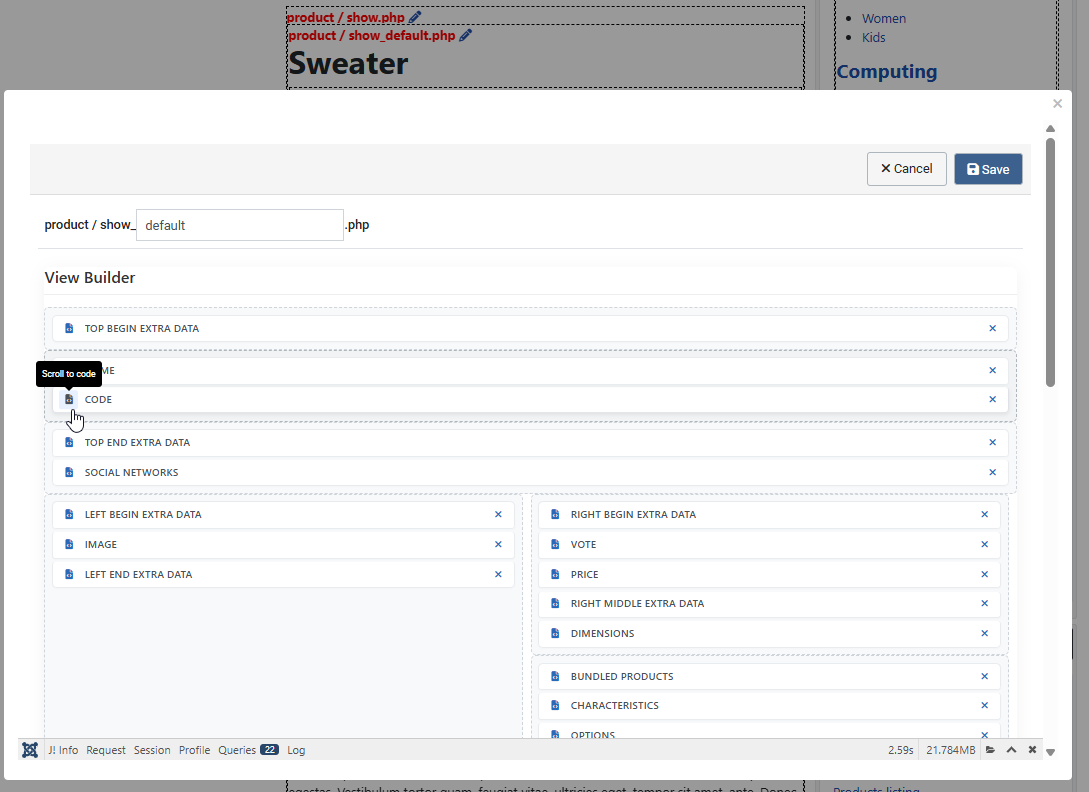
In the edition page, you can also find all the different parts between the HTML comments.

<!-- ... -->

Now you just have to cut and paste the part for the product name before the product image part.

And "voilà" you have moved the name before the picture of the product.

Listing types:

By checking the following tab you'll be able to know which file to edit via "Hikashop->Display->Views" regarding the value of the "Type of layout" and "Type of item layout" options.

Product page customization:

By checking the following picture you'll be able to know which file to edit via "Hikashop->Display->Views" regarding what you exactly want to change on product page.

To change the cart module display, you have to edit the view "product / cart". If you want to customize the emails, you have to go in HikaShop > System > Emails, only available in the business edition of HikaShop.
If you need more customizations, it requires HTML and probably PHP skills. If you don't have enough knowledge you can learn these programming languages on the web. You can also post a request on the Commercial Jobs section of our forum if you need to find a third party developer to help you personalize HikaShop if you don't know PHP.