
|
|

Description
This screen enables you to manage the votes of your shop. You can manage them, publish/unpublish, create new vote or comment, delete, or edit.
Toolbar

- New : Create a new vote from the backend.
- Edit : Select a vote and then click on this button in order to edit it.
- Delete : Select one or several votes and click on this button in order to completely delete them.
- Help : This button enables you to turn ON/OFF the help section, this screen will appear or disappear.
- Dashboard : You can go back to the control panel using this button.
Column Headers
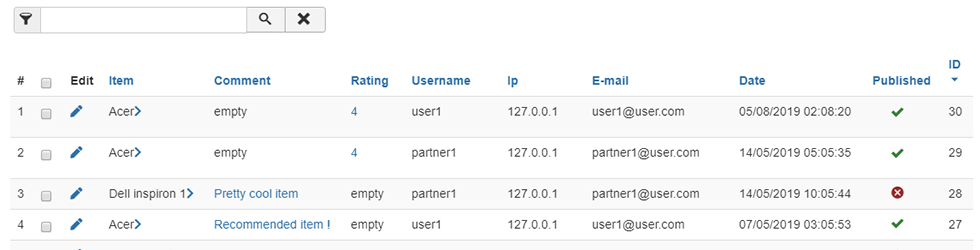
-
# : An indexing number automatically assigned for ease of reference.
- Checkbox : Check this box to select one or more items. To select all items, check the box in the column heading. After one or more boxes are checked, click on the delete button in order to delete the selected votes.
- Item: the product for which the vote or comment was passed.
- Comment : The comment passed for this article by the user.
- Rating : The rate given by the user for this item.
- Username: The name of the user.
- Ip : Ip from where the participation has been passed.
- E-mail: The mail of the user.
- Date: Date of the participation, or date of the update.
- Published: Publish or unpublish a vote or a comment.
- ID : This field indicates the ID of the vote.
Filters

- The filter caption enables you to easily search in your votes.
- Using the dropdown, you will be able to display only votes which are partners or customers.