1) Open a Flutterwave account. It starts in test mode, with its test keys in Settings, API Keys; it takes live payments once Flutterwave has verified your business.
2) Download the Flutterwave plugin from our website.
3) Install it on your Joomla or WordPress website and enable it.
4) Go to HikaShop > Payment methods, create a Flutterwave payment method, enter the public key and the secret key, and save.
5) In your Flutterwave dashboard, Settings, Webhooks, paste the webhook URL the payment method shows and type a secret hash, then copy the same secret hash into the payment method.
Configuration
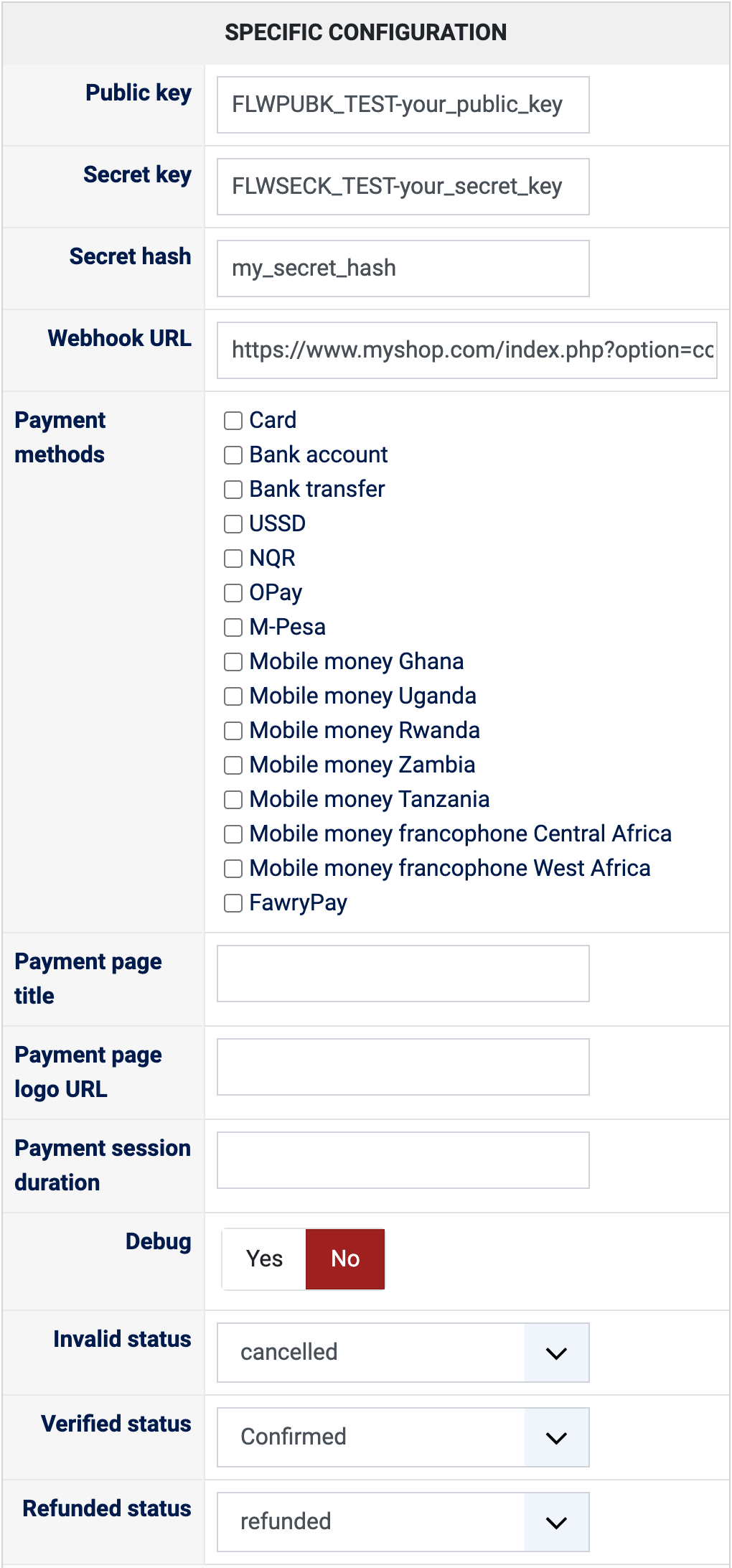
Public key: the public key of your Flutterwave account, test or live (Settings, API Keys in your Flutterwave dashboard). It must be of the same mode as the secret key.
Secret key: the secret key of your Flutterwave account. A test key puts the payment method in test mode, a live key takes real payments.
Secret hash: the one you typed in the webhook settings of your Flutterwave dashboard. Left empty, Flutterwave's notifications are refused and an order is only confirmed when the customer comes back from the payment page.
Webhook URL: shown for information, nothing to type. It is the address to paste in the webhook settings of your Flutterwave dashboard.
Payment methods: the methods offered on the payment page. Leave them all unticked to offer those set in your Flutterwave dashboard. Flutterwave only uses this list when the payment options of your dashboard (Settings, Account settings) are turned off.
Payment page title: the title shown on the payment page. Empty: the name of your shop.
Payment page logo URL: the full address (https://...) of the logo shown on the payment page.
Payment session duration: how many minutes the payment page stays open, 1440 at most. Empty: the duration Flutterwave chooses.
Debug: Yes writes every exchange with Flutterwave in the payment log of HikaShop, without your secret key. Turn it on to look into a problem, then off again.
Invalid status: the status of an order whose payment failed, "cancelled" by default.
Verified status: the status of a paid order, "confirmed" by default. Choose the status that sends your customer the confirmation email.
Refunded status: moving an order to this status refunds its whole payment on Flutterwave ("refunded" by default); Flutterwave takes 3 to 15 working days to send the money back to the customer.
The other settings of the page (name, description, images, price, zone, currency, restrictions) are the same as for every HikaShop payment method.