Install the plugin, create the payment method and try it in the integration environment with Transbank's test cards (VISA 4051 8856 0044 6623, CVV 123, RUT 11.111.111-1, password 123).
Transbank validates every shop before giving its production key: you make the test payments Transbank asks for on your shop and send it the evidence (the payments and the thank you page with its receipt).
Then choose the production environment, enter your commerce code and your production key, and save.
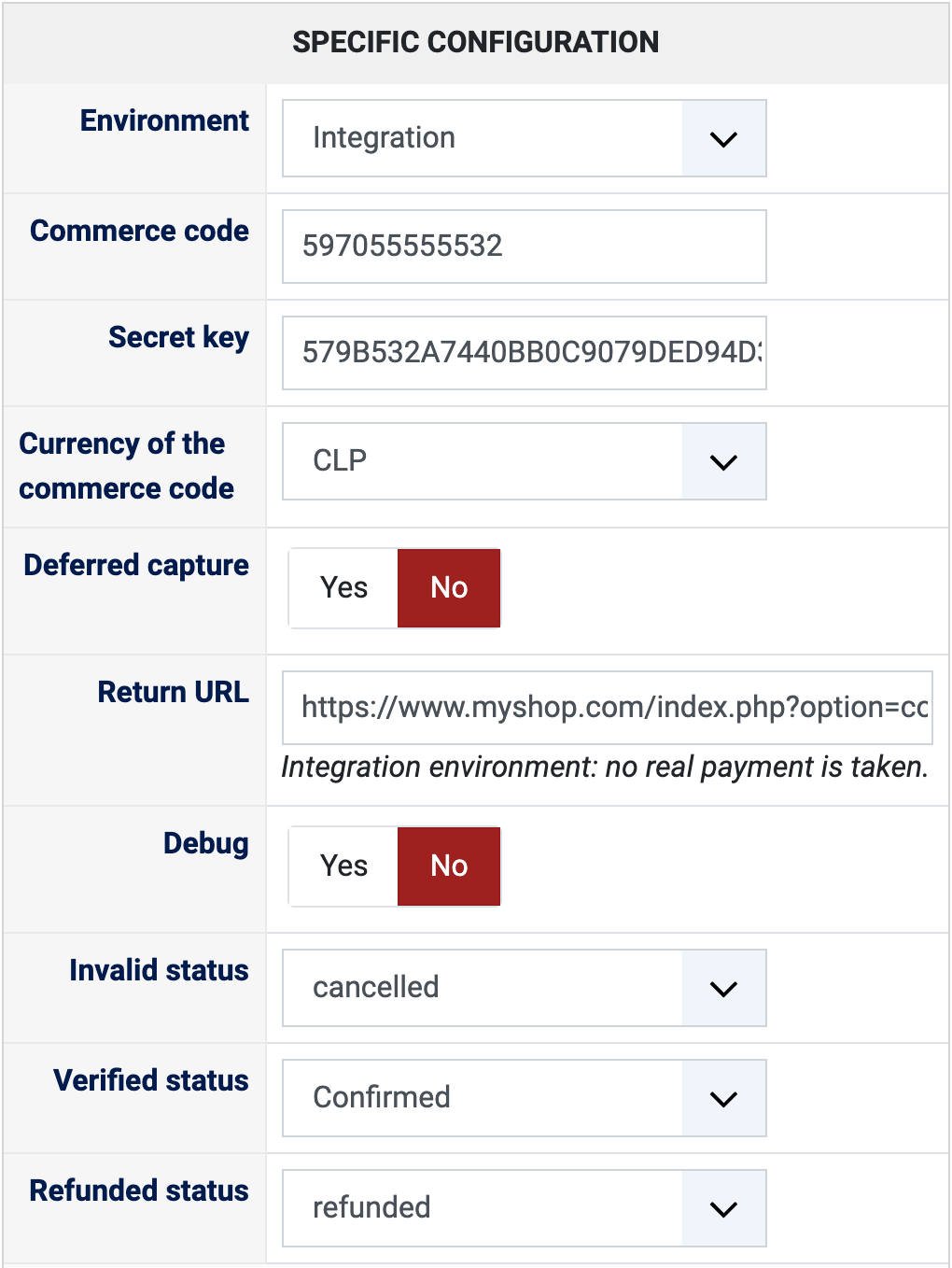
Configuration
Environment: Integration for tests, where no real payment is taken and the method shows "integration" at the checkout; Production for real payments, once Transbank has validated your shop.
Commerce code: the twelve digit code (código de comercio) of your Webpay Plus contract. A new payment method comes with Transbank's public test code 597055555532 (597055555540 to test deferred capture).
Secret key: the key (Api Key Secret) Transbank gives you with your production code. The public test key is filled in for the integration environment. You are warned when a test code or the test key is used in production, or a production code in integration.
Currency of the commerce code: Chilean pesos (CLP) for almost every contract, US dollars (USD) only for a code contracted in dollars. The method is offered at the checkout when the cart is in that currency, so your shop needs that currency.
Deferred capture: turn it on only if your commerce code is contracted with deferred capture (credit cards). The order is confirmed with the payment authorised, and the card is charged when the order reaches the capture status of your order statuses (shipped by default, in System > Order statuses), within 7 days. Leave it off for the usual simultaneous capture.
Return URL: shown for information. It is sent to Transbank with every payment, there is nothing to set in your Transbank account.
Debug: writes every exchange with Transbank in the HikaShop payment log, useful for Transbank's validation and for support.
Invalid status: the status of an order whose payment was refused (cancelled by default).
Verified status: the status of a paid order (confirmed by default).
Refunded status: moving an order to this status refunds its payment on Transbank (refunded by default).