
The Speedy plugin delivers your orders in Bulgaria with Speedy: to a Speedy office or locker that the customer picks on a map at the checkout, or to the address of the customer. The shipments are created, labelled, tracked and cancelled from the order page of the backend.
Installation
- 1) Ask Speedy for access to its API on your Speedy contract, through the Speedy website or your account manager. You get an API user name and password.
- 2) Install the plugin on your Joomla or WordPress website.
- 3) In HikaShop, go to System > Shipping methods, click on "New" and choose the Speedy plugin. Create one shipping method per delivery mode you want to offer: Speedy office, Speedy locker, address.
- 4) Type your API user name and password, fill in the sender information, set the price and the zone of the method, and publish it.
Configuration
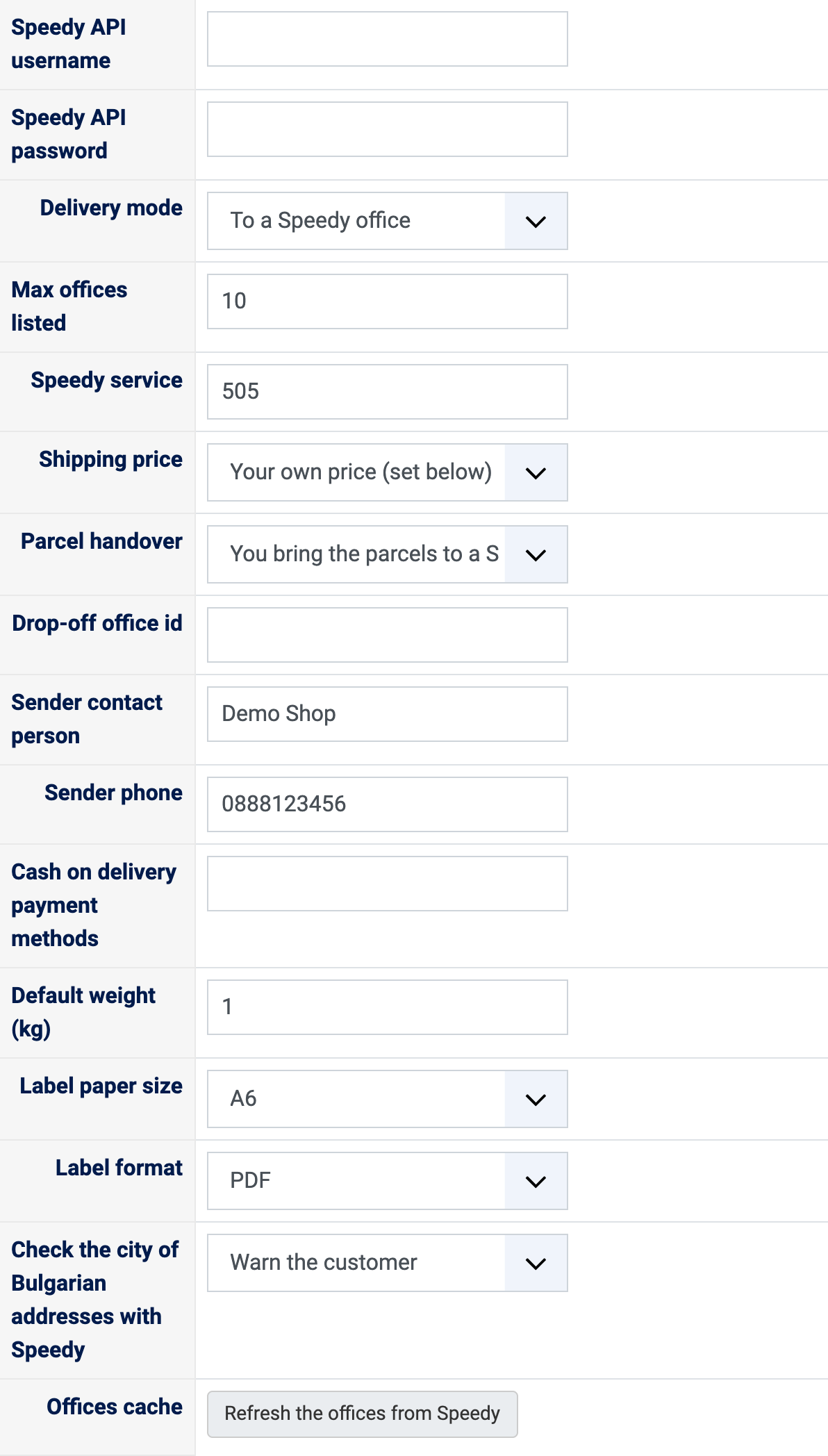
- Speedy API username and Speedy API password: the API account Speedy gave you.
- Delivery mode: to a Speedy office, to a Speedy locker, or to the address of the customer.
- Max offices listed: how many offices or lockers are proposed at the checkout, the nearest first.
- Speedy service: the id of the Speedy service of this method, 505 for STANDARD 24 HOURS.
- Shipping price: your own price, set further down like for any shipping method, or the price of your Speedy contract for the parcel, calculated by Speedy.
- Parcel handover: Speedy collects the parcels at your address, or you bring them to a Speedy office (then type its id in Drop-off office id).
- Sender contact person and Sender phone: printed on the labels.
- Cash on delivery payment methods: the payment methods for which the courier collects the money; the amount is added to the shipment and the fee to the price.
- Default weight: the weight of the products which have none.
- Label paper size and Label format: A6, A4 or four labels per A4 page, as a PDF or as ZPL for a thermal printer.
- Check the city of Bulgarian addresses with Speedy: warns the customer who saves an address whose city Speedy does not know.
- Offices cache: the offices are kept for a week; the button loads them again from Speedy.
The shipments
On the order page of the backend, the Speedy block creates the shipment, downloads its label, refreshes its tracking and cancels it while it has not been collected. Each action is written in the history of the order, and the office or locker chosen by the customer is shown in place of the delivery address, on the order pages and in the emails.
Troubleshooting
- No Speedy method at the checkout: check the API user name and password, and the zone of the method (Bulgaria).
- No office listed: click "Refresh the offices from Speedy" in the method, then try again.
- "Speedy has no tracking event for this shipment yet.": Speedy has not handled the parcel yet; refresh the tracking after it has been collected.
- The errors Speedy returns when a shipment is created are shown on the order page, in readable form.