
EC-CUBE is a widely used Japanese open source shopping cart. HikaShop imports its catalog, customers and orders so a shop can move from EC-CUBE to Joomla or WordPress.
It is one of the shops HikaShop can import: see all the import options.
Before you start
Supported versions: EC-CUBE 4 (tested on 4.3).
The EC-CUBE database must be on the same MySQL server as the site which receives HikaShop.
Make a backup of your database and your files. The import adds to what is already in HikaShop and never deletes anything, but a backup costs nothing.
What is imported
- Tax rules
- Categories
- Products, with their classes (as variants), prices and images
- Customers and their addresses
- Orders and their lines
Not imported:
- The payment and the shipping methods
- The shipping fee lines of the orders
Steps
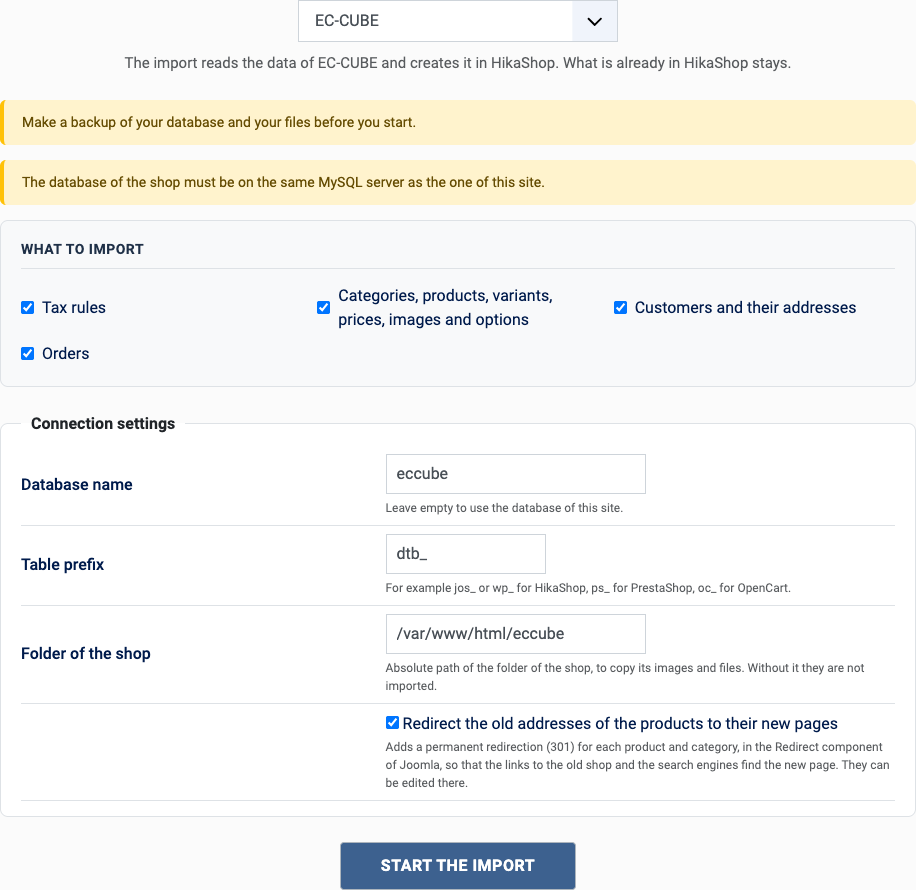
- In the HikaShop back office, open Products > Import and choose Import from another shop.
- Pick EC-CUBE in the list of shops.
- Choose what to import with the boxes of "What to import": orders also need the customers and the catalog, they are imported with them.
- Fill in the settings (see below) and click Start the import.
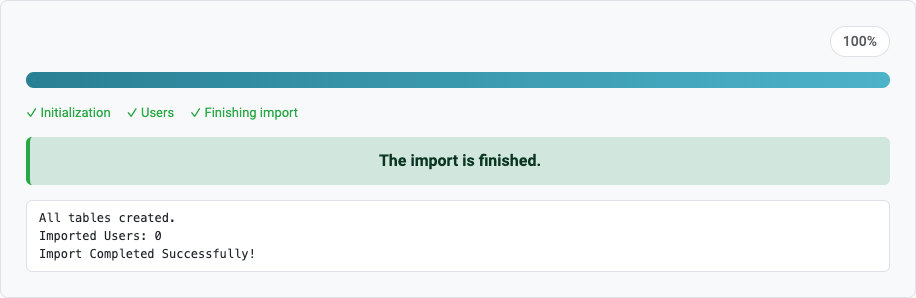
- Keep the page open until the message "The import is finished" appears. A step which fails stops the import and can be tried again or skipped.
The settings
- Database name: the database of EC-CUBE.
- EC-CUBE table prefix: dtb_ by default. The master tables always use mtb_.
- EC-CUBE installation path: the absolute path of EC-CUBE, to copy the images of the products.
- Redirect the old addresses (Joomla only): tick it to send the visitors of the old addresses to the new pages, see the questions below.
After the import
- Customers keep their password when the folder of EC-CUBE was given: they log in with the same one, which is then stored as a regular Joomla password.
- Set up your payment and shipping methods.
- Check the prices and the taxes of a few products.
Questions
Which version of EC-CUBE?
EC-CUBE 4. The tables of EC-CUBE 2 and 3 are different.
The images are missing
Enter the installation path of EC-CUBE: the images are copied from it.
Can I import only the catalog?
Yes, untick the customers and the orders in "What to import".
Can I run the import again?
Yes. What was already imported is left alone and only what is new is added: the products, customers and orders created on the old shop since the last import. You can import once to test and again when you go live. A change made on the old shop to something already imported is not copied.
The old addresses of the products
With "Redirect the old addresses" ticked (Joomla only), each product and category gets a redirection from its address in EC-CUBE (products/detail/ and products/list?category_id=) to its new page. It only works when the new site answers on the same domain as the old shop. The redirections are in Components > Redirects of Joomla, where they can be edited or removed; the import turns on the plugin "System - Redirect" which uses them.
Back to the import page, which also covers the CSV import and the import of orders. Something else went wrong? See solving problems.