
J2Store and its successor J2Commerce are shopping carts built on Joomla articles. HikaShop reads their tables and moves the catalog, customers and orders, including the options and the custom fields. This page explains how, and what happens to the options with a price and the uploads.
It is one of the shops HikaShop can import: see all the import options.
Before you start
Supported versions: J2Store 4 (tested on 4.0.5) and J2Commerce 6 (tested on 6.6), which keeps its data in its own j2commerce tables.
The tables of J2Store or J2Commerce must be in the database of the Joomla site. The import page fills in the prefix it finds: #__j2commerce_ when the tables of J2Commerce 6 exist, #__j2store_ otherwise.
Make a backup of your database and your files. The import adds to what is already in HikaShop and never deletes anything, but a backup costs nothing.
What is imported
- Tax rates and the tax profile of each product
- Brands (manufacturers)
- Categories, from the Joomla categories of the articles
- Products, with their prices, stock and images
- Variants: the variants of a product with options become HikaShop variants with their characteristics, price and stock
- Options which are not variants: a text, a date or a choice becomes a custom field of the products which had it, and the orders keep what the customer typed or chose
- Options with a price: each choice becomes a product option of HikaShop (Essential and Business editions), and the orders keep it as an option line
- File upload options, as "Ajax file" or "Ajax image" fields (Business edition), with the files the customers sent
- Custom fields of the addresses, with their values in the customers and in the orders
- Customers and their addresses
- Coupons
- Orders, with their lines, shipping and discount amounts
- Downloadable files
Not imported:
- The payment and the shipping methods
- The weight and the SKU of an option value
Steps
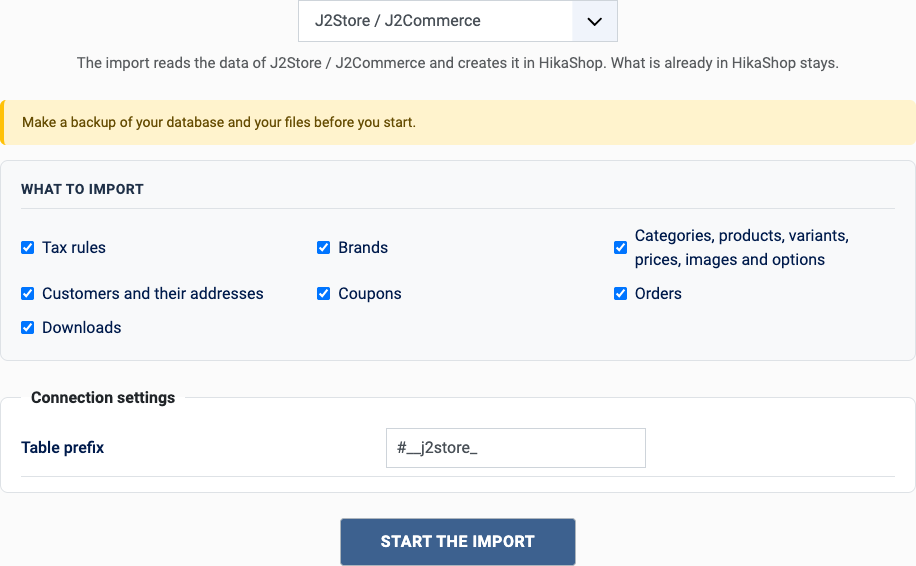
- In the HikaShop back office, open Products > Import and choose Import from another shop.
- Pick J2Store and J2Commerce in the list of shops.
- Choose what to import with the boxes of "What to import": orders also need the customers and the catalog, they are imported with them.
- Fill in the settings (see below) and click Start the import.
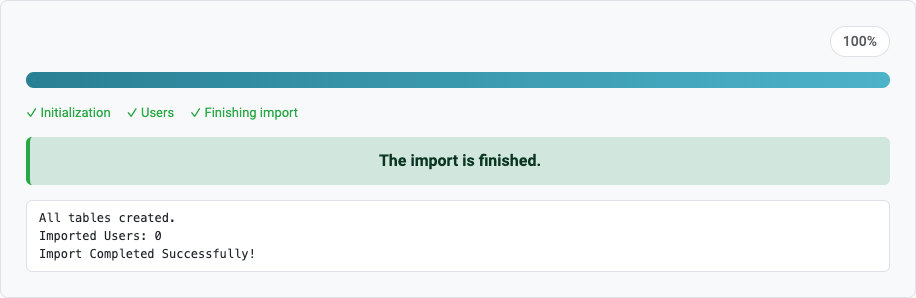
- Keep the page open until the message "The import is finished" appears. A step which fails stops the import and can be tried again or skipped.
The settings
- J2Store table prefix: #__j2store_ for J2Store, #__j2commerce_ for J2Commerce 6. A prefix of your own can be typed: the import finds out which of the two it reads.
After the import
- Set up your payment and shipping methods.
- Open a product which had a priced option: its choices are now options of the product, each with its price.
- If you moved to J2Commerce 6, your old tables are kept: the import reads the new ones.
Questions
J2Store 4 or J2Commerce 6?
Both are read. If both sets of tables exist, the J2Commerce ones are used.
The options with a price are plain fields
Product options need the Essential or the Business edition of HikaShop; on Starter they are imported without their price.
The file options are missing
They are custom fields of the type "Ajax file" or "Ajax image", which need the Business edition.
Can I run the import again?
Yes. What was already imported is left alone and only what is new is added: the products, customers and orders created on the old shop since the last import. You can import once to test and again when you go live. A change made on the old shop to something already imported is not copied.
Back to the import page, which also covers the CSV import and the import of orders. Something else went wrong? See solving problems.