
Wix Stores is a hosted shopping cart: you cannot read its database, but its dashboard exports your products as a CSV file. HikaShop imports this file, so you can leave Wix for your own Joomla or WordPress site without retyping your catalog.
It is one of the shops HikaShop can import: see all the import options.
Before you start
Supported versions: The product file exported by Wix Stores (catalog_products.csv), with the columns Wix documents: handleId, fieldType, name, description, productImageUrl, collection, sku, price, surcharge, visible, discountMode, discountValue, inventory, weight, brand, the numbered option columns and the additional information columns.
Nothing to install on the Wix side. You export the product file and send it from the import screen; it is removed from the server when the import ends.
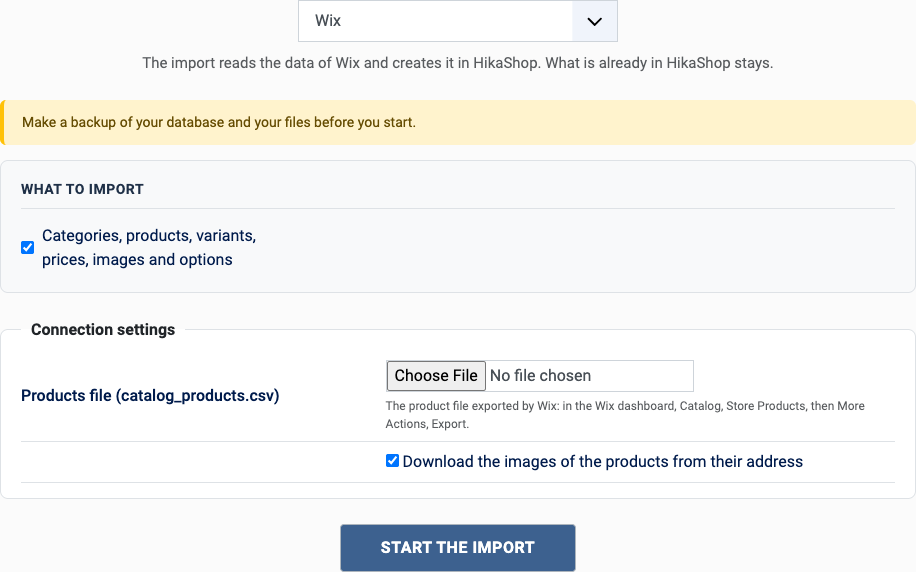
Make a backup of your database and your files. The import adds to what is already in HikaShop and never deletes anything, but a backup costs nothing.
What is imported
- Products, with their description, brand, collections (as categories), visibility and the additional information sections (added to the description)
- Variants, with up to 6 options (as characteristics), their SKU, price (the surcharge is added to the price of the product), weight and stock
- The discount of a product: the price after the discount is the price imported
- Images, downloaded from the addresses of the export
Not imported:
- The customers and the orders: Wix does not export them in a file this import can read
- The ribbons, the cost of the goods, the custom text fields of the products
- The redirections from the old addresses: the file does not hold the address of the pages of the products
Steps
- In the HikaShop back office, open Products > Import and choose Import from another shop.
- Pick Wix in the list of shops.
- Send the product file and fill in the settings (see below), then click Start the import.
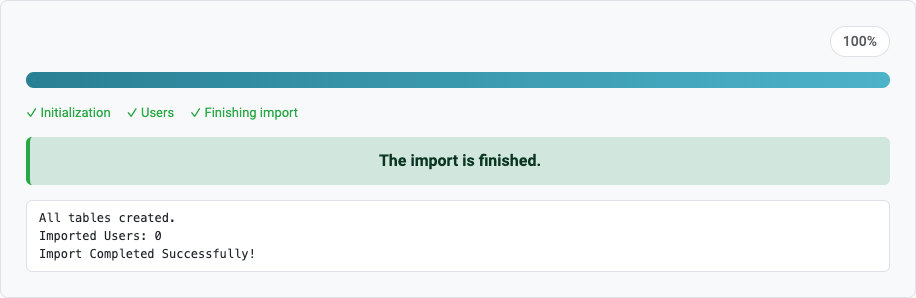
- Keep the page open until the message "The import is finished" appears. A step which fails stops the import and can be tried again or skipped.
The settings
- Products file: the CSV file exported by Wix.
- Download the images: tick it to download the images of the products from the addresses of the export.
After the import
- Check the products with options: each combination is a variant.
- Add your customers to the new shop (they register again, or you import them with a CSV file).
- Set up your payment and shipping methods, and your taxes.
Questions
How do I export from Wix?
In the Wix dashboard, open Catalog, Store Products, then More Actions and Export. The file is a CSV.
The images were not downloaded
The server needs to reach the Wix servers which host the images; tick "Download the images" and check that your host allows outgoing connections. Wix removes the images of a store which is deleted, so import before closing your Wix store.
Can I run the import again?
Yes: products which were already imported are left alone, only the new ones are added.
Back to the import page, which also covers the CSV import and the import of orders. Something else went wrong? See solving problems.